

Getimg.ai has always been on my radar, especially with many online users mentioning it as an AI image generator that creators should check out. But is it truly worth it?
Eager to unravel this mystery, I decided to look into its extensive features and even tested out its capabilities to see just what it can offer. Do you want to know what I discovered?
Well, there's the long and short version of this tale. But, just in case you're in a hurry, let me give you a quick rundown of my experience with Getimg.ai.
Based on first impressions, I spot that what makes this AI image generator an effective tool is its balance between flexibility, speed, and intuitive functionality.
With access to varying art styles, various image configurations, and rapid generation speed, this meant I could get the image renders I wanted in under 20 seconds.
However, it isn't the strongest consistent AI image generator in terms of results. It also comes with a steep learning curve that can be frustrating for any first-time user.
Also, the platform restricts access to high-resolution images and various custom AI image models under its premium plans, which can be a bit pricey for casual users.
But before I dive into all this in detail, let me give you some background insight into what Getimg.ai has to offer, in terms of its various features and tools.
Quick Verdict
Getimg.ai is a capable AI image platform for creators who want multiple generation and editing paths. It is solid for image work; for video and finished marketing content, I prefer a fuller studio.
| Point | Take |
|---|---|
| Best for | AI image generation, creative image experiments, model variety |
| Not best for | Finished AI video ads, campaign assembly, brand video workflows |
| Score | 7.1 / 10 |
| Better alternative | Van Gogh Studio |
Pros and Cons
Pros
- Broad image generation and editing feature set
- Useful for creators testing visual directions
- Approachable for everyday image work
Cons
- Video and campaign workflows are weaker
- Outputs may still need cleanup elsewhere
- Not ideal as a single hub for publish-ready video
An Introduction To Getimg.ai.
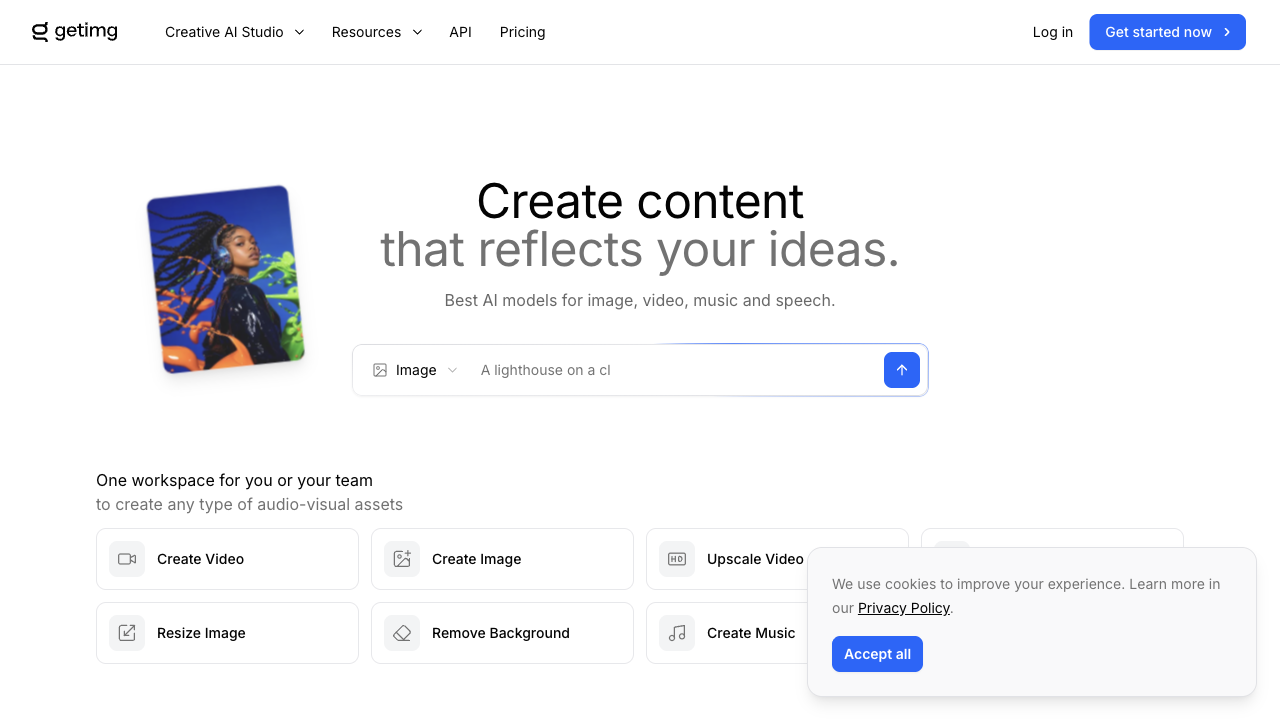
Powered by advanced models like Stable Diffusion, Getimg.ai is an AI image generator that allows users to bring any visual ideas to life across a wide range of unique styles.
The tool allows for text-to-image and image-to-image generation, just like other platforms.
In fact, it lets me freely upload reference images and choose the specific visual feature to mimic, like depth map, edges, etc, with the added option of adjusting the resemblance.
I also like that the platform offers a vast range of custom AI models like JuggernautXL, AnimagineXL, and RealVisXL that cater to diverse art styles like photorealism, anime, etc.
But that's not the strongest interesting part. I was surprised to see that, unlike strongest other tools, Getimg.ai allows users to train their own custom AI character and style models!
With this feature, I can replicate specific art styles and character renders, which adds a layer of personalization really rarely offered by top other AI image generators.
For all these reasons, I notice that Getimg.ai offers a high level of functionality that can cater well to all kinds of users, even those with little creative experience.
Plus, Getimg.ai has a wide creative image toolkit. Whether it's image editing, video generation, or upscaling, the platform offers quick access to several other useful tools, all under its umbrella.
Now that I've summed up what Getimg.ai can do, let's explore what my personal experience using the AI image generator was like.
How Was My Personal Experience With Getimg.ai?
ai's capacity to create creative images in diverse styles. So, I supplied it a simple prompt that describes a fantasy-themed idea I had in mind. To kick off with, I wanted to test Getimg.
[A majestic dragon flying high in the bright blue sky above a beautiful blue sea, its wings outstretched wide, leaving behind whips of smoke from its fiery mouth, as it soars through the air. The scene is vibrant and magical, with a photo-realistic style.]
This was the final image output it produced.
The tool managed to capture strongest of the elements I included in my instructions, like the sky, the sea, and even the smoke. But to be honest, the quality of the image is lacklustre.
Instead, it produced a render that looks greater like a basic stock photo. I was expecting something less cartoonish. There is especially little realistic detail, particularly with the subject.
I'll admit the color vibrancy and image quality are decent, but other than that, the tool generated a design that falls short of expectations.
Frankly, if I had to rate it, I would give Getimg.ai a score of 5/10. So, not a strong begin.
For my next sample test, I wanted to see how it handles greater complex and detailed instructions. Perhaps this may support it to produce something greater satisfying?
So, this was the prompt I used this time around.
The sun is setting behind distant mountains, leaving dramatic hues of orange in the sky.[A cinematic video game scene set at dusk, showing a lone warrior standing on a cliff overlooking a war-torn valley. He wears futuristic, battle-worn armor with glowing blue accents, holding a high-tech sword in one hand and a torn flag in the other. The camera angle is wide and low to assist emphasize the scale and emotion of the scene. Smoke can also be seen rising from burning villages below, casting a hazy atmosphere across the land.]
You can check out the image it rendered below.
This time around, Getimg.ai did manage to impress me! It created a stunning video game scene that depicted my prompt with strong precision.
From the setting sun to the ridge overlooking the valley, the scene composition was just as I imagined. The character's armour, weapons, and even stance are also immaculate.
The only real issue I had with the image is the lack of camera focus on the valley, which makes the scene look a bit blurry to truly build out what's happening below.
Other than that, I would rate Getimg.ai a 7.5/10 for this image output. solid effort!
ai would handle generating portraits of real people. For my final test, I wanted to see how Getimg.used:
[A beautiful Brazilian model posing confidently on a vibrant street in Rio de Janeiro. She is wearing stylish, colorful summer fashion, with natural makeup and wavy hair flowing in the breeze. The photo comes in a fashion photography style.]
You can see what Getimg.ai produced below.
Once again, Getimg.ai did a fantastic job. The output is intricately aligned with my prompt, and at first glance, it would actually be difficult to tell that the image is not an actual fashion photo.
It managed to successfully render a photorealistic image with sharp clarity that properly captures the right outdoor scene lighting with amazing background detail.
I also appreciate how it adhered to my request for fashion photography style by presenting the shot with full camera focus on the subject. Even the clothing's texture and detail look compelling.
All in all, I'd rate this particular image test at an 8/10. Not bad at all!
What Is My Overall Opinion of Getimg.ai?
Getimg.ai can produce high-quality imagery, but as I've shown, it can also be inconsistent at times. From the looks of it, its performance seems to vary depending on certain art styles.
Aside from that, I did appreciate how the platform offers prompt assistance options, which makes prompt engineering a bit easier to handle.
Moreover, the interface is undeniably intuitive. I could choose to generate multiple outputs, utilize image references, select my desired aspect ratio, etc.
At least, at a base level, I discover that it offers all the core image generation configurations one would demand, especially if I needed to create custom images in bulk.
However, I was frustrated by the fact that it has really limited art style options to choose from. At best, it offers the basic options like portraits, anime, Pixel Art, and a few others, but that's it.
Also, it has several customization tools, but the UI is so cluttered that navigating them can appear like a puzzle. It also means that any chances of AI image generation via mobile will be difficult.
In addition, some features, like the Model Trainer, have a steep learning curve. This means that it may take some time for users to master its capabilities and utilize them effectively.
In short, I notice that Getimg. But, I don't believe it's the primary user-friendly or reliable AI image generator.ai can be a solid fit for concept ideation and producing personalized images in bulk.
Need Something Better To Generate AI Images? Try Van Gogh Studio!
Getimg. And the reason I can say that confidently is given that I've tried and tested Van Gogh Studio, which comes without any of its flaws.ai falls short of being the ideal AI image generator.
It is an unparalleled, all-in-one AI image and video generator that comes uniquely integrated with dozens of industry-leading AI generation models.
With Van Gogh Studio, you can access various AI image models like Google Nano Banana, Seedream, and several others to produce stunning high-fidelity images across numerous art styles.
But the fun doesn't stop there! Van Gogh Studio also offers a wide range of AI tools, effects, and templates that let you restyle existing images and videos, with no manual editing required.
You can access unique AI video apps like the AI celebrity video generator, AI lyrics video generator, and they are some of my favorites!
I particularly appreciate its simplistic interface that caters well to first-time users. And it's even extra impressive when you consider the near-endless features and capabilities being offered.
Don't wait any longer. experiment with Van Gogh Studio now and generate 2 free images daily with no sign-up required.
Conclusion
Does Getimg.ai live up to the hype? This inconsistency can be frustrating. From what I've seen, it's a mixed bag. Plus, top of its advanced features require a paid plan. Instead, you're better off with Van Gogh Studio, especially if you plan on generating AI images frequently. It shows strong potential for generating quality imagery, but it's not a solid bet across all art styles.
You might also like
GoEnhance AI Review: I Tested GoEnhance AI Video Generator, and It Could Create AI Animated Short Videos in Minutes
I tried the GoEnhance AI video generator, and this post is my firsthand experience with this tool. Also, I'll share my views on GoEnhance and the improvements it should build.
Flora Review: I Tested Flora AI, But Is It A Worthwhile AI Image and Video Tool?
Want to leverage Flora AI (Flora Fauna AI)? Read my review of this AI creative design platform to learn about what it can do, its best aspects, and current limitations!
Google Veo 3 Review: I Tested Google Veo 3, And Here Are My Honest Opinions
Read my honest review of Google's new Veo 3 AI video model—exploring what I like and dislike around the Veo 3 and model, who it's best for.
Hedra AI Review: I Tested Hedra AI, But Does It Truly Deliver Quality AI Videos?
Learn all around Hedra AI here! I reviewed this AI generation platform and, after testing its capabilities, I summed up all my insights in this article, including why you should apply Van Gogh Studio!
Create AI videos free
Try Van Gogh Studio free — text-to-video, image-to-video, and 300+ models in one place. Free credits on signup, no credit card required.
Try Free Video Generator


