

I tested Hedra AI to see whether its character-first promise — talking faces, emotional expression, and controllable virtual performers — holds up for real creator work, not just demo reels.
In this Hedra AI review, I’ll share what it does well, where full-body motion and broader video production still fall short, who it fits best, and why I would choose Van Gogh Studio when I need talking characters inside a fuller path to publish-ready video.
Quick Verdict
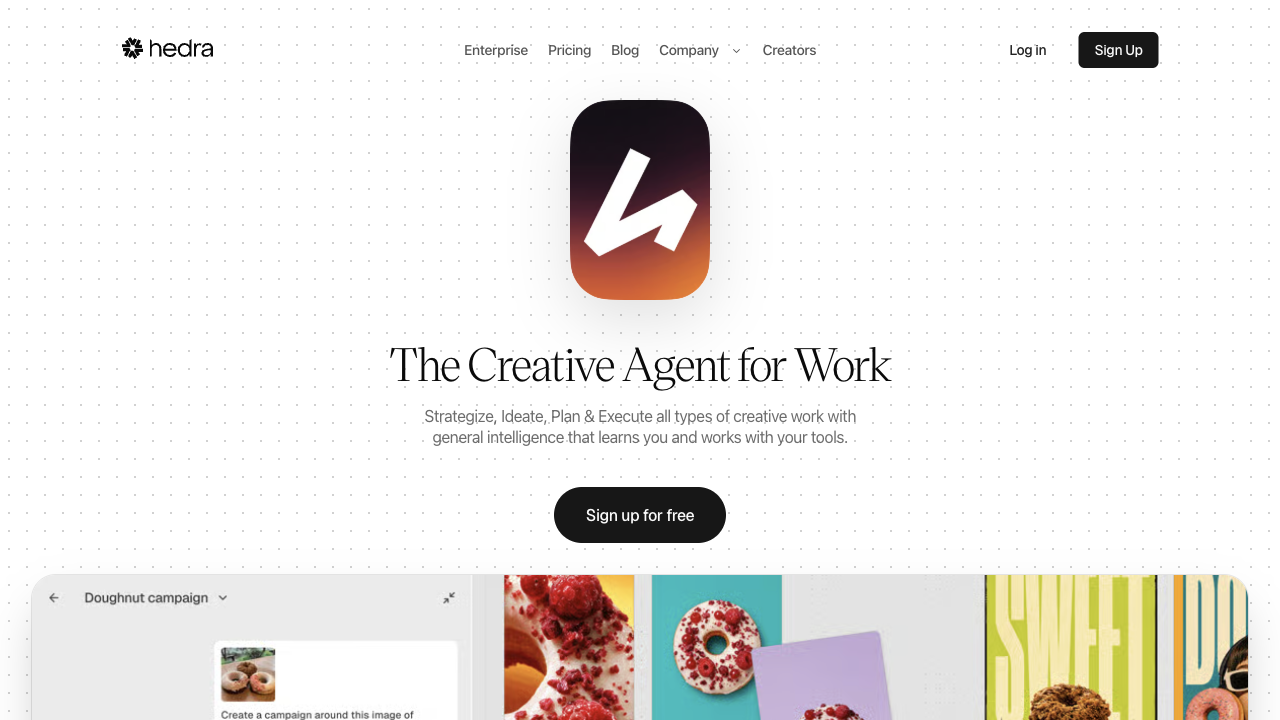
Hedra AI is a strong pick if your main goal is character-driven talking video: lip-synced performances from a still, expressive facial motion, and virtual characters that speak, sing, or perform to audio. Character-3 and the broader Character model line are clearly built around performer control, not generic scene generation.
It is a weaker choice when you need cinematic multi-scene storytelling, product ads, UGC campaign systems, or reliable full-body motion that never looks stiff. For a fuller production workflow around avatars and scenes, I prefer Van Gogh Studio.
| Review Point | My Take |
|---|---|
| Best for | Talking character videos, lip sync, expressive face performances |
| Not best for | Full-body motion polish, product ads, or multi-scene campaign videos |
| Strongest feature | Character-driven talking video with solid close-up lip sync |
| Biggest limitation | Full-body motion can look stiff; workflow stays character-centric |
| Learning curve | Moderate — easy for talking-head tests, deeper for advanced character control |
| My verdict | Excellent for talking characters; limited as a full creative studio |
What Is Hedra AI?
Hedra AI is a character-oriented AI generation platform. Its Character model family — including Character-1 and the later Character-3 generation — is designed for controllable virtual performers with lip sync, emotional expression, and character-driven storytelling.
Its biggest value is turning a still image plus audio into a talking performance. Creators can build virtual characters that speak or perform without filming a real person for every take. Hedra also connects to other image and video models for broader generation, but the product identity stays character-first.
Compared with open-ended AI video generators, Hedra feels more like a character performance studio. It is less about building product scenes from scratch and more about animating a performer who can talk to camera.
Key Features I Reviewed
Hedra’s feature set is organized around character performance: talking faces, motion, and multimodal generation around that core.
Character Talking Video and Lip Sync
Talking video is Hedra’s clearest strength. Upload a portrait or character still, add audio or a speaking prompt, and generate a performance with mouth motion tied to speech.
In my close-up talking tests, lip sync was generally solid, lighting reacted naturally to head movement, and blinking felt believable. Face-forward selfie-style inputs performed better than complex full-body setups. For explainers, character intros, and social talking clips, this is the part of Hedra that feels most useful.
Emotional Expression and Character Control
Character-3 focuses on stronger emotional expression and more controllable performance. That matters when a talking clip needs more than a stiff mouth overlay — tone, facial energy, and presence decide whether the result feels watchable.
Hedra is strongest when the framing stays on the face and upper body. The more the request depends on nuanced facial acting, the better the platform fits.
Full-Body Motion
Full-body motion is available, but results were mixed in my tests. Lip sync could remain decent while head motion looked exaggerated and body movement felt stiff or awkward.
I would treat full-body outputs as drafts that need careful starting frames and multiple regenerations. Hedra does better when body motion is limited and the performance stays face-led.
Multimodal Generation Around Characters
Hedra also supports image generation and broader model access for audio, image, and video tasks. Image quality in my character and product-style still tests was strong — detailed, consistent, and useful as starting frames for talking video.
That multimodal layer helps, but it does not redefine the product. Hedra still makes the most sense when the destination is a character performance, not a full marketing production system.
Pros and Cons
What I Liked
- Strong character-first workflow for talking videos
- Close-up lip sync and facial performance can look natural
- Useful for virtual presenters, character intros, and audio-driven clips
- Image generation quality is high enough to create strong starting frames
- Multimodal access expands options beyond a single talking-head button
What Held It Back
- Full-body motion can look stiff, exaggerated, or inconsistent
- Results vary heavily by starting frame and framing
- Less flexible for product motion, cinematic scenes, or campaign assembly
- Character focus can feel narrow when the video needs more than a performer
- Some outputs still need regeneration before they feel publish-ready
Create Full Videos with Van Gogh Studio Free
Where Hedra AI Falls Short
Hedra’s limits show up when a talking character clip needs to become a finished video with scenes, product focus, pacing, and campaign structure.
Full-Body Motion Is Not the Strong Suit
Hedra can generate body motion, but my tests showed awkward posture, stiff gestures, and head movement that looked exaggerated next to the body. Face-led clips were clearly more reliable.
If your project depends on dance, walking, product handling, or full-figure performance, expect more retries and more compromise.
Character-Centric, Not Campaign-Ready
Hedra is built around performers. Many marketing briefs need hooks, product close-ups, scene changes, captions, and platform-native pacing — not only a talking face.
UGC video ads, ecommerce creatives, and brand campaigns usually need more than a strong lip-synced take. Hedra can supply the character moment; finishing the video still needs a broader workflow.
Less Control Over Broader Visual Storytelling
When the video needs cinematic environments, multi-scene structure, or product-led storytelling, Hedra’s character focus becomes a constraint. You may get a convincing talking clip and still lack the surrounding scenes that make the video feel complete.
How I Reviewed Hedra AI
I reviewed Hedra as a character and talking-video tool, not as a generic text-to-video playground.
Main areas I considered:
- Talking performance quality — lip sync, facial expression, and watchability
- Motion realism — head movement, gestures, and full-body consistency
- Starting-frame sensitivity — how much input framing affected results
- Creative control — whether character settings supported usable direction
- Output readiness — whether clips felt close to publishable or only drafts
- Use-case coverage — explainers, character content, social clips, ads, stories
- Business value — whether creators could ship character videos without filming
Is Hedra AI Right for You?
Hedra is a strong fit if your main goal is character-driven talking video. I would recommend it for virtual presenters, AI character intros, audio-synced performances, and social clips where a face talking to camera is the whole point.
It is also useful if you want to avoid filming yourself or hiring talent for every take. A strong still plus audio can get you surprisingly far for face-led content.
Hedra is less ideal if you need reliable full-body motion, product-focused ads, multi-scene stories, or a workspace that continues into editing, captions, campaign variations, and publish-ready assembly. In those cases, an AI avatar workflow inside a broader studio is the better starting point.
In short: Hedra is right for users who want characters that talk. It is less ideal for users who need complete videos around those characters.
Real Use Cases
| Use Case | My Take |
|---|---|
| Talking character videos | Strong fit — face-led lip sync is the core strength |
| Virtual presenter intros | Strong fit when framing stays close and audio is clean |
| Singing / audio performance clips | Good fit for face-led performances tied to audio |
| Social talking-head content | Useful for character-led social posts and experiments |
| Full-body character motion | Mixed to weak — can look stiff or exaggerated |
| Product ads / ecommerce | Limited fit — character moment helps, product story needs more |
| Multi-scene brand campaigns | Weak fit — not built as a full campaign production system |
Hedra AI vs Van Gogh Studio
| Dimension | Hedra AI | Van Gogh Studio |
|---|---|---|
| Main workflow | Character-driven talking video and performance | Full AI video generation, editing, and publish-ready workflows |
| Talking / avatar video | Core product strength with Character models | Available via AI avatar, plus broader surrounding tools |
| Lip sync focus | Strong for face-led character performances | Strong avatar lip sync inside a larger production flow |
| Creative range | Narrower character / performance focus | Broader coverage across ads, explainers, social, and story videos |
| Marketing output | Better for character moments than campaign creatives | Stronger with UGC ad video and campaign-ready workflows |
| Editing flexibility | Limited beyond character generation | Stronger follow-up refinement with the AI video editor |
| Best fit | Creators who need talking AI characters | Creators and marketers who need finished AI videos, not only talking heads |
Why Van Gogh Studio Is a Better Hedra AI Alternative

Hedra is useful for character performance. Van Gogh Studio is stronger when I want talking avatars plus scenes, editing, and a finish path in one place.
Avatar Videos Inside a Full Production Flow

With Van Gogh Studio’s AI avatar video generator, I can turn one photo into a lip-synced talking avatar with natural expressions and gestures — without filming or long avatar training.
The difference is context. I do not want the talking character to be the whole workflow. After the presenter clip is ready, I can keep building the video with text-to-video scenes, product motion, captions, and prompt-based edits instead of stopping at a talking head.
Create Avatar Videos with Van Gogh Studio Free
Broader AI Video Generation Around the Character

Van Gogh Studio gives me more starting points: text to video for concepting, image to video for product stills, and multi-model access when I want different motion styles. Models such as Veo 3.1, Kling 3.0, and Seedance 2.5 matter when one character look is not enough.
That is the clearest gap versus Hedra. Hedra can animate the performer; Van Gogh Studio can also build the scenes around them.
Post-Ready Videos With Van Gogh Studio Agent

Van Gogh Studio Agent gives a stronger end-to-end production advantage. Instead of only generating a talking take, it is designed to create structured, production-ready videos with less manual assembly.
I can start from an idea, text, image, or URL, and the Agent can help handle structure, pacing, visuals, and sound. That makes it more suitable when I want a finished result instead of a character clip that still needs another tool.
Create Videos with Van Gogh Studio Agent
Stronger Marketing and Commerce Workflows
For ads, launches, and product promos, I need hooks, variations, pacing, and channel-ready formats. Van Gogh Studio’s marketing and product-video workflows — including UGC ad video and link to video — are built for that campaign output, not just one talking character moment.
Final Verdict: Is Hedra AI Worth Using?
Hedra AI is genuinely useful for character-driven talking video. Close-up lip sync, expressive face performance, and virtual character creation are real strengths when the framing stays face-led.
Creative range outside that lane is the main issue. Hedra is not the strongest choice for reliable full-body motion, product ads, ecommerce visuals, UGC-style campaigns, or multi-scene publish-ready video.
Use Hedra when a talking character is the job. For a broader AI video workflow, I would choose Van Gogh Studio. It combines AI avatar creation with multi-model video generation, editing, Agent-led publish-ready workflows, and campaign tools in one place — so you can animate a performer and still finish the video around them.
Hedra AI Review FAQs
Is Hedra AI good for talking avatar videos?
Yes. Hedra is one of the stronger character-oriented options for face-led talking videos, especially when lip sync and facial expression matter more than full-body motion.
Does Hedra AI support full-body motion?
Yes, but results vary. In my tests, full-body motion was less consistent than close-up talking performances and could look stiff or exaggerated.
What is the biggest drawback of Hedra AI?
For me, the biggest drawback is that the strongest results stay character-centric. If you need product motion, campaign structure, or broader scene storytelling, you will likely need another tool.
What is the best Hedra AI alternative?
If you want talking characters plus a complete AI video workflow, Van Gogh Studio is the better alternative. It covers AI avatar, multi-model video generation, editing, UGC ads, and longer story videos in one workspace.
Create AI videos free
Try Van Gogh Studio free — text-to-video, image-to-video, and 300+ models in one place. Free credits on signup, no credit card required.
Try Free Video Generator


