

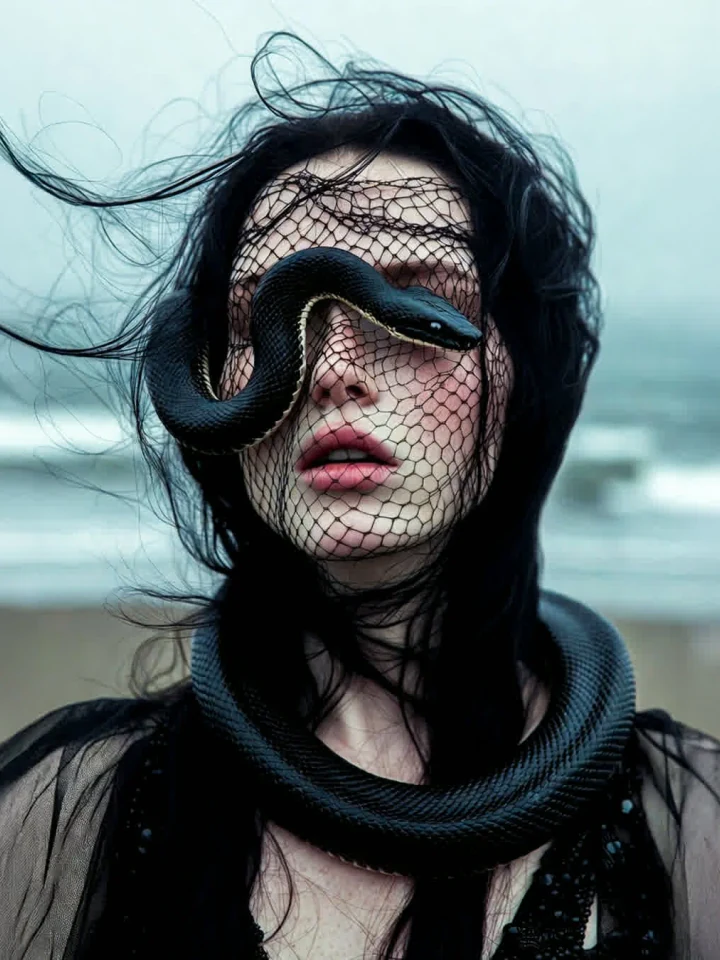
Gothic Snake Portrait
Dark editorial portrait, woman with live black snake draped across eyes like a blindfold, snake's body coiling around head. Delicate black m…
Generate stunning images from text prompts with AI

Recommended next steps based on what you're working on — pick up where this tool leaves off.

Upload a still and watch AI bring it to life with natural motion.
Turn still images into cinematic video
Open
Set two key frames — AI fills the smooth transition between them.
Turn still images into cinematic video
Open
Fine-tune images with AI editing
Open
Fix blur, noise & detail in one click — old photos look brand-new.
Enhance image quality before publishing
OpenWant an ad-free experience? Upgrade your plan.
Create stunning AI-generated images with advanced models
No Images Yet
Enter a prompt and click 'Generate Images' to create your AI-generated images. Your creations will appear here.
Image 1
Image 2
Image 3
Image 4
Browse curated examples with ready-to-use prompts. Click to fill the prompt box and generate your own version.
Dark editorial portrait, woman with live black snake draped across eyes like a blindfold, snake's body coiling around head. Delicate black m…

Create a close-up editorial shot of a woman lying on a vibrant green surface, her head resting gently on the ground. She is wearing a delica…
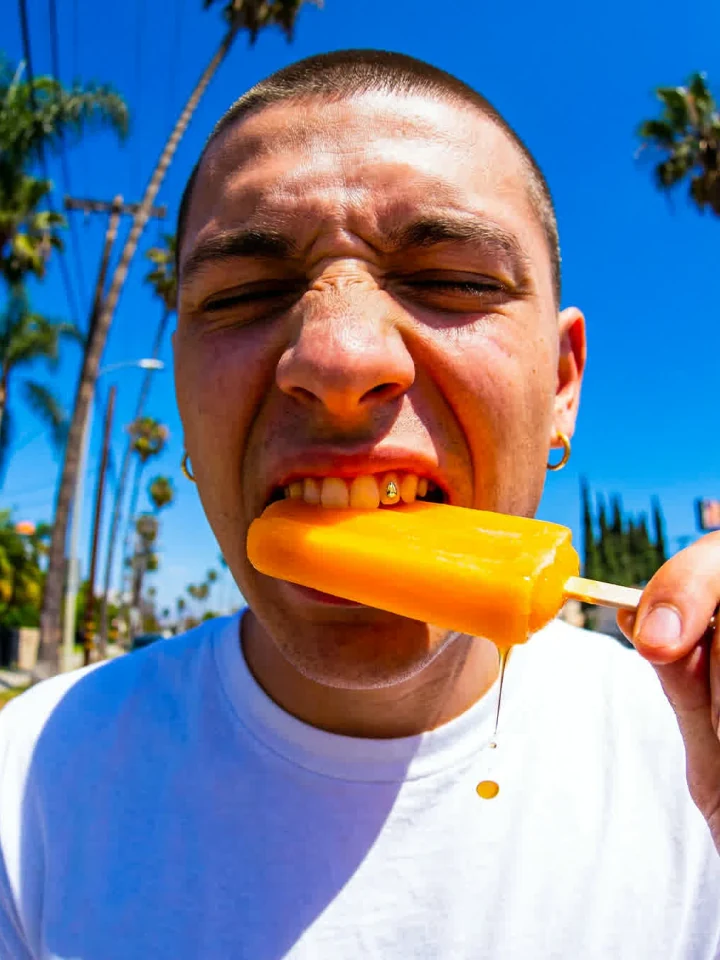
Ultra-wide angle close-up (fisheye lens effect) of a young man with a buzz cut and small gold hoop earrings, making an intense scrunched-up …
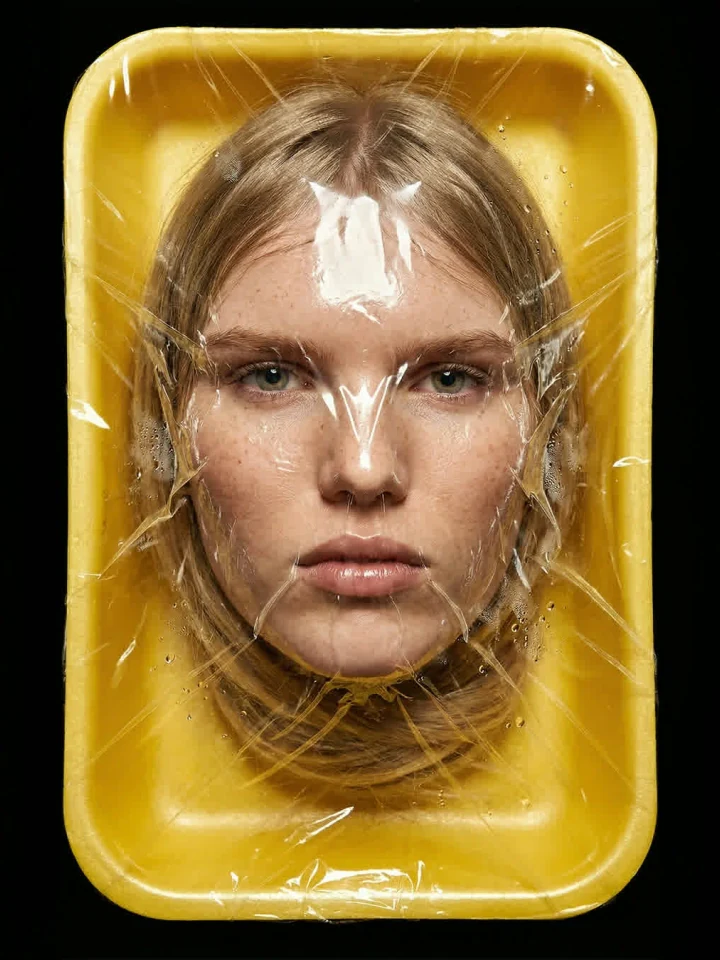
Photorealistic portrait of a beautiful young woman, face pressed tightly against thick transparent plastic wrap sealing a bright yellow glos…
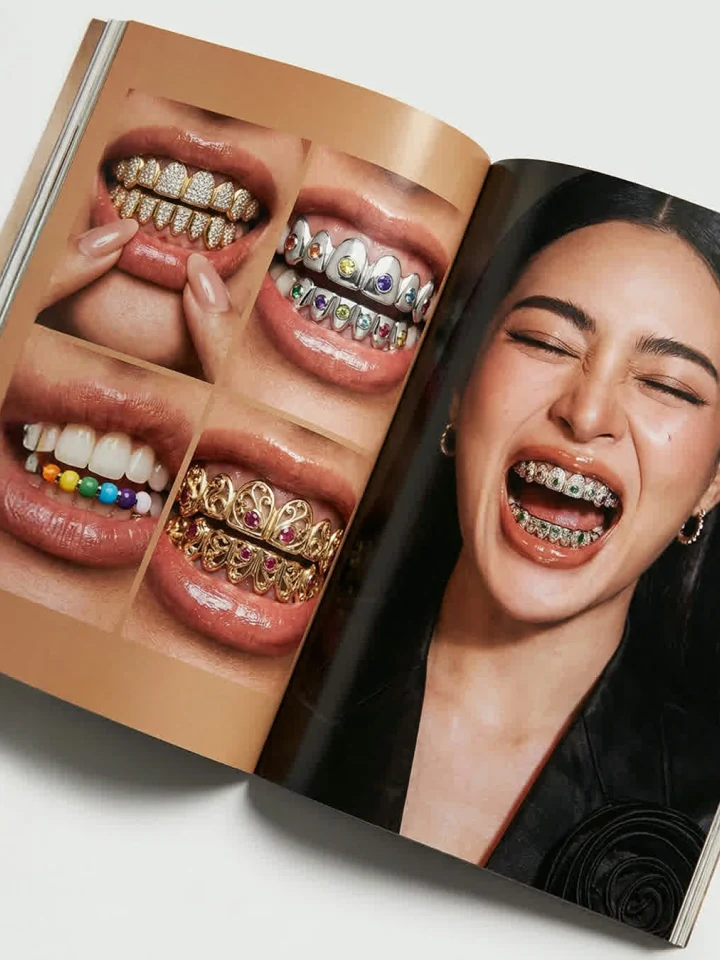
Photorealistic open magazine spread, glossy warm paper with subtle shadows, high-fashion editorial vibe, professional studio lighting with i…
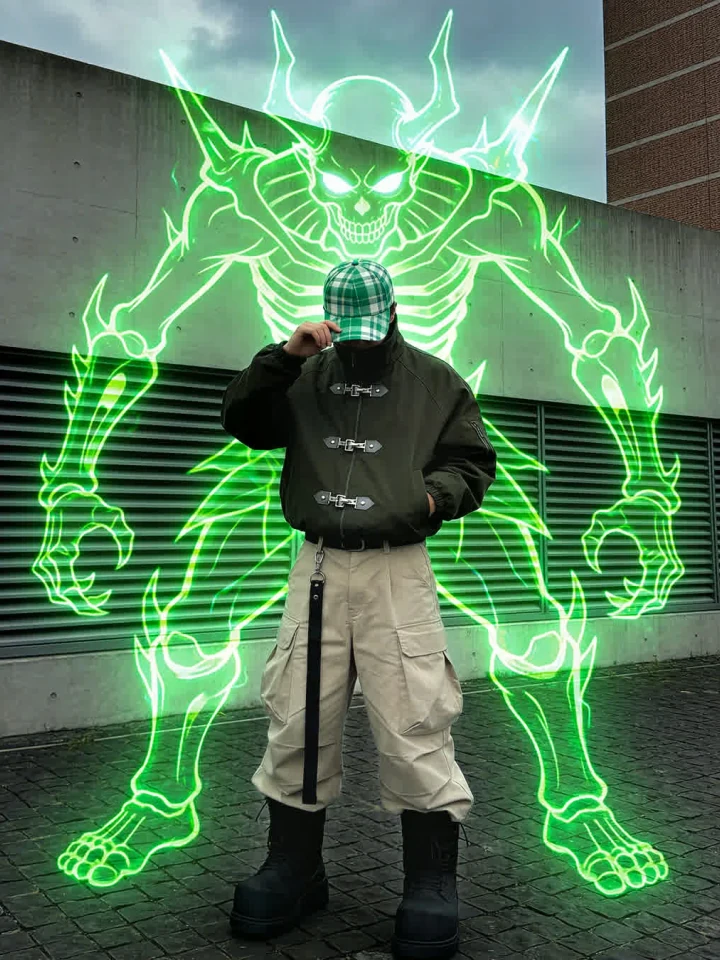
Create a dynamic digital composite that blends gritty urban streetwear photography with cyberpunk anime visuals. The central figure is a you…
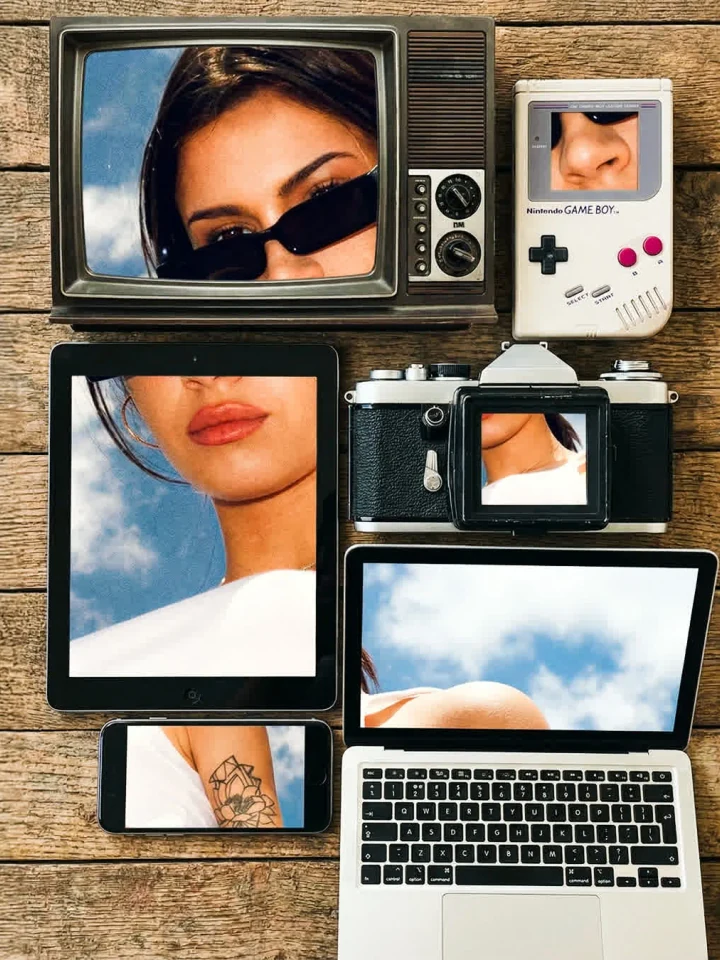
Flat top-down view of vintage and modern devices tightly clustered with slight misalignment and subtle overlaps: CRT monitor, flip phone, iM…
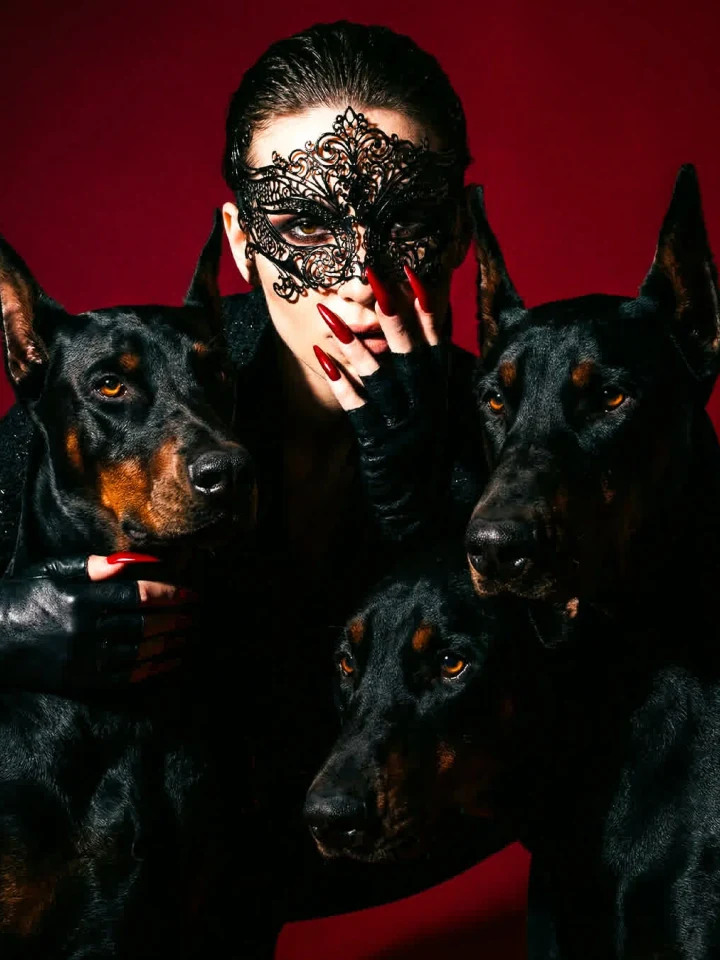
Create an ultra-cinematic close-up shot of a mysterious fashion model surrounded by three black Dobermans. The model wears an intricately de…
From social assets to concept art, generate ideas quickly and refine them with connected creative tools. The workspace supports multiple aspect ratios, batch outputs, and style presets so you can iterate on direction before moving to upscaling, editing, or video.
Unlike standalone prompt toys, this AI Image Generator is built for real creative workflows: write a prompt, pick a model, generate up to four variations, then hand off your best result to upscaling or animation. That keeps research, production, and refinement in one focused environment.
This AI Image Generator turns written prompts into polished visuals using modern text-to-image models and practical production controls. Whether you need a social post, a concept frame, or a campaign hero, you can generate, compare, and export without leaving the page.
Speed and control matter when you are testing visual directions. This AI Image Generator lets you switch between fast draft models and higher-fidelity options, adjust aspect ratio and resolution, and apply reusable style presets — all from a single interface designed for daily creative work.
Because generation happens on the same page as export and downstream tools, you spend less time downloading, re-uploading, and context-switching. Marketers can produce ad variants, creators can build thumbnail concepts, and designers can explore art direction before committing to a final shoot or illustration pass.
After generating your image, use AI Image Upscalerto sharpen detail, then move to AI Video Studioto animate your frame into a clip.
Need local edits? Open AI Image Editorfor cleanup and compositing, or build portrait scenes in Photography Studio.
AI Image Generator
Define your subject, camera feel, and environment in one clear sentence.
Add style direction and a negative prompt to reduce unwanted artifacts.
Select ratio, resolution, and output count based on your use case.
Choose your best image, upscale if needed, and continue to video or editing.
Choose a model optimized for speed, balance, or advanced detail.
Use subject, style, and negative prompts for stronger creative direction.
Generate outputs suited for feeds, stories, thumbnails, and concept boards.
Apply reusable style presets across projects and visual campaigns.
Move from generation to upscaling, editing, and video workflows.
Test multiple ideas quickly and converge on stronger final visuals.
Each model in this AI Image Generator serves a different stage of production. Use a fast option for brainstorming, a balanced model for everyday assets, and a premium model when you need sharper detail for hero banners or print-ready crops.
A fast model for idea exploration and daily creative drafts.
Balanced speed and quality for general creative production.
Higher-fidelity rendering for polished campaigns and hero visuals.
Generate ad creatives, campaign concepts, and social image variants. Test headlines and layouts with multiple prompt-driven outputs before your design team finalizes assets.
Create thumbnails, blog headers, and supporting visuals at scale. Batch generation helps you compare compositions quickly and pick the frame that best matches your article or video topic.
Visualize product ideas, scenes, and art direction before execution. Share draft images with stakeholders early to align on mood, color, and composition without expensive reshoots.
Build consistent visual narratives for launches and editorial projects. Reuse style presets and prompt structures so every image feels on-brand across channels.
Open with who or what is in frame, then add environment and lighting. Clear subject-first prompts help the AI Image Generator lock composition faster.
Phrases like editorial photography, 35mm film, or 3D render steer texture and depth. Specific medium language produces more predictable stylistic results.
Exclude only traits you truly want to avoid — blur, extra fingers, watermark text. Overloaded negative lists can fight your main creative direction.
Change one variable at a time: ratio, model, or a single style phrase. Small edits make it easier to learn what your AI Image Generator responds to best.