Want an ad-free experience? Upgrade your plan.

Next-gen OpenAI image model with stronger text rendering, pixel-level editing, and cinematic quality — text-to-image and image-to-image in one studio.
Understands very complex long prompts—ideal for wild, multi-element scenes.
Understands very complex long prompts—ideal for wild, multi-element scenes.
Auto aspect ratio outputs 1K only
Enter a prompt and click Generate. Your image will appear here.
Curated text-to-image and image-to-image examples — real outputs generated with GPT Image 2.
Text to Image
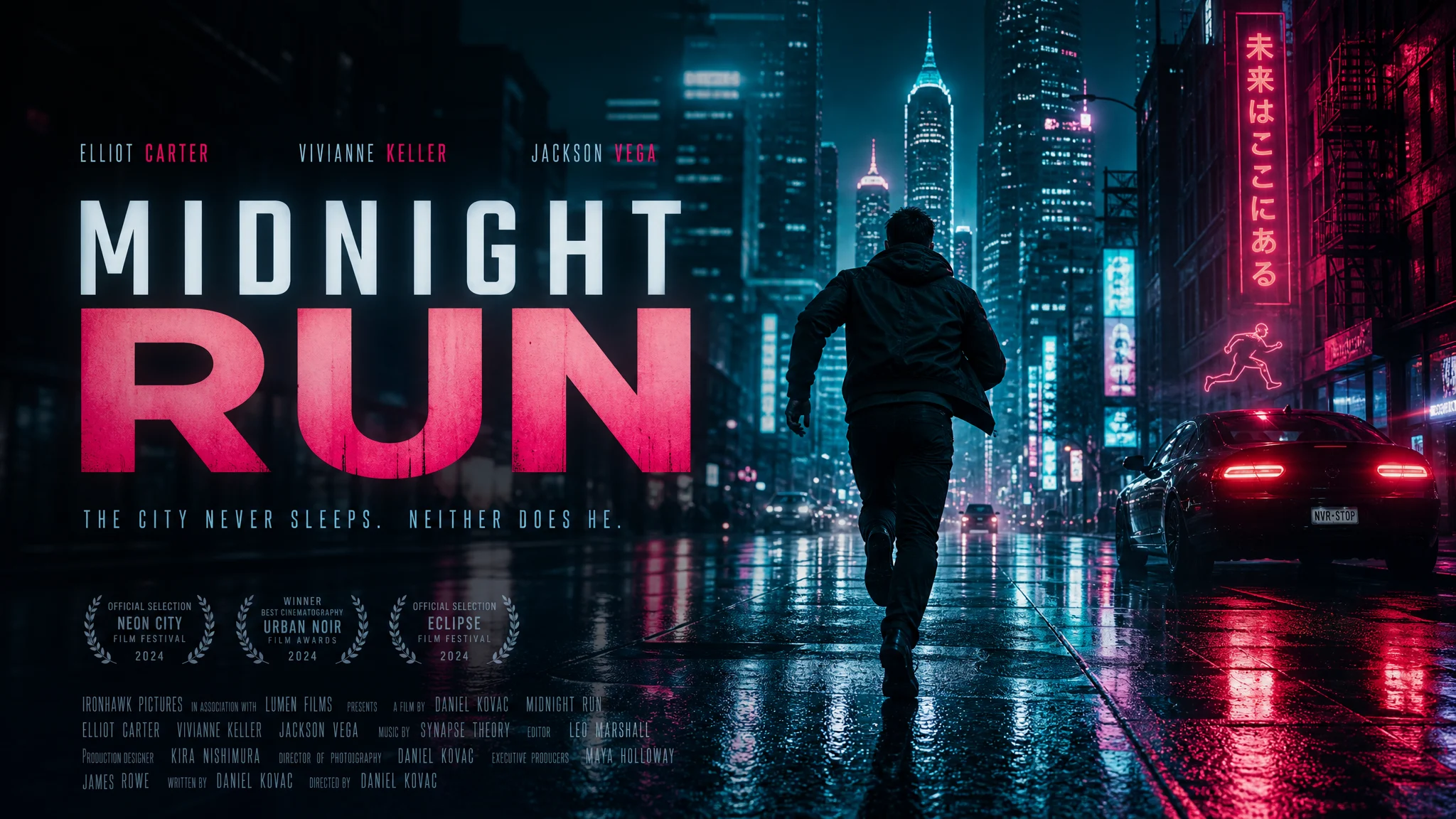
Prompt
A cinematic night city poster with neon reflections on a rainy street. Bold title text "MIDNIGHT RUN" in clean sans-serif typography, moody teal and magenta palette, 16:9.
2K · 16:9 · Text to Image
Image to Image

Prompt
Transform this product photo into a premium e-commerce poster with dramatic rim lighting, dark gradient background, and subtle reflection. Keep the product shape and label sharp.
2K · 1:1 · Image to Image
OpenAI's latest image model for creators, marketers, and designers
Generate images with readable text, logos, and typography — a major upgrade over earlier AI image models.
Upload up to 16 source images and describe edits — style transfer, background swap, product shots, and more.
Choose resolution to match your use case. 1K from 6 credits, 2K from 10, 4K from 16 credits per image.
Three steps from prompt to polished image
Select Text to Image for new creations, or Image to Image to transform uploaded photos. Write a prompt describing what you want.
Pick from 16 aspect ratios including auto, 1:1, 16:9, and cinematic 21:9. Select 1K, 2K, or 4K resolution.
Click Generate and wait 15–90 seconds. Download your image or send it to the AI Video Generator to animate it.
Everything you need to know about GPT Image 2
Ready to create with GPT Image 2?
Text-to-image and image-to-image powered by OpenAI — try free with signup credits.