

Building a successful channel is not just about hitting "upload" — it is about understanding who is actually watching. Knowing how to see your subscribers on YouTube lets you identify superfans, potential collaborators, and the demographics that drive your growth.
In 2026, YouTube Studio surfaces richer audience data than ever, but the subscriber list itself still follows strict privacy rules. This guide walks you through every method to view recent followers and turn that data into actionable strategy.
By tracking your recent followers, you gain psychological insights into what content triggers a "subscribe" action. This data is the bridge between being a casual creator and a professional digital marketer.
Quick Verdict
To see your YouTube subscribers, open YouTube Studio on desktop, go to Analytics, scroll to the Recent subscribers card, and click See all. On mobile, request the desktop site in your browser — the Studio app only shows your total count. You can only see subscribers with public subscription settings. Track milestones with the YouTube subscriber goal tracker.
How to Check Subscribers on YouTube (Desktop)
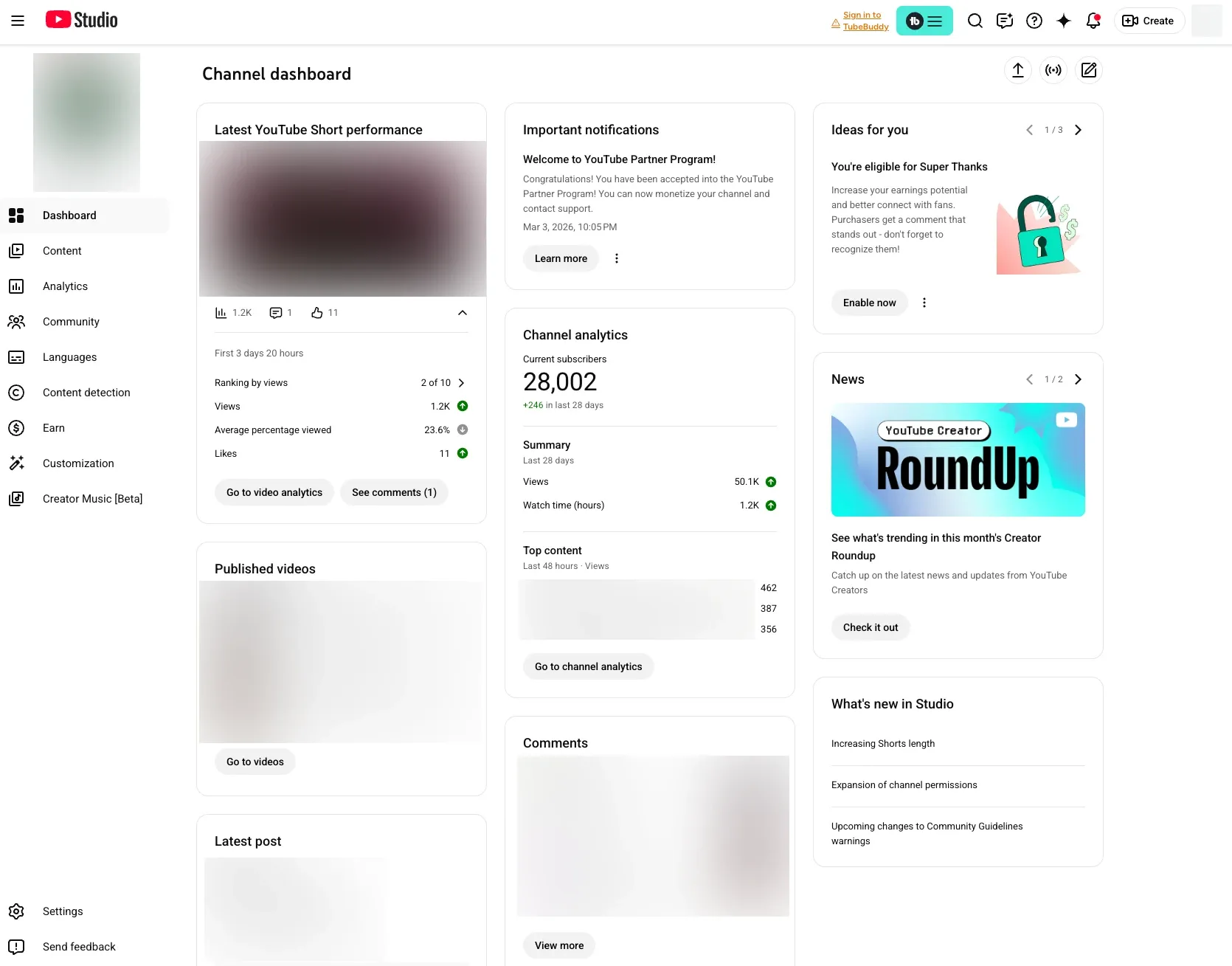
The most comprehensive way to view your list is via YouTube Studio on a computer. This method provides detailed data, including each subscriber's channel size and the date they joined your community.
- Log in to your YouTube Studio.
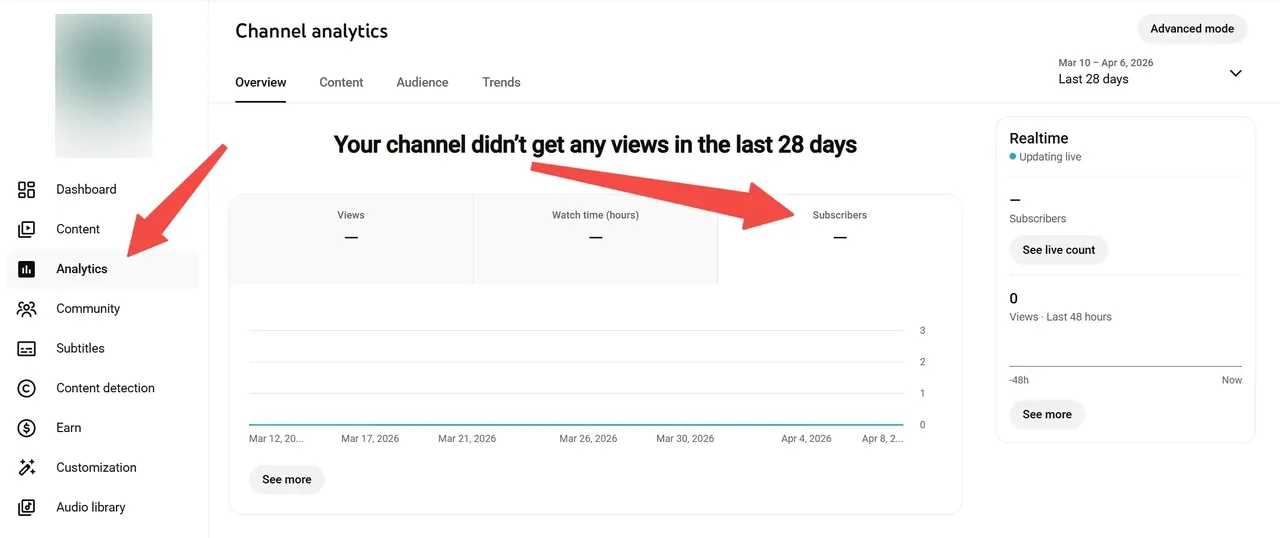
- Click Analytics in the left sidebar.
- Scroll down to find the Recent subscribers card.
- Click See all to open the full list.
From here, you can filter by the last 28 days, 90 days, 365 days, or the lifetime of your channel. This is the most effective way for creators to check who subscribed while analyzing which viral peaks correlate with specific audience segments.
For deeper audience breakdowns — age, geography, watch habits — use the YouTube analytics guide.
How to See Subscribers on YouTube via Mobile
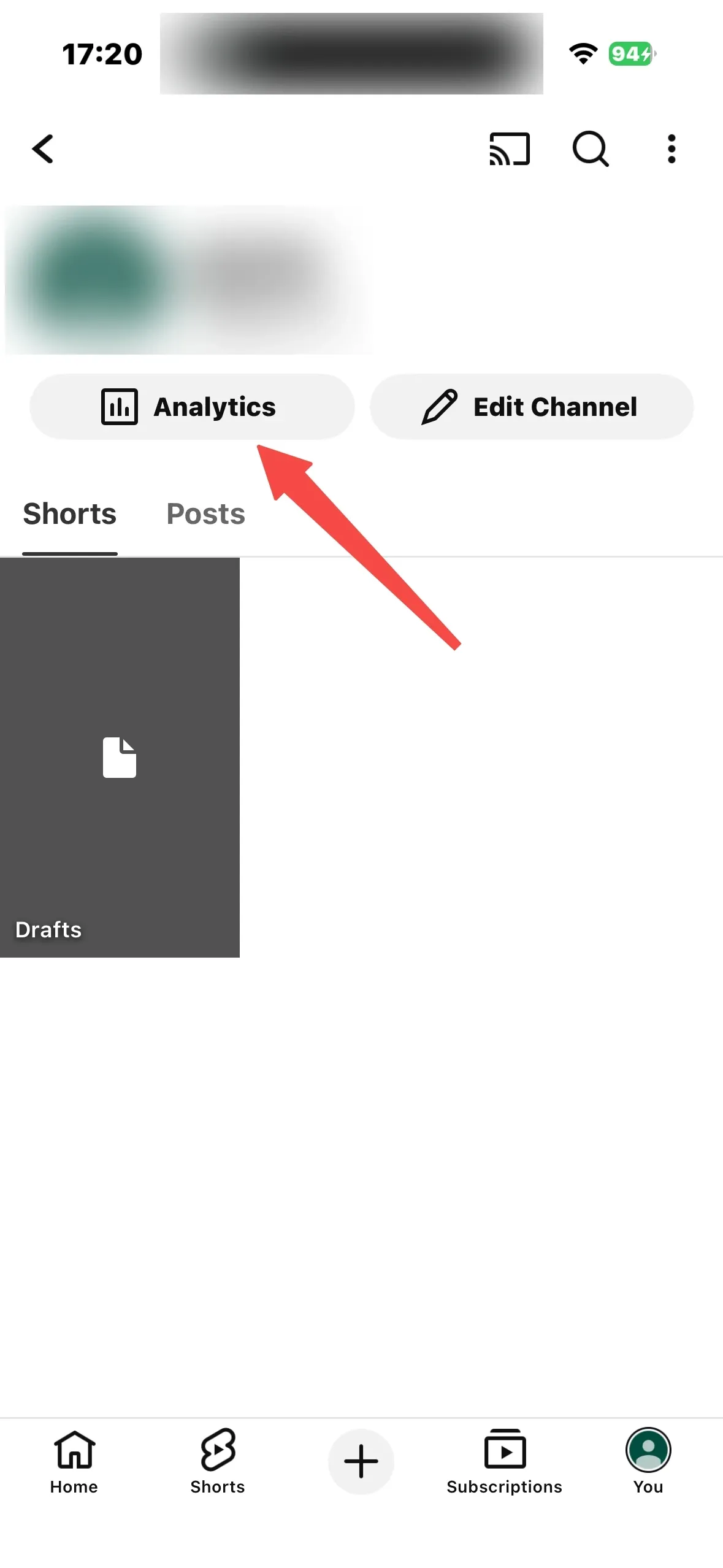
If you need to see exactly who subscribed while on the go, use this workaround. The YouTube Studio app is perfect for quick stats, but it currently only shows your total subscriber count rather than a list of individual names.
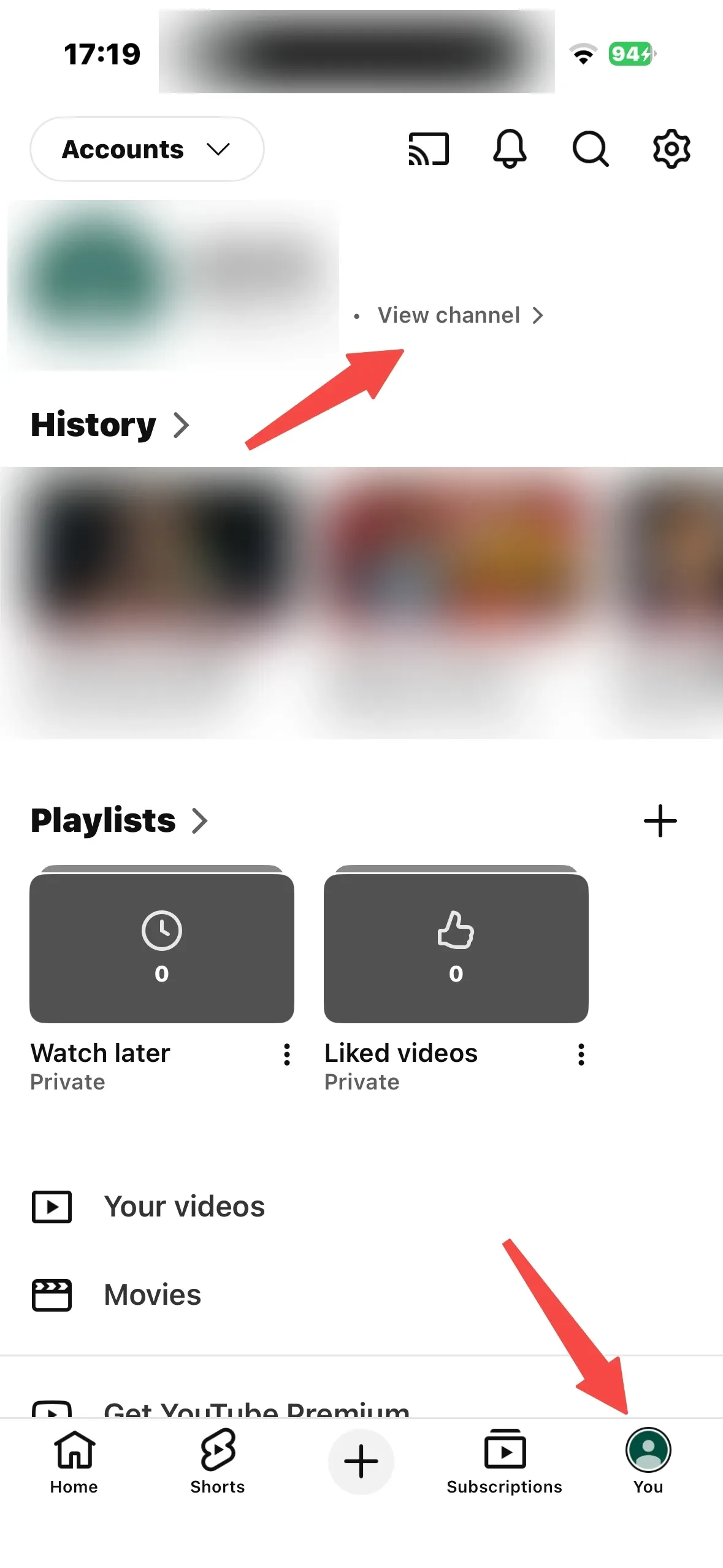
- Open your mobile browser (Chrome or Safari) and go to studio.youtube.com.
- In the browser settings, select Request Desktop Site.
- Follow the same steps as the desktop method to view the Recent subscribers card.
This ensures you can always see your YouTube subscribers without being tethered to a PC, keeping you connected to your audience growth in real time.
Why Your Subscriber List Seems Incomplete
If you are trying to check who your subscribers are and notice missing names, do not panic. This is not a glitch — it is primarily due to YouTube's privacy settings. You can only see subscribers who have their Subscriptions set to Public.
Focus on the public subscribers you can see, as these are generally your most active and vocal community members. Additionally, YouTube filters out accounts identified as spam or those that have been suspended. Periodically, YouTube performs "spam purges," which might cause a temporary dip in your count.
Leveraging Subscriber Data for Channel Growth
Once you know how to see subscribers on YouTube, what do you do with that information? Look for patterns:
- Do many subscribers also run channels in a specific niche? That signals potential collaboration.
- Did a spike in subscribers follow a particular video format? Double down on that style.
- Are subscribers from a specific region? Tailor content to that audience.
If you discover that growth has plateaued, it might be time to upgrade your production value. Van Gogh Studio Agent can help you create full-length, publication-ready videos that convert viewers into loyal subscribers more effectively than fragmented, low-quality clips.
Build a personalized growth plan with the YouTube growth strategy generator and brainstorm follow-up topics with the YouTube idea generator.
From New Subscribers to Lifelong Fans
Getting a subscriber is the first step; keeping them is the real challenge. Professional branding and high-frequency posting are key to retention. You must consistently deliver the quality they expect from your first impression.
Start by refining your "first touch" with a high-quality YouTube intro generator. Design thumbnails that match your brand using the video thumbnail maker. Track your progress toward the next milestone with the YouTube subscriber goal tracker.
Final Thoughts
Now that you know how to check who your subscribers are on YouTube, do not let that data sit idle. Use it to humanize your channel, thank your early adopters, and strategize your next breakthrough hit.
By combining human intuition with advanced automation from Van Gogh Studio — which specializes in delivering post-ready content — you can focus on high-level strategy while AI handles the technical heavy lifting.
You might also like
How to Get More YouTube Subscribers (Small Channel)
Eight strategies for small channels to convert views into subscribers in 2026.
How to Get 1,000 YouTube Subscribers Fast
Proven tactics for reaching the 1,000-subscriber YPP milestone.
How to Make a YouTube Viewer Avatar That Grows Your Channel
Build a fictional audience profile from analytics to guide every upload decision.
How to Master YouTube Studio for Channel Growth
Navigate the dashboard, analytics, visibility settings, and production workflow.
How to Grow on YouTube in 2026
Eight proven growth strategies — audience, thumbnails, SEO, Shorts, and hooks.
How to Get YouTube Subscribers for Free
Eight free growth tactics — collabs, evergreen content, Shorts, and engagement.
Create AI videos free
Try Van Gogh Studio free — text-to-video, image-to-video, and 300+ models in one place. Free credits on signup, no credit card required.
Try Free Video Generator


