

Poolside glamour one moment; gothic vampire queen with bat-wing armor and glowing red eyes the next. Halloween Cosplay Transformation is a VEO-powered template on Van Gogh Studio that morphs your portrait into a fully costumed Halloween character — complete with fog, flickering light, and cinematic head movement.
What Is Halloween Cosplay Transformation?
This is not a sticker overlay. The template reads your facial structure, then replaces wardrobe and makeup with a detailed cosplay look while animating subtle motion (blinks, head turns, wind in hair). Example output: ornate black armor with red lining, pale skin, crimson eyes, exposed fangs, and particle effects drifting through a misty background.
| Your photo | Cosplay reveal |
|---|---|
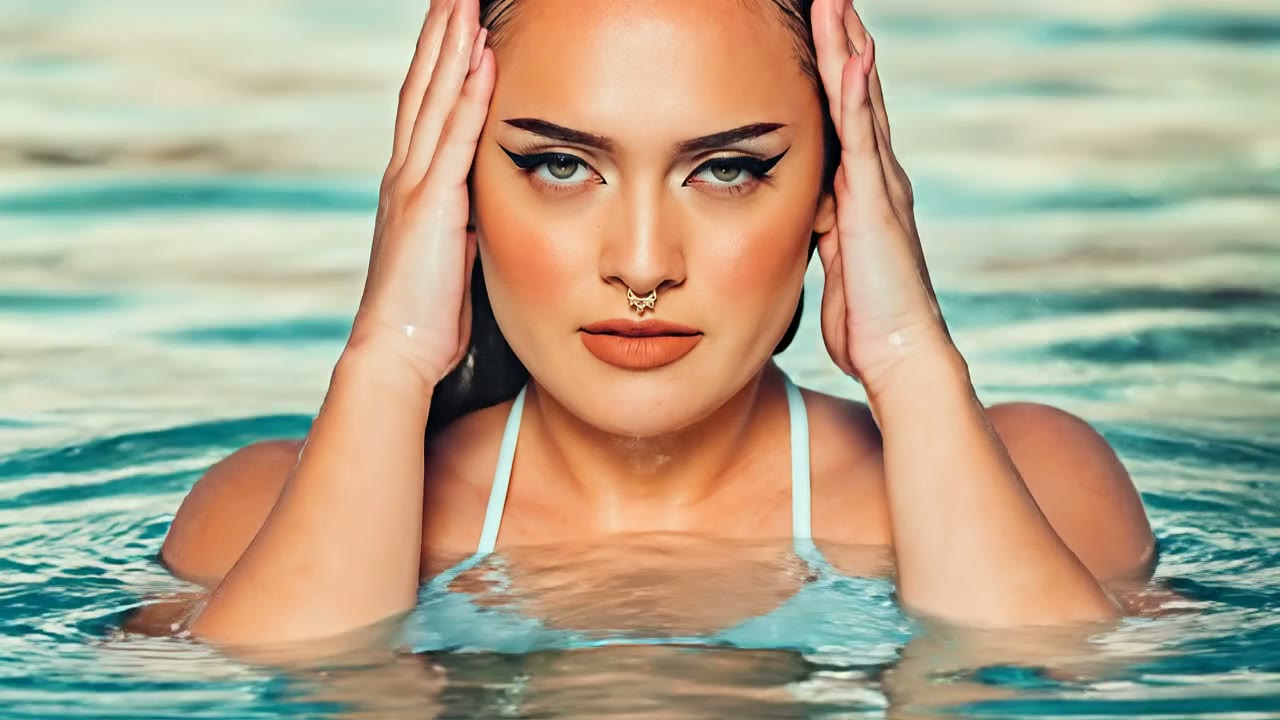 | 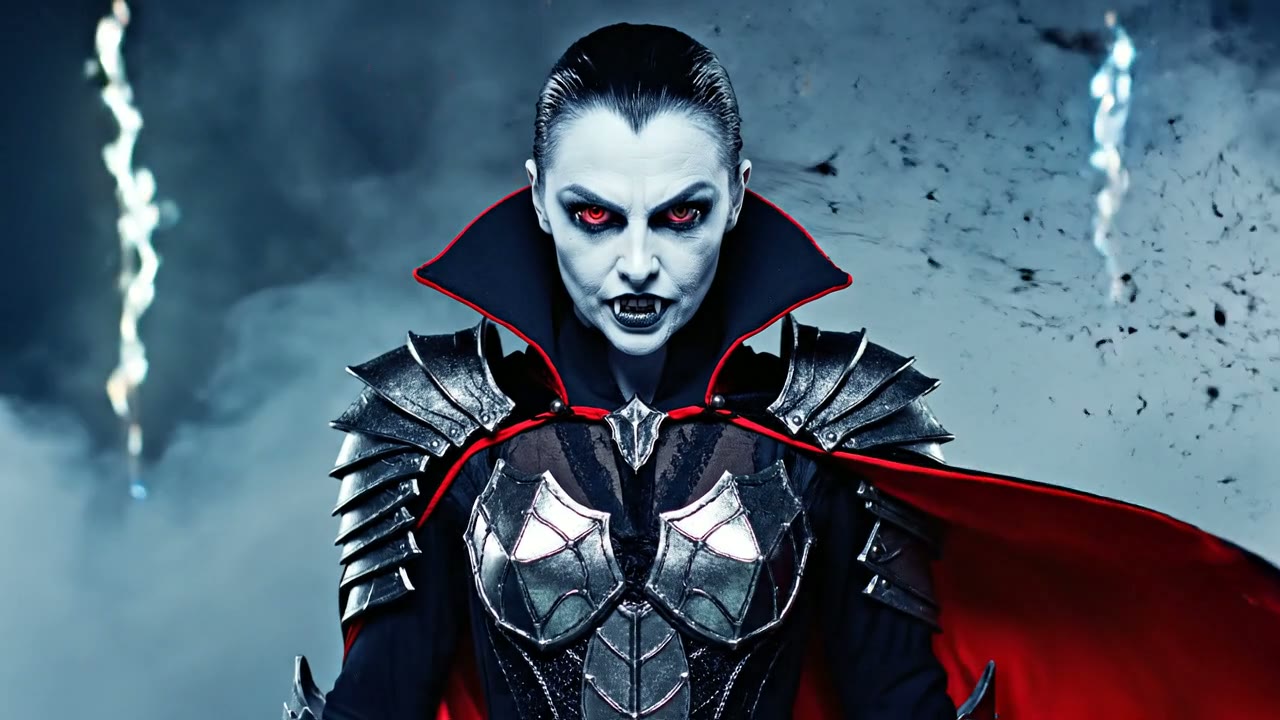 |
Tagline on the template: "Become your darkest Halloween alter ego."
How to Create Your Cosplay Transformation
Step 1: Open the Halloween Cosplay Transformation Template
Visit Halloween Cosplay Transformation on Van Gogh Studio. The left panel shows an example video at the top so you know exactly what motion to expect, followed by the upload area and generate button.
Step 2: Upload a Photo That Matches the Template
Click Upload Image or drag a file into the dashed box. Supported formats: JPG, PNG, WebP (max 10MB). If your photo's aspect ratio doesn't match the template default (usually 9:16), a crop dialog will appear — adjust the frame so the subject stays centered.
Use a clear, well-lit portrait — face unobstructed, no sunglasses. The AI keeps your bone structure recognizable under the costume makeup. Outdoor and indoor photos both work; the template replaces the background atmosphere automatically.
Step 3: Configure Video Settings
The template may expose a cosplay style parameter if configured — pick vampire, witch, or other preset styles when available. Default aspect ratio is 9:16 for vertical horror reels. Generation costs 100 credits on the current template.
Step 4: Generate & Download
Click Generate Video (credit cost shown on the button). The right panel tracks progress; when finished, play the clip and use Download to save it. Generation typically takes two to five minutes.
Who Should Use This Template?
- Cosplayers posting convention-ready reveals without a full makeup session
- Halloween content creators batch-producing character intros from one selfie each
- Photographers offering animated add-ons to portrait clients in October
Tips for a Dramatic Reveal
- Higher-resolution source photos preserve skin texture under pale vampire makeup
- Avoid extreme wide-angle distortion — telephoto portraits map armor cleaner
- If the crop tool appears, center the face; the template focuses on head-and-shoulders
- Stack multiple styles (generate twice with different cosplay parameters) for a "which monster am I?" carousel
Conclusion
Halloween Cosplay Transformation is the fastest path from everyday photo to screen-ready monster cosplay. Let the template handle fog, costume, and motion — you just supply the face.
You might also like
How to Create Werewolf Rage Videos
Step-by-step guide for the Werewolf Rage effect on Van Gogh Studio.
How to Create Broomstick Flying Videos
Step-by-step guide for the Broomstick Flying effect on Van Gogh Studio.
How to Create Zombie Mode Videos
Step-by-step guide for the Zombie Mode effect on Van Gogh Studio.
Create AI videos free
Try Van Gogh Studio free — text-to-video, image-to-video, and 300+ models in one place. Free credits on signup, no credit card required.
Try Free Video Generator


