

I reviewed 20 AI image generators as strongest tools look impressive in demos but behave differently in real image workflows.
Some are strong for style, others for commercial layouts or creative experiments. I looked at how each platform fits product visuals, posters, characters, fantasy art, banners, and social content, then picked the 11 best AI image generators worth using for real projects.
Quick Verdict
The best AI image generator I reviewed is Van Gogh Studio since it offers the strongest all-around balance across image quality, model access, consistency, editing support, and real workflow usefulness, and you can open creating images for free.
I evaluated 20 platforms across product visuals, posters, fantasy art, character images, banners, and social content. Van Gogh Studio was the strongest daily option, although Freepik, Krea, and OpenArt stood out for narrower creative needs.
Alternatives at a Glance
| Rank | Tool | Best for | Why |
|---|---|---|---|
| 1 | Van Gogh Studio | Best overall image generator | Multi-model image generation, editing, and polished commercial visuals |
| 2 | Freepik (Now Magnific) | Commercial Design Assets | Commercial design assets and marketing-style images |
| 3 | Krea | Fast Visual Exploration | Fast visual exploration and creator-friendly UI |
| 4 | NightCafe | AI Art Exploration | Community AI art exploration and model variety |
| 5 | OpenArt | Multi-Model Experiments | Multi-model experiments and image variations |
| 6 | Getimg.ai | Stable Diffusion-Style Control | Stable Diffusion-style control for hands-on users |
| 7 | Tensor.Art | Exploring Community Models and LoRAs | Community models, LoRAs, and niche styles |
| 8 | SeaArt | Anime and Character Styles | Anime and character-focused generation |
| 9 | Mage.space | Lightweight Model-Based Generator | Lightweight model-based image generation |
| 10 | Civitai | Community Model Testing | Open model discovery and community LoRAs |
| 11 | Ideogram | Text-Heavy Visuals | Strong fit for aI Image Generator for Text-Heavy Visuals |
Van Gogh Studio — Best AI Image Generator Overall

Van Gogh Studio is the best AI image generator overall as it combines flexible model access, strong prompt understanding, and stable image composition in one workspace. You can also kick off generating images for free, which makes it easier to test a few real prompts before deciding whether it fits your workflow.
even as testing, it handled product visuals, movie posters, portraits, character concepts, and stylized art without feeling locked into one narrow visual style.
That flexibility matters given that image prompts do not all fail in the same way. Product images require clean lighting and realistic surfaces, posters require structure, portraits require facial stability, and character concepts require coherent clothing and identity.
Van Gogh Studio was the tool that stayed the top useful across those different image tasks.
Van Gogh Studio works well as an all-in-one image creation workspace since it brings text to image creation, leading image models like GPT Image 2, and specialized visual directions into one place. Instead of treating every image task the same way, it gives users room to choose the model and style that fit the job.
Van Gogh Studio keeps those different directions under one workflow. That matters for mixed image perform. A creator might require product visuals one day, movie posters the next, then portraits, character concepts, or stylized art after that.
Polished Image Creation Starts Here
Join 10M+ creators using Van Gogh Studio to generate commercial-ready images — ready in seconds, 2 free images daily.
For product-style operate, Van Gogh Studio’s broader image ecosystem gives the section a evident commercial apply case. If you are creating e-commerce visuals, you want something close to a clean AI product photo, not just a decorative object in a random scene.
For poster and banner operate, the advantage is greater around format fit. Van Gogh Studio has dedicated generators for different visual needs, so users can move from a rough campaign idea to an image direction that already understands the employ case.
For character, fantasy, and social visuals, the model range and LoRA-style options give creators extra ways to shape the final look. That practical range is why I’d rank Van Gogh Studio first for daily AI image generation function.
Pros:
- Strong prompt adherence across different image types
- decent balance of realism, style, and composition
- Handles product-style images better than top general generators
- Industry-leading models available, such as Seedream and GPT Image 2
- Useful for posters, characters, social visuals, and commercial concepts
Cons:
- Works best when the prompt is structured clearly
- You may want to generate a few variations for final selection
- The wider tool library may take first-time users a moment to explore
My verdict:
Van Gogh Studio ranks first since it gave me the best balance of output quality and real-world usefulness across my tests.
Freepik (Now Magnific) — Best AI Image Generator for Commercial Design Assets
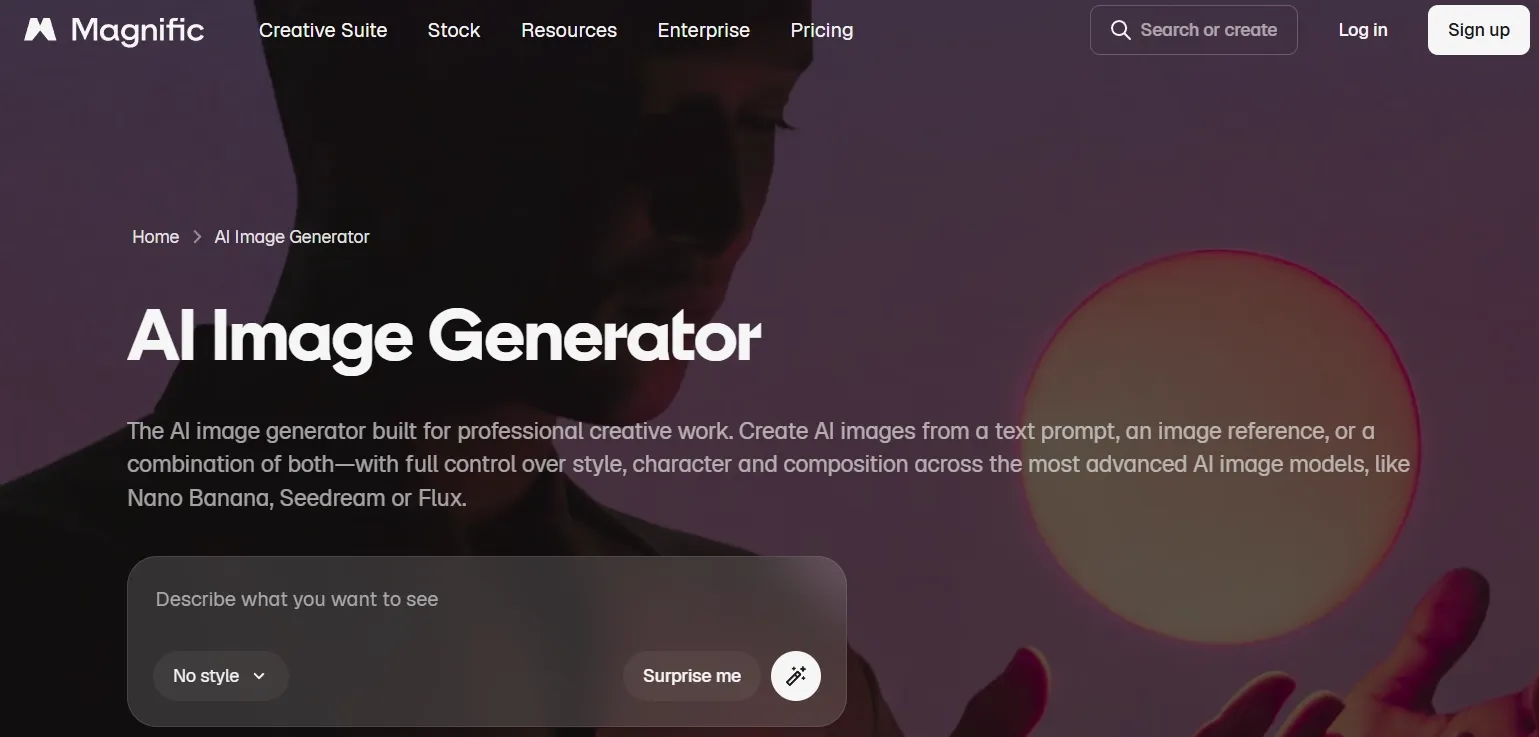
Freepik AI is best for commercial-looking visuals, especially when the image needs to seem close to stock, advertising, or design asset territory. It did not seem as experimental as some tools, but that can be a strength if your goal is usable marketing content.
Freepik, now Magnific, fits its commercial design asset angle given that it focuses on text to image creation, editing, background removal, image variations, and ready-made visual workflows. For marketing teams, that can produce it easier to turn product or campaign ideas into polished-looking first drafts.
Its strongest use case is familiar commercial production rather than unusual creative exploration. E-commerce sellers and designers may discover it helpful for product concepts, catalog visuals, and social assets, though it can seem less flexible when the goal is deep model experimentation.
For banner-style function, the useful part is how it supports layout-ready visual directions instead of only decorative images. A solid AI banner generator nonetheless needs clean message space and product placement, so final typography and layout details should be reviewed before publishing.
Pros:
- Strong commercial and stock-style visuals
- Well suited for e-commerce, ads, and marketing concepts
- painless to use if you already operate with design assets
Cons:
- Less flexible for deep model experimentation
- Typography still needs review
- Some outputs feel template-like
My verdict:
Freepik AI is an option for marketing teams and designers seeking quick commercial visuals rather than extensive creative control.
Curious what Freepik’s AI images really look like? This Freepik review shows you the results.
Krea — Best AI Image Generator for Fast Visual Exploration
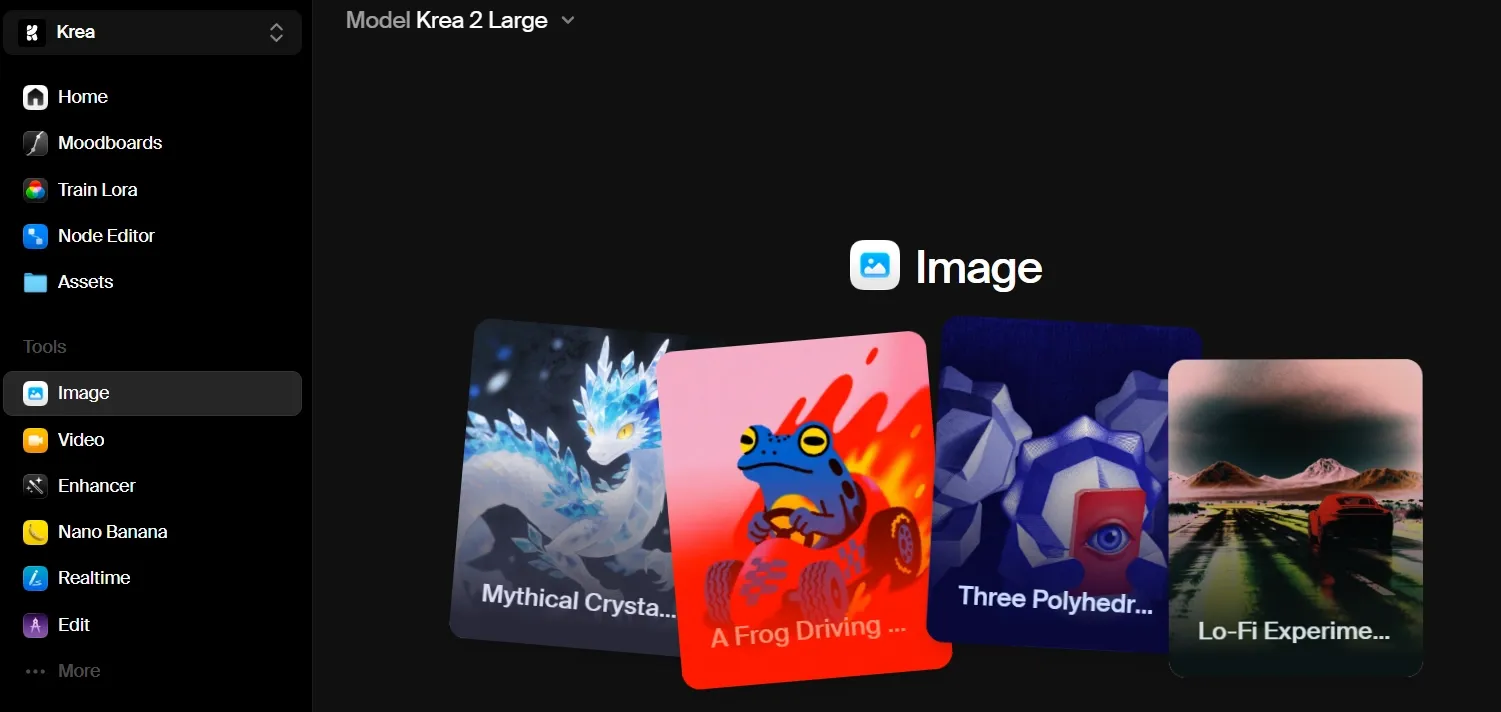
Krea is best when you are yet trying to discover the visual direction. It feels quick, fluid, and well suited for ideation.
Krea fits speedy visual exploration as it emphasizes real-time creative generation, quick feedback, and upscaling. It is useful when the main job is to compare possible looks before deciding which direction deserves additional production time.
That makes it a natural fit for moodboards, interiors, concept scenes, and early campaign ideas. You can move through lighting, atmosphere, and style quickly enough to see what feels promising.
The tradeoff is that speed does not always bring final precision. If the project needs exact product placement, tight brand control, or clean commercial detail, Krea may nonetheless require a additional careful refinement pass.
Pros:
- Excellent for visual exploration
- Fast and smooth creative iteration
- Strong for mood, lighting, and atmosphere
Cons:
- Less reliable for precise commercial prompts
- Details can become unstable
- Better for direction than final output
My verdict:
Krea is strong when you want to notice the look first and worry roughly production details later.
Want to learn additional around Krea’s features? Read this Krea review.
NightCafe — Best AI Image Generator for AI Art Exploration
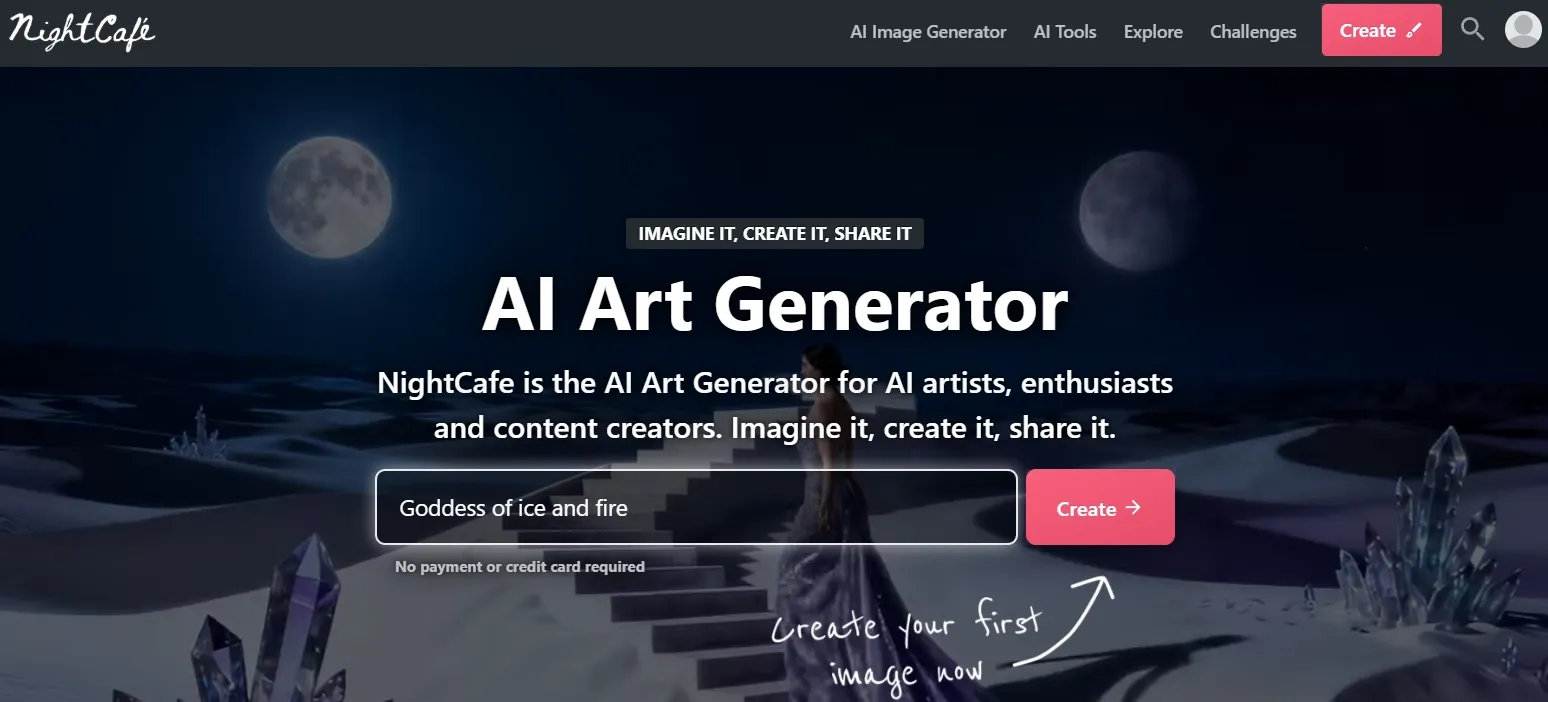
NightCafe is best for art-first users who want to explore fantasy, surreal, painterly, and stylized images. It has a creative community appear and works well when the prompt is greater artistic than commercial.
NightCafe fits AI art exploration given that it combines multi-model creation, preset styles, community galleries, daily challenges, and creative modes for images, characters, edits, faces, and portraits. It gives art-first users greater ways to keep experimenting without starting from a blank page every time.
It is strongest when inspiration matters: fantasy scenes, painterly styles, surreal ideas, and character-driven art. The community side can aid creators learn from prompts and trends, but it can also pull the workflow away from stricter brand layouts.
Its character, pose, and portrait features build sense for storyboards, social content series, and game or animation concepts. nonetheless, users looking for clean product shots or structured campaign assets may want extra trial and error.
That is not necessarily bad; it just means it behaves more like an AI art generator than a general-purpose production tool.
Pros:
- Strong for fantasy and art prompts
- Good atmosphere and style range
- Fun for creative exploration
Cons:
- Less reliable for product or brand visuals
- Not ideal for structured layouts
- Requires trial and error
My verdict:
NightCafe is compelling for AI art, but I wouldn't really apply it as my main tool for practical AI image generation function.
OpenArt — Best AI Image Generator for Multi-Model Experiments
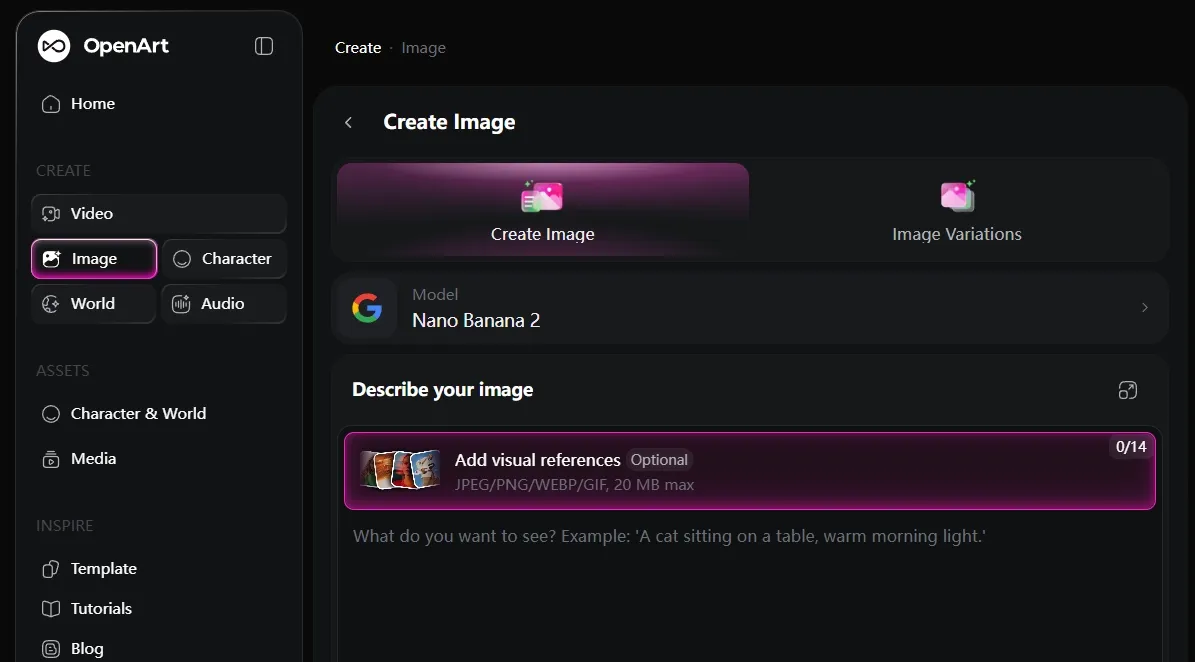
OpenArt is best for creators who want to test multiple styles and model behaviors. It feels flexible, especially for character concepts, stylized art, and prompt experimentation.
OpenArt fits multi-model experiments since its image workflow lets creators generate, edit, and transform visuals across different models and controls in one canvas. That makes it useful when you want to compare how several model paths handle the same creative direction.
The appeal is flexibility. You can kick off with an image, then erase, expand, swap backgrounds, restyle, or upscale it, which is helpful for character concepts and stylized art where one version rarely solves everything.
The downside is that additional model and editing choices can produce the workflow seem less direct. OpenArt works best for creators who enjoy testing combinations, even as business users who want one rapid campaign asset may discover it less streamlined.
For character perform, the reusable-character angle is the top relevant feature. A serious AI character generator needs faces, outfits, poses, and identity to stay coherent, and OpenArt is top useful when you are willing to test the model path that gets you there.
Pros:
- Good style variety
- Useful for characters and art concepts
- Strong for prompt testing
Cons:
- Can feel overwhelming
- Quality depends heavily on model choice
- Less streamlined for business visuals
My verdict:
OpenArt is a robust experimental platform for creators who love exploring various models and styles.
Interested in OpenArt’s AI image generator? Read OpenArt review article here.
Getimg.ai — Best AI Image Generator for Stable Diffusion-Style Control
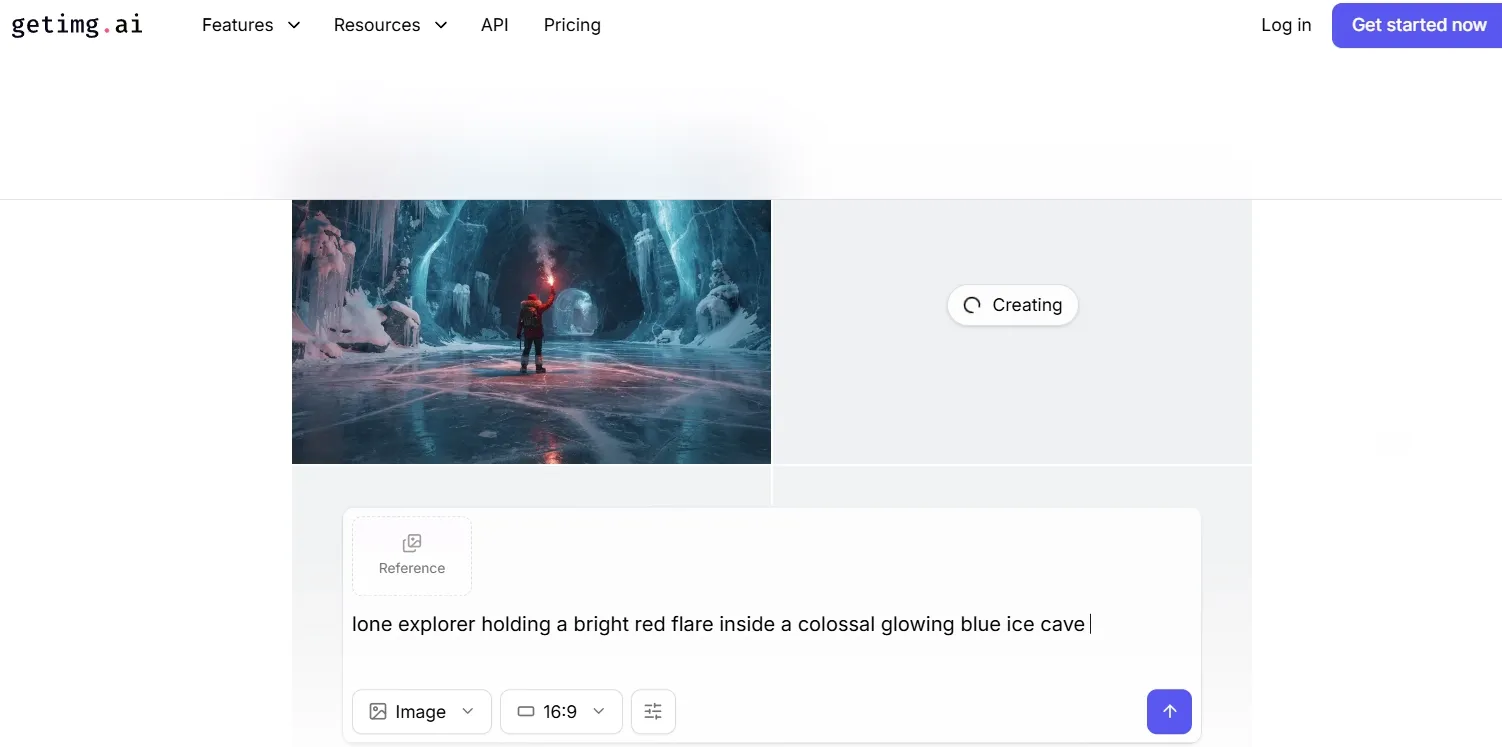
Getimg. It fits people who care roughly model choice, settings, and detailed iteration.ai is best for users who want greater control and are comfortable with a slightly greater technical workflow.
Getimg.ai fits Stable Diffusion-style control as it is built around natural-language image creation, outpainting, reference-to-image workflows, background removal, and object editing. It is useful when you want to guide an image after the first generation instead of accepting the first result.
That control helps when you already have a photo, sketch, screenshot, or moodboard and want to keep part of the original structure. You can extend a canvas, rebuild a background, or restyle a reference whereas keeping the process hands-on.
The cost is approachability. Getimg.ai makes sense for users who like tuning and adjusting, but it can come across technical if you mainly want a simple, beginner-friendly image generator.
If you want one-click simplicity, it may appear less friendly. The main thing I noticed is that Getimg.ai rewards users who know how to adjust and retry.
Pros:
- Good for controlled image generation
- Strong for users who understand model settings
- Useful for portraits and detailed refinements
Cons:
- More learning curve
- Less beginner-friendly
- Can feel technical for casual users
My verdict:
Getimg.ai is a solid fit if you want control and do not mind spending time tuning the result.
Read this Getimg.ai review article to check out Getimg.ai’s features.
Tensor.Art — Best AI Image Generator for Exploring Community Models and LoRAs
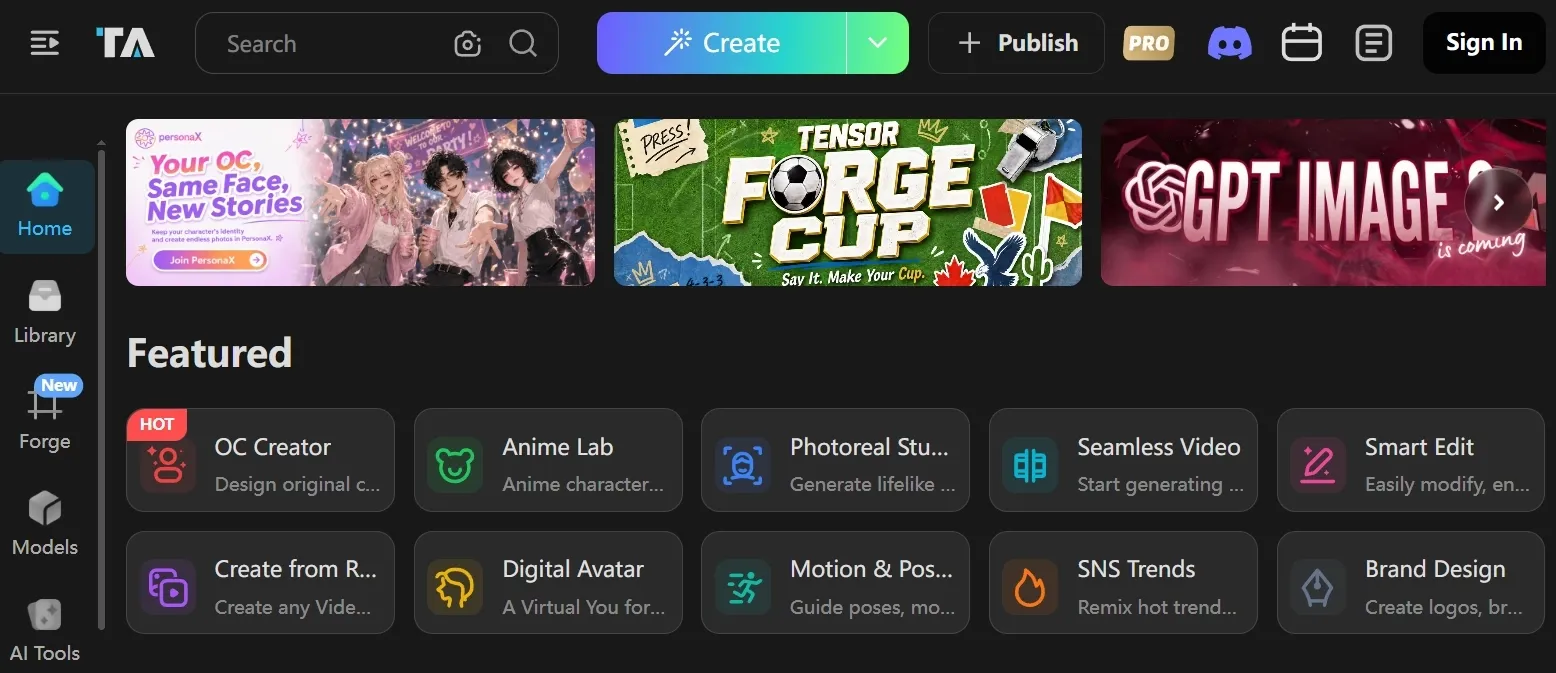
Tensor. It is powerful, but it expects extra from the user. Art is best for users who like exploring community models, LoRAs, and niche visual styles.
Tensor. It is useful when the exact style matters more than a general image workflow. Art fits community models and LoRAs since its homepage is organized around model discovery, anime, realistic images, illustration, sci-fi, visual design, game design, reference creation, and pose guidance.
The benefit is niche control, especially for character, anime, and visual-design looks. The drawback is that results depend heavily on picking the right model or LoRA, so it can seem less predictable for simple business images.
Pros:
- Strong for niche styles
- Good community model access
- Useful for LoRA-based looks
Cons:
- Can feel technical
- Output quality varies heavily
- Not ideal for simple business use
My verdict:
Tensor.Art is powerful for users who enjoy model hunting, but it is not the easiest choice for everyday image creation.
SeaArt — Best AI Image Generator for Anime and Character Styles
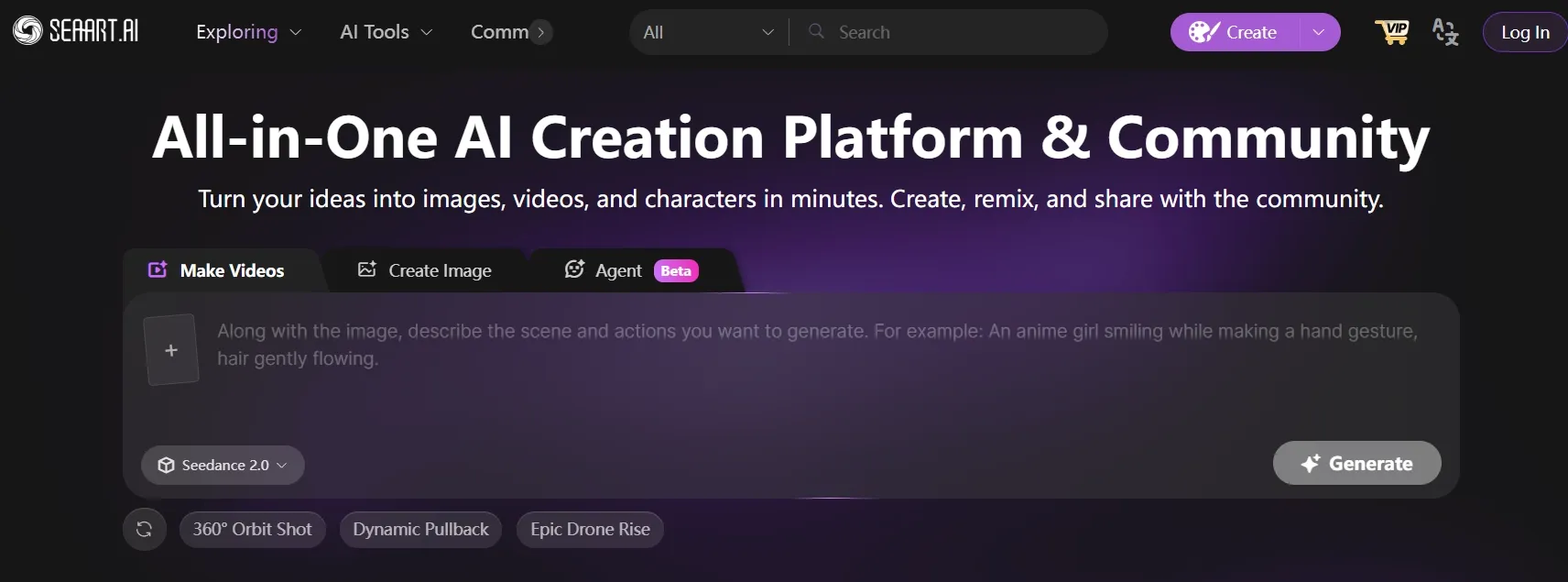
SeaArt AI is best for anime, character portraits, and stylized community-driven image generation. It can create attractive character results quickly.
SeaArt fits anime and character styles since it leans into model libraries, community galleries, creative apps, ControlNet, and LoRA training. Those tools are useful when a creator wants a repeatable character style, a specific pose, or a recognizable anime look.
ControlNet and LoRA support give SeaArt extra structure than a plain text to image tool. The tradeoff is that these controls can produce the interface appear busy, especially for users who just want a quick character image.
For broader commercial function, SeaArt yet feels less direct given that its strongest scenarios are character, anime, and community-style creation. It is clearly stronger for stylized people than for clean product visuals or structured brand layouts.
Pros:
- Strong anime and character styles
- Good visual energy
- Wide style range
Cons:
- Less useful for commercial images
- Not ideal for product visuals
- Interface can feel busy
My verdict:
SeaArt AI is useful for anime-style character generation, but too narrow to rank higher overall.
Mage.space — Best Lightweight Model-Based Generator
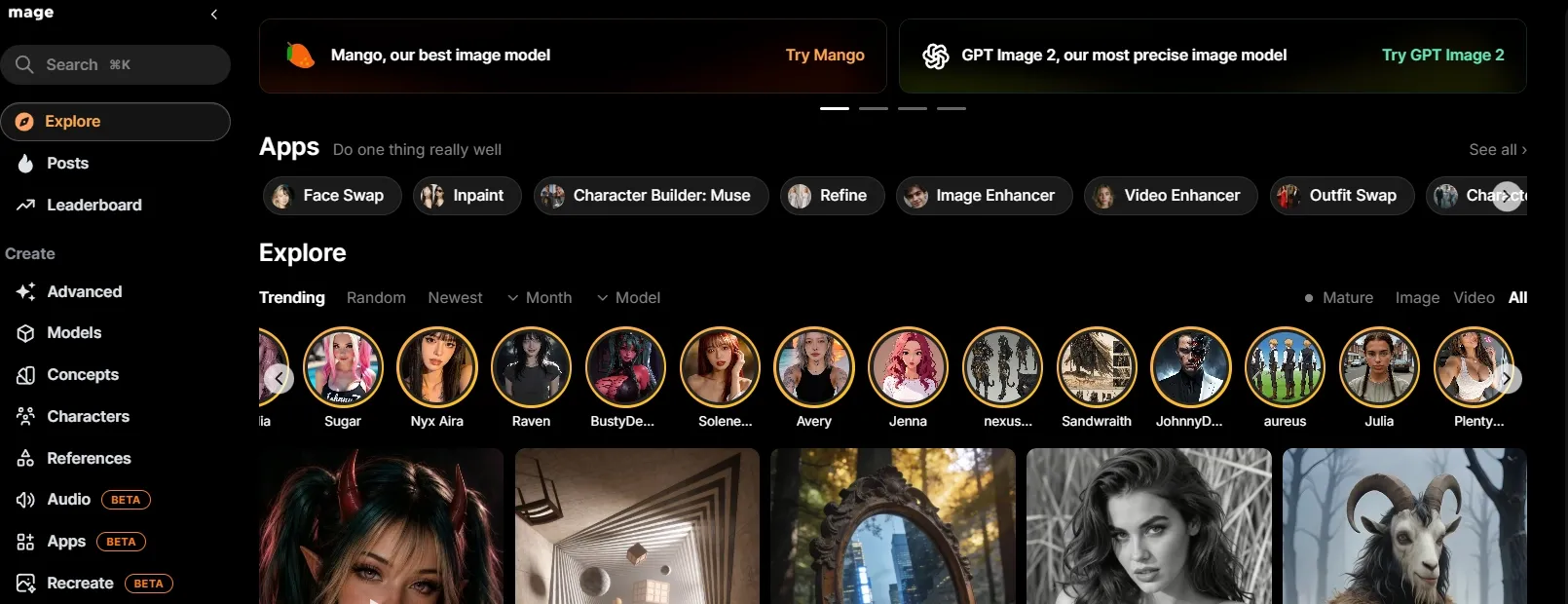
Mage. It is simple, speedy, and painless to test.space is best for quick generation when you do not want a heavy workflow.
Mage. It works for simple concept checks, casual illustration ideas, and early style exploration when speed matters greater than production depth.space fits lightweight model-based generation since the main appeal is quick creation without a heavy workflow.
The limitation is also part of the appeal. It is simple to begin, but it does not give the same polish, control, or workflow depth you would want for complex campaigns or detailed image tasks.
Pros:
- Easy to start
- Good for quick simple prompts
- Lightweight workflow
Cons:
- Less polished for production
- Limited depth
- Not ideal for complex image tasks
My verdict:
Mage.space is fine for quick tests, but not the tool I would rely on for serious image campaigns.
Civitai — Best AI Image Generator for Community Model Testing
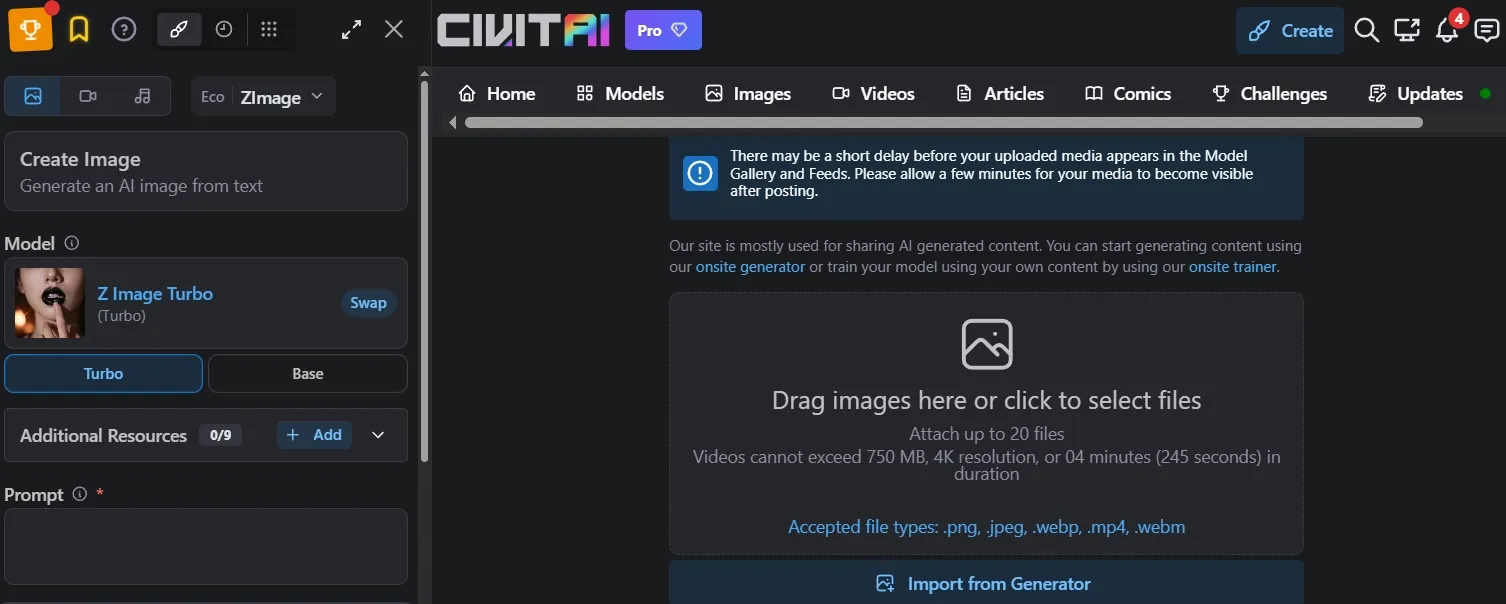
Civitai Generator is best for advanced users who want to test community models directly. It is greater model-focused than beginner-focused.
Civitai fits community model testing as it centers on model discovery, inspiration galleries, one-click remixing, text to image, image to image, and remix generation. It is useful for creators who want to study how shared models, prompts, and settings shape an output.
That makes it strong for anime styles, fantasy portraits, characters, and niche aesthetics. The drawback is that the experience is less guided and less polished as a daily workflow, so it suits advanced users additional than beginners.
Pros:
- Robust community model ecosystem
- Handy for advanced style experimentation
- Beneficial for LoRA testing
Cons:
- Not beginner-friendly
- Less polished as a full workflow
- Better for testing than daily production
My verdict:
Civitai is useful for advanced users, but too niche for top AI image creators.
Read this Civitai review article to learn greater around Civitai’s features.
Ideogram — Best AI Image Generator for Text-Heavy Visuals
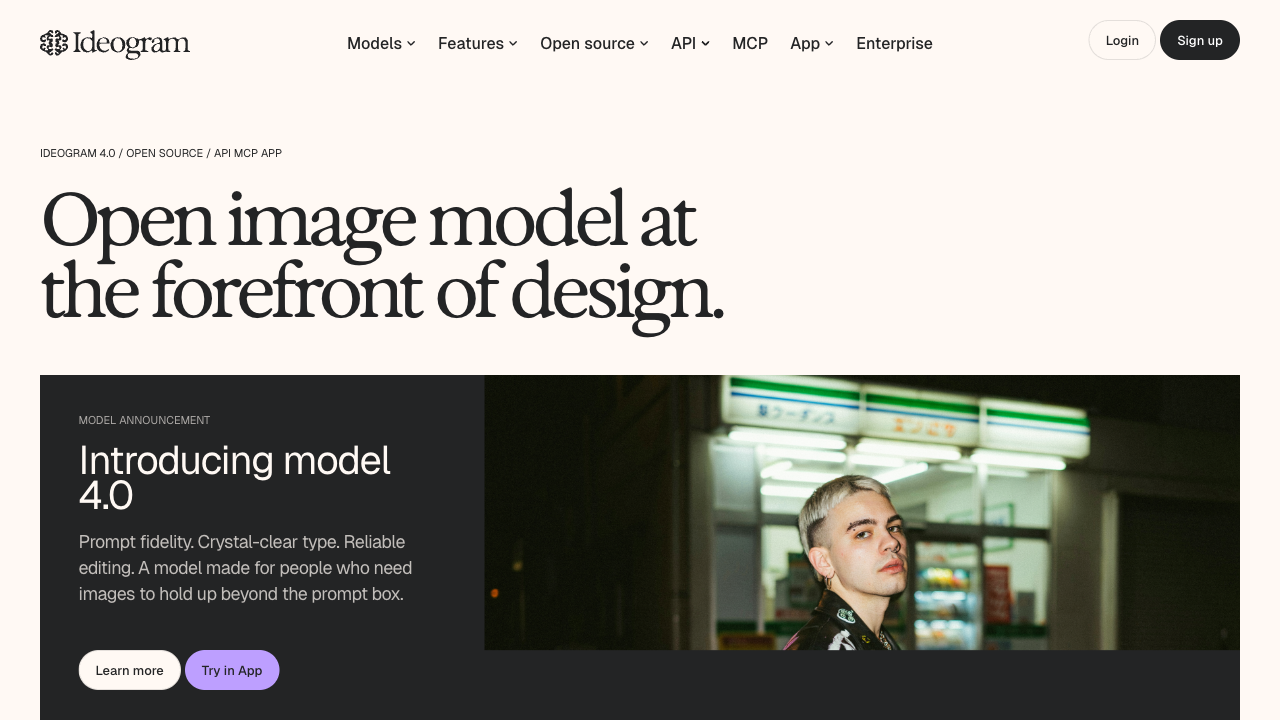
Ideogram is best when your image needs readable text, clean slogans, or layout-style poster copy. It stood out in my tests for typography-heavy prompts where most general generators still struggle with letter shapes and spacing.
Ideogram fits Midjourney-style creative workflows, but with a clearer focus on marketing graphics, thumbnails, packaging mockups, and brand directions that include words inside the frame. That makes it useful when the image is not just decorative — the text is part of the concept.
The tradeoff is precision. Ideogram is stronger than many tools for short copy and headline-style layouts, but long text blocks or complex brand systems still need review before publishing.
Pros:
- Strong text rendering for posters and labels
- Useful for campaign concepts and thumbnail directions
- Good fit for typography-heavy social graphics
Cons:
- Text placement still needs clear prompts
- Less ideal for deep model experimentation
- Some outputs need cleanup before final use
My verdict:
Ideogram is the tool I'd pick when readable text matters more than pure artistic exploration.
How I Tested These AI Image Generators
I reviewed each tool around the same practical image creation needs: a product ad, a poster, a character concept, a fantasy scene, and a clean marketing banner. I looked at how well each generator fit those real apply cases, including model access, style control, composition support, editing depth, and whether the workflow felt useful beyond a first look.
The goal was simple: if an AI image generator only looks decent in demos but feels too narrow, too technical, or too unpredictable for everyday image operate, that tells me a lot.
How I Would Choose the Right AI Image Generator
Choose Van Gogh Studio if:
- You want the strongest all-around AI image generator for everyday creative and commercial perform.
- You demand a Commerce Studio for product shots, conceptual posters, and banners.
- You want access to leading image models like Nano Banana 2 without switching between separate tools.
- You care about image consistency when creating related visuals for campaigns, products, or character concepts.
- You demand practical editing support, including batch photo editing for larger image workflows.
- You want 50+ specialized AI image generators for different creative and commercial scenarios.
Choose Freepik AI if:
Your image needs are mostly commercial, and you want visuals that seem close to stock, ad, or campaign assets.
Choose Krea if:
You require rapid visual exploration before committing to a final direction.
Choose NightCafe if:
Your main goal is fantasy, painterly, or art-first image creation, and you do not require strict commercial layouts.
Choose OpenArt if:
You enjoy comparing different models, characters, and visual styles in a extra experimental workflow.
Choose Getimg.ai if:
You want greater technical control over image generation and do not mind a slightly greater hands-on process.
Choose Tensor.Art, SeaArt AI, or Civitai if:
Your priority is anime, community models, LoRAs, character styles, or other niche visual directions.
My Personal Take
After reviewing these tools, I think the biggest mistake is judging an AI image generator by one beautiful output. Almost every tool can produce something impressive in the right situation.
The harder test is whether it can stay useful across real image workflows. Can it support product visuals, posters, a portrait, fantasy art, character concepts, banners, and social visuals without forcing you into one narrow style or workflow?
That is why Van Gogh Studio came out first for me. Besides its free image creation, it brings together leading image models, image consistency, batch photo editing, and 50+ AI image generators, so it feels extra complete for creators' and Marketing teams’ everyday AI image creation than the extra specialized tools on this list.
begin Creating Images with Van Gogh Studio Free 💳 Get 2 complimentary images every day • 🌟 No registration necessary
FAQs about Best AI Image Generator
What is the best AI image generator?
The best AI image generator across my tests is Van Gogh Studio as it performed the primary consistently across my product, poster, character, banner, and art prompts. It was not just strong at one style; it handled different prompt types with fewer weak outputs.
Which AI image generator is best for product images?
Van Gogh Studio and Freepik AI are both strong options for product-style visuals. Van Gogh Studio is better for an all-around product image workflow, whereas Freepik AI only works well for commercial-looking campaign assets.
What should I test before choosing an AI image generator?
Test at least three prompt types: one product image, one poster or banner, and one character or portrait. These prompts reveal different weaknesses, such as poor layout, distorted text, unstable faces, or generic composition.
Why do AI image generators struggle with text in images?
Text is harder since the model has to understand both the visual layout and the exact letter shapes. Stronger tools can handle short labels or simple headline-style text better, but long text-heavy designs even so want careful checking.
How do I choose the right AI image generator?
Choose based on your main prompt type. leverage Van Gogh Studio for the best all-around AI image generation workflow, Freepik for commercial design assets, OpenArt for model experiments, and SeaArt for anime and niche styles.
Create AI videos free
Try Van Gogh Studio free — text-to-video, image-to-video, and 300+ models in one place. Free credits on signup, no credit card required.
Try Free Video Generator


