

Quick Verdict
Krea AI is an all-in-one generation platform with a minimalist UI and strong artistic-control focus. Good for creative experimentation; weaker when you need a marketing-first video pipeline.
| Point | Take |
|---|---|
| Best for | Artistic control, multi-model creative experiments, design-led generation |
| Not best for | Structured ad workflows, UGC campaigns, finish-ready marketing video |
| Score | 7.3 / 10 |
| Better alternative | Van Gogh Studio |
The Krea AI is renowned as an all-in-one platform that integrates multiple AI generation models and features a minimalist interface. But beyond that, what else should we know about it??
I’ll also share my honest personal experience using Krea AI and showcase the video results I generated. In this review, I’ll dive into answering those questions by exploring what the Krea AI is, who made it, and what it can do. Keep reading and find out!
Introducing Krea AI Video Generator
This creative-focused tool prioritizes artistic control over automation. It empowers designers to create and edit images and videos with precision, attracting users from Pixar, LEGO, and Samsung. Krea AI, founded in 2022 by Victor Perez and Diego Rodriguez in San Francisco, unifies multiple AI models into one intuitive platform.fastcompany.com/91316582/krea-an-adobe-for-the-ai-era-discusses-its-500-million-vision).
With $83 million in funding, including a $47 million Series B led by Bain Capital Ventures, Krea AI is valued at $500 million. The platform is expanding into audio and enterprise tools to redefine creative workflows. Its rapid growth reflects its mission to enhance, not replace, human creativity.
Krea’s homepage clearly showcases its features, including image and video generation, quality enhancement, and various effect templates displayed in the gallery. I clicked the “Video” option to enter the video generation page, where models like Wan 2.1, Runway, Hailuo, Luma, and Pika were available in the bottom left.
My Experience Using Krea AI
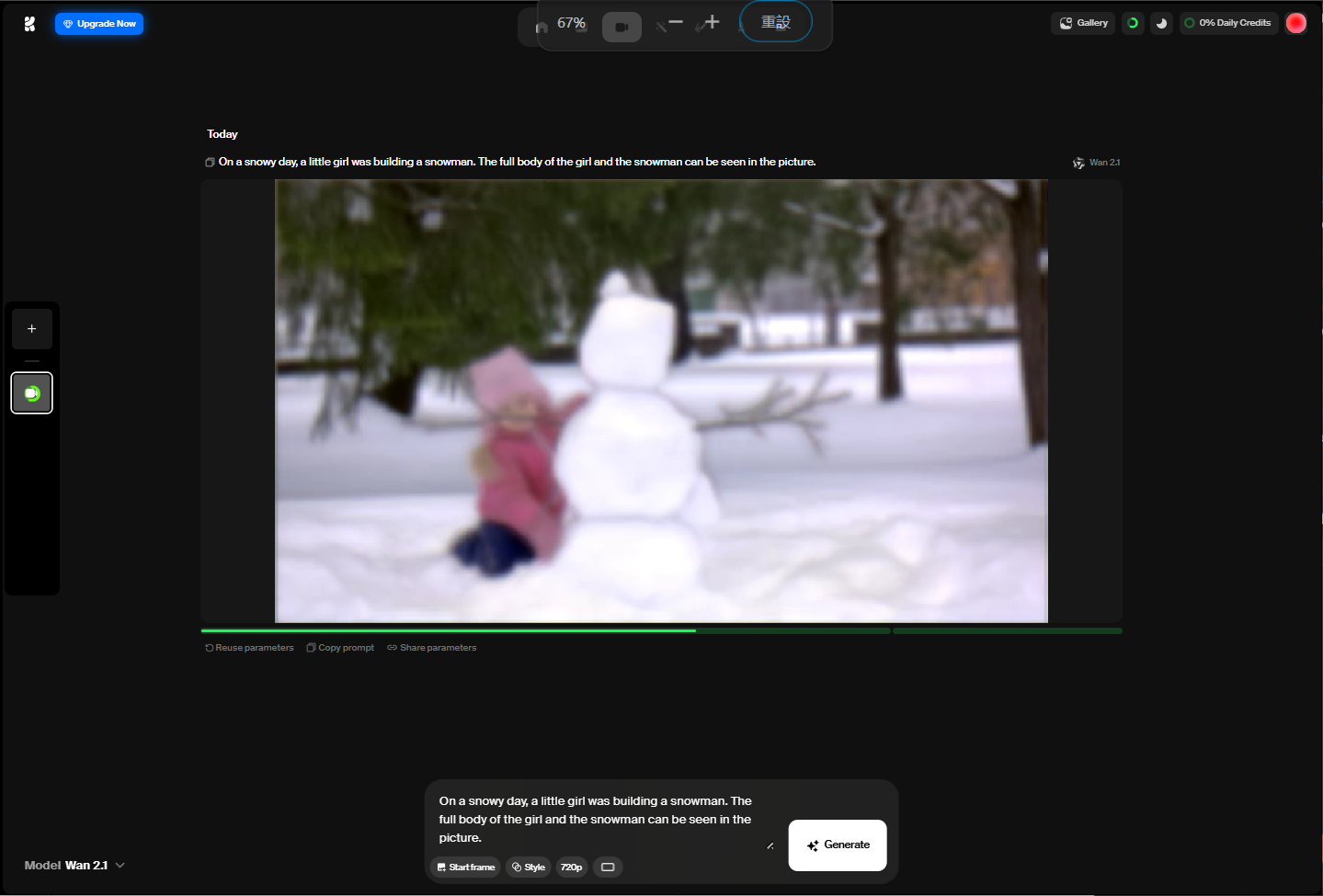
For the text-to-video test, I used the prompt: On a snowy day, a little girl was building a snowman. The full body of the girl and the snowman can be seen in the picture. I used Krea AI to explore two scenarios with the same prompt: generating a video solely from text and combining text with an image. I selected 720p resolution. From blur color patches to everything gradually taking shape—a novel experience, like watching an embryo grow into a baby. Fascinatingly, Krea AI’s platform lets you visually track how the AI constructs your video.
 Results:
Details like the girl’s facial features, the snowman’s sway, and subtle leaf movements in the background were beautifully captured. The text-to-video process took roughly 9 minutes, which is quite slow compared with other AI platforms. The result was highly realistic, with no logical errors, exuding a retro, home-video vibe.
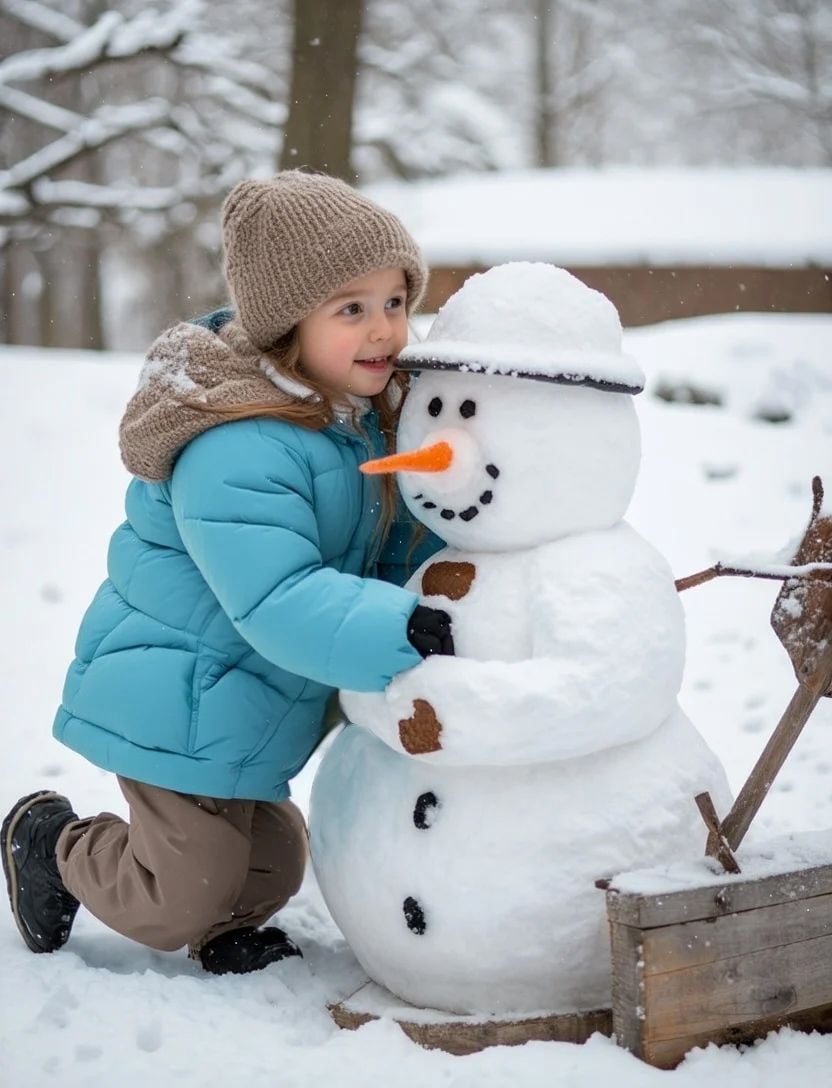
For the image-to-video test, I used an image generated by Stable Diffusion 3 with the same prompt.
Result:
With an image, Krea AI generated the video in around 5 minutes—much faster. The video preserved the image’s content well, with the girl’s facial features largely unchanged, reassuring for those worried around AI altering their likeness.
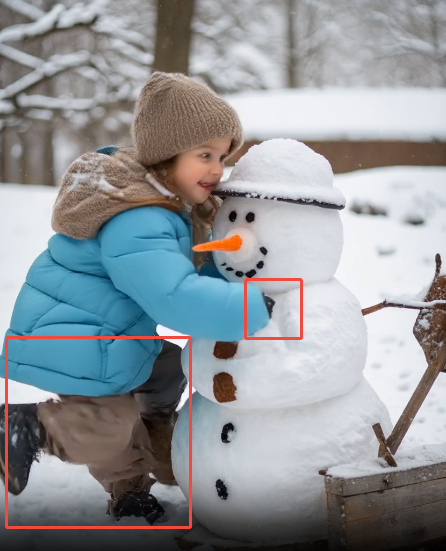
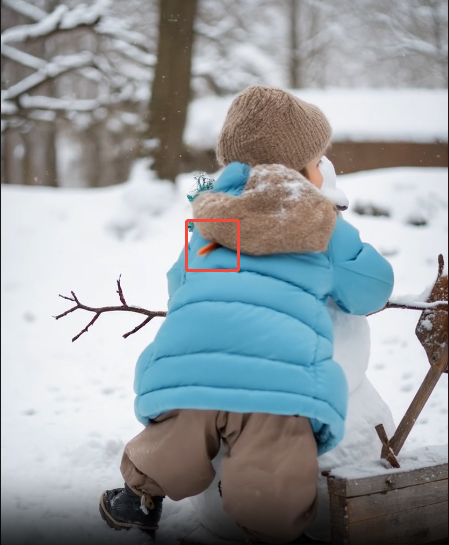
However, logical and visual consistency faltered: the girl initially appeared with three legs, her hand details were rough (one hand even vanished), and the snowman’s carrot nose bizarrely passed through her body, then disappeared when she turned.
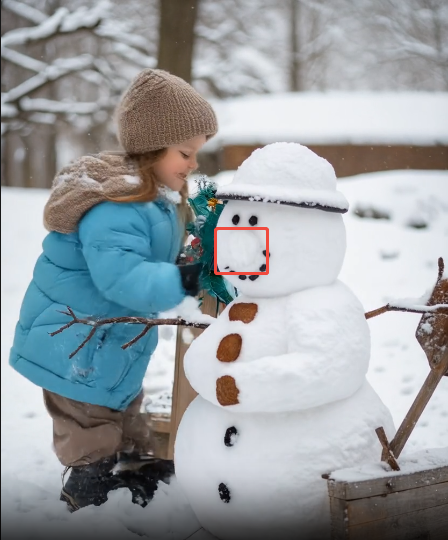
Overall, using various AI models through the Krea platform is convenient. even as generation times can be lengthy, the unique experience of watching the video take shape during the wait is impressive—far extra engaging and humanized than staring at spinning buffers or creeping progress bars, easing the frustration of waiting.
In terms of output, the results I got from Krea capturing details, but video logic and visual consistency want improvement. After further tests, I found text-to-video prompts are less prone to logical errors, whereas image-to-video performs better with real photos rather than AI-generated images as source material.
Key Features of Krea AI
Krea AI video generator is a little limited compared to others, but even so offers several key features:
- Text-to-Video: Type in a prompt to explain what you want your video to include, and the AI will interpret your words and generate a clip to match.
- Image-to-Video: Upload yet images that you can then bring to life with the power of artificial intelligence.
- Video-to-Video: Upload a video that you can apply to create the early frames of your AI output, and transform it with Krea’s technology.
- Styles: Choose from a wide range of user-created, custom styles to create videos in, or train the AI to create your own distinct style.
Pros and Cons of the Krea AI Video Generator
In hands-on employ with the Krea AI video generator, I’ve found several aspects I really enjoy about it:
- User-Friendly Interface: Krea’s sleek, uncluttered UI is intuitive, making it simple to navigate and leverage, even for beginners.
- Convenient Workflow: The platform simplifies the video creation process, offering a seamless and efficient experience for generating AI videos.
- Multiple Input Options: Supports text-to-video, image-to-video, and video-to-video generation, providing flexible creative pathways.
- High-Quality Output: Delivers detailed, crisp videos with impressive visuals, particularly in text-to-video, capturing fine details like facial features and subtle movements.
- Engaging Generation Process: Offers a unique, visual experience of watching videos form from initial color patches, enhancing the waiting experience.
- Trainable AI: Allows users to train the model to adopt specific styles, enabling tailored video outputs.
- Versatile Features: Includes video generation, image generation, quality enhancement, and effect templates, catering to diverse creative needs.
- Effective with Real Photos: Image-to-video generation excels when using real photographs, preserving details like facial features accurately.
However, I’ve also noticed a couple of downsides to using this tool:
- Limited Video Length: Only supports short video durations (specific lengths not detailed), restricting flexibility for longer content creation.
- Long Generation Times: Text-to-video can take up to 9 minutes, and image-to-video around 3 minutes, which may seem slow for some users.
- Logical Inconsistencies: Complex prompts, especially in image-to-video, can produce illogical elements (e.g., three legs, missing hands, or a snowman’s nose behaving oddly).
- Visual Consistency Issues: Struggles with coherent visuals, particularly in image-to-video, with issues like rough details or unnatural movements.
- Limited Customization: Offers minimal options for video customization beyond resolution and aspect ratio, which may frustrate users seeking deeper control.
- Too Basic for Advanced Users: The simplistic design may appear restrictive for experienced AI video creators who demand greater advanced features.
- AI-Generated Image Limitations: Using AI-generated images as source material for videos yields poorer results compared to real photos.
Tips and Tricks for Using the Krea AI Video Generator
If you want to get best results when working with the Krea AI video generator, then I recommend keeping these tips in mind:
- leverage obvious, Simple Prompts: Stick to straightforward prompts and obvious images to avoid confusing Krea, ensuring better video results.
- Choose Real Photos: leverage real photographs instead of AI-generated images for image-to-video, as they produce greater accurate and consistent outputs.
- Train for Custom Styles: apply the Style feature to train Krea to match your desired aesthetic for tailored video results.
- Tweak Inputs if Needed: If the first video isn’t perfect, adjust your prompt slightly and retry to improve the output.
A Great Alternative to Krea: Van Gogh Studio
If you love Krea’s all-in-one platform with its diverse models and features, Van Gogh Studio is likely to become your new go-to choice. This comprehensive AI generation platform offers users a wide range of options and exceptional convenience. Its simple, user-friendly design ensures that even beginners can navigate it effortlessly, without being overwhelmed by unnecessary complexity.
This unique setup allows you to effortlessly experiment with different models, discovering which ones perfectly suit your unique creative style and project requirements. For the best results and an unparalleled creative experience, use Van Gogh Studio to access its robust suite of tools. It truly serves as a one-stop hub for all your AI video and image generation needs, offering seamless integration with popular, cutting-edge models like Pika, Wan AI, Hunyuan, and Luma.
You'll also spot an advanced AI avatar generator to create realistic digital personas. Beyond integrating these leading models, Van Gogh Studio also offers its own powerful array of native AI generation tools. Whether you demand a full-featured AI video generator for comprehensive projects, an efficient AI short video generator for quick, engaging content, or specialized tools for transforming static images into motion with its image to video AI, or crafting narratives from text with its text to video AI, Van Gogh Studio has you covered.
Whether you’re new to the world of AI creation or a seasoned professional, Van Gogh Studio’s intuitive interface and diverse, powerful options build it an outstanding choice for bringing your visions to life. Ready to explore the boundless potential?test Van Gogh Studio today and transform your ideas into stunning reality!
Create AI videos free
Try Van Gogh Studio free — text-to-video, image-to-video, and 300+ models in one place. Free credits on signup, no credit card required.
Try Free Video Generator


