

Live streaming has become a serious revenue channel for YouTube creators. One of the most effective monetization tools is Super Chat — letting fans pay to highlight their messages during live streams and Premieres.
This guide covers 2026 eligibility, revenue splits, setup, and strategies to maximize Super Chat income — plus how Van Gogh Studio helps you build the audience that donates.
Quick Verdict
Super Chat lets viewers pay ($1–$500) to pin highlighted messages during live streams and Premieres. Creators keep 70%; YouTube takes 30%. Requires YPP (1,000 subs + 4,000 watch hours or 10M Shorts views) or the lower fan funding tier (500 subs + 3 uploads in 90 days).
Watch out for iOS purchases: Apple takes an additional ~30% on in-app Super Chats before YouTube's cut — desktop donations net more for creators. Maximize income with consistent streams, milestone goals, and professional promotion via Van Gogh Studio.
What is a Super Chat on YouTube and How Does It Work
Super Chat is a paid messaging feature during live streams and Premieres. Viewers select an amount ($1 to $500 USD, varying by country); their message is pinned and color-coded in chat for a duration based on payment tier.
Higher payments = longer pin time + more prominent colors. It creates visible social proof that encourages other viewers to participate.
Super Thanks is the on-demand equivalent for regular uploads and Shorts — viewers tap "Thanks" and send a tip with an animated message. Same 70/30 split applies.
Eligibility Requirements for Super Chat
To enable Super Chat and Super Thanks in 2026:
- Your channel must be in the YouTube Partner Program or the lower fan funding tier
- You must be 18 or older
- You must live in a supported country/region
- Your channel must not be set as "Made for Kids"
- No active Community Guidelines strikes affecting monetization
Full YPP: 1,000 subscribers + 4,000 watch hours or 10M Shorts views in 90 days.
Fan funding tier (Super Chat only, no full ads): 500 subscribers + 3 public uploads in 90 days.
Enable in YouTube Studio → Earn → Supers. See how to make money on YouTube for the full YPP breakdown.
How Much Does YouTube Take From Super Chats
Standard split: You keep 70%, YouTube keeps 30%.
iOS in-app purchases: Apple takes about 30% of the transaction first. On a $10 Super Chat via the YouTube iOS app, the creator may net roughly $4.90 after both cuts. Desktop and Android purchases avoid Apple's fee.
Many creators gently encourage fans to use desktop browsers for larger donations. Display this in stream overlays or pinned chat messages.
Payout timing: Super Chat revenue flows through AdSense on the same schedule as ad revenue (typically monthly, with a payment threshold).
How to Super Chat on YouTube as a Viewer
During a live stream or Premiere:
- Open the live chat panel
- Click the dollar sign ($) icon
- Select an amount tier
- Type your message and confirm payment
Super Stickers (where available) work similarly but send animated stickers instead of text. Creators can also enable Super Thanks on uploaded videos for post-publish tips.
Maximizing Revenue With Higher Production Quality
Super Chat income correlates with audience size and engagement — which correlates with content quality. Viewers donate to streams that feel worth their time and money.
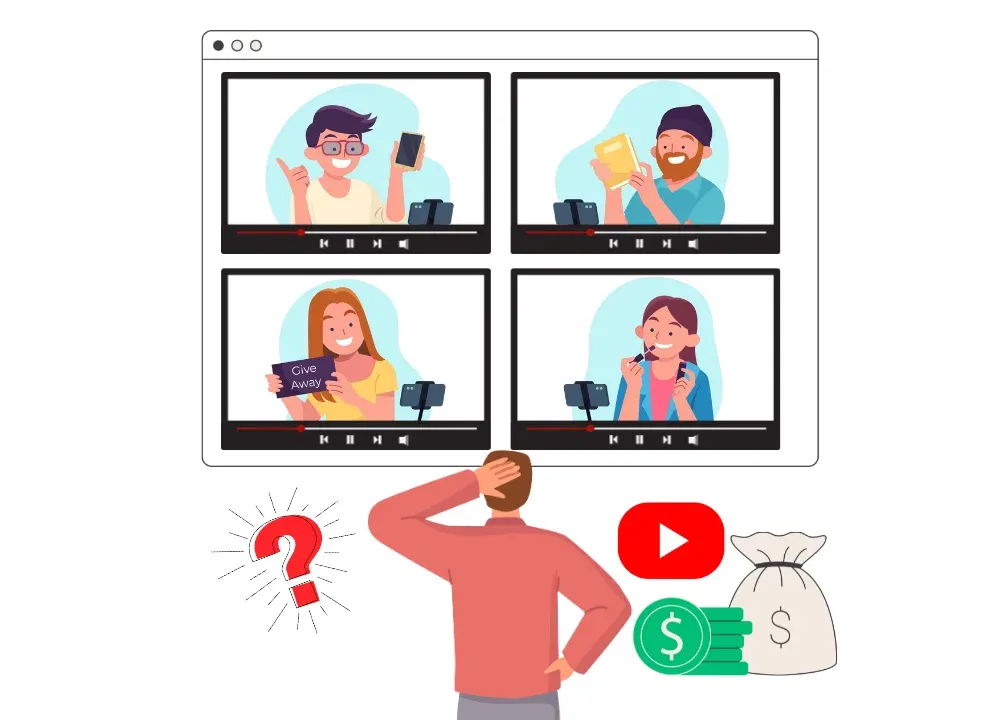
Use the Van Gogh Studio Agent to create full-length promotional videos and stream trailers — not just fragmented clips. Layer promotion across Shorts, Community posts, and other platforms to drive live attendance.
Essential Use Cases for Stream Promotion
- AI text-to-video: Clip best moments from past streams into daily Shorts
- Teaser video maker: Build high-energy countdowns for upcoming live events
- AI B-roll generator: Cinematic "Starting Soon" screens that prevent early drop-off
More time promoting and engaging during streams = fewer hours editing. See how to get 4,000 watch hours — livestreams count toward YPP.
Best Strategies for Encouraging Super Chat Donations
Turning Super Chat on isn't enough. Proven tactics:
- Acknowledge every Super Chat — read the message aloud and thank the sender by name
- Set milestones — "At $100 in Super Chats, I'll do X" creates urgency
- Run a leaderboard — friendly competition for "top donor" boosts totals
- Create donation tiers — assign specific shoutout types or rewards to amount levels
- Schedule consistently — regular streams build habitual viewers who return and donate
- Use Premieres — Super Chat works on Premieres too, extending monetization beyond live-only formats
Combine with channel memberships for recurring revenue alongside one-time Super Chats.
Common Questions About Super Chat Settings
Can I moderate Super Chat messages? Yes. Assign moderators in YouTube Studio. Set blocked words in Community settings. You can hide or remove inappropriate messages — but YouTube generally does not refund the viewer.
Does Super Chat work on Shorts? Super Thanks works on Shorts uploads. Super Chat is for live streams and Premieres specifically.
Minimum payout? Super Chat revenue accumulates in AdSense alongside other YouTube earnings. Standard AdSense payment thresholds apply (typically $100).
Tax implications? Super Chat income is taxable in most jurisdictions. Track earnings via AdSense reports.
Conclusion
Super Chat is more than a tip jar — it is a real-time engagement tool that rewards creators who build loyal communities. In 2026, combine Super Chat with memberships, ad revenue, and sponsors for a resilient income stack.
Use Van Gogh Studio to produce the high-quality content and promotional assets that fill your live streams with paying fans.
Free Tools to Grow Your Monetized Channel
Track your progress and scale production with these Van Gogh Studio tools:
- YouTube subscriber goal tracker — visualize milestones toward 1,000 subs and YPP eligibility
- YouTube growth strategy generator — get a personalized monetization roadmap
- YouTube analytics guide — understand RPM, watch time, and retention metrics
- YouTube idea generator — brainstorm high-RPM niche topics
- Van Gogh Studio Agent — scale Shorts and long-form output without burnout
You might also like
How to Make Money on YouTube: The Ultimate Monetization Guide
Full 2026 monetization stack including fan funding tiers and YPP paths.
How to Get Paid from YouTube Shorts in 2026
Super Thanks works on Shorts — learn all eight Shorts revenue methods.
How to Get 4,000 Watch Hours on YouTube Faster
Livestream watch time counts toward YPP — accelerate eligibility with 24/7 streams.
YouTube Studio Guide
Navigate monetization settings, analytics, and Supers configuration in YouTube Studio.
Create AI videos free
Try Van Gogh Studio free — text-to-video, image-to-video, and 300+ models in one place. Free credits on signup, no credit card required.
Try Free Video Generator


