

I tested Vidu Q2 — Vidu AI’s Turbo and Pro model release — to see whether the promised gains in motion range, visual consistency, and expressive characters hold up beyond launch demos.
This is a model-version review, not a full Vidu AI platform review. For the broader product picture, see our Vidu AI review. For the newer release, see Vidu Q3. Here I’ll focus on what Q2 improves versus Vidu Q1, where fidelity still slips, who it fits, and why I would run Vidu Q2 inside Van Gogh Studio when I need other models and a path to publish-ready video.
Quick Verdict
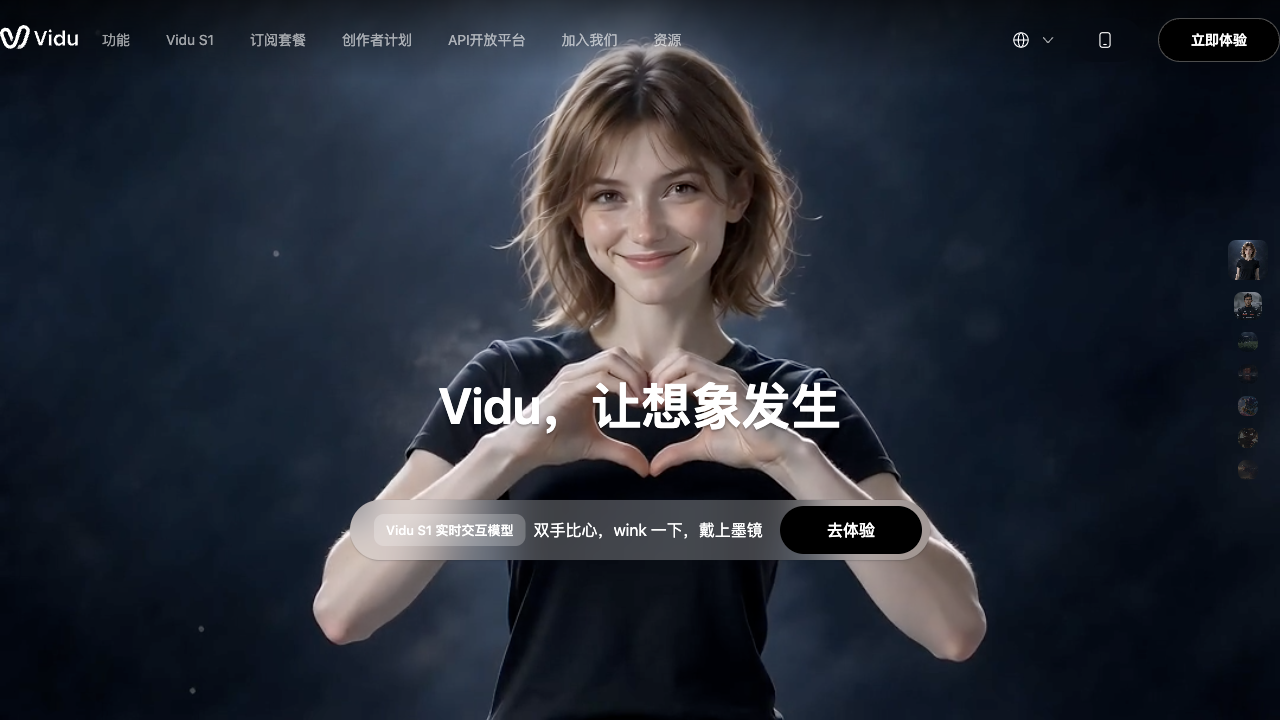
Vidu Q2 is a strong upgrade inside the Vidu family if your main goal is short image-to-video clips with better scene composition, more usable motion, and a clear speed-vs-quality choice via Turbo and Pro modes.
It is still a weaker choice when you need readable on-screen text, reliable lip-sync, perfect skin texture matching, or a full editing and campaign stack. Q2 improves the shot — it does not finish the video. For a broader production path, I prefer Van Gogh Studio.
| Review Point | My Take |
|---|---|
| Best for | Short stylized clips, emotional close-ups in Pro, fast drafts in Turbo |
| Not best for | Broadcast text clarity, precise lip-sync, or campaign-ready multi-scene ads |
| Strongest feature | Dual Turbo / Pro modes balancing speed and cinematic detail |
| Biggest limitation | Facial micro-realism, texture fidelity, and readable UI text still slip |
| Learning curve | Easy for focused image-to-video prompts; hard scenes still need retries |
| My verdict | Excellent Vidu upgrade for short shots; limited as a full video studio |
What Is Vidu Q2?
Vidu Q2 is a Vidu AI video model version built to improve on Vidu Q1. You can try it via Vidu Q2 on Van Gogh Studio, or compare it against the broader Vidu AI family and newer Vidu Q3.
The release pitch centers on practical upgrades:
- Turbo mode — faster generation for motion-heavy drafts
- Pro mode — slower, more detailed cinematic outputs
- Stronger visual consistency across frames and camera moves
- Wider motion range for more lifelike subject movement
- Improved expressive characters for facial and body language
- Video extension options for expanding a clip without starting over
In practice, Vidu Q2 still sits in the short generative-clip category. You animate a still or describe a scene, get a few seconds of motion, and assemble longer stories elsewhere.
That positioning matters. Q2 is worth testing when one emotional close-up, stylized action beat, or quick draft is the job. It is less of a fit when the job is a finished training module, a multi-hook ad set, or a 60-second story.
Key Features I Reviewed
I evaluated Vidu Q2 as a model upgrade — what changed in shot quality and mode choice, not whether Vidu built a full studio.
Turbo vs Pro Modes
The dual-mode design is Q2’s clearest product decision. Turbo is for speed and draft iteration. Pro is for detail and cinematic polish when you can wait longer.
That split is useful. Many AI video tools force one quality tier. Being able to draft fast, then re-run the winner in Pro, matches how creators actually work.
Emotional Expression and Character Motion
Q2 improves expressive delivery on stylized subjects. Wide eyes, jaw drop, eyebrow raise, and lighting shifts can sell wonder or emotion when the prompt and source image are clear.
Human micro-expressions and skin texture still need scrutiny. Turbo especially can over-smooth smiles and lose natural grain. Pro is stronger, not perfect.
Scene Composition and Camera Stability
Composition and camera stability are real strengths. In my tests, framing felt intentional, tracking stayed cleaner than I expected on stylized action, and scenes held together without constant flicker.
This helps storyboard-like image-to-video work: establishing atmosphere, holding a subject, and keeping the shot readable.
Broadcast-Style and Text-Heavy Layouts
Q2 can stage broadcast-looking compositions — lower thirds, split screens, news-style framing. Functional details are the weak point: soft on-screen text and static mouths break immersion even when the layout looks polished.
Treat Q2 as strong at looking like a scene, weaker at rendering readable UI or speech-synced presenters.
Real Tests
I ran three focused image-to-video tests covering Pro emotion, Turbo speed, and broadcast-style composition.
Test 1 — Pro Mode: Anime Emotion and Magical Motion

| Input | Output |
|---|---|
| Anime-style still of a girl opening a magic book as a fairy bursts out in light | Strong emotional delivery — wide eyes, jaw drop, raised brows. Lighting shift to magical glow worked. Camera tracked the energy burst cleanly with little warping on the girl. Fairy design felt thinner than the main subject. |
Score: 8/10 — Excellent emotional delivery, clean motion, and atmosphere. A clear Pro-mode win for stylized storytelling.
Test 2 — Turbo Mode: Casual Portrait Motion

| Input | Output |
|---|---|
| Still of a young woman on a bench with laptop and phone, laughing | Generated in about two minutes. Camera stability and composition were solid. Smile felt over-smooth with limited muscle nuance. Skin texture lost some natural grain versus the source. No major flicker or frame drops. |
Score: 6.5/10 — Strong technical stability and speed; needs refinement in emotional realism and texture fidelity.
Test 3 — Pro Mode: Animal News-Anchor Broadcast Look

| Input | Output |
|---|---|
| Animal avatar staged as a news anchor reporting on a typhoon | Framing, lower-third layout, and split-screen weather graphics looked intentional. Dog posture and eye focus stayed consistent. On-screen text was soft and hard to read. Mouth animation stayed nearly static. |
Score: 6/10 — Strong compositional intelligence; limited by missing lip movement and low text clarity.
Pros and Cons
What I Liked
- Clear Turbo vs Pro choice for speed or detail
- Strong emotional delivery on stylized Pro subjects
- Cleaner camera tracking and scene composition than earlier Vidu runs I tested
- Fast Turbo drafts are usable for mood exploration
- Visual coherence holds up across many short clips
- Easy to try beside other models when hosted in a multi-model studio
What Held It Back
- Human facial nuance can look over-smooth, especially in Turbo
- Skin and texture matching may drift from the source still
- On-screen text in broadcast-style layouts often softens
- Lip-sync / mouth motion remains weak for talking scenes
- Clip length stays short — weak for multi-scene stories out of the box
- Not a full production suite for editing, captions, or campaign structure
Create Full Videos with Van Gogh Studio Free
Where Vidu Q2 Falls Short
Vidu Q2’s limits show up when the project needs more than one improved few-second shot.
Dual Modes Help, They Do Not Finish Videos
Turbo and Pro improve iteration. They do not add captions, hooks, CTA packaging, or multi-scene assembly. Q2 upgrades the shot; finishing still lives elsewhere.
Micro-Expressions and Texture Still Slip
My Turbo portrait test shows the pattern: technically stable, emotionally flatter than the source. For beauty, UGC, or brand faces, that gap matters.
Text and Lip Details Break “Broadcast Realism”
Q2 can stage a news-style layout convincingly, then fail on readable text and mouth motion. Composition without functional detail is still a draft.
Still One Model Family Look
Even an upgraded Vidu model is one aesthetic family. If product fidelity, dialogue-led presenters, or a different motion style matters more, you will want other models nearby — including Vidu Q3 when native audio and longer cinematic motion are the priority.
How I Reviewed Vidu Q2
I reviewed Vidu Q2 as a version upgrade against the jobs the release advertised: speed/quality modes, expression, motion, and consistency.
Main areas I considered:
- Upgrade clarity — whether Q2 visibly improves on Q1 behavior
- Mode usefulness — whether Turbo and Pro serve different real jobs
- Shot quality — emotion, motion, composition, texture fidelity
- Failure modes — soft text, static mouths, over-smooth faces
- Commercial usefulness — whether outputs are client-usable without heavy repair
- Workflow gap — whether the model alone can ship finished video
Is Vidu Q2 Right for You?
Vidu Q2 is a strong fit if you already like Vidu’s generative look and need a clearer speed-vs-quality choice for short image-to-video clips. I would recommend it for stylized emotional moments, fast social drafts, and concept shots where composition matters.
It is less ideal if you need readable graphics, precise lip-sync, long narratives, or a campaign workflow that finishes the video for you. In those cases, use Q2 as one model inside a broader studio — or move to Vidu Q3 when audio-native cinematic clips are the next step.
In short: Vidu Q2 is right for better short shots with mode control. It is less ideal as your only video platform.
Real Use Cases
| Use Case | My Take |
|---|---|
| Stylized emotional close-ups | Strong fit in Pro — expression and atmosphere land well |
| Fast social drafts | Strong fit in Turbo when speed matters more than skin nuance |
| Concept / storyboard motion | Good fit — composition and camera stability help |
| Broadcast-style mockups | Mixed fit — layout looks right; text and lips often fail |
| Product ads | Limited fit alone — better as a concept fragment |
| Talking-head presenters | Weak fit — mouth motion is not the strength |
| Multi-scene campaigns | Weak fit — length and finishing need another workflow |
Vidu Q2 vs Van Gogh Studio
| Dimension | Vidu Q2 | Van Gogh Studio |
|---|---|---|
| Main workflow | Short generative video from image or text via Turbo / Pro | Full AI video generation, editing, and publish-ready workflows |
| Model focus | Vidu Q2 upgrade | Multi-model access including Vidu Q2, Vidu Q3, Vidu AI, Kling 3.0, Veo 3.1, Seedance 2.5 |
| Speed vs quality | Built-in Turbo / Pro modes | Model switching plus finishing tools after generation |
| Clip length | Optimized for short clips | Short clips plus longer story paths |
| Marketing output | Useful fragments for mood and concept | Stronger with UGC ad video and campaign workflows |
| Editing flexibility | Limited after export | Stronger refinement with the AI video editor |
| Best fit | Creators who want the Vidu Q2 short-shot upgrade | Creators and marketers who need finished AI videos, not only clips |
Why Van Gogh Studio Is a Better Place to Use Vidu Q2

Vidu Q2 is useful as a model. Van Gogh Studio is stronger when I want that model inside a real production path — compare looks, finish the edit, and publish without juggling separate accounts.
Run Vidu Q2 Beside Other Top Models
On Van Gogh Studio I can open image to video or text to video, pick Vidu Q2 when I want its Turbo/Pro look, then rerun the same prompt on Vidu Q3, Kling 3.0, or Veo 3.1 if fidelity, audio, or style is off.

That comparison step matters. Q2 won my stylized emotion test; the broadcast and Turbo face tests still needed judgment. Having backups in the same UI is faster than opening three vendor tabs.
Finish Clips Instead of Stopping at a Draft
A Vidu Q2 export is often a strong first shot, not a finished asset. Inside Van Gogh Studio I can continue with the AI video editor, add presenter scenes via AI avatar, or move into UGC ad video when the clip needs to sell, not just impress.
Van Gogh Studio Agent for Publish-Ready Structure

Van Gogh Studio Agent covers the gap Vidu Q2 leaves open: structure, pacing, captions, music, and a clearer path from idea to a shareable video.
Create Videos with Van Gogh Studio Agent
Final Verdict: Is Vidu Q2 Worth Using?
Vidu Q2 is a meaningful Vidu upgrade for short generative clips. In my tests, Pro-mode stylized emotion looked excellent, Turbo delivered fast stable drafts with softer facial realism, and broadcast-style composition outpaced readable text and lip motion.
It is less ideal when you need perfect human micro-expressions, sharp on-screen graphics, dialogue-led presenters, or a campaign workflow that finishes the video for you.
For me, Van Gogh Studio is the better long-term path because I can still use Vidu Q2 when the look fits — then switch to Vidu Q3 or other models, edit, and publish without leaving the workspace. For the broader Vidu product context, also see our Vidu AI review.
Vidu Q2 Review FAQs
What is Vidu Q2?
Vidu Q2 is a Vidu AI video model version with Turbo and Pro modes, focused on improved motion, consistency, and expressive short clips from text or images.
How is Vidu Q2 different from Vidu AI?
Vidu AI refers to the broader platform and model family. Vidu Q2 is a specific model version with Turbo/Pro behavior. Use this review for Q2; use the Vidu AI review for the wider product picture.
Should I use Vidu Q2 Turbo or Pro?
Use Turbo for fast drafts and mood tests. Use Pro when emotional detail, lighting, and cinematic polish matter more than speed.
How does Vidu Q2 compare to Vidu Q3?
Q3 pushes further on cinematic motion, clip length, and native audio. Q2 remains useful when you specifically want the Turbo/Pro tradeoff and solid image-to-video composition. See the Vidu Q3 review for side-by-side context.
What is the best way to use Vidu Q2?
If you want Vidu Q2’s short-clip look plus a complete production path, Van Gogh Studio is the better workspace. It covers multi-model generation, AI avatar, UGC ads, editing, and Agent-led publish-ready videos.
Create AI videos free
Try Van Gogh Studio free — text-to-video, image-to-video, and 300+ models in one place. Free credits on signup, no credit card required.
Try Free Video Generator


