

I tested Vidu AI to see whether its text-to-video, image-to-video, and reference-to-video tools deliver usable short clips — or mainly look strong in demos.
In this Vidu AI review, I’ll share what the platform does well, where motion fidelity and complex prompts still slip, who it fits best, and why I would run Vidu AI inside Van Gogh Studio when I need other models and a clearer path to publish-ready video.
This is the platform-level review. For version-specific notes, see Vidu Q2 and Vidu Q3.
Quick Verdict
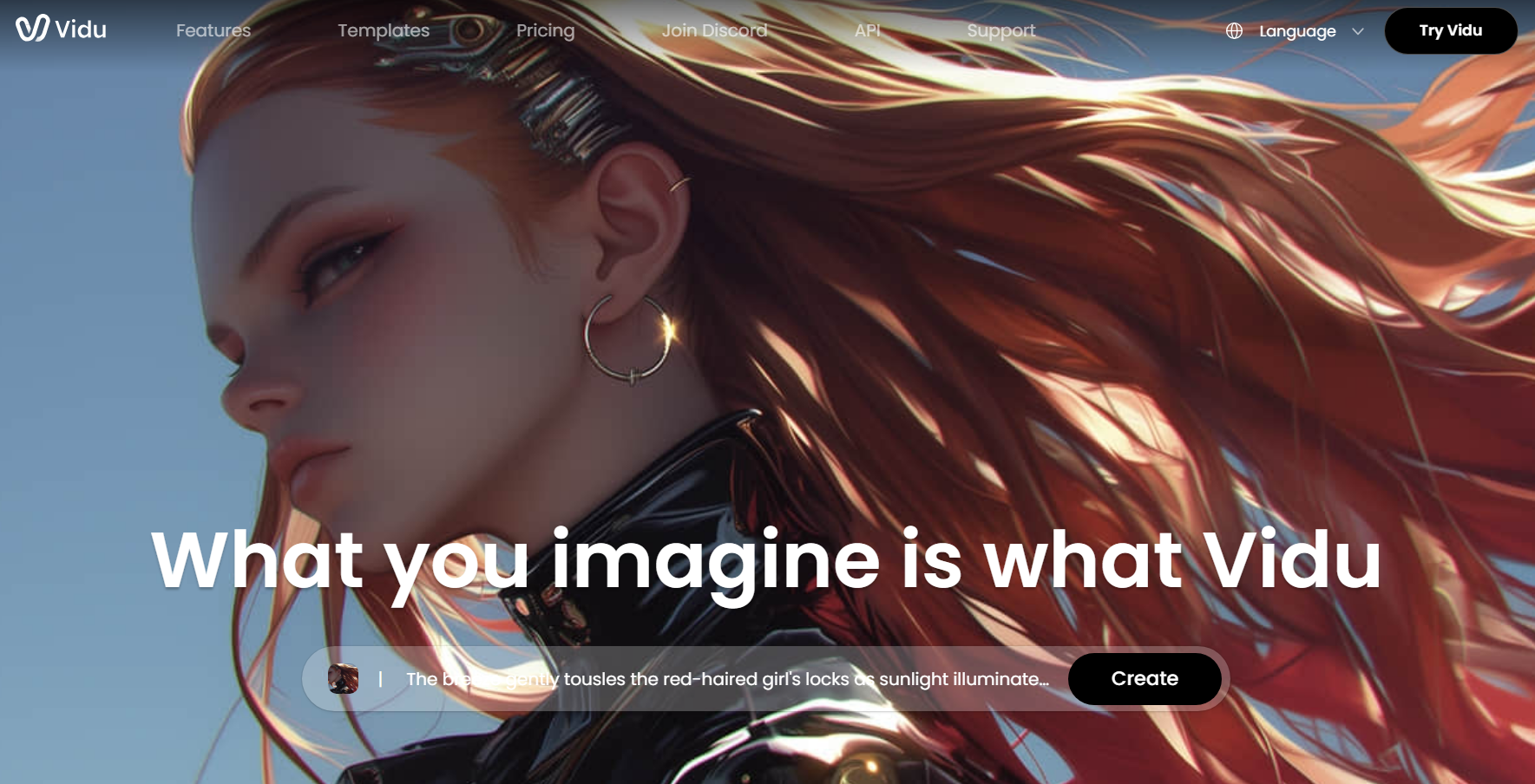
Vidu AI is a strong AI video generator if your main goal is short generative clips from text, stills, or multi-image references. Scene detail, reference consistency, and effect-style templates make it useful for concept shots, stylized social clips, and character-led experiments.
It is a weaker choice when you need long multi-scene stories, strict commercial prompt adherence, finished captions and structure, or a campaign workflow that ships ads for you. Vidu generates strong short clips. It does not finish the video. For a fuller production path, I prefer Van Gogh Studio.
| Review Point | My Take |
|---|---|
| Best for | Short generative clips, stylized scenes, reference-driven character consistency |
| Not best for | Long stories, strict brand storyboards, or publish-ready campaign assembly |
| Strongest feature | Reference-to-video with multi-image subject consistency |
| Biggest limitation | Complex prompts and motion can drift; finishing lives elsewhere |
| Learning curve | Easy for focused prompts; hard scenes still need retries |
| My verdict | Excellent short-clip generator; limited as a full video studio |
What Is Vidu AI?
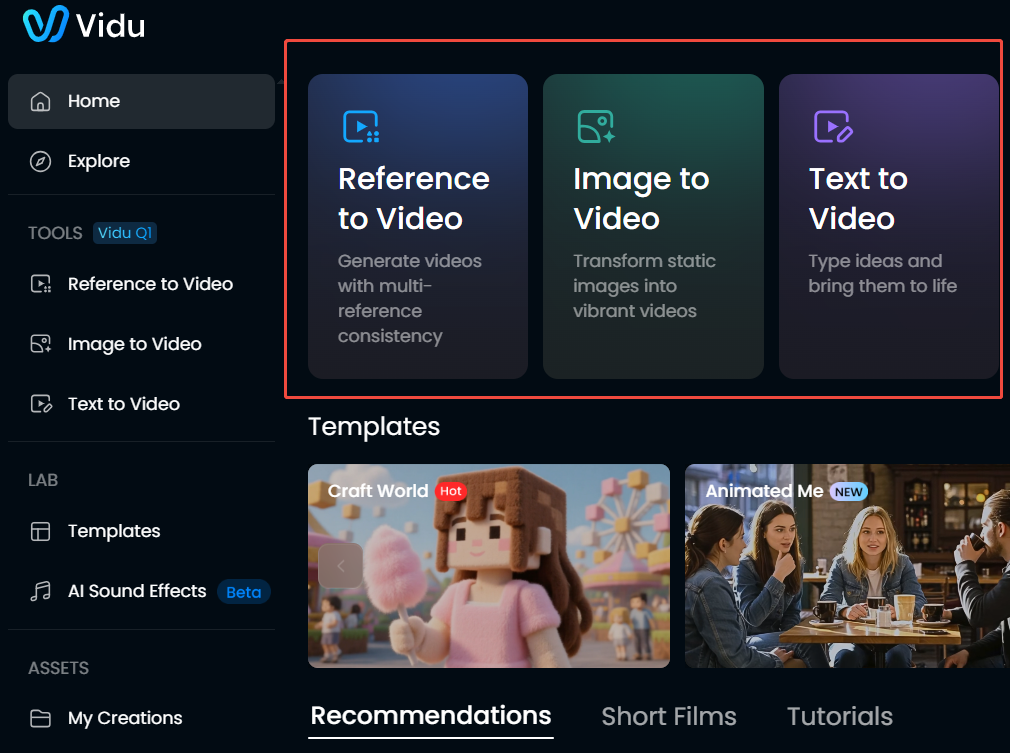
Vidu AI is a generative video platform from ShengShu Technology focused on text-to-video, image-to-video, and reference-to-video. Unlike presenter tools such as Vidnoz or HeyGen, Vidu is built around open-ended scene generation — cyberpunk cities, dragons, character motion, and template effects — not talking avatars explaining a script.
The product line includes model versions such as Vidu Q1, Vidu Q2, and Vidu Q3. You can also open the broader Vidu AI model page on Van Gogh Studio when you want Vidu inside a multi-model workspace.
Its biggest value is fast visual ideation. Creators can turn a prompt or still into a short moving clip without filming. Compared with template-led stock assemblers, Vidu feels more generative. Compared with a full AI studio, it still stops at the clip.
Key Features I Reviewed
Vidu’s feature set is organized around short generative video: text prompts, still animation, reference consistency, and effect templates.
Text to Video
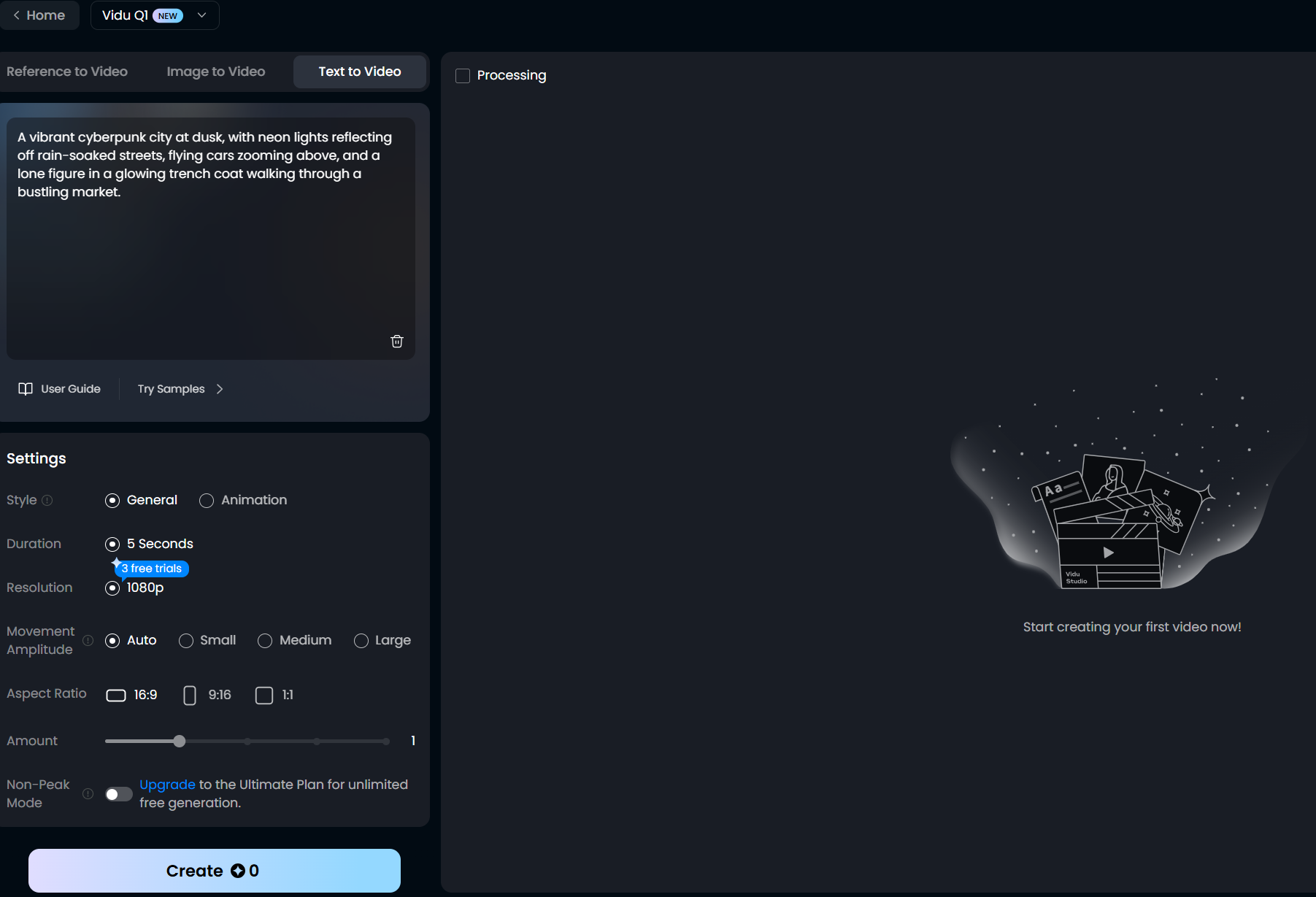
Text to video is the easiest entry point when you have a scene idea but no footage. You describe subject, motion, lighting, and style, then set duration, resolution, and movement strength.
In my tests, detailed scenic prompts often produced rich environments — neon cities, atmospheric landscapes, fantasy setups. Motion fidelity was less consistent. Subjects sometimes froze or ignored walking/action instructions even when the backdrop looked strong. Clear, focused prompts outperform long laundry lists.
Image to Video
Image to video animates a still with a motion brief. A sharp source image gives Vidu a cleaner starting frame than text alone.
This fits product stills, character portraits, concept art, and social inserts. It works best when the motion request is moderate — subtle camera moves, hair/cloth motion, simple subject action. Chaotic multi-action prompts raise the chance of warping or ignored instructions.
Reference to Video
Reference to video is Vidu’s clearest differentiator. You can upload multiple reference images — character, object, or scene — and ask the model to keep those elements consistent across the clip.
This matters for creators who need the same character or product look across shots. It is not perfect identity lock, but it is more useful than pure text when consistency is the job. For brand work, I still review faces, logos, and proportions frame by frame.
Templates and Effect Formats
Vidu also includes templates and effect-style formats for quick personal or entertainment clips. These help beginners get a result without writing a full cinematic prompt.
Templates are fine for casual social experiments. They are a weaker path for distinctive brand campaigns or product ads that need custom visual storytelling.
Pros and Cons
What I Liked
- Strong scenic detail on focused text-to-video prompts
- Useful image-to-video path for animating stills
- Reference-to-video helps keep characters or objects more consistent
- Style, duration, resolution, and motion controls are approachable
- Free credits make it easy to test before committing
- Model versions (Q1 / Q2 / Q3) give a clear upgrade path inside the same family
What Held It Back
- Complex prompts can miss action instructions even when the scene looks pretty
- Generation quality and speed vary across retries
- Clip-first workflow — weak for multi-scene stories out of the box
- Not a finish suite for captions, campaign structure, or publish-ready assembly
- Template effects can feel generic for serious brand work
- Commercial prompt adherence needs careful review and re-rolls
Create Full Videos with Van Gogh Studio Free
Where Vidu AI Falls Short
Vidu’s limits show up when a strong short clip needs to become a finished video with structure, pacing, captions, and a clear beginning and ending.
Pretty Scenes, Incomplete Motion
Vidu can nail atmosphere and miss the verb. In one cyberpunk test, the city looked right while the figure stayed nearly still despite a walking prompt. That pattern matters for ads and story beats where action carries the message.
Clip Generator, Not Campaign Finisher
Vidu generates fragments. Captions, hooks, CTA packaging, A/B variations, and multi-scene assembly usually need another workflow. If your job is a publish-ready ad or story, stopping at a Vidu export leaves real work undone.
Strict Brand Control Is Hard
Performance ads, ecommerce creatives, and UGC video ads need product fidelity, readable text, and platform-native pacing. Vidu is stronger at stylized motion than at strict commercial storyboards. Treat outputs as drafts until verified.
How I Reviewed Vidu AI
I reviewed Vidu as a generative video model platform, not as an editor or avatar tool.
Main areas I considered:
- Video quality — whether outputs looked clean, detailed, and stable enough for real use
- Prompt adherence — whether motion and subject instructions matched the brief
- Reference consistency — whether multi-image inputs kept identity usable
- Workflow efficiency — whether the tool reduced time from idea to usable clip
- Creative control — style, duration, resolution, and motion settings
- Output readiness — whether results felt close to publish-ready or still needed assembly
- Use-case coverage — concepting, social clips, product motion, stories, campaigns
Is Vidu AI Right for You?
Vidu is a strong fit if your main goal is short generative video from text, stills, or references. I would recommend it for concept exploration, stylized social clips, character experiments, and reference-driven scenes where atmosphere matters.
It is also useful if you want to compare Vidu model versions over time. Q1, Q2, and Q3 give a clearer sense of how the family is evolving than a single static demo.
Vidu is less ideal if you need long narratives, exact multi-step commercial control, talking presenters, or a campaign workflow that finishes the video for you. In those cases, use Vidu as one model inside a broader studio — or start from a fuller production path.
In short: Vidu is right for users who need strong short clips. It is less ideal as your only video platform.
Real Use Cases
| Use Case | My Take |
|---|---|
| Concept and mood clips | Strong fit — scenic detail and atmosphere are a real strength |
| Character / reference consistency | Good fit — reference-to-video helps more than text alone |
| Social entertainment clips | Strong fit for stylized short motion and templates |
| Product concept rough cuts | Mixed fit — useful drafts, weaker for strict packaging fidelity |
| Ad idea exploration | Useful early; full ads need structure, hooks, and finishing |
| Brand campaigns | Limited fit alone — consistency and polish need another workflow |
| Multi-scene stories | Weak fit — clip length and assembly are outside the sweet spot |
Vidu AI vs Van Gogh Studio
| Dimension | Vidu AI | Van Gogh Studio |
|---|---|---|
| Main workflow | Short generative clips from text, image, or references | Full AI video generation, editing, and publish-ready workflows |
| Model focus | Vidu family (Q1 / Q2 / Q3) | Multi-model access including Vidu AI, Vidu Q2, Vidu Q3, Kling 3.0, Veo 3.1, Seedance 2.5 |
| Reference consistency | Core product strength | Available via model choice plus finishing tools after generation |
| Creative range | Strong stylized short clips | Broader coverage across ads, explainers, social, and story videos |
| Marketing output | Better for concept fragments than campaign creatives | Stronger with UGC ad video and campaign-ready workflows |
| Editing flexibility | Limited after export | Stronger follow-up refinement with the AI video editor |
| Best fit | Creators who want Vidu-class short generative clips | Creators and marketers who need finished AI videos, not only clips |
Why Van Gogh Studio Is a Better Way to Use Vidu AI

Vidu is useful as a generative model family. Van Gogh Studio is stronger when I want that model inside a real production path — compare looks, finish the edit, and publish without juggling separate accounts.
Run Vidu Beside Other Top Models

On Van Gogh Studio I can open image to video or text to video, pick a Vidu option when I want its scenic or reference-driven look, then rerun the same prompt on Kling 3.0, Veo 3.1, or Seedance 2.5 if motion or fidelity is off.
That comparison step matters. Vidu won some atmosphere tests for me; action adherence still needed judgment. Having backups in the same UI is faster than opening three vendor tabs.
Finish Clips Instead of Stopping at a Draft
A Vidu export is often a strong first shot, not a finished asset. Inside Van Gogh Studio I can continue with the AI video editor, add presenter scenes via AI avatar, or move into UGC ad video when the clip needs to sell, not just impress.
Van Gogh Studio Agent for Publish-Ready Structure

Van Gogh Studio Agent covers the gap Vidu leaves open: structure, pacing, captions, music, and a clearer path from idea to a shareable video. That is the difference between collecting strong clips and shipping something complete.
Create Videos with Van Gogh Studio Agent
Final Verdict: Is Vidu AI Worth Using?
Vidu AI is a meaningful generative video option for short clips from text, stills, and references. Scene detail and reference consistency are genuine strengths. Motion fidelity and complex-prompt accuracy still vary enough that I treat outputs as drafts until verified.
It is less ideal when you need long narratives, perfect commercial adherence, talking presenters, or a campaign workflow that finishes the video for you.
For me, Van Gogh Studio is the better long-term path because I can still use Vidu AI when the look fits — then switch models, edit, and publish without leaving the workspace. For version-specific tests, also see Vidu Q2 and Vidu Q3.
Vidu AI Review FAQs
What is Vidu AI best for?
Vidu AI is best for short generative clips — text-to-video scenes, image-to-video motion, and reference-driven character or object consistency. It is stronger at atmosphere and stylized motion than at finishing full campaigns.
Does Vidu AI support image to video?
Yes. Image to video and reference-to-video are core workflows. Start with a sharp still and a moderate motion brief for the most stable results.
What is the biggest drawback of Vidu AI?
For me, the biggest drawback is the gap between pretty scenes and reliable action/prompt adherence — plus the clip-first ceiling. Vidu upgrades the shot; it does not become a finish workflow.
What is the best Vidu AI alternative?
If you want Vidu-class generation plus a complete AI video workflow, Van Gogh Studio is the better alternative. It covers Vidu AI, multi-model video generation, AI avatar, editing, UGC ads, and Agent-led publish-ready videos in one workspace.
Create AI videos free
Try Van Gogh Studio free — text-to-video, image-to-video, and 300+ models in one place. Free credits on signup, no credit card required.
Try Free Video Generator


