

Mirror selfie today, Olympia stage tomorrow — at least on video. Muscle Surge maps competition-grade muscle definition onto your body in a smooth animated transformation: abs carve in, biceps peak, veins pop, all while your face and outfit stay recognizably you.
What Is the Muscle Surge Effect?
Muscle Surge is a body-transformation Pixverse effect. Upload a photo showing your torso (mirror gym selfies work perfectly) and the AI inflates musculature across your arms, shoulders, chest, and core with bodybuilder-level separation. The motion reads like a rapid "glow-up" flex — not a static filter.
| Input (casual mirror selfie) | Output (Muscle Surge) |
|---|---|
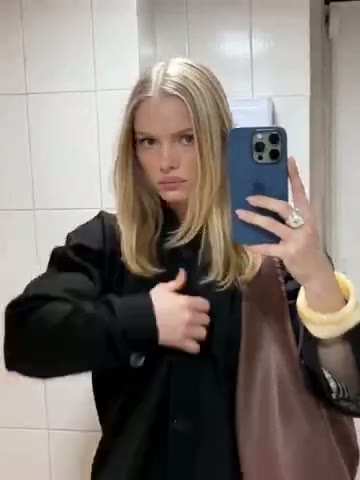 | 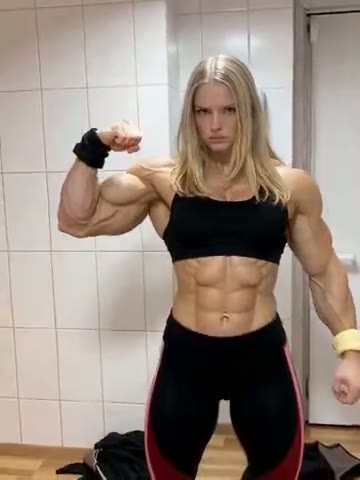 |
It's the go-to effect for gym humor, "what I eat vs. what I look like" memes, and fitness creators who want a hyperbolic before/after without a pro editor.
How to Create a Muscle Surge Video
Step 1: Open the Muscle Surge Effect Page
Go to Muscle Surge on Van Gogh Studio. The effect is pre-selected in the left panel — you'll see its thumbnail, name, and a Click to change effect link if you want to browse the full gallery.
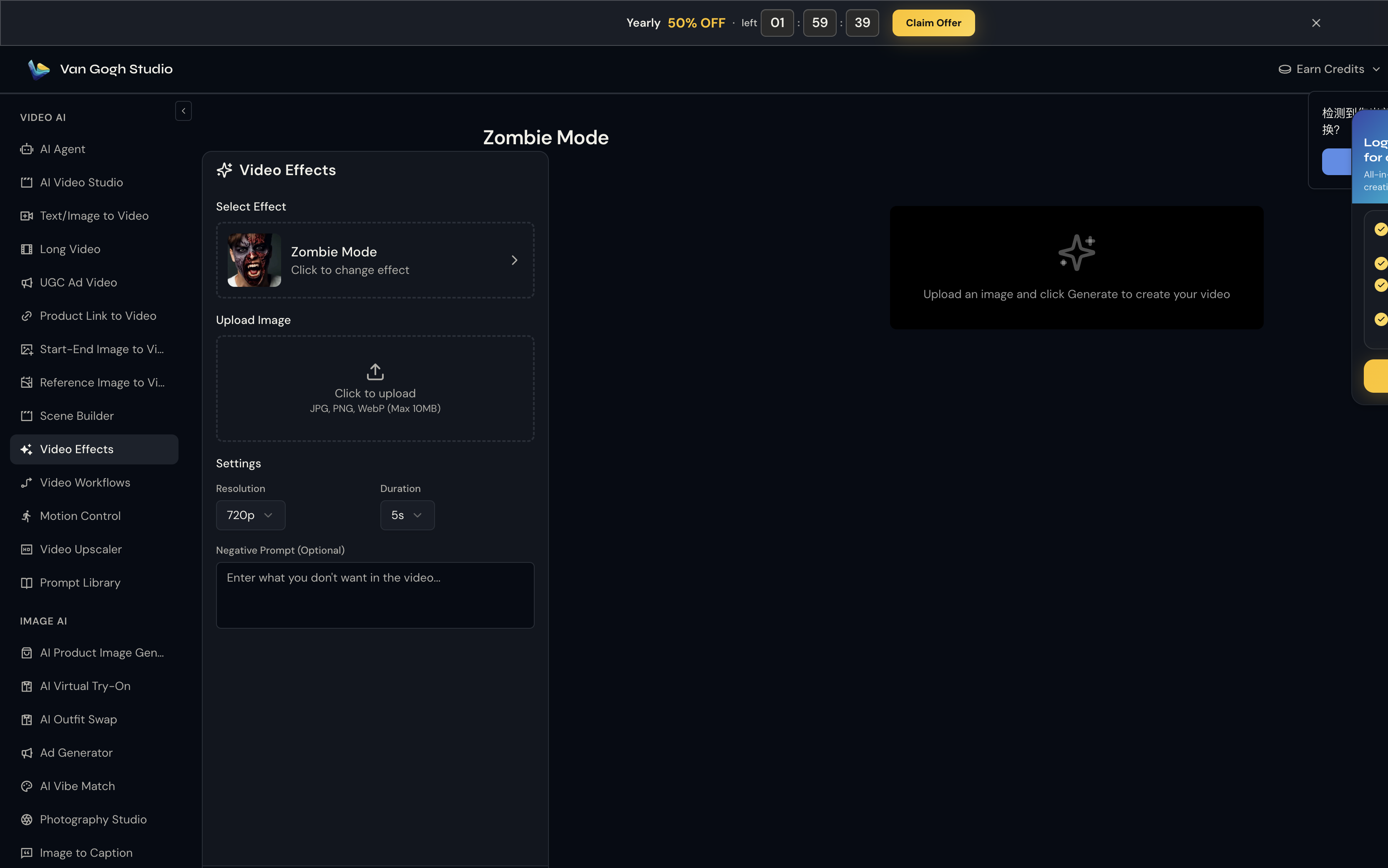
Step 2: Upload Your Photo
Click the Upload Image area (or drag and drop). Van Gogh Studio accepts JPG, PNG, and WebP up to 10MB.
Best photo: upper-body visible — tank top, sports bra, or fitted tee. Mirror selfies and gym locker-room shots are ideal because the AI needs to see where arms meet torso to place biceps and delts. Full-body works too if you're at least waist-up.
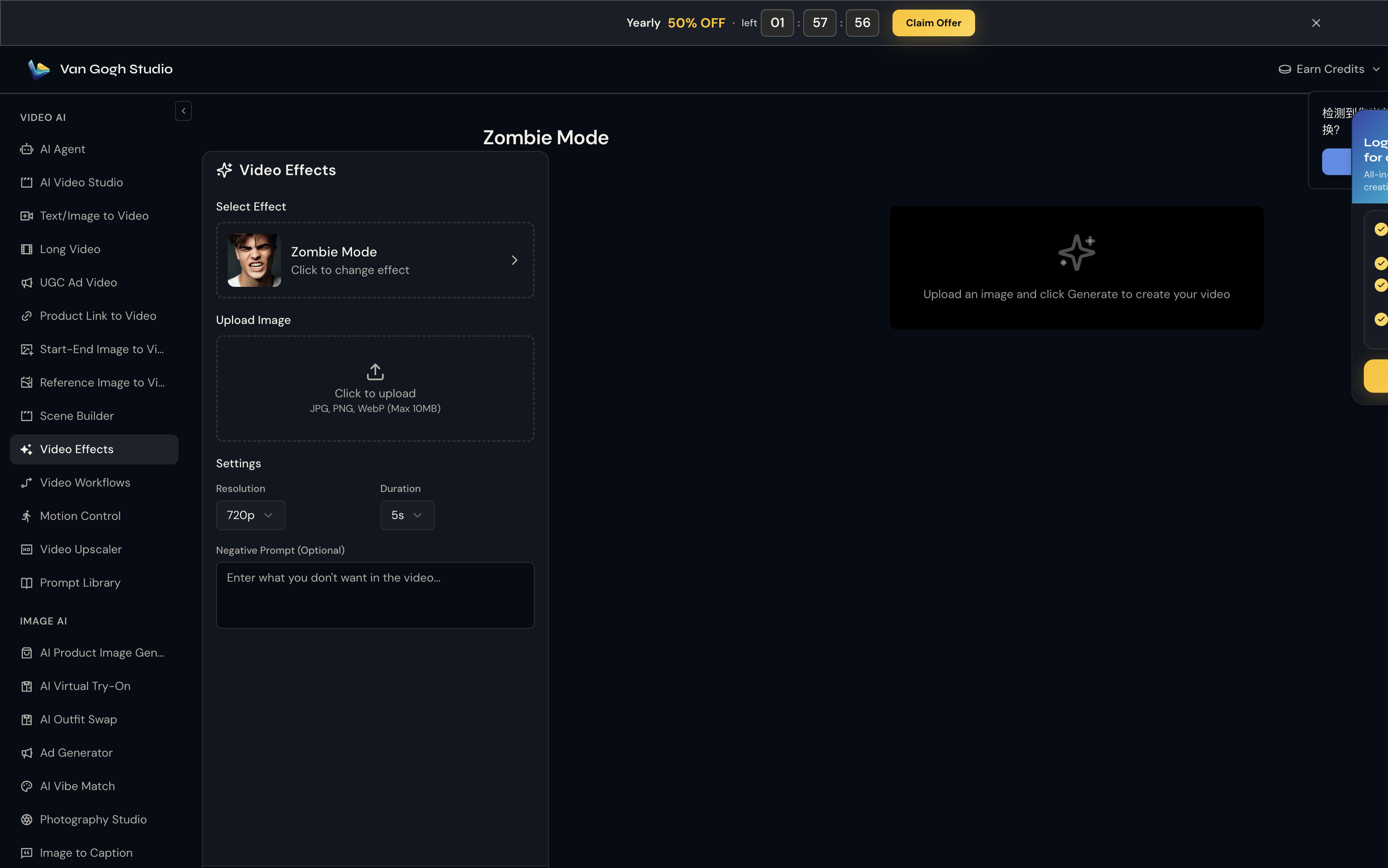
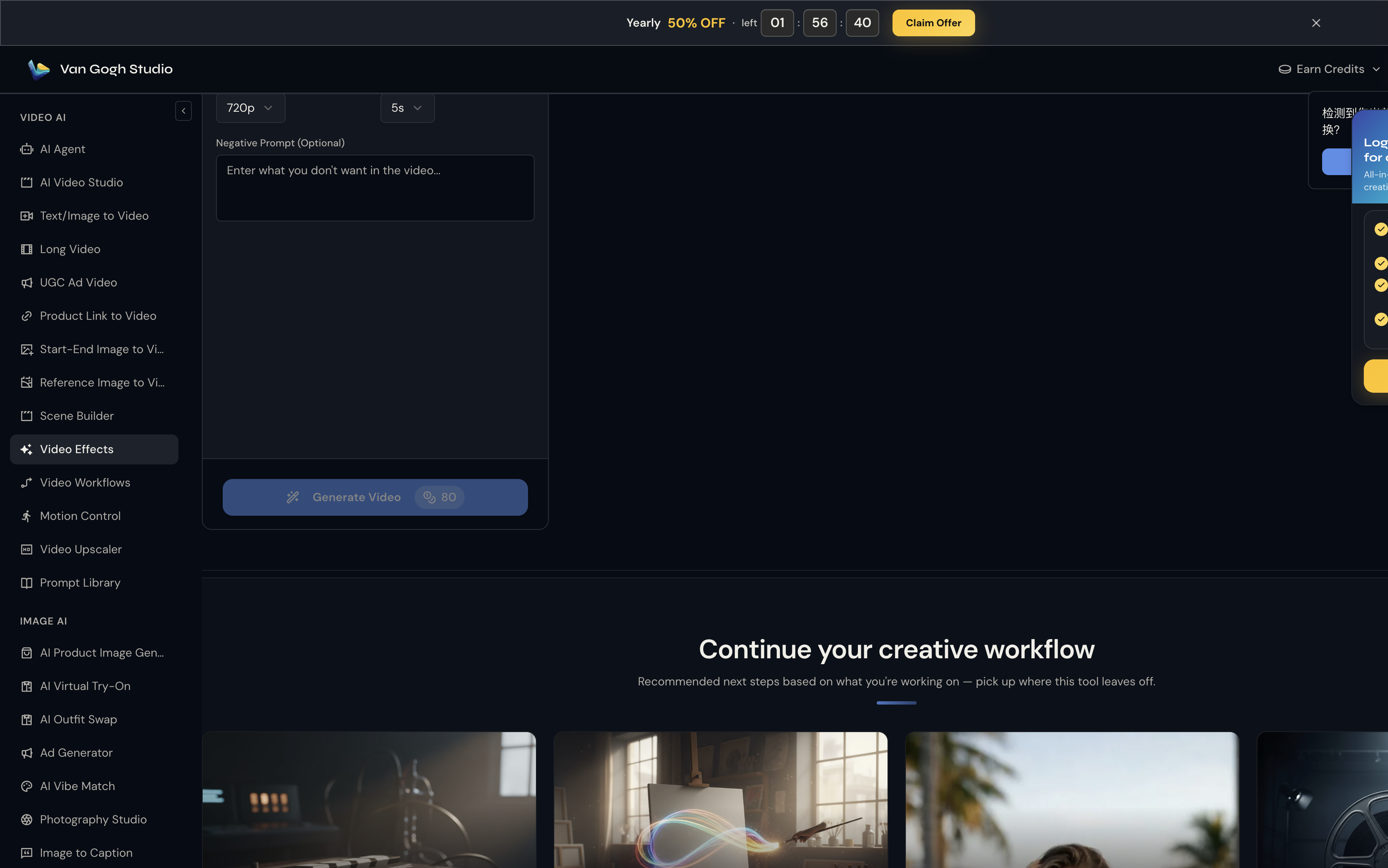
Step 3: Set Resolution, Duration & Negative Prompt
Unlike template tools, Muscle Surge does not use a text prompt — the Pixverse effect engine already knows the motion to apply. What you control here is output quality:
- Resolution: 720p is the sweet spot for social sharing (80 credits at 5s).
- Duration: 5s for a punchy clip; 8s if you want the full transformation to breathe.
- Negative Prompt (optional):
skinny, flat, cartoon muscles, deformed hands
8s at 720p gives the muscle "surge" time to fully develop on screen. Portrait (9:16) crops from your source photo carry through to the output.
Step 4: Click Generate Video & Download
Hit Generate Video (credit cost shown on the button — e.g. 💎 80 at 720p / 5s). Processing usually takes one to three minutes. Preview the result on the right panel; hover and click Download to save the MP4.
Who Should Use Muscle Surge?
- Fitness influencers posting transformation satire or motivation hooks
- Gym buddies pranking each other with "natty or not" reveal videos
- Sports meme pages needing quick bulk-up content without After Effects
Tips for the Most Believable Flex
- Pose with one arm slightly raised or mid-flex — the AI amplifies existing arm angles
- Wear contrast clothing (black top, bright background) so muscle shadows read clearly
- Avoid baggy hoodies; the effect can't sculpt what it can't see
- For women, sports-bra + leggings shots produce the same dramatic definition as men's gym pics
Conclusion
Muscle Surge turns an ordinary photo into a over-the-top physique showcase in under three minutes. No prompts, no timelines — upload, generate, post.
Open Muscle Surge and flex on your feed.
You might also like
How to Create Huge Cutie Videos
Step-by-step guide for the Huge Cutie effect on Van Gogh Studio.
How to Create Zombie Mode Videos
Step-by-step guide for the Zombie Mode effect on Van Gogh Studio.
How to Create AI Inflate Effect Videos
Step-by-step guide for the AI Inflate Effect effect on Van Gogh Studio.
Create AI videos free
Try Van Gogh Studio free — text-to-video, image-to-video, and 300+ models in one place. Free credits on signup, no credit card required.
Try Free Video Generator


