

Huge Cutie takes a cute pet photo — usually a cat — and turns it into a kaiju-sized giant striding through city streets. Your fluffy friend stays recognizable (same fur pattern, same face), but scales up to tower over buildings while walking upright like a gentle colossus. Cars and pedestrians shrink below; dust puffs rise with each step.
What Does Huge Cutie Look Like?
The preview clip starts on a tight portrait of an orange tabby, then cuts to the same cat enormous against a Manhattan-style skyline — a comedy/wholesome twist on monster-movie tropes. Perfect for "my cat if he was in charge" memes.
| Before | After |
|---|---|
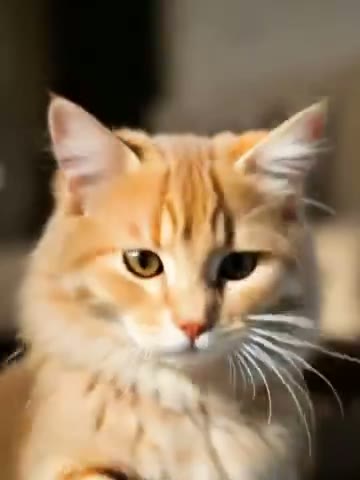 | 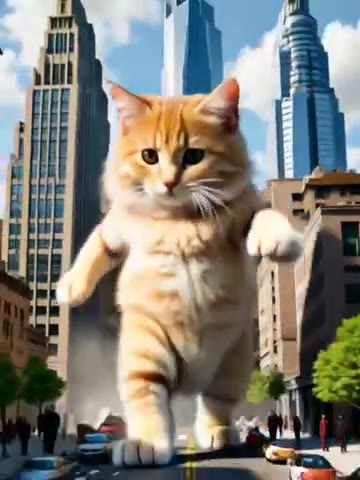 |
How to Create a Huge Cutie Video
Step 1: Open the Huge Cutie Effect Page
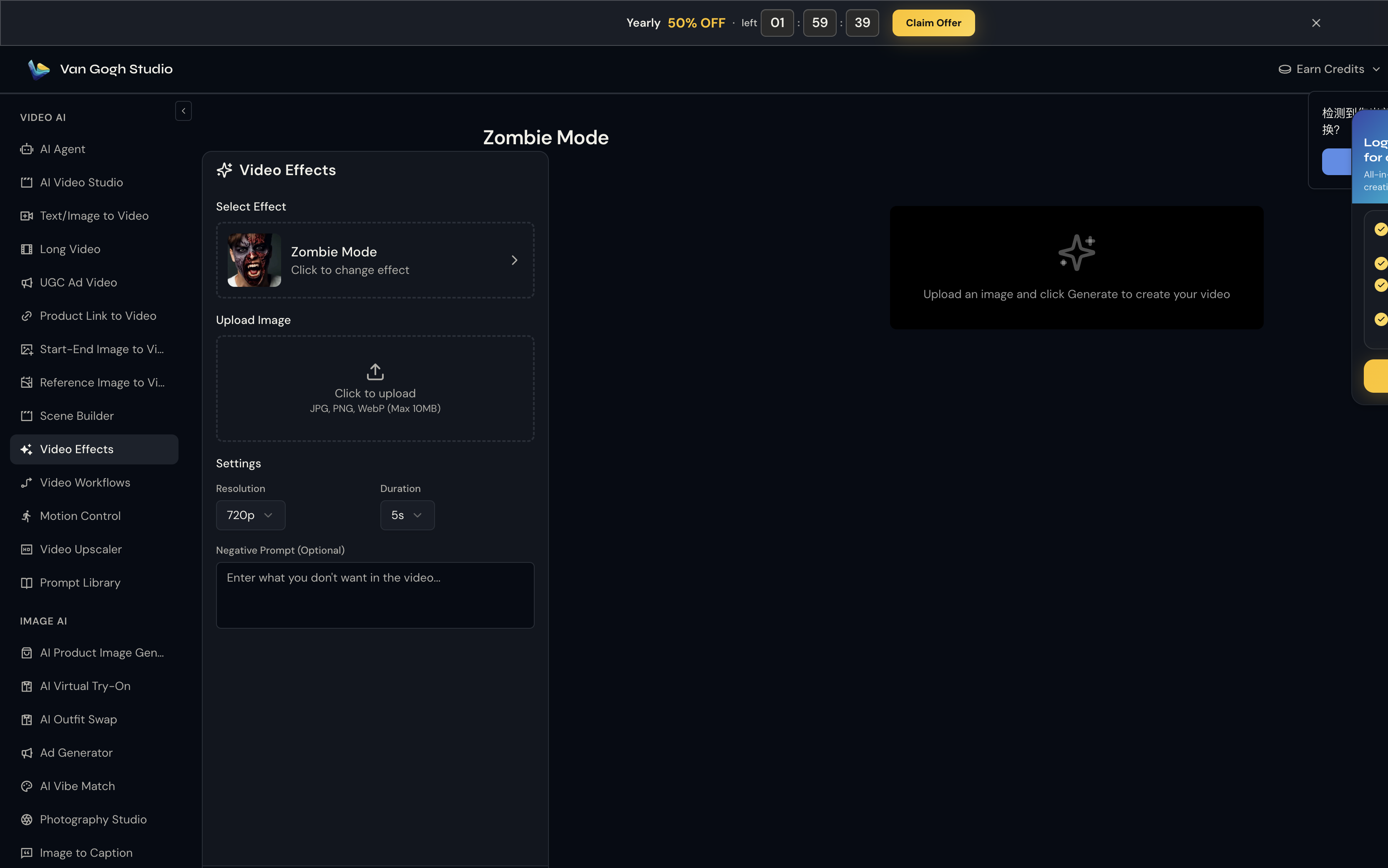
Go to Huge Cutie on Van Gogh Studio. The effect is pre-selected in the left panel — you'll see its thumbnail, name, and a Click to change effect link if you want to browse the full gallery.
Step 2: Upload Your Photo
Click the Upload Image area (or drag and drop). Van Gogh Studio accepts JPG, PNG, and WebP up to 10MB.
Upload a clear pet portrait (cat or dog) facing the camera with visible fur texture. Close-ups work — the AI extrapolates the full body when scaling. Bright, evenly lit photos match the cinematic daylight look of the city scene.
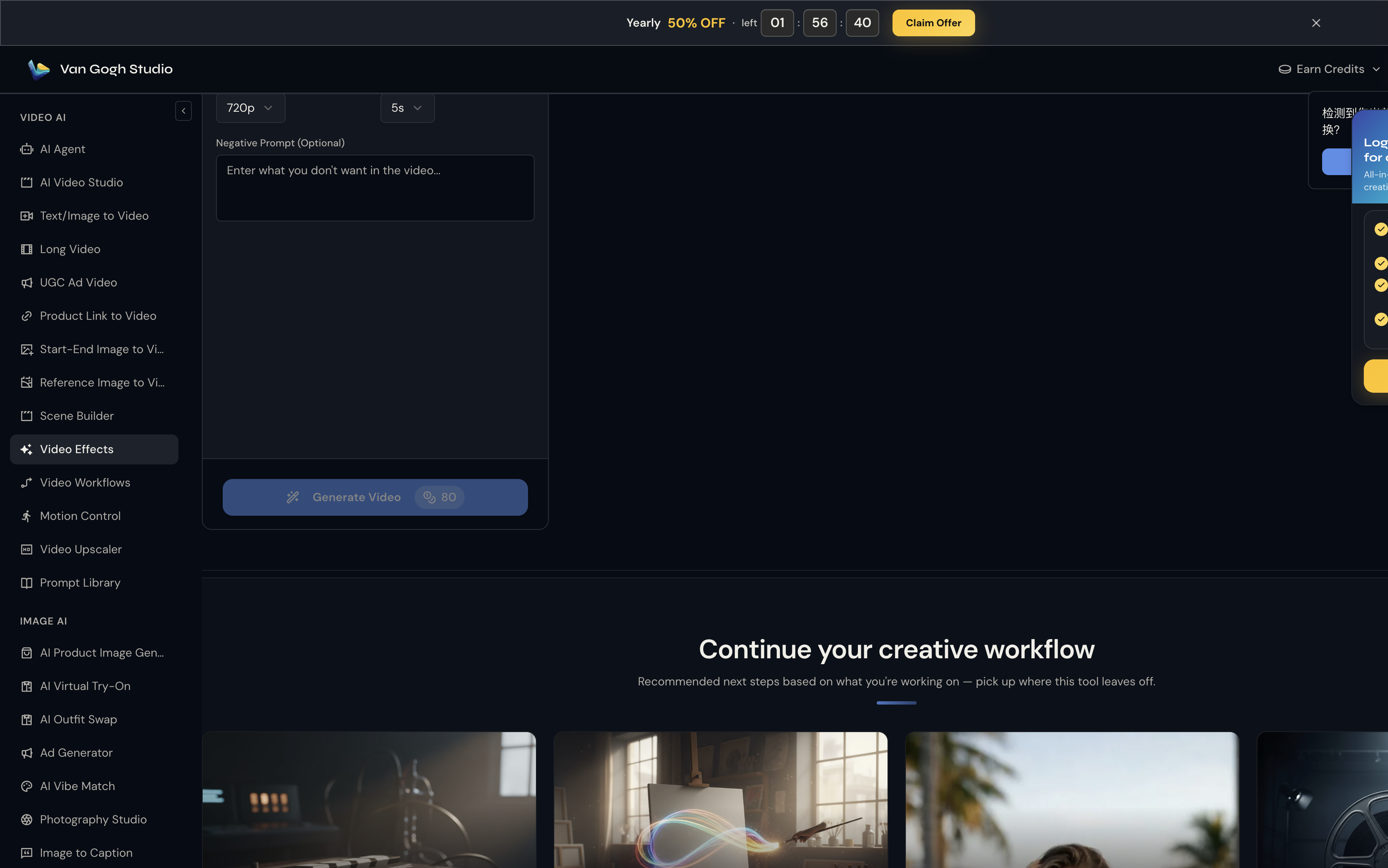
Step 3: Set Resolution, Duration & Negative Prompt
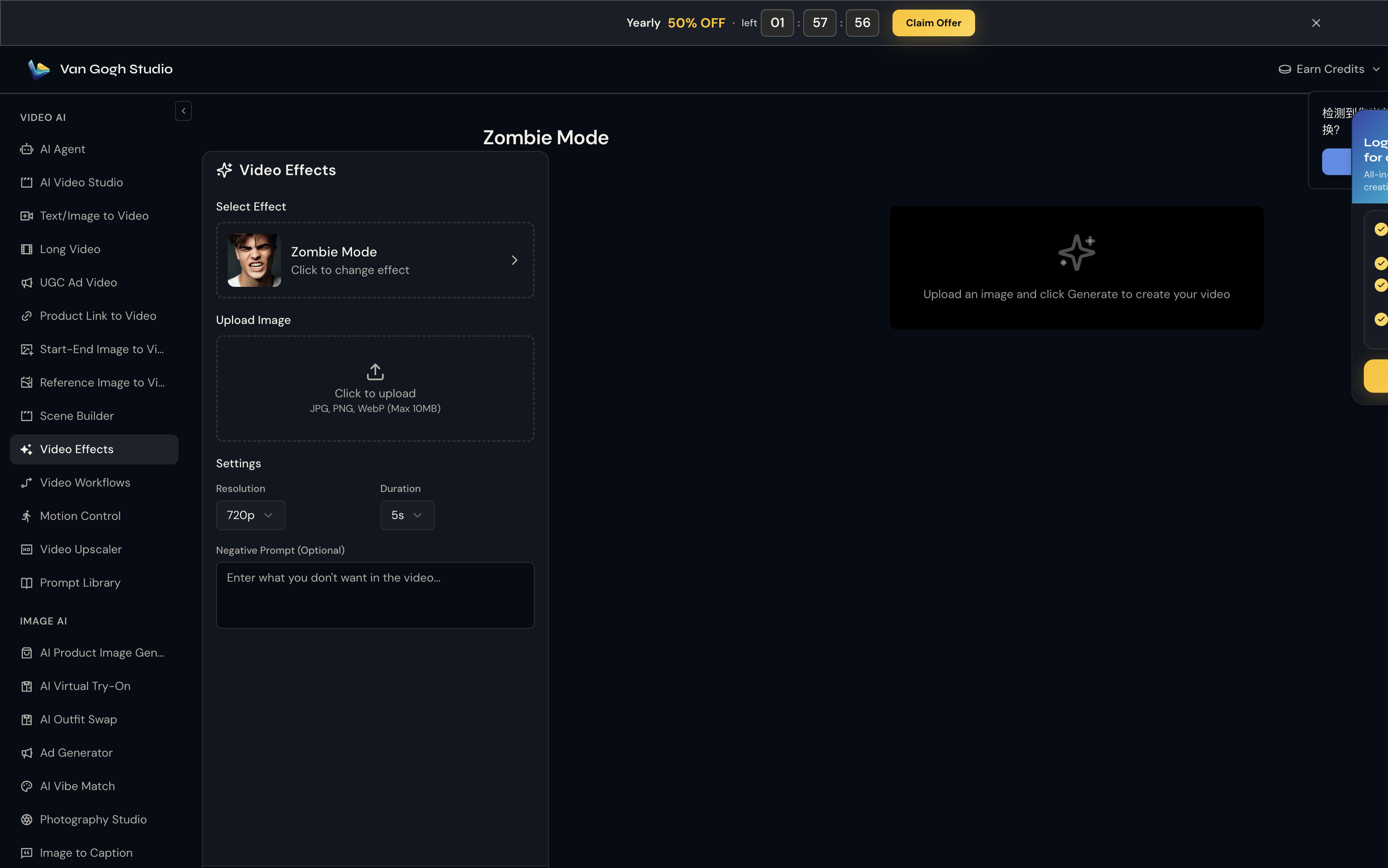
Unlike template tools, Huge Cutie does not use a text prompt — the Pixverse effect engine already knows the motion to apply. What you control here is output quality:
- Resolution: 720p is the sweet spot for social sharing (80 credits at 5s).
- Duration: 5s for a punchy clip; 8s if you want the full transformation to breathe.
- Negative Prompt (optional): Try
blurry, distorted face, low qualityto reduce artifacts.
Step 4: Click Generate Video & Download
Hit Generate Video (credit cost shown on the button — e.g. 💎 80 at 720p / 5s). Processing usually takes one to three minutes. Preview the result on the right panel; hover and click Download to save the MP4.
Who Should Use Huge Cutie?
- Pet meme accounts and cat TikTok
- Comedy creators parodying Godzilla / kaiju trailers with pets
- Pet brands wanting absurd-but-wholesome ad creative
Tips for the Best Output
- Fluffy long-haired cats produce the funniest giant silhouettes
- Keep the pet centered; the city background is generated around them
- 8s duration shows the full street-stomp walk cycle
- Negative prompt:
scary, aggressive, dark horrorto keep the vibe cute
Conclusion
Huge Cutie is a single-upload holiday or comedy effect — no timeline editing required. Generate once, download, and post.
You might also like
How to Create Muscle Surge Videos
Step-by-step guide for the Muscle Surge effect on Van Gogh Studio.
How to Create AI Inflate Effect Videos
Step-by-step guide for the AI Inflate Effect effect on Van Gogh Studio.
How to Create AI Squish Effect Videos
Step-by-step guide for the AI Squish Effect effect on Van Gogh Studio.
Create AI videos free
Try Van Gogh Studio free — text-to-video, image-to-video, and 300+ models in one place. Free credits on signup, no credit card required.
Try Free Video Generator


