On this page
Recommended next
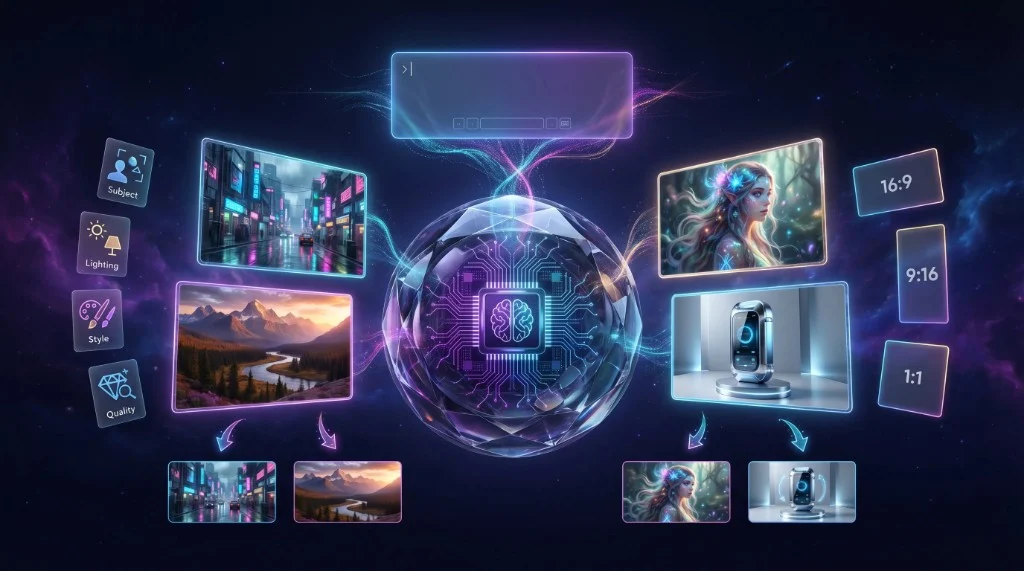
While AI video is taking the world by storm, the foundation of much of this technology lies in AI image generation. Understanding how to craft the perfect AI image is often the first step to creating a compelling AI video. In 2026, AI image generators have reached unprecedented levels of photorealism and artistic flexibility. This guide covers everything you need to know about generating stunning visuals and how to take them to the next level.
What is an AI Image Generator?
An AI image generator is a tool that uses machine learning algorithms—typically diffusion models like Midjourney, DALL-E 3, or Stable Diffusion—to create original images from text descriptions (prompts). These models are trained on billions of image-text pairs, allowing them to understand the relationship between words and visual concepts.
When you enter a prompt like "A cyberpunk city in the rain, neon lights, 8k resolution," the AI starts with random noise and iteratively refines it until it matches your description.
Key Concepts in AI Image Generation
To get the most out of an AI image generator, you need to understand a few key concepts:
1. Prompt Engineering
Prompt engineering is the art of communicating effectively with the AI. A good prompt includes:
- Subject: What is the main focus of the image?
- Setting/Background: Where is the subject located?
- Lighting: Is it cinematic, natural, studio, or moody?
- Style/Medium: Is it a photograph, a 3D render, an oil painting, or a sketch?
- Quality Modifiers: Words like "masterpiece," "highly detailed," or "4k" can improve the output.
2. Seed Numbers
Most AI generators use a random "seed" number to start the generation process. If you use the exact same prompt and the exact same seed number, you will get the exact same image. This is crucial for maintaining consistency across multiple generations.
3. Aspect Ratios
Different platforms require different aspect ratios. A YouTube thumbnail needs 16:9, a TikTok video needs 9:16, and an Instagram post might need 1:1 or 4:5. Make sure your generator supports the aspect ratio you need for your final project.
From Image to Video: The Next Step
Generating a beautiful image is just the beginning. In 2026, the trend is moving towards animating these static assets. This is where "Image-to-Video" technology comes in.
Once you have generated the perfect AI image, you can use specialized tools to add motion. This could involve adding a subtle parallax effect, animating the water in a landscape, or creating a dynamic camera pan across a sci-fi city.
How to Animate Your AI Images
If you want to turn your AI-generated images into engaging videos, we highly recommend using Van Gogh Studio. It offers a powerful, free Image-to-Video feature that allows you to upload your static AI art and instantly add cinematic motion. It is the easiest way to bridge the gap between static imagery and dynamic video content without needing complex animation software.
Best Practices for AI Image Generation
- Experiment Constantly: Don't settle for the first result. Tweak your prompts, try different lighting styles, and explore various artistic mediums.
- Use Reference Images: Many advanced generators allow you to upload a reference image alongside your text prompt. This is a great way to guide the AI towards a specific composition or color palette.
- Understand Copyright: Be aware of the commercial usage rights of the platform you are using. Some platforms allow full commercial use, while others restrict it to personal projects.
Conclusion
AI image generation is a powerful skill that opens up endless creative possibilities. By mastering prompt engineering and understanding how to animate your creations using tools like Van Gogh Studio, you can produce stunning visual content that captivates your audience. Start generating today and bring your imagination to life.