

Seedance 2.0 is powerful—but weak prompts still produce weak clips. The difference between a random AI video and a directed one almost always comes down to how clearly you describe what each input does and what should happen on screen.
This guide is a practical rewrite focused on prompting: a reusable formula, complete input → prompt → output examples for every mode, and the multimodal @ reference patterns that unlock Seedance 2.0’s real strength.
If you also need a product overview and step-by-step UI walkthrough, see the Seedance 2.0 complete guide and how to use Seedance 2.0.
What Seedance 2.0 Expects From a Prompt
Seedance 2.0 (by ByteDance) is a multimodal AI video model. It does not only read a sentence—it can combine:
- Text — story, action, camera, mood
- Images — character look, product, style, storyboard frames
- Video — motion, camera language, timing, transitions
- Audio — music pacing, SFX mood, or voice tone reference
Your job as the prompt writer is to assign roles. Tell the model which asset controls appearance, which controls motion, and which controls rhythm. When those roles are clear, results become consistent.
Seedance 2.0 Input & Output Specs (Know These First)
Before writing prompts, lock in what the model can actually accept and return on Van Gogh Studio:
| Type | Spec |
|---|---|
| Text prompt | Natural language (English or Chinese); keep it concrete and visual |
| Image references | Up to 9 images |
| Video references | Up to 3 clips; total reference video duration ≤ 15s |
| Audio references | Up to 3 files (e.g. MP3); total audio duration ≤ 15s |
| Combined uploads | Up to 12 files across image + video + audio |
| Output duration | 4–15 seconds |
| Output resolution | 480p / 720p / 1080p / 4K (model variant dependent) |
| Aspect ratios | 16:9, 9:16, 1:1, 4:3, 3:4, 21:9 (plus adaptive in some modes) |
| Audio in output | Native soundtrack / SFX when audio generation is enabled |
Rule of thumb: more references are not automatically better. Prefer 1–4 strong anchors over a crowded upload stack.
The Core Prompt Formula
Use this structure for almost every Seedance 2.0 generation:
[Subject] + [Action / Timeline] + [Environment] + [Camera] + [Style / Lighting / Mood] + [@Asset roles]
| Block | What to write | Example |
|---|---|---|
| Subject | Who/what is the focus | A woman in a red silk qipao |
| Action / Timeline | What happens, in order | She turns, then walks toward the window |
| Environment | Where it happens | Rainy Shanghai alley at night |
| Camera | Shot size + movement | Medium shot, slow dolly-in |
| Style / Mood | Look and emotion | Cinematic, neon reflections, melancholic |
| @Asset roles | What each upload controls | @Image1 face/costume; @Video1 camera only |
Mini formula by mode
- Text-to-video: build the whole scene in language (no
@needed). - Image-to-video: describe motion + camera; do not re-describe the whole image.
- Video reference / video-to-video: split into Preserve vs Change.
- Multimodal: declare a hierarchy (
@Image1look,@Video1motion,@Audio1pacing).
Prompting Best Practices
- Lead with the subject. Put the main character or product first.
- Write visible motion. Prefer verbs the camera can show: turns, walks, lifts, drifts, tracks.
- Use a timeline for multi-beat clips. Segment as
0–3s / 4–8s / 9–13swhen the story shifts. - Separate reference vs edit. “Reference the camera of
@Video1” ≠ “Replace the person in@Video1.” - One primary intent per sentence. Avoid packing five conflicting styles into one line.
- Say what you want, not what you hate. Skip vague negatives like “no weird hands”; rewrite as positive constraints (“clean hands resting naturally on the table”).
- Iterate one variable at a time. Change camera or costume or pacing—not all three at once.
Mode 1: Text-to-Video Prompts
Best for: concepts from scratch, mood tests, story beats with no reference assets.
Input → Prompt → Output
| Field | Content |
|---|---|
| Input | Text only |
| Prompt | A lone astronaut in a worn white spacesuit floats weightlessly and reaches toward a violet-and-gold nebula. Deep space, dense starfield. Photorealistic, cinematic lighting. Slow push-in, wide-angle lens, dramatic low angle. Quiet, awe-filled mood. |
| Output | A ~4–15s clip of the astronaut drifting toward the nebula with a steady cinematic push-in and matching atmosphere. |
Stronger text-to-video pattern (timeline)
0–4s: Wide shot of an empty desert highway at blue hour. Heat haze shimmers above the asphalt.
5–10s: A vintage red convertible drives toward camera, dust trailing behind the tires.
11–15s: Camera rises into a gentle crane-up as the car passes underneath; warm headlights streak across frame.
Style: photoreal, anamorphic bokeh, contemplative, filmic color grade.
Text-to-video tips
- Name shot size (wide / medium / close-up) and camera move (pan, track, orbit, push-in).
- Specify lighting (soft dawn, harsh neon backlight, candle flicker).
- Describe pacing (slow meditative vs fast high-energy).
- Keep one primary subject unless you intentionally stage a two-shot.
Mode 2: Image-to-Video Prompts
Best for: animating a photo, concept art, product still, or character sheet.
Here the image already defines appearance. Your prompt should choreograph motion layers, not rebuild the scene from zero.
Example A — Atmospheric scene animation
| Field | Content |
|---|---|
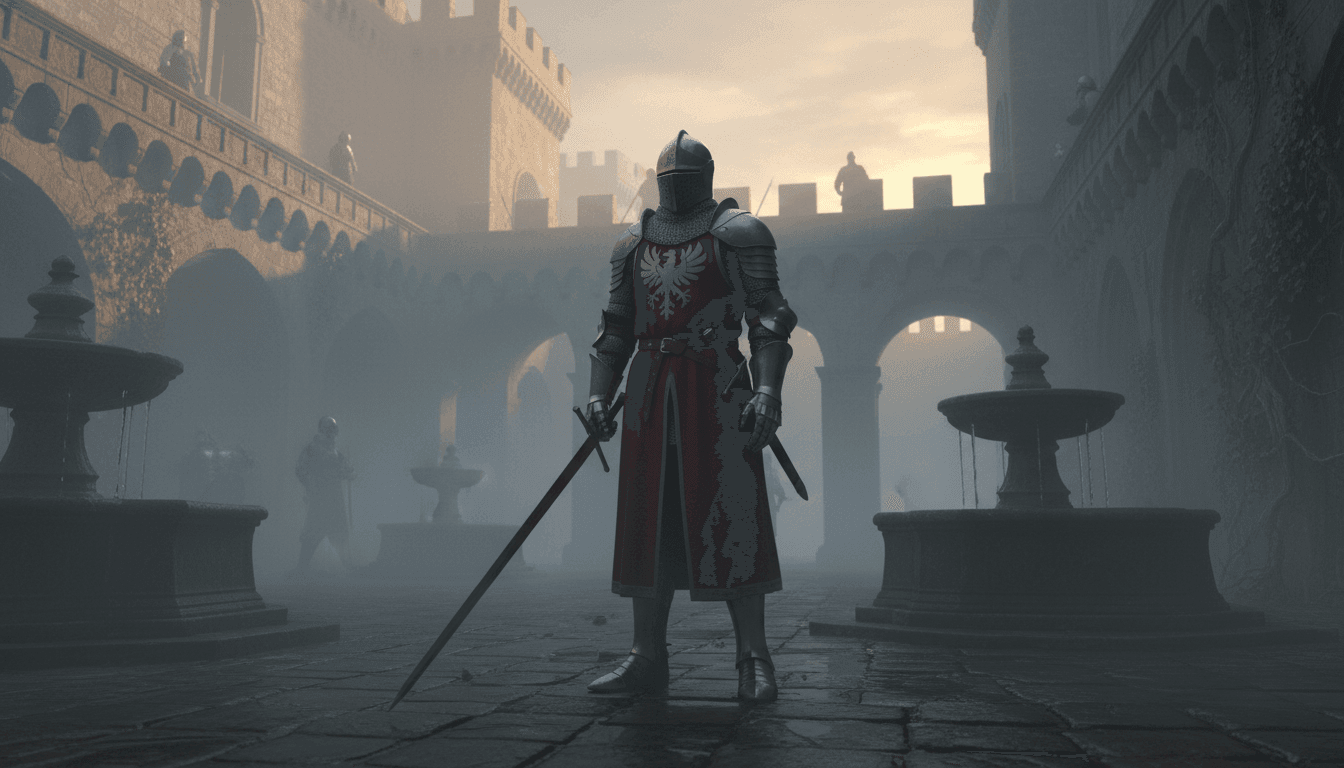
| Input image | Knight in a misty medieval courtyard at dawn |
| Prompt | Animate rolling morning mist across the cobblestones in the foreground. The knight’s cape billows gently; breath faintly visible in cold air. Slow, reverent camera push-in. Solemn, epic mood; cold blue-grey grade; soft diffused dawn light. |
| Output | The still becomes a living establishing shot: mist, fabric, breath, and a controlled push-in without changing the character’s look. |
Example B — Portrait micro-motion
| Field | Content |
|---|---|
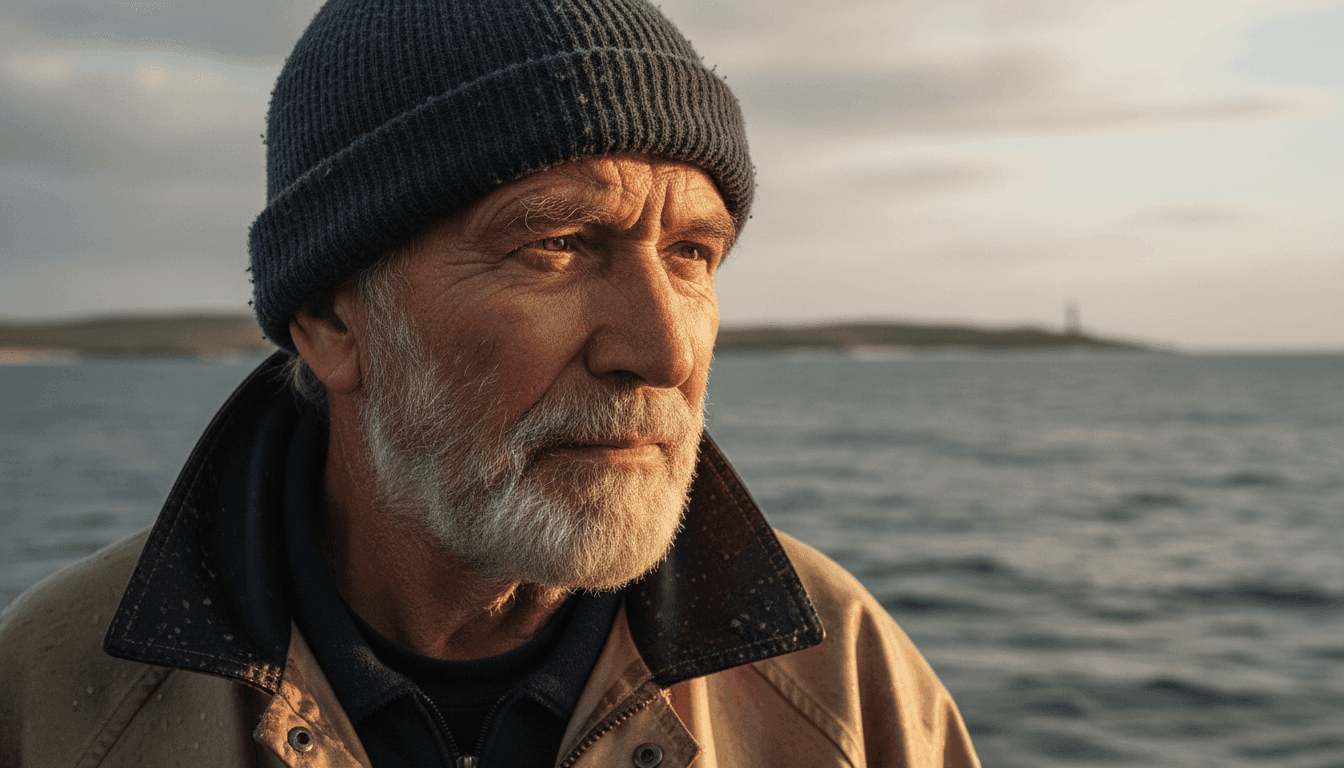
| Input image | Close-up of an elderly fisherman looking out to sea |
| Prompt | Barely perceptible shift in gaze—eyes slowly track something on the distant horizon. Jacket collar flutters softly. Waves reflect subtly in the eyes. Locked-off camera. Contemplative, nostalgic mood; warm desaturated coastal light. |
| Output | A still portrait that feels alive through micro-expressions and environment motion, without warping the face. |
Example C — Style-preserving art animation
| Field | Content |
|---|---|
| Input image | Watercolor fox in an autumn forest |
| Prompt | Bring the scene to life while fully maintaining the watercolor aesthetic—soft bleeding edges, translucent washes, painterly texture. Fox tail moves softly; autumn leaves spiral down. Warm amber/russet palette. Hand-crafted feel—never sharp digital realism. |
| Output | Painterly motion that keeps the original medium intact. |
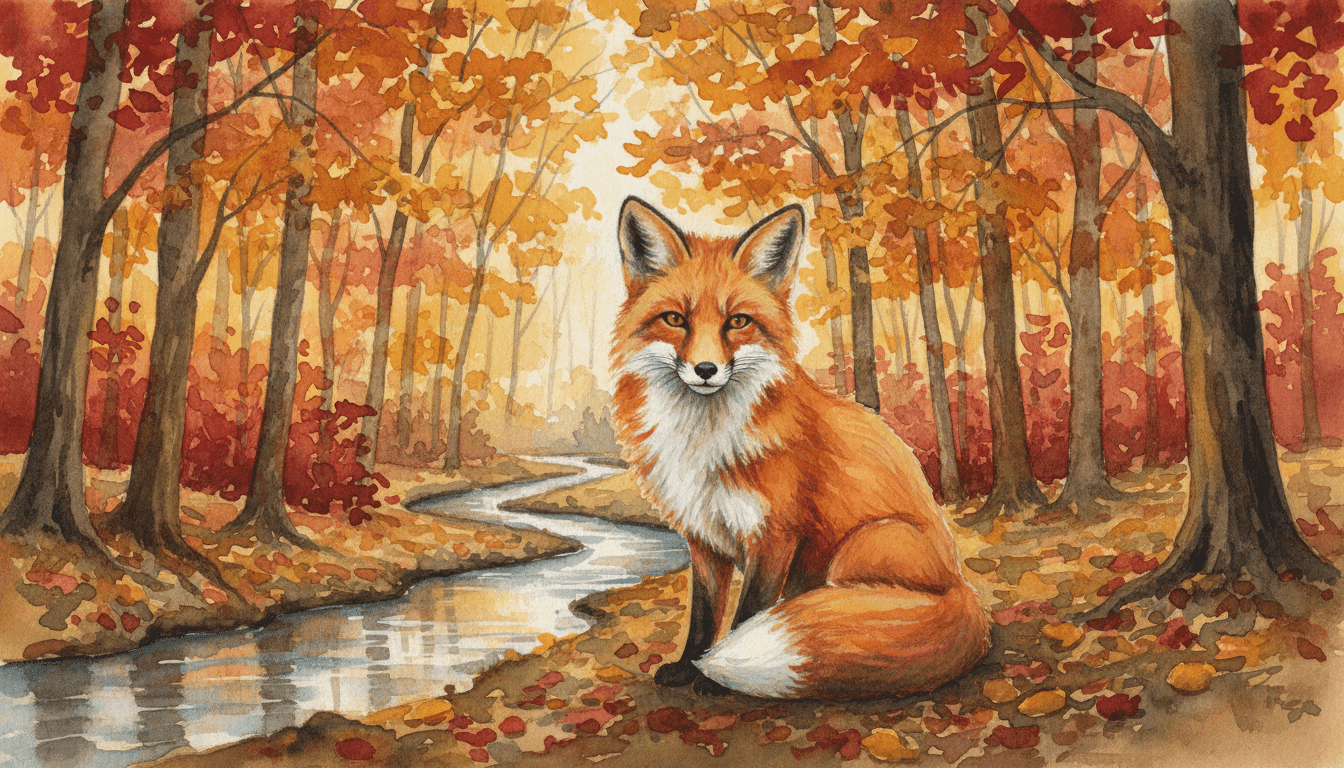
Image-to-video motion layers checklist
- Foreground: mist, leaves, candle flame, water ripples
- Midground: subject action (head turn, hand raise, walk cycle)
- Background: clouds, flags, distant crowd, light flicker
- Camera: locked-off / slow push-in / subtle drift / gentle handheld
High-impact image-to-video vocabulary
| Category | Useful phrases |
|---|---|
| Motion quality | gently, barely perceptible, slowly drifting, rhythmically swaying |
| Atmosphere | mist rolling in, dust particles, heat haze, volumetric light |
| Character life | micro-expression, eyes tracking, visible breath, hair lifted by wind |
| Camera | locked off, slow push-in, subtle drift, rack focus |
| Style lock | maintain painterly texture, preserve film grain, honor original palette |
Mode 3: Video Reference / Video-to-Video Prompts
Best for: keeping motion/timing from a source clip while changing style, wardrobe, or world.
Always answer two questions before writing:
- What must stay? (motion, framing, timing, dialogue beats)
- What must change? (costume, location, color grade, genre)
Preserve vs transform template
Preserve: Keep the dancer’s choreography, timing, body posture, and original camera framing from @Video1 exactly.
Transform: Restyle the environment into an ethereal forest glade. Costume becomes a translucent flowing gown. Soft teal and lavender tones, volumetric god rays, floating fireflies, light film grain.
| Field | Content |
|---|---|
| Input | Source dance clip (@Video1) + optional style still |
| Prompt | (Preserve) Retain all original movement, choreography, timing, and body posture from @Video1. (Transform) Restyle as an ethereal forest glade; costume becomes a flowing translucent gown; soft teal/lavender grade; volumetric rays; drifting fireflies; cinematic film grain. |
| Output | Same performance skeleton, new world and costume. |
Style transfer example (film noir)
Preserve the subject’s walk, pace, and tracking camera from @Video1 entirely.
Transform into a 1940s film-noir detective scene: trench coat and fedora, rain-slick cobblestones, glowing gas lamps, high-contrast black-and-white grade, fog, slight 35mm flicker. Mysterious, brooding tone.
Video continuation / extension example
Continue seamlessly from the final frame of @Video1.
She steps through the doorway; expression shifts from curiosity to wonder.
Reveal a vast library of impossible scale—shelves stretching upward, glowing manuscripts.
Warm golden light. Slow reverent steps; camera tilts up with her gaze.
| Field | Content |
|---|---|
| Input | Ending beat of a source clip (@Video1) |
| Prompt | Continuation prompt above |
| Output | A forward extension that matches character, lighting, and momentum from the source ending. |
Mode 4: Multimodal Prompts (@Image + @Video + @Audio)
Best for: production control—character lock + motion copy + music-driven pacing.
This is Seedance 2.0’s core workflow. Upload assets, then assign each one a job with @.
How @ referencing works
In the prompt, call assets by name and role, for example:
@Image1= character appearance / first frame@Image2= costume or product detail@Video1= camera language or action timing only@Audio1= pacing / music energy
If you do not assign roles, the model may blend assets incorrectly.
Example A — Hierarchy (one visual authority)
| Field | Content |
|---|---|
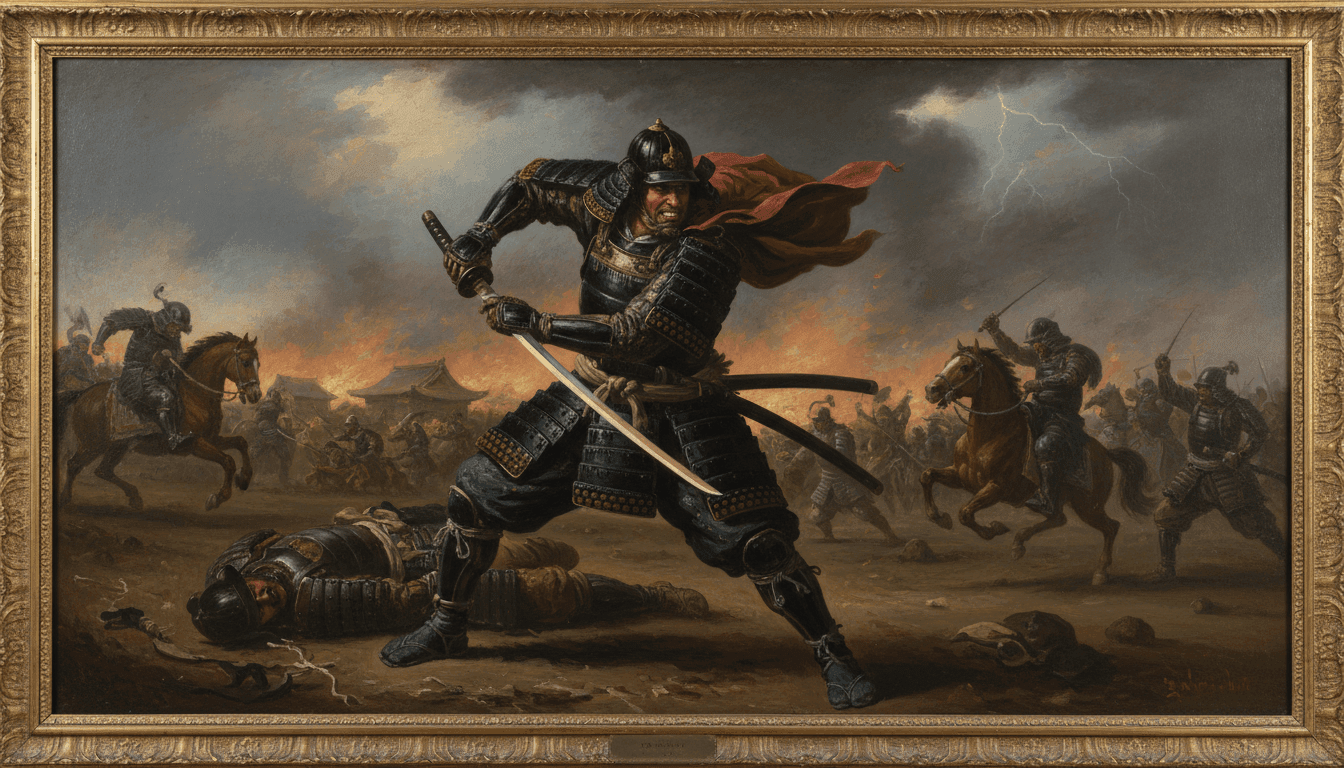
| Inputs | Samurai oil painting (@Image1) + swordfight motion clip (@Video1) + flute track (@Audio1) |
| Prompt | @Image1 is the primary visual authority—preserve the samurai’s appearance, armor, and color exactly. @Video1 is motion/choreography only—apply sword-fighting timing and body mechanics; do not carry over @Video1 visuals. @Audio1 sets emotional pacing—slower camera during quiet passages, sharper energy at musical peaks. Setting: moonlit bamboo forest, ground fog. Oil-painting texture preserved. Deeply cinematic. |
| Output | Character-locked samurai action with borrowed fight rhythm and music-led energy. |
Example B — Equal fusion of two looks
| Field | Content |
|---|---|
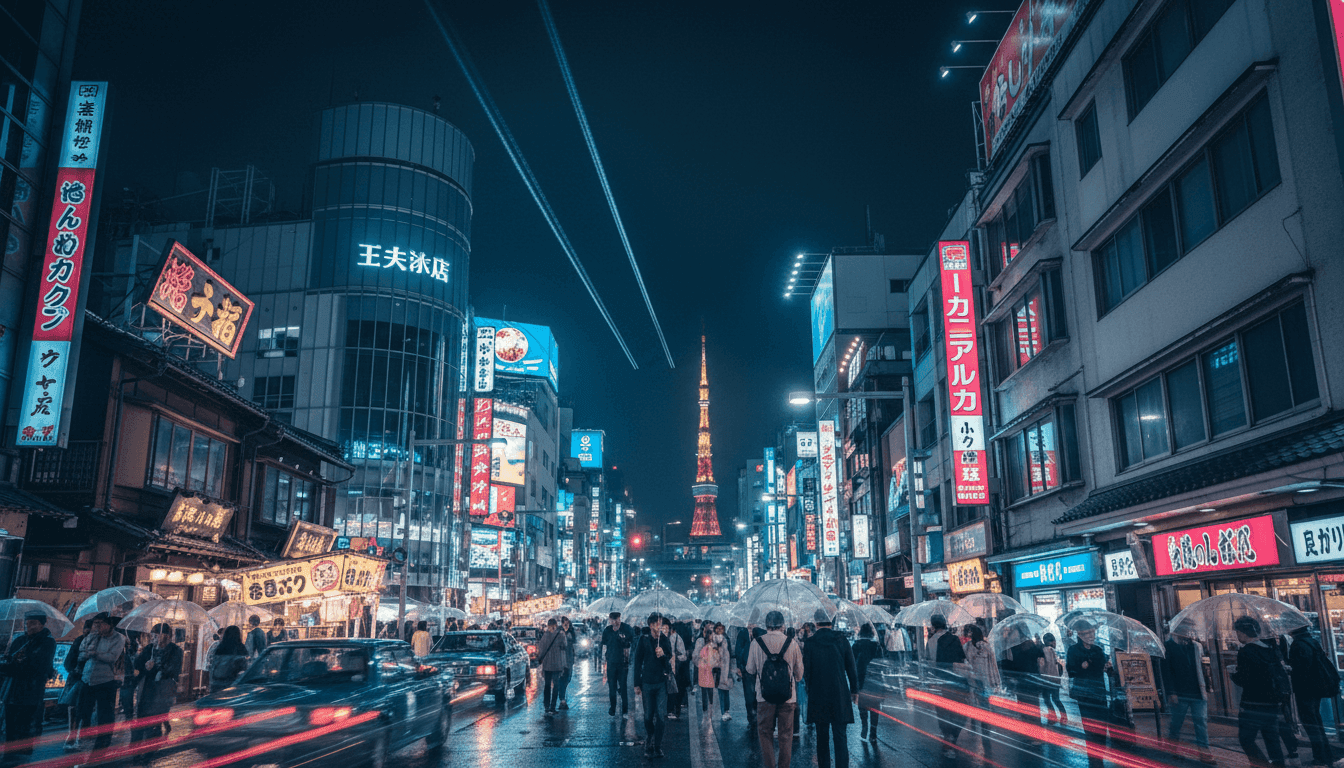
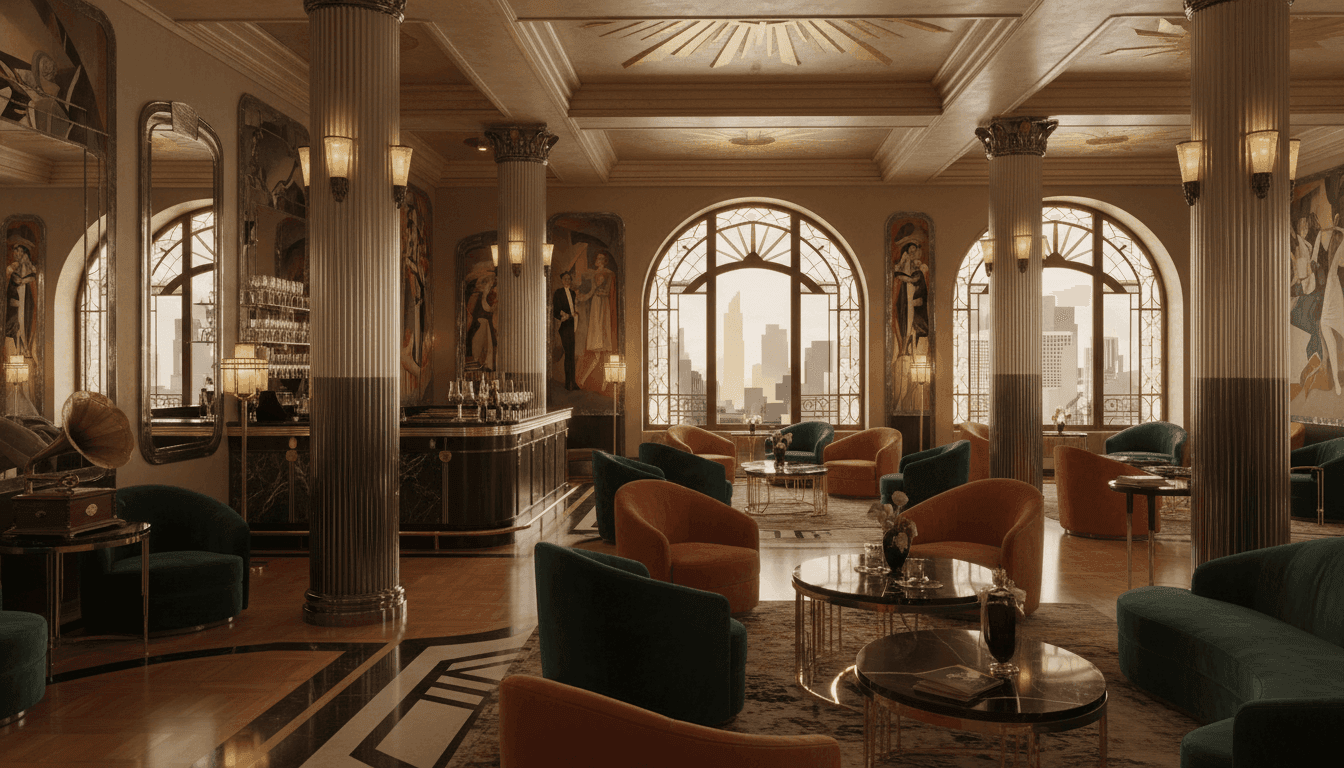
| Inputs | Neon Tokyo street (@Image1) + 1930s art deco interior (@Image2) + jazz audio (@Audio1) |
| Prompt | Fuse @Image1 and @Image2 equally into one retro-futurist city: 1930s art deco grandeur meeting neon Tokyo nightlife. Neither image should dominate. Slow gliding aerial camera drift. Let @Audio1 dictate pace—languid, swinging, unhurried. Nostalgic, mysterious, quietly beautiful. |
| Output | A hybrid world with jazz-timed camera drift. |
Example C — Audio as the director
| Field | Content |
|---|---|
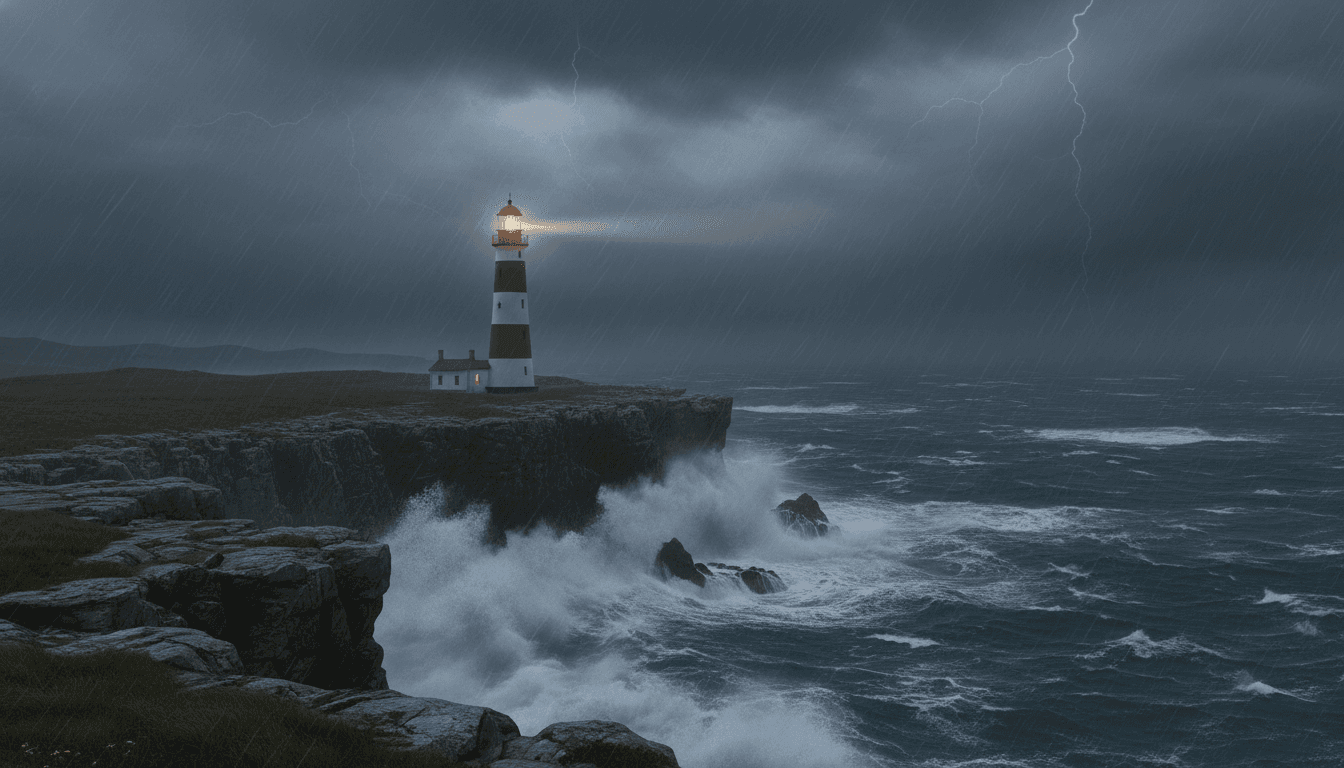
| Inputs | Lighthouse still (@Image1) + orchestral score (@Audio1) |
| Prompt | Let @Audio1 architect the video. Start near-silent: locked-off shot of the lighthouse from @Image1, only faint storm-cloud motion. As the score swells, intensify environment—larger waves, distant lightning, stronger wind, rotating lighthouse beam. At full crescendo: storm in full fury—crashing waves, torrential rain, lightning on the cliff face. Photoreal, cinematic, dramatic. |
| Output | A music-driven intensity ramp from stillness to storm. |
Multimodal prompt checklist
- Every uploaded asset that matters is mentioned with
@ - Each asset has one clear job (look / motion / style / pacing)
- Conflicts are resolved (e.g. “ignore
@Video1colors”) - One unifying aesthetic ties the mix together
- Audio (if used) is linked to camera energy or cut rhythm
Copy-Paste Prompt Templates
1) Product hero shot (image + text)
Use @Image1 as the product hero. Keep logo, shape, and label text stable.
0–3s: Slow orbit around the product on a clean reflective surface.
4–8s: Soft light sweep reveals material texture.
9–12s: Gentle push-in to the label details.
Style: premium commercial, crisp reflections, controlled studio lighting.
2) Character consistency across a short scene
@Image1 defines the character’s face, hair, and outfit—do not alter identity.
0–4s: Medium shot, character looks toward camera, subtle smile.
5–10s: Character turns and walks into the rainy street; camera tracks beside them.
Lighting: cool neon rim light + warm shop windows. Cinematic, coherent, no face morphing.
3) Camera copy from reference video
@Image1 is the first frame / subject look.
Fully reference the camera movement and transition rhythm from @Video1 only.
Do not copy costumes or background from @Video1.
Scene: dusk rooftop city view, wind in coat, distant traffic lights bokeh.
4) Storyboard-to-sequence
Based on the storyboard frames in @Image1–@Image4, generate a continuous 12-second opening.
Follow shot order, camera angles, and scene progression shown in the boards.
Tone: warm nostalgia, soft daylight, gentle dissolves between beats.
Keep character design consistent with @Image1.
Common Prompt Mistakes (and Fixes)
| Mistake | Why it fails | Fix |
|---|---|---|
| Re-describing an uploaded image in full | Fights the reference | Describe only motion + camera + mood |
Uploading assets without @ roles | Model guesses wrong | Assign look / motion / audio jobs explicitly |
| “Make it cinematic” with no details | Too vague | Add lens, lighting, move, and color notes |
| Conflicting references | Styles cancel each other | Set a hierarchy or fusion rule |
| Asking for a 2-minute movie in one prompt | Exceeds clip length | Design 4–15s beats; chain extensions |
| Changing identity + motion + world at once | Unstable result | Iterate one axis per render |
How to Run These Prompts on Van Gogh Studio
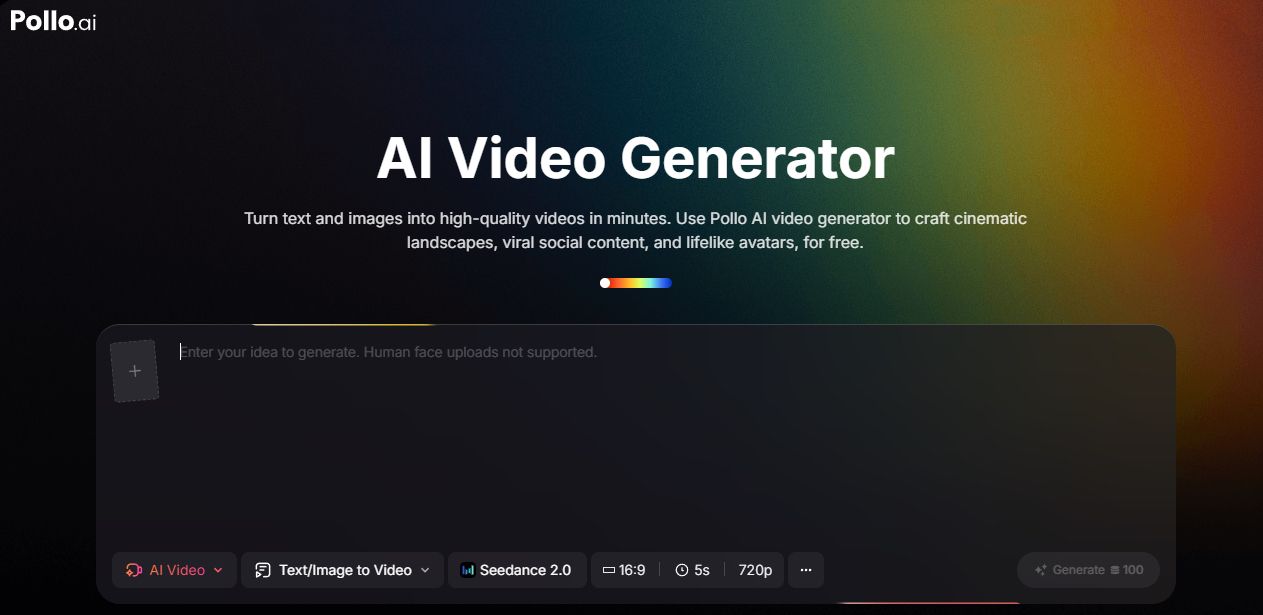
- Open the AI video studio and select Seedance 2.0 (or open the Seedance 2.0 model page).
- Choose text / image for simple jobs, or reference / multimodal when using multiple images, video, or audio.
- Upload references, then write your prompt with clear
@roles. - Set duration (4–15s), aspect ratio, and resolution.
- Click Create, review the clip, then iterate one variable at a time.
For the full UI walkthrough, use How to use Seedance 2.0.
Quick FAQ
Do I need @ tags for text-only generation?
No. Use @ only when you uploaded images, video, or audio and need to assign roles.
Should image-to-video prompts describe clothing and face again?
Usually no. The image already carries appearance. Focus on action, camera, atmosphere, and style preservation.
How long should a Seedance 2.0 prompt be?
Long enough to cover subject, action, camera, and mood—often 2–6 sentences, or a short timeline. Clarity beats length.
Can I control multi-shot storytelling in one clip?
Yes. Use a timed structure (0–3s / 4–8s / …) and, when available, storyboard images with explicit shot order.
What’s the fastest way to improve weak outputs?
Tighten the subject + action first, then add one camera instruction, then add references with explicit roles. Avoid stacking new ideas every retry.
Conclusion
Great Seedance 2.0 prompts are director’s notes, not poetry. Specify the subject, stage the action on a timeline, choose a camera plan, and—when using multimodal inputs—assign every asset a job with @.
Start with the formula in this guide, copy a template close to your use case, and iterate one variable at a time. For deeper feature context, read the complete Seedance 2.0 guide, then generate on Van Gogh Studio.
Create AI videos free
Try Van Gogh Studio free — text-to-video, image-to-video, and 300+ models in one place. Free credits on signup, no credit card required.
Try Free Video Generator


