

Runway is an advanced AI text to video generator that allows users to create quality videos easily. However, it can be tricky to determine how to construct your text prompts to produce effective results that will consistently stun audiences.
For this reason, we’ve compiled a detailed guide to help you learn how to use your prompts to produce more precise and stunning video results. Discover the prompt specifics you need to succeed with Runway here!
At a Glance
This guide covers how to structure stronger Runway text/image-to-video prompts — subject, motion, camera, lighting, and style. Better prompts beat longer prompts.
| Point | Take |
|---|---|
| Best for | Improving Runway Gen video prompt quality and consistency |
| Not best for | Replacing model choice, references, or post-edit polish |
| Score | N/A (prompt guide) |
| Try Runway on | Van Gogh Studio |
What is Runway?
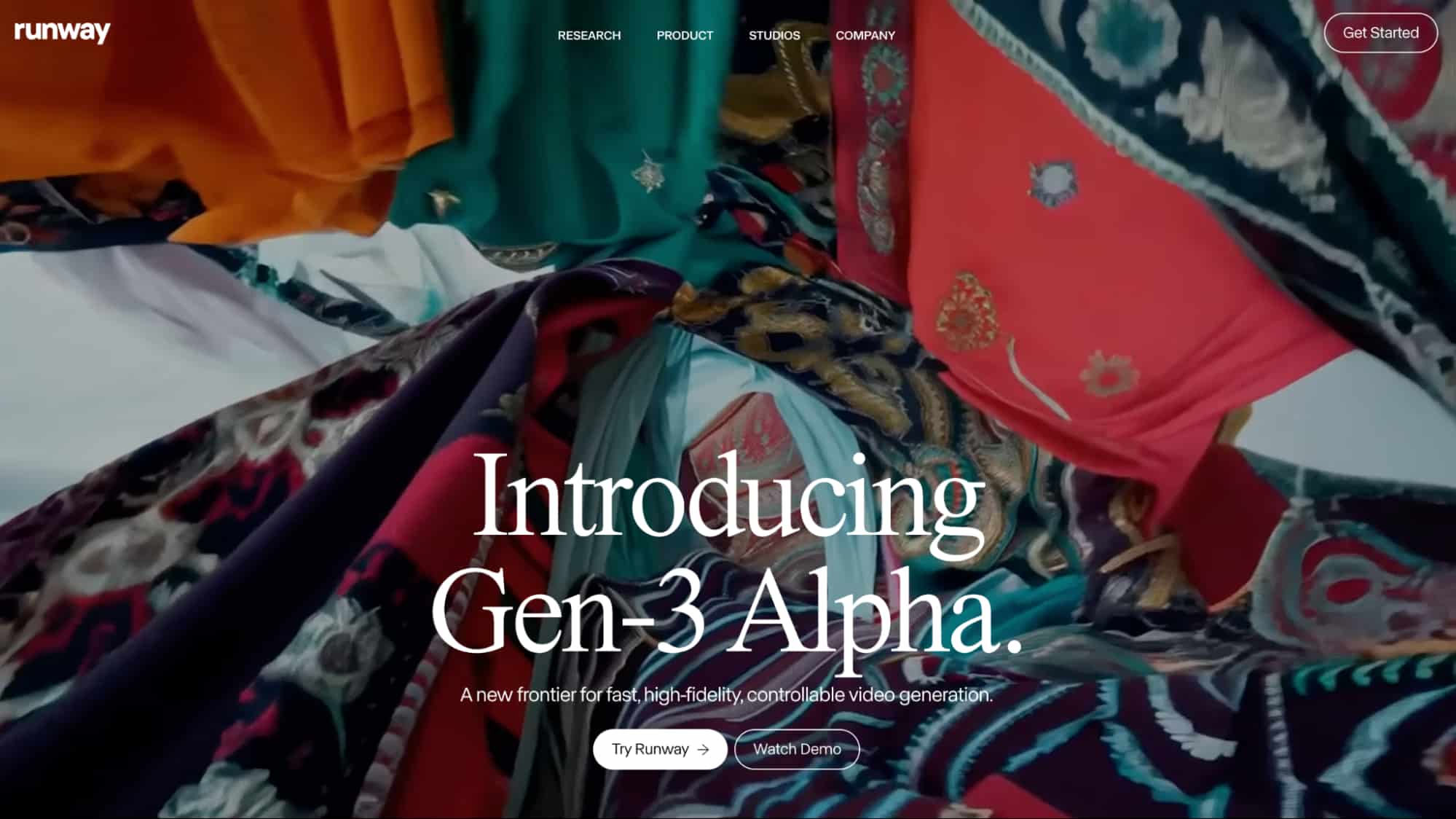
Runway AI is a generative video model that provides content creators with a simple way to produce high-resolution novel videos using descriptive text prompts and image inputs. From cartoons to cinematic shorts, the platform can generate a wide range of visual content with exceptional fidelity, motion, and lifelike characters.
However, you must be adept at constructing strong prompts to achieve precise visual results. With them, you can carry out text-to-video, image-to-video, and even video-to-video generation. It is powered using three advanced AI models and each one comes with its own unique models, Gen-2, Gen-3 Alpha, and Gen-3 Alpha Turbo.
These are, fundamental and augmentative components. So, let’s break down the two most important parts that make one. In this respect, there are certain things you need to know on how to write the perfect prompt.
What are the Key Aspects of A Quality Runway AI Prompt?
When crafting a quality Runway AI prompt, there are a few key aspects to consider. These include:
Fundamental Components
In essence, they are what give action to your visuals. These are words like ‘walking’, ‘jumping’, ‘running,’ etc. To open with, fundamental components are action keywords that form the core of your prompt. For instance, when generating a cat video, using a keyword like ‘running’ or ‘sitting’ is what tells Runway what you want to see happen.
Augmentative Components
For instance, if you create a prompt with the word ‘cinematic’, it will produce a video clip that seems like it came straight out of a movie. These typically include words like ‘cinematic,’ ‘cartoon,’ or ‘3D’.When it comes to augmentative components, these are keywords that indicate the type of video style you want to use.
Camera View
These are typically words like ‘zoom’, ‘pan’, ’FPV’ or ‘wide-angle’.Besides that, you should also ensure the prompt contains keywords to indicate the type of camera movement you want to see in the output. For example, if you use ‘pan’, it directs the camera to slowly capture everything around the scene, while ‘zoom’ will focus on a specific subject.
Now that we’ve established what you need to include, the next step is to explore how to structure your prompts to produce the perfect video output. Since it supports both text-to-video and image+text-to-video generation, each of these has its own basic rules to follow if you want a cohesive and effective prompt.
What Prompting Basics Should You Follow on Runway?
For starters, it is important to ensure all your prompts are simple, direct, and easy to understand. Runway has the potential to produce almost any kind of visual content but there are a few basic rules that you should try to follow when crafting your prompts. This is because the algorithm needs to be able to understand the key elements of your prompt.
This means avoiding any conceptual language or phrasing that may confuse it. The simpler and clearer you make it, the more likely you will get the quality results. For instance, you shouldn’t say [a man working out in the gym] but rather, \a man lifting weights in the gym. In essence, it is akin to describing what you want done to a beginner.
Another important consideration is making sure your prompts are more descriptive than conversational.] Instead, just write, [two birds flying in the sky. So, don’t use a prompt that says, [can you create a video of two birds flying in the sky? This is especially relevant when using Runway because its AI models work better using visual cues.]
For instance, you should not use a prompt like, [add a cat next to the woman. Moreover, you should also avoid using command-based prompts.] This can be problematic because it is vague and lacks sufficient details. A better alternative would be \a cat walks over from across the street to sit next to a woman. In other words, you should avoid negative wording dictating what should not happen. Aside from that, it helps to only use positive phrasing in your prompts. For example, [the camera doesn’t pan. a sunny beach with dogs but no people. a sunny beach with just dogs].] Instead, a better suggestion would be, [still camera view.
How To Structure Text/Image-To-Video Prompts on Runway?
Now that you know the basics, the next thing to consider is how to properly structure your prompts. Let’s explore that in detail below.
Text Prompts
When structuring text-to-video prompts, a good rule of thumb is to split the camera, scene, and subject into separate sentences. Runway typically recommends following this simple format: [camera movement]: \establishing scene. \additional details. This structure will usually help reduce the likelihood of producing inaccurate video results.
A floating bubble moves across the air in the middle of a desert-like field filled with cactus plants all around it. A good example of this is [FPV camera view.] It is also crucial to remember that the prompts can only refer to one visual, so don’t input an entire series of shots in an try to produce a full story.

This means you can also mention aspects like camera specifications, lens types, lighting, resolution, etc. If you have to have experience with film production, then you can also feel free to use technical terms to create your Runway AI prompt.noir…]
Image+Text Prompts
This also means you don’t need to describe the image’s contents, so just focus on what you need the subject(s) to do. For one, you should utilize simple and direct prompts that focus on the movement of the image’s subject. For image + text prompting, there are a few different aspects to consider from normal text-to-video generation.
In other words, it’s all about describing what you want the camera to capture from the image. This will only lead to the tool producing inaccurate or even random video content, so try to focus on the image content and what you want the subject(s) to do. Furthermore, you must always take care to not use a text prompt that differs from the image.
Sample Prompts That Can Work Well On Runway AI
We’ve established the basics of crafting good prompts and even how to structure them. So, we’ve listed a few good sample prompts that would typically work well on Runway AI.
Scene Transitions
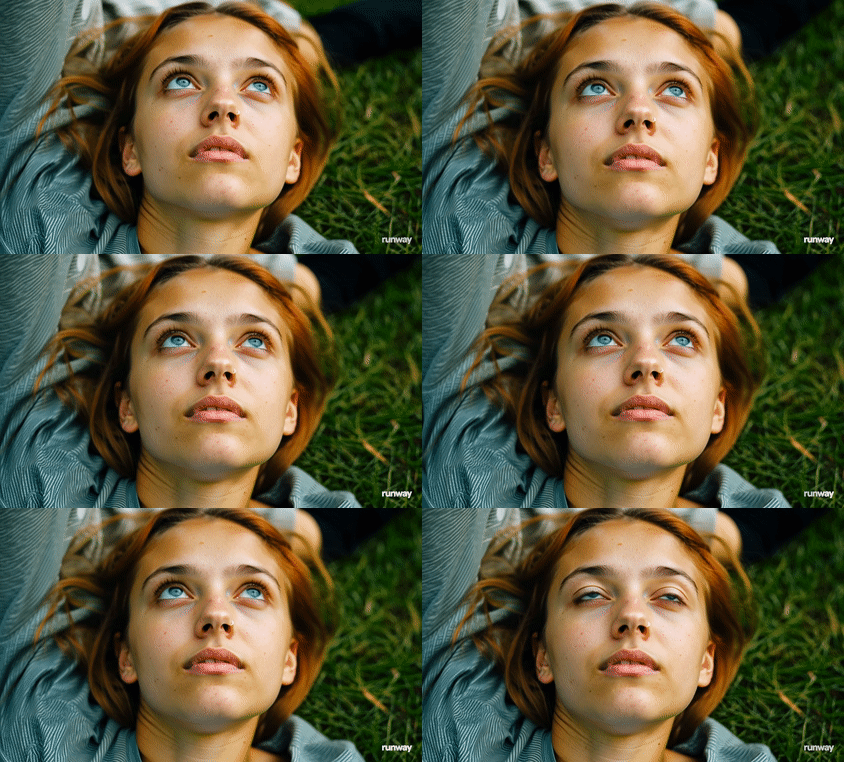
[Close-up camera view: Show a 20 year old woman lying down on grass and her face transitions seamlessly into an older version of herself almost 50 years later.]
Camera Movements
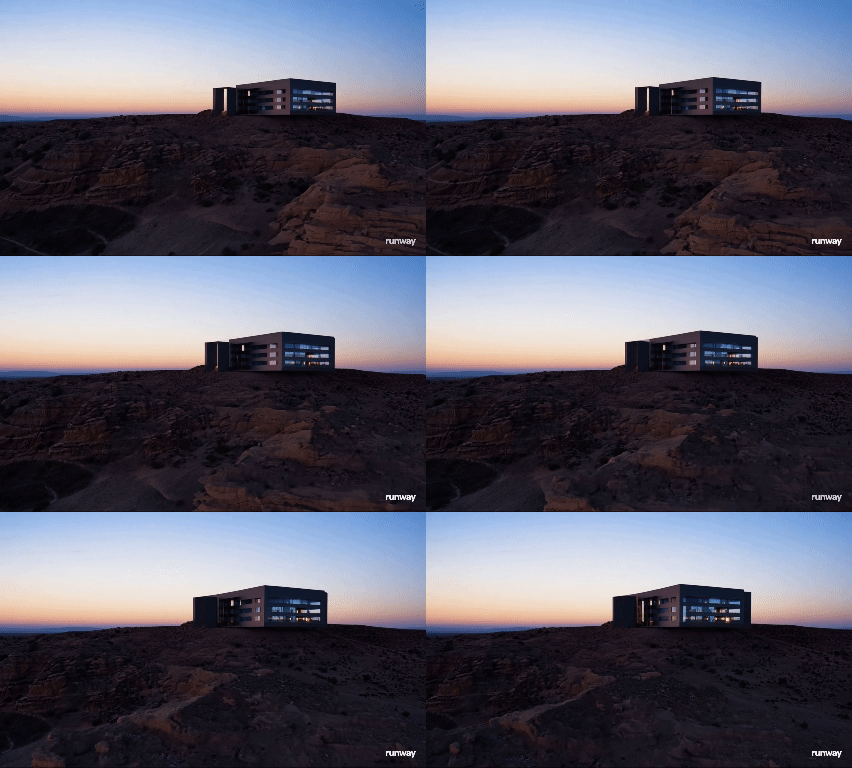
[Establishing wide angle shot: The scene is set in a canyon-like desert where a modern-looking mansion can be seen in the distance with the sun seemingly about to rise in the early in the morning. Camera Movement: Pan from left to right showcasing the entire scene.]
Learn more: How to use Runway's camera movement?
Video Title Cards
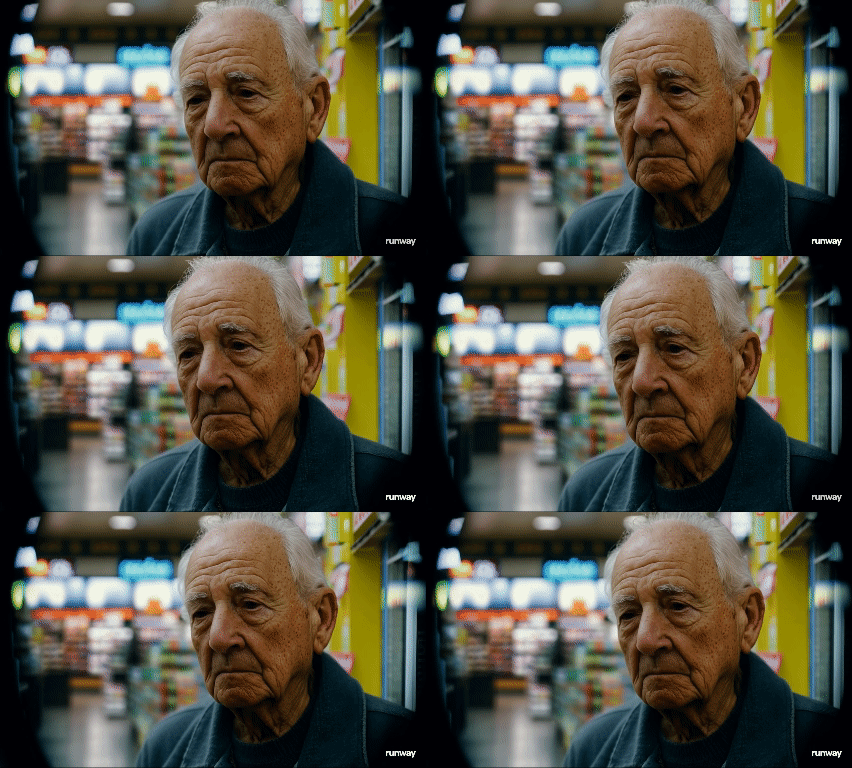
[50 mm camera lens shot: Scene presents an old man with a frowning face standing in front of a bodega shop that is out of focus.]
You can also feel free to check out some common examples of how certain users structured their prompts and the various solutions other users recommended on Reddit:
Try Runway on Van Gogh Studio for Free
Another similar AI video generator that you can consider checking out is Van Gogh Studio. From stylistic animations to 3D videos, Van Gogh Studio can consistently churn out realistic and detailed scenes from basic prompts. This free-to-use platform can create high-resolution videos using text prompts, images or existing videos. Studio:
Some of these include camera movement, video length, aspect ratio, and more. Aside from that, Van Gogh Studio offers a wide range of video editing controls that make it even easier to produce more tailored output. However, the key highlight of this platform is that it is integrated with AI video generation tools like Runway, Kling AI, Luma AI, and Hailuo AI, all in one place.
This means you can use basic or even technical prompts and the platform will still produce the visual results you are looking for. On top of that, Van Gogh Studio has a far more user-friendly interface that caters to both beginners and professionals. As a result, it is possible to produce all kinds of videos using various AI models in one place.
Conclusion
The guidelines we’ve explored in this detailed article should make it easy for you to produce quality video content on Runway. You should now have a good idea of the basics of what to include in your prompts, how to structure them, etc.
However, if you would prefer to use another alternative, then feel free to use Van Gogh Studio and access Runway’s video model and more in one conveneint place.
Create AI videos free
Try Van Gogh Studio free — text-to-video, image-to-video, and 300+ models in one place. Free credits on signup, no credit card required.
Try Free Video Generator


