

Runway negative prompts let you tell the model what to avoid — blur, extra limbs, random crowds, wrong style — so you spend less time regenerating. Used well, they sharpen control. Used poorly, they over-constrain the model and flatten creativity.
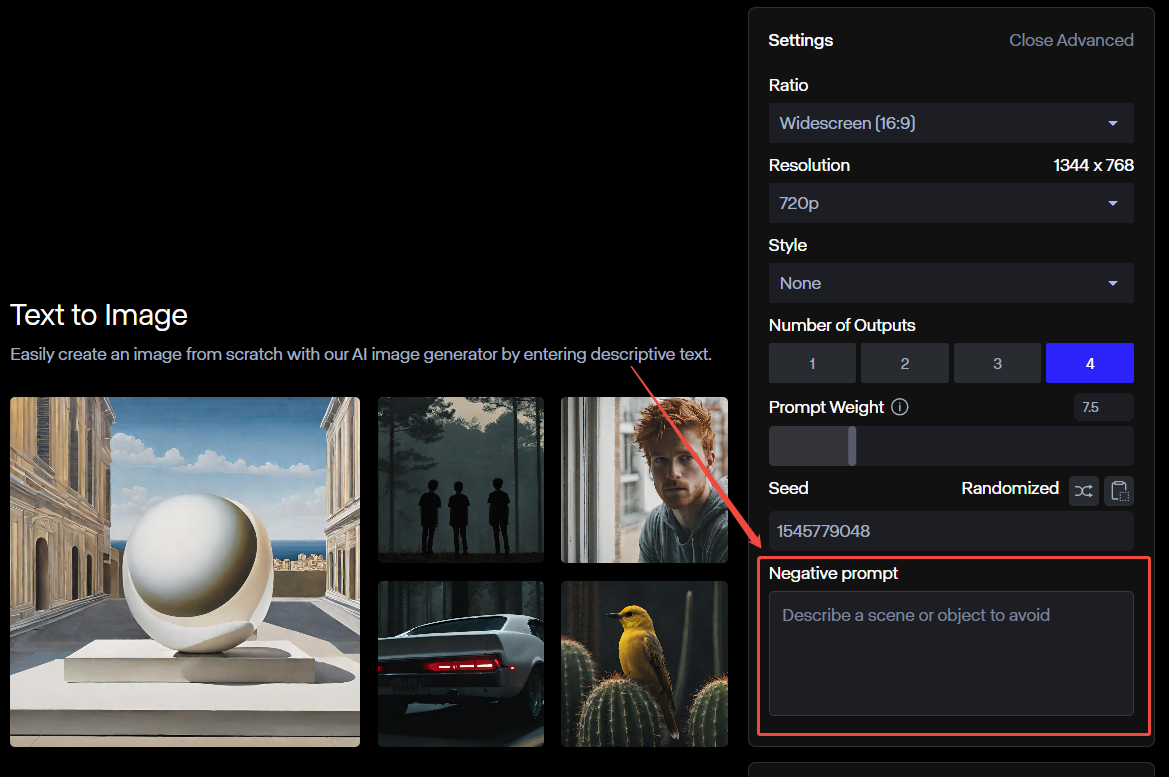
This guide covers how negative prompts work, copy-ready examples, and how I apply the same habits when generating in Van Gogh Studio.
Quick Verdict
| Goal | Negative prompt habit |
|---|---|
| Cleaner quality | Ban blur, compression, noise, distortion |
| Cleaner composition | Ban objects/people that steal the frame |
| Cleaner anatomy | Ban extra limbs, fused faces, bad hands |
| Better workflow | Pair short negatives with a strong positive prompt |
Negative prompts are a filter, not a substitute for a clear positive prompt. Write what you want first — then exclude the failure modes you keep seeing.
What Is a Negative Prompt in Runway?
A positive prompt describes the desired scene. A negative prompt lists attributes you do not want in the result. In practice:
- Positive: “serene mountain landscape, vibrant colors, photorealistic, golden hour”
- Negative: “blurry, low quality, pixelated, jpeg artifacts, distorted”
Runway then biases generation away from those traits. This is especially useful when a model repeatedly inserts the same mistake (extra fingers, watermark-looking texture, random bystanders).
For broader prompt structure tips, see our Runway prompt guide.
Pro Tips for Writing Negative Prompts
- Be specific. “bad quality” is vague. Prefer “blurry, low-contrast, heavy grain, jpeg artifacts.”
- Ban the recurring error, not the universe. If crowds keep appearing, add
people, crowd. Do not dump fifty unrelated bans on every run. - Balance positives and negatives. A rich positive prompt plus a short negative list beats a thin positive with a paragraph of exclusions.
- Test in small diffs. Change one cluster of negatives at a time so you know what helped.
- Match the medium. Image artifact terms help stills; for video motion, also watch for warp, flicker, and morphing if your workflow supports those controls.
- Keep a swipe file. Save negative stacks that work for portraits, products, and landscapes.
Best Negative Prompt Examples
1. Removing visual artifacts
- Prompt: A serene mountain landscape, vibrant colors, photorealistic, sharp focus
- Negative prompt: blurry, low quality, pixelated, jpeg artifacts, distorted, noisy, oversharpened
- Result goal: Crisp landscape without compression mush or warped edges
2. Excluding unwanted objects
- Prompt: Futuristic city skyline at night, neon lights, cinematic wide shot
- Negative prompt: people, cars, trees, animals, text, watermark, logo
- Result goal: Architecture-first skyline without clutter stealing attention
3. Avoiding anatomical errors
- Prompt: Portrait of a woman, soft window light, realistic skin detail
- Negative prompt: extra limbs, missing fingers, poor anatomy, fused face, extra eyes, deformed hands
- Result goal: Believable proportions for faces and hands
4. Product shot cleanliness
- Prompt: Matte black wireless earbuds on a marble surface, studio softbox lighting, commercial product photo
- Negative prompt: hands, clutter, reflections of photographer, text, watermark, dust, scratches, warped geometry
- Result goal: Clean ecommerce-ready still you can later animate with image to video
5. Style lock (keep it photographic)
- Prompt: Documentary photo of a chef plating pasta in a busy kitchen, natural light
- Negative prompt: illustration, anime, cartoon, 3d render, plastic skin, oversmoothed
- Result goal: Photo look without drifting into illustration
Negative Prompt Cheat Sheet
| Failure mode | Start with these negatives |
|---|---|
| Soft / muddy image | blurry, low quality, jpeg artifacts, noise |
| Composition clutter | people, crowd, text, watermark, logo |
| Body errors | extra limbs, bad hands, fused fingers, deformed face |
| Style drift | cartoon, anime, illustration, 3d render (when you want photo) |
| Product defects | dust, scratches, warped geometry, extra buttons |
| Do | Don’t |
|---|---|
| Exclude errors you actually observe | Paste a 40-term dump on every prompt |
| Keep negatives clustered by theme | Contradict your positive prompt |
| Iterate after reviewing outputs | Assume negatives fix a vague brief |
Why Negative Prompts Matter
- Precision — You steer away from irrelevant subjects instead of hoping the model guesses.
- Time — Fewer retries mean faster creative loops.
- Quality — Common artifacts and anatomy fails get suppressed before they land in the edit.
They will not invent a better idea. If the positive prompt is empty, negatives only make emptiness cleaner.
Use the Same Habits in Van Gogh Studio
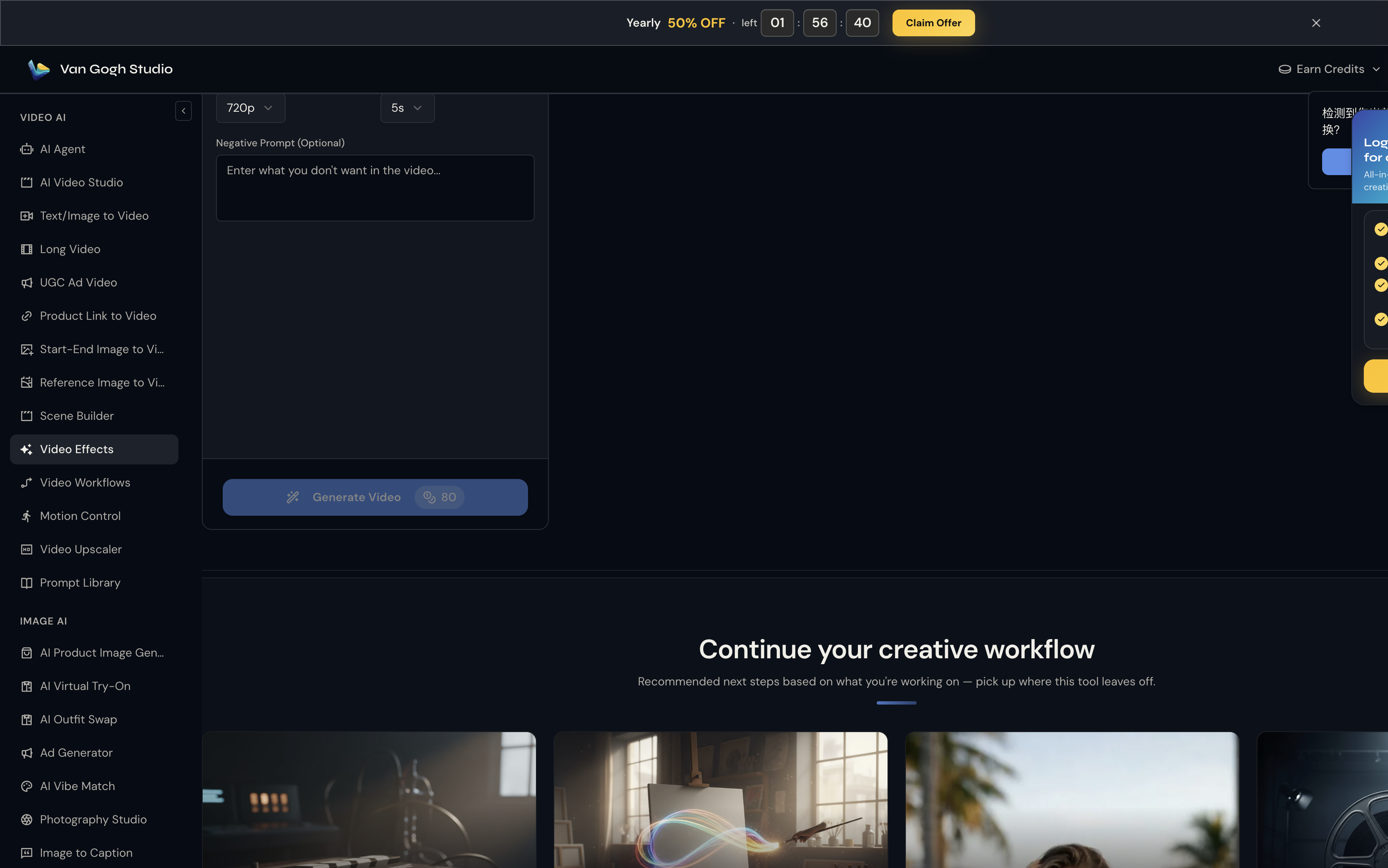
Whether you are in Runway or Van Gogh Studio, the prompting discipline transfers:
- Write a concrete positive prompt (subject, action, camera, lighting, style).
- Add a short negative list targeting your last failure mode.
- Generate in AI Video Studio or text / image to video.
- If the brief is commercial, compare models such as Runway, Kling, Seedance, and Veo.
- Finish ads with UGC ad video or structure longer pieces with Agent.

Negative prompts reduce waste. A multi-model studio reduces lock-in. Use both.
Try Van Gogh Studio to apply cleaner prompting across leading video models.
Final Checklist
Before you hit generate:
- Positive prompt states subject, setting, camera, and mood
- Negatives list only the failure modes you keep seeing
- No contradictions (e.g., “crowd scene” + negative
people) - You know what you will change on the next iteration
FAQs
Do negative prompts work for Runway video and images?
Support and strength can vary by model/mode. The habit still helps: exclude known failure modes whenever the UI exposes a negative field or equivalent controls.
How long should a negative prompt be?
Start with 5–12 precise terms. Expand only when a specific artifact keeps returning.
Can negative prompts replace good positive prompts?
No. Negatives refine; positives define. Always lead with a clear desired scene.
What is the best all-purpose negative prompt?
There is no universal best. A quality stack (blurry, low quality, jpeg artifacts, distorted) plus job-specific bans is more reliable than one mega prompt.
Should I use Runway or Van Gogh Studio for prompting practice?
Use Runway if you are deep in its ecosystem. Use Van Gogh Studio when you want the same prompting discipline across multiple models and finishing tools.
Create AI videos free
Try Van Gogh Studio free — text-to-video, image-to-video, and 300+ models in one place. Free credits on signup, no credit card required.
Try Free Video Generator


