

Encountering a “Generation Failed” error in Kling AI can derail your video creation plans. Common causes include inappropriate input, account issues, or device problems, but quick fixes can get you back on track.
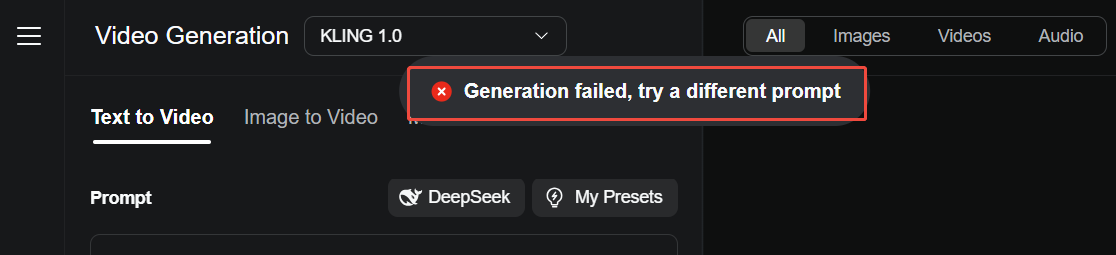
Read on to find out some potential reasons in detail and how to solve them with effective solutions.
Effective Solutions When Kling AI Fails to Generate Videos
Now, let's discuss some solutions for you when Kling AI fails to generate videos:
1. Simplify Your Text Prompt
Complex or vague text prompts can confuse Kling AI’s Standard Mode, leading to generation failures.
Action: Simplify and clarify your prompt, for instance, modify “A man strides through a neon-lit city with dynamic camera angles” to “A man walks in a city at night.” Re-submit the task along with your image (JPG/PNG, <10 MB, ≥300x300 pixels) to guarantee the AI handles it properly.
2. Keep Your Input Appropriate
Kling AI censorship sticks to regulations that prevent generation around subjects like politics, violence, explicit content, etc.
Action: Some potential approaches include using indirect language such as “gathering”, “a walk of shift” or “spirited stroll”. Or you could experiment with abstract terms to discover loopholes in its filtering system.
3. Check for Account Restrictions
Your account may be temporarily restricted due to suspected policy violations (e.g., flagged content).
Step: Log out, wait for 10-15 minutes, then sign back in. Check your account status in the profile settings and confirm that your input adheres to Kling AI’s content policies before resubmitting.
4. Avoid Overusing Free Credits in One Session
Rapidly consuming your 166 monthly free credits can trigger system limits, leading to errors.
Action: Pause for an hour after 3-4 consecutive generations. Then, re-upload your image and employ a simple prompt to generate a short video, preserving credits and reducing server strain.
5. Switch to a Different Device
Device-specific issues, like low memory or incompatible hardware, can cause generation failures.
Action: try accessing Kling AI from a different device, such as a laptop rather than a phone, while confirming it meets the minimum requirements (e.g., 4GB RAM, current OS). Re-upload your image and submit the task, utilizing a browser like Chrome for the best performance.
6. Update or Reinstall the Kling AI App
If you’re using Kling AI’s mobile app, an outdated version or corrupted installation might cause errors.
Action: Check for updates in your app store (iOS/Android) and install the latest version. If issues persist, uninstall and reinstall the app, then log in and re-upload your image to restart the generation process, ensuring a stable connection to avoid further disruptions.
How Van Gogh Studio Will Give You the Best Experience

Looking to eliminate Kling AI generation failures? Van Gogh Studio is a robust alternative that ensures you won’t encounter any generation issues when using Kling AI models, thanks to the platform's consistent updates and reliable maintenance.
As an all-in-one AI video generator, Van Gogh Studio also supports other strong video models, including Runway, Hailuo AI, PixVerse AI, Vidu AI, and extra.
With its diverse range of video generation models, Van Gogh Studio offers countless options and creative possibilities, catering to the needs of both professional and entertainment sectors.
In just minutes, you can input your prompts or images and have your video ready for employ.
Kling AI’s Different Models Available on Van Gogh Studio
Van Gogh Studio also integrates 4 Kling AI models. It has the Kling 1. This model has the ability to create video clips in mere minutes, but not like the extra powerful Kling 1.0, which was introduced in June 2024.5.
The [Kling 1. It comes with new functionalities like the smart motion brush.5](/m/kling-ai) takes realism to another level with its 1080p HD outputs!
Then, the Kling 1.6 model can understand prompts well and its output is ultra realistic. Finally, its latest Kling 2.0 model, with enhanced character motion dynamics and greater visual display quality.
Van Gogh Studio really has outdone itself by incorporating Kling AI into its platform. This allows you to enjoy Kling AI in the same way and top importantly, with rare generation issues.
Conclusion
You can experiment with all of those solutions above when Kling AI fails to generate projects. And if you're already familiar with Kling AI, you'll discover that Van Gogh Studio offers the same models with better video generation experience. So, head over to the Van Gogh Studio website to experiment with this all-in-one video generator!
Create AI videos free
Try Van Gogh Studio free — text-to-video, image-to-video, and 300+ models in one place. Free credits on signup, no credit card required.
Try Free Video Generator


