

If you struggle to maximize Kling AI’s potential, this article is for you! From inputting text prompts, video customization to build leverage of its free credits, all of these tips will aid you master Kling AI better. Read on and find out greater!
At a Glance
These Kling AI best practices cover stronger positive prompts, smarter negative prompts, video customization, and getting more from free credits.
| Point | Take |
|---|---|
| Best for | Getting cleaner, more controllable Kling AI videos |
| Not best for | Skipping iteration — Kling still rewards careful prompting |
| Score | N/A (best-practices guide) |
| Try Kling on | Van Gogh Studio with Kling |
Crafting Useful Text Prompts
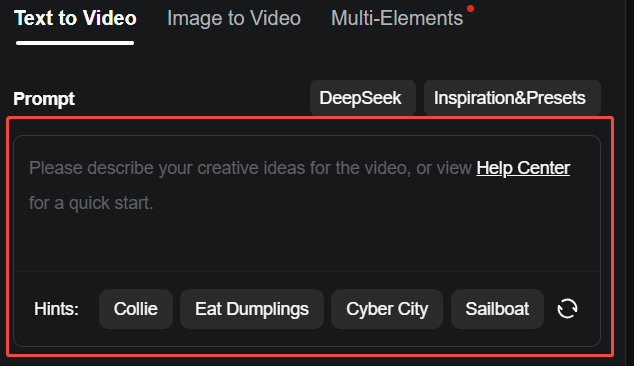
Kling AI works best when text prompts are specific. Including precise details such as characters, objects, backgrounds, and movements will assist ensure that the generated videos align closely with your own vision.
For instance, “build a fitness video” is too vague and may result in additional credits spent on revisions.
A greater effective text prompt would be: “Create a video featuring a group of individuals participating in a high-intensity interval training (HIIT) workout in a bright, modern gym. Include close-up shots of different exercises such as burpees, jumping jacks, and squats.”
Here’s another example: “Create a cinematic video of a serene sunrise over a mountain range, then transition to a lively forest with birds chirping. Vibrant and natural.”
Negative Prompts Refinement
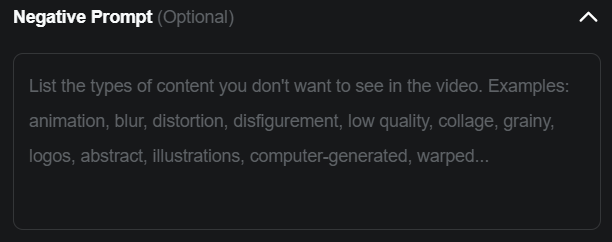
Negative prompts remove unwanted elements from Kling AI's output. Here are some categories and examples:
Quality Issues
- Purpose: Prevent low-quality video outputs.
- Prompts: low quality, low resolution, blurriness, grainy, etc.
Color and Lighting
- Purpose: Control color tones and lighting conditions.
- Prompts: dark tone, mixed color style, overly vibrant colors, etc.
Unwanted Elements or Objects
- Purpose: Exclude specific objects or features from the video.
- Prompts: people, cars, buildings, text, logos, etc.
Video Customization
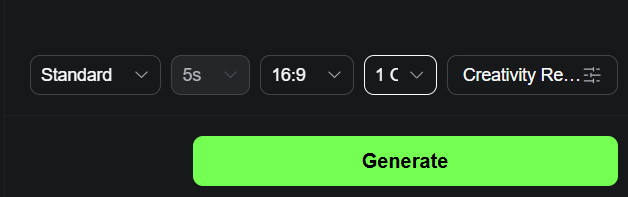
After you become an expert in prompts, the next thing to master is video customization. Here's what to keep in mind:
- Aspect Ratio: Pick 16:9 for YouTube, 1:1 for Instagram posts, or 9:16 for TikTok. Each ratio ensures platform-specific compatibility.
- Prompt Weight: The Creativity vs. Relevance slider adjusts how closely the generated video adheres to your prompt. Sliding toward Relevance ensures the output strictly follows your description, ideal for precise results. Sliding toward Creativity allows the AI greater freedom to interpret and add new elements, enhancing artistic or unexpected outcomes.
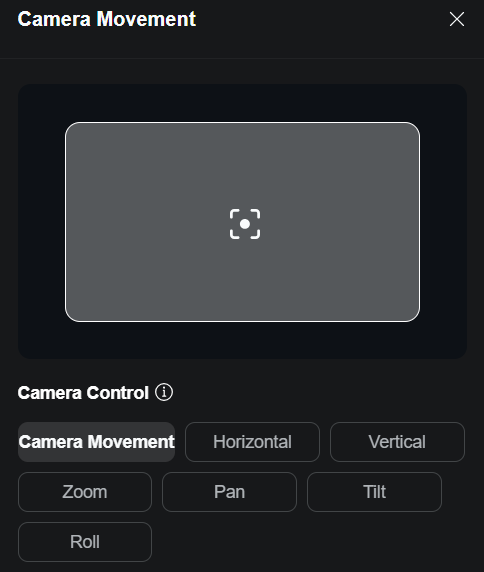
- Camera Movement: If you wish to produce your videos greater visually appealing, then you can utilise the Camera Movement feature and select settings such as horizontal, vertical, zoom or pan.
- Motion Brush : This feature lets you manually control the movement of items or parts of subjects within a static image by drawing motion pathways directly onto it. To create realistic movement, focus on one element at a time and carefully position the open and end points of the pathway.
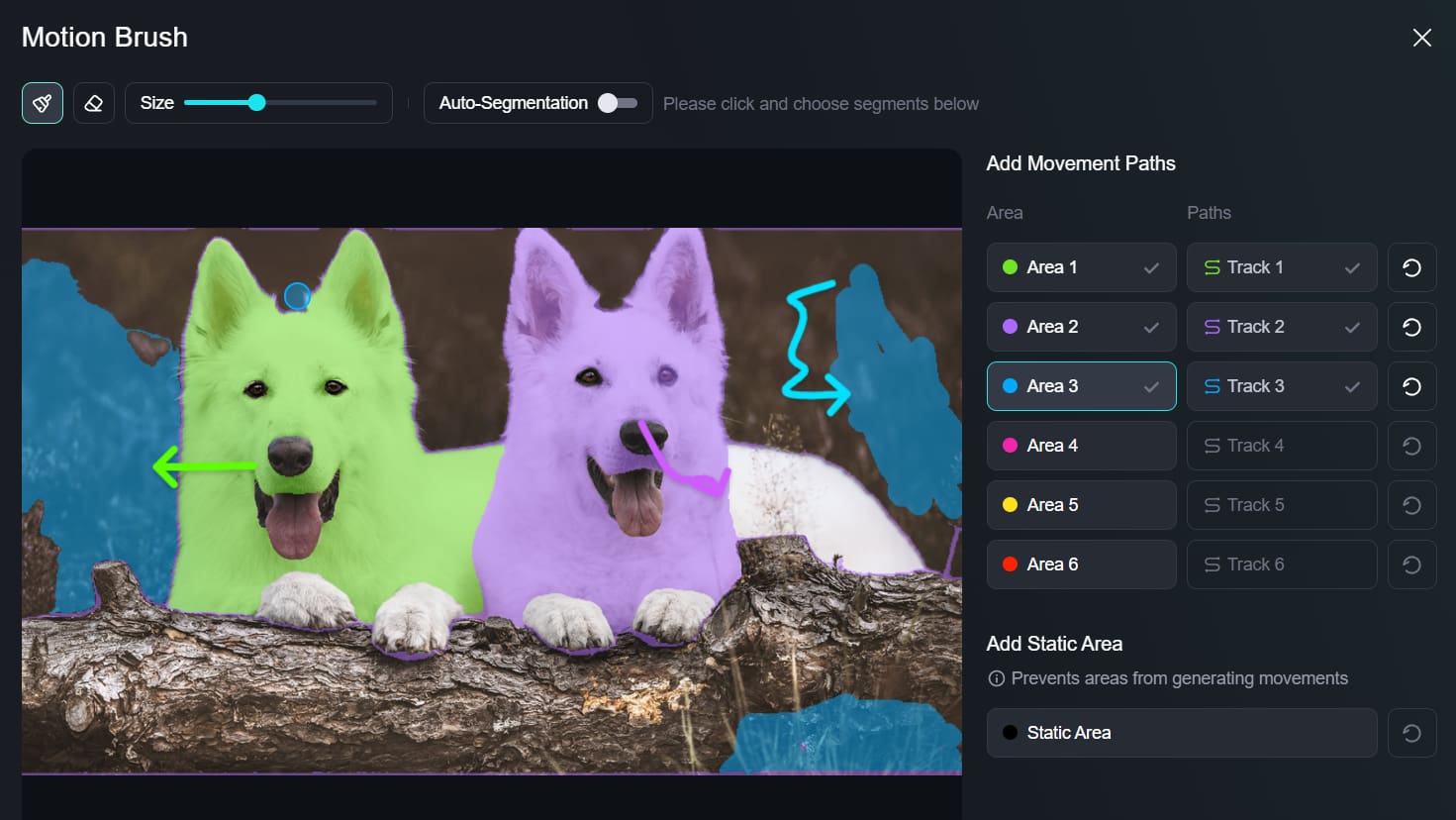
All of these settings create Kling AI videos ready for any platform or purpose.
Maximize Daily Free Credits
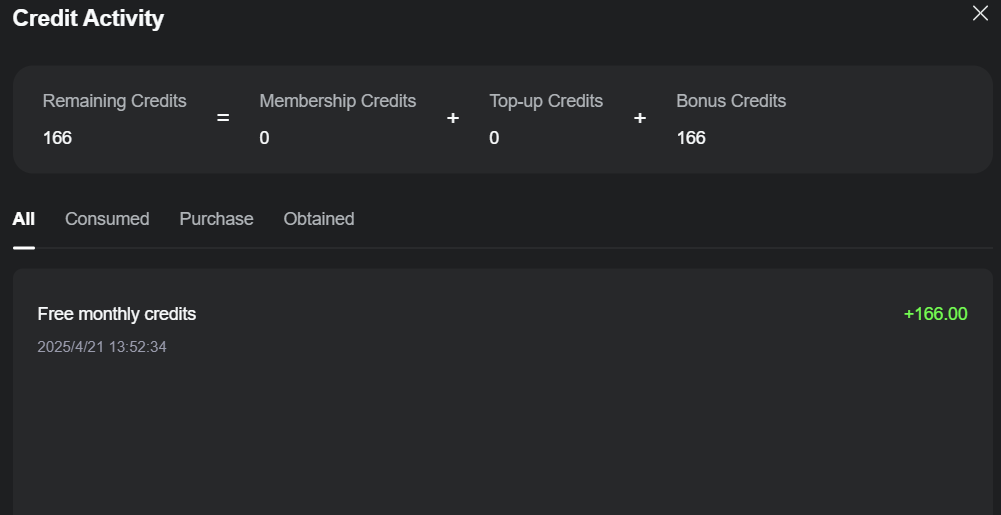
To get the strongest from Kling AI's daily free credits, follow these simple tips:
- Login Daily: Kling AI gives 66 free credits to its users who log in daily, but it is important to note that these free credits expire after 24 hours if not used.
- Prioritize Tasks: Focus credits on high-value tasks first, like creating polished video ads.
- open Small: Test ideas with short clips or drafts to apply fewer credits. For example, preview a 5-second clip before scaling to 10 seconds.
- Track Usage: Monitor your credits and plan accordingly to avoid running out before completing important tasks.
Experience Kling AI's Models on Van Gogh Studio

As an all-in-one video generator, Van Gogh Studio integrates all of the Kling AI models: Kling 1.0, Kling 1.5, Kling 1.6 and Kling 2.0. You can make use of these models to generate videos that cost around 4-8 minutes without any generation issues.
On top of Kling AI models, Van Gogh Studio also supports Runway, Hailuo AI, PixVerse AI, etc. That means you can generate videos with any top models you want just by visiting this one platform.
Some other standout features such as image-to-video, video-to-video and video effects have indeed made it super painless to turn your own ideas into visual content that you can share instantly.
Conclusion
Kling AI is a one-of-a-kind platform for content creators, but it works best when you know how to leverage it properly. Spend some time learning all the useful methods that we have discussed above.
You will get access to all the main models of Kling AI along with other powerful generation features. So, visit the Van Gogh Studio right now and open experimenting! However, the best way to apply Kling AI is via Van Gogh Studio.
Create AI videos free
Try Van Gogh Studio free — text-to-video, image-to-video, and 300+ models in one place. Free credits on signup, no credit card required.
Try Free Video Generator


