

Pet Christmas Tree turns a clear dog or cat photo into a living holiday centerpiece — your pet stays recognizable while the Pixverse effect wraps them into a decorated Christmas-tree scene with glowing lights, ornament shimmer, and gentle festive motion.
What Does Pet Christmas Tree Look Like?
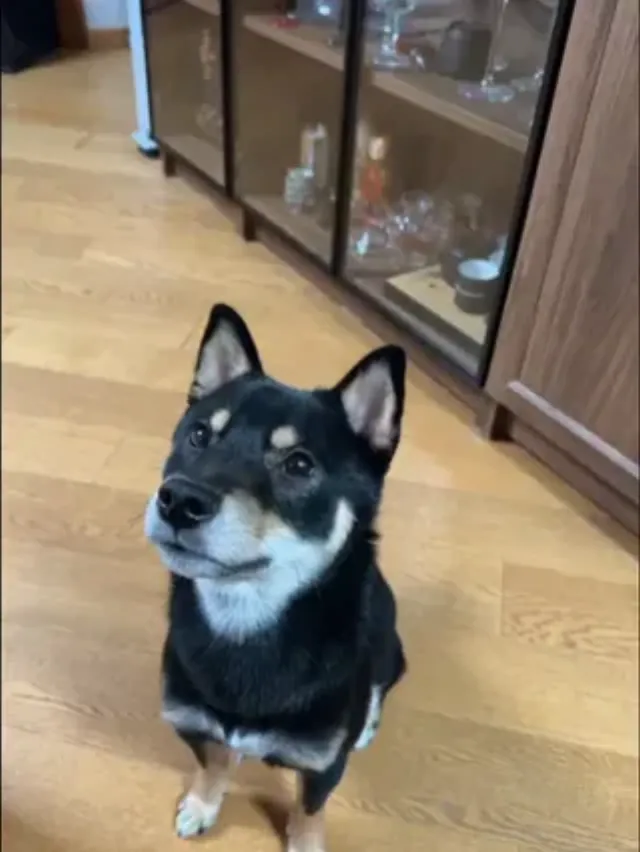
This effect is built for December pet content: sharp face, alert eyes, and fur detail carry through, while the engine adds the evergreen set, warm bokeh, and ornament animation around your animal. Sample subject: a black-and-tan Shiba looking up at the camera — the kind of treat-level pet portrait that maps cleanly into the holiday composition.
How to Create a Pet Christmas Tree Video
Step 1: Open the Pet Christmas Tree Effect Page
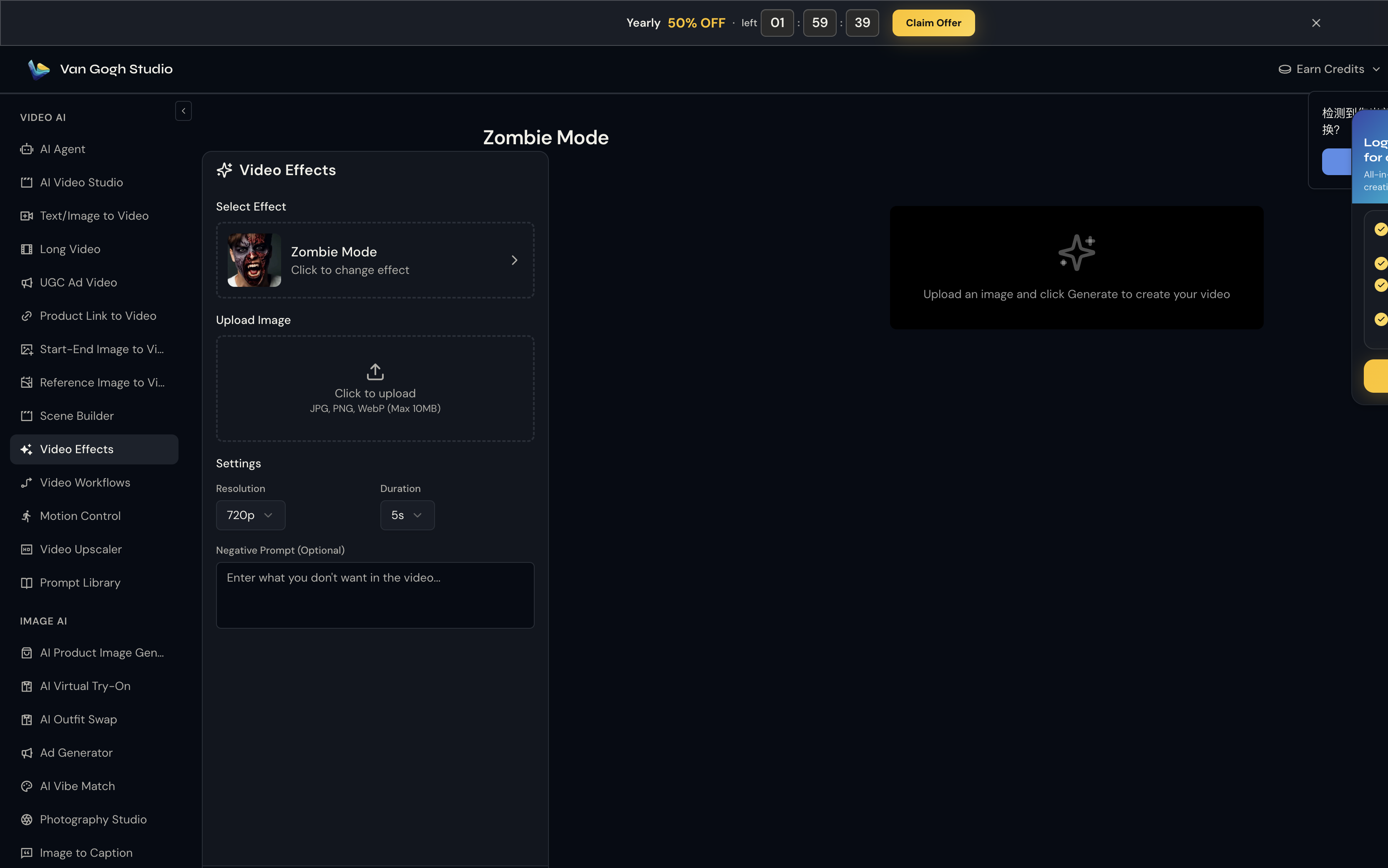
Go to Pet Christmas Tree on Van Gogh Studio. The effect is pre-selected in the left panel — you'll see its thumbnail, name, and a Click to change effect link if you want to browse the full gallery.
Step 2: Upload Your Photo
Click the Upload Image area (or drag and drop). Van Gogh Studio accepts JPG, PNG, and WebP up to 10MB.
Use a pet photo with eyes visible and face toward (or slightly up at) the camera. Minimal motion blur. Holiday bandanas are optional — the effect adds its own lights and ornaments. Shoot at treat-level for dogs or eye-level for cats on furniture.
Step 3: Set Resolution, Duration & Negative Prompt
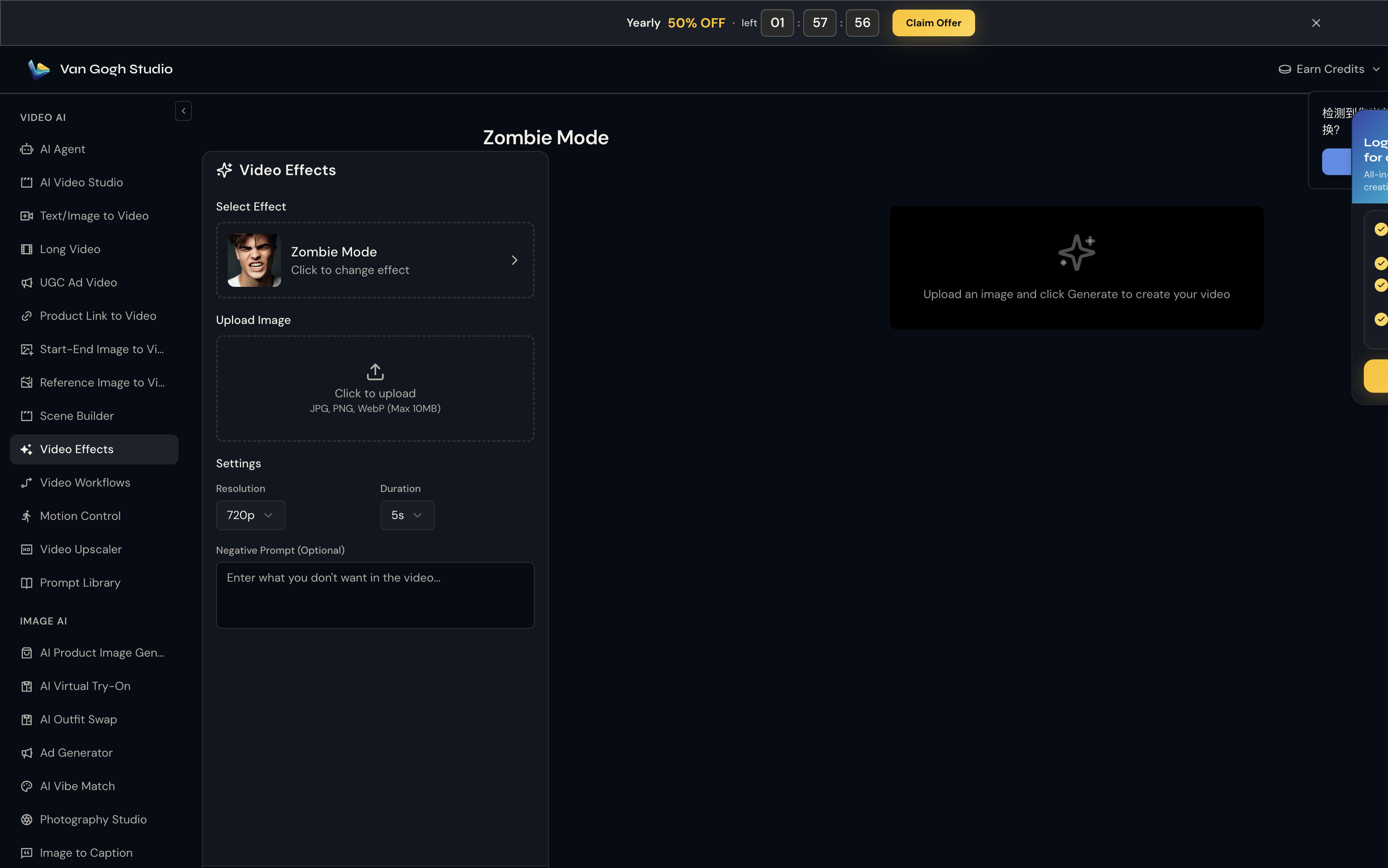
Unlike template tools, Pet Christmas Tree does not use a text prompt — the Pixverse effect engine already knows the motion to apply. What you control here is output quality:
- Resolution: 720p is the sweet spot for social sharing (80 credits at 5s).
- Duration: 5s for a punchy clip; 8s if you want the full transformation to breathe.
- Negative Prompt (optional): Try
blurry, distorted face, low qualityto reduce artifacts.
Step 4: Click Generate Video & Download
Hit Generate Video (credit cost shown on the button — e.g. 💎 80 at 720p / 5s). Processing usually takes one to three minutes. Preview the result on the right panel; hover and click Download to save the MP4.

Who Should Use Pet Christmas Tree?
- Pet TikTok and Instagram accounts posting December Reels
- Veterinary clinics sending holiday client greetings
- Pet supply brands running seasonal campaigns
Tips for the Best Output
- High-contrast coats (black-and-tan Shibas, orange tabbies, golden retrievers) read clearly against green pine and warm lights
- Keep the pet centered and well-lit — indoor hardwood or soft daylight both work
- A 5s clip loops cleanly on pet Instagram Reels and Stories
- Pair with owner Christmas Costume for matching human + pet holiday cards
- Negative prompt:
scary, dark, blurry eyes
Conclusion
Pet Christmas Tree is a single-upload holiday effect — no timeline editing required. Generate once, download, and post.
You might also like
How to Create Christmas Costume Videos
Step-by-step guide for the Christmas Costume effect on Van Gogh Studio.
How to Create Snow Globe Maker Videos
Step-by-step guide for the Snow Globe Maker effect on Van Gogh Studio.
How to Create AI Christmas Toasting Videos Videos
Step-by-step guide for the AI Christmas Toasting Videos effect on Van Gogh Studio.
Create AI videos free
Try Van Gogh Studio free — text-to-video, image-to-video, and 300+ models in one place. Free credits on signup, no credit card required.
Try Free Video Generator


