

I tested Hailuo AI — MiniMax’s AI video model — to see whether its speed and cinematic look hold up for real creative work, not just homepage demos.
In this Hailuo AI review, I’ll share what it does well, where clip length and prompt adherence still break down, who it fits best, and why I would choose Van Gogh Studio when I need Hailuo plus other models and a clearer path to publish-ready video.
Quick Verdict
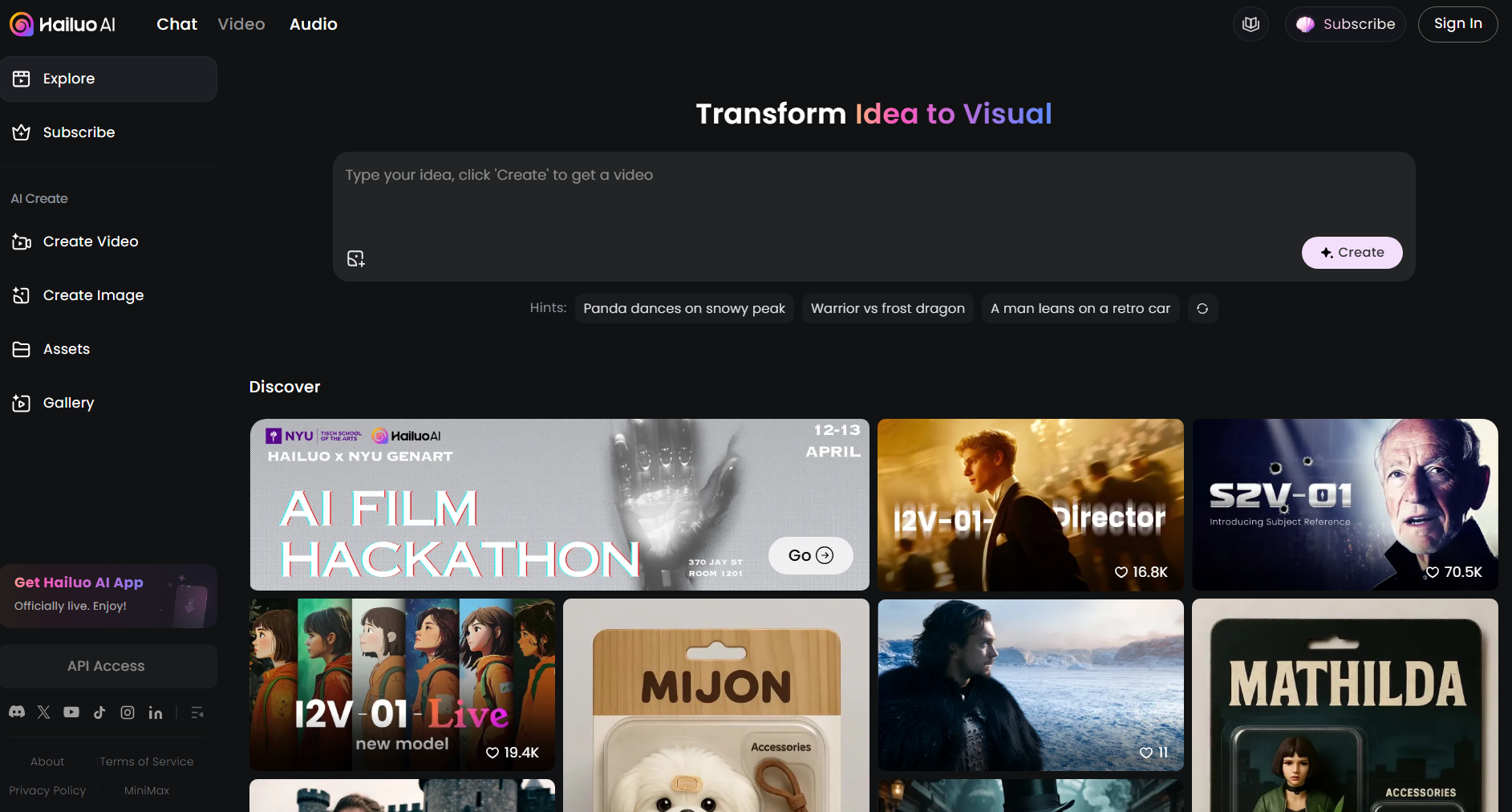
Hailuo AI is a strong AI video generator if your main goal is short cinematic clips from text or stills — atmospheric scenes, character motion, and stylized shots that look more filmic than toy demos. Generation is often fast for ~6-second clips, and later Director-style controls help when camera language matters.
It is a weaker choice when you need long multi-scene stories, tight prompt obedience on complex action, native dialogue/lip-sync workflows, or a full editing and campaign stack. For a broader production path, I prefer Van Gogh Studio.
| Review Point | My Take |
|---|---|
| Best for | Short cinematic text-to-video and image-to-video clips |
| Not best for | Long stories, dialogue videos, or campaign-ready multi-scene ads |
| Strongest feature | Fast, atmospheric motion with a cinematic look |
| Biggest limitation | Short clip length plus uneven prompt adherence on complex action |
| Learning curve | Easy for simple prompts; Director controls add a learning step |
| My verdict | Excellent short-clip model; limited as a full video studio |
What Is Hailuo AI?
Hailuo AI is MiniMax’s AI video generation stack. MiniMax is a Shanghai-based AI company; Hailuo is the video side of that platform — focused on turning text and images into short moving clips rather than on talking-head avatars or timeline editors.
In practice, Hailuo sits closer to open-ended generative video (think Kling, Luma, Runway-class motion) than to presenter tools like Synthesia. You describe a scene or upload a still, optionally nudge camera behavior on Director-capable models, and get a short clip back.
That positioning matters. Hailuo is strong when the job is one striking shot. It is less of a fit when the job is a finished training module, a multi-hook ad set, or a 60-second story that needs structure, captions, and polish after generation.
You can also try newer Hailuo releases such as Hailuo 2.3 when you want the latest motion and product-showcase improvements — still as short generative clips, not as a full studio.
Key Features I Reviewed
Text to Video
Hailuo’s text-to-video path is the easiest way to judge the model. You write a scene — subject, weather, mood, camera feel — and it returns a short cinematic clip.
It works best when the prompt is focused: one subject, one clear action, and a strong atmosphere. Dense prompts that stack five actions and three camera moves in one sentence are where quality and adherence usually slip.
For concepting B-roll, mood boards, or social hooks, that is enough. For scripted multi-beat stories, you will still need to stitch clips elsewhere or use a broader workflow such as text to video inside Van Gogh Studio with other models when Hailuo’s look is not the right match.
Image to Video
Image-to-video is Hailuo’s other core path. You upload a still, add a short motion prompt, and the model animates the frame.
This is useful for product stills, character portraits, and photography you already like. A sharp, well-lit subject with a clear silhouette usually animates more cleanly than a busy collage.
The risk is the same as most I2V models: the clip can look beautiful while ignoring part of the motion instruction. Treat the first export as a draft, then tighten the prompt to one primary movement.
Director / Camera Controls
On Director-capable Hailuo models (for example I2V/T2V Director variants), you get more intentional camera language — push-ins, pans, and directed framing instead of hoping the model invents a good shot.
That is a real upgrade when you care about cinematic grammar. It is also the feature that separates Hailuo from simpler “type and pray” generators. The trade-off is that Director options are not equally available on every mode or every host UI, so check the model picker before you plan a shot list around them.
Speed and Clip Format
Hailuo’s pitch — and one of the reasons it got attention — is speed on short clips. In practice, many generations land around a few seconds of footage with relatively short wait times compared with heavier cinematic models.
That makes Hailuo excellent for iteration: try a prompt, tweak lighting language, regenerate. It also means you should not expect a single generation to replace a full edit. Short clips are the product; longer narratives are your assembly job (or an Agent-style workflow).
Real Tests
I ran two focused tests: one text-to-video atmospheric scene, and one image-to-video motion check.
Test 1 — Text to Video (Film-Noir Rain)
Prompt used:
A woman stands with an umbrella in a rain-blurred world. Film-noir atmosphere.
Output:
My take: This is Hailuo at its best. The woman, umbrella, wet-street blur, and noir mood all land. Lighting and motion feel cinematic rather than plasticky. For mood-first short clips, I would use Hailuo again without hesitation.
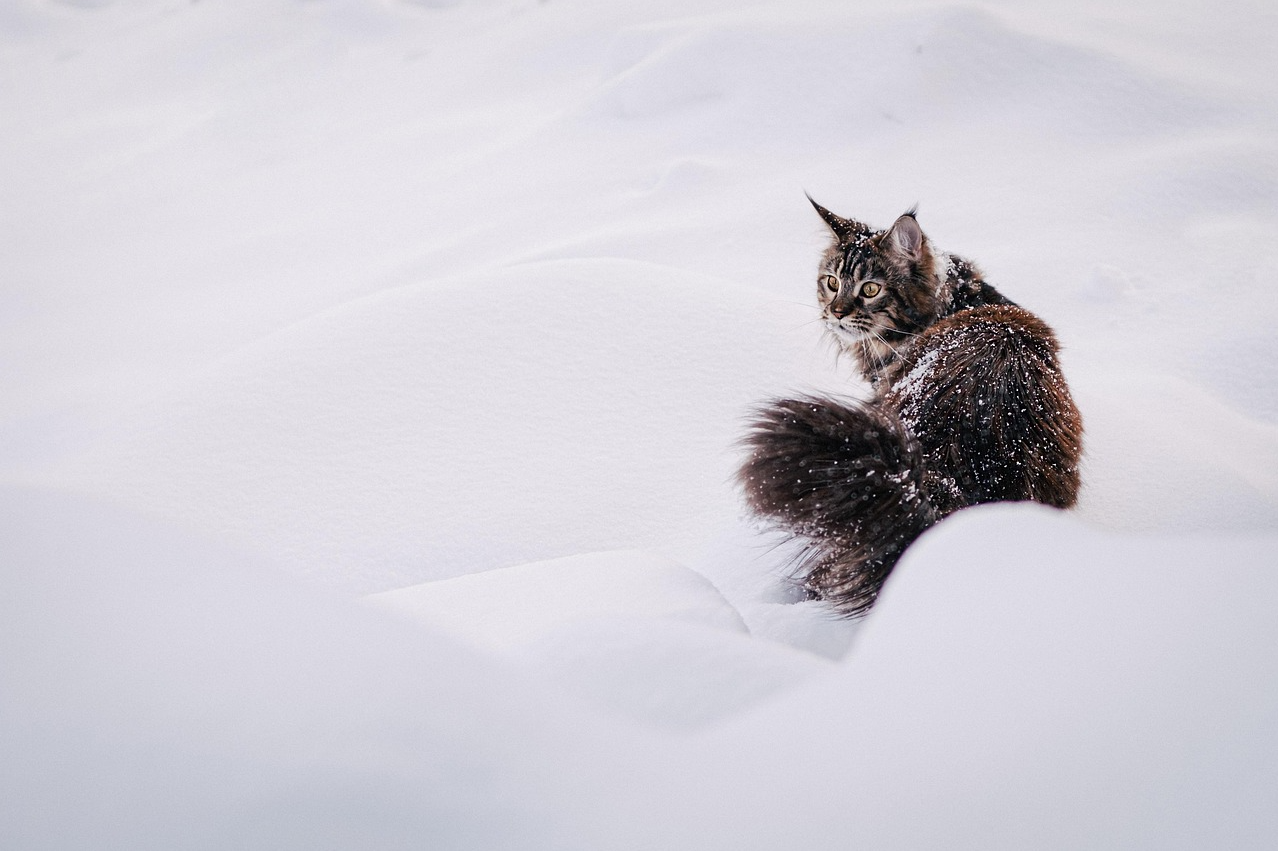
Test 2 — Image to Video (Cat in Snow)
Input still:
Prompt used:
The cat runs to the left side of the scene.
Output:
My take: Visual quality stayed high — fur, snow, and depth looked strong. Prompt adherence did not. After a few steps left, the cat turns and runs the other way. That is the core Hailuo risk: pretty motion that partially ignores the instruction. Usable for atmosphere; unreliable when directionality is the whole point of the shot.
Pros and Cons
What I Liked
- Strong cinematic look on clear, atmospheric prompts
- Fast short-clip generation that supports quick iteration
- Solid image-to-video quality when the still is sharp and simple
- Director-style camera control on supported models
- Good fit for creators who need striking social or concept clips, not full editors
What Held It Back
- Clip length stays short — weak for multi-scene stories out of the box
- Prompt adherence can fail on directional or multi-step action
- Not a full production suite (editing, captions, campaign structure)
- Native dialogue / lip-sync / long-form workflows are not the core product
- Complex crowded scenes still need retries and prompt simplification
Create Full Videos with Van Gogh Studio Free
Where Hailuo AI Falls Short
Hailuo’s limits show up when the project needs more than one beautiful few-second shot.
Short Clip Ceiling
Most Hailuo generations are built for short clips. That is fine for hooks, B-roll, and concept tests. It is a problem when you need a coherent 30–60 second narrative with scene changes, on-screen text, and a clear ending.
Uneven Prompt Adherence
My cat test is the pattern: the model can invent plausible motion that is not what you asked for. Directional verbs (“left,” “away,” “toward camera”) and multi-step actions are the usual failure points.
Not a Finish Workflow
Hailuo generates clips. It does not reliably finish videos. Captions, music beds, brand end cards, A/B ad variations, and prompt-based cleanup usually need another tool — or a platform that wraps generation with Agent, editing, and marketing workflows.
Production Controls Still Thin
Even with Director camera options, you are not getting a real editor. Frame-accurate cuts, object replacement, and campaign formatting sit outside Hailuo’s sweet spot. For those jobs I move to Van Gogh Studio’s AI video editor and Agent after the first clip lands.
Real Use Cases
| Use Case | My Take |
|---|---|
| Cinematic social hooks | Strong fit — short atmospheric clips perform well |
| Mood / concept B-roll | Strong fit when the brief is one clear shot |
| Product still → motion | Mixed fit — looks good, but motion direction can drift |
| Character / stylized scenes | Good fit for short filmic or stylized moments |
| Multi-scene story videos | Weak fit — length and structure need another workflow |
| Training / presenter videos | Weak fit — use an AI avatar workflow instead |
| Full ad campaigns | Limited fit alone; better as one model inside a broader stack |
Hailuo AI vs Van Gogh Studio
| Dimension | Hailuo AI | Van Gogh Studio |
|---|---|---|
| Main workflow | Short generative video from text or image | Full AI video generation, editing, and publish-ready workflows |
| Model focus | MiniMax Hailuo family | Multi-model access including Hailuo AI, Kling 3.0, Veo 3.1, Seedance 2.5 |
| Clip length | Optimized for short cinematic clips | Short clips plus longer story video paths |
| Camera control | Strong on Director-capable Hailuo models | Model-dependent, plus broader finishing tools after generation |
| Marketing output | Useful fragments for hooks and concepts | Stronger with UGC ad video and campaign workflows |
| Editing flexibility | Limited after export | Stronger refinement with the AI video editor |
| Best fit | Creators who want MiniMax-style short cinematic shots | Creators and marketers who need finished AI videos, not only clips |
Why Van Gogh Studio Is a Better Hailuo AI Alternative

Hailuo is useful as a model. Van Gogh Studio is stronger when I want that model inside a real production path — compare looks, finish the edit, and publish without juggling separate accounts.
Run Hailuo Beside Other Top Models
On Van Gogh Studio I can open image to video or text to video, pick Hailuo when I want its cinematic short-clip look, then rerun the same prompt on Kling 3.0, Veo 3.1, or Seedance 2.5 if motion or product fidelity is off.

That comparison step matters. Hailuo won my noir rain test; it lost my directional cat test. Having backups in the same UI is faster than opening three vendor tabs.
Finish Clips Instead of Stopping at a Draft
A Hailuo export is often a strong first shot, not a finished asset. Inside Van Gogh Studio I can continue with the AI video editor, add presenter scenes via AI avatar, or move into UGC ad video when the clip needs to sell, not just impress.
Van Gogh Studio Agent for Publish-Ready Structure

Van Gogh Studio Agent covers the gap Hailuo leaves open: structure, pacing, captions, music, and a clearer path from idea to a shareable video. That is the difference between collecting pretty clips and shipping something complete.
Create Videos with Van Gogh Studio Agent
Final Verdict
Hailuo AI is a strong MiniMax video model for short cinematic generation. In my tests, atmospheric text-to-video looked excellent, while image-to-video quality stayed high even when prompt adherence slipped.
It is less ideal when you need long narratives, exact action control, dialogue-led presenters, or a campaign workflow that finishes the video for you.
For me, Van Gogh Studio is the better long-term path because I can still use Hailuo AI when the look fits — then switch models, edit, and publish without leaving the workspace. If you want the latest Hailuo motion upgrades specifically, also see our Hailuo 2.3 review.
Hailuo AI Review FAQs
What is Hailuo AI?
Hailuo AI is MiniMax’s AI video generation model/platform for creating short clips from text and images. It is built for generative cinematic motion, not for avatar training videos or full timeline editing.
Is Hailuo AI good for beginners?
Yes for simple prompts. Write a clear subject, mood, and one action, and you can get a usable short clip quickly. Director camera controls and complex multi-subject prompts take more practice.
What is the biggest drawback of Hailuo AI?
For me, the biggest drawbacks are short clip length and uneven prompt adherence on directional or multi-step action. The cat test looked great and still ignored part of the instruction.
Can I use Hailuo AI for free on Van Gogh Studio?
Van Gogh Studio offers free credits on signup so you can test Hailuo-class generation alongside other models without committing to a separate MiniMax-only workflow. Exact credit costs depend on model and settings.
What is the best Hailuo AI alternative?
If you want Hailuo’s short cinematic look plus a complete production path, Van Gogh Studio is the better alternative. It covers multi-model generation, AI avatar, UGC ads, editing, and Agent-led publish-ready videos. For a wider shortlist, see best Hailuo AI alternatives.
Create AI videos free
Try Van Gogh Studio free — text-to-video, image-to-video, and 300+ models in one place. Free credits on signup, no credit card required.
Try Free Video Generator


