

I tested Hailuo 2.3 — MiniMax’s newer Hailuo video model release — to see whether the promised upgrades in micro-expressions, motion, style control, and ecommerce product shots hold up beyond launch demos.
This is a model-version review, not a full Hailuo AI platform review. For the broader MiniMax video stack, see our Hailuo AI review. Here I’ll focus on what 2.3 improves, where fidelity still slips, who it fits, and why I would run Hailuo 2.3 inside Van Gogh Studio when I need other models and a path to publish-ready video.
Quick Verdict
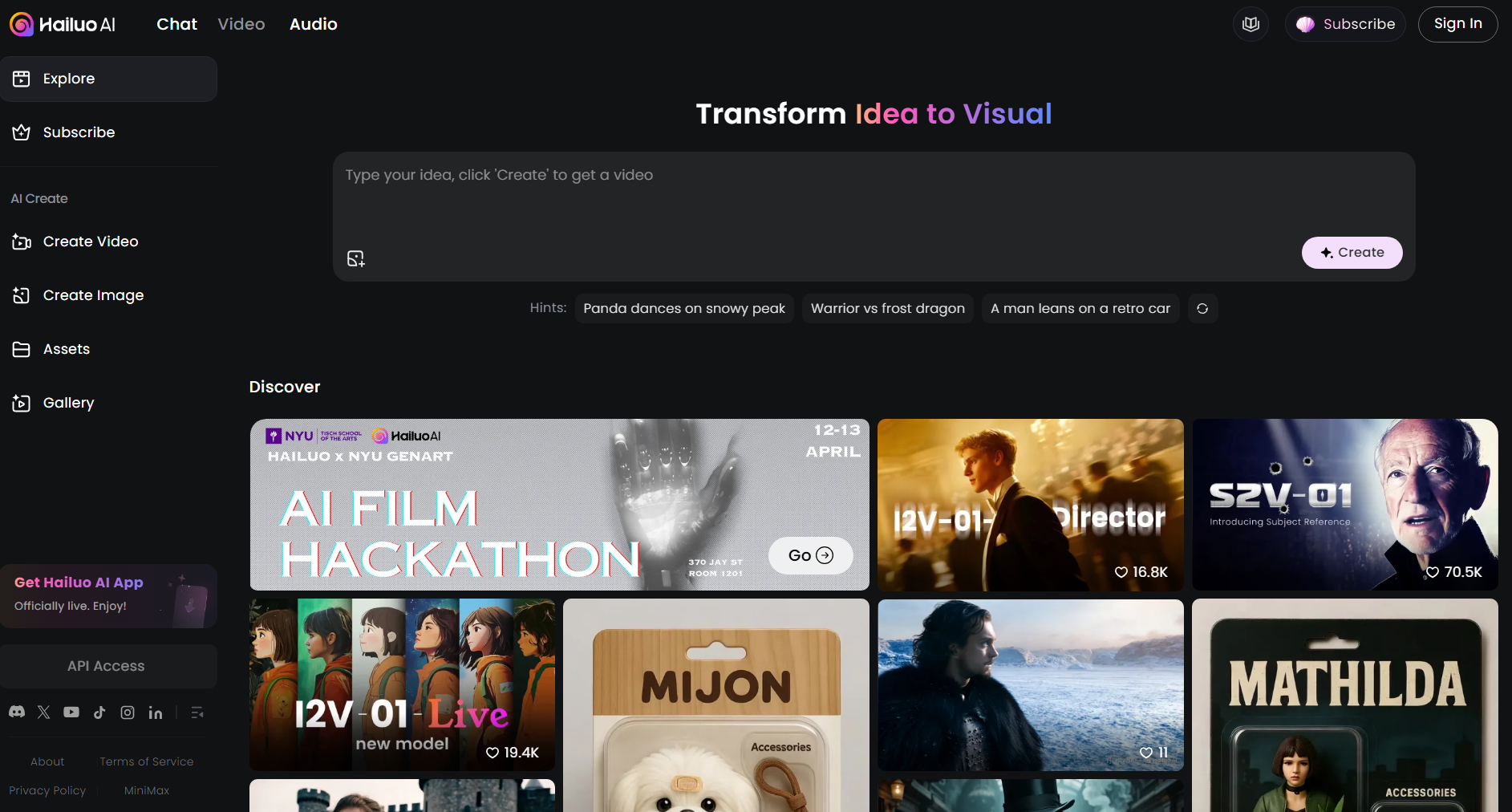
Hailuo 2.3 is a strong upgrade inside the Hailuo family if your main goal is short cinematic clips with better facial nuance, more believable subject motion, stronger stylized scenes, and cleaner product rotation for ecommerce-style shots.
It is still a weaker choice when you need long multi-scene stories, native dialogue workflows, or a full editing and campaign stack. 2.3 improves the shot — it does not finish the video. For a broader production path, I prefer Van Gogh Studio.
| Review Point | My Take |
|---|---|
| Best for | Short cinematic clips needing facial emotion, fluid motion, stylized looks, or product orbits |
| Not best for | Long stories, dialogue videos, or campaign-ready multi-scene ads |
| Strongest feature | Clearer micro-expressions plus more stable product showcase motion |
| Biggest limitation | Complex scenes can still warp; clip length stays short; finishing lives elsewhere |
| Learning curve | Easy for focused prompts; hard scenes still need retries |
| My verdict | Excellent Hailuo upgrade for short shots; limited as a full video studio |
What Is Hailuo 2.3?
Hailuo 2.3 is a newer MiniMax Hailuo video model version built on the Hailuo 02 line. You can try it via Hailuo 2.3 on Van Gogh Studio, or compare it against the broader Hailuo AI family.
The release pitch centers on four practical upgrades:
- Scaled micro-expressions — subtler facial cues such as smirks, blinks, and emotional transitions
- Improved motion capture — more natural subject movement with stronger physics feel
- Greater style control — better fidelity on artistic and stylized looks
- Upgraded product showcasing — cleaner depth of field, rotation, and camera orbits for ecommerce-style shots
In practice, Hailuo 2.3 still sits in the short generative-clip category. It is closer to open-ended cinematic video models than to presenter tools like Synthesia. You describe a scene or animate a still, get a few seconds of motion, and assemble longer stories elsewhere.
That positioning matters. 2.3 is worth testing when one emotional close-up, surfing action beat, stylized city flythrough, or product orbit is the job. It is less of a fit when the job is a finished training module, a multi-hook ad set, or a 60-second story.
Key Features I Reviewed
I evaluated Hailuo 2.3 as a model upgrade — what changed in the shot quality, not whether MiniMax built a full studio.
Micro-Expressions and Emotional Close-Ups
Hailuo 2.3’s clearest creative upgrade is facial nuance. Subtle eye pressure before a tear, nostril flare, and mouth tension matter when a clip needs emotion instead of a frozen beauty face.
This helps cinematic character moments, drama hooks, and short story beats. It does not magically solve multi-character crowding or long emotional arcs across many scenes.
Motion Dynamics and Physics Feel
Motion is the second upgrade. Body weight shifts, water interaction, and camera tracking feel more believable on focused action prompts than earlier Hailuo generations I used.
The trade-off appears when motion demand is high: fidelity can soften, and facial readability can drop mid-action. Beautiful physics with softer detail is still a 2.3 pattern to watch.
Style Control for Artistic Scenes
Stylized and animated scenes show stronger intent — brass-and-copper architecture, neon accents, and painterly atmosphere can look intentional rather than generic “AI fantasy.”
Warping around background characters and dense machine detail remains the risk. Style fidelity improved; complex crowd/scene stability did not become perfect.
Ecommerce Product Showcasing
Product orbits are where 2.3 feels commercially useful. Rotating a shoe or object with cleaner camera movement, clearer materials, and more stable framing is a real ecommerce win versus older product-drift issues.
Treat it as a strong product clip generator, not a full ad editor. Hooks, captions, price callouts, and CTA packaging still need another workflow.
Real Tests
I ran four focused tests covering the upgrade claims: face emotion, action motion, stylized animation, and product showcase.
Test 1 — Facial Micro-Expressions
| Prompt | Output |
|---|---|
| A cinematic close-up of a woman's face in soft fading light as a man walks away in the blurred distance. Tears fall silently, lips tremble, and her expression shifts from longing to quiet surrender in slow motion. |
My take: This is 2.3 at its best. The eye pressure before the tear, subtle nostril flare, and mouth tension sell the emotional beat without obvious visual glitches. For drama close-ups, I would use Hailuo 2.3 again.
Test 2 — Motion Dynamics (Surfing)
| Prompt | Output |
|---|---|
| A cinematic shot of a woman surfing off the Australian coast at sunrise, riding a powerful ocean wave in a black wetsuit. The camera tracks from a low, dynamic angle as she carves a turn, leaning into the wave. Water moves with realistic fluid dynamics, curling and crashing as she shifts her weight to stay balanced. |
My take: Motion improved. Turns and water interaction feel fluid and natural. Facial readability softens in some frames, likely because motion demand is high. Strong physics, slightly softer fidelity — usable for action B-roll with that caveat.
Test 3 — Stylized Animated City
| Prompt | Output |
|---|---|
| An animated cinematic of a futuristic steampunk city with intricate machinery and architecture like brass-and-copper skyscrapers, steam-powered vehicles, floating airships, and more. Present the scene with dynamic camera shots of the area to also showcase bustling marketplaces and shadowy workshops. |
My take: Stylistic intent lands — buildings, flying craft, smoke, and color accents feel rich. Warping and distortion around background characters are the main issues. Great look, still needs retries on dense scenes.
Test 4 — Ecommerce Product Orbit
| Prompt | Output |
|---|---|
| A futuristic white shoe with neon glowing lines, floating inside a transparent glass case. The shoe rotates as the camera revolves around it, showing every angle and intricate detail. Minimalistic background, soft ambient lighting, hyper-realistic, cinematic, ultra-detailed. |
My take: Excellent commercial clip. Camera coverage, material detail, and stability are strong, and prompt adherence on the shoe design held up. This is the clearest ecommerce-facing upgrade in 2.3.
Pros and Cons
What I Liked
- Clear upgrade in facial micro-expressions for emotional close-ups
- More believable subject motion and water/physics interaction on focused action
- Stronger stylized / artistic scene intent than earlier Hailuo outputs I tested
- Product rotation and showcase shots feel more commercially usable
- Fast short-clip iteration for creators who already like the Hailuo look
- Easy to try beside other models when hosted in a multi-model studio
What Held It Back
- Complex, crowded, or high-motion scenes can still warp or soften detail
- Clip length stays short — weak for multi-scene stories out of the box
- Not a full production suite (editing, captions, campaign structure)
- Native dialogue / lip-sync / long-form workflows are not the core product
- Prompt-heavy artistic scenes may need multiple retries
- Upgrade value is clearest versus older Hailuo — not versus every competing 2026 model
Create Full Videos with Van Gogh Studio Free
Where Hailuo 2.3 Falls Short
Hailuo 2.3’s limits show up when the project needs more than one improved few-second shot.
Short Clip Ceiling
Most generations remain short-clip products. That is fine for hooks, B-roll, emotion beats, and product orbits. It is a problem when you need a coherent 30–60 second narrative with scene changes and a clear ending.
Fidelity Drops Under Complexity
My surfing and steampunk tests show the pattern: when motion or scene density rises, warping, soft faces, or background distortion appear. 2.3 is more capable — not invincible.
Not a Finish Workflow
Hailuo 2.3 generates stronger clips. It does not reliably finish videos. Captions, music beds, brand end cards, A/B ad variations, and prompt-based cleanup usually need another tool — or a platform that wraps generation with Agent, editing, and marketing workflows.
Still One Model Look
Even an upgraded Hailuo model is one aesthetic family. If product fidelity, anime consistency, or dialogue-led presenters matter more than Hailuo’s cinematic short-clip style, you will want other models nearby.
How I Reviewed Hailuo 2.3
I reviewed Hailuo 2.3 as a version upgrade against the jobs MiniMax advertised: emotion, motion, style, and product showcase.
Main areas I considered:
- Upgrade clarity — whether 2.3 visibly improves on earlier Hailuo behavior
- Shot quality — facial detail, physics, stylization, product stability
- Prompt adherence — whether complex cinematic instructions held
- Failure modes — warping, soft fidelity, crowded-scene distortion
- Commercial usefulness — whether product orbits are client-usable
- Workflow gap — whether the model alone can ship finished video
Is Hailuo 2.3 Right for You?
Hailuo 2.3 is a strong fit if you already like Hailuo’s cinematic short-clip look and need better emotion, motion, stylization, or product orbits. I would recommend it for drama close-ups, action B-roll, stylized social shots, and ecommerce product spins.
It is less ideal if you need long narratives, exact multi-step action control, dialogue-led presenters, or a campaign workflow that finishes the video for you. In those cases, use 2.3 as one model inside a broader studio — or start from a fuller production path.
In short: Hailuo 2.3 is right for better short shots. It is less ideal as your only video platform.
Real Use Cases
| Use Case | My Take |
|---|---|
| Emotional cinematic close-ups | Strong fit — micro-expressions are a real upgrade |
| Action / sports B-roll | Good fit when motion matters more than perfect face detail |
| Stylized / anime-leaning scenes | Good fit for look; watch for warping in dense frames |
| Ecommerce product orbits | Strong fit — cleaner rotation and detail than older Hailuo product shots |
| Social hooks and concept clips | Strong fit for short atmospheric or product moments |
| Multi-scene story videos | Weak fit — length and structure need another workflow |
| Full ad campaigns | Limited fit alone; better as one model inside a broader stack |
Hailuo 2.3 vs Van Gogh Studio
| Dimension | Hailuo 2.3 | Van Gogh Studio |
|---|---|---|
| Main workflow | Short generative video from text or image | Full AI video generation, editing, and publish-ready workflows |
| Model focus | MiniMax Hailuo 2.3 upgrade | Multi-model access including Hailuo 2.3, Hailuo AI, Kling 3.0, Veo 3.1, Seedance 2.5 |
| Clip length | Optimized for short cinematic clips | Short clips plus longer story video paths |
| Emotion / product shots | Strong upgrade area in 2.3 | Model-dependent, plus finishing tools after generation |
| Marketing output | Useful fragments for hooks and product spins | Stronger with UGC ad video and campaign workflows |
| Editing flexibility | Limited after export | Stronger refinement with the AI video editor |
| Best fit | Creators who want the latest Hailuo short-shot quality | Creators and marketers who need finished AI videos, not only clips |
Why Van Gogh Studio Is a Better Place to Use Hailuo 2.3

Hailuo 2.3 is useful as a model. Van Gogh Studio is stronger when I want that model inside a real production path — compare looks, finish the edit, and publish without juggling separate accounts.
Run Hailuo 2.3 Beside Other Top Models
On Van Gogh Studio I can open image to video or text to video, pick Hailuo 2.3 when I want its emotion, motion, or product-orbit upgrades, then rerun the same prompt on Kling 3.0, Veo 3.1, or Seedance 2.5 if fidelity or style is off.

That comparison step matters. 2.3 won my emotion and product tests; dense stylized scenes still needed judgment. Having backups in the same UI is faster than opening three vendor tabs.
Finish Clips Instead of Stopping at a Draft
A Hailuo 2.3 export is often a strong first shot, not a finished asset. Inside Van Gogh Studio I can continue with the AI video editor, add presenter scenes via AI avatar, or move into UGC ad video when the clip needs to sell, not just impress.
Van Gogh Studio Agent for Publish-Ready Structure

Van Gogh Studio Agent covers the gap Hailuo 2.3 leaves open: structure, pacing, captions, music, and a clearer path from idea to a shareable video. That is the difference between collecting upgraded clips and shipping something complete.
Create Videos with Van Gogh Studio Agent
Final Verdict: Is Hailuo 2.3 Worth Using?
Hailuo 2.3 is a meaningful MiniMax upgrade for short cinematic generation. In my tests, emotional close-ups and product orbits looked excellent, action motion improved with some fidelity soft spots, and stylized scenes looked rich with occasional warping.
It is less ideal when you need long narratives, perfect dense-scene stability, dialogue-led presenters, or a campaign workflow that finishes the video for you.
For me, Van Gogh Studio is the better long-term path because I can still use Hailuo 2.3 when the look fits — then switch models, edit, and publish without leaving the workspace. For the broader MiniMax product context, also see our Hailuo AI review.
Hailuo 2.3 Review FAQs
What is Hailuo 2.3?
Hailuo 2.3 is a newer MiniMax Hailuo AI video model version focused on improved micro-expressions, motion, stylization, and ecommerce-style product showcases. It generates short cinematic clips from text or images.
How is Hailuo 2.3 different from Hailuo AI?
Hailuo AI refers to MiniMax’s broader video model/platform family. Hailuo 2.3 is a specific model version with targeted upgrades. Use this review for 2.3 behavior; use the Hailuo AI review for the wider product picture.
Is Hailuo 2.3 good for ecommerce?
Yes for short product orbits and detail showcases. My shoe test was stable and commercially usable. Full ads still need hooks, captions, and finishing outside the model.
What is the biggest drawback of Hailuo 2.3?
For me, the biggest drawbacks are short clip length and fidelity stress on complex or high-motion scenes. The model upgraded the shot; it did not become a finish workflow.
What is the best way to use Hailuo 2.3?
If you want Hailuo 2.3’s short cinematic look plus a complete production path, Van Gogh Studio is the better workspace. It covers multi-model generation, AI avatar, UGC ads, editing, and Agent-led publish-ready videos.
Create AI videos free
Try Van Gogh Studio free — text-to-video, image-to-video, and 300+ models in one place. Free credits on signup, no credit card required.
Try Free Video Generator


