

I tried Deep Dream Generator to see whether it still works as a practical AI image tool in 2026 — especially for AI art, surreal concepts, portrait restyles, and image cleanup.
In this Deep Dream Generator review, I’ll share what it does well, where consistency breaks down, who it fits best, and why I would choose Van Gogh Studio when I need polished, reusable image assets instead of one-off creative experiments.
Quick Verdict
Deep Dream Generator is a strong AI image generator if your main goal is creative exploration: surreal art, fantasy concepts, style remixes, and prompt inspiration. Multiple models, base-image restyles, upscaling, and an active community make it easy to discover visual directions without a heavy setup.
It is a weaker choice when you need consistent brand visuals, clean product shots, repeatable campaign sets, or a deeper image editing workflow. For production-minded image work, I prefer Van Gogh Studio.
| Review Point | My Take |
|---|---|
| Best for | AI art, surreal visuals, fantasy concepts, and prompt inspiration |
| Not best for | Consistent brand assets, polished product shots, or repeatable image sets |
| Strongest feature | Multi-model exploration plus community-driven creative discovery |
| Biggest limitation | Better at single-image experiments than full production workflows |
| Learning curve | Easy to start; model choice takes practice |
| My verdict | Fun for AI art; limited as a commercial image studio |
What Is Deep Dream Generator?
Deep Dream Generator is an AI creative platform focused mainly on text-to-image generation, image-to-image restyling, AI art exploration, upscaling, light editing, and community sharing. It also surfaces video and music tools, but this review focuses on the image workflow.
Its biggest value is creative play. Artists, hobbyists, and idea-stage marketers can explore styles, remix references, and browse other creators’ work for inspiration. Compared with structured commercial image tools, it feels more like a creative playground than a pipeline for finished brand assets.
Key Features I Reviewed
Deep Dream Generator’s feature set is organized around image exploration: generation, model choice, restyling, and light refinement.
Text to Image Generation
Text-to-image is the easiest entry point. Detailed prompts with subject, lighting, mood, camera angle, and style direction produced more controllable results than short prompts.
This works well for fantasy concept art, surreal portraits, poster ideas, and moodboards. It is less reliable when the brief needs exact layout, clean product presentation, or brand-safe consistency.
Multiple AI Models
Access to many image models is one of Deep Dream Generator’s strengths. Trying the same prompt across models helps compare realism, style, and instruction following — including options related to tools such as Flux AI and Nano Banana.
The tradeoff is decision fatigue. Beginners may spend more time choosing models than refining a finished visual set.
Base Images and Style Controls
The base-image workflow helps when you want to restyle an existing photo instead of starting from scratch. It can preserve pose and composition in image-to-image experiments.
Subject drift still happens. Faces, product edges, and brand details often need regeneration or prompt rewrites before they feel usable.
AI Image Editing and Upscaling
Editing tools, background cleanup helpers, prompt assistance, and image upscaling make the platform more useful than a bare generator.
I still found these tools stronger for improving one image than for managing deeper refinement across a related set. For prompt-based finishing work, I prefer a fuller AI image editor workflow.
Community Feed
The community feed is genuinely helpful for inspiration. Browsing public creations and prompt styles makes the platform feel active — especially for artists and hobbyists exploring new looks.
Pros and Cons
What I Liked
- Easy to start for AI art and surreal visual experiments
- Useful multi-model access for comparing styles and looks
- Base-image restyling helps image-to-image exploration
- Community feed is strong for creative inspiration
- Upscaling and light editing improve individual outputs
- Free tier makes first tests low-friction
What Held It Back
- Consistency across multiple related images is difficult
- Less suited for structured brand or product asset creation
- Model choice can slow beginners down
- Final polish often needs another refinement pass
- Not the strongest path for ecommerce or campaign image sets
Create Images with Van Gogh Studio Free
Where Deep Dream Generator Falls Short
Deep Dream Generator’s limits show up when exploration has to become production.
Single Images Are Easier Than Image Sets
One interesting portrait or fantasy scene is easy. Several campaign visuals with matching lighting, background logic, character style, or product presentation become manual and uneven.
Brand and Product Details Drift
Product labels, packaging edges, facial identity, and brand colors can shift across generations. That makes the tool weaker for marketplace visuals and strict brand work.
Editing Stops at Light Cleanup
Upscaling and basic edits help, but the workflow does not feel built for controlled variants, background systems, and finished commercial polish.
How I Reviewed Deep Dream Generator
I reviewed Deep Dream Generator as an image production tool, not only as an art toy. I focused on whether it could move from a prompt to assets that feel practical and reusable.
Main areas I considered:
- Image quality — whether outputs looked clean and detailed enough for real use
- Prompt control — whether detailed direction improved results in a predictable way
- Consistency — whether related images kept style, lighting, and subject treatment
- Editing depth — whether follow-up tools could finish close results
- Use-case coverage — whether it worked for art, portraits, product, posters, and social
- Production value — whether the workflow reduced retries for polished assets
Real Use Cases
| Use Case | My Take |
|---|---|
| Fantasy concept art | Strong fit — painterly and surreal directions are easy to explore |
| Portrait restyling | Good for artistic variations; identity needs careful checking |
| Product-style visuals | Limited fit — better for moodboards than clean commercial shots |
| Poster or campaign drafts | Useful for first ideas; layout and brand consistency need more control |
| Social media images | Good for one-off creative posts |
| Image cleanup and upscaling | Helpful for single images; deeper sets need a fuller editor |
Deep Dream Generator vs Van Gogh Studio
| Dimension | Deep Dream Generator | Van Gogh Studio |
|---|---|---|
| Main workflow | AI art and creative image exploration | Full image generation, editing, and campaign-ready workflows |
| Model access | Broad multi-model playground | Focused access to leading models such as GPT Image 2 and Seedream 5.0 Lite |
| Image-to-image control | Useful for restyles; subject drift is common | Stronger controlled refinement via image to image |
| Editing depth | Light cleanup and upscaling | Deeper finishing with the AI image editor |
| Commercial output | Better for inspiration than finished brand sets | Stronger for product shots, variants, and campaign expansion |
| Best fit | Artists and hobbyists exploring styles | Creators and marketers who need reusable polished images |
Why Van Gogh Studio Is a Better Deep Dream Generator Alternative

Deep Dream Generator is useful for discovering visual ideas. Van Gogh Studio is stronger when I need to generate, refine, and reuse images for actual publishing work.
A Fuller Image Workflow, Not Only Exploration
Van Gogh Studio supports text to image, image to image, style control, and follow-up editing in one creative workspace.
That matters because most AI images are not finished on the first try. I usually need to adjust style, strengthen the subject, clean details, or create a related variation that still matches the first result.
Stronger Models for Production-Style Work
Deep Dream Generator’s many models are useful for exploration. For production work, I care more about detail, instruction following, text rendering, and consistent visual quality.
Van Gogh Studio’s access to models such as GPT Image 2 and Seedream 5.0 Lite makes the workflow feel more focused on usable results instead of constant model trial and error.
Better Finishing Tools After Generation
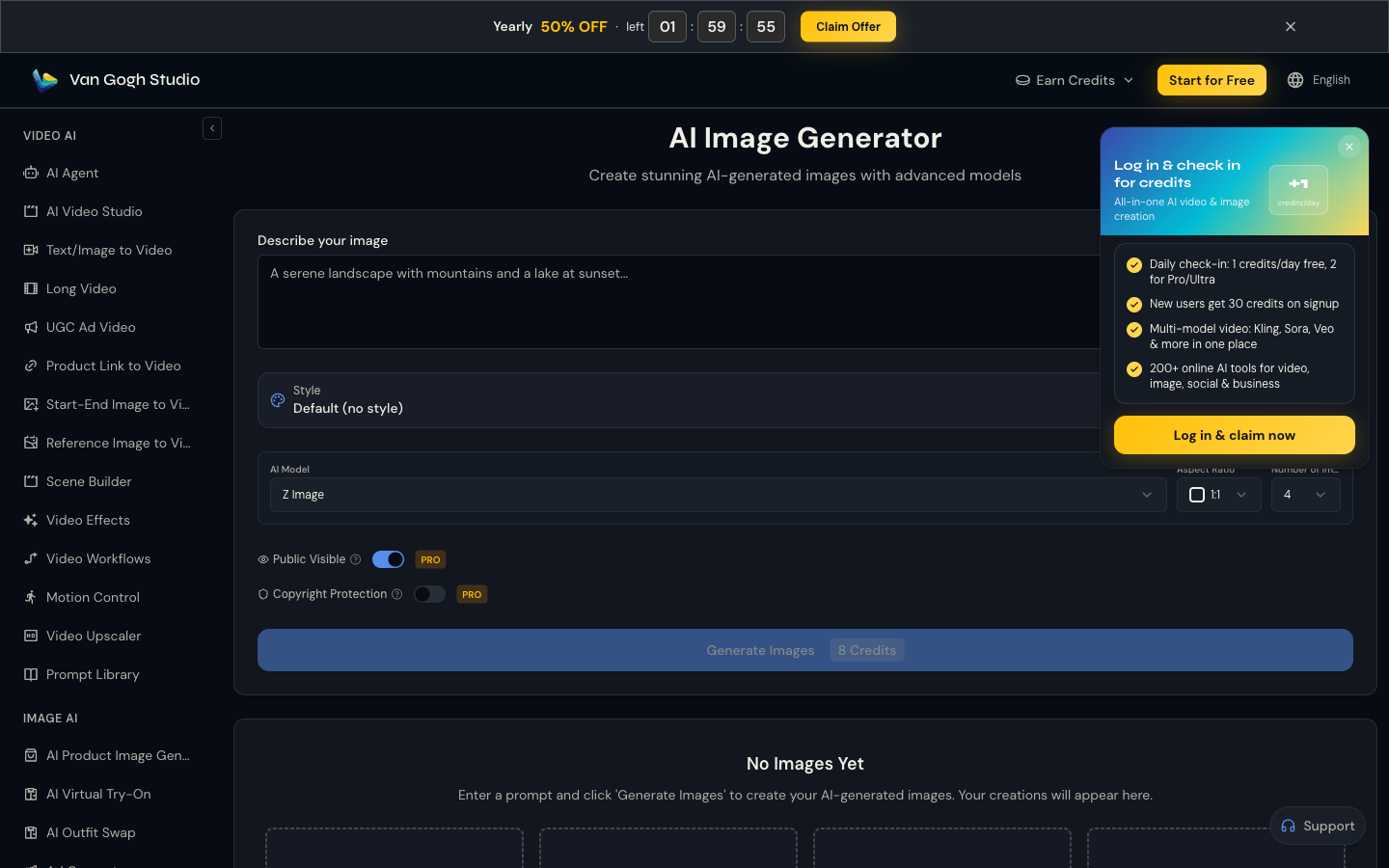
With Van Gogh Studio, follow-up work feels more direct: background changes, object cleanup, style edits, enhancements, and reusable variations sit closer to the original generation process.
For sellers and marketers, product-focused paths such as AI product image generator and campaign expansion into image to video also matter when a still needs to become motion.
Create Images with Van Gogh Studio Free
Final Verdict: Is Deep Dream Generator Worth Using?
Deep Dream Generator is worth using if you want inspiration, surreal AI art, or one-off creative visuals. It is easy to open, fun to experiment with, and helpful when the goal is discovery rather than delivery.
Consistency and polish are the main issues. Once you need a set of brand-ready images, product visuals, or campaign assets, the workflow becomes too manual.
For a broader image workflow, I would choose Van Gogh Studio. It combines stronger generation, editing, product visuals, and campaign expansion in one place — so you can explore ideas and finish assets without switching tools.
Deep Dream Generator Review FAQs
What is Deep Dream Generator used for?
Deep Dream Generator is mainly used for creating AI images from prompts, restyling images, browsing AI art, upscaling outputs, and sharing work with a creative community.
Is Deep Dream Generator good for commercial images?
It can help with early concepts and moodboards, but it is less ideal when you need consistent commercial assets across multiple images.
Is Deep Dream Generator free?
It has a free tier, with paid plans that add energy, storage, pro features, and higher creation limits. Check the official pricing page for current rates.
What is the biggest drawback of Deep Dream Generator?
For me, the biggest drawback is consistency. Interesting single images are easy; matching style, lighting, composition, and brand direction across a set takes too much manual work.
What is the best Deep Dream Generator alternative?
If you want AI art exploration plus a complete image workflow, Van Gogh Studio is the better alternative. It covers AI image generation, editing, product visuals, and campaign-ready creative paths in one workspace.
Create AI videos free
Try Van Gogh Studio free — text-to-video, image-to-video, and 300+ models in one place. Free credits on signup, no credit card required.
Try Free Video Generator


