

I tried Bylo AI to see whether its browser-based mix of AI image generation, photo editing, effects, and popular models could support real creative work — not only quick experiments.
In this Bylo AI review, I’ll share what it does well, where polish and consistency fall short, who it fits best, and why I would choose Van Gogh Studio when I need product-ready images and campaign workflows.
Quick Verdict
Bylo AI is a useful AI image generator if your main goal is fast text-to-image ideas, simple photo edits, and one-click style effects. The browser workflow, model access, and filter library make it easy for beginners to test looks without design software.
It is a weaker choice when you need strict product accuracy, brand consistency, deeper editing, or repeatable campaign assets. For polished image production, I prefer Van Gogh Studio.
| Review Point | My Take |
|---|---|
| Best for | Quick AI images, simple photo edits, and casual creative effects |
| Not best for | Product visuals, strict brand consistency, or repeatable campaign assets |
| Strongest feature | Low barrier to entry with many image tools in one browser workflow |
| Biggest limitation | Drafts often need more refinement before they feel commercial-ready |
| Learning curve | Easy for beginners |
| My verdict | Convenient starter tool; limited as a production image studio |
What Is Bylo AI?
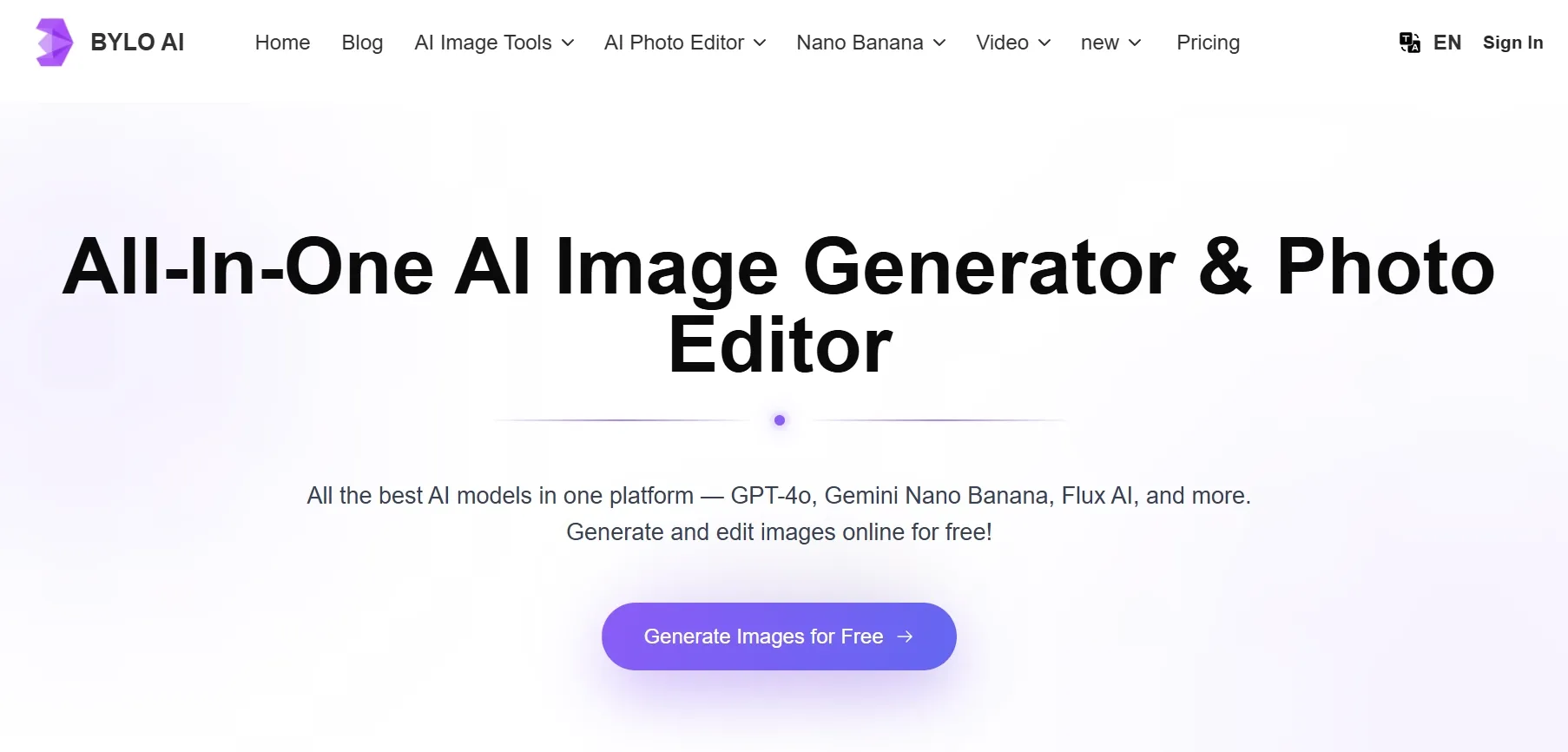
Bylo AI is a browser-based AI image generator and photo editor. Users can generate images from prompts, edit existing photos, apply AI effects, and try model-led workflows without installing design software.
It positions itself as an all-in-one image platform with models such as GPT-4o Image, Nano Banana, and Flux AI. It also promotes tools for background removal, photo restoration, outfit changes, object edits, and style effects.
Convenience is not the same as production control. I would describe Bylo AI as a beginner-friendly image playground: straightforward to test, broad enough for casual creative work, and useful when I want quick visual ideas.
Key Features I Reviewed
Bylo AI’s feature set is organized around fast image creation: generation, restyling, effects, and light editing.
Text to Image Generation
Prompt-based generation is the core feature. Model, size, and output controls make it simple to explore short social visuals or moodboards.
Results are often good enough for drafts. They are less reliable when the brief needs exact product geometry, clean labels, or brand-safe composition.
Image to Image and Photo Editing
Image-to-image and photo editing tools help with restyles, cleanup, and background changes. These features make Bylo more useful than a pure text-to-image toy.
I still wanted more control when pose, product angle, or composition had to stay locked while style changed.
AI Effects and Style Filters
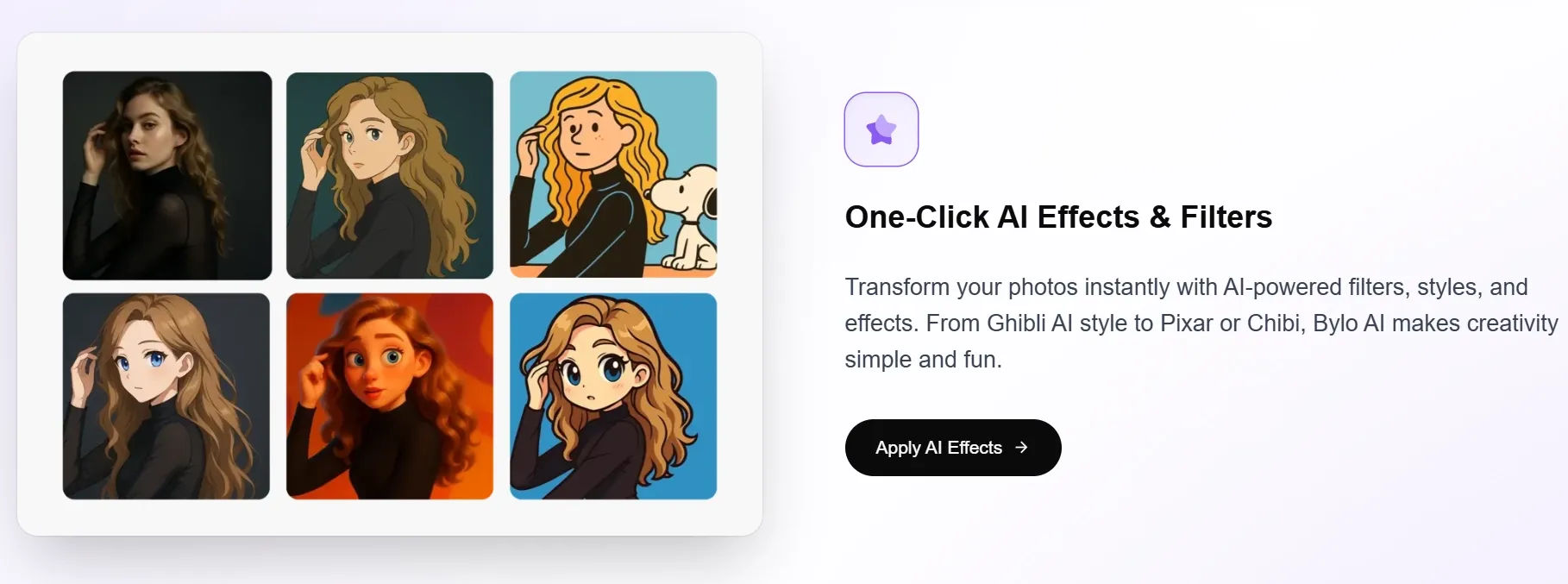
Bylo AI includes many one-click effects and filters — cartoon, Pixar-style, sketch, painting, pixel art, claymation, and seasonal looks.
These are fun for casual creators and quick stylistic direction. For brand visuals, one-click effects can feel generic.
Multi-Model Access
Access to popular models is useful for testing looks. Model variety only matters if the workflow helps turn outputs into polished, reusable assets — and that is where Bylo feels thinner.
Credit-Based Plans
Bylo AI uses credits. A free plan with daily credits makes testing easy, while paid plans raise monthly allowances. Retries still matter: credits can disappear before an image feels finished.
Pros and Cons
What I Liked
- Easy to use in the browser
- Useful for quick text-to-image experiments
- Includes image-to-image and editing tools
- Offers many AI effects and filters
- Access to popular image models
- Free plan makes first tests simple
What Held It Back
- Weak fit for strict product or brand consistency
- Results often need several cleanup passes
- Editing depth feels lighter than a full creative workflow
- Some outputs feel like drafts rather than final assets
- Credit usage adds friction during retries
- Less helpful when an image must become a campaign asset
Create Images with Van Gogh Studio Free
Where Bylo AI Falls Short
Bylo AI’s weaknesses are not about whether it can generate images. It can. The problem appears after the first draft, when the image needs cleanup, consistency, or a stronger production path.
It Gets Me a Draft Faster Than a Final Asset
Bylo AI is fast for starting, but results commonly need sharper control or another generation pass before I would use them in a real campaign. For marketing teams or sellers, that adds hidden time.
Product and Brand Consistency Need Too Much Review
If a label changes, a bottle shape warps, or a brand color drifts, the output stops being useful. Bylo AI can get the mood right, but details still require careful review. Product images are unforgiving.
Editing Tools Feel Better for Quick Fixes Than Deep Refinement
I liked having photo editing tools inside Bylo AI. For serious refinement, I wanted a more complete workflow for editing, restoring, removing, changing backgrounds, and building controlled variants.
The Workflow Stops Before the Image Becomes a Campaign
Bylo AI is image-first. Many real tasks do not end with one image. A product visual may need to become a poster, a virtual try-on, or a product video ad. Bylo feels weaker at that next step.
How I Reviewed Bylo AI
I focused on the parts that matter in a real image workflow: whether Bylo AI could move beyond quick experiments and support assets that need consistency, polish, and reuse.
Main areas I considered:
- Quick social image concepts from text prompts
- Product-style visuals for ecommerce use
- Image-to-image restyling with a reference image
- Photo editing for cleanup and background changes
- Character and style consistency across repeated outputs
- Whether final assets felt ready for campaign use
Real Use Cases
| Use Case | My Take |
|---|---|
| Quick social images | Strong for speed; final polish may still need another tool |
| Product visuals | Concepts are possible; product details need careful review |
| Photo editing | Useful for remove background, cleanup, and effects |
| Style transfer | Fun and accessible; effects can feel generic for brand use |
| Character visuals | Good for exploration; consistency can drift across outputs |
| Campaign assets | Good starting point for ideas; weak as a finishing workflow |
Bylo AI vs Van Gogh Studio
| Dimension | Bylo AI | Van Gogh Studio |
|---|---|---|
| Main workflow | Browser image generation, effects, and light edits | Full image generation, editing, commerce, and campaign workflows |
| Image-to-image control | Quick variations; weaker structure lock | Stronger controlled refinement via image to image |
| Editing depth | Better for quick fixes | Stronger finishing with the AI photo editor |
| Product / brand work | Mood is easier than accurate details | Stronger product shots, try-on, and commerce paths |
| Model choice | Popular models for casual tests | Leading models such as GPT Image 2 and Nano Banana 2 |
| Campaign expansion | Stops at the image | Extends into image to video and Agent workflows |
| Best fit | Beginners testing ideas quickly | Creators and sellers who need reusable finished assets |
Why Van Gogh Studio Is a Better Bylo AI Alternative

Van Gogh Studio is a better Bylo AI alternative because it solves the parts where Bylo feels thin: controlled refinement, commercial image leverage, product consistency, and the next step after the first image is generated.
Better Image-to-Image Control
Bylo AI can create quick variations, but it is less useful when pose, product angle, or composition must stay intact. With Van Gogh Studio’s image to image tools, I can keep a useful structure and push it into a cleaner direction.
More Practical Post-Generation Editing
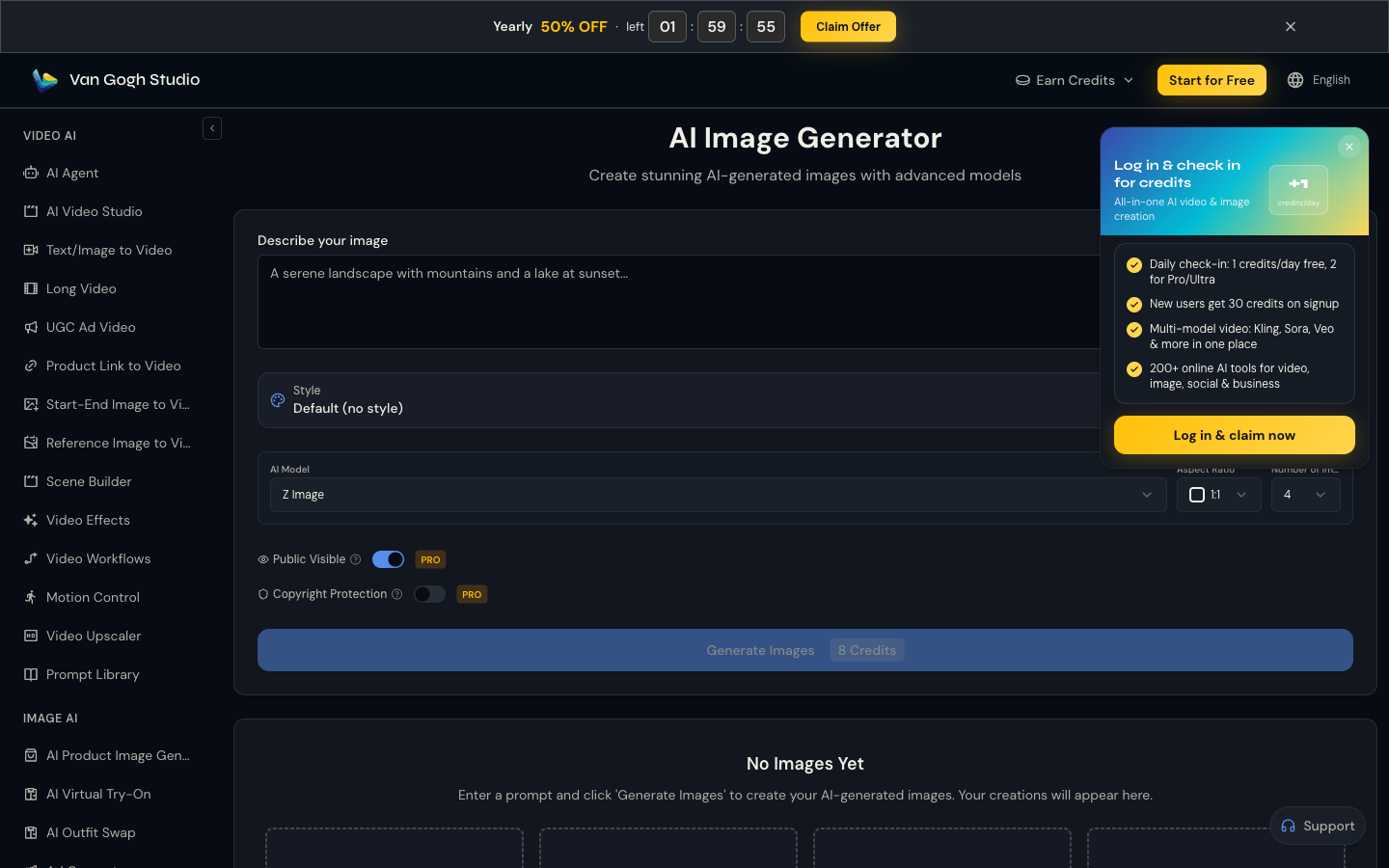
Bylo’s editing tools help with quick fixes. Van Gogh Studio’s AI photo editor makes it easier to fix backgrounds, remove distractions, and restyle weak areas after generation — so a usable image can be rescued instead of fully restarted.
Stronger Product and Brand Workflows
Van Gogh Studio fits product and brand work better with commerce-focused paths. Product shots help create staged marketplace visuals, while AI virtual try-on helps apparel brands show fit and styling without a separate shoot.
From Image to Campaign Content
A product image can become a social ad, product video, or campaign asset instead of staying static. After the still is ready, I can move into image to video or build fuller creative output with Van Gogh Studio Agent.
Final Verdict: Is Bylo AI Worth Using?
Bylo AI is a decent casual AI image generator and photo editor. It is easy to start, has useful effects, and gives beginners a low-friction way to test popular image models.
For serious image production, the limits show up quickly. Editing helps, but not always enough. Product visuals need extra checking. Character and style consistency need extra retries.
My recommendation is clear: use Van Gogh Studio when you want a stronger Bylo AI alternative for polished image generation, prompt-based editing, product visuals, and campaign-ready creative workflows.
Bylo AI Review FAQs
Is Bylo AI good for beginners?
Yes. Bylo AI is approachable in the browser and works well for quick text-to-image tests, simple edits, and one-click style effects.
Is Bylo AI good for product images?
Only with careful review. It can create polished-looking concepts, but product details, labels, and brand consistency often need extra checks or another tool.
What is the biggest drawback of Bylo AI?
For me, the biggest drawback is that drafts arrive faster than finished assets. Consistency, deeper editing, and campaign expansion still need more work.
What is the best Bylo AI alternative?
If you want a complete image workflow beyond casual generation, Van Gogh Studio is the better alternative. It covers AI image generation, editing, product visuals, virtual try-on, and campaign expansion in one workspace.
Create AI videos free
Try Van Gogh Studio free — text-to-video, image-to-video, and 300+ models in one place. Free credits on signup, no credit card required.
Try Free Video Generator


