

I tested Wixel to see whether Wix’s AI design platform is useful for branded creatives — and how far its video tools actually go beyond social graphics and light promo clips.
In this Wixel review, I’ll share what it does well, where design scope ends and video production starts to feel thin, who it fits best, and why I would choose Van Gogh Studio when I need a fuller path from idea to publish-ready video.
Quick Verdict

Wixel is a strong AI design tool if your main goal is branded social posts, graphics, logos, documents, and simple promo videos without learning a full design suite. The chat-led design agent, brand-aware assets, and template-first flow make it approachable for small businesses and marketers.
It is a weaker choice when you need cinematic scenes, multi-model video generation, campaign-level UGC ads, talking avatars with deeper control, or serious post-generation editing. Wixel can help with design-led drafts; for a fuller production workflow, I prefer Van Gogh Studio.
| Review Point | My Take |
|---|---|
| Best for | Brand graphics, social creatives, logos, and simple promo video drafts |
| Not best for | Cinematic ads, multi-model video tests, UGC campaigns, or deep video editing |
| Strongest feature | Guided, brand-aware design workflow for non-designers |
| Biggest limitation | Video depth stays light compared with dedicated AI video studios |
| Learning curve | Easy to start, especially from templates and chat prompts |
| My verdict | Excellent for AI design; limited as a full video production tool |
What Is Wixel?
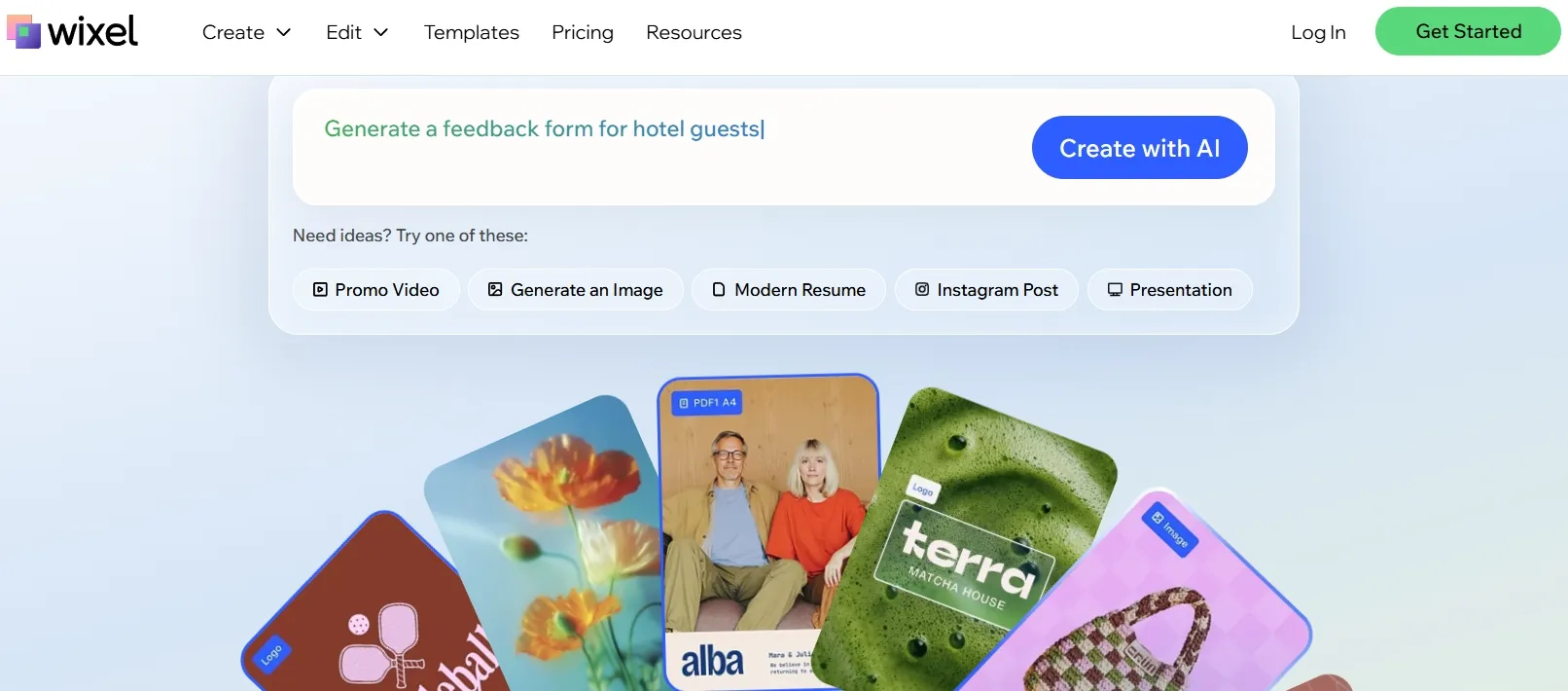
Wixel is an AI-powered design platform from Wix. It is built mainly around turning prompts and brand inputs into social posts, images, logos, documents, and other campaign assets — with a video maker layered on top for short branded clips, reels, and light ads.
That matters for how you should judge it. Wixel is not primarily an AI video generator. Its strongest identity is design assistance: layouts, brand consistency, chat-based edits, and fast asset creation for people who do not want to open a traditional design tool.
Video exists in the product, but it sits inside a design-first workflow. If you need a matching social pack — post, logo direction, short promo — Wixel feels coherent. If you need scene-by-scene motion control, model choice, or publish-ready campaign video, the tool starts to feel shallow.
Key Features I Reviewed
Wixel’s feature set is organized around AI design first, with video as one output type among many.
AI Design Agent and Chat Editing
The chat-led design agent is the clearest entry point. You describe what you want — a social post, logo direction, document layout, or promo concept — and the agent generates a draft you can refine through follow-up prompts or manual controls.
This works well for non-designers. Instead of starting from a blank canvas, you steer the design with language: change the headline, swap a background, tighten the layout, or generate a matching asset for another channel.
The limit is creative depth. Chat edits are great for polish and iteration inside a design system. They are less useful when you need precise motion direction, product cinematography, or campaign hooks that depend on video storytelling rather than layout.
Brand-Aware Graphics and Asset Sets
Wixel’s brand-aware workflow is probably its strongest practical feature. It helps keep colors, tone, and messaging consistent across social posts, graphics, and related campaign assets.
For small businesses, that consistency matters more than exotic generation quality. Starting from one design and expanding into a matching set — post, invite, short clip — is a real time saver when brand recognition across channels is the goal.
I liked the idea more than the ceiling of the execution. Drafts looked organized and on-brand, but often too safe. Hooks were not especially sharp, and the results leaned toward “acceptable brand content” rather than distinctive campaign creatives.
AI Image Generation and Photo Editing
Wixel includes AI image generation plus photo editing for touch-ups, background changes, and layout cleanup. This is useful when a social post or ad creative needs a custom visual without jumping into a separate image tool.
For marketing teams that live in Canva-like workflows, this is practical. You can generate a visual, place text, and keep iterating inside one design environment.
It is still design tooling, not a dedicated AI image generator with deep multi-model exploration. If image quality, style range, or reference-driven generation is the main job, a broader creative suite will feel freer.
Light AI Video Maker
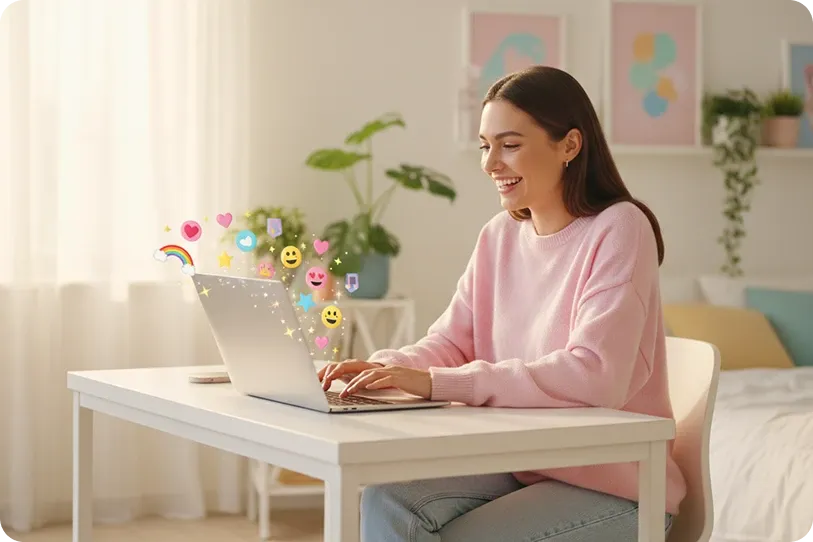
Wixel’s video maker can turn prompts, templates, or reference images into short branded videos for digital channels. There is also timeline-style editing for shots, text layers, and background music — enough to assemble a simple reel or promo.
This can help with short product intros, event announcements, and social drafts when the message is simple and the style does not need much customization.
The videos I saw stayed in the “design asset with motion” category. Pacing, scene variety, and creative control were limited compared with dedicated text-to-video or image-to-video workflows. Smoother transitions and auto-layout help presentation; they do not automatically create stronger storytelling or ad performance.
Templates, Social Formats, and Collaboration
Templates and social-first formatting make Wixel approachable for Instagram-style posts, vertical clips, and recurring brand content. Browser-based collaboration also helps teams review drafts without passing files around.
For internal updates, light promotions, and small-business social calendars, that friction reduction is real. For serious UGC ad video testing or multi-scene story production, templates alone are not enough.
Pros and Cons
What I Liked
- Easy, chat-led design workflow for non-designers and small teams
- Strong brand-aware creation across social posts, graphics, and related assets
- Useful for logos, documents, and campaign design packs in one place
- Light video maker is convenient for simple branded promos and reels
- Templates and social formatting reduce layout busywork
What Held It Back
- Primarily a design platform, not a full AI video studio
- Video outputs can feel safe, generic, and hard to refine deeply
- Limited creative control over scene design, motion, and model choice
- Not the strongest path for cinematic clips, product motion, or UGC ads
- Many video drafts still need another tool before they feel publish-ready
Create Full Videos with Van Gogh Studio Free
Where Wixel Falls Short
Wixel’s limits show up when the job leaves design territory and enters real video production.
Design-First Scope, Video Second
Wixel can feel restrictive when the project needs more than a branded graphic with motion. Many campaigns need stronger scene design, richer motion, visual storytelling, or flexible creative direction across multiple video styles.
This becomes obvious when creating product ads, cinematic clips, anime-style videos, music-led content, or story-driven sequences. The workflow does not give enough room to build videos that look visually distinct beyond a design-led promo format.
Shallow Control After the First Draft
Wixel is not the most flexible option when you want to reshape a video scene by scene. Chat edits and light timeline tools help with text, timing, and basic layers, but they limit control over camera movement, product placement, motion style, and visual mood.
If the pacing feels weak or the hook does not land, regenerating inside a guided design flow is often slower than working in a video-first editor.
Marketing Videos Can Feel Too Generic
Wixel may not be strong enough for marketing videos that need differentiation. Performance ads, ecommerce creatives, UGC video ads, and social campaigns usually depend on fast hooks, product close-ups, scene changes, and platform-native energy.
Wixel’s outputs can feel too polished-but-safe for those needs. When the video needs to sell through motion and storytelling rather than layout and brand colors, the result may not feel competitive.
Real Use Cases
| Use Case | My Take |
|---|---|
| Social graphics and brand posts | Strong fit — core strength of the design workflow |
| Logos and campaign asset packs | Strong fit when consistency across channels matters |
| Short branded promo videos | Decent fit for simple messages and light reels |
| Event announcements | Useful when speed matters more than cinematic depth |
| Avatar or presenter videos | Weak fit — not built as an avatar-first platform |
| Product and UGC ads | Limited fit — design polish does not replace ad storytelling |
| Cinematic or multi-model video | Not the right tool; use a dedicated AI video studio |
Wixel vs Van Gogh Studio
| Dimension | Wixel | Van Gogh Studio |
|---|---|---|
| Main workflow | AI design for graphics, brand assets, and light promo video | Full AI video generation, editing, and publish-ready workflows |
| Design / graphics | Core product strength with chat-led brand tools | Available via AI image generator, plus broader video tools |
| Video generation | Light video maker for short branded clips | Stronger text to video and image to video paths |
| Creative range | Narrower design / social focus | Broader coverage across ads, explainers, social, and story videos |
| Marketing output | Better for brand packs than campaign creatives | Stronger with UGC ad video and campaign-ready workflows |
| Editing flexibility | Useful for design tweaks and light timeline edits | Stronger follow-up refinement with the AI video editor |
| Best fit | Teams that need fast branded design assets | Creators and marketers who need finished AI videos, not only graphics |
Why Van Gogh Studio Is a Better Wixel Alternative for Video

Wixel is useful for AI design and light branded clips. Van Gogh Studio is stronger when I want an AI creative suite that can support many video styles, editing, talking avatars, and audio in one place.
Broader AI Video Generation, Not Only Design Assets

Van Gogh Studio gives me more starting points: text to video for concepting, image to video for product stills, and multi-model access when I want different motion styles. Models such as Veo 3.1, Kling 3.0, and Seedance 2.5 matter when one look is not enough.
That is the clearest gap versus Wixel. Wixel can dress a brand message in motion; Van Gogh Studio can explore different visual directions for the same brief.
Avatar Videos and Talking Presenters When Needed

With Van Gogh Studio’s AI avatar video generator, I can turn one photo into a lip-synced talking avatar with natural expressions and gestures — without filming or long avatar training.
Wixel is not an avatar-first product. When a project needs a presenter clip inside a larger video — product explainers, UGC-style pitches, training intros — having avatars next to text-to-video and editing is more practical than forcing everything through a design canvas.
Create Avatar Videos with Van Gogh Studio Free
Post-Ready Videos With Van Gogh Studio Agent
Van Gogh Studio Agent gives a stronger end-to-end production advantage. Instead of only generating separate design assets, it is designed to create structured, production-ready videos with less manual assembly.
I can start from an idea, text, image, or URL, and the Agent can help handle structure, pacing, visuals, and sound. That makes it more suitable when I want a finished result instead of a branded draft that still needs another tool.
It also supports more content directions — viral video cloning, UGC ads, story videos, anime videos, music videos, and news-style videos — so the workflow stays adaptable for real publishing tasks.
Create Videos with Van Gogh Studio Agent
Stronger Marketing and Commerce Workflows
For ads, launches, and product promos, I need hooks, variations, pacing, and channel-ready formats. Van Gogh Studio’s marketing and product-video workflows are built for that campaign output, not just one on-brand graphic with motion. URL-to-video and photo-to-video paths also help teams move from assets to ads faster via link to video and UGC ad video.
Final Verdict: Is Wixel Worth Using?
Wixel is fast, approachable, and genuinely useful for users who want AI design help — social graphics, brand assets, logos, documents, and simple promo videos — without a heavy creative stack.
Video depth is the main issue. Wixel is not a strong choice for cinematic videos, product ads, ecommerce visuals, UGC-style campaigns, multi-model generation, or highly creative social video.
Use Wixel when design and brand consistency are the job. For a broader AI video workflow, I would choose Van Gogh Studio. It combines multi-model video generation, editing, AI avatars, Agent-led publish-ready workflows, and campaign tools in one place — so you can design, sell, and create without switching platforms when the brief turns into real video.
Wixel Review FAQs
Is Wixel an AI video generator?
Partly, but not primarily. Wixel is an AI design platform from Wix with a video maker for short branded clips and reels. Its core strength is graphics, brand assets, and design-led creatives — not full cinematic or multi-model video production.
Is Wixel good for small business marketing?
Yes, for design-heavy needs. Wixel works well for social posts, logos, simple promos, and consistent brand packs. If your main output is performance ads or product-led video campaigns, you will likely need a dedicated AI video tool as well.
What is the biggest drawback of Wixel?
For me, the biggest drawback is limited video depth beyond design-led promos. Outputs can look clean but generic, and control over motion, model choice, and campaign variation is thin.
What is the best Wixel alternative for AI video?
If you want more than branded design drafts, Van Gogh Studio is the better alternative for video. It covers text to video, image to video, AI avatar, editing, UGC ads, and longer story videos in one workspace.
Create AI videos free
Try Van Gogh Studio free — text-to-video, image-to-video, and 300+ models in one place. Free credits on signup, no credit card required.
Try Free Video Generator


