

I tried Vidnoz AI to see whether it really delivers on its promise: helping teams create structured AI videos faster without a heavy production workflow.
In this Vidnoz AI review, I’ll share what it does well, where it feels limited, who it fits best, and why I would choose Van Gogh Studio when I need a broader path from idea to publish-ready video.
Quick Verdict
Vidnoz AI is a strong AI video generator if your main goal is presenter-led videos for training, explainers, onboarding, and business updates. The AI Video Wizard, avatar library, voice cloning, and templates make it easy to turn scripts, documents, or URLs into watchable videos without filming.
It is a weaker choice when you need cinematic scenes, product-focused motion, UGC-style ads, or deeper creative control over camera, pacing, and visual storytelling. For a fuller production workflow, I prefer Van Gogh Studio.
| Review Point | My Take |
|---|---|
| Best for | Presenter-led training, explainers, onboarding, and internal updates |
| Not best for | Cinematic ads, product motion, UGC campaigns, or open-ended visual storytelling |
| Strongest feature | Guided avatar + script workflow from text, URLs, or documents |
| Biggest limitation | Creative range stays narrow beyond template-led presenter videos |
| Learning curve | Easy for beginners and business teams |
| My verdict | Excellent for structured avatar videos; limited as a full creative studio |
What Is Vidnoz AI?
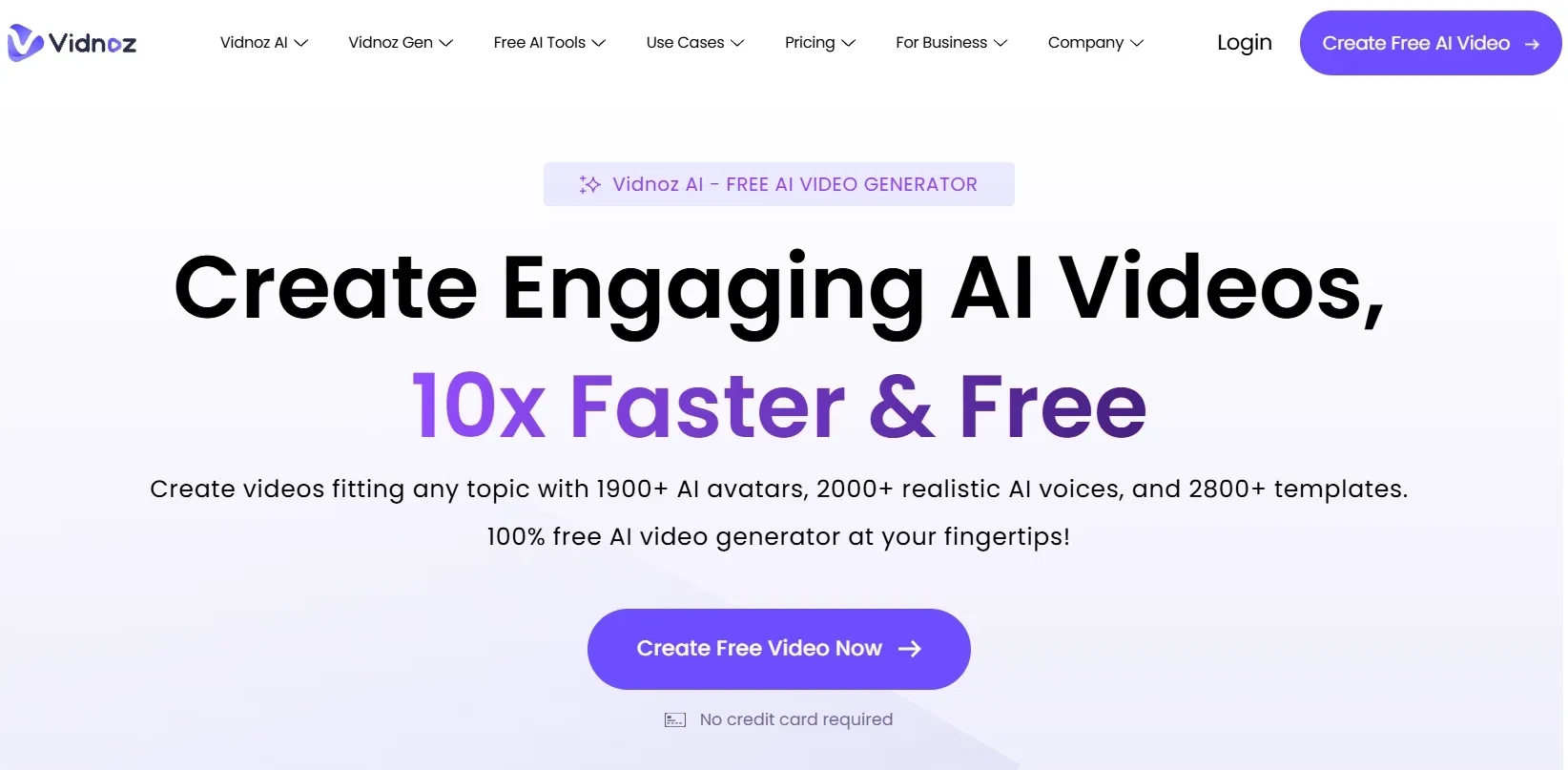
Vidnoz AI is built mainly around structured, presenter-led video creation. Instead of starting from a blank editing timeline, you create videos with AI avatars, AI voiceovers, scripts, templates, and light post-production tools.
Its biggest value is making video easier for people who need clear communication content. Businesses, teachers, and support teams can turn training material, tutorials, and internal updates into polished presenter videos without cameras or voice actors.
Compared with open-ended AI video generators, Vidnoz feels more guided. It is less about building cinematic scenes from scratch and more about turning prepared content into a finished presenter-style format.
Key Features I Reviewed
Vidnoz’s feature set is organized around structured video creation: AI presenter delivery, voice generation, and post-production refinement.
AI Video Wizard
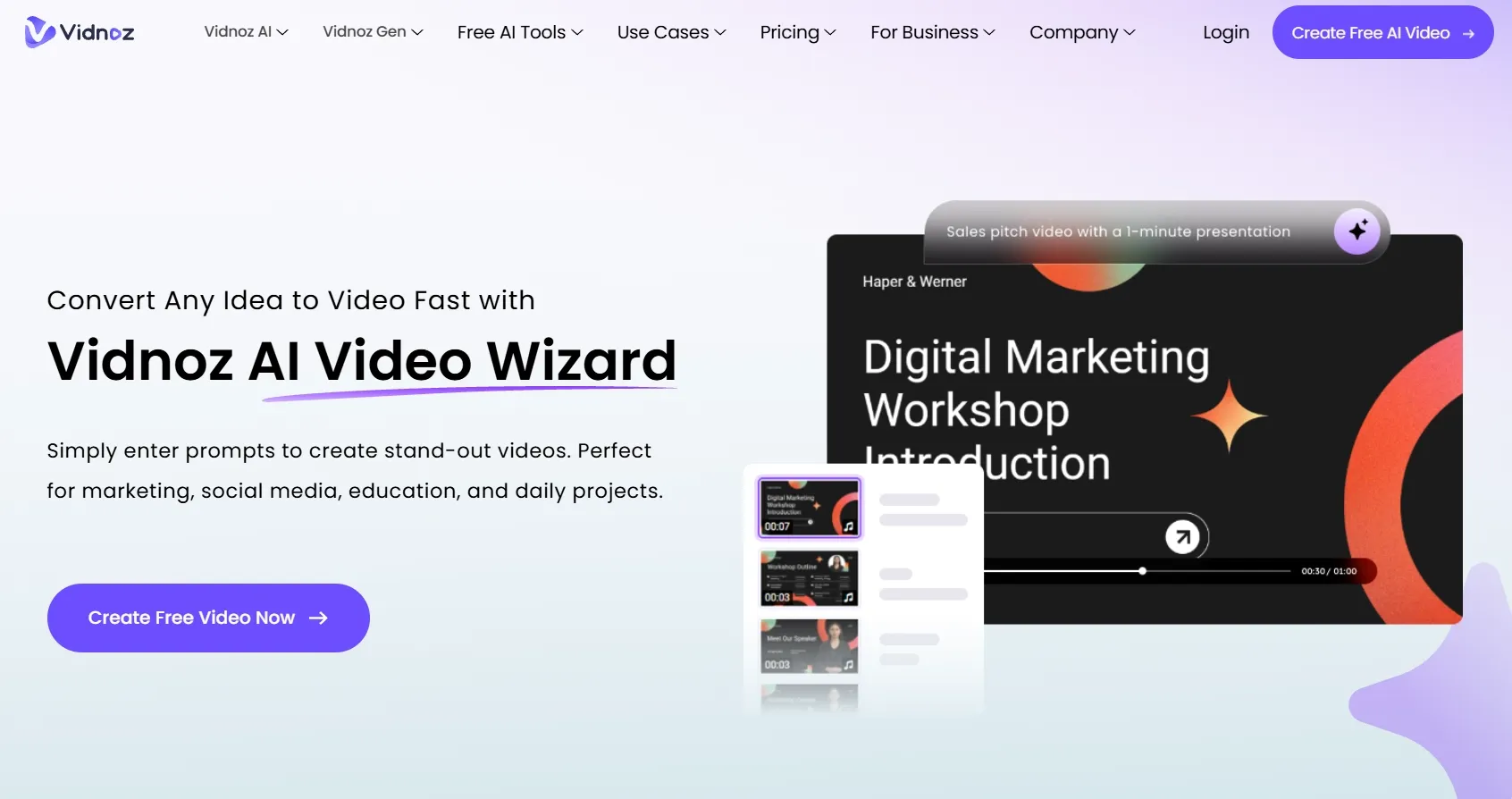
The AI Video Wizard is the easiest entry point when you already have source material. You can start from text, a script, a URL, or a document, then let the tool organize that information into a video structure.
This is especially helpful for business explainers, training content, education videos, and internal communication. Instead of building from a blank page, you move from existing content to a structured video draft faster.
Lifelike AI Avatar Performances
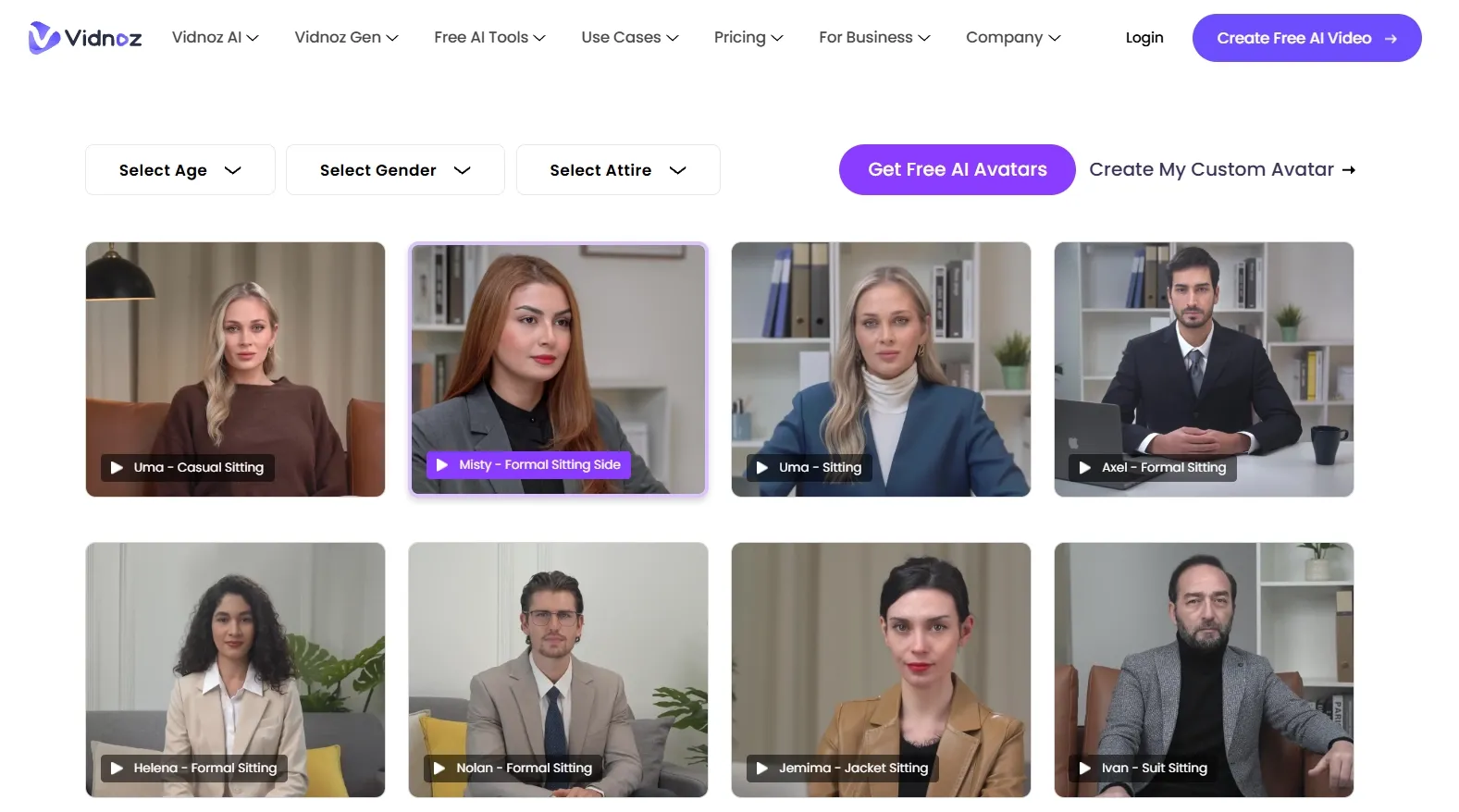
Avatar videos are one of Vidnoz’s strongest features. The platform is clearly designed for presenter-led content, where an AI spokesperson explains a topic directly to viewers.
This format works well for tutorials, education, sales introductions, and onboarding videos. Talking avatars add a human presence to content that might otherwise feel like plain slides or text.
Personalized Voice Cloning
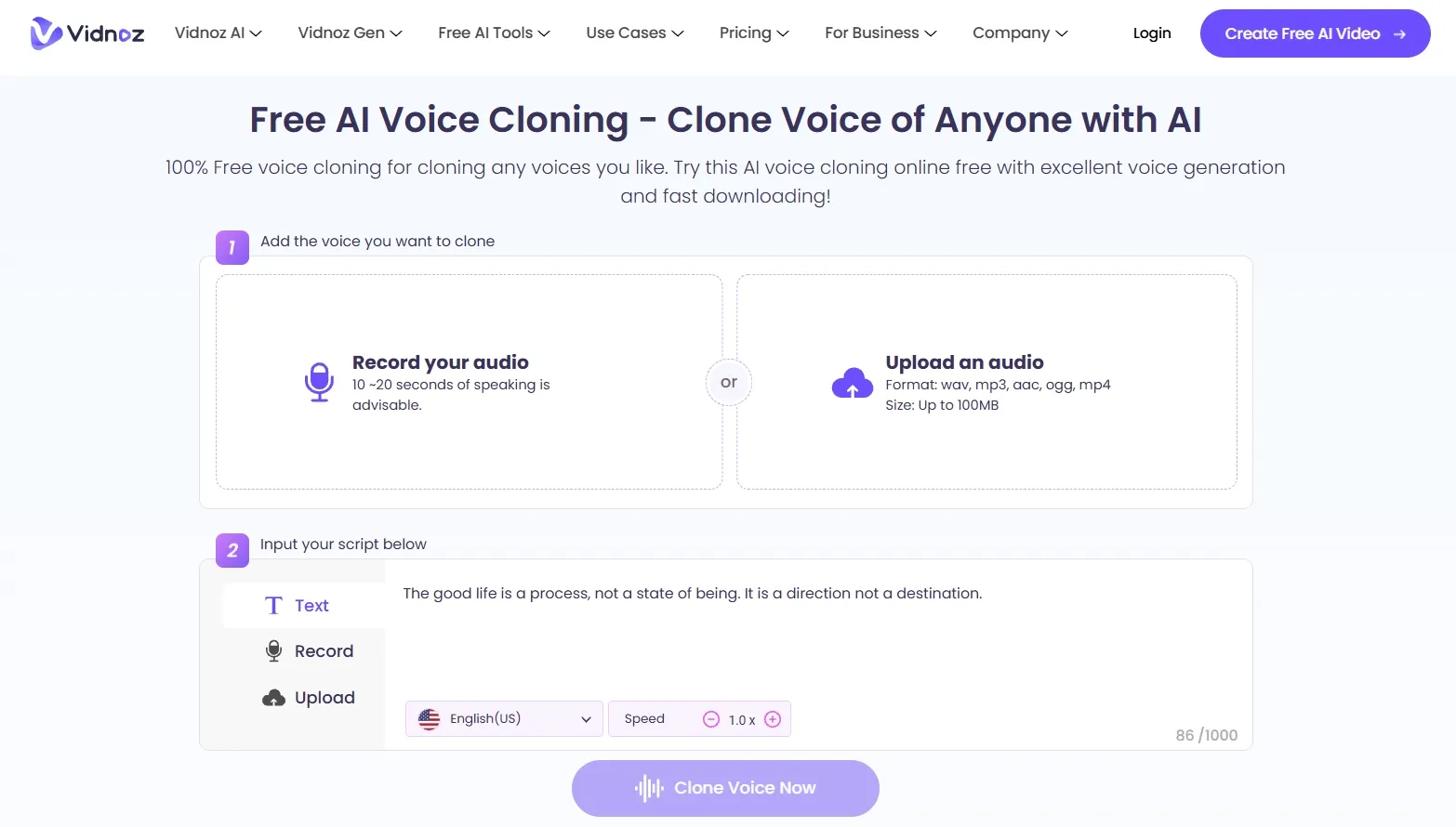
Voice cloning helps videos feel more personal and consistent. For teams that publish recurring training, brand updates, product explainers, or customer education content, familiar narration matters.
It also reduces the need to record every voiceover manually. That makes Vidnoz more useful for repeatable production without setting up a microphone, recording space, or voice actor each time. For a free standalone option, see our text to speech tool.
Professional Video Enhancement Suite
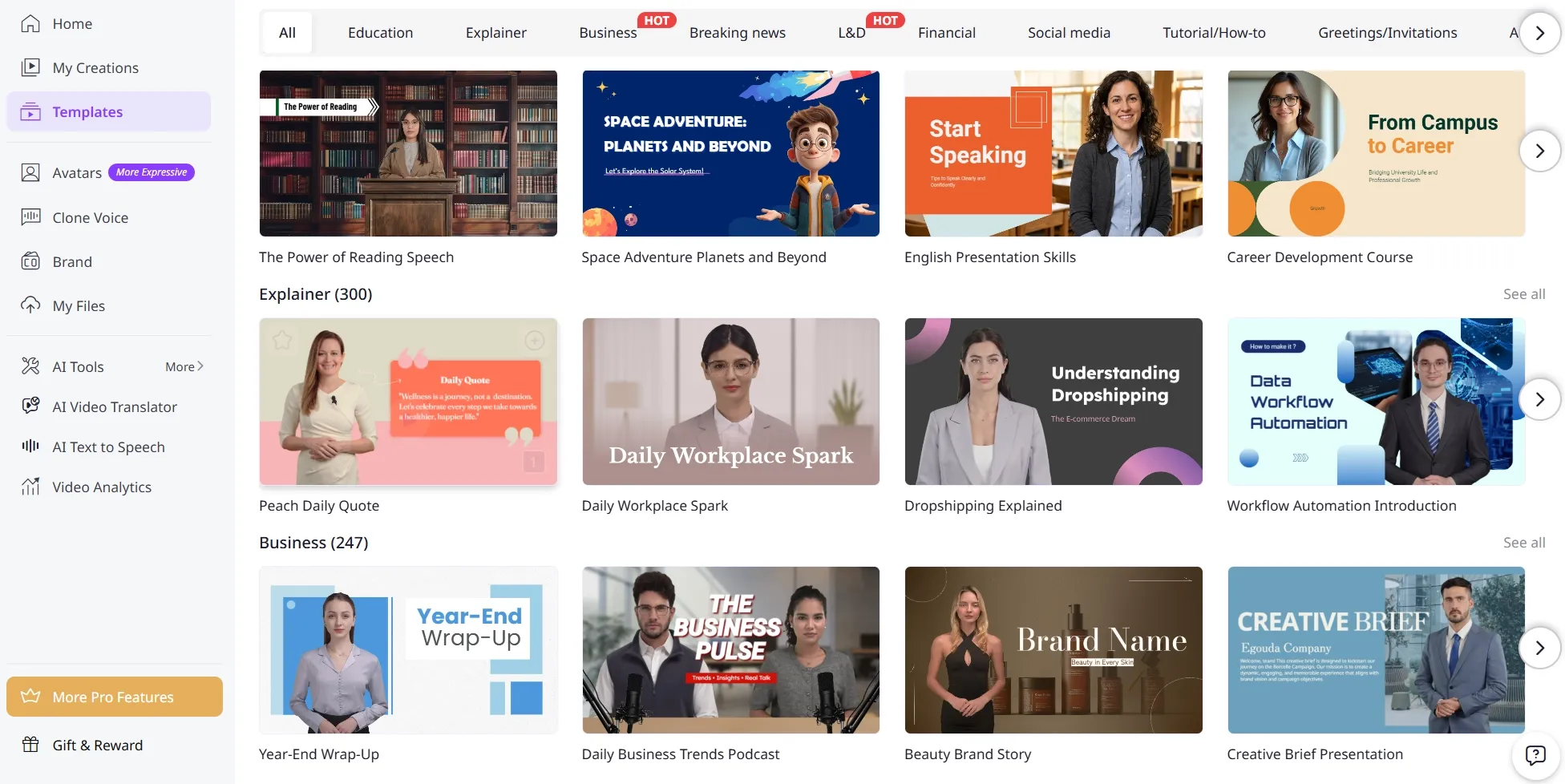
Vidnoz also provides templates, effects, animated text, transitions, and branding tools to help videos look more complete.
These tools matter because a generated avatar alone is rarely a finished video. Layout, pacing, visual sections, and branded elements all help the result feel suitable for professional use.
Pros and Cons
What I Liked
- Easy to create presenter-style videos from scripts, documents, or prepared content
- Useful AI avatar workflow for explainers, training videos, and business communication
- Voice cloning, dubbing, translation, and lip sync support multilingual video creation
- Guided workflow that works well for beginners and business users
- Editing and enhancement tools improve videos after generation
What Held It Back
- Less flexible for cinematic, product-focused, or highly creative video styles
- Outputs can feel too structured for social ads or visually driven campaigns
- Limited creative control over scene design, motion, camera direction, and visual storytelling
- Not the strongest choice for e-commerce visuals, UGC-style ads, or dynamic product videos
- Some videos still need extra review before they feel fully publish-ready
Create Full Videos with Van Gogh Studio Free
Where Vidnoz AI Falls Short
Vidnoz’s limits show up when the video needs more visual variety, stronger creative control, and a less template-led production path.
Limited Video Style Range
Vidnoz can feel restrictive when the project needs more than a presenter-led format. Many campaigns need stronger scene design, richer motion, visual storytelling, or more flexible creative direction.
This becomes obvious when creating product ads, cinematic clips, social campaigns, anime videos, music-style videos, or story-driven content. The workflow does not always give enough room to build videos that look visually distinct.
Less Control Over Visual Storytelling
Vidnoz is not the most flexible option when you want to shape the video scene by scene. The guided path helps beginners, but it also limits control over camera movement, scene transitions, product placement, and visual style.
For projects that depend on mood, motion, composition, or detailed creative direction, the workflow can feel too constrained. You may get a clear video, but not always the visual depth you need.
Marketing Outputs Can Feel Too Similar
Vidnoz may not be strong enough for marketing videos that need differentiation. Performance ads, e-commerce creatives, UGC video ads, and social campaigns usually depend on fast hooks, product close-ups, scene changes, creator-style pacing, and platform-native energy.
Vidnoz’s outputs can feel too structured for those needs. When the video needs to sell through visuals rather than explanation, the result may not feel as competitive as a marketing-focused AI video workflow.
How I Reviewed Vidnoz AI
I reviewed Vidnoz as a video generator, not just as an avatar tool. I focused on whether it could help users move from an idea or source material to a video that feels practical and useful.
Main areas I considered:
- Video quality — whether the final output looked clean, stable, and professional enough for real use
- Workflow efficiency — whether the tool reduced time spent on scripting, presenting, editing, and formatting
- Creative control — whether users could shape the video beyond a basic template or default presenter format
- Script handling — whether the platform made existing text, URLs, or documents easier to turn into video
- Output readiness — whether the result felt close to post-ready or still needed major edits
- Use-case coverage — whether the tool worked across training, explainers, marketing, social, product, and creative projects
- Business value — whether it solved a real production problem for teams, educators, marketers, or creators
Is Vidnoz AI Right for You?
Vidnoz is a strong fit if your main goal is to create clear, professional, presenter-led videos. I would recommend it for training videos, onboarding content, internal announcements, and customer support clips.
It is also useful if you want to avoid filming yourself or hiring a presenter. The avatar and voice workflow makes it easier to create repeatable videos, especially when the content is based on scripts, documents, URLs, or structured information.
However, Vidnoz may not be the best choice if your video needs to feel cinematic, highly visual, product-focused, or social-first. If you are creating anime-style clips, music videos, or dynamic brand content, you will likely want a more adaptable AI video generator.
In short: Vidnoz is right for users who want to explain. It is less ideal for users who want richer visual experiences.
Real Use Cases
| Use Case | My Take |
|---|---|
| Training videos | Strong fit — turns instructional content into watchable presenter videos |
| Business explainers | Good fit when clarity matters more than cinematic style |
| Sales pitches | Decent fit — can make a pitch feel more human, but often needs polish |
| Social media clips | Mixed fit — fast, but some outputs feel too template-first |
| Product videos | Limited fit — can explain a product, weaker for visual product storytelling |
| Customer support videos | Strong fit — avatar explanations make help content easier to understand |
| Brand campaigns | Mixed fit — works for message-led content, not every campaign should look like a presenter video |
Vidnoz AI vs Van Gogh Studio
| Dimension | Vidnoz AI | Van Gogh Studio |
|---|---|---|
| Main workflow | Avatar-led business and training videos | Full AI video generation, editing, and publish-ready workflows |
| Avatar video | Core product strength with guided presenter tools | Available via AI avatar, plus broader surrounding tools |
| Script-to-video | Strong from text, URLs, and documents | Strong via Van Gogh Studio Agent and structured generation flows |
| Creative range | Narrower presenter / business focus | Broader coverage across ads, explainers, social, and story videos |
| Marketing output | Better for message-led clips than campaign creatives | Stronger with UGC ad video and campaign-ready workflows |
| Editing flexibility | Useful enhancement tools after generation | Stronger follow-up refinement with the AI video editor |
| Best fit | Teams that need digital presenters at scale | Creators and marketers who need finished AI videos, not only avatars |
Why Van Gogh Studio Is a Better Vidnoz AI Alternative

Vidnoz is useful for avatar-led communication. Van Gogh Studio is stronger when I want an AI creative suite that can support many video styles, editing, talking avatars, and audio in one place.
Avatar Videos Inside a Full Production Flow

With Van Gogh Studio’s AI avatar video generator, I can turn one photo into a lip-synced talking avatar with natural expressions and gestures — without filming or long avatar training.
The difference is context. I do not want the avatar to be the whole workflow. After the presenter clip is ready, I can keep building the video with text-to-video scenes, product motion, captions, and prompt-based edits instead of stopping at a talking head.
Create Avatar Videos with Van Gogh Studio Free
Post-Ready Videos With Van Gogh Studio Agent
Van Gogh Studio Agent gives a stronger end-to-end production advantage. Instead of only generating separate assets, it is designed to create structured, production-ready videos with less manual editing.
I can start from an idea, text, image, or URL, and the Agent can help handle structure, pacing, visuals, and sound. That makes it more suitable when I want a finished result instead of a basic generated clip that still needs assembly.
It also supports more content directions — viral video cloning, UGC ads, story videos, anime videos, music videos, and news-style videos — so the workflow stays adaptable for real publishing tasks.
Create Videos with Van Gogh Studio Agent
Broader AI Video Generation, Not Only Presenters
Van Gogh Studio gives me more starting points: text to video for concepting, image to video for product stills, and multi-model access when I want different motion styles. Models such as Veo 3.1, Kling 3.0, and Seedance 2.5 matter when one look is not enough.
Stronger Marketing and Commerce Workflows
For ads, launches, and product promos, I need hooks, variations, pacing, and channel-ready formats. Van Gogh Studio’s marketing and product-video workflows are built for that campaign output, not just one presenter message. URL-to-video and photo-to-video paths also help teams move from assets to ads faster via link to video and UGC ad video.
Final Verdict: Is Vidnoz AI Worth Using?
Vidnoz AI is fast, structured, and helpful for users who want to create videos without filming or heavy editing. For business explainers, training clips, and internal communication, that is genuinely useful.
Creative range is the main issue. Vidnoz is not a strong choice for cinematic videos, product ads, ecommerce visuals, UGC-style campaigns, or highly creative social content.
For a broader AI video workflow, I would choose Van Gogh Studio. It combines AI avatar creation with multi-model video generation, editing, Agent-led publish-ready workflows, and campaign tools in one place — so you can explain, sell, and create without switching platforms.
Vidnoz AI Review FAQs
Is Vidnoz AI good for training videos?
Yes. Vidnoz is one of the stronger options for corporate training, onboarding, and instructional explainers because the avatar + template workflow is built for structured business messages.
Does Vidnoz AI support voice cloning?
Yes. Voice cloning, dubbing, translation, and lip sync are part of the workflow, which helps teams keep narration consistent across recurring training and education content.
What is the biggest drawback of Vidnoz AI?
For me, the biggest drawback is limited creative range beyond presenter-led formats. If you need campaign variation, product motion, or cinematic scenes, you will likely outgrow it.
What is the best Vidnoz AI alternative?
If you want avatar videos plus a complete AI video workflow, Van Gogh Studio is the better alternative. It covers AI avatar, multi-model video generation, editing, UGC ads, and longer story videos in one workspace.
Create AI videos free
Try Van Gogh Studio free — text-to-video, image-to-video, and 300+ models in one place. Free credits on signup, no credit card required.
Try Free Video Generator


