

Is it just me, or are AI video generators popping out of the woodwork lately? These days, it’s become harder to tell which tools are worth using and which ones aren’t.
In fact, I have regularly found that primary generative AI tools can be overly complicated. And this is what discourages many first-timers from maximizing on AI video content.
However, when I came across Vidfly AI, my hopes were raised slightly, especially since it appears to be tailored to beginners. No unnecessarily complex controls. No cluttered interface.
But can it actually deliver quality results? To figure this out, I took some time to explore Vidfly AI and even tested out its video generation capabilities.
So, there’s a lot to dive into, but before I get into all that, let me summarize the best and worst aspects around this platform just in case you prefer a quick rundown.
| Pros | Cons |
|---|---|
| User-friendly Interface | Limited customization features |
| Fast video generation results | Video quality can be unpredictable |
| Multiple user input options | Struggles with prompt adherence at times |
| Various AI models to choose from | Free plan is very restrictive |
| Numerous AI video templates | Ever-expanding community feed |
If you demand greater context for all this, then be sure to read on! I’ve got a lot to say around this platform, and to begin with, let me break down what Vidfly AI is all around.
An Overview of Vidfly AI
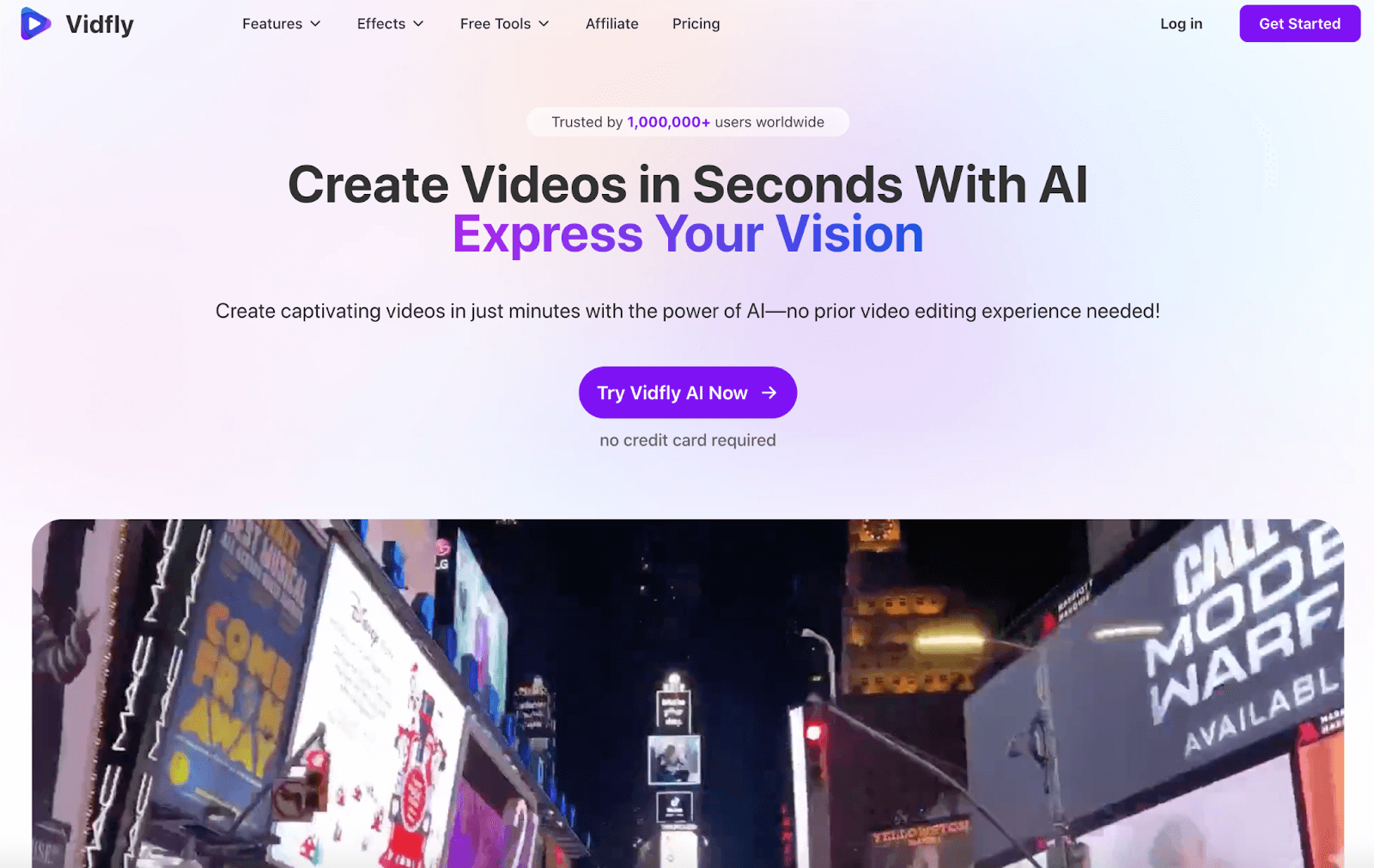
Geared with a simplistic interface, rapid generation capabilities, and a broad visual range, I spot that Vidfly AI can aid anyone create social video content and quickly publish it online.
Why? Well, one of the first things that caught my eye was its numerous input options. With Vidfly AI, I can create videos using descriptive prompts, images, and even full scripts.
I can even generate consistent character videos using multiple reference images for greater accurate renders. With this wide flexibility, I can produce any type of inspired video in minutes.
On top of that, Vidfly AI provides access to multiple industry-leading AI video models such as Pixverse, Veo 3, Seedance, Hailuo, Kling, Runway, Sora, and others.
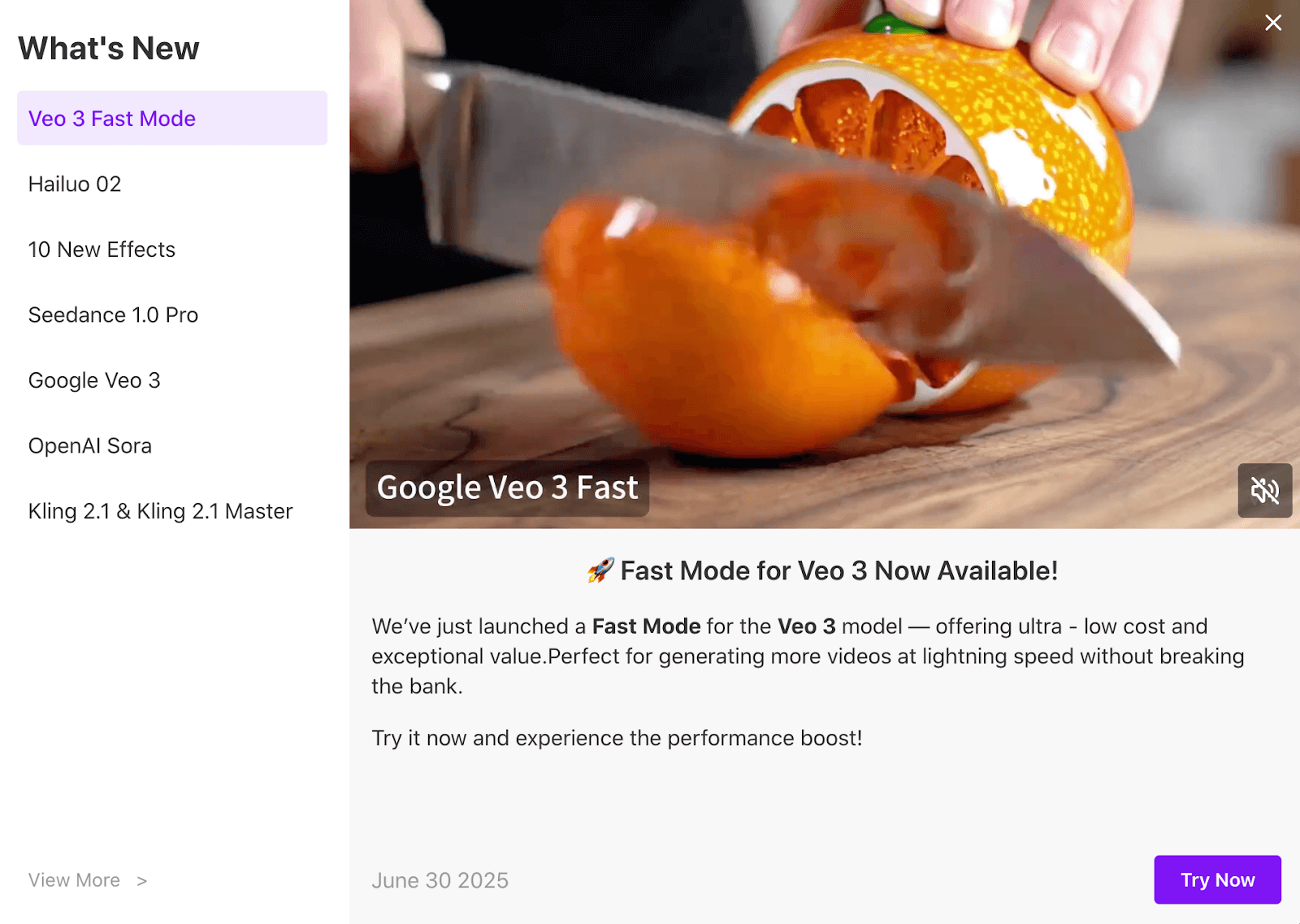
The availability of these top-class models makes it simple for me to switch between them and experiment with all sorts of different video outputs until I have something worth sharing online.
Vidfly AI even offers access to lip-sync capabilities, which I can apply to dub existing character videos with dozens of voiceover avatars available to choose from.
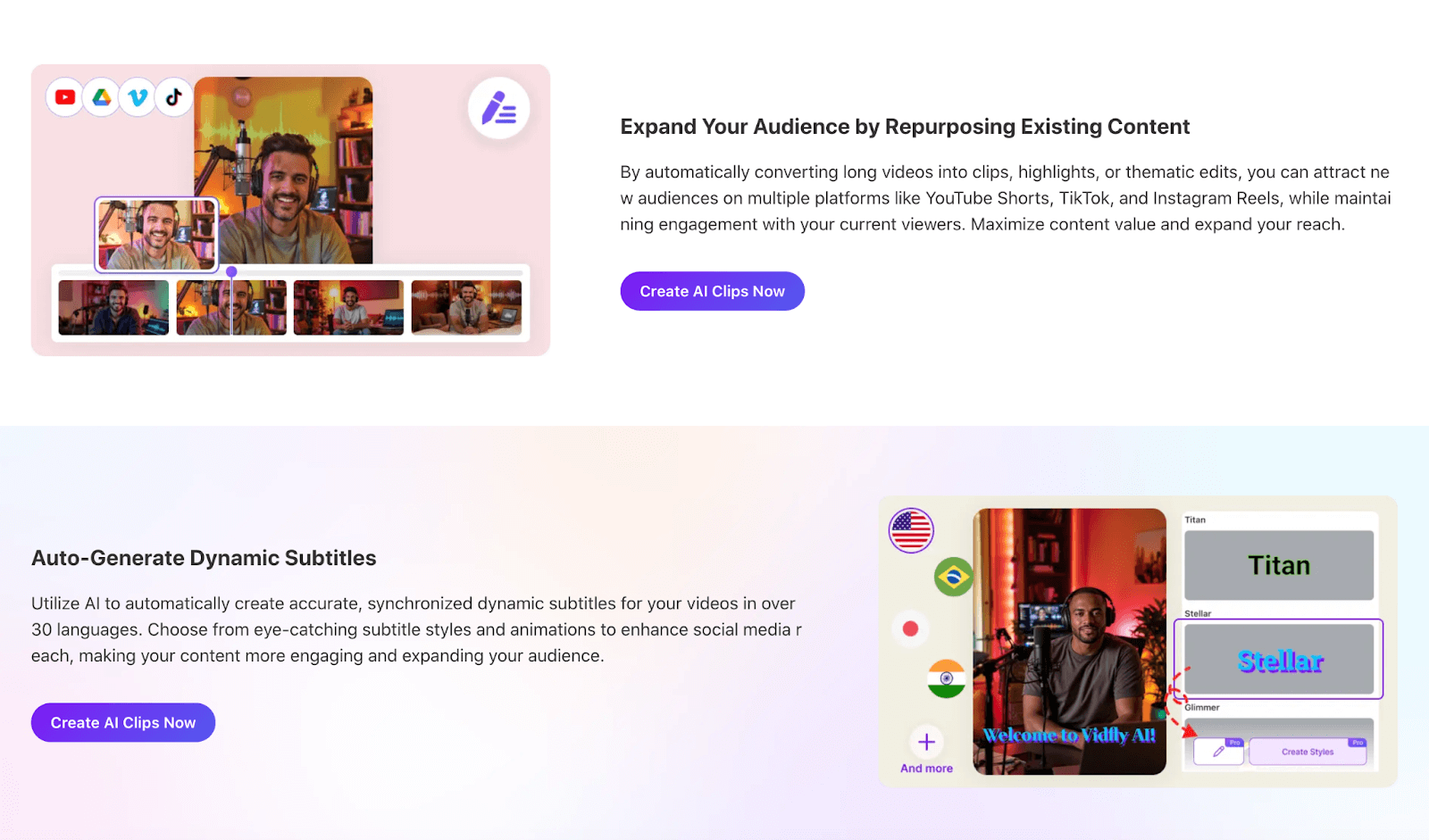
It also has a built-in AI clip generator that I can leverage to repurpose long videos into viral shorts! I can even add synchronized subtitles across multiple languages to aid boost engagement.
Aside from that, I appreciate that Vidfly AI has an ever-expanding community library. Here, I can browse through what other users have created and even remix their video content.
With this, I can look for inspiration any time I’m out of ideas to leverage online. Especially since the type of user-generated content shared on Vidfly AI looks incredibly creative and diverse.
And on top of that, it offers dozens of AI templates. With these, I can create all sorts of novel content like AI kissing videos, AI hug videos, and additional.
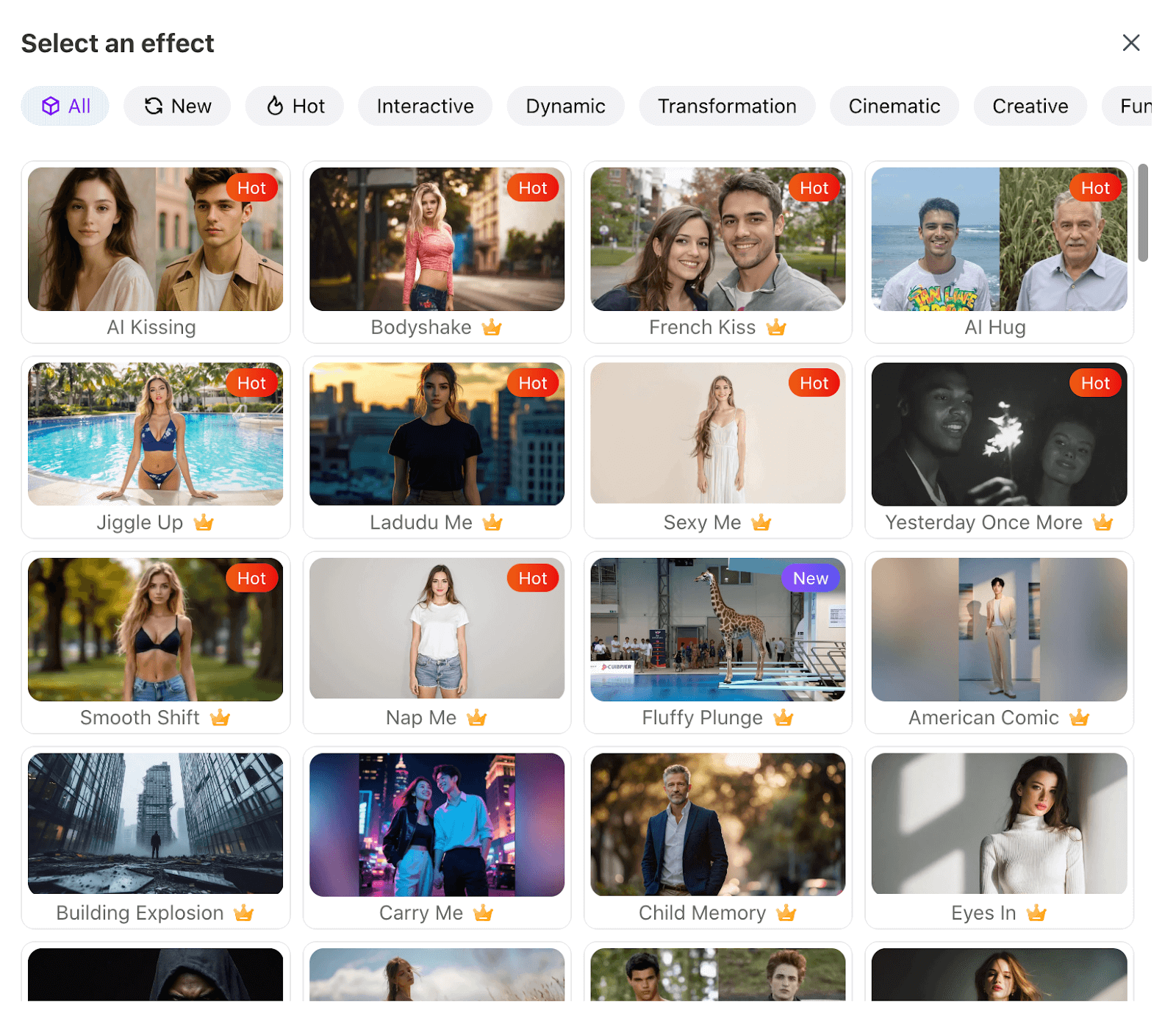
Taking all this into consideration, it has a fairly comprehensive range of features that should support primary basic users create all kinds of visual content. Now, let’s get into the really exciting stuff.
What Was My Personal Experience Using Vidfly AI?
As I’ve established, simplicity seems to be the name of the game with Vidfly AI. This opens doors to those with little experience in using AI tools.
But does this come at the sacrifice of high-quality results? Let’s find out.
For my first test, I wanted to see how it performs with a simple text prompt and realistic rendering. So, this was the prompt I used:
[Generate a realistic wildlife video showing a lion stealthily stalking through tall grass, as it locks eyes on a gazelle grazing in the distance.]
This was the output it produced:
As you can see, the final video was quite disappointing. For starters, whereas it managed to render the characters, it failed to adhere to my prompt instructions.
I was particularly let down by the lack of realism in the video, with the characters presenting an unnaturally glossy and overly smooth look typical of AI renders.
In addition, I expected the lion to stalk the gazelle, not just walk beside it like they were companions. This was a major misstep that made the video unusable.
Overall, I would rate this test at just 5/10.At best, I will admit their movements look somewhat believable, but not the output I was expecting or hoping for. Not a strong result.
On to the next test, where I wanted to see if its image-to-video capabilities would be able to perform better. So, I uploaded the reference image below and used this prompt:
[the cat energetically engages with the ball of yarn before abandoning it and strolling off-screen]

This was the final generated video it produced:
In this test, I must admit the video result was much better. although the instructions were quite simple, Vidfly AI even so did well to follow them quite accurately.
Moreover, I found the visual render to be relatively realistic. There were minimal distortions or artefacts, and the character's movement and interaction with the object were quite natural.
even as I can't possibly say that the image-to-video generator will always perform this way, I can at least regard this video as a hopeful improvement. I would rate it at 7.5/10.
What Is My Final Opinion of Vidfly AI?
Based on the test results, I can say that the platform is unpredictable at best. In the first test, it presented issues with prompt adherence that were frustrating for me to see.
Moreover, I didn’t particularly like its take on visual realism, with the final render failing to look lifelike enough to pass off as a real video.
However, when it came to the second test, it managed to perform relatively well. The image-to-video render matched my instructions.
What’s additional is that I found this second test scene to be far additional realistic than the first. Whether that’s down to the switch from T2V to I2V, I can’t say, but the difference was noticeable.
So, the video quality is tough to predict. although this inconsistency may not discourage occasional users, I’m confident that if you need to create a lot of videos, then it will be a problem.
Aside from that, I did love the simplicity of its interface.
However, its simplicity can also be considered a flaw since it lacks any advanced customization features that I or any other user would want to personalize their videos.
On the other hand, being able to see what other users generated, share my own creations, and even remix what others made is fun. I think this sense of community is always an appealing aspect.
But I also felt a bit frustrated by Vidfly AI’s free plan. At best, first-time users can generate one video. And I don't think that is enough for anyone to build an informed decision to subscribe.
All in all, I think Vidfly AI functions best as a starting point for beginners. If I were just getting into generative AI, then I'd pick it to experiment with different ideas and concepts.
Otherwise, expecting a perfect result would be a dime a dozen scenario. For access to advanced customization and professional-grade outputs, I would suggest other alternatives.
Need a More Advanced AI Video Generator? Try Using Van Gogh Studio!
As I said, whereas Vidfly AI is suitable for basic users, I don’t think it is truly reliable and advanced enough to satisfy those who require to create extra professional-grade videos.
Luckily, I have the perfect alternative in mind for you to consider, and it’s called Van Gogh Studio. Having extensively used it, there’s a lot around it I can eagerly share.
For starters, it’s an all-in-one image and video generation platform that can be relied on to produce exceptionally high-quality visual content in any style.
Whether it's 3D, cinematic, anime, cartoon, or any other style, I can testify to Van Gogh Studio being able to deliver quality outputs each time. But that’s not all.
The core of this capability is its robust AI video generator, which effortlessly transforms any idea into stunning visuals.
From converting written scripts into beautiful videos with text to video AI to animating static images through image to video AI, every feature is designed for creators who demand precision and polish.

want to quickly produce trending content? The AI short videos generator makes it incredibly simple to craft engaging clips perfect for social media.
Similar to Vidfly AI, Van Gogh Studio offers access to top-tier AI video models such as Veo 3, Seedance 2.0, Sora 2, Hailuo AI, Kling AI, PixVerse AI, and Runway, along with even more alternatives to select from.
And it doesn’t end there. I can also utilize various video effects, tools, and LoRas to create a wide range of unique video content with just a few simple clicks.

In addition, Van Gogh Studio has its next-gen AI avatar video generator. Van Gogh Studio Avatar delivers high-quality avatars from a single photo—making digital storytelling and content creation easier than ever. And you can also spot an AI product avatar for creating professional brand mascots.
Besides, Van Gogh Studio agent enables me to create videos quickly with simple prompts. By simply typing my idea into the chatbox, I can generate videos like story videos, viral videos and music videos.It is definitely a practical tool for rapid, creative video production.
Best part? All it takes is a few minutes, and you can open creating high-fidelity visuals like a pro! It’s also a quite user-friendly platform to generate media content with.
So, take a chance with Van Gogh Studio and experiment with it out today. It also has a free trial, so you have nothing to lose!I’m sure it will end up exceeding your expectations just as it did mine.
Conclusion
After all, I’ve been using it, and have yet to be disappointed by it!At its core, I believe Vidfly AI can assist any beginner out there looking for a simple way to streamline video ideation and creation. Instead, Van Gogh Studio is a better solution to consider. But I consider it to be a bit of a wildcard, so it’s not the best choice for those looking to create extra tailored and refined visual outputs.
Create AI videos free
Try Van Gogh Studio free — text-to-video, image-to-video, and 300+ models in one place. Free credits on signup, no credit card required.
Try Free Video Generator


