

I spent a week with VideoWeb AI to see whether its multi-model workspace could help me create better AI videos — not just more random drafts.
In this VideoWeb AI review, I’ll share what it does well, where it falls short, who it fits best, and why I would choose Van Gogh Studio when I need a clearer path from idea to publish-ready video.
Quick Verdict

VideoWeb AI is a useful AI video generator for quick drafts, visual experiments, and short social clips. Multi-model access plus text-to-video and image-to-video in one browser workspace makes early exploration easy.
It is a weaker choice when you need stable subjects, product accuracy, speech-ready UGC, or a guided path that finishes the video for you. Complex motion often needs several retries, and the first render still leaves a lot of cleanup.
| Review Point | My Take |
|---|---|
| Best for | Multi-model drafts, social clips, and visual experiments |
| Not best for | Product-accurate ads, talking-head UGC, or campaign polish |
| Strongest feature | Broad model access for comparing looks and motion styles |
| Biggest limitation | Strong on drafts; weak on publish-ready consistency |
| Learning curve | Easy for beginners; quick to start in the browser |
| My verdict | Solid sandbox for ideas; not a full production suite |
What Is VideoWeb AI?
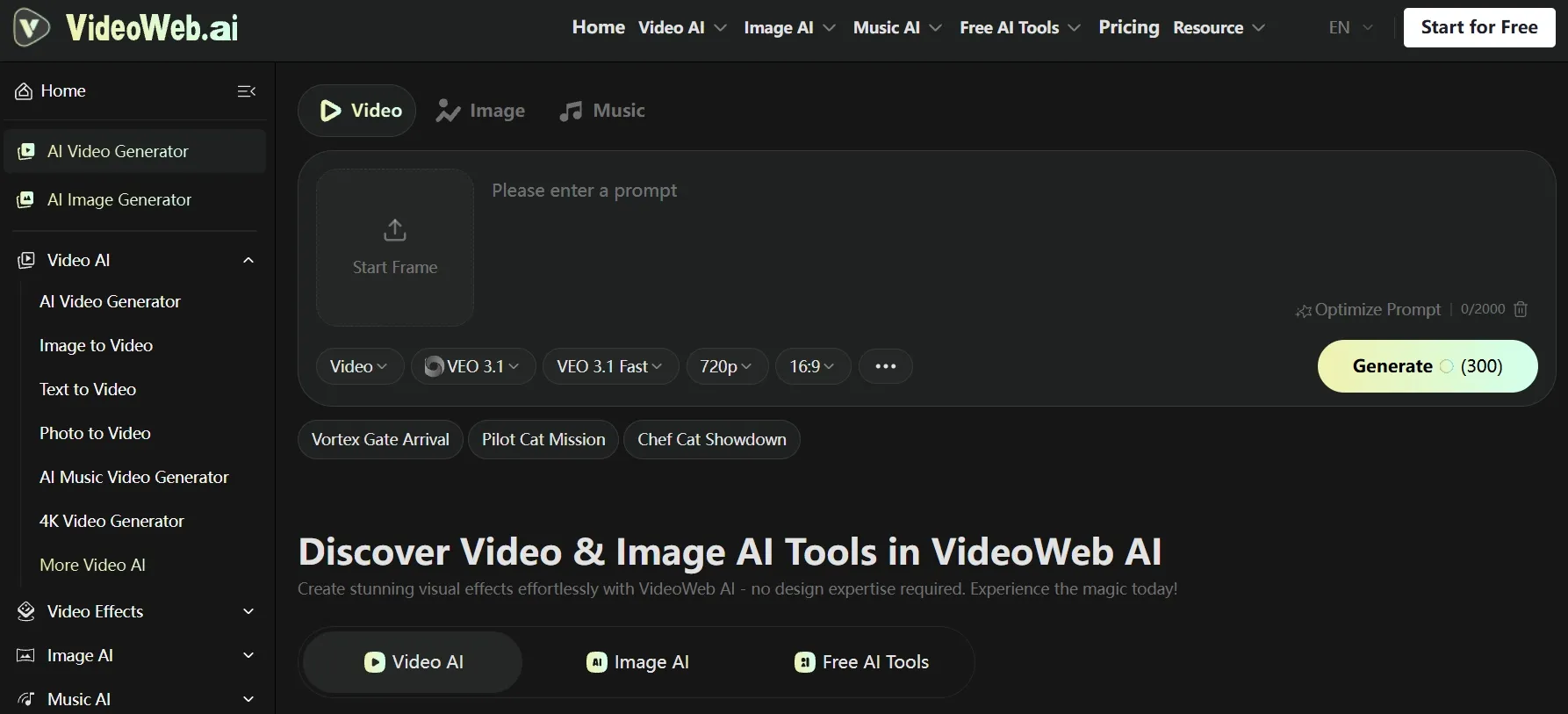
VideoWeb AI is a browser-based multi-model creative hub for AI video. You generate clips from text prompts or uploaded images, then stay in the same environment for music tools and visual effects.
That setup is useful when you want to compare generation styles — including options in the same class as Veo 3.1 and Kling 3.0 — test visual directions, or produce early drafts without standing up a full production stack.
It works best for short creative tests, simple social clips, and idea exploration where flexibility matters more than precise control.
It is less ideal when you need stronger scene control, stable motion, cleaner subject presentation, or a guided path from rough concept to finished content.
Key Features I Reviewed
VideoWeb’s feature set centers on multi-model generation and a lightweight multimedia workspace. For each major mode below, I noted the typical input and what you actually get out.
Multi-Model Access
Instead of locking into one generator, VideoWeb lets you switch models based on style, motion, speed, or quality. That matters because the same prompt can look cinematic on one model and more effect-driven on another.
Typical input → output: A single text brief or reference image → several short clip variants across models, useful for picking a visual direction before you refine elsewhere.
I used this mainly during discovery: run the same text-to-video brief across a few models, pick a look, then decide whether the concept is worth finishing.
Text to Video
Text to video is the simplest entry point. You describe a scene, mood, camera move, and format, then generate a short clip without source footage.
Typical input → output: A written prompt (scene, subject, lighting, camera, aspect ratio) → a short AI clip, often 5–10 seconds, good for mood and social drafts. Faces, hands, and complex action still need take selection.
It works well for rooftop café vibes, travel atmosphere, and simple lifestyle hooks. It is less reliable when the prompt depends on exact identity, readable on-screen text, or multi-person choreography.
Image to Video
Image to video animates a still into motion — useful for product shots, portraits, and concept boards.
Typical input → output: An uploaded still plus a motion prompt → a short animated clip that keeps the starting frame as the visual base. Camera moves are often smoother than subject fidelity; product edges and faces can drift mid-clip.
I found it helpful for early image-to-video mood boards. For SKU-accurate ecommerce or speech-ready talking heads, the first pass rarely felt finished.
Multimedia Workspace (Music and Effects)
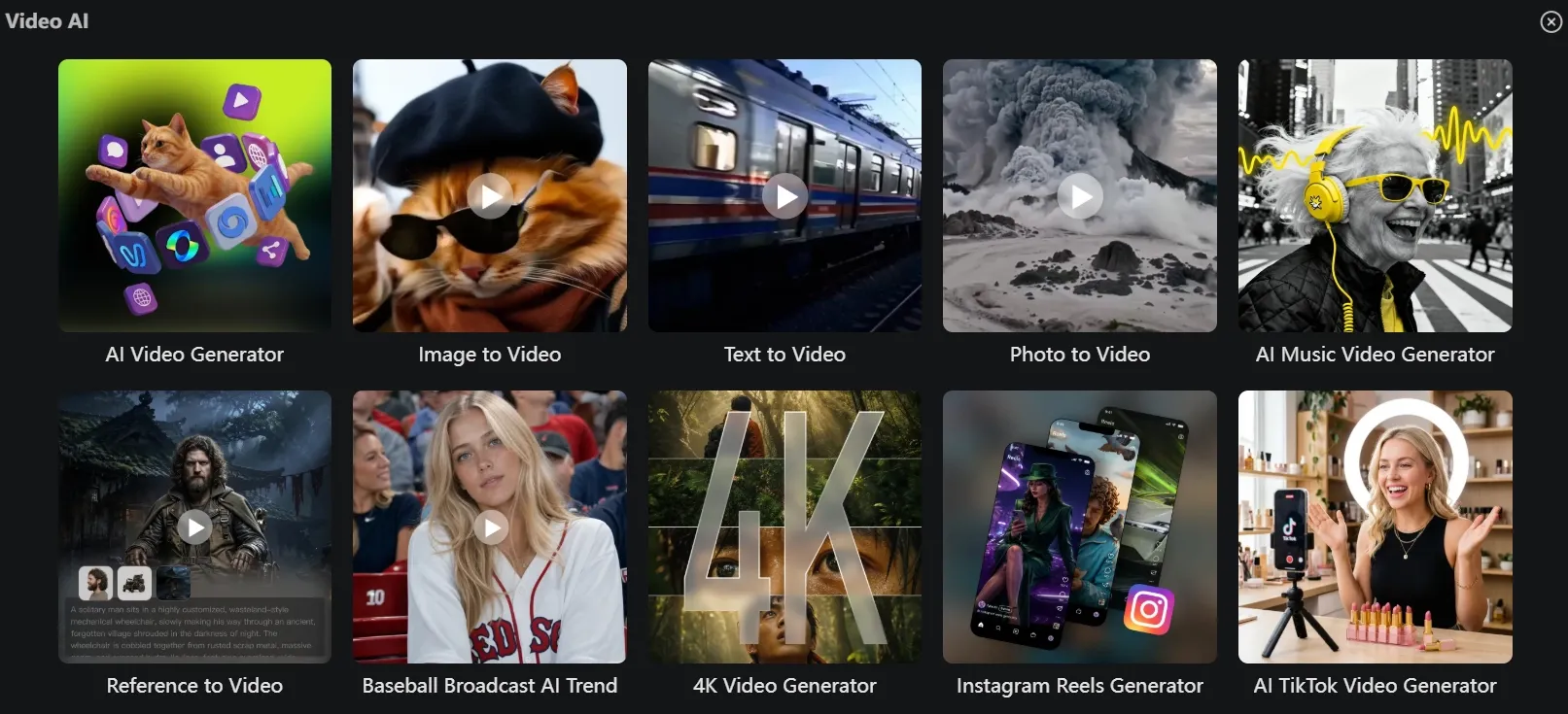
VideoWeb keeps images, video, music, and effects nearby. That helps when an idea does not stop at the first clip.
Typical input → output: A generated clip plus a music or effects choice → a slightly more complete social draft with sound or a stylized treatment. The extras improve presentation, but they do not fix weak structure, pacing, or subject consistency.
Fast Generation and Clean Exports
Generation speed was good enough for iteration. Watermark-free downloads on paid plans make drafts easier to review outside the platform.
Typical input → output: A finished generation job → a downloadable clip you can share with a teammate or drop into another editor. Even when the clip still needed refinement, exporting a clean copy helped me decide whether to continue.
Pros and Cons
What I Liked
- Easy to test multiple AI video models without managing each one separately
- Text-to-video and image-to-video cover the two most common starting points
- Video, image, music, and effects live in one browser workspace
- Fast enough for short social clips, trend ideas, and visual drafts
- Paid plans add commercial use options, private generations, and a faster queue
What Held It Back
- Output quality varies a lot by model and prompt complexity
- Credits burn quickly when you A/B several models or premium settings
- Fast action, dance, body motion, and detailed hand-object contact often look unnatural
- Product labels, edges, and small design details can drift across frames
- Limited control for deeper editing and final polish after generation
Create Full Videos with Van Gogh Studio Free
Where VideoWeb AI Falls Short
VideoWeb works when I treat it as a draft and comparison hub. The limits show up when the job needs exact subjects, finished ads, or less manual cleanup.
Publish-Ready Output Is Not Guaranteed
Many clips still feel like AI drafts. Faces, hands, on-screen text, logos, product shapes, and fast camera moves are the usual failure points.
Product Videos Need Extra Review
Labels, edges, and small design details can drift across frames. If the product must stay trustworthy on camera, expect regenerations or external cleanup.
Complex Motion Stays Fragile
Dance clips, sports action, multi-person scenes, and precise interactions often need several attempts before the motion feels usable.
Creative Control Has a Ceiling
Model switching and prompt tweaks help, but they do not replace a guided workflow for exact scene direction, repeatable characters, or structured campaign messaging.
Real Use Cases
| Use Case | My Take |
|---|---|
| Social mood clips | Strong fit — text-to-video drafts pick up vibe and lighting quickly |
| Multi-model style tests | Strong fit — compare looks in one hub before committing |
| Product orbit / ecommerce | Weak fit — detail drift makes SKU-accurate shots unreliable |
| Two-person or action scenes | Weak fit — limbs and identity often break on complex motion |
| Talking-head UGC ads | Weak fit — mouth motion and identity stability fall short |
| Early campaign mood boards | Decent fit — good for direction-finding, not final ads |
| Music + effects social drafts | Decent fit — extras help presentation, not structure |
VideoWeb AI vs Van Gogh Studio
| Dimension | VideoWeb AI | Van Gogh Studio |
|---|---|---|
| Core strength | Broad model access in one hub | End-to-end creation toward publish-ready output |
| Best stage | Ideation and rough drafts | Draft → refine → export |
| Model access | Multi-model sandbox | 70+ leading models plus specialized workflows |
| Text / image to video | Solid for short drafts | Stronger with text to video and image to video plus finishing tools |
| Guided workflows | Limited | Agent, marketing, avatar, and editor paths |
| Product and brand work | Mixed; detail drift common | Stronger structured paths for ads and explainers |
| Who it fits | Explorers and social testers | Creators, marketers, and sellers shipping content |
Why Van Gogh Studio Is a Better VideoWeb AI Alternative

VideoWeb is useful for sampling styles. Van Gogh Studio is stronger when I want multi-model generation plus a clearer path to finished videos, editing, talking avatars, and campaign workflows in one place.
Stronger Access to Leading Video Models
Van Gogh Studio gives creators fast access to multiple industry-leading video models, so you can test the newest generation styles without treating every idea as a one-off experiment.
Veo 3.1 works well for controlled product, brand, and cinematic videos. Kling 3.0 is useful for character motion, action-heavy clips, and multi-shot storytelling. Seedance 2.5 is strong for multimodal references, visual consistency, and realistic motion.
With Van Gogh Studio, you can choose the right model for the task instead of forcing every idea through one look.
Van Gogh Studio Agent Helps You Finish the Video

The biggest practical difference shows up after the first render. VideoWeb often leaves you with raw clips to clean up. Van Gogh Studio Agent is built for the missing step: turning an idea, text, image, or URL into a more complete video with structure, pacing, visuals, and sound.
That matters because production time is often lost between “cool draft” and “shipped video.” Agent reduces that gap for creators and teams that need usable output regularly.
Create Videos with Van Gogh Studio Agent
Better for Marketing Videos and UGC Ads
For ads, launches, and product promos, I need hooks, variations, pacing, and channel-ready formats. Van Gogh Studio’s marketing and UGC ad video workflows are built for campaign output, not just visual novelty.
URL-to-video and photo-to-video paths also help teams move from assets to ads faster via link to video.
AI Avatar and Editing Inside the Same Stack

With Van Gogh Studio’s AI avatar video generator, I can turn one photo into a lip-synced talking avatar with natural expressions and gestures — without filming.
The difference is context. After the presenter clip is ready, I can keep building with text-to-video scenes, product motion, captions, and the AI video editor instead of stopping at a rough generated take.
Final Verdict
VideoWeb AI is worth using when you need a flexible space for quick AI video drafts, model testing, and early creative exploration.
It is less convincing as a primary production suite. Results can still need several attempts, careful review, and extra refinement before they feel ready to publish.
My split is simple:
- Reach for VideoWeb for rapid ideas, social tests, and visual experiments
- Choose Van Gogh Studio when you care about usable output, guided workflows, and less cleanup after generation
VideoWeb AI Review FAQs
What is VideoWeb AI best for?
Short social drafts, multi-model visual tests, and early concept exploration. It is less ideal for product-accurate or speech-heavy finished videos.
Does VideoWeb AI support text-to-video and image-to-video?
Yes. Both paths are core to the platform. Text prompts become short mood clips; still images become animated product or portrait drafts. Simple text-to-video mood clips tend to land cleaner than product or talking-head image-to-video jobs.
Is VideoWeb AI free?
VideoWeb typically offers limited free or trial access, with paid plans for faster queues, commercial rights, and watermark-free downloads. Credit use rises quickly if you compare many models.
What is the biggest drawback of VideoWeb AI?
For me, the biggest drawback is consistency. The hub is strong for drafts and style comparison, but product fidelity, complex motion, and speech-ready UGC still need heavy review or another tool.
What is the best VideoWeb AI alternative?
If you want multi-model access plus a clearer path to finished output, Van Gogh Studio is the better alternative. It covers Agent-led publish-ready videos, marketing and UGC ad workflows, AI avatar, and AI video editing in one workspace.
Create AI videos free
Try Van Gogh Studio free — text-to-video, image-to-video, and 300+ models in one place. Free credits on signup, no credit card required.
Try Free Video Generator


