

Google has recently introduced its newest video generation model, Veo 3.1, which is based on the original Veo 3.
Veo 3.1 not only delivers improved prompt adherence, ensuring your vision comes to life with greater accuracy, but also offers richer native audio output, bringing sound and motion together more naturally than before.
It has also introduced three new key features, including:
- Ingredients to Video: Generate a full video from reference images, locking in character and scene style.
- Frames to Video: Create smooth, natural transitions by providing the first and last frames of a shot.
- Extend Video: Turn short clips into longer videos by extending the action for a minute or greater.
A one-click removal tool is also on the way, which will erase unwanted objects and reconstruct the background for a clean finish.
Google’s Veo 3.1 is now live on Van Gogh Studio video generator, offering creators access to enhanced video generation capabilities.
I ran a series of tests focusing on four key upgrades: improved native audio output, Ingredients to Video, and Frames to Video. Here's what I found—spoiler: Veo 3.1 is a game-changer.
Quick Verdict
Veo 3.1 improves prompt adherence and native audio over Veo 3, with useful Ingredients-to-Video and Frames-to-Video controls. It is strong for cinematic clips; for full marketing workflows, pair it with a broader studio.
| Point | Take |
|---|---|
| Best for | Cinematic text/image-to-video, reference-driven scenes, richer native audio |
| Not best for | End-to-end ad assembly, captions, and campaign packaging alone |
| Score | 8.2 / 10 |
| Better alternative | Van Gogh Studio (run Veo with a fuller workflow) |
Pros and Cons
Pros
- Stronger prompt adherence than earlier Veo releases
- Richer native audio with motion
- Ingredients-to-Video and Frames-to-Video add useful control
Cons
- Still not a full marketing production suite on its own
- Access and cost can limit heavy testing
- Campaign structure, CTAs, and polish still need other tools
Putting Veo 3.1 to the Test
Native Audio Generation
Prompt
Output Video
A close-up of a sizzling cast-iron skillet in a bustling restaurant kitchen. A chef flips a steak, and you can hear the chatter of other cooks and the clatter of pots and pans in the background.
This left the background feeling less "bustling" than anticipated, missing a key human element that would have made the audio truly rich and layered. Result: The output was impressive. However, despite being explicitly requested in the prompt, the distinct "chatter of other cooks" was absent. The primary sound—the sharp, crackling sizzle of the steak—was crisp and front-and-center.
Frames to Video
Start and End Frame Image
Prompt
Output Video
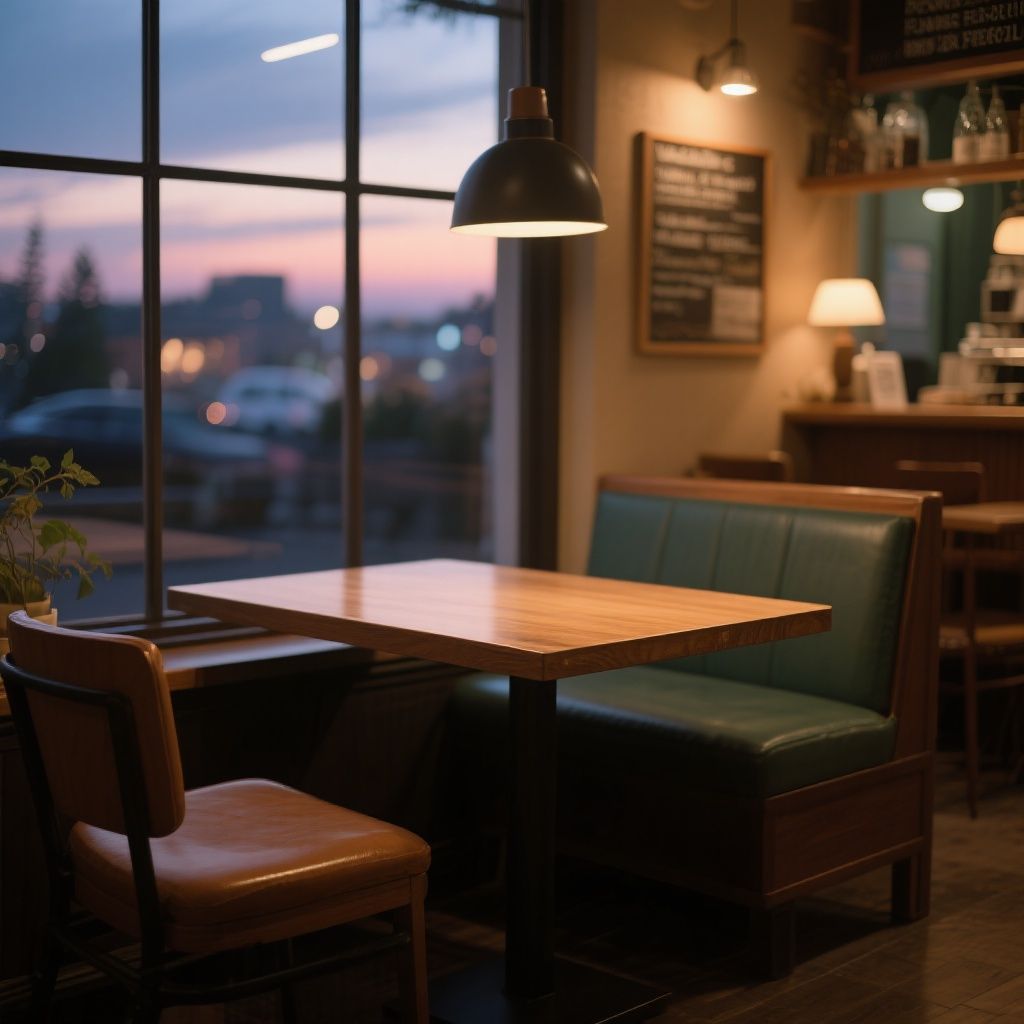
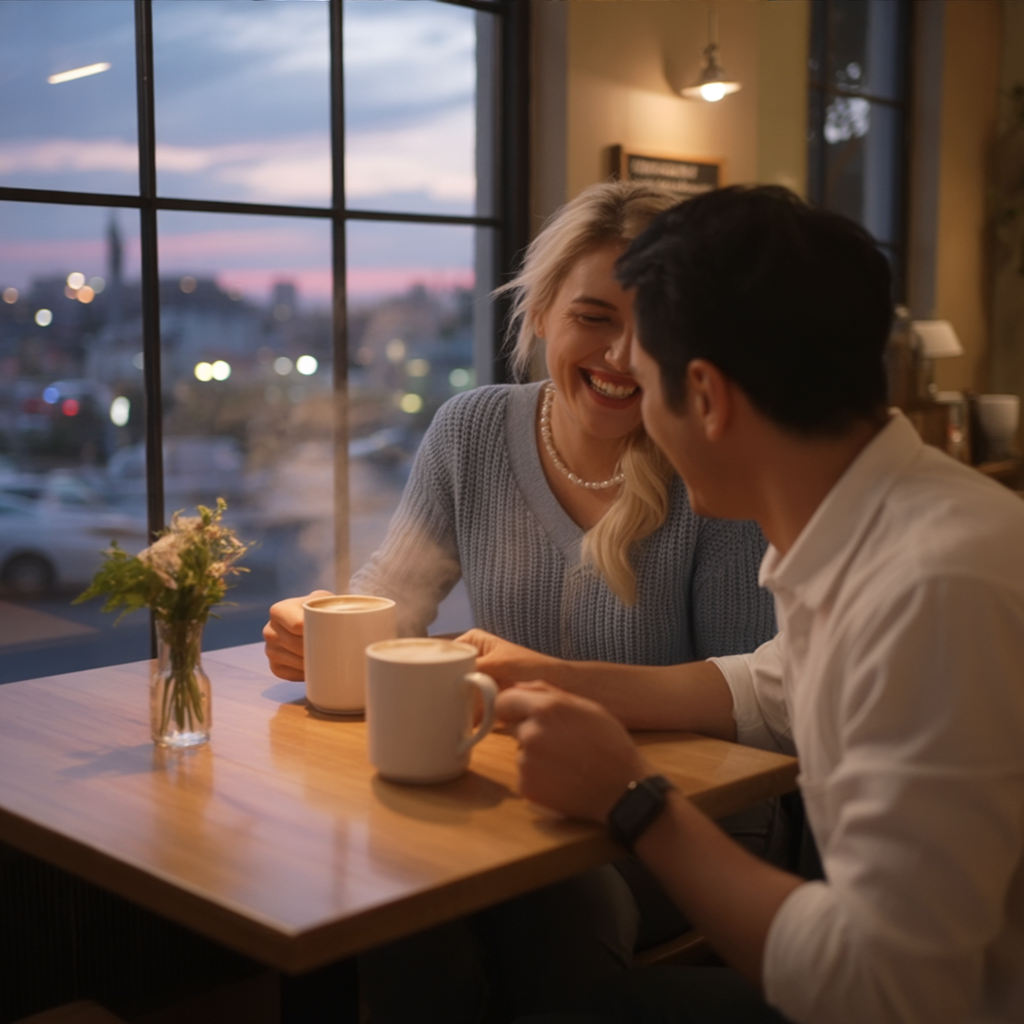
Using the first and last frames as bookends, create a 10-second smooth transition video where a couple enters the café, sits down, orders coffee, and starts chatting animatedly as night falls.
Actions like ordering were abrupt (e. Result: whereas characters and scene remained visually consistent, and the begin/end frames were used as bookends, the video failed to create a smooth transition.g., coffee mugs appeared suddenly), and there was a significant lack of continuity into the final frame.
Ingredients to Video
Reference Images
Prompt
Output Video
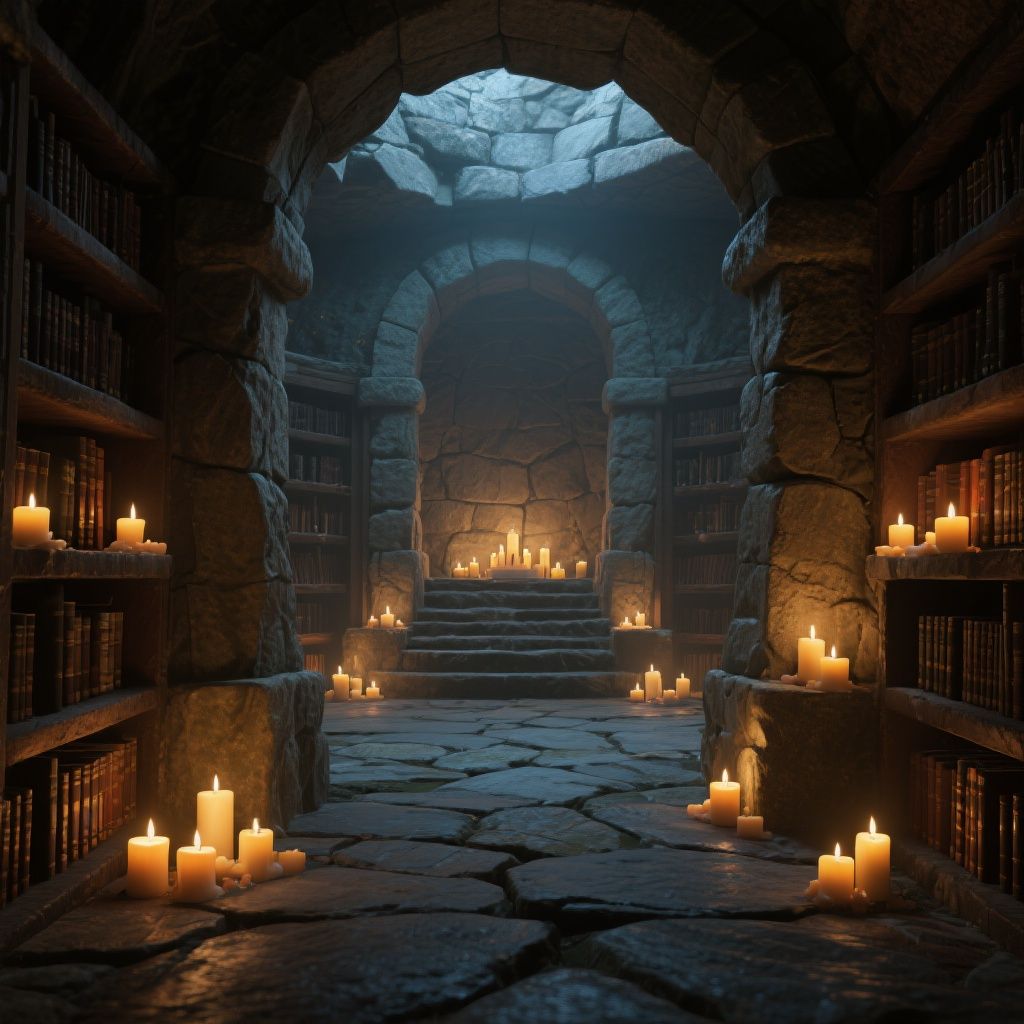
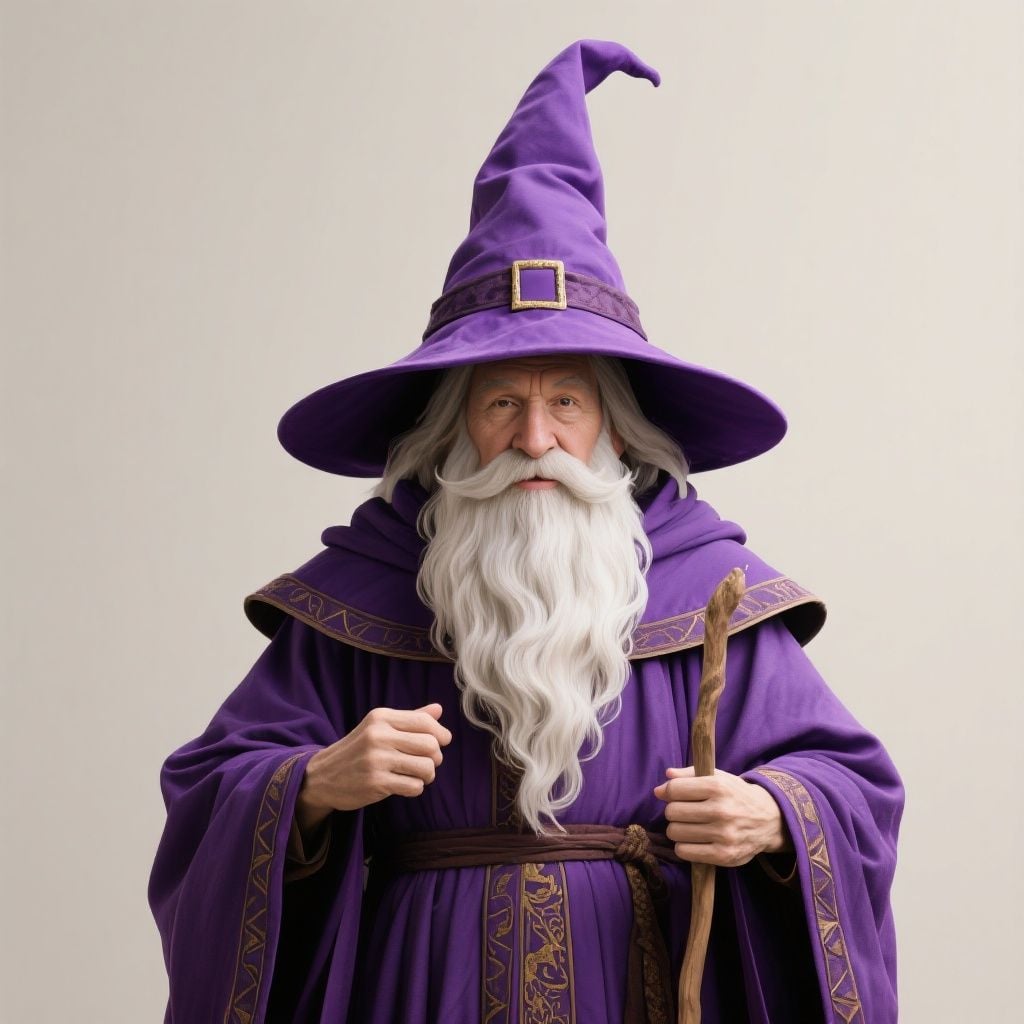
A bearded wizard in purple robes in a candlelit stone library is reading an ancient tome, suddenly looking up surprised, then casting a spell that makes books float around him.
Result: whereas the overall setting and mood were excellently maintained — with a richly detailed candlelit stone library and atmospheric lighting — the wizard’s appearance did not fully match the reference image.
His facial features and beard style differed noticeably, suggesting limited fidelity in character transfer.
Despite the initial mismatch, the model demonstrates excellent temporal coherence and scene adherence, delivering a cinematic and immersive sequence that aligns well with the described action.
Final Verdict
Veo 3.1 demonstrates strong capabilities in rendering consistent characters and scenes, successfully maintaining visual integrity across frames and specified bookends.
It performs well with primary actions and objects, and can generate obvious primary audio effects. However, the model exhibits significant weaknesses in generating dynamic and nuanced video content.with:
- Smooth Transitions & Continuity: Complex, multi-step actions often appear abrupt (e.g., objects suddenly appearing), and transitions lack continuity, leading to disjointed sequences, particularly into end frames.
- Emotional Nuance: Character expressions and tone can be inconsistent or lack the specified emotional depth (e.g., a "surprised" look appearing mild, or a "laughing" couple lacking animation).
- Complex Object Animation: Interactions involving multiple objects (like floating books) can appear stiff, mechanical, or have objects "pop" into existence rather than move organically.
- Layered Audio: While primary sounds are good, generating distinct secondary or background audio elements, even when explicitly prompted, remains a challenge, impacting the richness of the soundscape.
Why Use Veo 3.1 on Van Gogh Studio?
Van Gogh Studio brings together the best in AI video generation — all under one roof. Think of it as your creative control center, where power meets flexibility.
You’re not stuck with just one mode like Veo 3.1. On Van Gogh Studio, you can switch between top-tier engines like Sora 2, Veo 3, Kling 2.5 Turbo, Wan 2.5, and others — anytime.
That means if you love Veo 3.1’s realism and storytelling depth (which, by the way, is amazing), you can apply it exactly when it fits — then swap to another model for speed, style, or detail. No limits. No compromises.
In addition, it has all the key AI video generation features:
- Bring photos to life with our image to video AI.
- Spin scripts into stunning visuals with text to video AI.
- Craft compelling clips wth AI avatar video generator.
- Create soothing, animal, or anime-style clips with AI short video generator.
- Mimic any motion of the reference video with Van Gogh Studio Mimic.
Experience Van Gogh Studio today, and unlock the full potential of AI-driven video creation.
Create AI videos free
Try Van Gogh Studio free — text-to-video, image-to-video, and 300+ models in one place. Free credits on signup, no credit card required.
Try Free Video Generator


