

I tested Synthesia to see how well its AI avatar workflow holds up for training, product demos, promo clips, and multi-scene presentations — not just polished homepage demos.
In this Synthesia review, I’ll share what it does well, where it feels limited, who it fits best, and why I would choose Van Gogh Studio when I need a broader path from idea to publish-ready video.
Quick Verdict
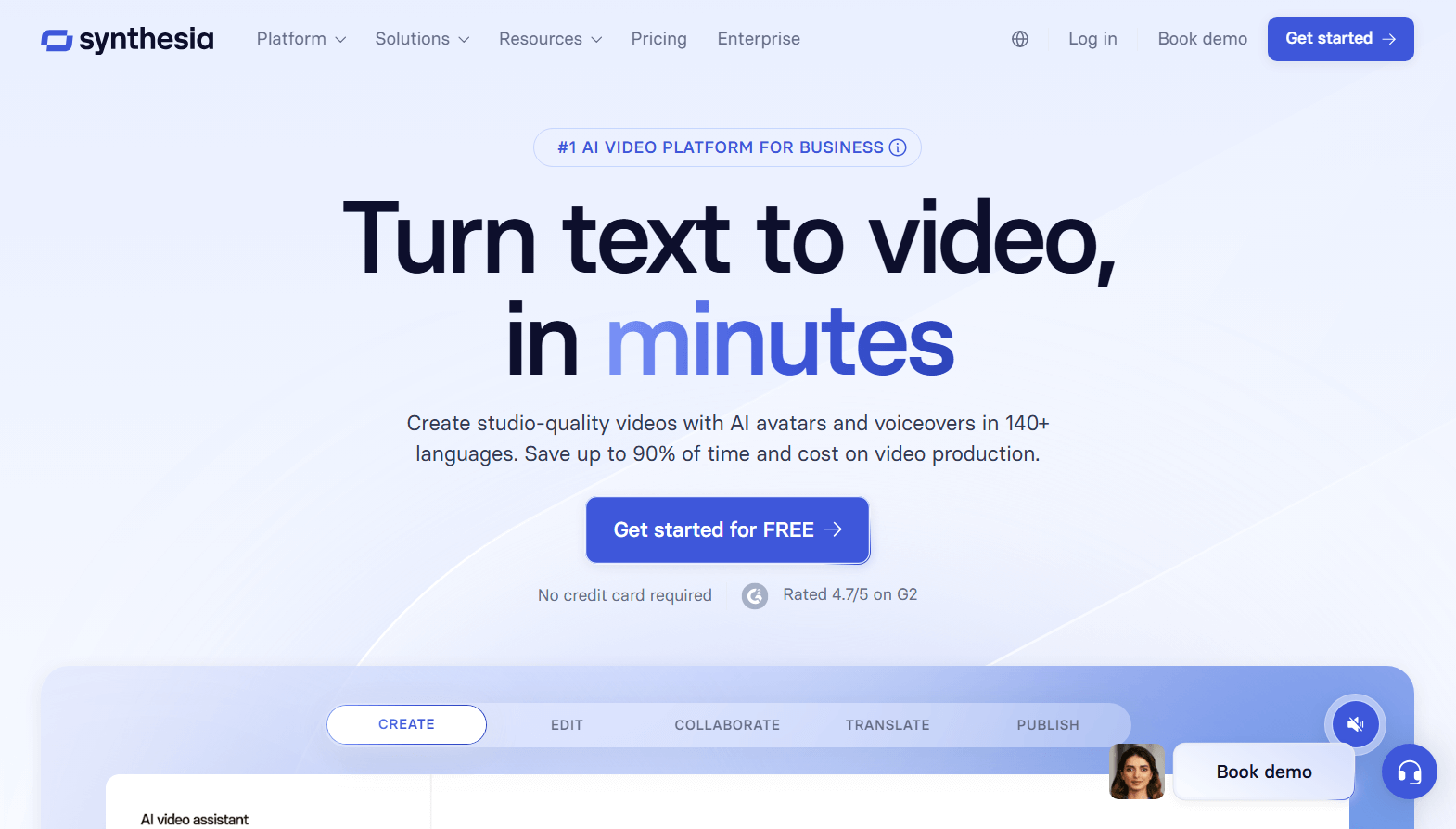
Synthesia is a strong AI video generator if your main goal is presenter-led avatar videos for training, explainers, product demos, and business updates. The avatar library, voice options, templates, and PowerPoint import make it easy to ship structured videos without filming.
It is a weaker choice when you need cinematic scenes, fast campaign variations, social-first pacing, or deeper post-generation editing. Scene timing can lag behind the voice in multi-scene videos, and custom photo avatars can leave visible borders. For a fuller production workflow, I prefer Van Gogh Studio.
| Review Point | My Take |
|---|---|
| Best for | Avatar-led training, explainers, demos, and business presentations |
| Not best for | Cinematic ads, multi-model creative tests, or heavy post-edit workflows |
| Strongest feature | Realistic stock avatars plus templates and PPT import |
| Biggest limitation | Multi-scene timing lag and limited creative range beyond presenters |
| Learning curve | Easy to start, especially from templates |
| My verdict | Excellent for structured avatar videos; limited as a full studio |
What Is Synthesia?
Synthesia is an AI avatar video platform built around digital presenters, AI voices, templates, and business-ready video formats. You write a script, pick or customize an avatar, choose a voice and background, then generate a talking-head style video without cameras, microphones, or actors.
That puts Synthesia closer to enterprise training and communication tools than to open-ended text-to-video generators. If the job needs a clear speaker and a clear message, it fits. If the job needs product motion, UGC energy, or multi-model visual exploration, the format starts to feel narrow.
Key Features I Reviewed
AI Avatar Library and Layout Control
I started from a blank project instead of a template so I could judge the core avatar workflow on its own.
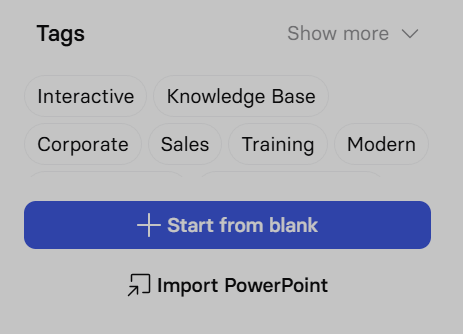
Synthesia gives access to a large library of hyperrealistic stock avatars across different looks and industries. I could drag the avatar to resize and reposition the speaker on the canvas, which mattered when I wanted cleaner framing with titles and background media.
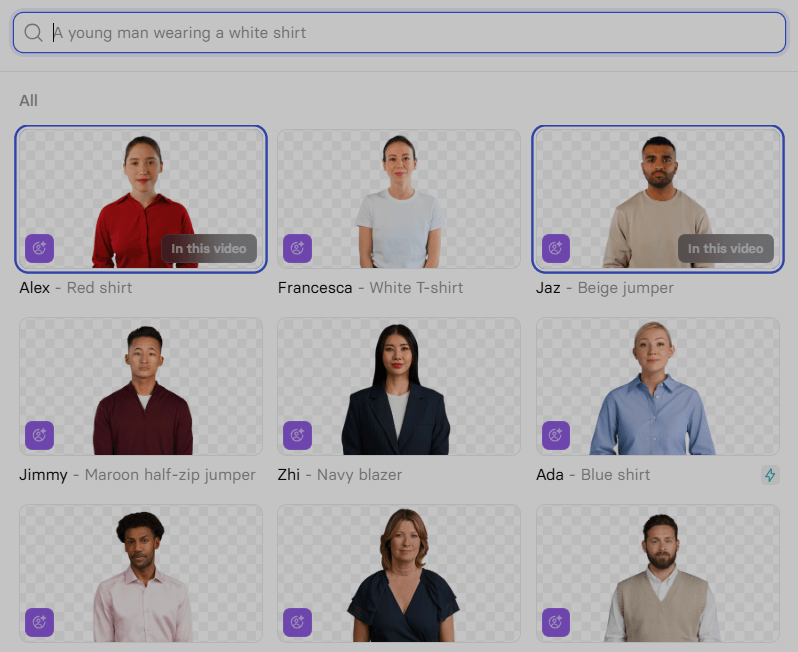
The stock avatars looked polished. Mouth movement, facial expression, and small head nods generally matched the script well. Each avatar also came with a matching voice I could preview before committing — useful when I did not want to use my own voice.

For a first pass with a female presenter, a short script, a title/subtitle, and a building background, the output felt clean. The avatar sat well in the scene without obvious edge artifacts, and the delivery felt professional enough for training or demo content.
Custom Photo Avatar
Next I uploaded a real photo instead of using a stock avatar. I wanted to see whether Synthesia could handle voice, pacing, gesture, and expression with a custom face.
Script used:
This is a presentation about AI architectural rendering. Hope you find it interesting. Here we go.
I also adjusted pronunciation, pacing, and emphasis in the voice settings. The speaking result was solid: lip sync worked, hand motion responded to speech, and fingers stayed mostly stable while moving.
The weak spot was cleanup. Even after background removal, the uploaded avatar kept a visible border around the character. That made the custom avatar feel less integrated than the stock presenters.
Multi-Scene Backgrounds and Transitions
Synthesia lets you switch scenes by changing backgrounds. You can use presets or upload your own images and videos.
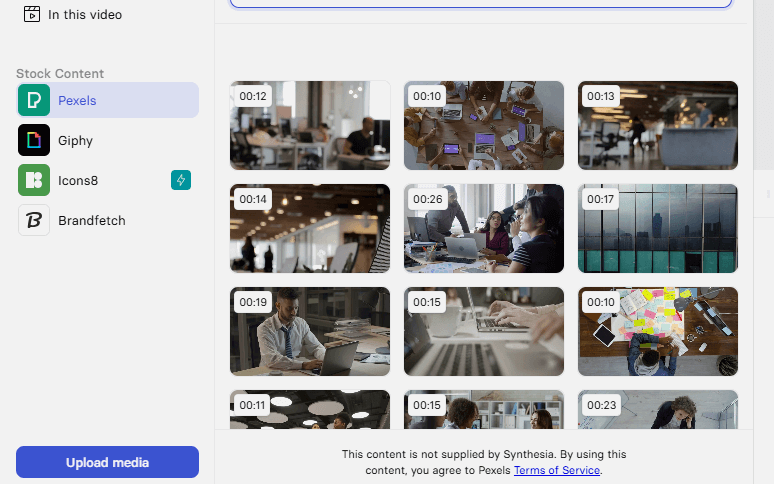
Adding multiple scenes helped me combine different themes into one video. I also tested PowerPoint import, which is practical for teams that already work in slides. The result felt closer to a polished PPT presentation with a presenter than to a filmed talk.
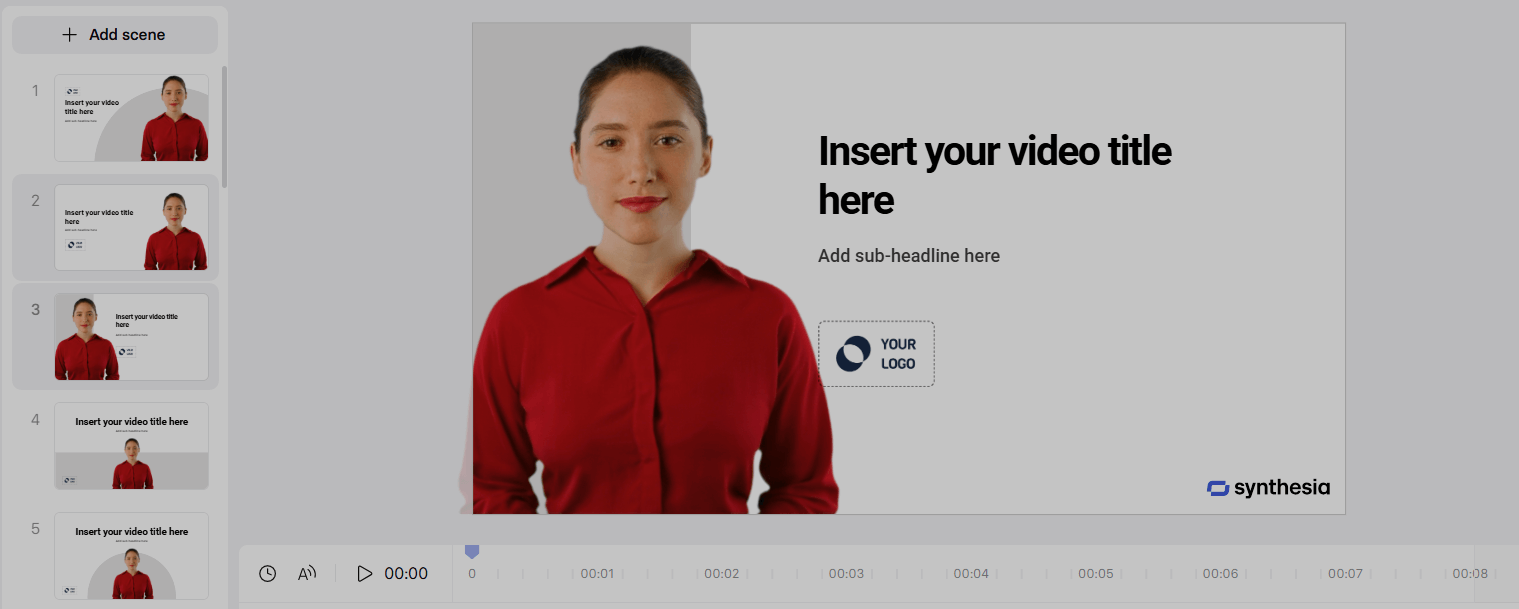
Transitions such as fade and slide improved flow between scenes.
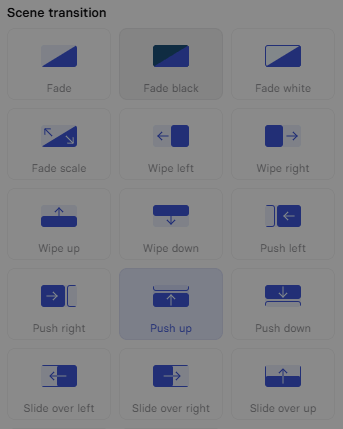
To stress-test timing, I wrote a different line for nearly every scene:
- Let’s look at the renderings using AI.
- In an AI scenario, you can be unconstrained by time, space, and who you are.
- For example, if you want to see a building during the day.
- You can change the scene for daytime lighting.
- If you want to see a building at night, switch the scene under the Milky Way.
- You can even move through the building to check design details from every angle.
- That is the power of AI. Thanks for watching.
The avatar’s expressions and hand gestures still looked natural. Scene switching worked, but timing lagged. In a few places the previous scene stayed on screen while the avatar was already talking about the next one. On a short test clip it was noticeable; on a longer training video it would hurt the viewing experience.
Templates and Business Customization
Synthesia includes a large set of built-in templates for training, sales, corporate updates, and similar use cases. I could adjust avatar choice, background, speech speed, tone, and expression without rebuilding everything from scratch.
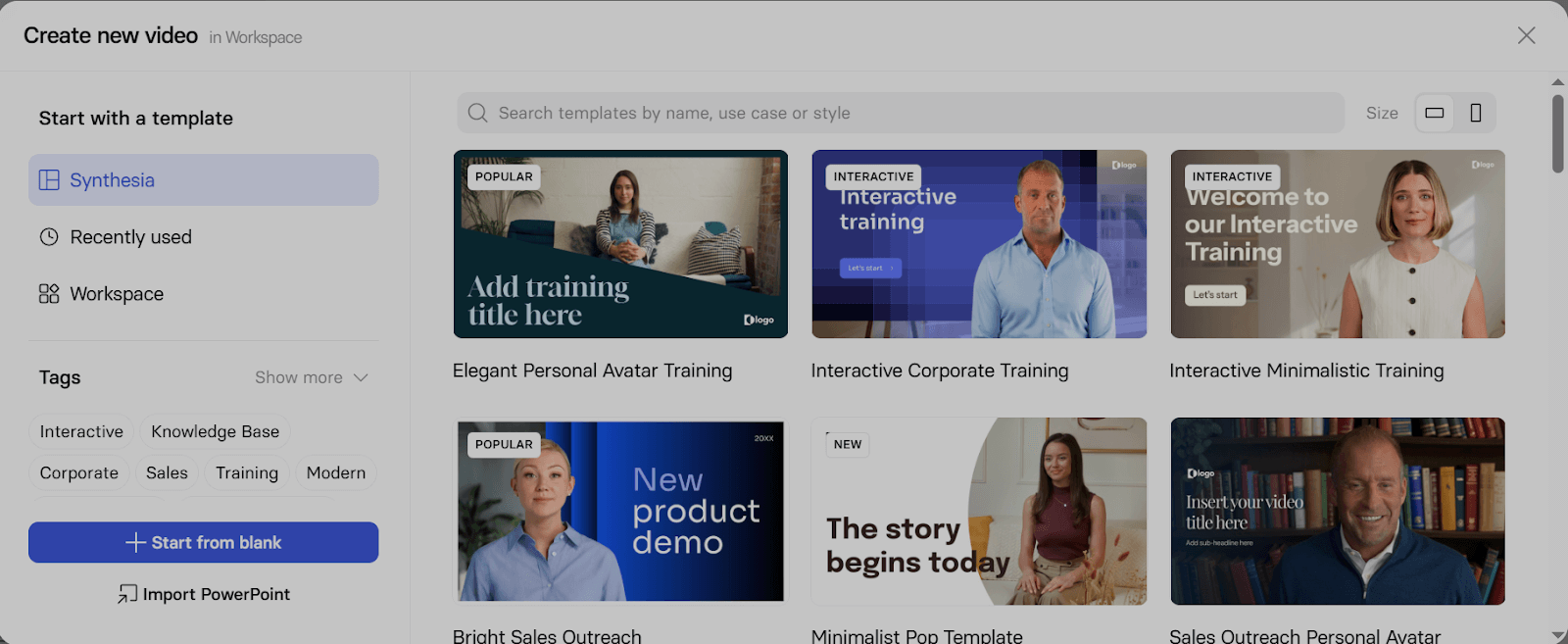
Being able to turn text, PPT, PDF, or website content into a presenter video lowers the barrier for teams that need volume. For structured business video, that is one of Synthesia’s clearest strengths.
Real Use Cases for Synthesia
| Use Case | How Synthesia Fits |
|---|---|
| Corporate training | Strong fit for policy, onboarding, and lesson-style presenter videos |
| Product demos | Works for spokesperson-style explanations with slides or simple scenes |
| Sales outreach | Useful for short, direct product or offer messages |
| Internal updates | Good for repeated company announcements without refilming |
| Multilingual localization | Practical when the same presenter message needs multiple languages |
| Social ads and UGC | Weak fit — pacing and creative range feel too formal |
| Cinematic or story videos | Not the right tool; presenter format becomes repetitive |
Synthesia Pros and Cons
What I Liked
- Stock avatars look realistic and production-ready for business content
- Templates and PPT import speed up structured video creation
- Voice preview before generation reduces wasted exports
- Canvas controls make framing and layout easy to adjust
- Clear fit for training, demos, and internal communication
What Held It Back
- Multi-scene timing can lag behind the speaker’s voice
- Custom photo avatars may keep visible borders
- Output feels less flexible than a real presentation recording
- Limited as a full creative video studio beyond presenter formats
- Campaign, social, and cinematic work usually needs another tool
Create Full Videos with Van Gogh Studio Free
Where Synthesia Falls Short
Synthesia is excellent at turning a script into a presenter-led video. It is less convincing when the project needs scene depth, precise A/V timing across many cuts, product motion, ad variations, or post-generation polish.
The two issues I hit most clearly were:
- Custom avatar cleanup — uploaded photo avatars did not always blend cleanly into the scene.
- Scene sync — in multi-scene tests, visuals lagged behind the spoken line.
Those gaps matter if you are shipping longer training modules, campaign creatives, or videos that need more than a talking presenter.
That is where I preferred Van Gogh Studio. Its AI avatar workflow sits inside a broader video stack — text to video, image to video, UGC ads, long-form story videos, and an AI video editor — so the avatar can be one scene in a finished asset, not the entire product.
Synthesia vs Van Gogh Studio
| Dimension | Synthesia | Van Gogh Studio |
|---|---|---|
| Main workflow | Avatar-led business and training videos | Full AI video generation, editing, and publish-ready workflows |
| Avatar video | Core product strength with large stock library | Available via AI avatar, plus broader surrounding tools |
| Multi-scene control | Good templates and transitions; timing can lag | Stronger end-to-end scene and campaign workflows |
| Editing flexibility | Best when first export is already close to final | Stronger follow-up refinement with the AI video editor |
| Creative range | Narrower presenter/business focus | Broader coverage across ads, explainers, social, and story videos |
| Best fit | Teams that need digital presenters at scale | Creators and marketers who need finished AI videos, not only avatars |
Why I Would Choose Van Gogh Studio as a Synthesia Alternative

Avatar Videos Inside a Full Production Flow
With Van Gogh Studio’s AI avatar video generator, I can turn one photo into a lip-synced talking avatar with natural expressions and gestures — without filming or long avatar training.
The difference is context. I do not want the avatar to be the whole workflow. After the presenter clip is ready, I can keep building the video with text-to-video scenes, product motion, captions, and prompt-based edits instead of stopping at a talking head.
Create Avatar Videos with Van Gogh Studio Free
Broader AI Video Generation, Not Only Presenters

Van Gogh Studio gives me more starting points: text to video for concepting, image to video for product stills, and multi-model access when I want different motion styles. Models such as Veo 3.1, Kling 3.0, and Seedance 2.5 matter when one look is not enough.
Better for Marketing Videos and Repeatable Campaigns
For ads, launches, and product promos, I need hooks, variations, pacing, and channel-ready formats. Van Gogh Studio Agent and UGC ad video workflows are built for that campaign output, not just one presenter message.
Final Verdict
Synthesia is a solid choice if you want avatar videos without showing your face on camera. Beyond lip sync, the stock presenters can nod, gesture, and deliver structured scripts in a way that works well for training, demos, and business updates.
It is less ideal when scene timing must be tight, custom photo avatars need perfect cleanup, or the project needs cinematic scenes, social ads, or deeper editing.
For me, Van Gogh Studio is the better long-term alternative because it combines AI avatar creation with full AI video generation, editing, and agent-led publish-ready workflows in one place.
Synthesia Review FAQs
Is Synthesia good for training videos?
Yes. Synthesia is one of the stronger options for corporate training, onboarding, and policy explainers because the avatar + template workflow is built for structured business messages.
Can Synthesia create custom avatars from my photo?
Yes, you can upload a photo and generate a custom presenter. In my tests the speech and gestures were solid, but leftover borders around the character were a clear quality issue.
What is the biggest drawback of Synthesia?
For me, the biggest drawbacks were multi-scene timing lag and the narrow creative range beyond presenter-led formats. If you need campaign variation or cinematic scenes, you will likely outgrow it.
What is the best Synthesia alternative?
If you want avatar videos plus a complete AI video workflow, Van Gogh Studio is the better alternative. It covers AI avatar, multi-model video generation, editing, UGC ads, and longer story videos in one workspace.
Create AI videos free
Try Van Gogh Studio free — text-to-video, image-to-video, and 300+ models in one place. Free credits on signup, no credit card required.
Try Free Video Generator


