

Having used plenty of AI image generators, I can attest that many of them are frequently limited in the creativity and imagination side of things.
Few actually accommodate a wide range of art styles that would allow me to explore and stretch my ideas as far as possible.
But this came to a surprising halt when I came across Starry AI. Unlike other generative AI art tools, this one offers over 1,000 AI art model styles to choose from!
Now, there’s so much to unravel around Starry AI, but some of you may just want a summary on it. So, let me give you a quick lowdown.
I notice this platform to be excellent for exploring new artistic avenues. It especially shines when it comes to generating artistic imagery that is suitable for digital or print leverage.
The interface is also simplistic and intuitive with rapid outputs. Plus, it has a vast community of users who frequently share their creations to inspire others.
On the flip side, Starry AI isn’t the best tool when it comes to generating photorealistic imagery. In primary cases, the outputs look too artificially rendered to be believable.
It also comes with limited customization options, which restricts personalization. But before I dive into all that in greater detail, let me give you an overview of Starry AI.
Quick Verdict
Starry AI stands out with a huge library of art model styles for image generation. Strong for style exploration; limited if you need advanced editing or AI video production.
| Point | Take |
|---|---|
| Best for | Style-heavy AI art, exploring many visual aesthetics |
| Not best for | Advanced image editing pipelines, AI video campaigns |
| Score | 6.7 / 10 |
| Better alternative | Van Gogh Studio |
Pros and Cons
Pros
- Very large style/model selection
- Fun for creative exploration
- Approachable for art-focused users
Cons
- Less depth for professional editing workflows
- Not a video production platform
- Brand consistency still needs careful review
What Is Starry AI?
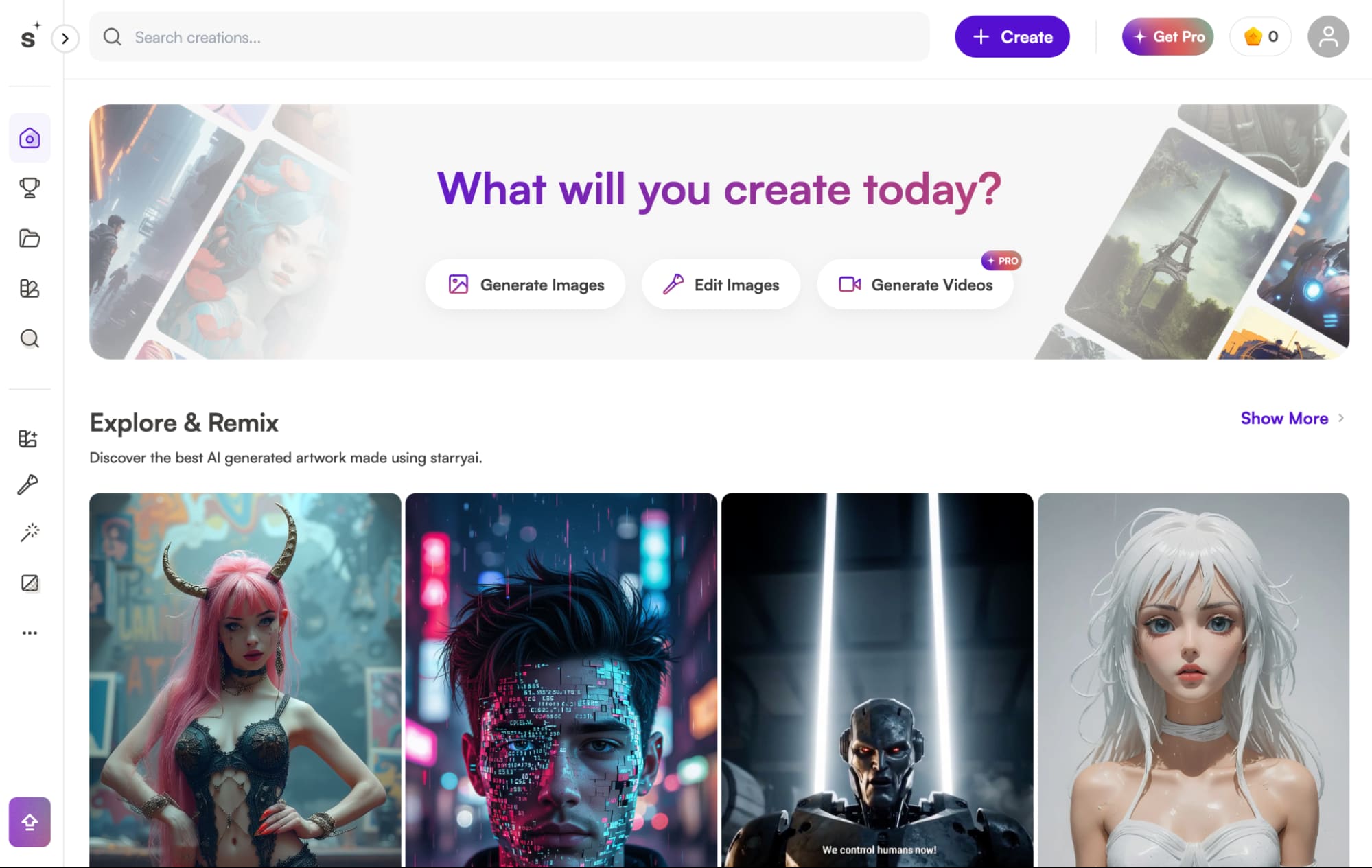
Starry AI is an advanced generative AI art tool that lets users create imaginative, high-quality images via simple text prompts.
I can also freely upload reference images to reimagine them differently, match the facial likeness, or even mirror the same art style for even greater accurate generations.
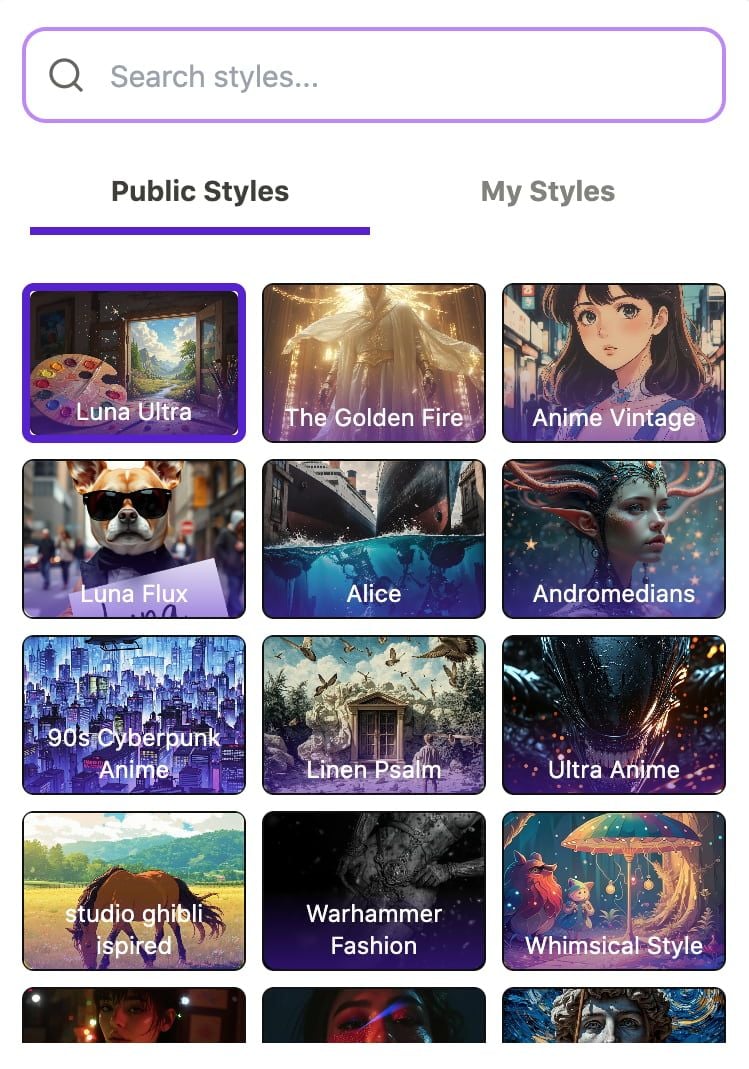
But the biggest highlight is that there are 1000+ diverse art model styles available. So, whatever creative design needs I have, be it for personal or professional, it should be covered!
Some of the countless options I can explore and employ include anime, fantasy, surrealist, painting, cyberpunk, whimsical, illustration, pixel, Studio Ghibli, comic style, and several others.
On top of that, Starry AI has rapid generation with the added benefit of being able to build instant changes to any image outputs via simple prompt edit requests.
Besides that, I enjoy how the platform has a seamless interface that makes navigation a breeze. I particularly like the concept behind its unique ‘Prompt Builder’ feature.
With this, I can refine my instructions to capture aspects like artist, style, resolution, etc. But what primary impressed me was how Starry AI democratizes art creation.
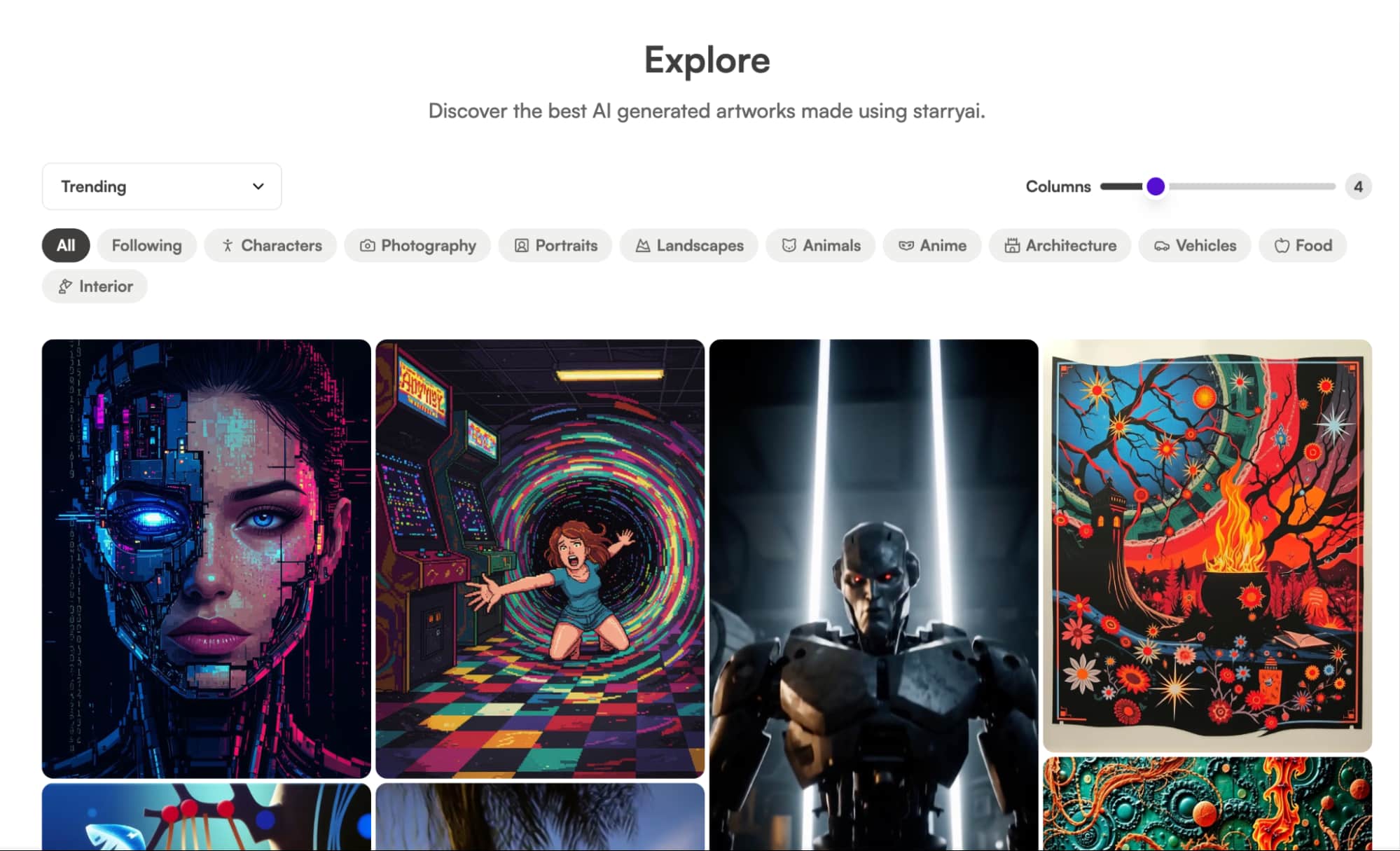
On this platform, I could freely explore other users’ designs, like their posts, follow their accounts, replicate their prompts, and even remix their creations.
Starry AI includes a ‘Model Trainer’ function that enables me to upload reference images to develop new AI art styles that I can share publicly for others to utilize.
In addition, there are daily challenges that users can participate in to win free credits based on who can design the best theme-based digital artwork.
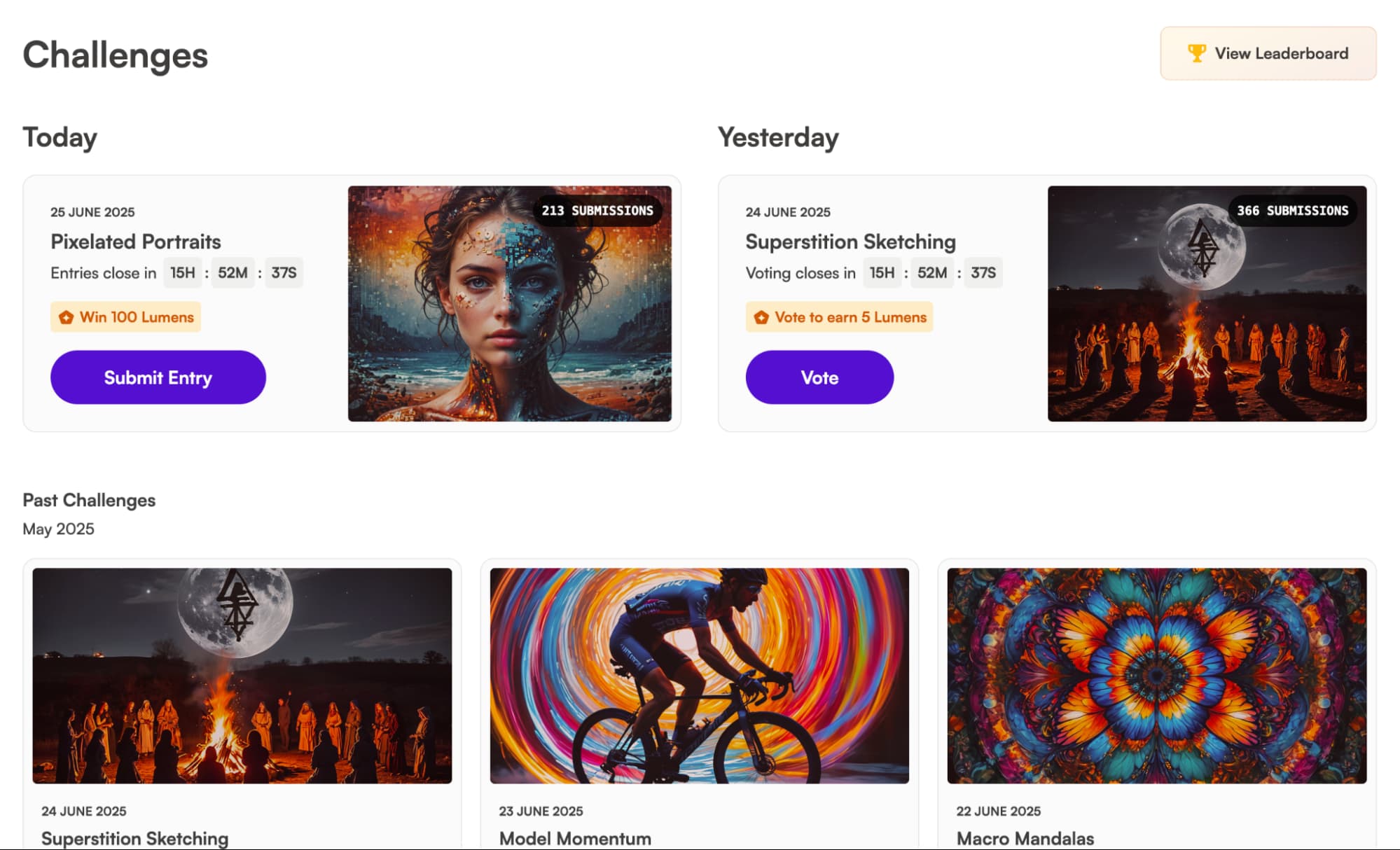
With this level of community and collaboration, it becomes easier than ever to gather inspiration that can assist improve the quality of my digital art projects.
Now that I’ve laid out what Starry AI can do, it’s time to answer the important question: Can it truly generate high-quality imagery? Let’s find out!
How Was My Personal Experience with Starry AI?
From the moment I discovered Starry AI, I was eager to see what it was capable of. So, I decided to carry out a few sample tests to assess if it was truly a winner or not.
For my first test, I decided to check out how it performs with photorealistic imagery. So this was the prompt request I made:
She sports a retro blue leather jacket paired with gold jewelry adorning her neck, exuding an aura of coolness, tranquility, and assurance.[generate a cinematic 80s film image of a female model posing outside a street of a retro cityscape filled with glowing neon signs and classic cars visible in the background.]
This was the output it produced:
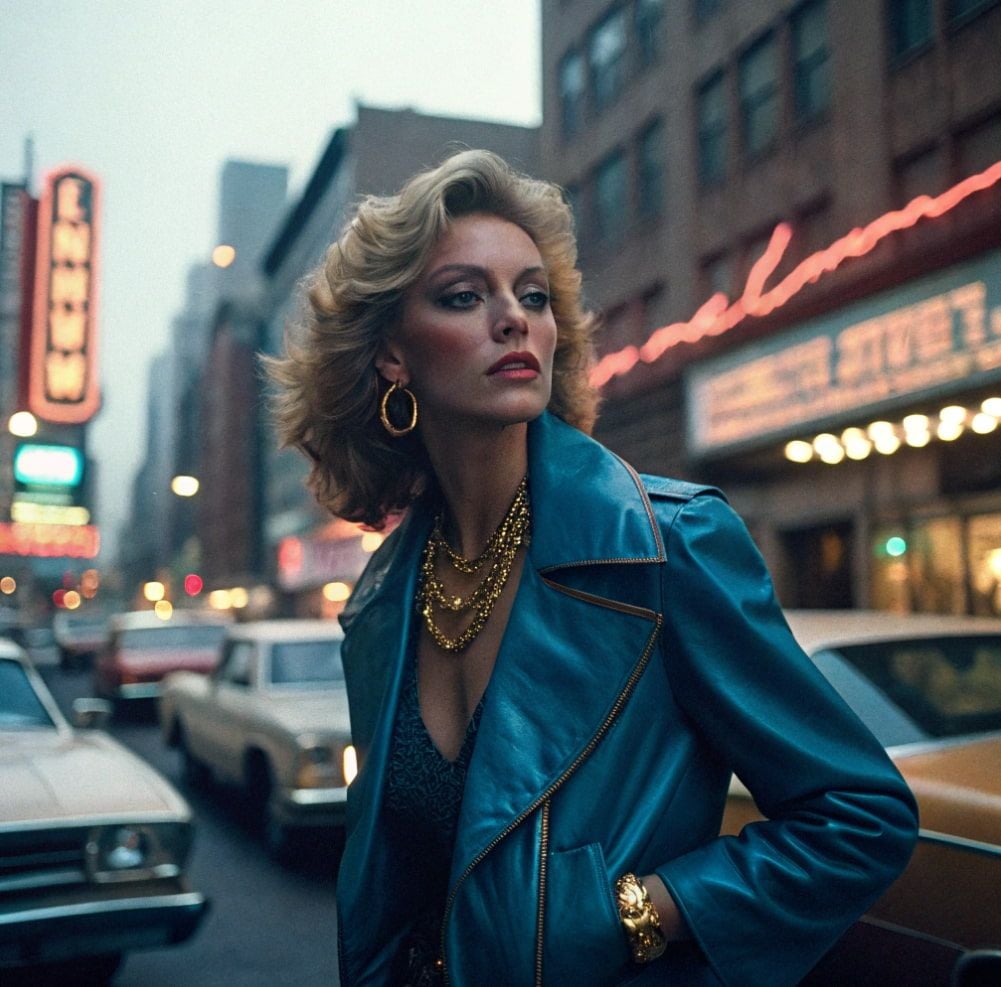
I did appreciate how Starry AI followed my prompt instructions to a tee. The scene composition abided by the retro 80s aesthetic with the outfit, buildings, and even cars.
I also love the ambience and lighting of the image, but the background is too heavily blurred. Also, there is no coherence in the typography, which is typical of AI-generated images.
The other issue I had was with the character design. At first glance, it looks fine but the extra you look at the render, the extra it doesn’t seem believable.
You can’t even tell if she has a right arm! It also has that typical glossy, hyper-symmetrical, and perfectly sculpted AI look. For instance, certain facial features like the ears and nose are a bit off.
So, if I had to rate this image, I’d give it a 6.In short, the image isn’t realistic enough to be mistaken for an actual photograph or a cinematic yet.5/10 for effort.
Since the first test was a bit of a bust, I wanted to see if it would be able to do better with extra creative, art-based designs. So, this was the prompt I used:
It’s crushing cars underneath its feet, causing massive infrastructure damage in its path although scaring away any citizens in the nearby area.[A giant cartoon football-shaped monster starts smashing through a city on a hot summer day.]
You can check out the generated image it created below:
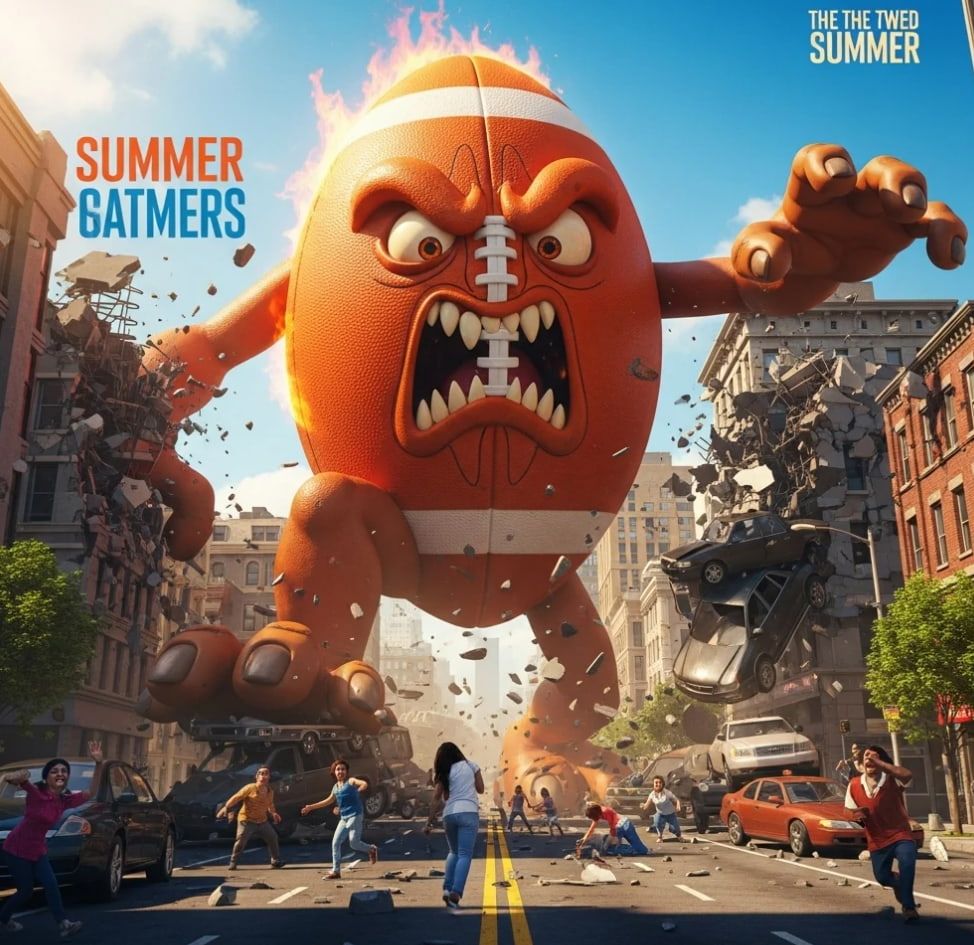
This time around, Starry AI produced a greater impressive result. The image looks like a snapshot from an animated film with excellent clarity on all fronts.
I especially love the character design as it is so hilariously creative, as well as how the scene has been rendered with such stunning vividness and detail.
If I had to rate this image output, I would give it a 8/10. Based on this result, I would say that Starry AI works much better with conceptualization than lifelike renders.
What Is My General Verdict on Starry AI?
With Starry AI’s vast library of custom AI model styles, it would be hard for me to argue that this isn't one of the primary diverse AI art generators in the current market.
I spot the ability to train custom models has empowered Starry AI’s user community to expand its style options beyond what primary other AI tools can offer.
And although I must admit I don’t spot it to be the best AI generator for lifelike character renders, I do believe that its capacity for artistic rendering is fantastic.
Whether you want to create anime, cartoons, fantasy art, or even game character designs, Starry AI offers a ton of creative freedom.
For this reason, I think it can assist with ideation and experimentation across various fields, be it for concept art, artistic mockups, digital storyboards, etc.
Also, the platform’s seamless simplicity means that first-timers won’t have to waste so much time adjusting to a steep learning curve.
But ultimately, I do not think it is a solid choice for photorealistic rendering. Plus, it can be frustrating not having any customization tools and options.
In fact, Starry AI is so severely limited in this area that it makes image personalization, beyond the initial prompt engineering, impossible.
All in all, it can be a fun platform to explore visual ideas. But for incredibly lifelike imagery and extensive editing capabilities, then you will require a greater sophisticated alternative.
Need A More Advanced AI Image Generator? Try Using Van Gogh Studio!
although Starry AI may excel at creative versatility, I don’t discover it to be advanced and reliable enough to leverage on professional projects. Instead, I would recommend Van Gogh Studio!
I came across it and it truly blew my mind. Why? Well, Van Gogh Studio is an advanced, all-in-one AI image and video generator that can create lifelike visual content in numerous styles.
Integrated with powerful and popular AI image models like Seedream 5.0 Lite, and Imagen 4, it can aid you visualize any concept with high-quality results.
To add a little icing on the cake, I was pleasantly surprised to discover that Van Gogh Studio also hosts dozens of AI tools and effects that support me with image editing.
I don’t even demand any advanced skills to use them! You can also experiment with AI image effects, such as the Pixar AI generator, to create fun, animation-style visuals.
I discovered several AI image tools on Van Gogh Studio that I found to be particularly beneficial, including the image upscaler.
I suggest you experiment with all this out for yourself. And since Van Gogh Studio has a free trial plan, you can explore all its vast capabilities without having to pay a thing!
Conclusion
Instead, I recommend using Van Gogh Studio, which is a additional advanced and balanced tool that is better equipped for any apply case. Starry AI can aid you visualize almost any creative idea and even get some inspiration from its vast community of users. But its limitations in photorealism and customization mean that it can’t reliably deliver professional-grade results.
Create AI videos free
Try Van Gogh Studio free — text-to-video, image-to-video, and 300+ models in one place. Free credits on signup, no credit card required.
Try Free Video Generator


