

Back when AI video generation was still young, Stable Video Diffusion stood out as one of the first serious open models. Fast-forward to 2026, and newer tools like Runway, Kling AI, and Sora 2 get most of the spotlight — but SVD still matters if you care about open weights, image-to-video motion, and local or research-friendly workflows.
I tested it as an image-to-video model: clear inputs, clear outputs, and honest notes on where prompts help or fail. Below is the full breakdown — including a proper Prompt → Output section that the older page was missing.
Quick Verdict
| Review point | My take |
|---|---|
| Best for | Image-to-video motion tests, open-source / local setups, product orbit shots, short cinematic loops |
| Not best for | Long narrative videos, dialogue + audio, multi-scene stories, complex creature action |
| Core input | Still image (primary) + optional motion / camera guidance |
| Core output | Short clip — SVD ~14 frames, SVD-XT ~25 frames at 576×1024 |
| Biggest strength | Open weights + solid still-to-motion quality with controllable FPS / camera feel |
| Biggest weakness | Short clips; weak on dense action and multi-creature prompts without careful framing |
| Try it | Stable Video Diffusion on Van Gogh Studio via Image to Video |
Bottom line: Use SVD when you want to animate a strong still. For finished, multi-scene, publish-ready work with many modern models in one place, I prefer Van Gogh Studio.
What Is Stable Video Diffusion?
Launched on November 21, 2023 by Stability AI, Stable Video Diffusion (SVD) is a foundational open video model built on the Stable Diffusion ecosystem.
It is image-to-video first: you upload a still, and the model adds motion — camera moves, environmental animation, subtle subject movement — rather than inventing a long story from text alone.
Stability shipped two common variants:
| Model | Typical input | Typical output |
|---|---|---|
| SVD | Still image (often around 576×1024) | ~14 frames of motion |
| SVD-XT | Same image-to-video workflow | ~25 frames for smoother / longer motion |
Stability later explored related research lines such as Stable Video 3D and Stable Video 4D. Those are adjacent experiments; this review focuses on the SVD / SVD-XT image-to-video experience creators actually use.
Input → Output Specs (What You Actually Feed and Get)
This is the section the old page never spelled out clearly.
Inputs
| Input type | Required? | What it does |
|---|---|---|
| Source image | Yes | The still the model animates (composition, subject, lighting mostly come from here) |
| Motion / camera guidance | Optional | Controls how strong motion feels, or suggests pans / zooms / orbits |
| FPS / frame settings | Optional | Common range roughly 3–30 fps depending on host UI |
| Quality / steps tradeoff | Optional | Higher fidelity usually means slower generation |
| Text prompt | Platform-dependent | On some UIs, text steers mood or motion; SVD itself is still image-led |
Outputs
| Output | Details |
|---|---|
| Short video clip | SVD ~14 frames; SVD-XT ~25 frames |
| Resolution | Commonly 576×1024 class (host platforms may resize / re-encode) |
| Audio | None — silent video only |
| Duration | Seconds-scale loop / clip, not a full scene edit |
If your goal is “upload a product still → get a short moving shot,” SVD fits. If your goal is “write a script → get a 30-second ad with voiceover,” use a fuller workflow on Van Gogh Studio.
Hands-On Tests: Prompt → Output
I ran fantasy / stylized image-to-video tests and treated each case as input brief → visible result. The old article listed “Prompt” and “Generated video” as bare labels with the text after the image and no second output — that is fixed below.
Test 1: Magical Forest Walk (Vague Prompt)
Goal: Animate a fairy-tale forest still with a young girl exploring; keep background realism while adding mythical motion.
| Prompt (input brief) | Output |
|---|---|
| A young girl discovers a hidden magical forest where trees glow and mythical creatures come to life. The camera follows her as she explores. | 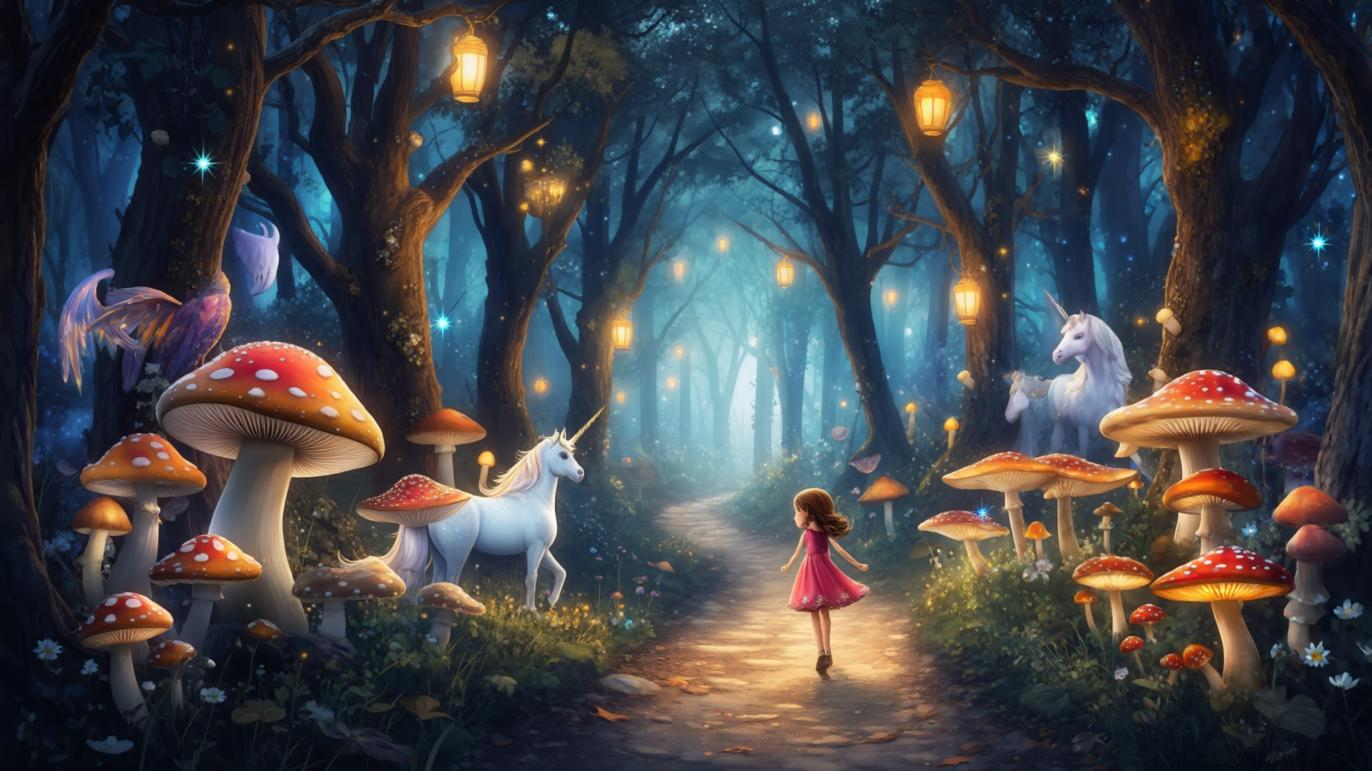 |
Result: Backgrounds and atmosphere held up well — glowing path, lantern light, forest depth. Character motion felt stylized on slower moves. The more complex creatures (unicorn / fairy / dragon-level asks) did not fully materialize from this short prompt. Good look; incomplete creature action.
Test 2: Same Scene, Specific Prompt (What Improved)
Goal: Re-run with named creatures, lighting, and camera behavior so the model has clearer motion targets.
| Test 1 (vague) | Test 2 (specific) | |
|---|---|---|
| Input brief | Short: girl + glowing forest + “mythical creatures” + camera follow | Detailed: emerald light, unicorn, fairy + golden dust, dragon overhead, close camera follow |
| Output quality | Strong atmosphere; creatures incomplete | Clearer creature / motion cues; still short-clip limited |
| Lesson | Pretty clip, weak subject action | Named subjects + camera + light improve adherence |
Refined prompt used in Test 2:
A young girl wanders into a hidden magical forest where towering trees glow with soft emerald light. The camera follows her closely as mythical creatures appear: a shimmering unicorn in the undergrowth, a fairy near her shoulder with golden dust, and a gentle dragon with iridescent scales soaring overhead.
Result: Specificity paid off. Naming subjects + camera + light gave stronger prompt adherence than the vague first pass. With SVD, the still sets the world; the brief steers what moves.
Test 3: Coastal Mountain Atmosphere (Camera + Environment)
Goal: Push environmental motion and a slow cinematic camera on a moody landscape still — no crowded character choreography.
| Prompt (input brief) | Output |
|---|---|
| Dark coastal mountain range at twilight. Slow lateral camera drift. Soft mist over black sand, waves rolling onto the shore, sparse falling snow or dust in the air. Cinematic, low light, no people. | 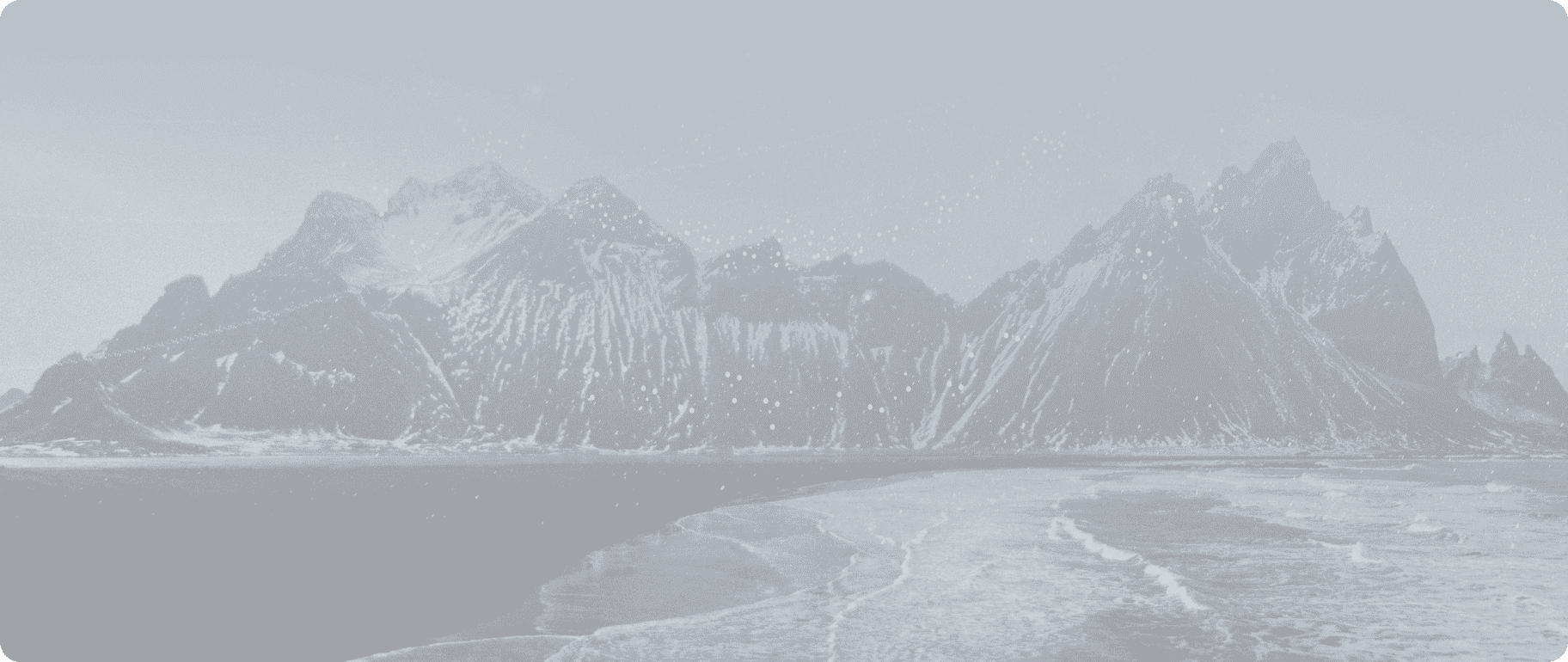 |
Result: This is closer to SVD’s comfort zone — mist, water, and camera drift read cleanly when the still is already cinematic. Far fewer failure modes than the multi-creature forest brief.
What these tests show about SVD I/O
| What you put in | What you get out | What still fails |
|---|---|---|
| Strong composition still | Smooth ambient motion, camera feel | Dense multi-creature choreography |
| Vague one-line prompt | Pretty clip, weak subject action | Missing fairies / dragons / complex beats |
| Detailed subject + camera brief | Better adherence on who/what moves | Long narrative or audio-ready ads |
| Landscape still + slow camera brief | Clean mist / water / drift motion | Dialogue, long stories, multi-shot edits |
Features That Matter in Real Use
High-quality still-to-motion
SVD and SVD-XT convert a static frame into a short dynamic clip. Trained with latent diffusion ideas and large video data, they are strongest at:
- Environmental motion (light, mist, foliage, water)
- Gentle subject movement
- Camera-led cinematic feel from one image
They are weaker when you demand many independent characters doing precise actions at once.
Multi-view / orbit-style motion
From a single product or object still, you can push orbit-like camera motion for depth — useful for product teasers and hero loops. That is one of the cleaner commercial uses of SVD-style I2V.
Customization (FPS, motion, quality)
Few early open models exposed useful frame-rate control. SVD-style UIs often let you tune:
- Frames / FPS (commonly ~3–30)
- Motion strength
- Quality vs. speed
That makes it easier to balance fluid motion against generation time.
Pros and Cons
Pros
- Open-source friendly — study, host, or fine-tune without a closed black box
- Strong image-to-video path when the still is already good
- Useful FPS / motion controls on many deployments
- Fast enough for iteration (often around a minute-class job depending on host)
- Good for product orbits, mood loops, and research / creator experiments
Cons
- Outputs are short (14–25 frames class) — not full stories
- No native audio / speech
- Complex multi-subject prompts need careful framing and retries
- Local install can be heavy if you are not on a managed UI
- Newer closed models win on long-form narrative and audio-visual sync
Why Van Gogh Studio Is the Easier Way to Use SVD
Running Stability’s stack locally can mean GPU setup, model files, and UI glue. On Van Gogh Studio, you can open Stable Video Diffusion (or start from Image to Video) without that friction — and switch to other models when SVD’s short-clip limits show up.

On the same platform you can also compare:
That matters when SVD gives you a great 2–4 second motion loop, but you still need longer scenes, editing, or marketing-ready assembly.
Try Van Gogh Studio free — free credits on signup, no credit card required.
Final Verdict
Stable Video Diffusion remains a meaningful open image-to-video model: clear image in → short clip out, solid atmospheric motion, and enough controls (FPS / motion / quality) to experiment seriously.
It is not the best tool for long scripts, dialogue, or multi-scene ads. For those, I move to a broader workflow on Van Gogh Studio and pick the model per shot.
If you want to feel what SVD actually does, start with a clean still, write a specific motion brief, and generate on Stable Video Diffusion inside Van Gogh Studio today.
FAQs
Is Stable Video Diffusion text-to-video or image-to-video?
Primarily image-to-video. Some platforms add text fields for guidance, but the source still drives most of the look.
What is the difference between SVD and SVD-XT?
SVD typically outputs fewer frames (~14). SVD-XT extends the same idea to more frames (~25) for smoother / slightly longer motion.
Does Stable Video Diffusion generate audio?
No. Outputs are silent clips. Add voiceover or SFX in a separate step or use a fuller studio workflow.
What resolution and length should I expect?
Common training / demo class is around 576×1024 with second-scale clips (frame counts above). Exact export settings depend on the host.
Should I use SVD or Van Gogh Studio?
Use SVD (locally or via a host) when you specifically want open image-to-video motion. Use Van Gogh Studio when you want SVD plus newer models, editing, and a path closer to finished videos.
Create AI videos free
Try Van Gogh Studio free — text-to-video, image-to-video, and 300+ models in one place. Free credits on signup, no credit card required.
Try Free Video Generator


