

I’ve spent significant time testing Seedance 2.0 to evaluate its performance. After months of analyzing various tools, I found that Seedance 2.0 addresses a critical industry gap: the lack of control over specific physical movements. Instead of a randomized generative process, this model functions as a professional production suite for technical video creation.
In this review, I’ll share my hands-on experience and walk you through the specific features that actually made a difference in my workflow.
Quick Verdict
Seedance 2.0 stands out for multimodal referencing, physics-aware motion, and consistency control. It feels closer to a production-minded video model than a random clip toy.
| Point | Take |
|---|---|
| Best for | Controlled motion, multimodal references, consistency-focused video work |
| Not best for | Beginners who only want one-click social templates |
| Score | 8.1 / 10 |
| Better alternative | Van Gogh Studio (run Seedance in a fuller workflow) |
Pros and Cons
Pros
- Strong multimodal referencing
- Better physical motion control than many rivals
- Meaningful consistency improvements
Cons
- Learning curve for best results
- Still needs packaging for ads and campaigns
- Availability and credits can limit heavy testing
Seedance 2.0 Core Features
- Multimodal Referencing: You can use images and videos together as "anchors" to guide the AI, which takes a lot of the guesswork out of prompting and gives you actual control over the scene.
- Grounded Physics & Motion: Movements seem much additional realistic—things like weight, momentum, and gravity look like they should, avoiding the "floaty" look common in other models.
- Unrivaled Consistency: It’s excellent at "locking in" details. Faces, clothing textures, and even lens properties remain stable across different shots, making it much easier to build a continuous story.
The Multimodal Experiment: What Happens When You Give It Everything?
The core shift in Seedance 2.0 is its Multimodal Reference engine. Standard models often fail or produce distorted results when processing more than one input type. In my internal tests, I pushed the model with a "creative stack" to see how it handled complex data.
Reference Images
Reference Video & Prompt
Output Video

Image 1
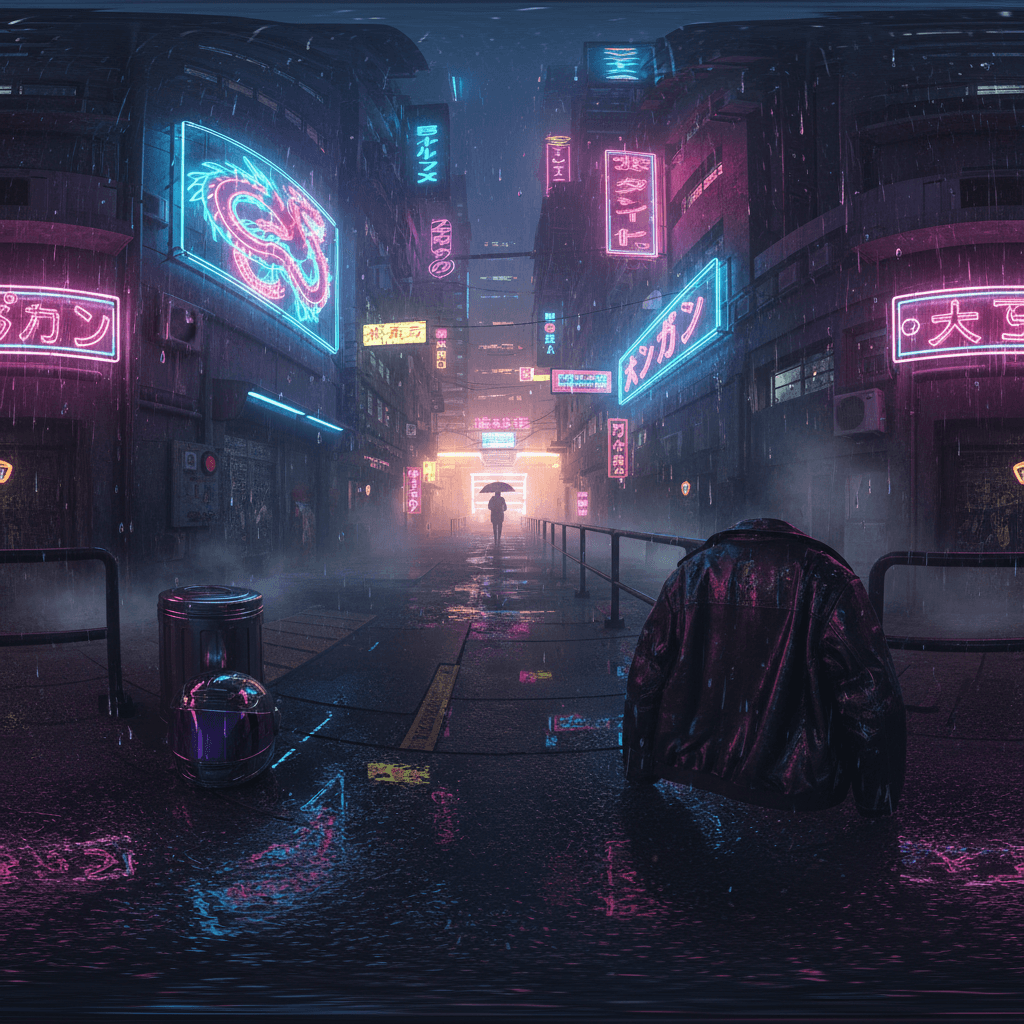
Image 2
Video 1
The lady in @Image 1 slowly walks into the scene in @Image 2. The camera movement and the close-ups of the characters follow the perspective and camera perform of @Video 1.
In top models, this multi-input approach results in visual artifacts, such as limb blending or the face losing its original features.
I noticed that Seedance 2.0 effectively separated the motion data from the reference video and transferred it to the static character image without distorting either the subject or the background.
This allows for the execution of specific technical actions—such as a precise walk cycle or object handling—rather than relying on the model’s interpretation of text.
It’s the first time I’ve felt I could actually "direct" an AI to perform a specific action rather than just hoping it understands my words.
Physics Grounded in Real-Life Motion
Seedance 2. Many current models generate characters that appear to slide or hover; however, Seedance 2.0 introduces Enhanced Foundational Physics to correct the lack of gravity issues seen in previous AI video iterations.ensure:
Real-Life Motion
The model renders accurate weight shifts, momentum, and surface friction. For instance, in a scene involving a character walking on uneven terrain, I found that the model correctly calculates the resistance and balance.
Prompt
Output Video
Reference the surface friction and resistance as the boots sink slightly into the mud. Ensure accurate weight shifts and balance compensation in the hiker's body as they navigate the slope. A medium-wide shot of a hiker wearing heavy boots stepping through a muddy, uneven forest trail. The movement should follow realistic physics, showing the momentum of the backpack swaying with each step.
Dynamic Stability
Objects remain solid and anatomically correct during interaction. By recognizing physical laws like inertia, the model prevents the flickering and limb distortion regularly seen during high-speed movement.
Prompt
Output Video
Focus on the hands and drumsticks moving rapidly. The drumsticks should follow laws of inertia, rebounding naturally off the snare drum with sharp, precise dynamics. Maintain stable structural movement and ensure the hands remain anatomically correct without any flickering or limb distortion during the quick motion. A close-up, high-speed cinematic shot of a professional drummer performing an intense solo.
Solving the Consistency Problem
Consistency has consistently been the "Achilles' heel" of AI video. Seedance 2.0 addresses this issue from two perspectives:
Character Integrity
Preserving character details throughout a multi-shot sequence (wide, medium, and close-up) is often a weak point in AI. Seedance 2.0 employs spatial-temporal locking to guarantee that facial geometry, fabric textures, and product labels stay consistent across each frame, removing the detail drift that can happen between shots.
Reference Image
Prompt
Output Video
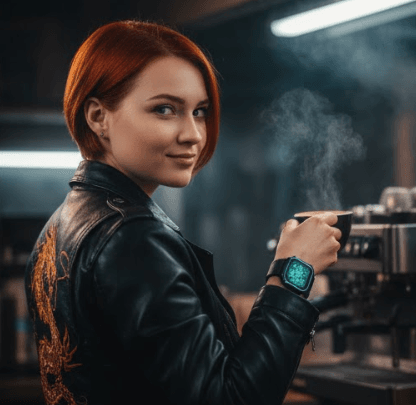
use this image as the master reference. Generate a sequence starting with a wide shot of the woman walking through a garden, followed by a close-up of her face as she turns. Maintain absolute consistency in her facial geometry and the specific gold embroidery on her jacket across both shots. No detail drift allowed.
Lens and Shot Consistency
I noticed that this ensures multiple clips can be edited together without visual discrepancies in the simulated camera gear. The model also simulates technical camera parameters. If a specific lens type or depth of field is required, the edge distortion and lighting values stay uniform throughout the generation.
Reference Image
Prompt
Output Video

Shot 1: A close-up view of the coffee being poured into the cup. Shot 2: A medium shot of the barista delivering the cup. Create a video with a consistent 35mm lens simulation. Make sure the depth of field (blurred background) and the warm morning lighting stay consistent throughout the production to avoid visual inconsistencies. Utilize the uploaded image for the visual style and camera parameters.
Experience Professional-Grade AI at Van Gogh Studio
All these groundbreaking capabilities of Seedance 2.0 are integrated into Van Gogh Studio, a comprehensive creative hub designed for professional video generation. Van Gogh Studio isn't just a simple interface; it is a powerful ecosystem that brings together models under one roof.
0, the cinematic flair of Sora, or the artistic versatility of Veo, Van Gogh Studio provides a unified workflow. It’s a cutting-edge AI video generator that integrates top-tier models like Runway, Kling AI, Pixverse AI, Hailuo AI, and additional. Whether you are looking for the extreme physical realism of Seedance 2.
However, it stands out for its powerful reference to video.This tool allows you to transform images into dynamic videos whereas maintaining your chosen subject's exact details. Just like other general AI video generators, Van Gogh Studio offers text to video AI and image to video AI.

Final Thoughts
Seedance 2.0 is built for creators who require predictable and repeatable results. By prioritizing multimodal anchors and stable physics, it replaces generative guesswork with technical precision.
While Seedance 2.0 is Coming Soon to Van Gogh Studio, my testing confirms that the leap in control is significant. In the meantime, you can utilize our Sora 2 or Veo 3 models for high-quality generation, but Seedance 2.0 will soon set a new benchmark for professional-grade stability on our platform.
Create AI videos free
Try Van Gogh Studio free — text-to-video, image-to-video, and 300+ models in one place. Free credits on signup, no credit card required.
Try Free Video Generator


