

AI video generation has moved fast, and Runway remains one of the leading platforms in the space.
With three widely used models — Gen-2, Gen-3 Alpha, and Gen-3 Alpha Turbo — it offers a broad mix of features for text-to-video, image-to-video, and directed creative control.
That also raises the practical question: which Runway model should you use?
This guide compares all three on quality, speed, cost, customization, and ideal use cases so you can pick the right one for your workflow.
Quick Verdict
| If you want… | Choose |
|---|---|
| Maximum customization (Motion Brush, Lip Sync, Custom Styles) | Gen-2 |
| Highest visual fidelity and cinematic detail | Gen-3 Alpha |
| Faster, cheaper generations for volume and iteration | Gen-3 Alpha Turbo |
| Runway models plus other engines in one workspace | Van Gogh Studio |
What is Runway Gen-2?
In June 2023, after raising $141 million in funding, Runway launched Gen-2 — an AI video model that generates clips from text prompts, images, or video clips.
It remains a versatile option for animations, cinematic shorts, stylized clips, and more. Gen-2 also includes a wide set of personalization tools such as camera control, lip sync, and motion brush.
It can produce high-resolution clips up to about 4 seconds with strong realism and relatively smooth motion for its generation.
What is Runway Gen-3 Alpha?
Launched in June 2024, Gen-3 Alpha was built as a major upgrade over Gen-2. It better understands complex prompts and produces more lifelike motion, detail, and physics.
Gen-3 Alpha supports text-to-video, image-to-video, and video-to-video. It also introduced Act-One, which turns a driving performance video plus a character reference into expressive animated characters without motion capture or rigging.
Video-to-video on Gen-3 Alpha lets you restyle or reshape an existing clip with more precise control over movement and intent — useful when you want many creative iterations of the same source.
What is Runway Gen-3 Alpha Turbo?
Released in August 2024, Gen-3 Alpha Turbo builds on Gen-3 Alpha with a focus on speed and cost. Users can generate videos at roughly 7× the speed of Gen-3 Alpha, which makes it a strong fit for bulk generation and rapid prompting loops.
It typically costs about half the credits of Gen-3 Alpha for comparable clip length, while keeping visual quality close to its predecessor. Turbo also adds advanced AI camera controls — zoom, pan, tilt, and intensity — so you can steer scenes toward a more 3D-like perspective.
The main trade-off in many workflows is that Turbo is strongest as an image-to-video path (upload an image, then animate it), rather than pure text-only generation.
Gen-3 Alpha Turbo example (prompt → image → output)
| Prompt | Image | Output Video |
|---|---|---|
| The sea anemones sway and flow naturally in the water. The camera remains still. | 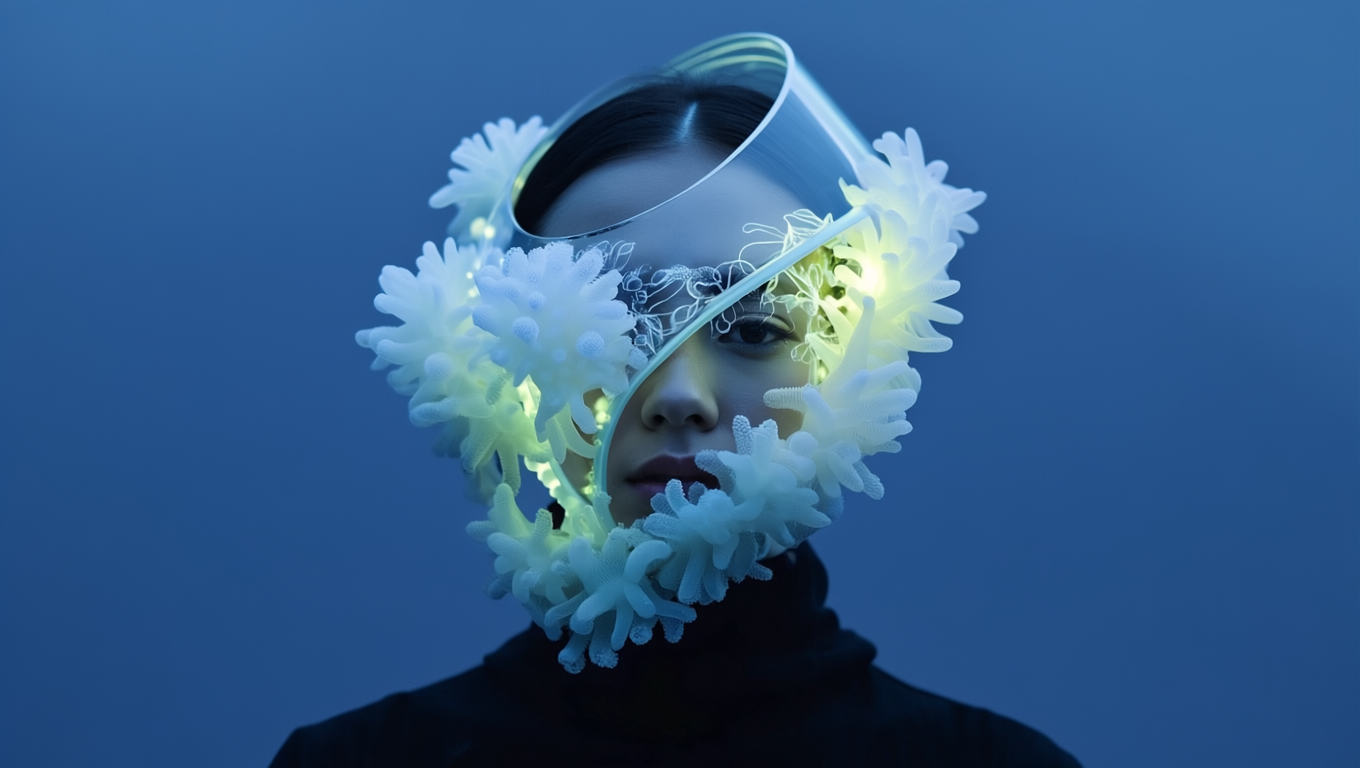 | 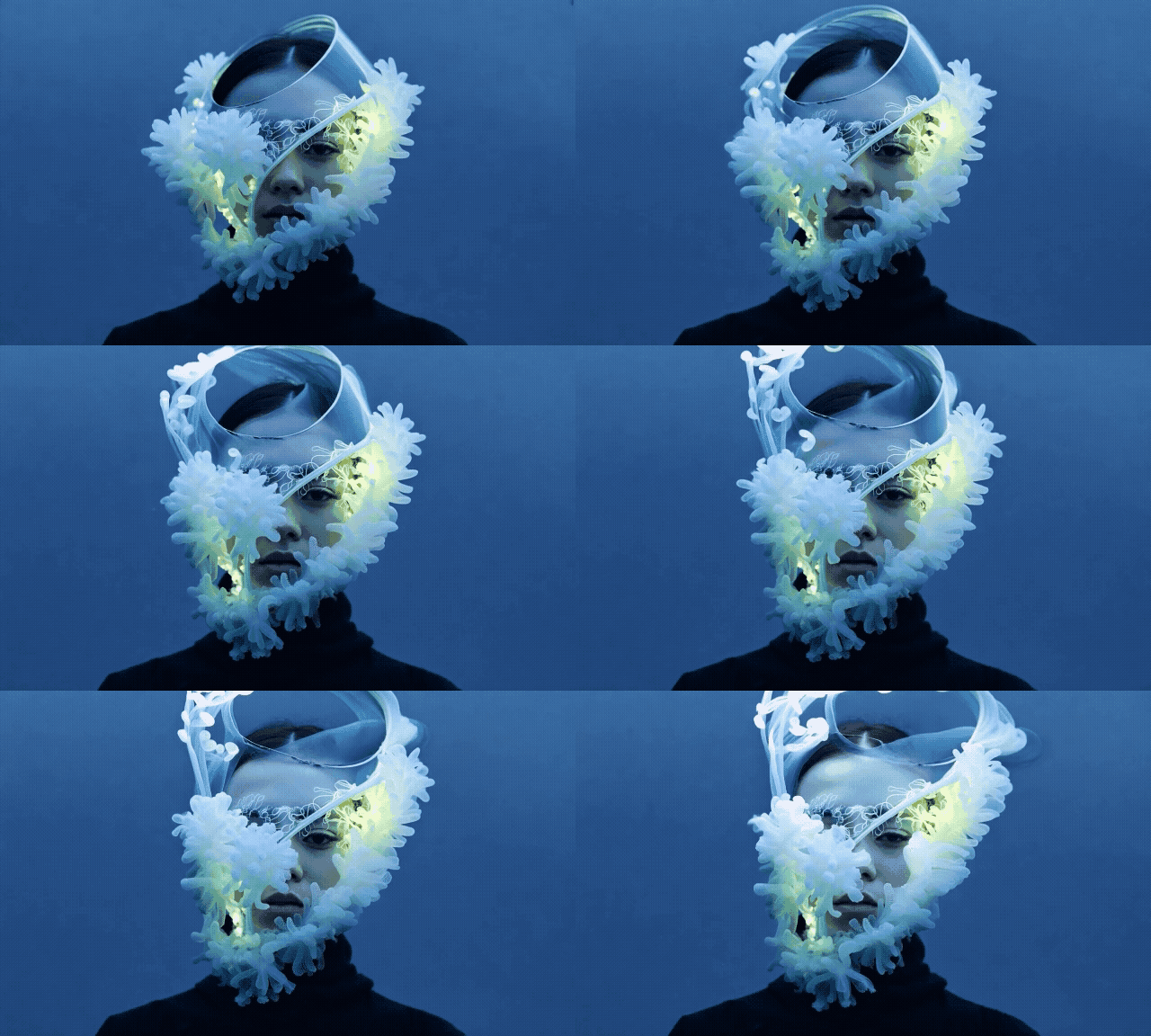 |
Gen-2 vs. Gen-3 Alpha vs. Gen-3 Alpha Turbo
Here is how the three models differ across the criteria that matter most in day-to-day production.
| Criteria | Gen-2 | Gen-3 Alpha | Gen-3 Alpha Turbo |
|---|---|---|---|
| Text-to-video | Yes | Yes (stronger on complex prompts) | Limited / image-first in many flows |
| Image-to-video | 1 image | Up to 2 keyframes | Up to 3 keyframes |
| Visual quality | Solid for older-gen clips | Best fidelity & consistency | Close to Alpha; tuned for speed |
| Speed | Slowest of the three | ~2× Gen-2 | ~7× Gen-3 Alpha |
| Credits (approx.) | ~5 / second | ~10 / second | ~5 / second |
| Max duration | ~4 seconds | Up to ~10 seconds | Up to ~10 seconds |
| Standout tools | Motion Brush, Lip Sync, Custom Styles, Camera Control | Camera Control, Act-One, Expand Video, video-to-video | Camera Control, fast iteration |
Text-to-video generation
Both Gen-2 and Gen-3 Alpha can create videos from descriptive text prompts. Gen-3 Alpha handles complex ideas and intricate scenes more reliably. Gen-3 Alpha Turbo is usually better approached through image upload first, then motion + prompt.
Image-to-video generation
All three support image-to-video. The practical difference is keyframe capacity: Gen-2 accepts one image, Gen-3 Alpha supports two keyframes, and Turbo supports up to three — useful when you want clearer start/middle/end motion.
Visual fidelity & consistency
Gen-3 Alpha leads on frame-to-frame coherence and natural motion. Gen-2 is fine for simpler novel clips. Turbo is close to Alpha visually, but its sweet spot is fast drafts and idea testing rather than maximum polish on every take.
Speed & efficiency
Turbo is the clear winner for throughput — roughly 7× Gen-3 Alpha, while Gen-3 Alpha is about twice as fast as Gen-2. If you need many short clips quickly, choose Turbo.
Cost-effectiveness
Turbo is usually the best value: about 5 credits per second with faster turnaround and stronger quality than Gen-2. Gen-3 Alpha costs roughly 10 credits per second and is the premium quality option.
Customization tools
Gen-2 still offers the broadest classic control set (Motion Brush, Camera Control, Custom Styles, Lip Sync). Gen-3 Alpha focuses on Camera Control, Act-One, and Expand Video. Turbo emphasizes camera direction and speed, but lacks some Gen-2 tools such as Motion Brush and Custom Styles.
Maximum video duration
Gen-2 tops out around 4 seconds. Gen-3 Alpha and Turbo extend to about 10 seconds — better for slightly longer sequences without stitching as many clips.
Verdict: Which is the best AI video generation model?
All three Runway models are capable. The “best” one depends on the job:
- Choose Gen-2 when you need the richest older-tool customization layer and shorter experimental clips. Trade-offs: shorter max duration and lower fidelity versus Gen-3.
- Choose Gen-3 Alpha when quality is the priority — cinematic detail, lifelike characters, and stronger prompt understanding. Trade-offs: higher credit cost and fewer classic Gen-2 personalization tools.
- Choose Gen-3 Alpha Turbo when you need volume, speed, and lower credit burn with quality close to Alpha — especially for image-to-video iteration and camera-directed shots.
Experience Gen-2, Gen-3 Alpha, and Turbo on Van Gogh Studio
You do not have to stay inside Runway alone. Van Gogh Studio is a multi-model AI video workspace where you can generate realistic clips with text to video and image to video.
Most importantly, Van Gogh Studio integrates popular engines including Runway (Gen-2, Gen-3 Alpha, and Turbo), Luma Dream Machine, Kling AI, PixVerse, Hailuo, and more — so you can compare models in one place instead of juggling accounts.
It also includes AI video effects for short-form clips (for example AI hug, AI squish, AI curly hair), plus Van Gogh Studio Agent for personal clips, creator IPs, and product shots.
You can start with free credits on signup, which makes it an easy way to test Runway-class models alongside alternatives.
Try Van Gogh Studio free — free credits on signup, no credit card required.
Conclusion
Runway’s Gen-2, Gen-3 Alpha, and Gen-3 Alpha Turbo each solve a different production problem: control, quality, or speed/cost. Match the model to your priority, or open Van Gogh Studio when you want those Runway options plus other leading video models and finishing tools in one workflow.
Create AI videos free
Try Van Gogh Studio free — text-to-video, image-to-video, and 300+ models in one place. Free credits on signup, no credit card required.
Try Free Video Generator


