

I tested PicLumen mainly as an AI video generator, focusing on image generation, image-to-video, AI editing, character consistency, and marketing-style outputs.
It is easy to start with. For quick creative tests and short clips, that matters. Once I needed cleaner motion, repeatable product visuals, stronger scene control, and less cleanup afterward, the limits showed up fast.
Quick Verdict
PicLumen works well for quick creative testing, short clips, and image-to-video experiments. For finished videos, ads, and consistent product visuals, I would choose Van Gogh Studio instead.
| Review point | My take |
|---|---|
| Best for | Quick AI videos, image-to-video drafts, beginner-friendly experiments |
| Not best for | Finished ad workflows, consistent product visuals, multi-scene campaigns |
| Biggest strength | Easy creation across image, video, and model options with Lumens-based access |
| Biggest weakness | Outputs often still need retries, cleanup, or editing elsewhere |
| Score | 6.8 / 10 |
| Better alternative | Van Gogh Studio |
What Is PicLumen?
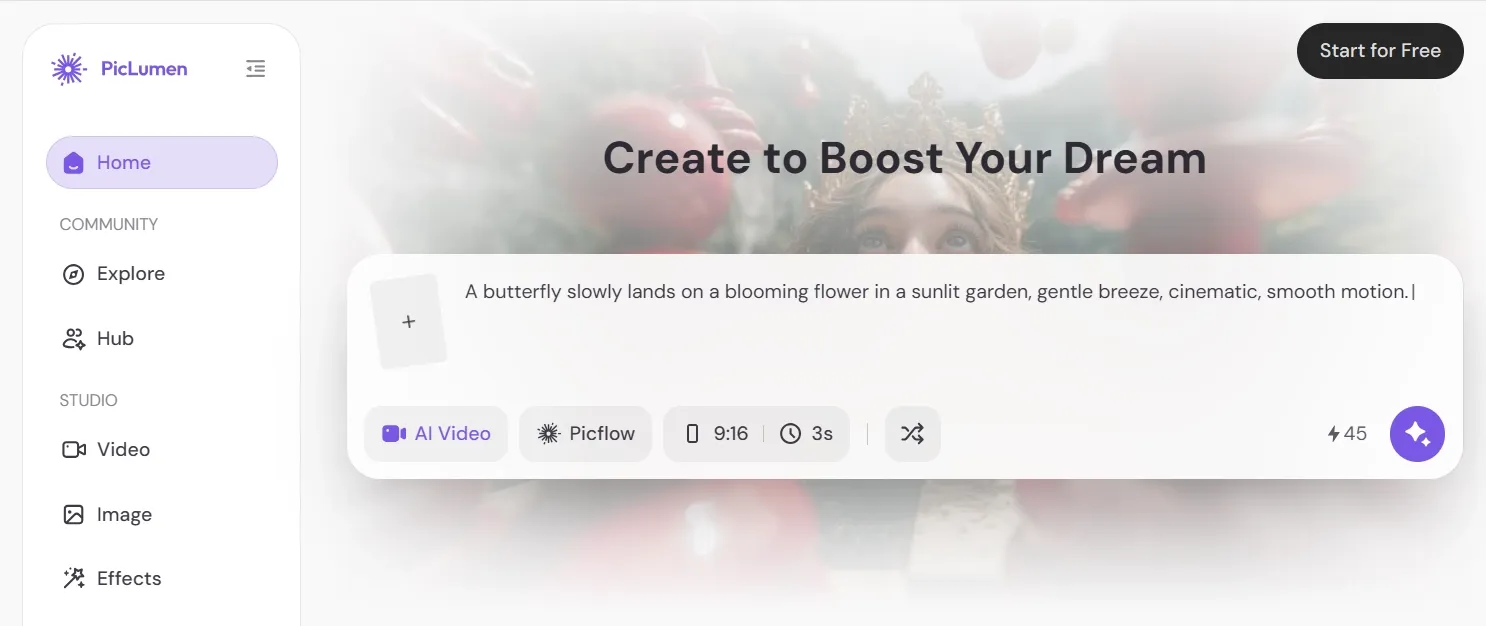
PicLumen is an AI video generator with connected image tools. You can create videos from text or images, generate images from prompts, transform images, and edit visuals with tools such as upscale, inpaint, and extend.
The low barrier is the main appeal. PicLumen uses Lumens as credits, offers a free Basic plan, and makes it simple to try different creation paths without building a full production pipeline first.
It also lists several video models on its site, including options such as Veo, Kling, and Seedance. That makes PicLumen feel built for experimentation more than for one fixed output style.
Key Features
Text to Video and Image to Video
PicLumen’s core value is turning prompts or source images into short videos. I used it for social clips, animated product shots, cinematic scenes, and simple visual experiments without opening a complex editor.
The workflow is strongest when you want a short clip — not a fully planned video campaign.
Video Effects and Templates
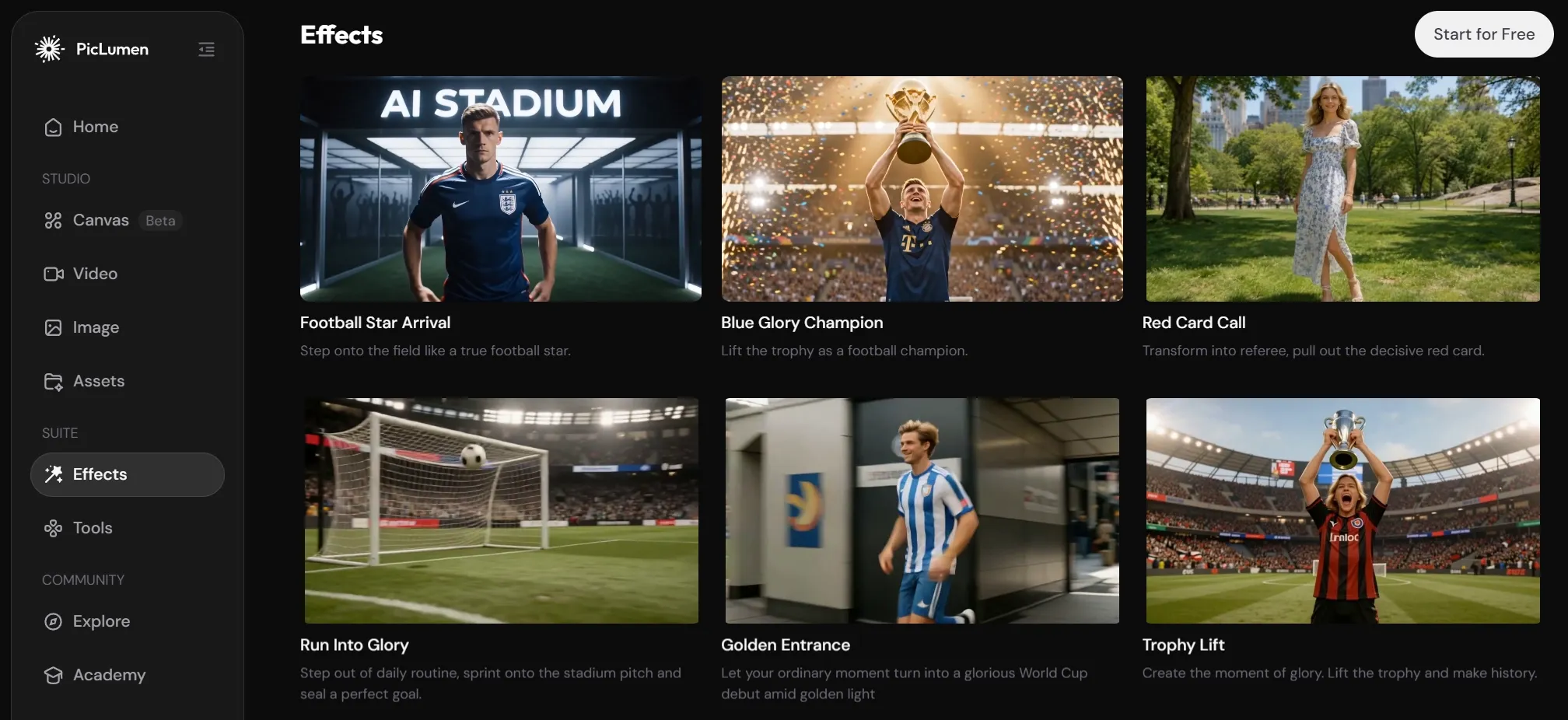
PicLumen also offers effect-led formats for bite-size ideas: World Cup clips, animation, kissing videos, promo videos, meme-style clips, and similar templates.
This is useful when you do not want to build a video from scratch. You can start from a trending effect, test a social concept, and decide whether the idea has enough energy before spending more time editing.
Multi-Model Access and Lumens
Lumens control usage. Each image, video, or editing action can consume a different amount depending on the model.
That flexibility is good for testing directions. The tradeoff is that heavier video experimentation burns credits faster than expected.
PicLumen Pricing
PicLumen is free to start, but serious use depends on Lumens, queues, and plan limits.
| Plan | Price | Key limits / benefits |
|---|---|---|
| Basic | Free | 10 daily Lumens, restricted use, 30-day history |
| Mini | $3/mo ($2.40/mo yearly) | 600 monthly Lumens, 10 daily Lumens, queue up to 3 generations |
| Standard | $8.39/mo ($6.30/mo yearly) | 2,000 monthly Lumens, unlimited image generation in Relax Mode for PicLumen models, queue up to 5 |
| Pro | $14.50/mo ($11/mo yearly) | 5,000 monthly Lumens, unlimited image and video in Relax Mode for PicLumen models, queue up to 10, 5 concurrent tasks |
Lumens are PicLumen’s credits. Cost per action varies by model.
Pros and Cons
Pros
- Easy to start testing AI videos and images
- Useful for short image-to-video experiments
- Multiple image and video model options
- Helpful editing tools such as upscale and inpaint
- Good for concepting characters, products, and social ideas
Cons
- Final outputs often still need cleanup
- Motion and scene control can feel inconsistent
- Heavy testing can consume Lumens quickly
- Not strong for full ad or campaign production
- Product and character consistency need careful review
PicLumen is a solid creative sandbox. It is not the smoothest path from idea to finished content.
How I Tested PicLumen
I ran PicLumen through the workflows that matter for real creative work:
- Text-to-image product concepts
- Image-to-video product motion
- Text-to-video cinematic scenes
- Character consistency across related outputs
- AI editing for social-ready assets
- Marketing-style short video concepts
For each test, I scored prompt adherence, motion quality, visual consistency, editing effort, commercial workflow fit, and how close the result felt to something I could publish.
Where PicLumen Falls Short
These limits are fine for experiments. They matter more when you need finished content.
Too much final editing. PicLumen generates images and clips quickly, but I still had to handle structure, timing, captions, sound, and assembly myself. For social ads or product campaigns, that slows things down.
Character and product consistency need review. Individual outputs can look good, but the same product, face, outfit, or brand look across multiple assets is not reliable without checking.
Video outputs often feel like raw assets. Image-to-video and text-to-video results can look interesting, yet they usually still need messaging, pacing, transitions, audio, and a CTA before they are usable.
Lumens slow heavy testing. Free Lumens help, and paid plans add room. Video work needs retries. When testing multiple shots, styles, and models, speed to a final asset matters more than draft volume.
Performance by Use Case
| Use case | Performance | Where it helps | Where it struggles |
|---|---|---|---|
| Quick social clips | Good | Fast image-to-video and short motion ideas | Still needs captions, audio, and polish |
| Product teaser videos | Decent | Animates a product image quickly | Product consistency and ad pacing need review |
| Text-to-video concepts | Good for drafts | Useful for mood, setting, and style tests | Harder to control timing and scene progression |
| Character concepts | Good for single visuals | Strong for anime, fantasy, and game-style ideas | Character details can drift across scenes |
| E-commerce visuals | Mixed | Helpful for early product concepts | Not always accurate enough for final listing assets |
| Marketing video ads | Mixed | Useful for visual ingredients | Weak for complete campaign structure |
| Storyboarding | Average | Fast way to explore scene ideas | Not enough on its own for full video planning |
The pattern was consistent: PicLumen helps you start quickly, but it does not always help you finish. That is where I look for a tighter alternative that connects generation, editing, image-to-video, and marketing workflows.
For me, that option is Van Gogh Studio.
Why Van Gogh Studio Is a Better PicLumen Alternative

Van Gogh Studio is stronger when the goal is not just to generate a clip, but to finish usable creative content.
Better path from raw clip to finished video
PicLumen gave me interesting clips, but I still had to plan the finished video myself. Van Gogh Studio offers a broader workflow through tools like image to video, so you can move from idea to usable output with fewer disconnected steps.
That matters for social media, product launches, and brand storytelling. You do not just want motion — you want a video that feels closer to ready.
Stronger for marketing videos
PicLumen can create ad-like visuals, but it is not built around full ad production. Van Gogh Studio’s Marketing Studio is designed for ready-to-use ads, UGC-style videos, product promos, and campaign creatives.
That closes the gap I kept hitting in PicLumen: the space between a solid-looking clip and a finished ad.
A more complete creative suite
PicLumen feels centered on generation. Van Gogh Studio covers video generation, image editing, avatars, mimic motion, audio tools, and model access in one place.
Van Gogh Studio Agent can also turn an idea, text, image, or URL into a structured video with pacing, visuals, and audio handled in a more production-ready workflow.
Final Verdict
PicLumen is a solid AI video generator for beginners who want to test visual ideas quickly. It is easy to start, supports both images and videos, and offers enough model variety to make experimentation useful.
Its biggest weakness is not that generation fails. Many outputs still feel like drafts. For real ads, product visuals, character scenes, and social-ready videos, I still want stronger workflow support.
That is why I would choose Van Gogh Studio as the better PicLumen alternative — especially for creators, marketers, and brands who want finished, production-ready content rather than quick clips alone.
Try Van Gogh Studio if you want an all-in-one workflow for AI videos, images, editing, and publish-ready content.
FAQs
Is PicLumen good for beginners?
Yes. PicLumen is easy to open and useful for first AI video and image experiments, especially short clips and image-to-video tests.
Is PicLumen free?
PicLumen has a free Basic plan with daily Lumens. Paid plans unlock more monthly Lumens, larger queues, and Relax Mode benefits.
Can PicLumen create marketing videos?
It can generate ad-like clips and visual ingredients, but it is weaker for complete campaign structure, captions, audio, and publish-ready assembly.
What is the best PicLumen alternative?
For a fuller path from idea to finished video, I prefer Van Gogh Studio. It covers generation, editing, marketing workflows, and agent-assisted production in one place.
Should I use PicLumen or Van Gogh Studio?
Use PicLumen for quick creative sandboxes and short experiments. Use Van Gogh Studio when you need consistent product visuals, marketing videos, or content that is closer to publish-ready.
Create AI videos free
Try Van Gogh Studio free — text-to-video, image-to-video, and 300+ models in one place. Free credits on signup, no credit card required.
Try Free Video Generator


