

I tested OpusClip because it solves a very specific creator problem: turning long videos into short social clips without hours of manual cutting.
In this OpusClip review, I’ll share what it does well, where it feels limited, who it fits best, and why I would choose Van Gogh Studio when I need a broader path from idea to publish-ready video.
Quick Verdict
OpusClip is a strong long-to-short clipping tool if you already have podcasts, interviews, livestreams, webinars, or talking-head footage. AI clipping, reframing, captions, speaker detection, and social formatting make it easy to ship Shorts, Reels, TikToks, and LinkedIn clips from existing recordings.
It is a weaker choice when the project starts from a product idea, campaign brief, URL, image, or script instead of footage. OpusClip is useful for short-format repurposing, but I do not treat it as a complete AI video production workflow. For that, I prefer Van Gogh Studio.
| Review Point | My Take |
|---|---|
| Best for | Repurposing long videos into social clips |
| Not best for | Original video creation from scratch |
| Strongest feature | Fast AI clipping, reframing, and captions |
| Biggest limitation | Depends on existing footage; limited full-production depth |
| Learning curve | Easy for creators to start |
| My verdict | Excellent for long-to-short clipping; limited as a full studio |
What Is OpusClip?
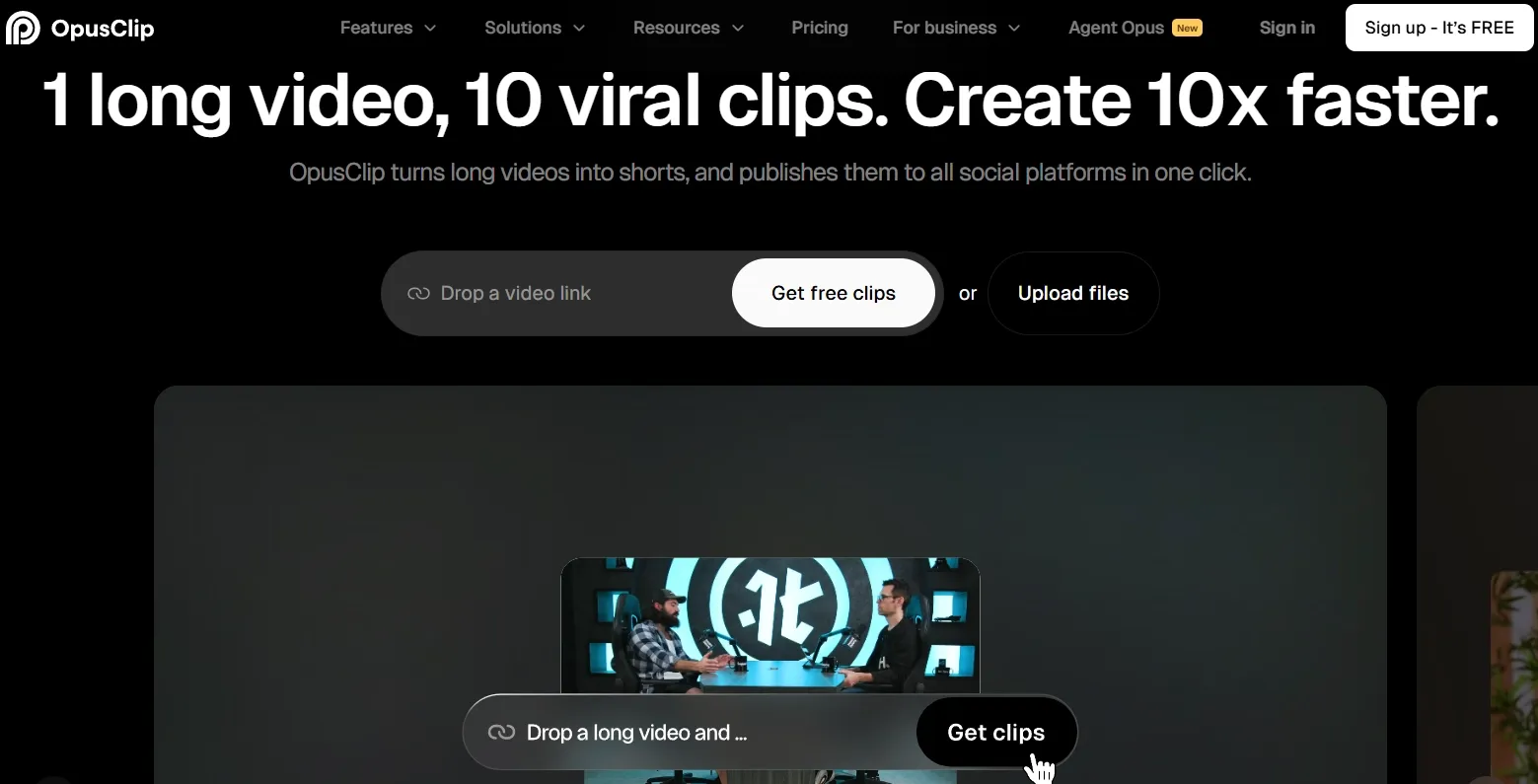
OpusClip is an AI video clipping and editing tool built to turn long videos into short social clips. It analyzes existing footage, finds highlight moments, reframes for vertical platforms, adds captions, and helps prepare clips for TikTok, YouTube Shorts, Instagram Reels, and LinkedIn.
Its main audience is creators, podcasters, marketing teams, agencies, livestreamers, and media teams that already produce long-form video. The workflow starts from footage you already have — not from generating a new video from a prompt.
Compared with open-ended AI video generators, OpusClip feels more like a social clipping engine. It is less about building scenes from scratch and more about extracting, formatting, and publishing short clips from recordings you already own.
Key Features I Reviewed
OpusClip’s feature set is organized around long-to-short repurposing: finding moments, reframing them, captioning them, and getting them ready to post.
AI Clipping and ClipAnything
AI clipping is OpusClip’s core feature. It analyzes long-form videos, finds highlight moments, and turns them into shorter clips for social platforms.
ClipAnything made the workflow feel broader than a basic podcast clipper. I used it as a long-video scanner for interviews, vlogs, webinars, commentary clips, and creator footage that needed shorter social versions.
This feature shines when the source video already has strong moments. A structured interview, energetic livestream, or clear webinar section gives the AI better raw material for a short social video.
The limit is context. When the best moment depends on an earlier setup, OpusClip can still produce clips that need review before publishing.
AI Virality Score
The AI Virality Score helps rank clips by social potential. It gave me a useful sorting layer when a long video produced several possible shorts.
I used it as a first-pass filter. Instead of reviewing every output equally, I started with the clips that looked strongest in hook, pacing, and standalone clarity.
The score helped most with social-first formats where the opening seconds matter. I still made the final decision myself — a high-scoring clip does not always match the brand’s message.
AI Reframe
OpusClip’s AI Reframe resizes videos for different platforms and keeps subjects centered. This was one of the most practical parts of the tool. Vertical clipping often fails when the crop feels awkward, and OpusClip removed a lot of that manual reframing work.
I found it strongest for short-format social edits, especially when preparing an Instagram Reels-style clip. It solves a repetitive editing task quickly.
Active Speaker Detection
Active Speaker Detection helps OpusClip identify who is speaking and keep the right person in focus. This mattered most for interviews, presentation videos, panels, and multi-person clips.
Short clips lose quality quickly when the wrong person stays centered. When the speaker changed, the feature helped the clip feel more natural and less manually cropped.
This worked best for conversation-led content, especially podcast highlights and YouTube Shorts. I still reviewed the output when speakers overlapped or reacted at the same time — those moments needed more human judgment.
Dynamic AI Captions
OpusClip automatically adds captions, including animated caption styles on paid tiers. In my review, captions were one of the biggest beginner-friendly advantages.
Short social content needs captions to hold attention without sound. OpusClip made captioned output fast and accessible, especially for educational clips, webinar takeaways, and short tutorial-style posts.
I still checked the final text. Automated captions missed names, product terms, acronyms, and industry-specific wording often enough to require review. For standalone narration outside OpusClip, our free text to speech tool is a simple option.
AI B-Roll
OpusClip’s AI B-roll adds visual inserts so talking-head clips feel less static. I found it helpful for commentary, educational clips, and corporate videos that needed extra movement.
The feature worked best as a retention helper. It added visual rhythm to clips that otherwise depended entirely on one speaker and one camera angle.
The limit is specificity. Automatic B-roll does not replace carefully directed visuals — especially when a polished product video needs branded scenes, product details, or multi-scene storytelling.
Social Scheduler and Brand Templates
OpusClip includes social scheduling, brand templates, team workspace features, and publishing workflow support on higher plans. I found this useful for teams that publish consistently.
Brand templates helped repeated clips look more consistent. Fonts, colors, logos, intros, and outros matter when a team turns one long recording into several posts.
This feature fits recurring creator and brand workflows. It moves OpusClip closer to a repeatable publishing system for short-form content.
Agent Opus
Agent Opus is OpusClip’s newer AI video creation workflow. I reviewed it as a step beyond clipping because it expands into research, scripting, storyboarding, motion graphics, avatar, voiceover, and editing.
The idea is useful, but it felt less dependable than OpusClip’s core clipping workflow. A generated story draft can have a clear opening but weaker scene transitions, or the voiceover can move faster than the visuals, making the final video feel stitched together instead of fully directed.
For simple drafts, Agent Opus helped me get started. For a fuller story video, I still needed more manual review and cleanup than I wanted.
Pros and Cons
What I Liked
- Turns long videos into short clips quickly
- Reframing saves time on vertical social formats
- Speaker tracking improves multi-person clip framing
- Virality Score makes bulk review easier
- Brand templates support consistent recurring posts
- Captions and scheduling help teams publish faster
What Held It Back
- Editing depth feels limited for detailed creative control
- Automatic B-roll lacks branded visual specificity
- Agent Opus needs more cleanup than expected
- Original creation remains outside its strongest workflow
- Outputs still need review for context, captions, and titles
Create Full Videos with Van Gogh Studio Free
Where OpusClip Falls Short
OpusClip works best when the input is already a long video. That is its strength — and also the boundary I kept running into.
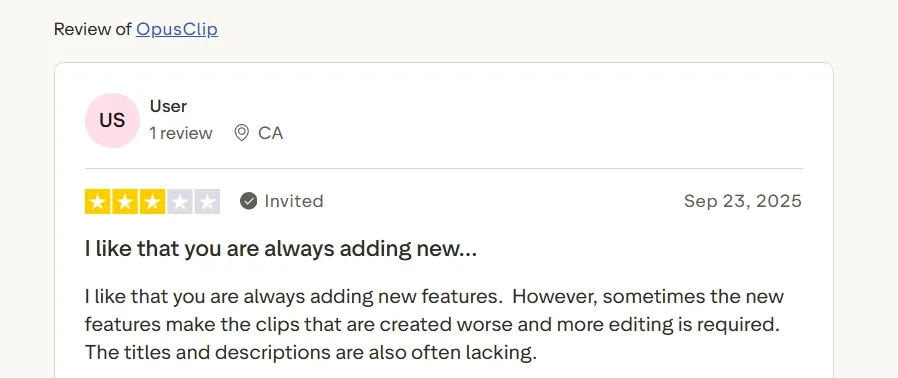
That matches what I saw in user feedback as well: people like the speed and ongoing feature updates, but some still report that outputs need more editing, and titles or descriptions can feel weak.
Depends on Existing Footage
For “find the best moments from this podcast,” OpusClip is useful. For “turn this product URL into an ad,” or “create a story video from an idea,” the workflow feels incomplete.
If your campaign starts from a landing page, product photo, script, or creative brief — not a recording — OpusClip is not the natural starting point. Tools like link to video and text to video fit that path better.
Limited Full-Production Depth
Clip-level edits, captions, and reframing are strong. Scene-by-scene creative direction, product motion, cinematic generation, and multi-model visual exploration are not OpusClip’s center of gravity.
When the job shifts from repurposing to original production — UGC ads, avatar explainers, long-form stories, or campaign variations — I moved to a broader AI video studio.
Agent Opus Still Needs Cleanup
Agent Opus tries to expand beyond clipping, but in my tests it still left pacing, transitions, and polish to the user. It can start a draft; it did not reliably finish a publish-ready video the way a full production workflow should.
Real Use Cases
| Use Case | My Take |
|---|---|
| Podcast repurposing | Strong fit — turns long episodes into Shorts, Reels, TikToks, and LinkedIn clips |
| Webinar highlights | Strong fit for teaching moments, quotes, and takeaways |
| Livestream recycling | Good fit when live moments need shorter social posts |
| Founder interviews | Good fit for insights, opinions, and short answer segments |
| Agency clip production | Useful for recurring short-format delivery from client long-form content |
| Social content calendars | Strong for publishing more posts from fewer recording sessions |
| Original product ads | Weak fit — better when you already have footage, not when you start from a URL or brief |
| Avatar or story videos | Weak fit — outside OpusClip’s strongest long-to-short workflow |
OpusClip vs Van Gogh Studio
| Dimension | OpusClip | Van Gogh Studio |
|---|---|---|
| Main workflow | Repurposes long videos into short social clips | Creates, edits, and publishes AI videos from multiple input types |
| Starting input | Existing long-form footage | Text, image, video, URL, asset, or idea |
| Creation depth | Strong for clipping and formatting | Stronger for original video generation and refinement |
| Use-case coverage | Best for podcasts, webinars, livestreams, and interviews | Covers ads, explainers, story videos, avatars, social videos, and more |
| Marketing output | Helpful when long-form source footage already exists | Stronger with UGC ad video and link to video workflows |
| Editing flexibility | Helpful clip-level editing and captions | Broader refinement with the AI video editor after generation |
| Best fit | Creators who need fast long-to-short repurposing | Creators and marketers who need finished AI videos, not only clips |
Why Van Gogh Studio Is a Better OpusClip Alternative

OpusClip is useful for clipping footage you already have. Van Gogh Studio is stronger when I want an AI creative suite that can create original videos, edit them, add talking avatars, and finish campaign assets in one place.
Multi-Model Video Creation From Scratch
When I create new video content, I choose Van Gogh Studio’s broader generation workflow. OpusClip starts best from existing footage; Van Gogh Studio starts from text, images, references, and creative ideas.
Text to video works when I have a concept or script. Image to video works when I want to turn a product photo, character image, or brand visual into motion.
Van Gogh Studio also supports leading video models such as Veo 3.1, Kling 3.0, and Seedance 2.5. That gives me room to choose the model and workflow that fit the video goal — cinematic product shots, character motion, or multimodal references — instead of forcing every idea through a clipping pipeline.
Post-Ready Videos With Van Gogh Studio Agent

The strongest reason I prefer Van Gogh Studio Agent is that it does not stop at generating a loose clip. It takes an idea, URL, image, or asset and turns it into a structured, post-ready video with pacing, music, captions, visual flow, and opening hooks handled automatically.
This is more useful than getting a pile of raw clips and deciding what to do next. With Van Gogh Studio Agent, I can start closer to the final result: the video already has a beginning, middle, rhythm, message, and publish-ready structure.
For me, this is the clearest production advantage. Van Gogh Studio Agent removes the heavy middle work — planning scenes, stitching clips, matching captions, choosing pacing, and making the video feel complete.
Create Videos with Van Gogh Studio Agent
Stronger Marketing and Product Video Workflows
For marketing teams, OpusClip is helpful when there is already a webinar, podcast, founder interview, or livestream to cut down. Many real campaigns do not begin that way. They start with a product page, a landing page, a script idea, a competitor ad, or a simple creative brief.
That is where Van Gogh Studio’s marketing workflows feel stronger. I can drop in a product URL, photo, script, or ad idea and move toward campaign-ready variations via link to video and UGC ad video.
Instead of asking me to record a long video first and then hunt for strong moments, these workflows help create the ad itself. For high-volume teams, that changes the process: less waiting on footage, less manual cutting, and more usable creative directions to test.
Avatar Videos Without Filming

OpusClip can polish footage of a real speaker, but it still depends on having speaker footage. Van Gogh Studio solves a different problem: creating person-led videos when I do not want to film, record, train a model, or prepare a full studio setup.
With one photo, I can create a lifelike talking AI avatar with lip sync, facial expressions, and gestures. That is useful for product explainers, tutorial videos, sales introductions, training content, and social ads where a human presence makes the message feel more direct.
The bigger advantage is flexibility. After the presenter clip is ready, I can keep building the video with text-to-video scenes, product motion, captions, and prompt-based edits in the AI video editor instead of stopping at a talking-head snippet.
Create Avatar Videos with Van Gogh Studio Free
Final Verdict
OpusClip is a useful AI video clipping tool. It saves time and handles captions, reframing, speaker tracking, B-roll, and short-form formatting well — especially when I already have strong long-form footage.
Its limits show up when the job shifts from repurposing to full production. It is less suitable for original video concepts, structured ads, avatar-led content, and campaign workflows that need a complete video built from an idea, URL, image, or script.
For that broader job, I choose Van Gogh Studio. Multi-input video generation, Van Gogh Studio Agent, marketing workflows, AI avatar, and model access through Veo 3.1, Kling 3.0, and Seedance 2.5 make it better suited for creating finished videos — not just extracting clips.
OpusClip Review FAQs
Is OpusClip good for podcast clips?
Yes. OpusClip is one of the stronger options for turning long podcast episodes into Shorts, Reels, TikToks, and LinkedIn clips because the AI clipping, reframing, and caption workflow is built for that job.
Can OpusClip create videos from scratch?
Not as its strongest path. OpusClip is built around existing long-form footage. Agent Opus attempts broader creation, but in my tests it still needed more cleanup than a dedicated generation workflow.
What is the biggest drawback of OpusClip?
For me, the biggest drawback is the footage dependency. If you do not already have a long video to cut, OpusClip is not the natural starting point for ads, explainers, or original social concepts.
What is the best OpusClip alternative?
If you want long-form clipping when you have footage — but also a complete AI video workflow when you do not — Van Gogh Studio is the better alternative. It covers text to video, image to video, AI avatar, UGC ads, Agent, and AI video editing in one workspace.
Create AI videos free
Try Van Gogh Studio free — text-to-video, image-to-video, and 300+ models in one place. Free credits on signup, no credit card required.
Try Free Video Generator


