

The era of "one-shot" AI prompts—where you pray for a decent result and generally get a blurry mess—is finally over. I spent the last few days deep-diving into OiiOii AI, the 7-agent animation powerhouse that recently exploded with a 20,000-person waitlist.
It uses specialized AI agents to build videos from the ground up. Unlike standard generators, OiiOii operates as a full-scale production studio, deploying a collaborative squad of AI "specialists" (Director, Screenwriter, Storyboard Artist, and more). Here's what you should know:
- 7-Agent Collaborative Workflow: Automates the entire pipeline from script to final render.
- Zero Character Drift: Uses the DreamActor-M1 model to lock in consistent visual identities.
- True Manga-to-Video: Specifically engineered to breathe life into static comic panels.
- Interactive Boss Mode: A real-time dialogue interface to tweak shots with your AI agents.
Quick Verdict
OiiOii AI is built for multi-agent animation pipelines — script, storyboard, and model switching in one flow. It is strong for comic-to-video and longer narrative tests, but less flexible when you need iterative creative memory or marketing-ready assembly.
| Point | Take |
|---|---|
| Best for | Multi-agent animation, comic panels, multi-shot narrative experiments |
| Not best for | Fast social ads, product marketing videos, iterative brand campaigns |
| Score | 7.2 / 10 |
| Better alternative | Van Gogh Studio |
Pros and Cons
Pros
- 7-agent workflow covers script-to-render steps
- Useful model switching and failed-shot patching
- Strong for multi-panel / comic-style inputs
Cons
- Linear pipeline can feel rigid for iterative work
- Outputs still need review for brand and campaign use
- Less ideal when you want a flexible all-in-one creative suite
Deep Dive on OiiOii AI: Putting the 7-Agent Workflow to the Ultimate Test
Navigating the "IP Filter" Challenge
One of my biggest headaches with top-tier models like Sora 2 is the "IP Block." Mentioning "Spiderman" or any famous anime character frequently gets your prompt rejected immediately.
To see if I could spot a workaround, I tried to create a short featuring a famous anime icon. I discovered that OiiOii's agent logic actually provides a clever bypass.
Instead of a direct text to video prompt, the workflow follows a chain: the script generates a character sheet, which is then processed via Nano Banana for image to image, and finally fed into the Veo 3.1 model for motion.
By generating a high-quality reference first, I could feed that visual into the video model without triggering text-based filters. The result was a high-vibe animation that maintained the "soul" of the IP without being blocked.
From Manga Panels to Professional Production
Most AI tools treat a manga page like a single photo, which generally ends in a visual mess. Although OiiOii's default mode sometimes struggles with black-and-white panels—occasionally handing the task to Wan or Sora 2 with mixed results—I found a "Pro Move" that changed everything.
Seedance 1.5 Pro was the real "secret weapon" for grid-based layouts. I noticed that whereas Sora 2 provided the best logic and physics for original anime, Seedance 1.5 Pro actually understood 4-panel or 9-panel structures, though it does require a colored reference image to keep the aesthetic sharp. I used Gemini to first extract the narrative and dialogue from the comic, then fed that context along with the original panel into Sora 2 via OiiOii.
The "Patching" Logic: Saving My Animation
During a 60-second music video test, the Sora 2 engine failed on Shot 4 and Shot 7. In almost any other tool, the project would be ruined.
This is where OiiOii's magic really happens: the system identified the failed shots and let me complete them using Vidu or Seedance. As the DreamActor-M1 model had already "locked in" the character design, the new clips matched the old ones perfectly.
Comparing the Models (Sora 2 vs. Seedance vs. Vidu)
OiiOii doesn't just rely on one "brain"; it switches models based on the task. Here's my personal verdict after testing the different engines:
| Model | Best for | My verdict |
|---|---|---|
| Sora 2 | Physics & high-end logic | The gold standard, but high failure rate. OiiOii's Auto-patch helps |
| Seedance 1.5 Pro | Multi-panel & layouts | Excellent with grid inputs (4-panel comics); solid Sora 2 alternative |
| Veo 3.1 | Cinematic realism | Compelling texture, but expensive and strict with IP filters |
| Vidu | 2D/anime aesthetics | Excellent cel-shading look; weaker multi-modal understanding than Sora |
Looking for a More Flexible AI Video Agent? Try Using Van Gogh Studio!
Even as OiiOii AI excels at automating a fixed production line, its linear logic and lack of long-term creative memory can appear restrictive for complex, iterative storytelling.
If you’re looking for a tool that doesn’t just follow a script but actually remembers your creative intent, Van Gogh Studio is the evolution you’ve been waiting for.
Unlike OiiOii’s "one-size-fits-all" pipeline, Van Gogh Studio supports diverse workflows through multiple agents—including those for AI music videos, UGC videos, and news videos. This modularity allows you to switch "creative brains" based on your specific industry needs.
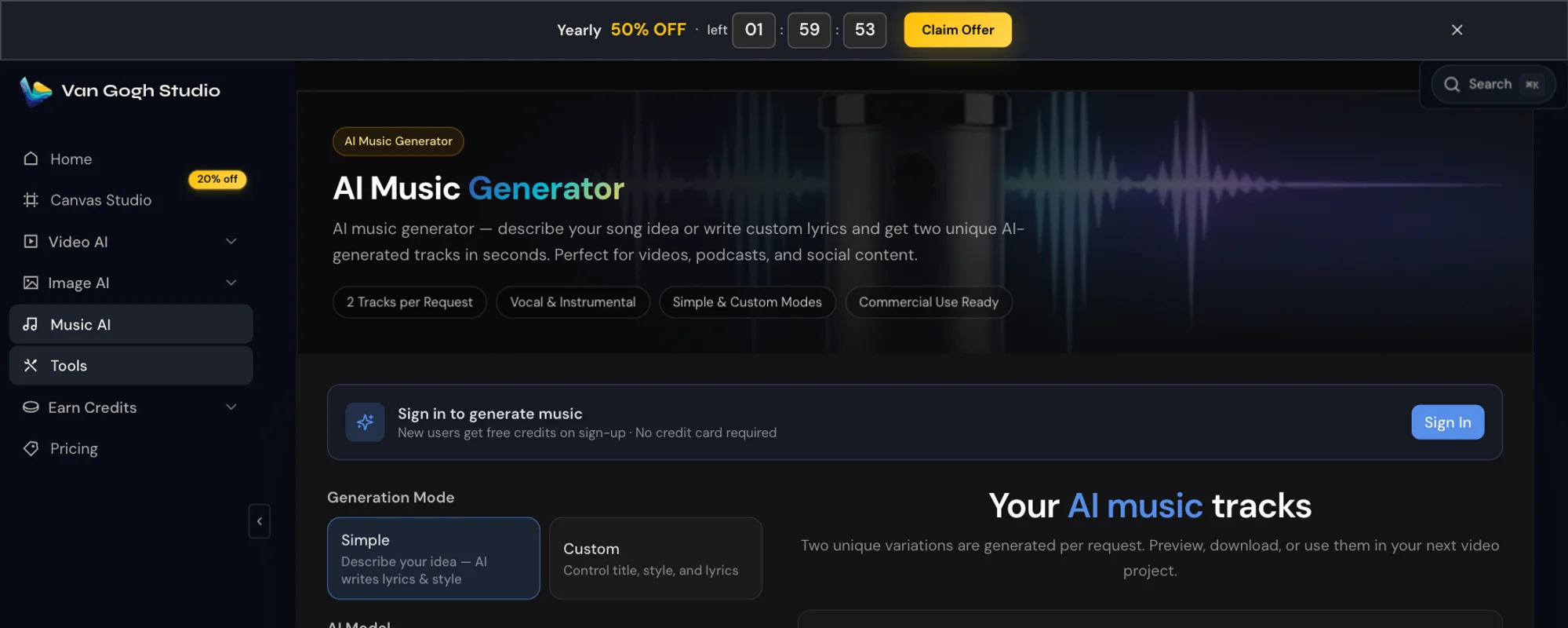
Why Van Gogh Studio Agent Wins the "Long Game"
In my view, an agent shouldn't just be a task-executor; it should be an assistant director with memory. Here is how Van Gogh Studio outperforms the "one-size-fits-all" agent model:
- Creative DNA & Memory: whereas OiiOii focuses on shot-to-shot consistency, Van Gogh Studio Agent will remember your long-term creative logic. It doesn't just generate; it learns your "vibe," allowing you to fine-tune content over multiple sessions without repeating basic instructions.
- Viral Intelligence: Van Gogh Studio Agent doesn't function in a vacuum. It can analyze trending content to provide real-time suggestions and inspiration, helping you bridge the gap between "cool animation" and "viral hit."
The "Final Cut" Experience
Professional animation requires greater than just motion; it needs polish. OiiOii stops at the raw render, but Van Gogh Studio helps you finish the job. That includes:
- AI Lip-Sync: Give your characters a voice with lifelike mouth movements in any language.
- 4K AI Upgrader: Transform grainy generations into cinematic, high-definition masterpieces.
- AI Video Editor: Refine, trim, and enhance your videos within the same platform to create them viral-ready for TikTok or YouTube.
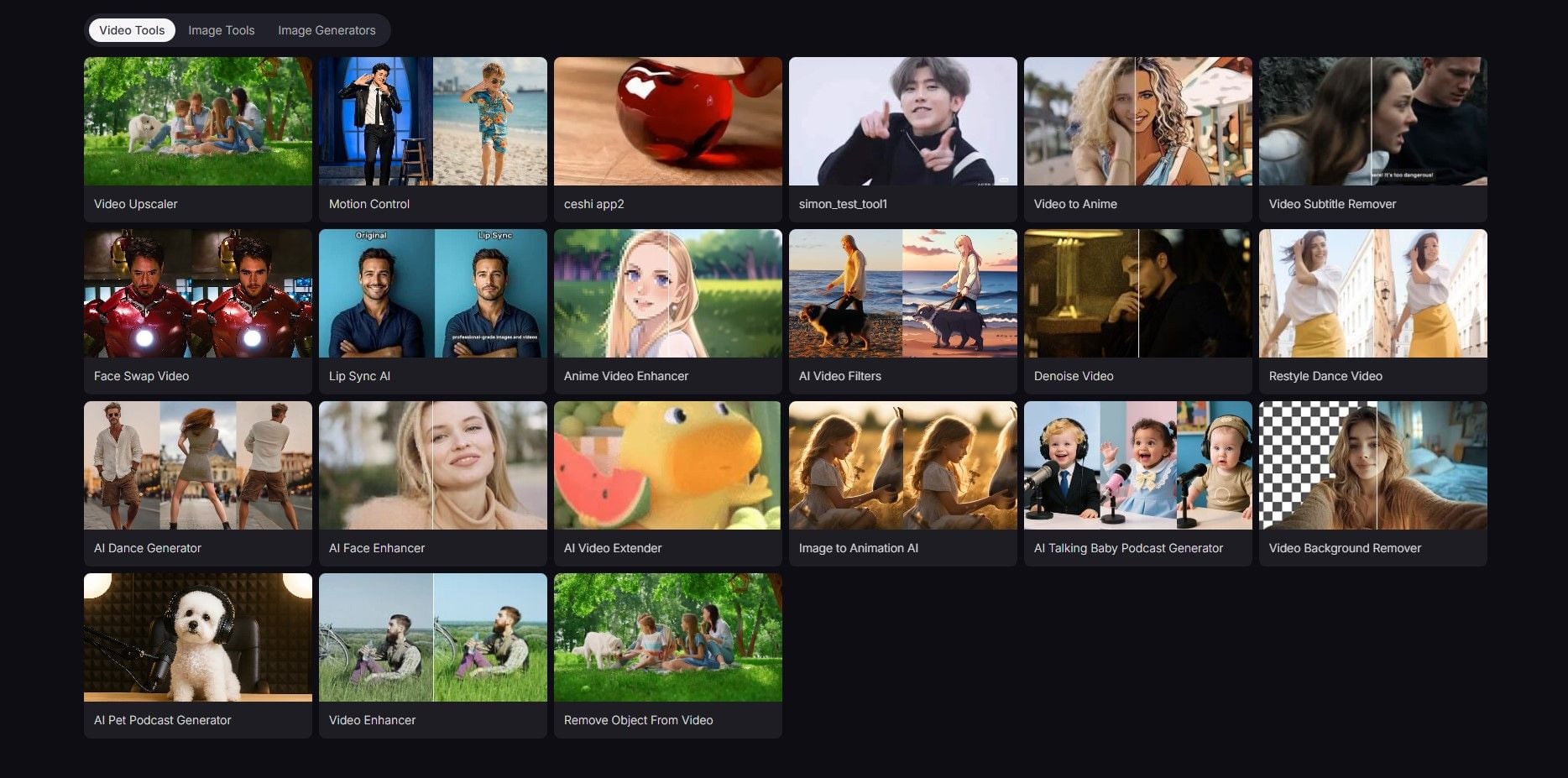
Other Surprising Tools
Apart from the tools mentioned above, Van Gogh Studio offers AI animation generator and mimic motion, both of which surprise me a lot.
Whether you are a content creator, marketer or beginner who wants to produce your clips extra interesting, it easily fits your needs. AI animation generator turns your ideas, images, or text into engaging animated videos quickly. It offers multiple animation styles.
You can apply mimic motion to transfer static images onto real-life movements from reference videos. Unnatural results? No worries! This tool preserves facial expressions and natural movement. apply it to produce social videos, prototype creative concepts, or produce whatever you want.
Final Verdict
OiiOii AI is the first tool that makes me seem like a Disney director rather than a prompt engineer. For automated "Manga-to-Video" pipelines, it is currently unbeatable.
However, if you notice OiiOii's structure a bit too rigid for diverse or complex projects, Van Gogh Studio is the perfect alternative. It bridges the gap between AI automation and professional creative control, offering the multi-workflow flexibility and intelligent memory that high-level animators actually crave.
Create AI videos free
Try Van Gogh Studio free — text-to-video, image-to-video, and 300+ models in one place. Free credits on signup, no credit card required.
Try Free Video Generator


