

I tested Nano Banana Pro (Gemini 3 Pro image) to see whether Google’s jump from everyday Nano Banana generation to a Pro tier — better text, multi-image referencing, reasoning, and studio-like controls — is real enough for design and marketing stills.
In this Nano Banana Pro review, I’ll share what it does well, where text and “screenshot realism” still need proofreading, who it fits best, and why I would choose Van Gogh Studio when I need multi-model fallbacks or a path from stills into publish-ready video.
Quick Verdict
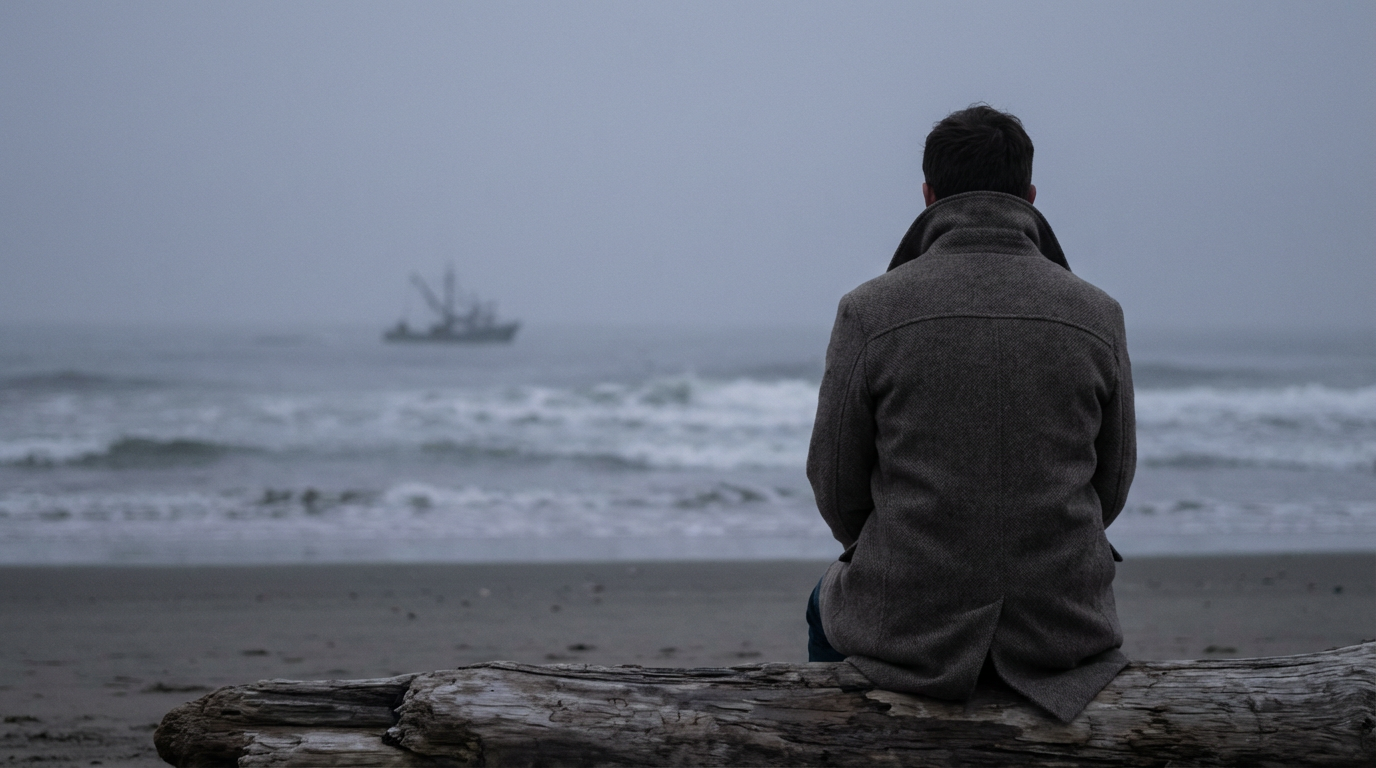
Nano Banana Pro is a strong AI image model if your main goal is information-rich stills: legible text, multi-reference consistency, natural-language lighting/focus control, and higher-resolution exports for design comps.
It is a weaker choice when you need guaranteed perfect typography every time, or when the job is finished video rather than advanced still generation. Nano Banana Pro is a high-end image model, not a full video studio. For model switching and still-to-video, I prefer Van Gogh Studio.
| Review Point | My Take |
|---|---|
| Best for | Text-heavy stills, multi-ref consistency, design/UI comps |
| Not best for | Flawless zero-proof typography or full video production |
| Strongest feature | Superior text rendering + multi-image reference control |
| Biggest limitation | Small text flaws remain; still-only product scope |
| Learning curve | Easy for Gemini users; rewards specific instructions |
| My verdict | Excellent Pro-tier image model; not a complete video stack |
What Is Nano Banana Pro?
Nano Banana Pro is Google’s higher-capability image model in the Nano Banana / Gemini line, aimed at users who need more than casual pretty pictures. The Pro focus is information visualization, deeper prompt reasoning, studio-like creative controls, and stronger character/style consistency across references.
In practice it behaves like a design-oriented still engine: posters, mock social screenshots, multi-language signage concepts, texture transfers, and even UI/web prototype visuals from sketches.
You can access it via Nano Banana Pro. It generates and transforms images; it does not replace a video production workflow.
Key Features I Reviewed
Nano Banana Pro’s feature set is organized around text, reasoning, control, and consistency.
Superior Text Rendering
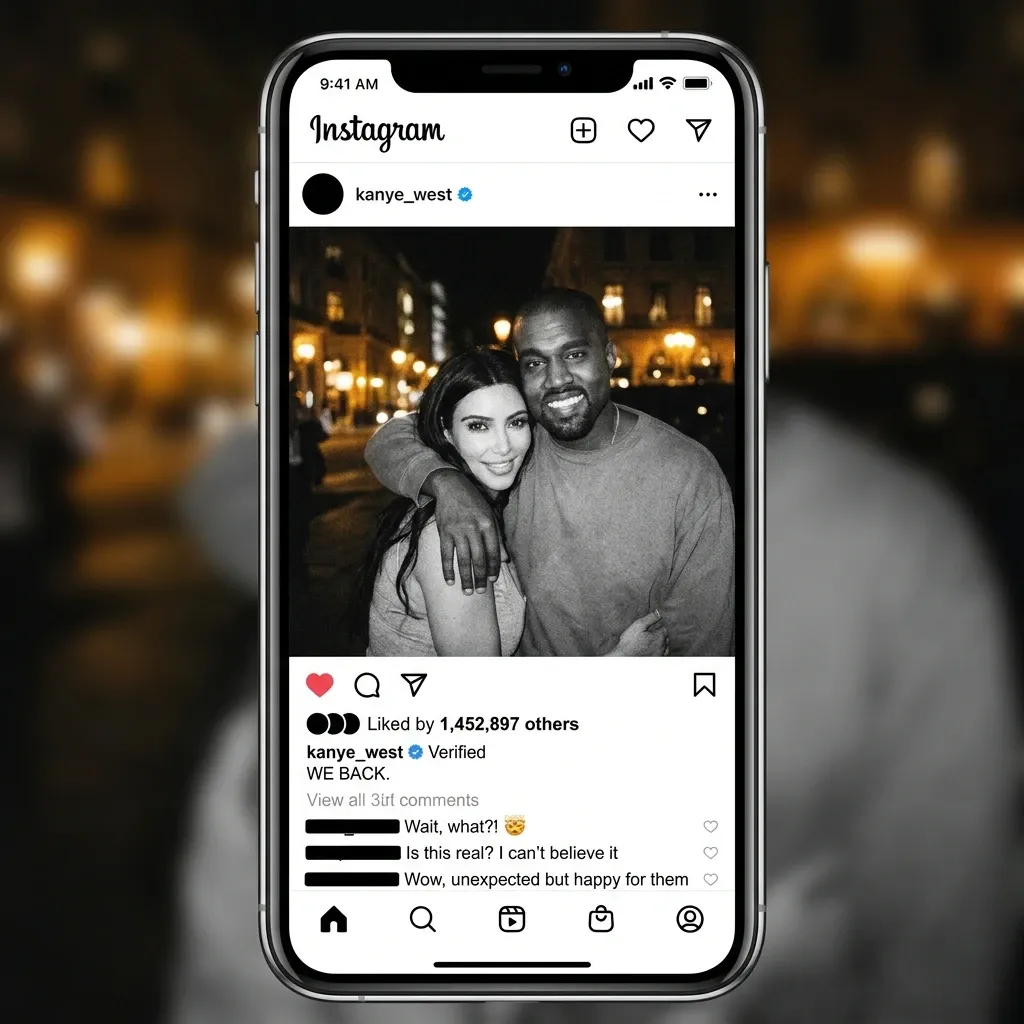
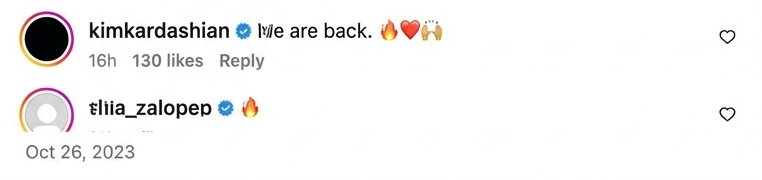
Text has been the classic AI image failure mode. Nano Banana Pro produced a surprisingly believable Instagram-style announcement layout and inferred plausible UI copy from a high-level brief. Small comment-thread flaws still appeared — good enough for concepts, not always pixel-perfect UI.
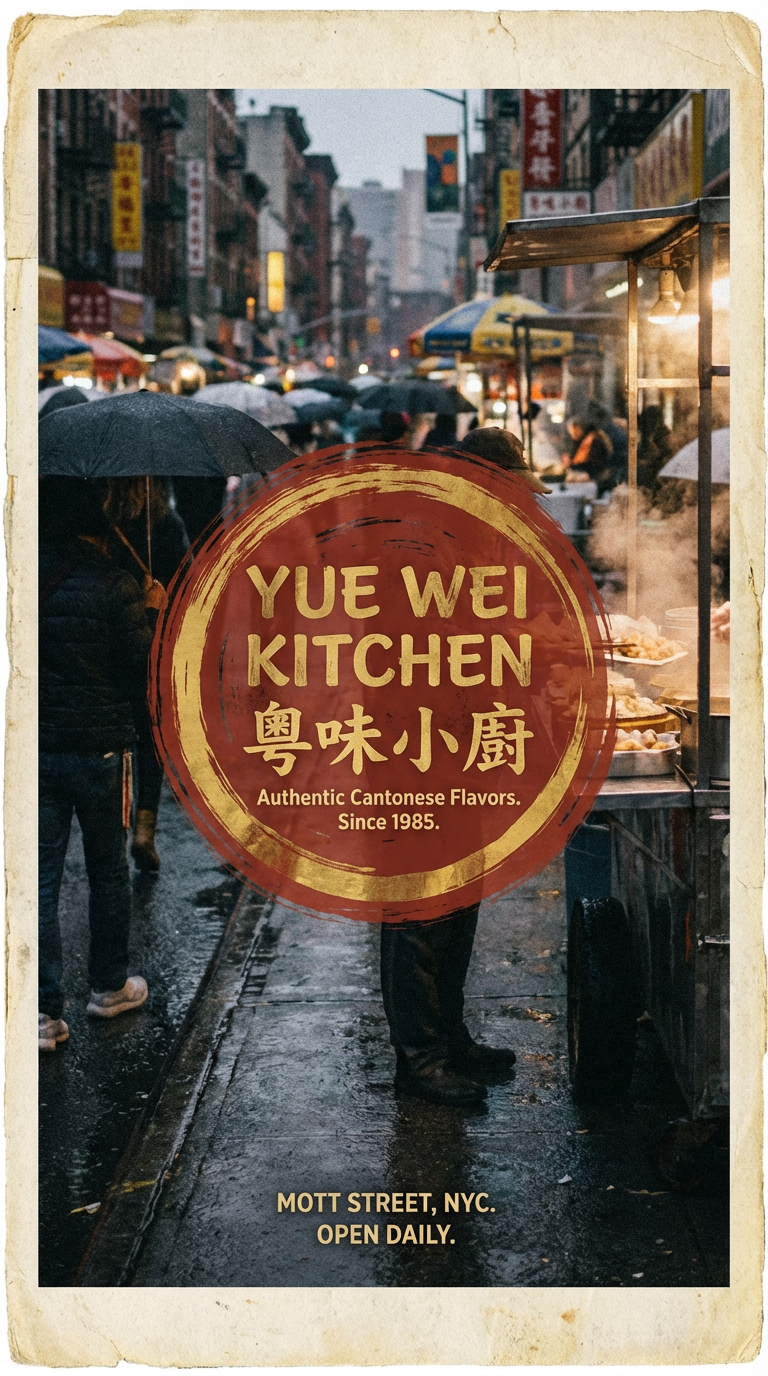
A documentary-style Cantonese restaurant poster showed strong design energy and more readable multilingual lettering than older models typically manage. Proofreading remains mandatory.
Advanced Reasoning and Multi-Step Edits
Gemini 3–class reasoning helps with complex instructions: physical lighting logic, reflections, and multi-part edits (“move the person left to right and change day to cyberpunk night”). That reduces the “model ignored half my prompt” tax common on weaker image systems.
Studio-Quality Creative Control and Resolution
Natural-language control over depth of field, focus, lighting, and color grading makes refinement feel closer to directing a shoot than gambling on seeds. Native 1K/2K/4K generation and multiple aspect ratios help when stills must leave the chat window and enter real layouts.
Multi-Image Reference Consistency
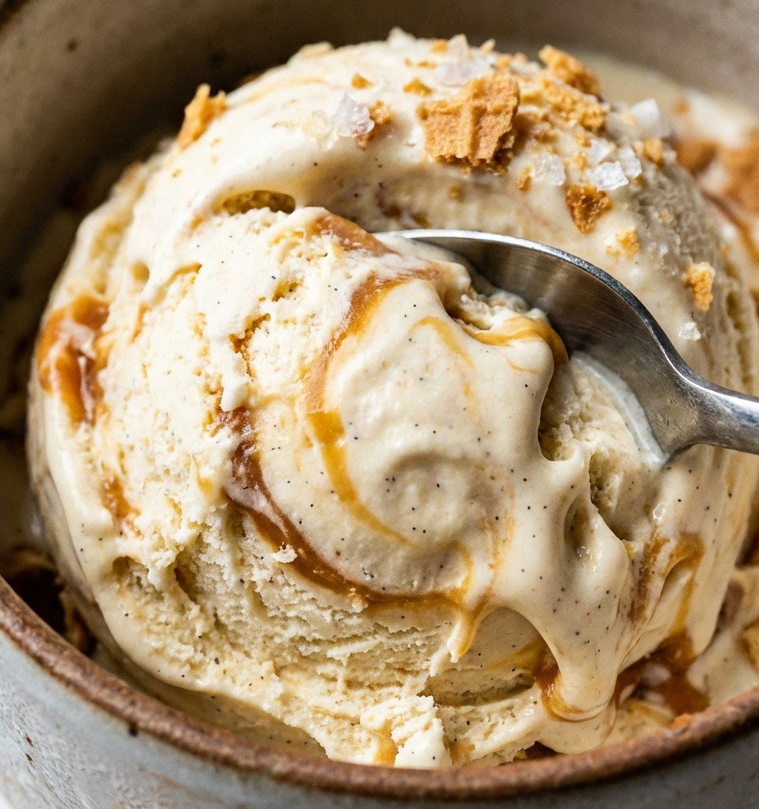
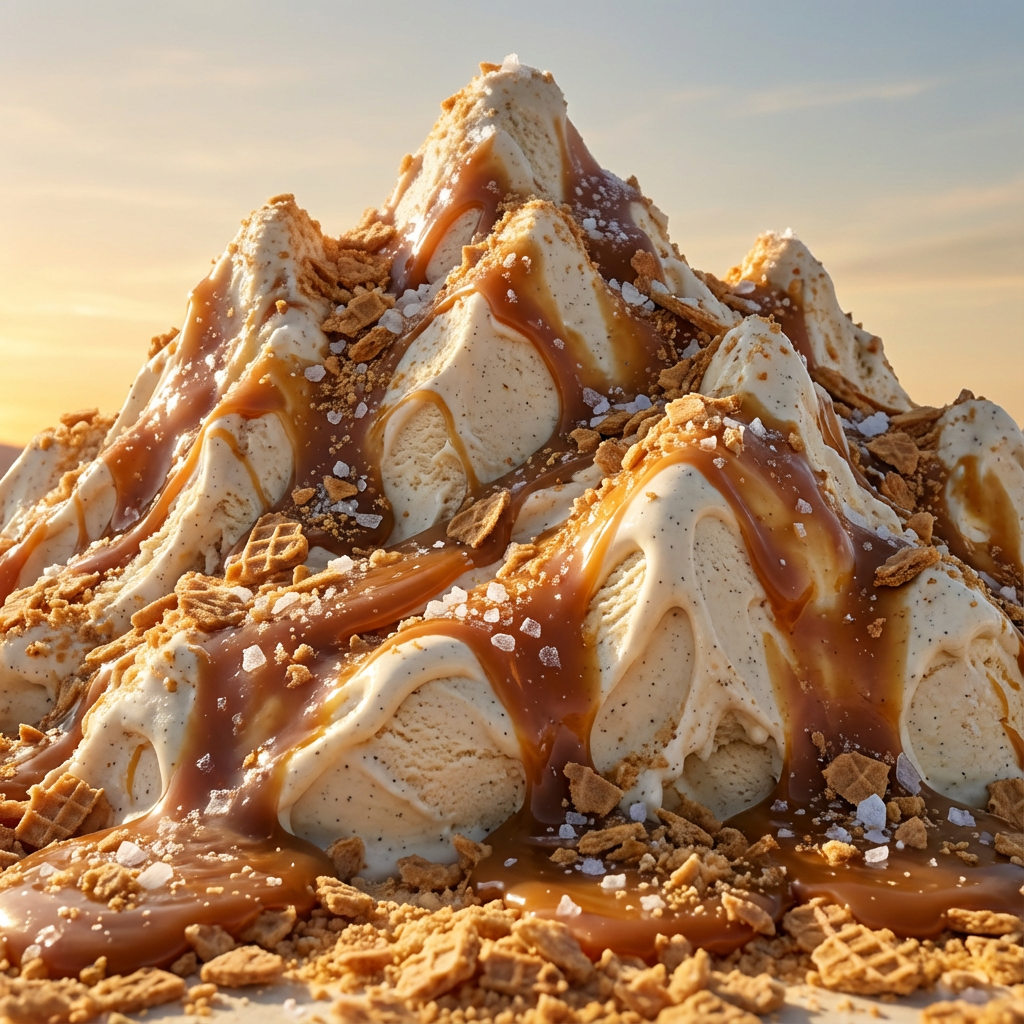
Support for many reference images (Google’s positioning goes as high as ~14) and multi-person resemblance across scenes matters for storyboards, picture books, and ad series. My ice-cream-texture → mountain-range test kept material identity impressively well.
Generative UI / Prototype Help
Turning sketches into interface-like visuals — and exploring design directions before code — is a differentiator versus illustration-only models. Treat outputs as prototypes, not production Figma files.
Pros and Cons
What I Liked
- Clearly stronger text rendering for posters, UI mocks, and signage concepts
- Multi-image referencing helps style and character consistency
- Natural-language studio controls (light, focus, grading) feel purposeful
- Higher-resolution and aspect-ratio options suit design handoff
- Reasoning handles complex multi-step still instructions better
What Held It Back
- Small text / UI details can still be wrong on close inspection
- “Realistic screenshot” outputs need human QA before any public use
- Best results assume you know how to brief a Pro model
- Still an image model — no native campaign video assembly
- Overkill if you only need casual one-off illustrations
Create Images and Videos with Van Gogh Studio Free
Where Nano Banana Pro Falls Short
Nano Banana Pro’s limits are about perfectionism and scope — not a lack of ambition.
Text Is Better, Not Infallible
Comment threads, tiny UI labels, and dense poster type can still glitch. For legal, brand, or shipping UI, regenerate and proof — or set type in a real design tool after generating the art.
Pro Stills ≠ Finished Video
Information-rich images help ads and product stories. They do not replace image to video, UGC ad video, or Agent-led structure when the deliverable must move.
One Model Is Still One Bet
Even a strong Pro model will miss some briefs. Production teams need a workspace that can fall back without restarting the project.
Real Use Cases
| Use Case | My Take |
|---|---|
| Posters and text-led social concepts | Strong fit with proofreading |
| Multi-reference brand / character consistency | Strong fit for still series |
| UI / web prototype visuals from sketches | Good fit as early design exploration |
| Mood portraits with lighting control | Strong fit |
| Texture / material transfer concepts | Strong fit |
| Pixel-perfect production UI or legal copy | Weak fit without manual type cleanup |
| Full video campaigns | Not a fit alone — image model only |
Nano Banana Pro vs Van Gogh Studio
| Dimension | Nano Banana Pro | Van Gogh Studio |
|---|---|---|
| Main role | Pro-tier Google image model | Multi-model images + video studio |
| Text-heavy stills | Core strength | Access Nano Banana Pro + alternatives |
| Multi-image refs | Strong consistency tooling | Available in-model + broader edit tools |
| Precision lighting | Prompt-led studio controls | Plus Relight / Angles |
| Still → video | Not included | Native image to video |
| Best fit | Designers needing advanced stills | Teams shipping stills and finished videos |
Why Van Gogh Studio Is a Better Nano Banana Pro Alternative

Nano Banana Pro is worth using as a Pro image engine. Van Gogh Studio is stronger as the place to use it — with fallbacks, precise edit tools, and motion when the brief grows.
Keep Pro Text Strengths, Add Escape Hatches
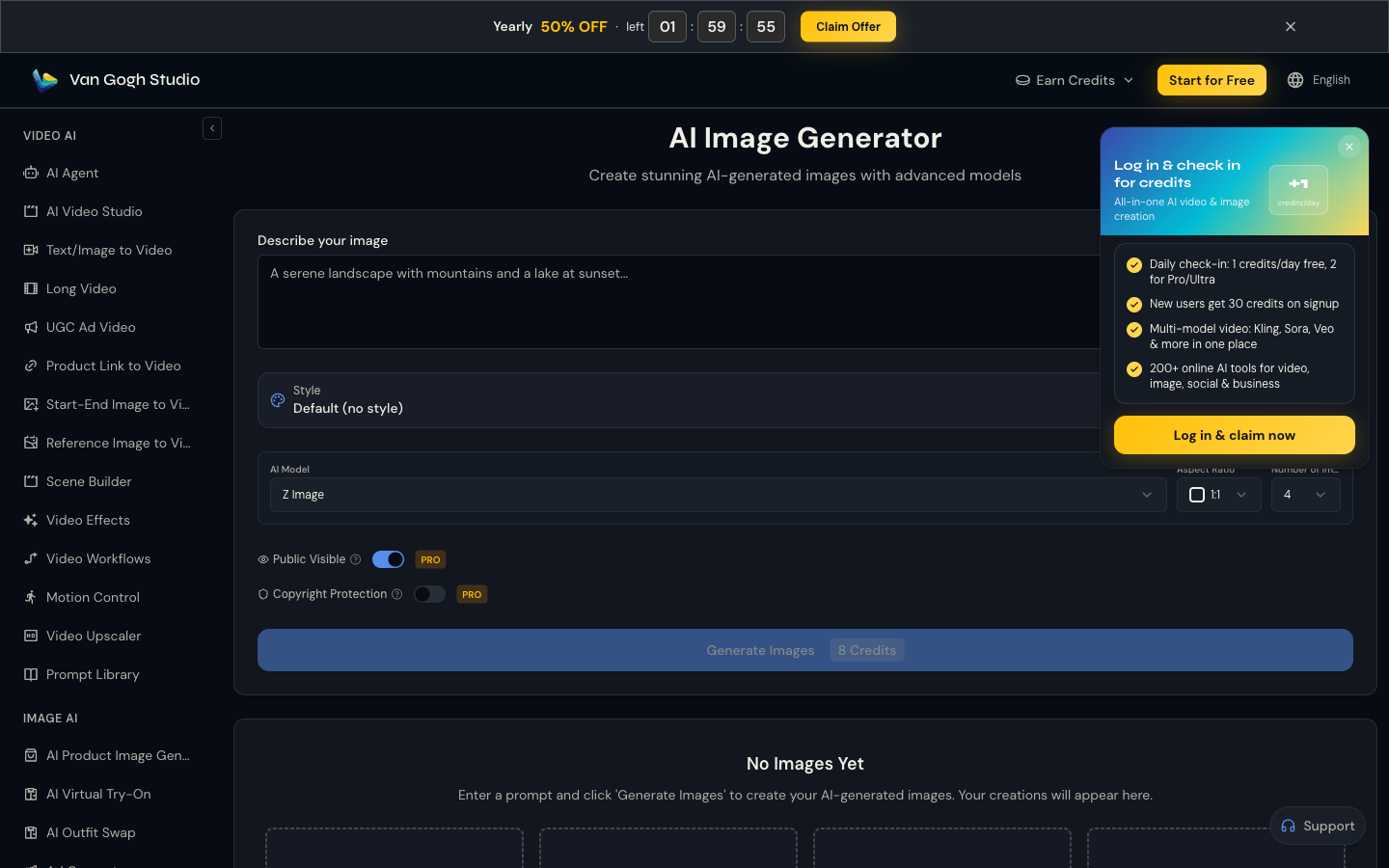
I want Nano Banana Pro for text-led comps, then Imagen 4, Flux, or GPT Image 2 when another look wins. That comparison lives in the AI image generator.
Generate Images with Van Gogh Studio Free
Design Stills That Need to Become Ads

A Pro poster still is often step one. Image to video, UGC ad video, and Van Gogh Studio Agent turn approved frames into motion without leaving the stack.
Relight and Angles After the Pro Pass

When natural-language lighting almost lands, Relight and Angles give a second control layer before you commit to video.
Final Verdict: Is Nano Banana Pro Worth Using?
Nano Banana Pro is worth using if your stills need readable text, multi-reference consistency, higher resolution, and stronger reasoning than casual image tools provide. For design comps and information-rich visuals, the Pro jump is real.
Small text flaws and still-only scope remain. It is not a complete video production system.
Use Nano Banana Pro for advanced stills. For multi-model shipping and still-to-video publishing, I would choose Van Gogh Studio.
Nano Banana Pro Review FAQs
Is Nano Banana Pro better than Nano Banana for text?
Yes in my tests — especially for posters, UI-like layouts, and multilingual signage concepts. You should still proof every character before publishing.
Does Nano Banana Pro support reference images?
Yes. Multi-image referencing is a major Pro selling point for style and character consistency across a still series.
What is the biggest drawback of Nano Banana Pro?
Tiny text/UI imperfections and the hard stop at still images when many briefs need motion.
What is the best Nano Banana Pro alternative?
If you want Pro-tier stills plus fallbacks and a video path, Van Gogh Studio is the better workspace — start at the AI image generator and continue into image to video.
Create AI videos free
Try Van Gogh Studio free — text-to-video, image-to-video, and 300+ models in one place. Free credits on signup, no credit card required.
Try Free Video Generator


