

I tested MindVideo as an AI video generator for short social clips, product teasers, image animation, and basic post-generation polish — not just the polished demos on its homepage.
In this MindVideo review, I’ll share what it does well, where the workflow still feels unfinished, who it fits best, and why I would choose Van Gogh Studio when I need a clearer path from idea to publish-ready video.
Quick Verdict
MindVideo is a useful all-in-one AI creative platform if you want to generate simple clips from text or images and try several video tools in one place.
It is a weaker choice when you need polished campaign videos, product storytelling, or an end-to-end production workflow. For that, I prefer Van Gogh Studio.
| Review Point | My Take |
|---|---|
| Best for | Quick AI video experiments, image animation, and simple social clips |
| Not best for | Campaign-ready ads, structured product videos, or guided production |
| Strongest feature | Text-to-video and image-to-video plus refinement tools in one workspace |
| Biggest limitation | Outputs often feel like raw clips that still need editing and planning |
| Learning curve | Easy to start; more open-ended than guided |
| My verdict | Good creative sandbox; limited as a full video production studio |
What Is MindVideo?
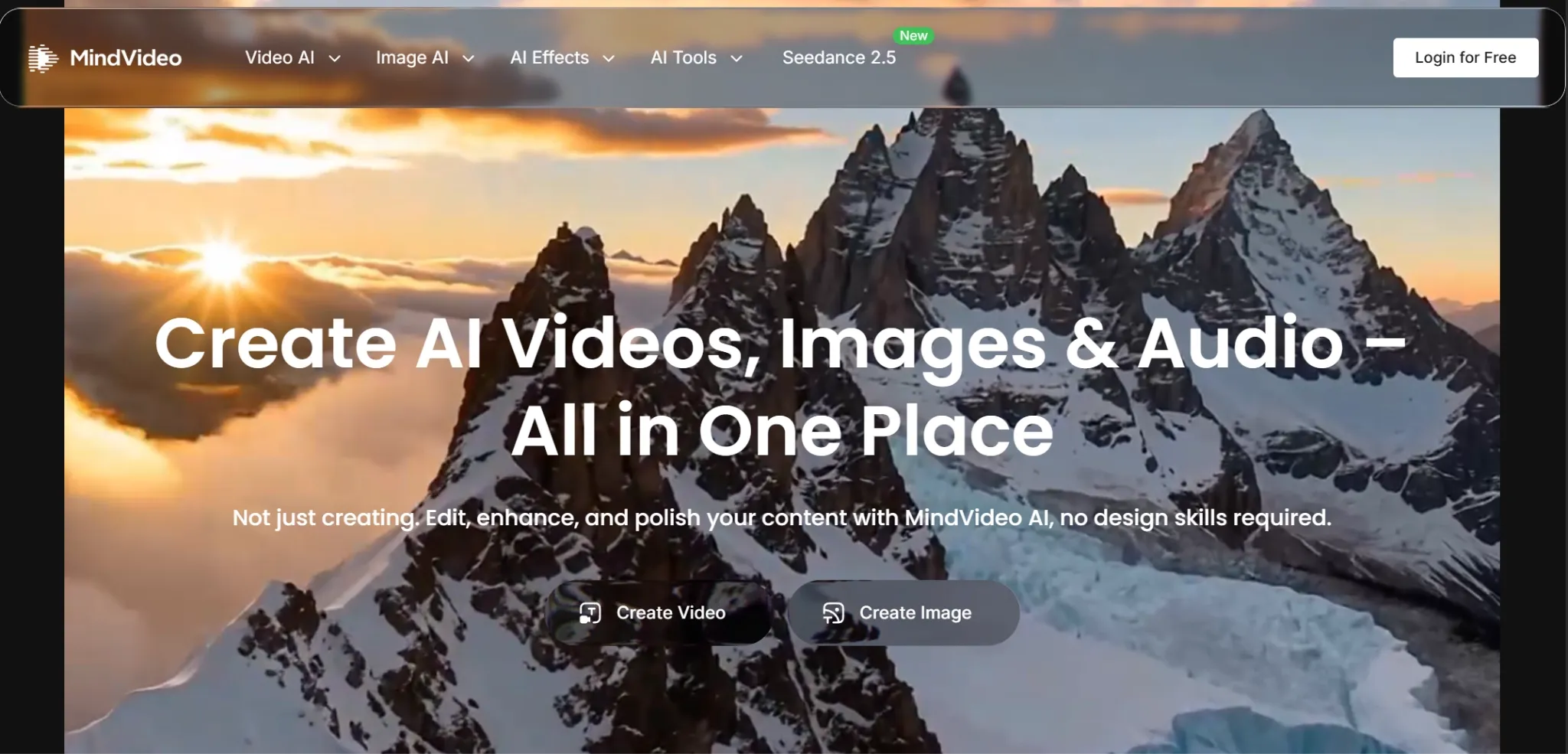
MindVideo is a web-based AI creative platform built around turning prompts, uploaded images, and existing media into short video assets. Its main appeal is convenience: you can start with a rough idea, generate a clip, then refine parts of the result in the same workspace.
For video creation, MindVideo covers the usual steps many creators need — from text to video and image to video to quality tweaks, style changes, voice or sound effects, and download.
That said, results still depend heavily on prompt quality, source materials, and your own editing judgment. In my testing, MindVideo was strongest for drafting new clips and weaker as a complete production workflow.
Key Features I Reviewed
Prompt-Based Video Creation
MindVideo’s core video workflow starts with a written idea. You describe the scene, adjust basic settings, and generate a short clip from that prompt.
I found this useful for testing visual directions quickly. It works best for early concepts, social drafts, mood references, and simple ad ideas — not fully polished campaign videos.
Image-Based Video Generation
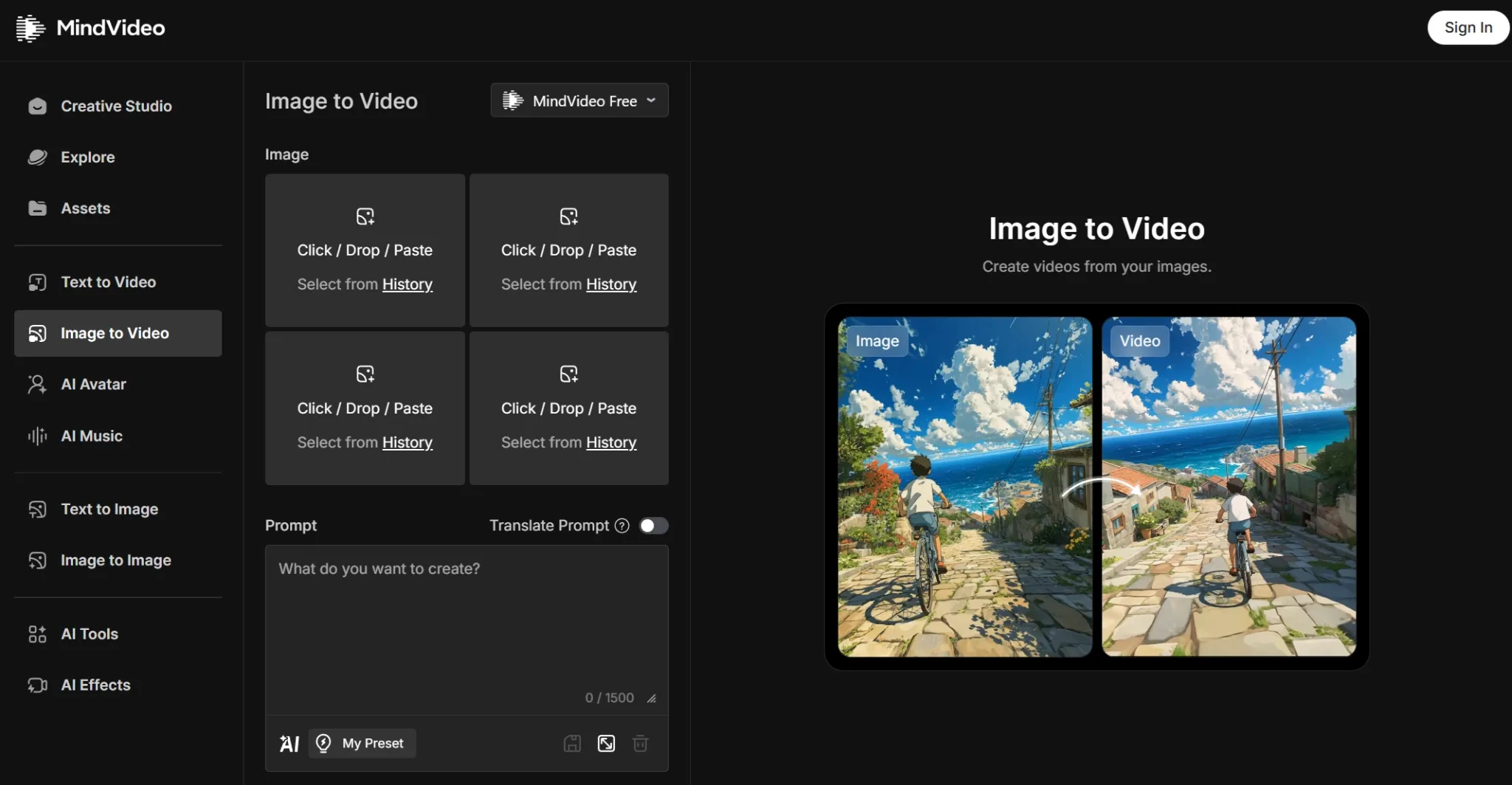
MindVideo’s image-to-video tool turns uploaded photos into moving clips. This was one of its more practical features because many users already have product images, portraits, or concept art they want to animate.
In practice, I found this more predictable than pure prompt generation. It is useful for creating motion from existing assets, though the final result still needs review before business or campaign use.
Post-Generation Refinement
MindVideo includes tools for improving or adjusting generated clips after the first pass — quality fixes, extensions, style shifts, motion tweaks, and basic edits in the same platform.
These tools still require judgment. The platform helps with refinement, but it does not remove the need to check pacing, consistency, and final usability. That is normal for AI video; MindVideo just does not finish the job for you.
Multi-Model Video Options and Effects
MindVideo lists several video model options and effects. That flexibility is a strength if you like to experiment, but it also adds decision-making. I still had to choose the right approach for each task, so it felt more like a creative workspace than a guided production system.
If you want clearer model choice inside a broader studio, Van Gogh Studio’s access to models such as Veo 3.1, Kling 3.0, and Seedance 2.5 sits inside fuller video workflows rather than a tool picker alone.
AI Audio and Music
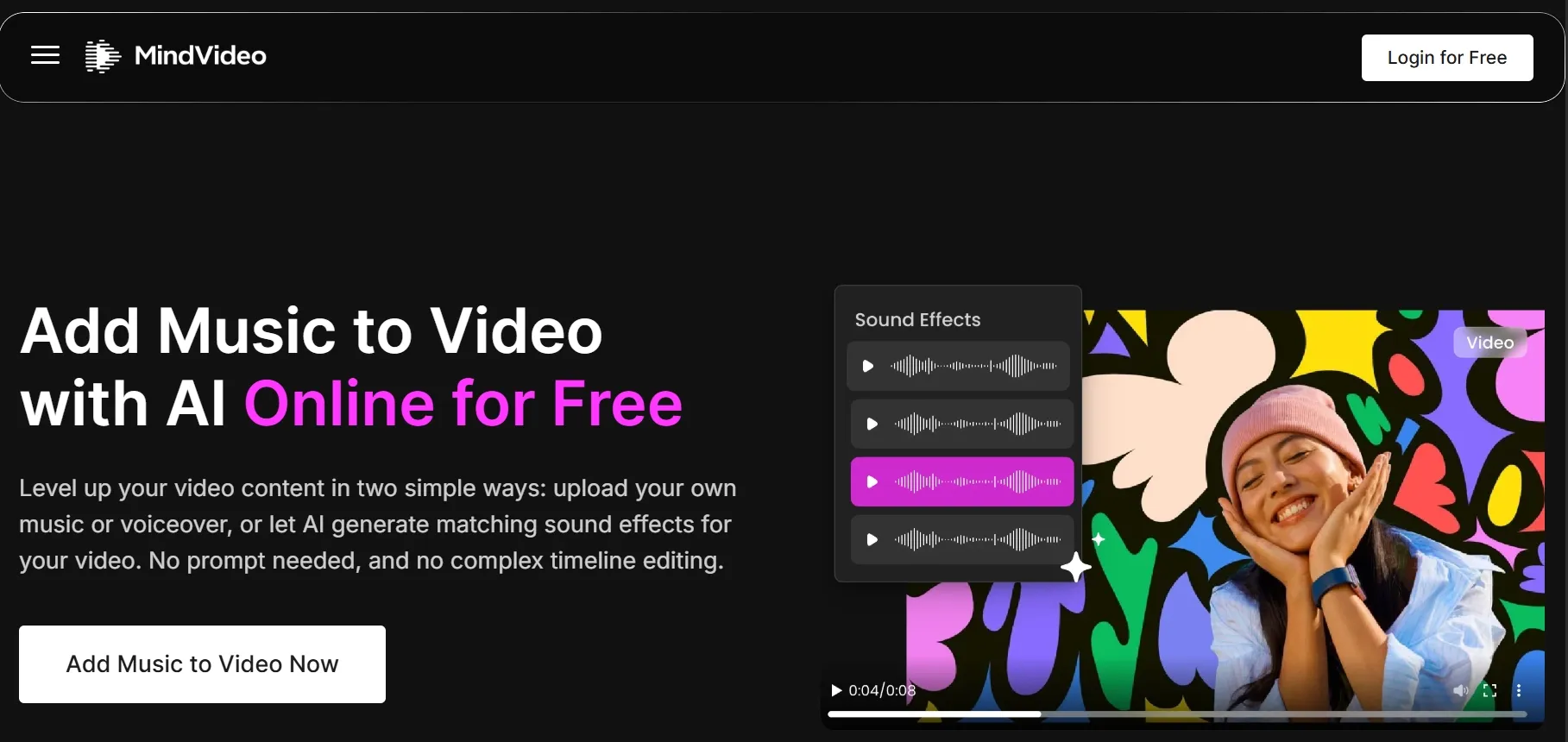
MindVideo includes audio features for adding voice, music, or sound effects to video projects. That matters because silent generated clips often feel incomplete.
Audio alone is not a substitute for video structure. I still needed to manage scene flow, captions, timing, and final editing for a polished, ready-to-publish result. For standalone narration tests, Van Gogh Studio’s text to speech tool is a clean option outside the full video workflow.
Pros and Cons
What I Liked
- Simple entry point for beginners who want text-to-video or image-to-video quickly
- Useful supporting tools such as enhancer, extender, editor, lip sync, and motion mimic
- AI image, music, and audio tools live in the same platform
- Well suited for rapid experimentation and creative ideation
- Image-to-video felt more predictable than prompt-only generation
What Held It Back
- Outputs often feel like raw clips rather than finished content
- Workflow planning is mostly left to the user
- Resolution and quality claims are not always consistent across tools
- Commercial rights appear limited to paid plans
- Marketing and product video workflows feel less specialized than Van Gogh Studio
Create Full Videos with Van Gogh Studio Free
Where MindVideo Falls Short
MindVideo’s limits show up when the goal shifts from “generate a clip” to “ship a finished video.”
Clip Generation Over Video Production
MindVideo can generate video assets quickly, but I would not assume every result is ready to publish. I still had to think about pacing, scene logic, visual consistency, audio fit, and whether the clip served the intended use case.
That is fine for testing ideas. It becomes limiting when the goal is a finished ad, product video, or social campaign that needs to look polished from the start.
Heavy Dependence on User Direction
I liked that MindVideo gives several ways to create and refine videos, but the platform does not always guide you through a complete production process. You still decide what to generate first, what to fix next, and when the result is usable.
For experienced creators, that flexibility can help. For marketing teams or sellers who want a more direct path from idea to final asset, the workflow can feel too open-ended.
Inconsistent Output Quality
Video quality was not always consistent across tools and workflows. Some results looked clean enough for drafts or social experiments; others still felt unfinished — especially when I needed sharper details, smoother motion, or a more polished commercial look.
That makes MindVideo harder to trust for serious brand, client, or paid campaign work, where you cannot keep guessing whether the next export will be strong enough.
Product and Ad Videos Need Extra Polish
MindVideo can support product demos, ad concepts, and social content, but those outputs still needed review and manual editing before campaign use. A generated clip may look interesting without clearly communicating the product or fitting the brand.
For brands and sellers, that extra production load matters. Casual creators may accept it; campaign teams usually will not.
Real Use Cases
| Use Case | My Take |
|---|---|
| Quick social clips | Good for fast ideas and trendy effects; still needs trimming, captions, and polish |
| Product teaser videos | Useful for animating product images; not a full commerce workflow |
| Text to video | Easy enough for beginners; prompt quality matters a lot |
| Character or story scenes | Fine for model experiments; continuity and structure need checking |
| Marketing ads | Can create ad-style clips; weaker for campaign-ready output |
| Storyboarding | Helpful for visual exploration; better as draft material than final production |
| Video enhancement | Useful support tool; enhancement does not fix weak video direction |
The pattern is clear: MindVideo helps when you need rapid AI video material. When you need a finished, purposeful video, I would rather use a platform built around complete video workflows.
MindVideo vs Van Gogh Studio
| Dimension | MindVideo | Van Gogh Studio |
|---|---|---|
| Main workflow | Multi-tool clip generation and refinement | Full AI video generation, editing, and publish-ready workflows |
| Text to video | Yes | Yes via AI text to video |
| Image to video | Yes | Yes via AI image to video |
| Multi-model creation | Several model and effect options | Broader model access inside structured studio flows |
| Marketing workflows | Basic ad-style use cases | Stronger with UGC ad video and campaign tools |
| Product workflows | Image animation and product teasers | Stronger product and link to video paths |
| Finished video workflow | More manual assembly | Stronger with Van Gogh Studio Agent and the AI video editor |
| Best fit | Quick experiments and creative drafts | Creators and marketers who need publish-ready videos |
Why Van Gogh Studio Is a Better MindVideo Alternative
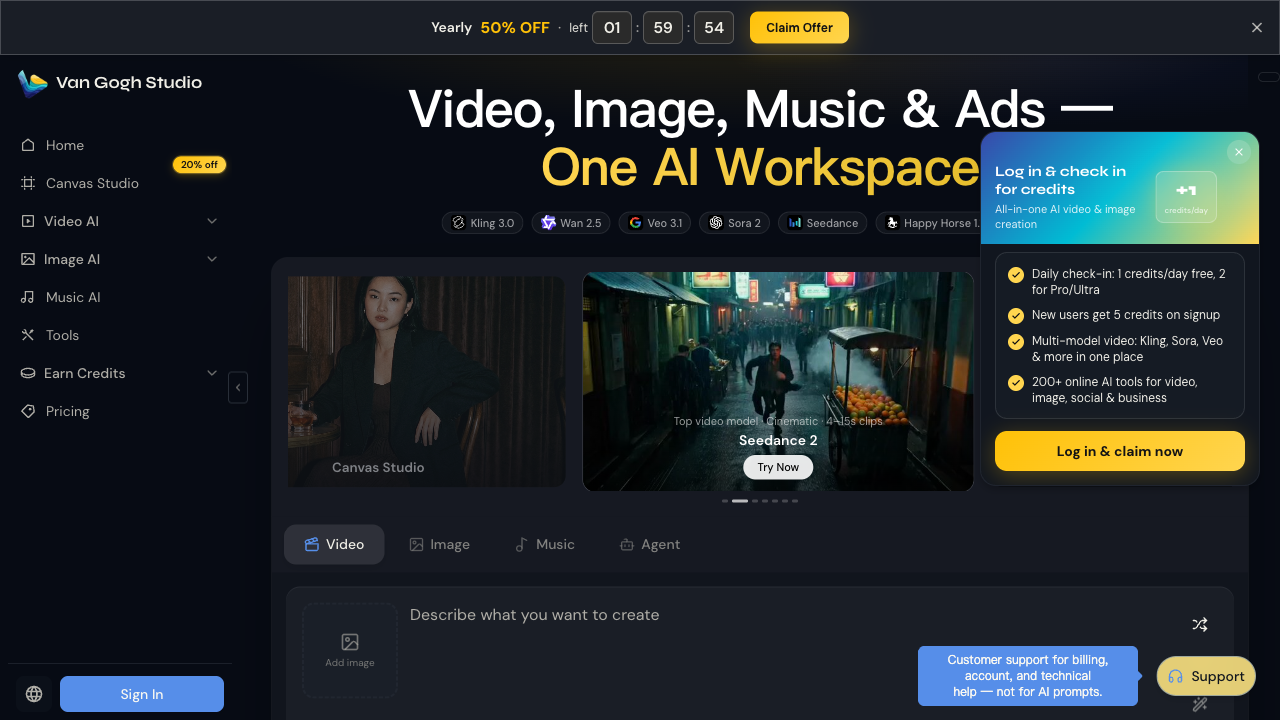
MindVideo is useful for creating video assets. Van Gogh Studio is stronger when the goal is not only “create a clip,” but “ship a video.”
Finished Videos, Not Just Generated Clips

With Van Gogh Studio, generation sits inside a broader production flow. Van Gogh Studio Agent helps move from an idea, image, text, or URL toward a structured video without manually stitching every part together.
That difference matters for social campaigns, product explainers, and longer story formats via long video — where pacing, scenes, and final polish are part of the job, not an afterthought.
Create Videos with Van Gogh Studio Agent
Stronger Marketing and Product Workflows
MindVideo mentions ads and product demos, but Van Gogh Studio has clearer paths for marketing teams: UGC ads, photo-to-video ads, and URL to video flows that start from the content you already have.
Instead of opening a blank generator and figuring out the production plan yourself, you can start closer to the type of video you actually need to publish.
Avatar and Presenter Options Inside the Same Suite

When a project needs a talking presenter plus product motion or b-roll, Van Gogh Studio’s AI avatar tools sit next to text-to-video, image-to-video, and editing — so the avatar can be one scene in a finished asset, not a separate tool.
Create Avatar Videos with Van Gogh Studio Free
Broader Creative Range After the First Clip
MindVideo’s strength is the tool list. Van Gogh Studio’s strength is what happens after generation: editing, campaign variations, model choice, and publish-oriented workflows in one place.
Final Verdict
MindVideo is worth trying if you want a beginner-friendly AI video generator with text to video, image to video, effects, enhancement, and audio tools in one place. As a creative sandbox for quick drafts, it is genuinely useful.
It is less ideal when you need stronger video generation for real marketing, product, and social workflows. Too much structure, polish, and publishing logic still falls on the user.
For me, Van Gogh Studio is the better long-term alternative because it combines multi-model video generation, editing, Agent-led publish-ready workflows, avatars, and campaign tools in one workspace — so you spend less time assembling raw clips and more time shipping finished videos.
MindVideo Review FAQs
Is MindVideo good for beginners?
Yes. MindVideo is easy to start with if you want to try text-to-video or image-to-video without learning a heavy editor. Beginners should still expect to review and polish most outputs.
Can MindVideo create videos from images?
Yes. Image-to-video is one of its more practical features. Uploaded product photos, portraits, or concept art can become short motion clips, though results still need a quality check before campaign use.
What is the biggest drawback of MindVideo?
For me, the biggest drawback is that it feels more like a clip generator than a full production workflow. You get useful tools, but planning, consistency, and final polish still depend heavily on the user.
What is the best MindVideo alternative?
If you want AI video generation plus a clearer path to publish-ready output, Van Gogh Studio is the better alternative. It covers AI video studio, text to video, image to video, UGC ads, editing, and Agent-led workflows in one place.
Create AI videos free
Try Van Gogh Studio free — text-to-video, image-to-video, and 300+ models in one place. Free credits on signup, no credit card required.
Try Free Video Generator


