

I tested Meta AI’s Imagine image generator to see whether chat-style prompting, in-feed Facebook/Instagram creation, and light AI edits are enough for real content work — or whether watermarks, abstract weakness, and image-only scope push you elsewhere.
In this Meta AI image generator review, I’ll share what it does well, where editing and concept images fall short, who it fits best, and why I would choose Van Gogh Studio when I need multi-model stills or a path into publish-ready video.
Quick Verdict
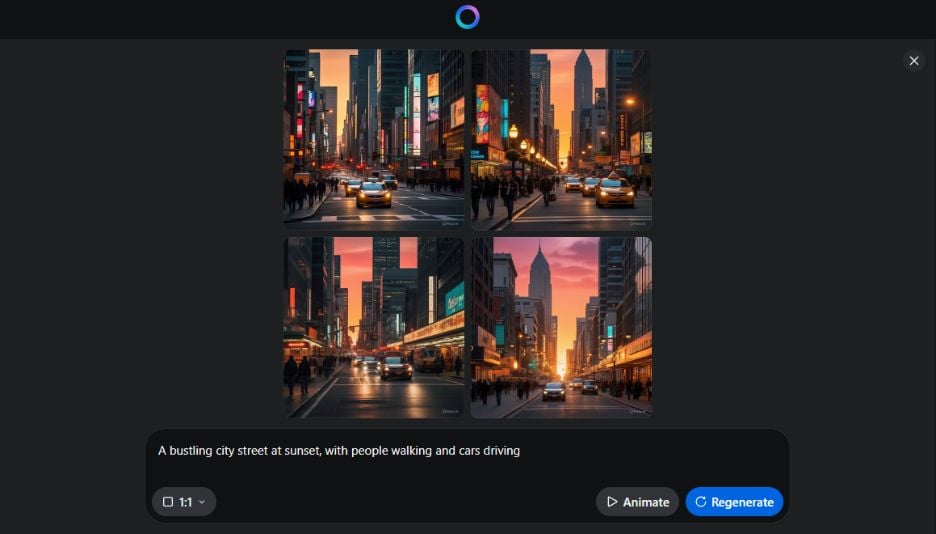
Meta AI Imagine is a strong free AI image generator if your main goal is fast styled stills from clear prompts — especially social posts created inside Facebook or Instagram — with conversational edits for simple object changes.
It is a weaker choice when you need precise compositing, deep abstract concepts, watermark-free exports without Pro, multi-model comparison, or still-to-video production. Imagine is a social image tool, not a video studio. For that broader path, I prefer Van Gogh Studio.
| Review Point | My Take |
|---|---|
| Best for | Fast social stills and Meta-app image experiments |
| Not best for | Precise edits, abstract concepts, or campaign video |
| Strongest feature | Speed + Facebook/Instagram-native Imagine creation |
| Biggest limitation | Watermarks, shallow abstract results, limited precise control |
| Learning curve | Easy — chat-like prompting |
| My verdict | Excellent for quick Meta-ecosystem stills; limited as a studio |
What Is Meta AI Image Generator (Imagine)?
Meta AI’s Imagine turns text prompts into images inside Meta’s AI surfaces and social apps. You describe a scene, get multiple variations quickly, optionally pick styles (such as cartoon), and can continue with chat-like edit instructions.
Its biggest value is distribution proximity: generate for feeds, Stories, and profile experiments without leaving Facebook or Instagram. You can also explore Meta-class generation via Meta AI.
Compared with dedicated creative studios, Imagine feels optimized for speed and social posting — not for brand asset pipelines or video.
Key Features I Reviewed
Imagine’s feature set centers on prompt generation, style switches, and light conversational edits.
Realism and Detail From Clear Prompts
A straightforward “bustling city street at sunset” prompt returned four images with convincing lighting and street energy in seconds. Minor glitches — odd wheels, exaggerated poses — appeared on close inspection, but the overall read was usable for social drafts.
Style Customization
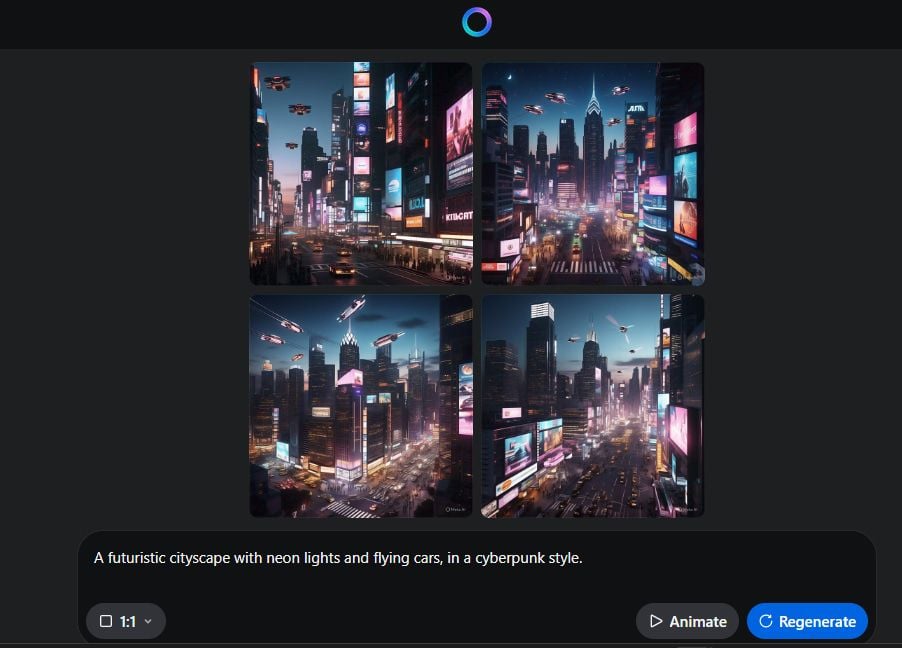
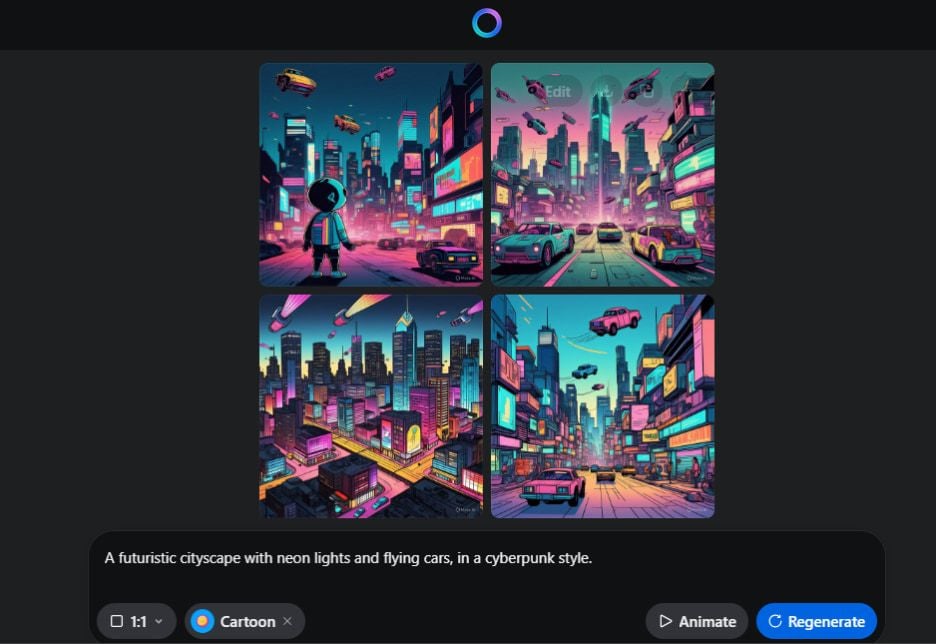
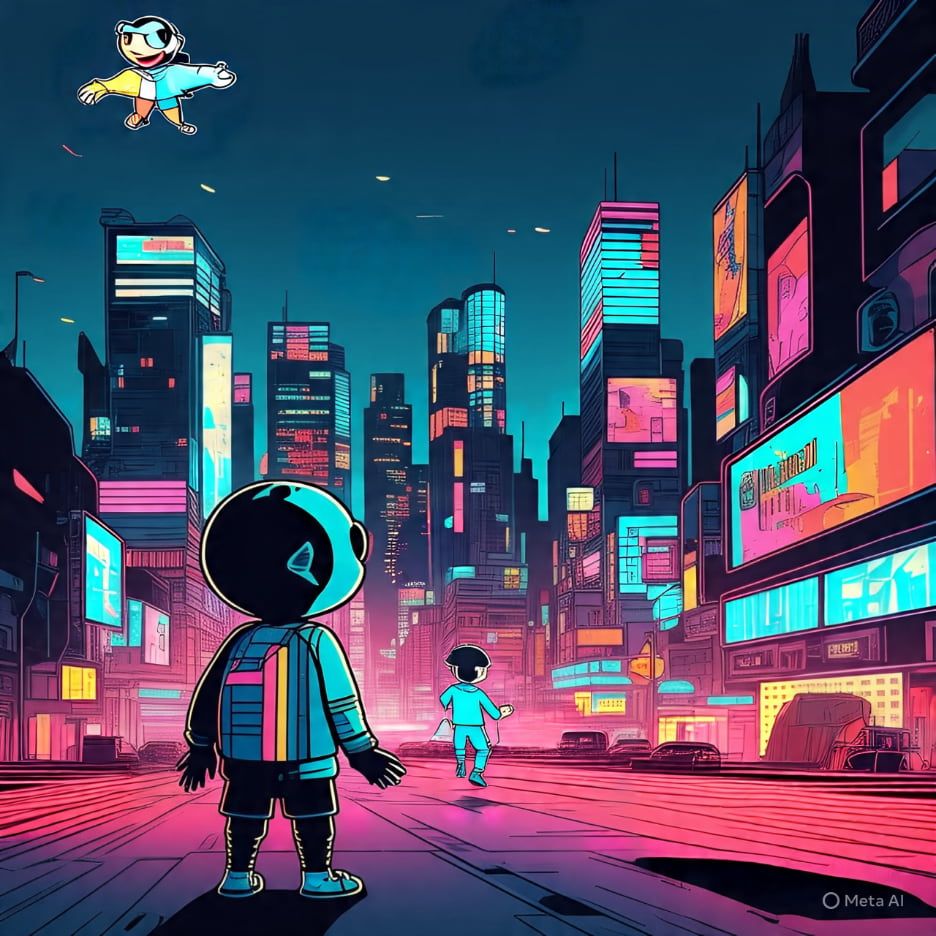
Style controls helped move the same futuristic prompt from neon realism toward cartoon energy. For designers who need quick look variants, that is practical — even if parameter depth stays limited versus pro tools.
Conversational Editing
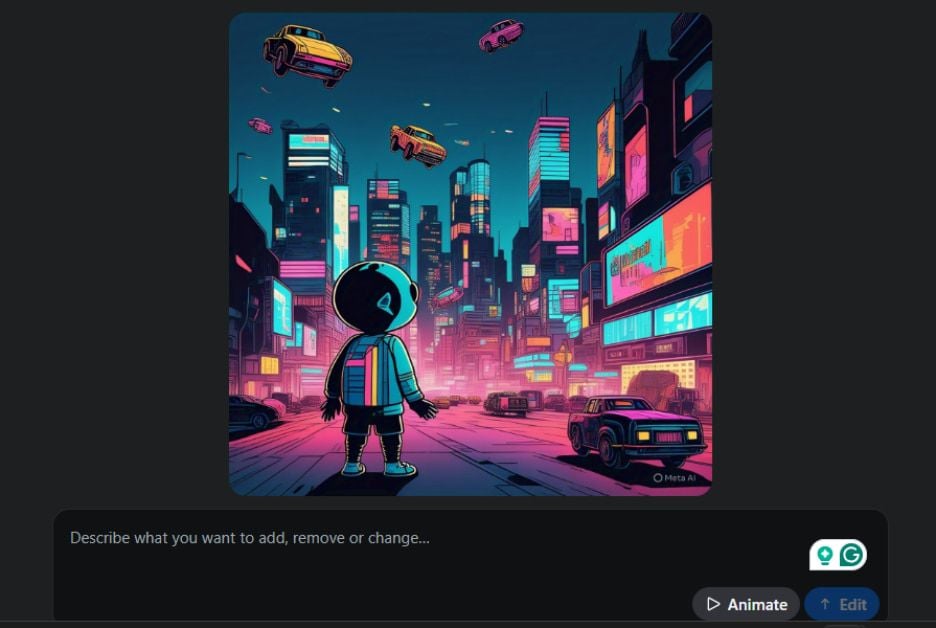

Object removal via chat instruction (“eliminate the flying cars”) worked decently, with only light residual marks. Adding a second character with precise placement and style matching was weaker — the new figure missed face-to-face positioning and style continuity.
Facebook and Instagram Integration
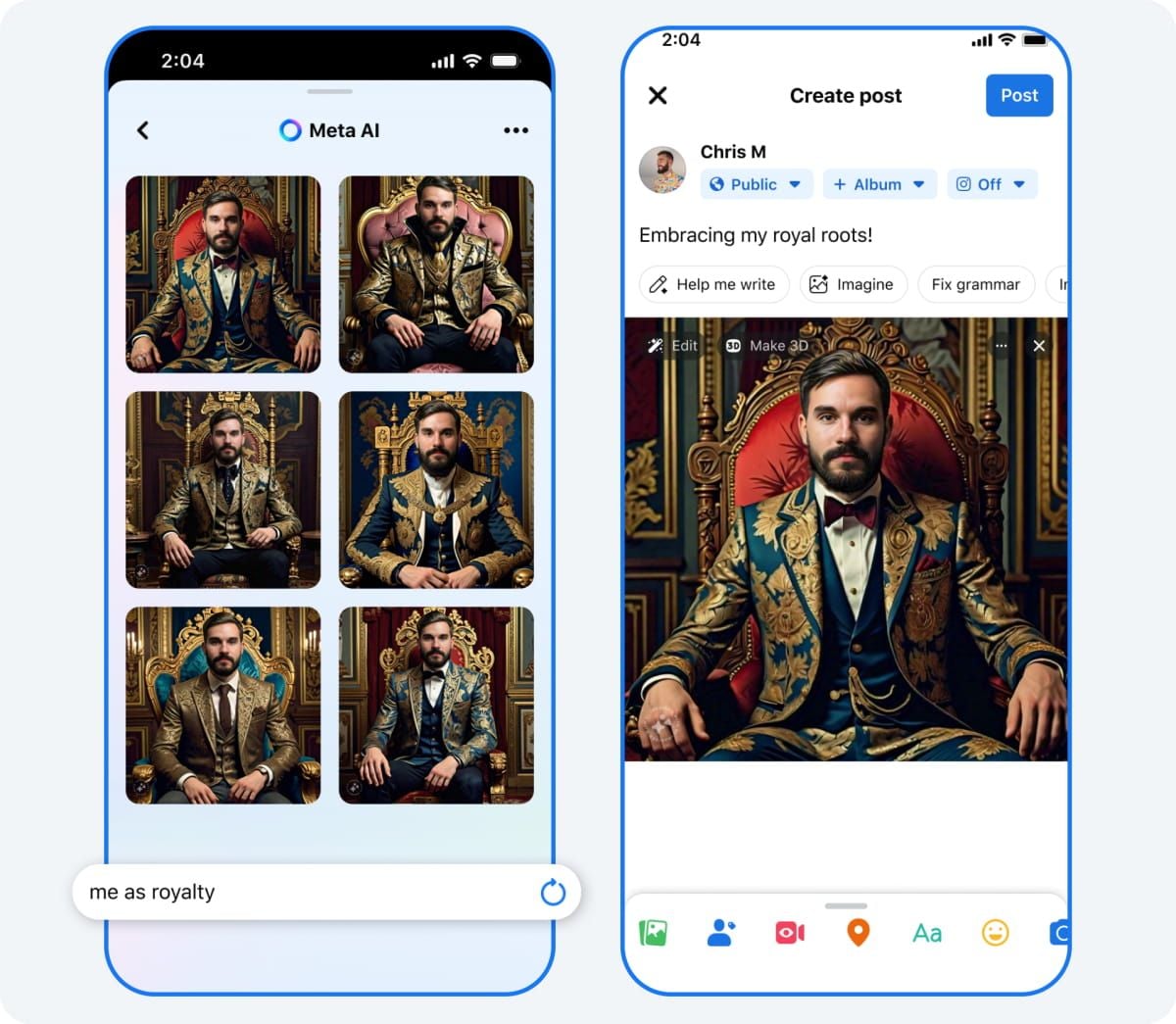
Creating images directly while composing a Facebook post is Imagine’s clearest differentiator. For social-native experimentation, that context beats opening a separate generator.
Pros and Cons
What I Liked
- Very fast generation from clear, concrete prompts
- Style switches help explore looks quickly
- Conversational object removal is useful for large fixes
- Native Facebook/Instagram Imagine flow for social posts
- Low learning curve for non-designers
What Held It Back
- Free exports can carry watermarks unless you upgrade
- Abstract prompts (e.g., “nostalgia”) stay shallow or overly literal
- Precise placement edits via chat are unreliable
- Complex, overly detailed prompts increase mistakes
- No real still-to-video or multi-model production path
Create Images and Videos with Van Gogh Studio Free
Where Meta AI Imagine Falls Short
Imagine’s limits show up when social speed is not enough.
Abstract and Emotional Concepts
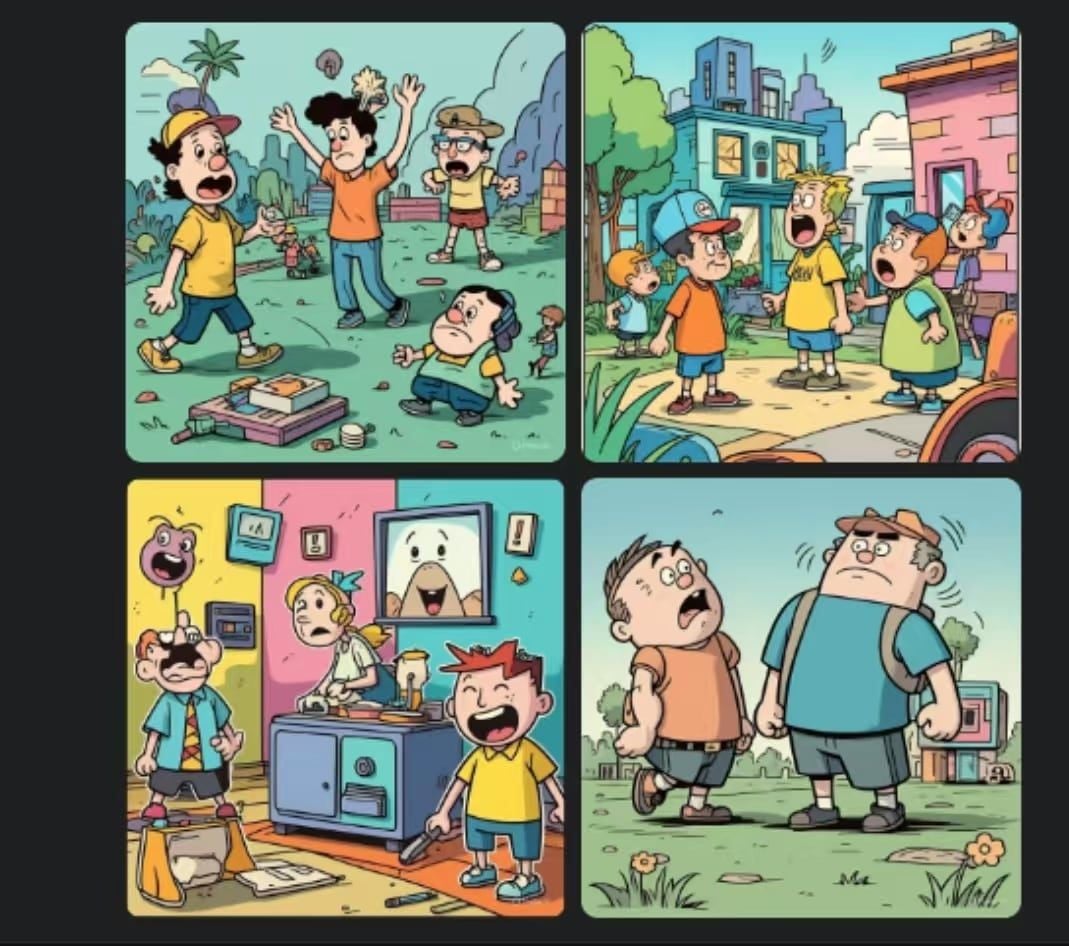
Prompts like “the feeling of nostalgia” produced bright childhood scenes that felt playful more than emotionally resonant. Meta AI prefers concrete nouns over mood-first briefs.
Watermark and Precision Ceiling
Watermarks on free exports block many brand uses. Chat edits help with broad changes but are a poor substitute for layer-accurate compositing.
Image Tool Inside a Social Ecosystem
Imagine will not replace image to video, multi-scene ads, or Agent-led publishing when the deliverable is video.
Real Use Cases
| Use Case | My Take |
|---|---|
| Facebook / Instagram post visuals | Strong fit — native Imagine flow |
| Quick realistic or cartoon stills | Strong fit for clear prompts |
| Simple object removal edits | Good fit for large-scale cleanup |
| Precise character compositing | Weak fit — chat placement misses |
| Abstract / mood-led concept art | Weak fit |
| Watermark-free brand assets (free tier) | Weak fit |
| Full campaign video | Not a fit — stills only |
Meta AI Imagine vs Van Gogh Studio
| Dimension | Meta AI Imagine | Van Gogh Studio |
|---|---|---|
| Main workflow | Chat-style stills inside Meta apps | Multi-model AI image generator + video |
| Social posting | Native Facebook/Instagram advantage | Export-first; stronger production depth |
| Editing | Conversational, coarse edits | Deeper image tools + AI video editor |
| Models | Meta’s Imagine path | Switch across Flux, Imagen, GPT-4o, more |
| Still → video | Not a core path | Native image to video |
| Best fit | Casual Meta-ecosystem creators | Creators shipping brand assets and videos |
Why Van Gogh Studio Is a Better Meta AI Alternative

Meta AI is useful when you want images where you already post. Van Gogh Studio is stronger when quality control, model choice, and motion matter more than in-feed convenience.
Multi-Model Stills Without Watermark-First Limits
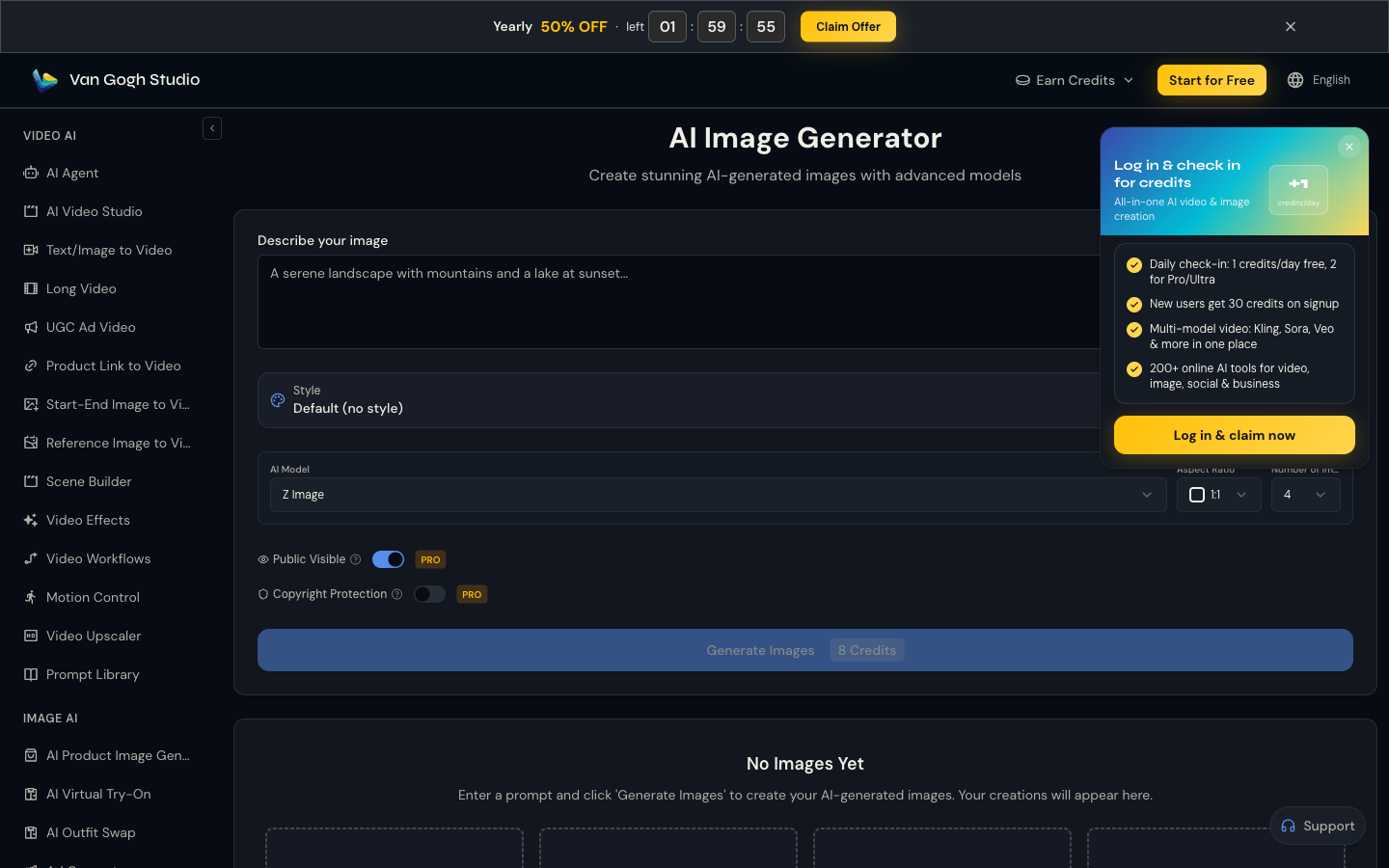
When Imagine’s single path or watermark blocks a brand job, Van Gogh Studio’s AI image generator lets me compare models and finish assets for real publishing.
Generate Images with Van Gogh Studio Free
Social Stills That Need to Become Clips

Meta helps you post a still. Image to video and UGC ad video help you ship motion for the same brief.
Full Creative Suite Beyond Chat Edits

Van Gogh Studio Agent and the AI video editor cover structure and finishing Imagine never attempts.
Final Verdict: Is Meta AI Imagine Worth Using?
Meta AI Imagine is worth using for fast social stills, especially when you create inside Facebook or Instagram. Clear prompts and simple chat edits make it approachable.
Watermarks, weak abstract results, and imprecise edits are the main issues. It is not a multi-model studio and not a video workflow.
Use Meta AI for quick Meta-native images. For production stills and still-to-video publishing, I would choose Van Gogh Studio.
Meta AI Image Generator Review FAQs
Is Meta AI Imagine free?
Generation and basic editing are widely available for free, but exports may include watermarks unless you upgrade. Check Meta’s current terms for your region.
Can I edit images in Meta AI?
Yes, via conversational instructions. Broad changes like object removal work better than precise placement or style-matched character adds.
What is the biggest drawback of Meta AI Imagine?
For me, watermark friction plus limited precision — and no serious path when the brief becomes video.
What is the best Meta AI Imagine alternative?
If you want multi-model images plus still-to-video and campaign tools, Van Gogh Studio is the better alternative via the AI image generator and image to video.
Create AI videos free
Try Van Gogh Studio free — text-to-video, image-to-video, and 300+ models in one place. Free credits on signup, no credit card required.
Try Free Video Generator


