

I tested Media.io to see whether its all-in-one promise — video, image, and music in one platform — delivers professional results or mostly a broad toolkit with uneven quality.
In this Media.io review, I’ll share what it does well, where model depth and pricing become friction, who it fits best, and why I would choose Van Gogh Studio when I need a clearer path to publish-ready AI video.
Quick Verdict
Media.io is a useful multimedia AI platform if your main goal is one login for video tools, image generation, music, and editing effects. The breadth is real, and the interface is approachable for mixed media tasks.
It is a weaker choice when you need top-tier model depth, consistent professional quality, or efficient pricing for heavy production. Media.io feels strongest as a wide toolkit, not the sharpest studio in every category. For fuller AI video production, I prefer Van Gogh Studio.
| Review Point | My Take |
|---|---|
| Best for | Mixed media tasks: video, image, music, and light editing in one place |
| Not best for | Premium multi-model video production or cost-efficient heavy use |
| Strongest feature | Broad multimedia toolset under one workspace |
| Biggest limitation | Quality and model variety can lag specialist platforms |
| Learning curve | Easy for general users |
| My verdict | Convenient all-in-one; uneven for professional production |
What Is Media.io?
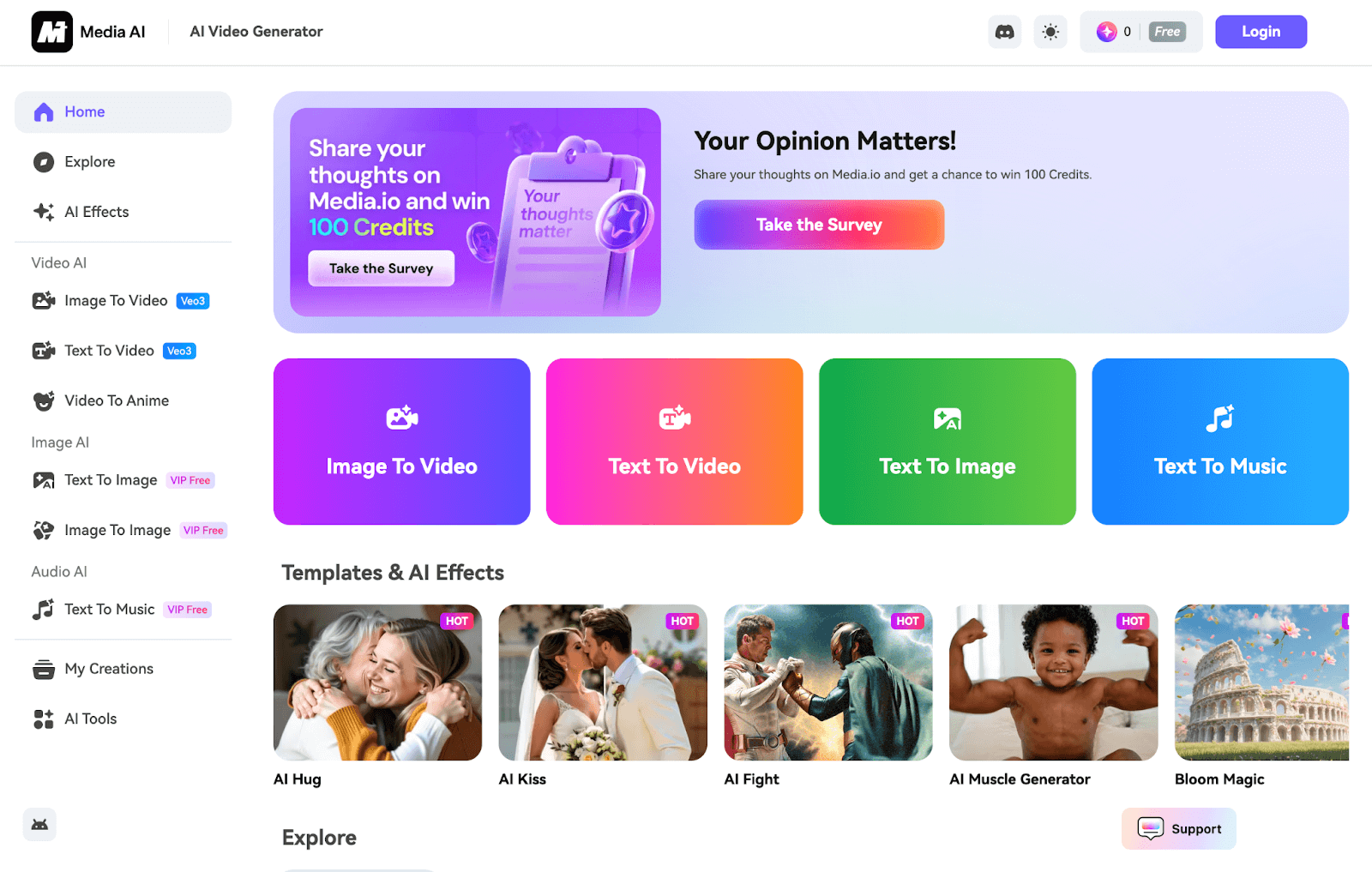
Media.io is an AI media platform that combines video generation and editing, image tools, music creation, and assorted effects. It targets users who do not want separate subscriptions for every media type.
Its biggest value is breadth. If your week includes a short clip, a still, and a background track, one workspace is convenient.
Compared with specialist AI video studios, generation quality and model choice feel narrower. Compared with pro editors, timeline depth is lighter.
Key Features I Reviewed
Media.io’s feature set is organized around multimedia coverage.
AI Video Generation and Editing
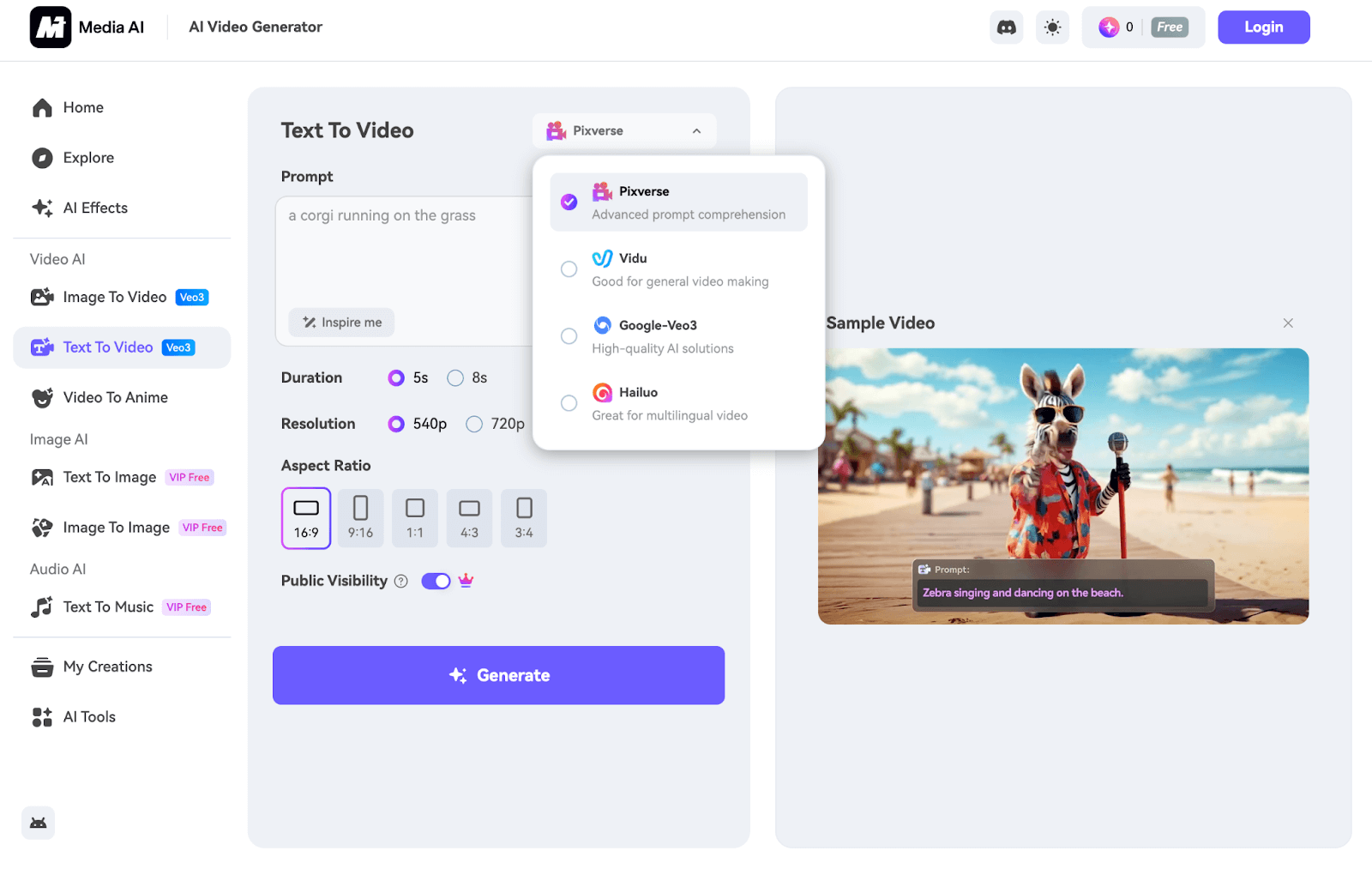
Video tools cover generation plus practical editing assists. That combination helps beginners move from clip to somewhat finished output without exporting immediately.
Professional motion quality and cinematic control vary. Some outputs need another pass before they feel campaign-ready.
AI Image Generation
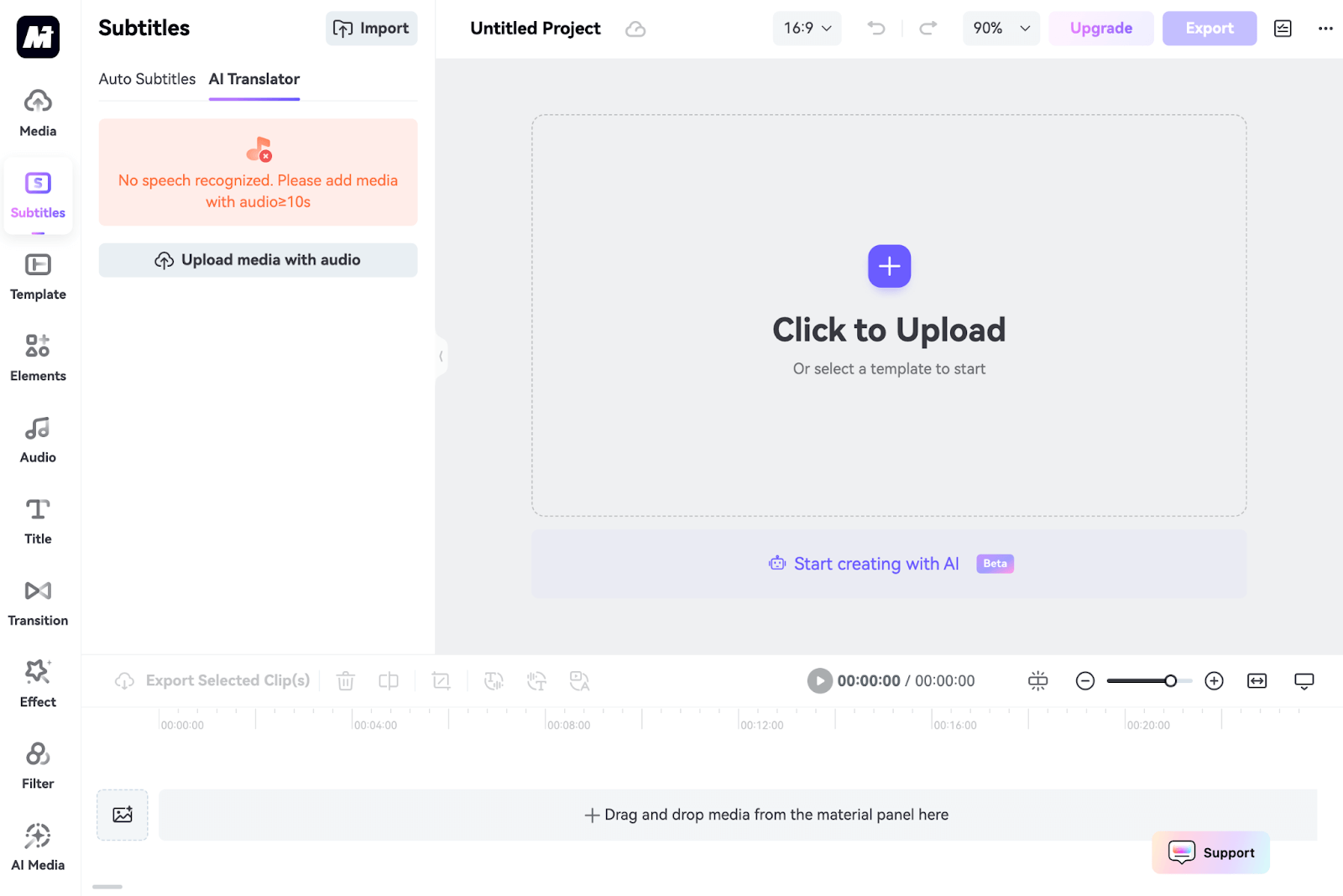
Image generation is available alongside video, which is handy for thumbnails and simple creatives.
Style and model range feel limited versus dedicated image platforms. Complex commercial stills may need a stronger AI image generator.
AI Music and Audio Helpers
Music generation supports the “all media” pitch. For background beds on social drafts, it is useful.
Audio branding and premium scoring are not the same category. Treat tracks as draft-friendly, then upgrade when the project matters.
Effects, Community Feed, and High-Resolution Exports

Effects and a community feed make exploration easier. High-resolution exports help when a result is good enough to keep.
Exploration does not fix a shallow model bench. If the look you need is not in the limited set, resolution alone will not save it.
Pros and Cons
What I Liked
- Video, image, and music tools in one place
- Approachable interface for mixed media beginners
- Editing features help after generation
- Community feed for inspiration
- High-resolution export options
What Held It Back
- Professional quality is inconsistent
- Limited AI model and style depth
- Pricing can get expensive for heavy use
- Free access is restrictive
- Not the strongest dedicated AI video production suite
Create Full Videos with Van Gogh Studio Free
Where Media.io Falls Short
Breadth Over Depth
Covering video, image, and music is convenient. Excelling at publish-ready AI video is a different bar.
Model and Style Ceiling
Fewer models means more sameness. When a brief needs a specific motion engine, specialist multi-model studios win.
Cost Versus Output
Paid plans can feel expensive if you still rework average outputs in another tool.
How I Reviewed Media.io
I reviewed Media.io as a multimedia toolkit for creators who want one platform for several media types.
Main areas I considered:
- Tool coverage — video, image, music, editing usefulness
- Output quality — whether results felt professional
- Model depth — variety versus specialist platforms
- Pricing friction — value for heavy creative use
- Use-case coverage — social, product, ads, explainers
Is Media.io Right for You?
Media.io is a strong fit if you want one account for mixed media chores and do not need the absolute best model in every category.
It is less ideal if AI video quality, model switching, and campaign finishing are your main jobs — especially at high volume.
In short: Media.io is right for users who value convenience breadth. It is less ideal for users who need a sharp AI video production system.
Real Use Cases
| Use Case | My Take |
|---|---|
| Mixed media social drafts | Strong fit — breadth helps |
| Simple video + music packages | Good fit for casual projects |
| Image thumbnails and stills | Mixed fit — usable, not best-in-class |
| Product video ads | Limited fit — quality varies |
| Multi-model cinematic production | Weak fit |
| UGC campaign systems | Limited fit alone |
| Heavy daily professional use | Mixed fit — watch pricing |
Media.io vs Van Gogh Studio
| Dimension | Media.io | Van Gogh Studio |
|---|---|---|
| Main workflow | Broad multimedia AI toolkit | Full AI video generation, editing, and publish-ready workflows |
| Video generation | Available among many tools | Core focus with stronger multi-model paths |
| Image + music | Built-in convenience | Image strong via AI image generator; video finish is the priority |
| Model depth | More limited | Broader options including Veo 3.1, Kling 3.0, Seedance 2.5 |
| Marketing output | Better for general drafts | Stronger with UGC ad video |
| Best fit | Users wanting one mixed-media toolbox | Creators focused on finished AI videos |
Why Van Gogh Studio Is a Better Media.io Alternative

Media.io is useful for breadth. Van Gogh Studio is stronger when AI video quality and finishing are the real job.
Video-First Generation With Model Choice

Text to video and image to video sit at the center, with multiple models when one look fails.
Post-Ready Videos With Van Gogh Studio Agent

Van Gogh Studio Agent focuses on structured publish-ready videos rather than a loose pile of media utilities.
Create Videos with Van Gogh Studio Agent
Avatar and Campaign Finishing

AI avatar, the AI video editor, and UGC ad video help ship marketing videos with less tool juggling.
Final Verdict: Is Media.io Worth Using?
Media.io is worth using if you want convenient access to video, image, and music tools in one place. Breadth and approachability are real strengths.
Depth, quality consistency, and pricing efficiency are the honesty check. Media.io is not the strongest choice for premium multi-model AI video production.
Use Media.io when mixed-media convenience is the job. For a sharper publish-ready AI video workflow, I would choose Van Gogh Studio.
Media.io Review FAQs
Is Media.io good for AI video and images?
It is decent for mixed media drafts. Specialists and multi-model studios often produce stronger final video quality.
Is Media.io expensive?
It can feel expensive for heavy users, especially if outputs still need refinement elsewhere.
What is the biggest drawback of Media.io?
For me, the biggest drawback is breadth without enough depth — convenient tools, uneven professional results.
What is the best Media.io alternative?
If you want a complete AI video workflow with stronger model choice, Van Gogh Studio is the better alternative. It covers multi-model video, AI avatar, editing, UGC ads, and Agent-led publish-ready videos in one workspace.
Create AI videos free
Try Van Gogh Studio free — text-to-video, image-to-video, and 300+ models in one place. Free credits on signup, no credit card required.
Try Free Video Generator


