

I tested Medeo AI to see whether its multimodal promise — video plus script, voiceover, subtitles, and background music in one pass — actually delivers usable videos or mostly convenient drafts.
In this Medeo AI review, I’ll share what it does well, where automatic assembly becomes the ceiling, who it fits best, and why I would choose Van Gogh Studio when I need a clearer path from idea to publish-ready video.
Quick Verdict
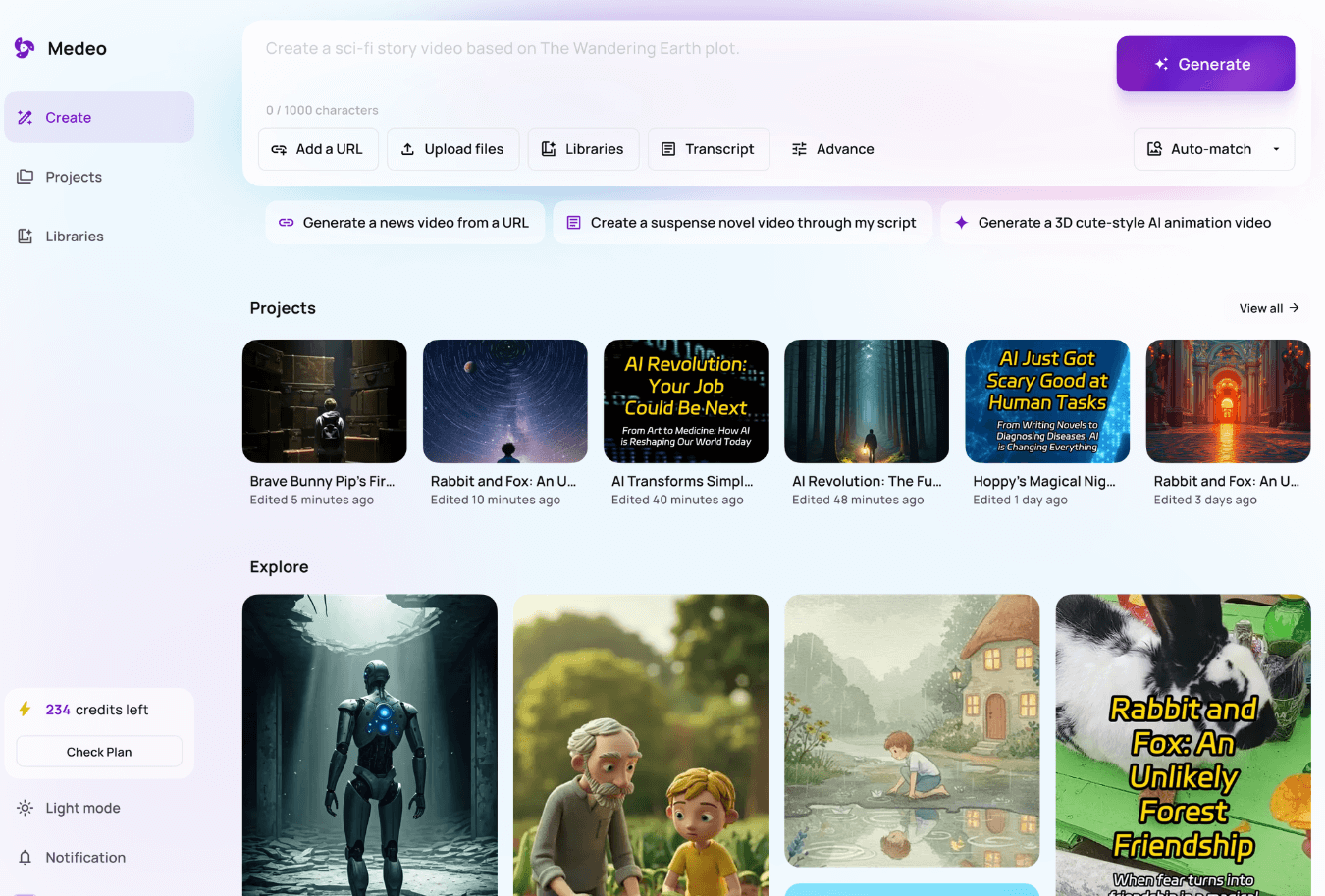
Medeo AI is a useful AI video generator if your main goal is beginner-friendly multimodal drafts: generate a video with script, voiceover, subtitles, and BGM without stitching five tools together. URL and file inputs also help turn existing content into a video project.
It is a weaker choice when you need cinematic control, multi-model quality, polished ads, or deeper creative direction. Medeo feels strongest as an all-in-one starter, not a premium production studio. For that broader path, I prefer Van Gogh Studio.
| Review Point | My Take |
|---|---|
| Best for | Beginner multimodal video drafts with voice, subtitles, and music |
| Not best for | Cinematic ads, multi-model production, or high-control storytelling |
| Strongest feature | One-pass video + script + voiceover + subtitles + BGM |
| Biggest limitation | Convenience over premium quality and creative depth |
| Learning curve | Easy for beginners |
| My verdict | Helpful all-in-one starter; limited as a full creative studio |
What Is Medeo AI?
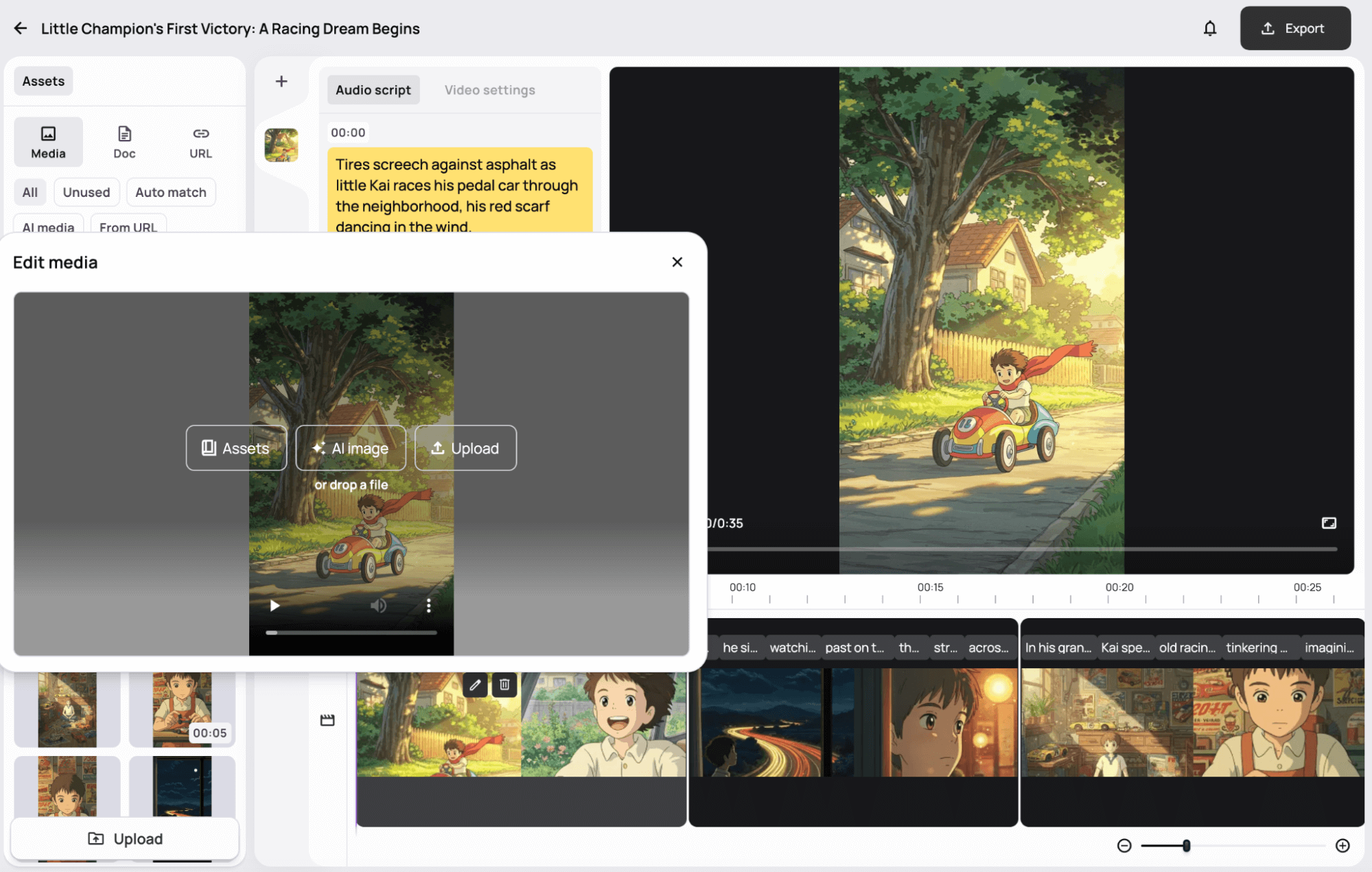
Medeo AI is a multimodal AI video platform designed to lower the barrier for finished-looking clips. Instead of generating silent footage and adding audio elsewhere, it aims to handle narration, captions, and music in the same flow.
Its biggest value is reducing tool-switching for beginners. Presentations, tutorials, and simple explainers benefit when voice and captions arrive with the visuals.
Compared with model-first studios, Medeo emphasizes assembly convenience. Compared with dedicated avatar platforms, presenter realism and creative range are thinner.
Key Features I Reviewed
Medeo’s feature set is organized around multimodal video assembly.
One-Pass Multimodal Generation
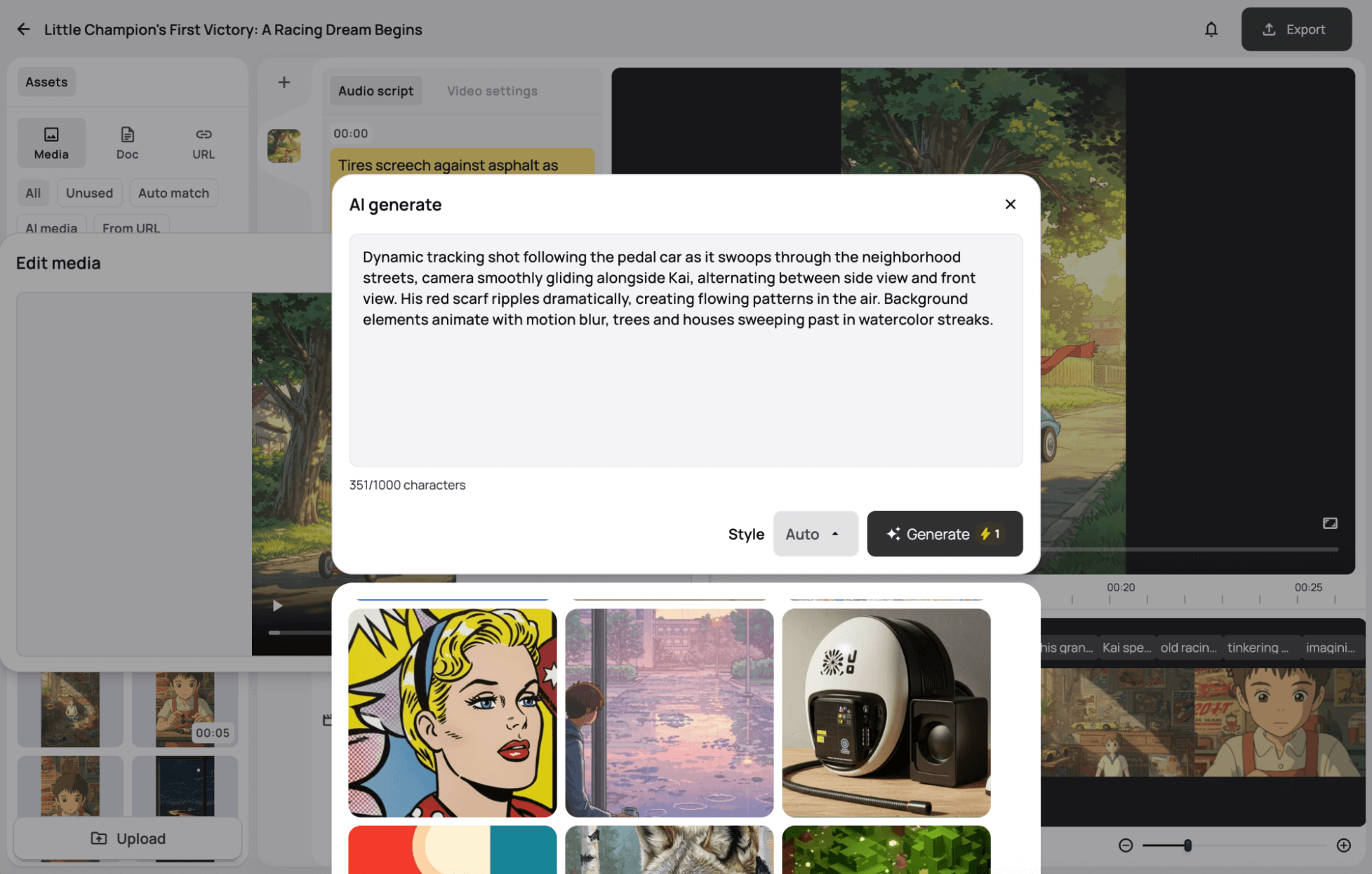
The core pitch is real: prompt in, get a video project with script, voice, subtitles, and music. For users who hate the classic generate-then-edit grind, that is meaningful.
Automatic does not mean optimal. Voice tone, caption timing, and music taste still need review before publishing.
Per-Frame and Project Editing
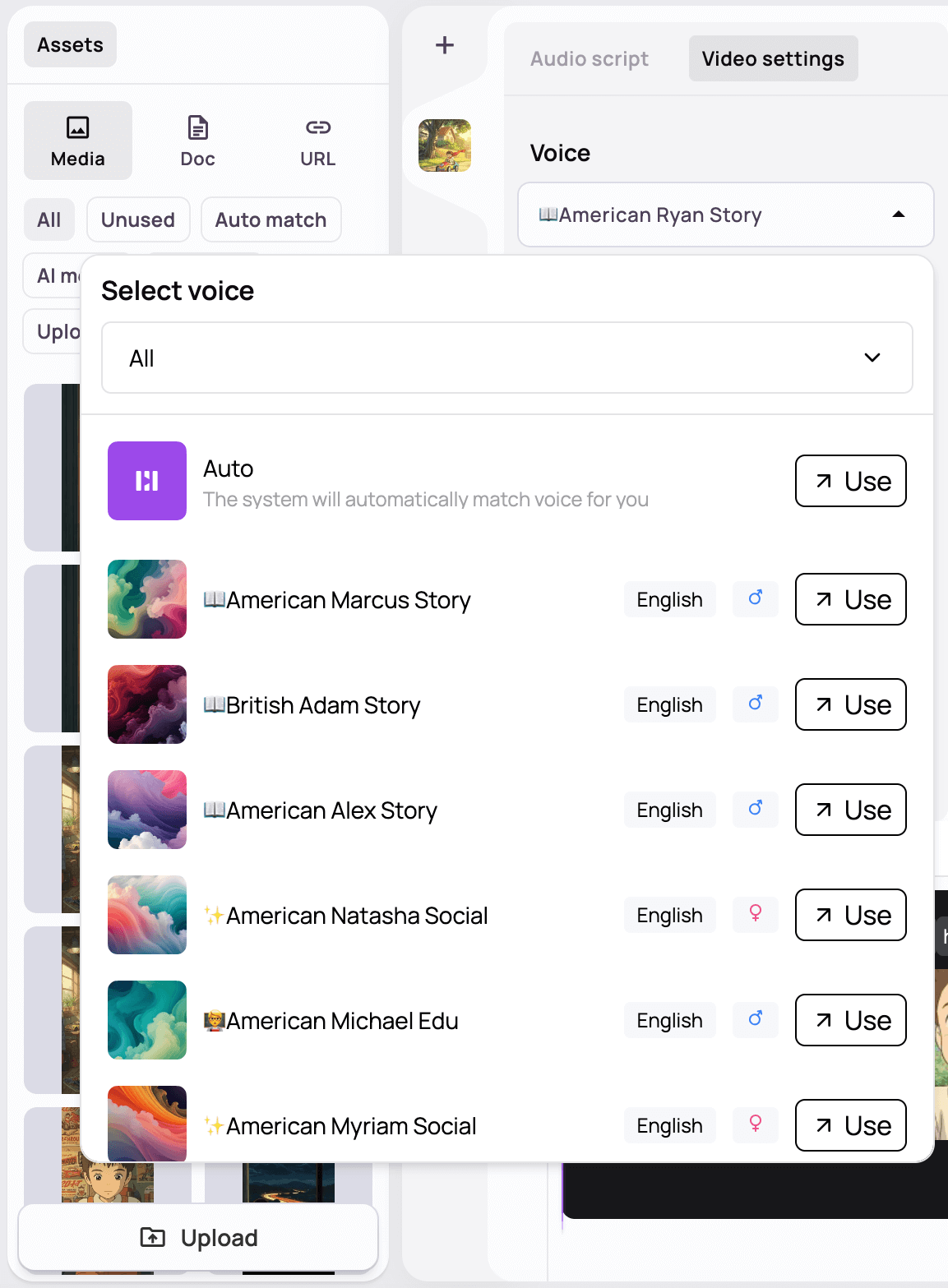
Medeo lets you customize frames, swap visuals, edit scripts per section, and adjust voice or music. Generated outputs become editable projects rather than dead-end MP4s.
Editing depth is useful but limited. It helps tidy a draft; it does not replace a full AI video editor for complex timelines.
URL and File to Video
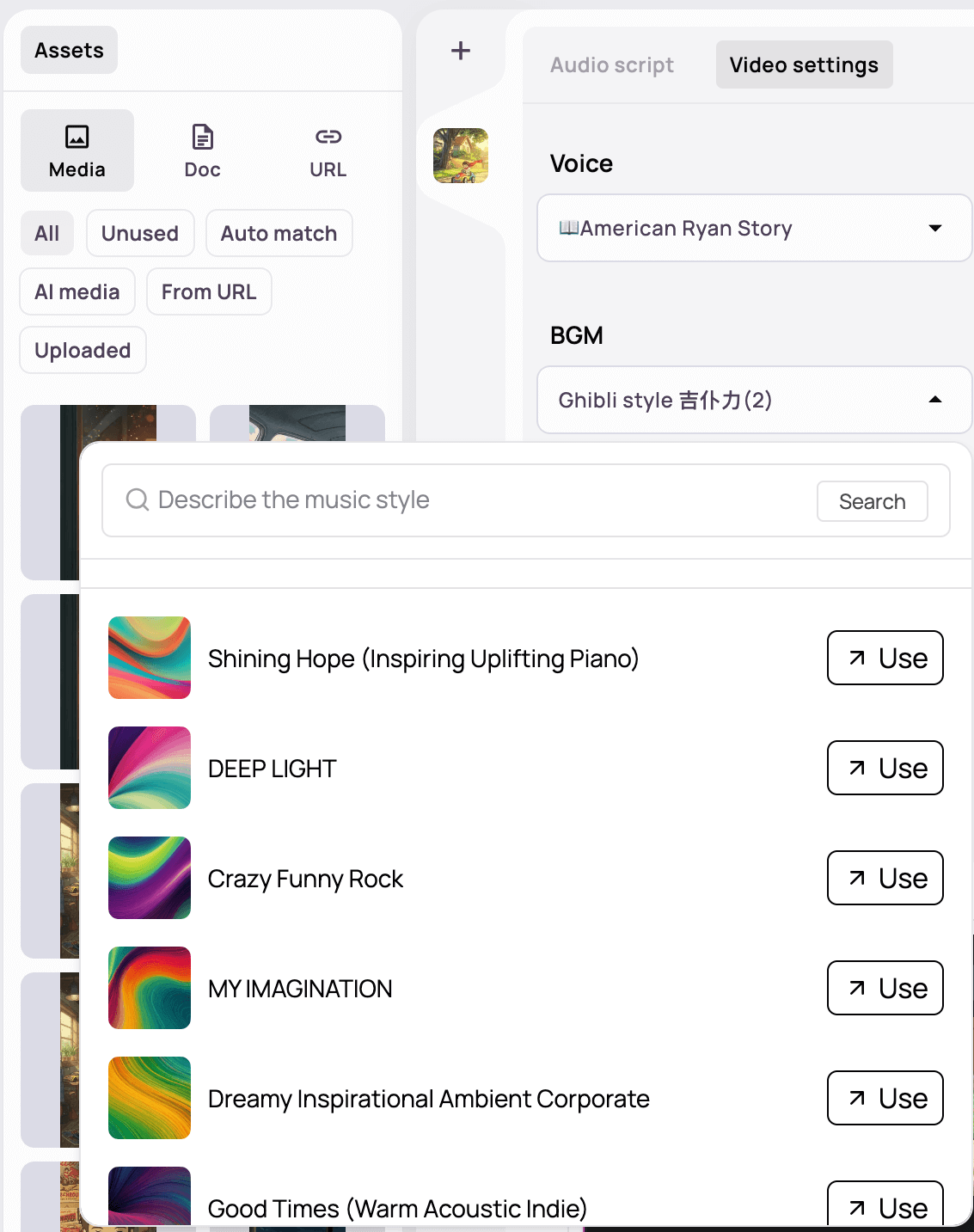
Uploads and URL analysis help turn documents or pages into video structures. That is practical for presentations and tutorial-style content.
Source quality drives output quality. Thin source material produces thin videos.
Connected Model Ecosystem
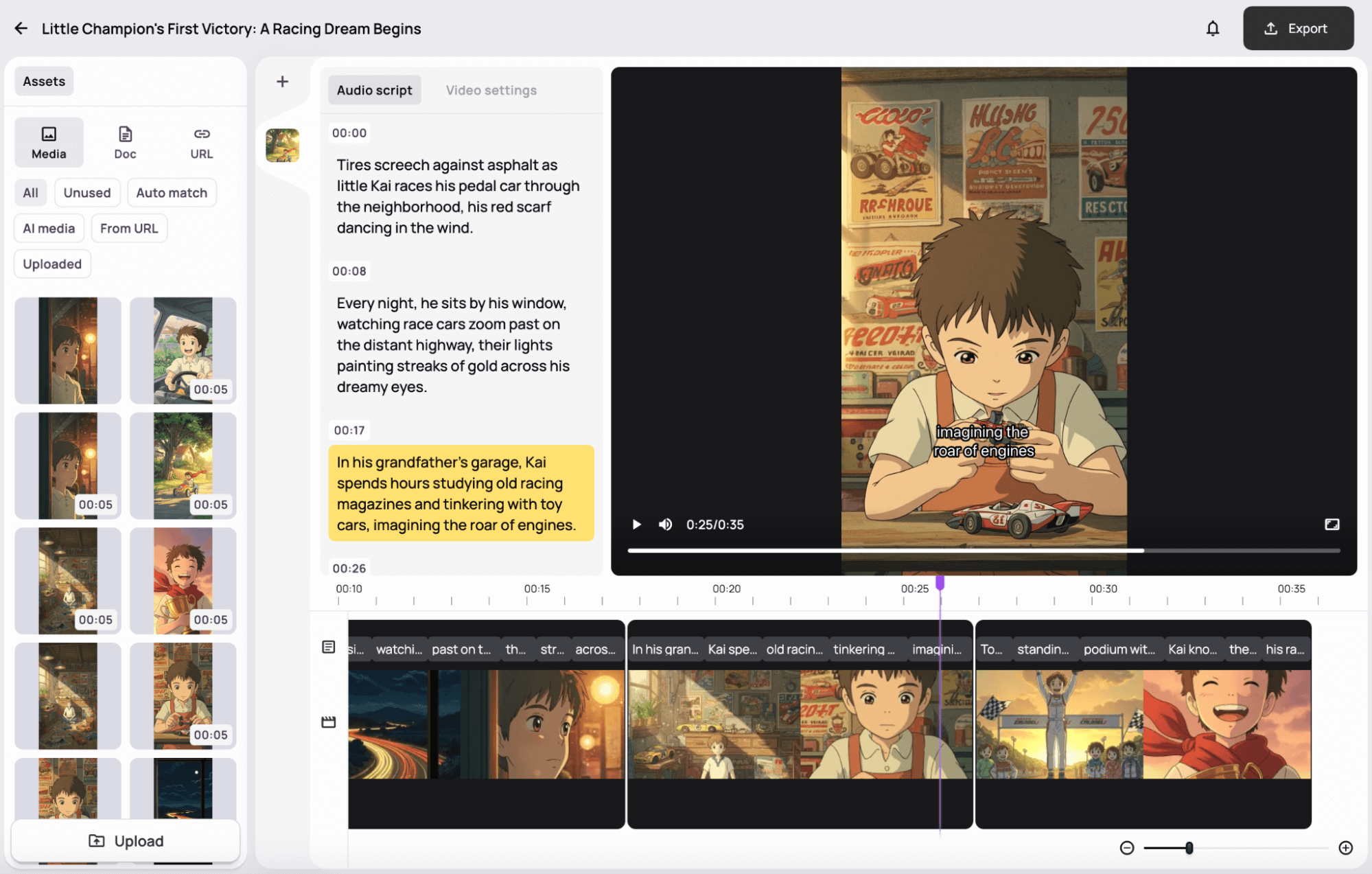
Medeo links with tools such as Kling-class generators and LLM helpers for scripts and visuals. That expands capability beyond a single closed look.
Connection is not the same as best-in-class control. You may still want a workspace built around multi-model comparison and campaign formats.
Voice, Subtitles, and Music Controls
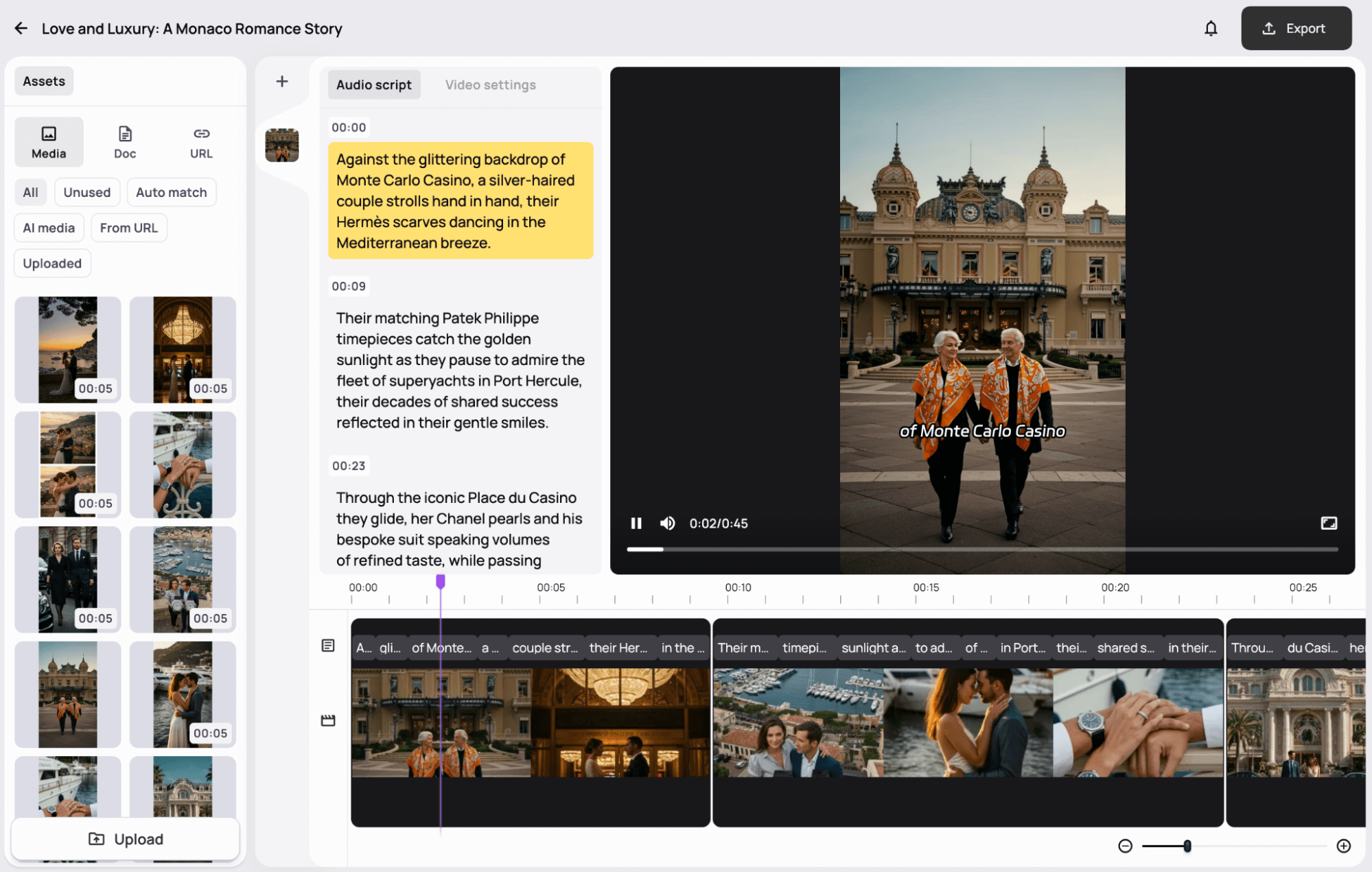
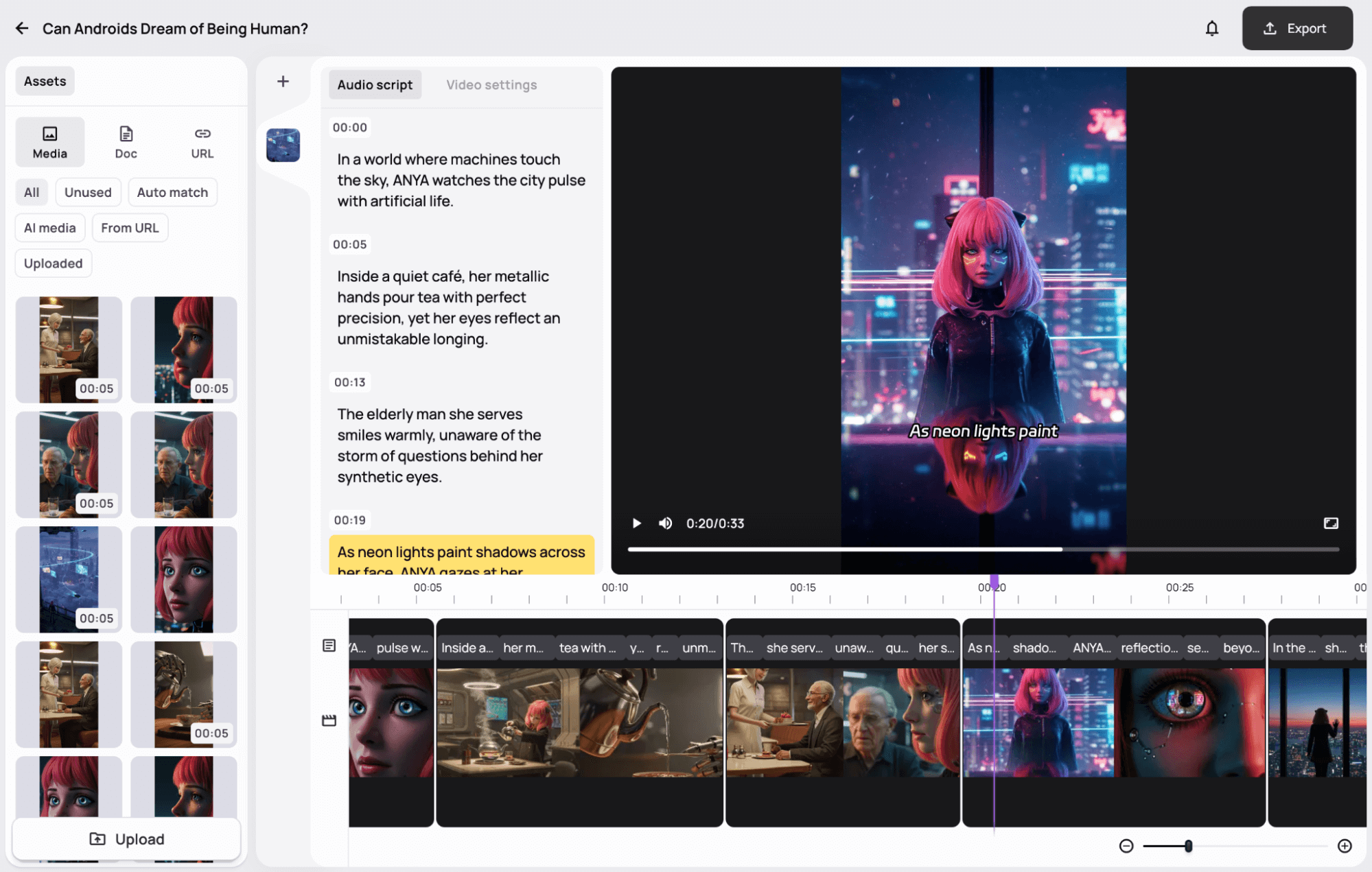
Being able to tweak narration, titles, subtitles, and BGM after generation is one of Medeo’s more practical touches.
These controls remain “good enough for drafts.” Premium audio branding and nuanced performance still need more specialized tools.
Pros and Cons
What I Liked
- True multimodal draft flow: visuals + voice + captions + music
- Beginner-friendly path from prompt to editable project
- Frame-level tweaks for script and visuals
- URL/file inputs help recycle existing content
- Useful for simple explainers and presentation-style videos
What Held It Back
- Quality and creative control feel mid-tier
- Automatic assembly can look template-similar
- Not the strongest cinematic or ad-focused generator
- Editing helps but stays shallower than a full studio
- Multi-model depth and campaign tooling are limited
Create Full Videos with Van Gogh Studio Free
Where Medeo AI Falls Short
Convenience Over Craft
Medeo removes steps. Premium motion, brand distinctiveness, and campaign hooks still need stronger generation and finishing.
Template Feel Risk
When voice, captions, and music arrive from defaults, videos can feel samey across projects.
Not Enough for Performance Marketing Alone
UGC video ads and product launches need variation systems and sharper visual selling — beyond multimodal convenience.
How I Reviewed Medeo AI
I reviewed Medeo as a multimodal beginner video tool.
Main areas I considered:
- Assembly completeness — whether voice, captions, and music arrived usefully
- Editability — whether projects were fixable after generation
- Visual quality — whether scenes looked publishable
- Workflow speed — whether one-pass creation saved real time
- Use-case coverage — tutorials, explainers, social, ads, stories
Is Medeo AI Right for You?
Medeo is a strong fit if you want simple multimodal videos without learning five apps — especially tutorials, explainers, and presentation-style clips.
It is less ideal if you need cinematic ads, multi-model quality hunting, or highly distinctive brand films.
In short: Medeo is right for users who want easy assembled drafts. It is less ideal for users who need premium creative systems.
Real Use Cases
| Use Case | My Take |
|---|---|
| Tutorial / explainer drafts | Strong fit — multimodal assembly helps |
| Presentation-style videos | Strong fit with URL/file inputs |
| Simple social explainers | Good fit when polish bar is moderate |
| Product demo concepts | Mixed fit — convenient, quality varies |
| Cinematic brand films | Weak fit |
| UGC / performance ads | Limited fit alone |
| Long multi-scene stories | Mixed fit — needs more control |
Medeo AI vs Van Gogh Studio
| Dimension | Medeo AI | Van Gogh Studio |
|---|---|---|
| Main workflow | Multimodal video drafts with voice, captions, music | Full AI video generation, editing, and publish-ready workflows |
| Assembly automation | Core strength for beginners | Stronger via Agent and structured generation flows |
| Creative range | Narrower convenience focus | Broader ads, explainers, social, and story videos |
| Marketing output | Better for message drafts than campaign creatives | Stronger with UGC ad video |
| Editing flexibility | Project/frame tweaks | Stronger refinement with the AI video editor |
| Best fit | Beginners wanting assembled drafts | Creators who need finished AI videos |
Why Van Gogh Studio Is a Better Medeo AI Alternative

Medeo is useful for multimodal convenience. Van Gogh Studio is stronger when quality options and finish tools matter as much as assembly.
Broader Generation and Model Choice

Text to video, image to video, and models such as Veo 3.1, Kling 3.0, and Seedance 2.5 give more visual range than a single convenience stack.
Post-Ready Videos With Van Gogh Studio Agent

Van Gogh Studio Agent is built for structured, publish-oriented videos — not only automatic voice and captions on a draft.
Create Videos with Van Gogh Studio Agent
Avatar, Editing, and Campaign Paths

AI avatar, the AI video editor, and UGC ad video help when a multimodal draft needs to become a real campaign asset.
Final Verdict: Is Medeo AI Worth Using?
Medeo AI is worth using if you want an easy multimodal path to video drafts with voice, subtitles, and music included. For beginners, that convenience is real.
Quality and creative depth are the honesty check. Medeo is not the strongest choice for cinematic ads, distinctive brand films, or multi-model production.
Use Medeo when assembled drafts are the job. For a broader publish-ready AI video workflow, I would choose Van Gogh Studio.
Medeo AI Review FAQs
Is Medeo AI good for beginners?
Yes. Medeo’s multimodal flow is built to reduce tool-switching for new video creators.
Does Medeo AI add voiceovers and subtitles automatically?
Yes — that is a core part of the product. You should still review tone, timing, and music before publishing.
What is the biggest drawback of Medeo AI?
For me, the biggest drawback is convenience outrunning craft. Automatic assembly does not guarantee premium or distinctive results.
What is the best Medeo AI alternative?
If you want multimodal creation plus stronger generation and finishing, Van Gogh Studio is the better alternative. It covers multi-model video, AI avatar, editing, UGC ads, and Agent-led publish-ready videos in one workspace.
Create AI videos free
Try Van Gogh Studio free — text-to-video, image-to-video, and 300+ models in one place. Free credits on signup, no credit card required.
Try Free Video Generator


