

I tested LitVideo to see whether its multi-model routing, templates, and video-to-anime tools actually save time for social creators — or only produce strong raw clips that still need another app to finish.
In this LitVideo review, I’ll share what it does well, where the clip-first workflow starts to feel incomplete, who it fits best, and why I would choose Van Gogh Studio when I need a clearer path from idea to publish-ready video.
Quick Verdict

LitVideo is a strong AI video generator if your main goal is fast short clips with less model-selection stress. Automatic multi-model routing, 400+ templates, style filters, and video-to-anime make it easy to turn prompts or images into social-ready fragments.
It is a weaker choice when you need a finished, publish-ready video with captions, structure, voiceover, and campaign polish. LitVideo works best as a smart clip engine inside LitMedia — not as a full production studio. For that broader path, I prefer Van Gogh Studio.
| Review Point | My Take |
|---|---|
| Best for | Short social clips, product image animation, video-to-anime, quick template starts |
| Not best for | Full campaign videos, long-form brand films, or end-to-end publish-ready production |
| Strongest feature | Multi-model routing that picks a generator for your scene |
| Biggest limitation | Strong clips, weak finishing — post-production still lives elsewhere |
| Learning curve | Easy for beginners and social teams |
| My verdict | Excellent short-clip accelerator; limited as a full video workflow |
What Is LitVideo?
LitVideo is an AI video generator under the LitMedia platform — a broader suite covering video, image, music, and avatar-style tools. You can also open it via LitVideo.
What makes LitVideo different from a single-model text-to-video tool is model selection. Instead of forcing you to choose between Kling AI, Veo, Wan AI, and similar options yourself, LitVideo can recommend or route toward a model that fits the scene.
That positioning matters. LitVideo is strong when the job is one usable short clip. It is less of a fit when the job is a finished training module, a multi-hook ad set, or a structured story that needs captions, pacing, and polish after generation.
Key Features I Reviewed
LitVideo’s feature set is organized around speed: pick a path, generate a clip, move on.
Multi-Model Intelligence
LitVideo’s core idea is aggregating top AI video models and automatically recommending the right one for your scene. For many users, that removes a real pain point — knowing whether one model handles fluid motion better than another.
In hands-on use, straightforward prompts produced relevant clips without me babysitting model choice. The limitation is creative briefs with very specific style or camera needs: you may still want a manual override.
Video-to-Animation
LitVideo’s video-to-anime path is one of its strongest features. Upload real footage, and the system maps movement into a stylized animation sequence rather than applying a flat filter.
I found the motion preservation more stable than basic anime effects I have tried elsewhere. Source quality still matters — low-light or shaky footage produces messier animation.
400+ Templates
For users who struggle with blank prompts, LitVideo’s template library is a real shortcut. Templates are grouped by use case — marketing, education, social trends — so you can upload an image and generate quickly.
This makes LitVideo approachable for Reels and Shorts-style content. The downside is sameness: heavy template use can make creators on the same platform look alike.
Style Customization
LitVideo offers visual filters and effects to shift tone — for example from a darker cinematic look to a brighter commercial feel — without a full color-grade pass.
For simple clips, the shifts are quick and clean. For brand-sensitive campaigns, I would still review the final look before publishing.
Pros and Cons
What I Liked
- Multi-model routing removes a lot of manual model selection
- Video-to-animation output is comparatively stable and useful
- 400+ templates make it easy for non-technical users to start
- Style filters are quick for light brand or mood tuning
- Solid fit for bite-size social clips and simple product animations
- Fast path from prompt or image to a usable draft clip
What Held It Back
- Prompt rejections can interrupt iteration without clear guidance
- Finished video production still requires external editing
- Heavy template use can produce similar-looking content
- Feature availability can feel inconsistent over time for some users
- Less suited for full campaign or brand-film workflows
- Clip-first design leaves captions, voiceover, and structure elsewhere
Create Full Videos with Van Gogh Studio Free
Where LitVideo Falls Short
LitVideo’s limits show up when a strong generated clip needs to become a finished video.
The Output Is a Clip, Not a Finished Video
LitVideo generates strong raw clips. If you want a complete, publish-ready video — with captions, transitions, voiceover, pacing, and a clear ending — you are still doing that work elsewhere.
That is the most common gap after the first few sessions. Generation is quick; the post-production gap remains.
Prompt Rejections Create Friction
Some prompts get rejected without plain explanations. Specific or stylized briefs can trigger stricter filters. It is manageable, but painful for time-sensitive content when iteration speed is the whole reason you opened the tool.
Built for Short Clips, Not Long-Form Production
LitVideo is clearly designed for Reels, Shorts, product demos, and meme-style clips. If your goal is a longer brand film, a full tutorial, or a structured campaign asset, the workflow starts to feel incomplete.
Template Speed Can Become Template Sameness
Templates help beginners. They also push many creators toward similar openings, transitions, and visual formulas. For trends that is fine. For distinctive brand work, it is a risk.
How I Reviewed LitVideo
I reviewed LitVideo as a clip generator for real creator workflows — text-to-video, image-to-video, video-to-anime, and template starts.
Main areas I considered:
- Speed to usable clip — whether multi-model routing and templates saved time
- Output quality — motion stability, style usefulness, and social readiness
- Workflow depth — whether generation was enough or finishing still lived elsewhere
- Creative control — overrides, prompt reliability, and style tuning
- Use-case coverage — social, ecommerce animation, anime restyles, campaigns, long-form
- Business value — whether teams could ship without stacking more tools
Is LitVideo Right for You?
LitVideo is a strong fit if you create short-format video regularly and want to move faster without managing multiple AI subscriptions. It works well for social media teams, ecommerce sellers animating product images, creators building clip libraries, and meme makers who prioritize speed.
Skip it if you need complete video production in one place — or if prompt control and finishing depth matter more than generation speed.
In short: LitVideo is a fast clip engine. Van Gogh Studio is a complete video workflow.
Real Use Cases
| Use Case | My Take |
|---|---|
| Social media Reels and Shorts | Strong fit — templates and fast generation shine |
| Product animation for ecommerce | Solid fit for simple product demos from stills |
| Video-to-anime content | Strong fit — one of the more stable animation paths I tested |
| Promotional campaign videos | Partial fit — useful clip generation, separate post-production |
| Educational shorts | Decent fit when templates can structure simple visuals |
| Long-form brand video | Weak fit — not built for full-length production |
| Publish-ready multi-scene ads | Limited fit alone; better inside a broader studio |
LitVideo vs Van Gogh Studio
| Dimension | LitVideo | Van Gogh Studio |
|---|---|---|
| Main workflow | Multi-model short clip generation | Full AI video generation, editing, and publish-ready workflows |
| Model selection | Automatic routing across video models | Manual multi-model access including Kling 3.0, Veo 3.1, Seedance 2.5 |
| Templates / effects | Large template library and style filters | Broader creative and marketing workflows beyond templates |
| Animation | Strong video-to-anime restyle path | Stronger finishing after stylized clips via editor + Agent |
| Marketing output | Better for fragments than finished ads | Stronger with UGC ad video and campaign-ready workflows |
| Editing flexibility | Limited after export | Stronger refinement with the AI video editor |
| Best fit | Creators who want fast social clips | Creators and marketers who need finished AI videos, not only clips |
Why Van Gogh Studio Is a Better LitVideo Alternative

LitVideo is useful when you want short clips, product image motion, or video-to-anime experiments. Van Gogh Studio is stronger when I want a finished, publish-ready video without assembling the rest in a second app.
Broader AI Video Generation With Explicit Model Choice

Van Gogh Studio gives me text to video, image to video, and clear multi-model access when I want to compare looks myself. Automatic routing is convenient; being able to rerun the same prompt on Veo 3.1, Kling 3.0, or Seedance 2.5 is often more reliable for client work.
Finish Clips Instead of Stopping at a Draft
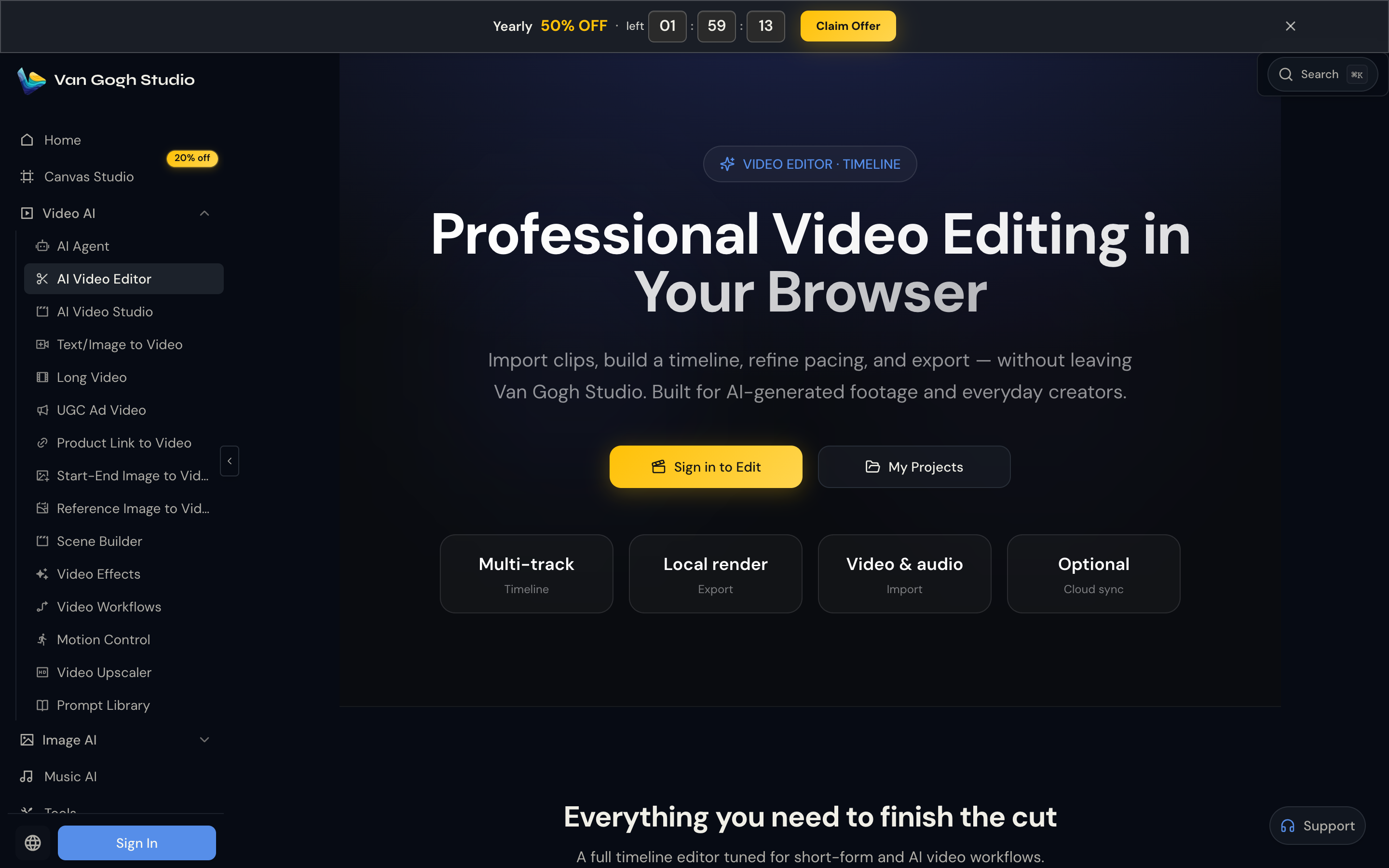
A LitVideo export is often a strong first shot, not a finished asset. Inside Van Gogh Studio I can continue with the AI video editor, add presenter scenes via AI avatar, or move into UGC ad video when the clip needs to sell, not just impress.
Post-Ready Videos With Van Gogh Studio Agent

Van Gogh Studio Agent covers the gap LitVideo leaves open: structure, pacing, captions, music, and a clearer path from idea to a shareable video. That is a meaningfully different experience from generating a raw clip and then figuring out the rest.
Create Videos with Van Gogh Studio Agent
Stronger Marketing and Commerce Workflows
For ads, launches, and product promos, I need hooks, variations, pacing, and channel-ready formats. Van Gogh Studio’s marketing workflows — including UGC ad video and link to video — are built for that campaign output, not just template-led short clips.
Final Verdict: Is LitVideo Worth Using?
LitVideo is worth trying if short-form clip creation is your main workflow. Multi-model routing, video-to-anime, and the template library are genuine strengths for social and experimental content.
The honest limitation is that LitVideo stops at the clip. If you need a complete video ready to publish — with structure, pacing, and production polish — you will still reach for more tools.
For fast social clips and creative experiments, LitVideo delivers. For a full production workflow, Van Gogh Studio is the stronger choice.
LitVideo Review FAQs
What is LitVideo?
LitVideo is an AI video generator under LitMedia that focuses on short clips, multi-model routing, templates, style filters, and video-to-anime conversion.
Is LitVideo good for beginners?
Yes. Templates and automatic model selection make it easy to generate a short clip without deep prompt or model knowledge.
What is the biggest drawback of LitVideo?
For me, the biggest drawback is that LitVideo produces clips rather than finished videos. Captions, structure, voiceover, and campaign polish usually need another workflow.
What is the best LitVideo alternative?
If you want short-clip generation plus a complete production path, Van Gogh Studio is the better alternative. It covers text to video, image to video, AI avatar, editing, UGC ads, and Agent-led publish-ready videos in one workspace.
Create AI videos free
Try Van Gogh Studio free — text-to-video, image-to-video, and 300+ models in one place. Free credits on signup, no credit card required.
Try Free Video Generator


