

I tested Leonardo AI to see whether it is mainly a Midjourney-style image playground with extras — or a real image-plus-video studio worth building around.
In this Leonardo AI review, I’ll share what it does well as an image platform, where Motion and video still feel secondary, who it fits best, and why I would choose Van Gogh Studio when I need stills that continue into publish-ready AI video.
Quick Verdict
Leonardo AI is a strong AI image platform if your main goal is concept art, style exploration, presets, realtime canvas iteration, and polished stills. Model choice, style presets, Flow State, and canvas editing make it useful for designers who live in still-image workflows.
It is a weaker choice when you need serious AI video production. Motion can animate stills into short clips, but Leonardo is primarily an image generator with video features bolted on — not a full AI video studio. For image plus video in one finish path, I prefer Van Gogh Studio.
| Review Point | My Take |
|---|---|
| Best for | AI image generation, style presets, realtime concepting, canvas edits |
| Not best for | Full AI video production, ads from scratch, or multi-scene storytelling |
| Strongest feature | Image models, presets, and realtime iteration tools |
| Biggest limitation | Video/Motion is secondary and thin versus dedicated video platforms |
| Learning curve | Easy for image creators; deeper for canvas and premium tools |
| My verdict | Excellent image playground; limited as a video production tool |
What Is Leonardo AI?
Leonardo AI is an AI creative platform built first around image generation. Users generate stills with different models and presets, refine them in canvas tools, explore variations quickly, and optionally add Motion to turn images into short animations.
Its biggest value is image workflow depth: model switching, style presets, realtime generation, Flow State variation streaming, and canvas editing. That makes Leonardo feel closer to an image design suite than a video generator.
Compared with Midjourney or Stable Diffusion-focused tools, Leonardo packages generation and editing in one browser workspace. Compared with dedicated video platforms, its Motion layer is clearly secondary.
Key Features I Reviewed
Leonardo’s feature set is organized around image creation first, with Motion as a follow-on animation option.
Image Generation With Multiple Models
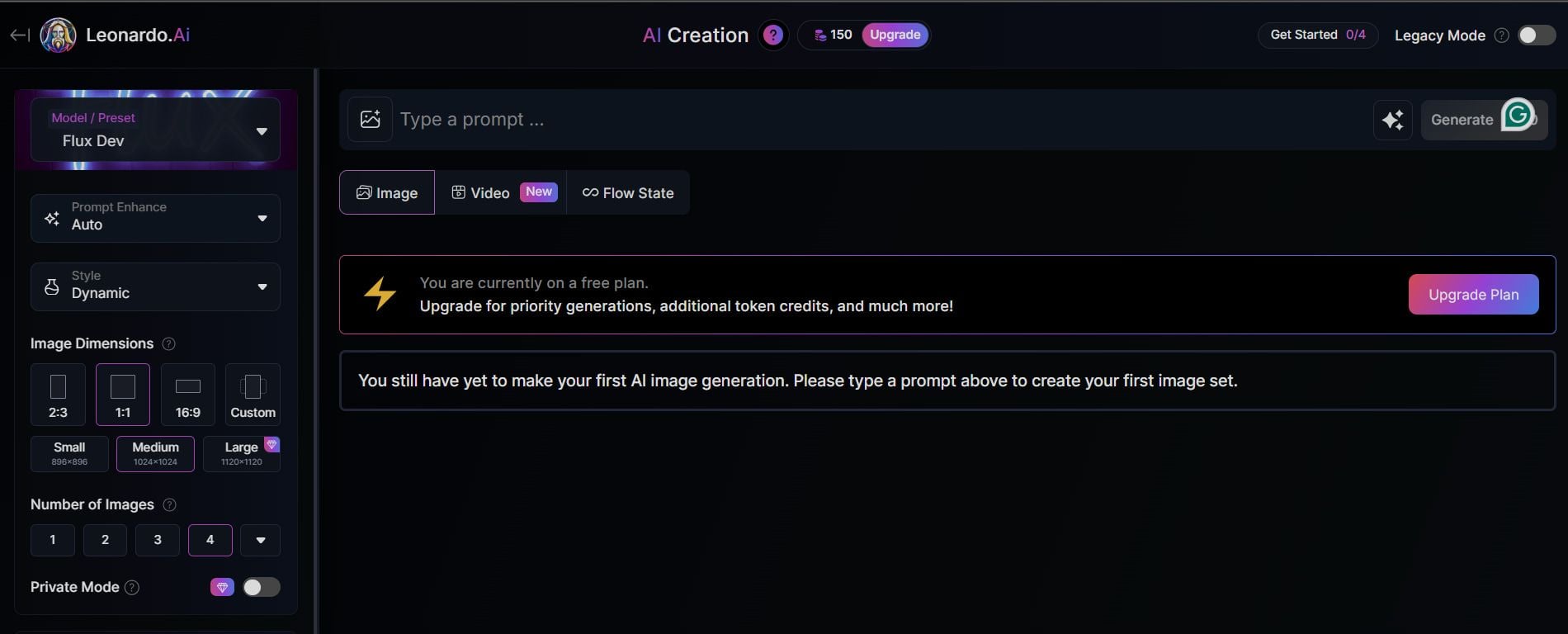
Leonardo lets you generate images across different models and looks. Model choice matters. In my greenhouse prompt tests, one model run looked soft and uneven, while a more realism-focused option produced sharper plants, better lighting balance, and more believable detail.
That is the honest takeaway: Leonardo can look excellent, but quality depends heavily on which model and preset you pick. Treat model selection as part of the craft, not a background detail.
Style Presets for Faster Direction
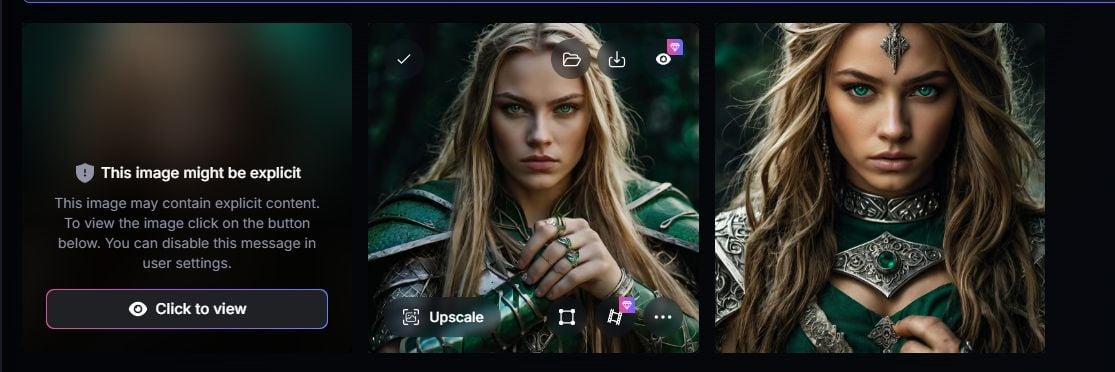
Presets help lock a visual direction quickly — portrait looks, anime styles, and other guided aesthetics. In my fantasy-warrior tests, anime-style outputs handled details more cleanly than some portrait runs, where fingers still distorted.
Presets are useful for concepting and style exploration. They do not remove the need to review anatomy, edges, and prompt specificity.
Realtime Canvas and Realtime Generation
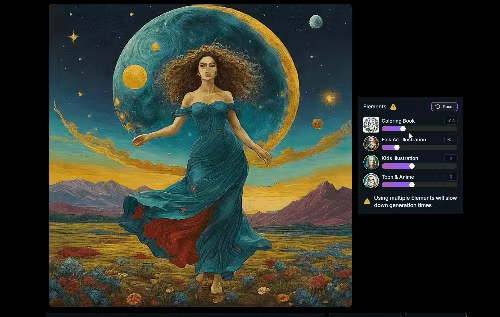
Realtime tools are one of Leonardo’s strongest image-workflow advantages. RealTime Canvas and Realtime Generation let you sketch, adjust parameters, and see visual feedback quickly instead of waiting on every full regenerate.
This is especially useful for brainstorming, refining rough ideas, and exploring style changes. Some realtime capabilities sit behind premium access, which matters if your daily workflow depends on them.
Flow State and Canvas Editor
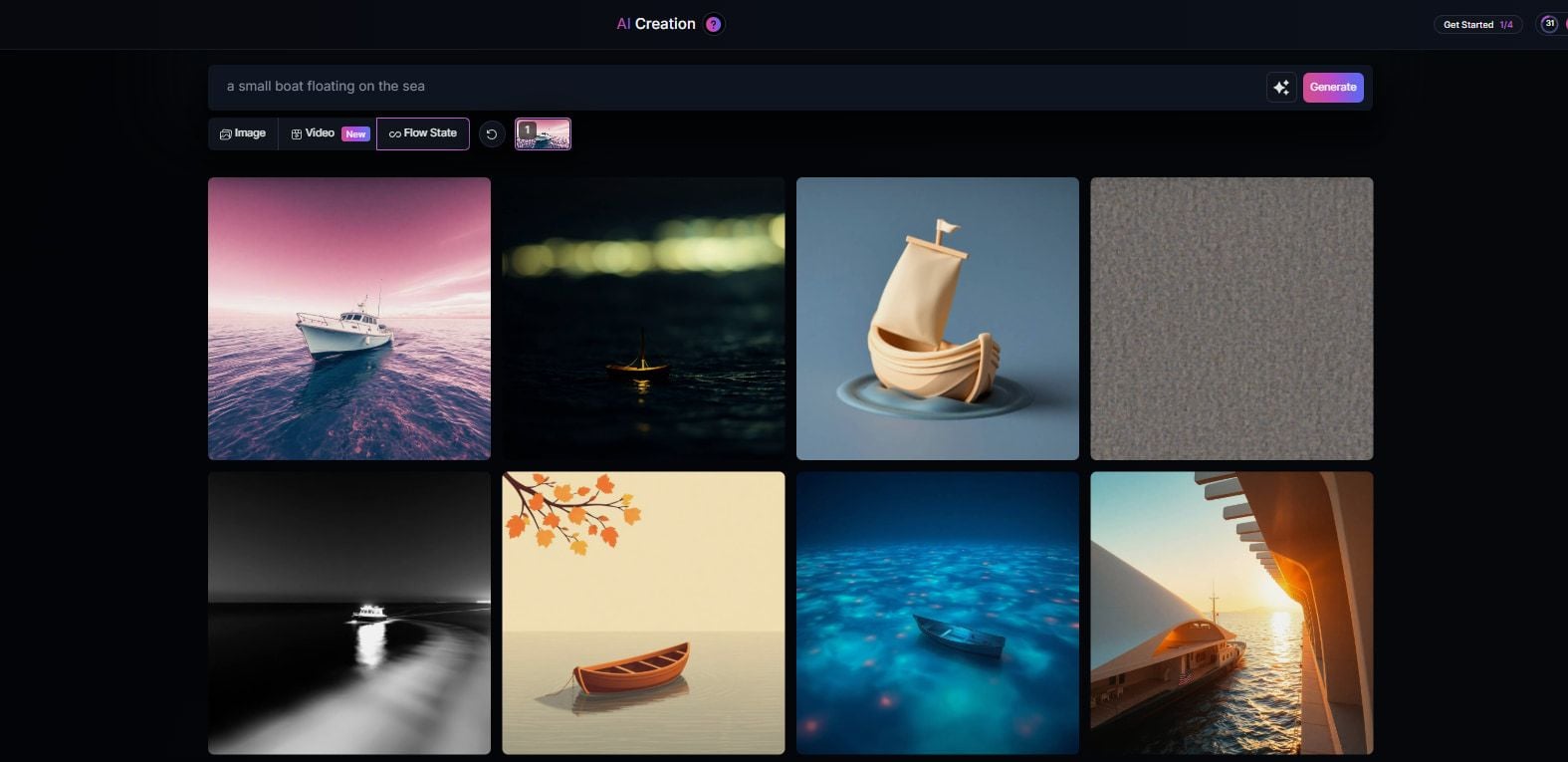
Flow State streams continuous image variations from a prompt until you stop it. That is excellent for exploring looks — and easy to burn credits if you leave it running.
The Canvas Editor is more deliberate: remove elements, adjust composition, manage edits, and refine with instructions. For still-image polishing, this is one of Leonardo’s most practical production tools.
Motion: Image Animation, Not Full Video Production
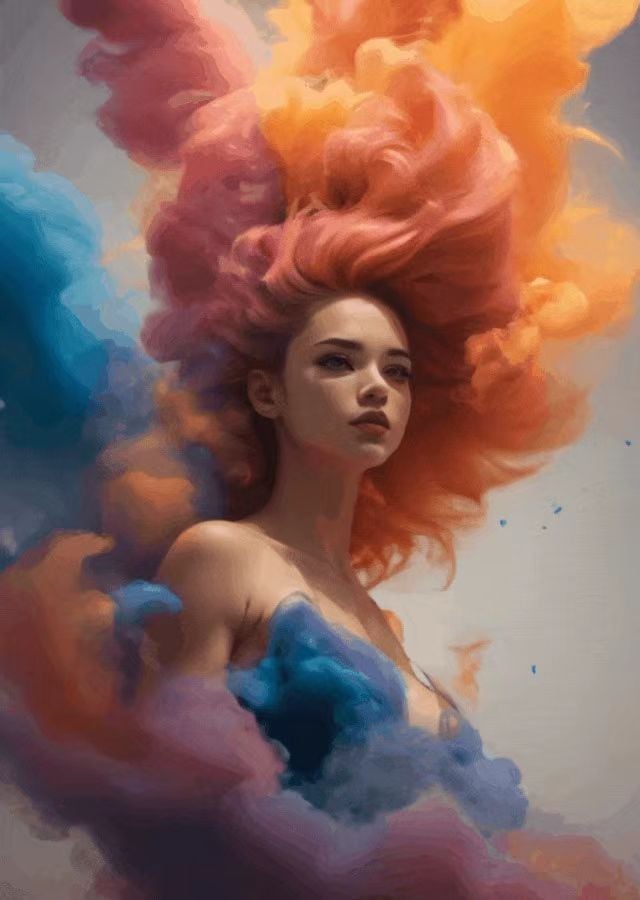
Motion can turn a strong still into a short animated clip. That is useful for social inserts, concept motion tests, and light animated characters.
Be honest about the category: Motion is an image-to-animation feature, not a substitute for text-to-video campaign production, multi-scene storytelling, or dedicated video editing. If video is the main job, Leonardo is not the primary tool.
Pros and Cons
What I Liked
- Strong image generation when you pick the right model and write specific prompts
- Style presets speed up portrait, anime, and concept exploration
- Realtime canvas and generation tools help brainstorm faster
- Flow State is useful for rapid visual variation discovery
- Canvas editing supports practical still-image refinement
- Motion is a convenient way to animate a finished still
What Held It Back
- Primarily an image platform; video remains secondary
- Motion clips are not a full AI video production workflow
- Anatomy issues like distorted fingers still appear
- Credit burn can get expensive with realtime and Flow State use
- Some advanced tools require premium access
- Weak fit for ads, UGC campaigns, or multi-scene publish-ready video
Create Full Videos with Van Gogh Studio Free
Where Leonardo AI Falls Short
Leonardo’s limits show up when the brief leaves the still-image lane.
Image-First Product, Video-Second Reality
Leonardo can animate images, but the platform identity is still image generation. If you need text to video, multi-model cinematic generation, talking avatars, captions, and campaign assembly, you are outside Leonardo’s strongest lane.
Calling it a Midjourney alternative is fair. Calling it a complete AI video tool oversells what Motion actually delivers.
Motion Is Not Campaign Video
Short animated stills help with social inserts and concept motion. They do not replace product ads, UGC video ads, explainers, or multi-scene stories that need hooks, pacing, and channel-ready structure.
Credit and Access Friction
Realtime tools and Flow State can consume credits quickly. Some editing depth also sits behind paid access. That is manageable for designers who live in Leonardo daily; it is less ideal if you expected a free all-purpose creative suite.
Still-Image Quality Still Needs Review
Even strong image tools miss anatomy, lighting consistency, and fine detail. Leonardo is no exception. The best results came from careful model choice and specific prompts, not from assuming every generation is final.
How I Reviewed Leonardo AI
I reviewed Leonardo as an image-first creative platform with optional Motion — not as a dedicated video generator.
Main areas I considered:
- Image quality — whether model and preset choice produced usable stills
- Workflow speed — whether realtime tools and Flow State improved concepting
- Editing control — whether canvas tools made refinement practical
- Video readiness — whether Motion felt useful beyond short animation
- Credit efficiency — whether exploration features stayed practical to run
- Use-case coverage — concept art, design drafts, social stills, light motion, ads
- Business value — whether designers could finish work without switching tools
Is Leonardo AI Right for You?
Leonardo is a strong fit if your main goal is AI image generation with style control and fast iteration. I would recommend it for concept art, design exploration, marketing stills, anime-style drafts, and canvas-based refinement.
It is also useful if you want realtime feedback while sketching ideas. That brainstorming loop is one of Leonardo’s clearest advantages over generate-and-wait image tools.
Leonardo is less ideal if video is the main deliverable. Motion can help animate a still, but it is not a substitute for a dedicated AI video workflow with multi-model generation, editing, avatars, and publish-ready assembly. In those cases, start with a platform that treats video as a first-class product.
In short: Leonardo is right for users who need strong stills. It is less ideal for users who need finished AI videos.
Real Use Cases
| Use Case | My Take |
|---|---|
| Concept art and style exploration | Strong fit — models, presets, and Flow State excel here |
| Marketing stills and design drafts | Strong fit when model choice and prompts are careful |
| Realtime brainstorming | Good fit — realtime canvas/generation speeds iteration |
| Anime or stylized character stills | Good fit — style presets can look cleaner than weaker portrait runs |
| Short social motion from a still | Mixed fit — Motion helps, but remains a light animation layer |
| Product ads / UGC video campaigns | Weak fit — not a video-first production system |
| Multi-scene AI video stories | Not the right tool; use a dedicated AI video studio |
Leonardo AI vs Van Gogh Studio
| Dimension | Leonardo AI | Van Gogh Studio |
|---|---|---|
| Main workflow | Image generation, presets, canvas, light Motion | Full AI image + video generation, editing, and publish-ready workflows |
| Image generation | Core product strength with models and presets | Strong via AI image generator and multi-model access |
| Video generation | Secondary Motion animation from stills | Stronger text to video and image to video paths |
| Creative range | Narrower image-first focus | Broader coverage across ads, explainers, social, and story videos |
| Marketing output | Better for stills than campaign video creatives | Stronger with UGC ad video and campaign-ready workflows |
| Editing flexibility | Strong canvas tools for stills | Stronger video refinement with the AI video editor |
| Best fit | Designers who need polished AI images | Creators and marketers who need images that continue into finished video |
Why Van Gogh Studio Is a Better Leonardo AI Alternative

Leonardo is useful for image playground work. Van Gogh Studio is stronger when a good still needs to become video without changing platforms.
Image Generation That Continues Into Video

With Van Gogh Studio’s AI image generator, I can create stills, then continue into image to video or text to video in the same workspace.
That is the clearest gap versus Leonardo. Leonardo can animate a still with Motion; Van Gogh Studio treats video as a first-class next step, with multi-model options such as Veo 3.1, Kling 3.0, and Seedance 2.5 when one look is not enough.
Post-Ready Videos With Van Gogh Studio Agent

Van Gogh Studio Agent gives a stronger end-to-end production advantage. Instead of stopping at a still or a short Motion loop, it is designed to create structured, production-ready videos with less manual assembly.
I can start from an idea, text, image, or URL, and the Agent can help handle structure, pacing, visuals, and sound. That makes it more suitable when the brief includes video, not only concept art.
Create Videos with Van Gogh Studio Agent
Stronger Marketing and Commerce Workflows
For ads, launches, and product promos, I need hooks, variations, pacing, and channel-ready formats. Van Gogh Studio’s marketing and product-video workflows — including UGC ad video and link to video — are built for that campaign output, not just a strong still with light motion.
Avatar and editing paths also help when the video needs a presenter or prompt-based refinement via AI avatar and the AI video editor.
Final Verdict: Is Leonardo AI Worth Using?
Leonardo AI is worth using if you want a capable AI image workspace with models, presets, realtime iteration, and canvas refinement. For concept art and design exploration, those strengths are real.
Video is the main honesty check. Motion can animate stills, but Leonardo is not a strong choice for cinematic videos, product ads, ecommerce creatives, UGC-style campaigns, or multi-scene publish-ready production.
Use Leonardo when polished stills are the job. For image plus a broader AI video workflow, I would choose Van Gogh Studio. It combines image generation with multi-model video, editing, Agent-led publish-ready workflows, and campaign tools in one place — so a strong frame does not become a dead end.
Leonardo AI Review FAQs
Is Leonardo AI good for image generation?
Yes. Leonardo is strongest as an image platform. Model choice, presets, realtime tools, and canvas editing make it useful for concept art and design drafts when prompts are specific.
Does Leonardo AI generate video?
It can animate images with Motion, but video is secondary. Leonardo is primarily an image generator with light animation features, not a full AI video production suite.
What is the biggest drawback of Leonardo AI?
For me, the biggest drawback is the image-first ceiling. If your deliverable is campaign video, multi-scene storytelling, or publish-ready AI video, you will likely outgrow Motion quickly.
What is the best Leonardo AI alternative?
If you want strong images plus a direct path into AI video, Van Gogh Studio is the better alternative. It covers AI image generation, text to video, image to video, editing, UGC ads, and Agent-led publish-ready videos in one workspace.
Create AI videos free
Try Van Gogh Studio free — text-to-video, image-to-video, and 300+ models in one place. Free credits on signup, no credit card required.
Try Free Video Generator


