

I tried Kaiber because it feels different from many AI video tools. Instead of only offering a prompt box, it leans into a creative workflow built around motion, music sync, restyling, and canvas-style editing.
In this Kaiber review, I’ll share what it does well for stylized and music-led clips, where finishing still falls short, who it fits best, and why I would choose Van Gogh Studio when I need a clearer path from idea to publish-ready video.
Quick Verdict
Kaiber is a strong creative sketchpad if your main goal is music visuals, stylized clips, restyled footage, and short artistic concepts. Beat sync, restyle, and the Superstudio canvas make it easy to explore mood and motion without treating video like a rigid business template.
It is a weaker choice when you need ads, product videos, explainers, or a finished clip with clear structure, pacing, captions, and publishing polish. For a fuller production workflow, I prefer Van Gogh Studio.
| Review Point | My Take |
|---|---|
| Best for | Music visuals, artistic clips, restyles, and conceptual videos |
| Not best for | Ads, product videos, explainers, and brand campaigns |
| Strongest feature | Beat sync and restyle workflows for audio-led creative clips |
| Biggest limitation | Many outputs still feel like unfinished fragments |
| Learning curve | Easy to start experimenting; slower to finish a full video |
| My verdict | Excellent for creative exploration; limited as a full production studio |
What Is Kaiber?
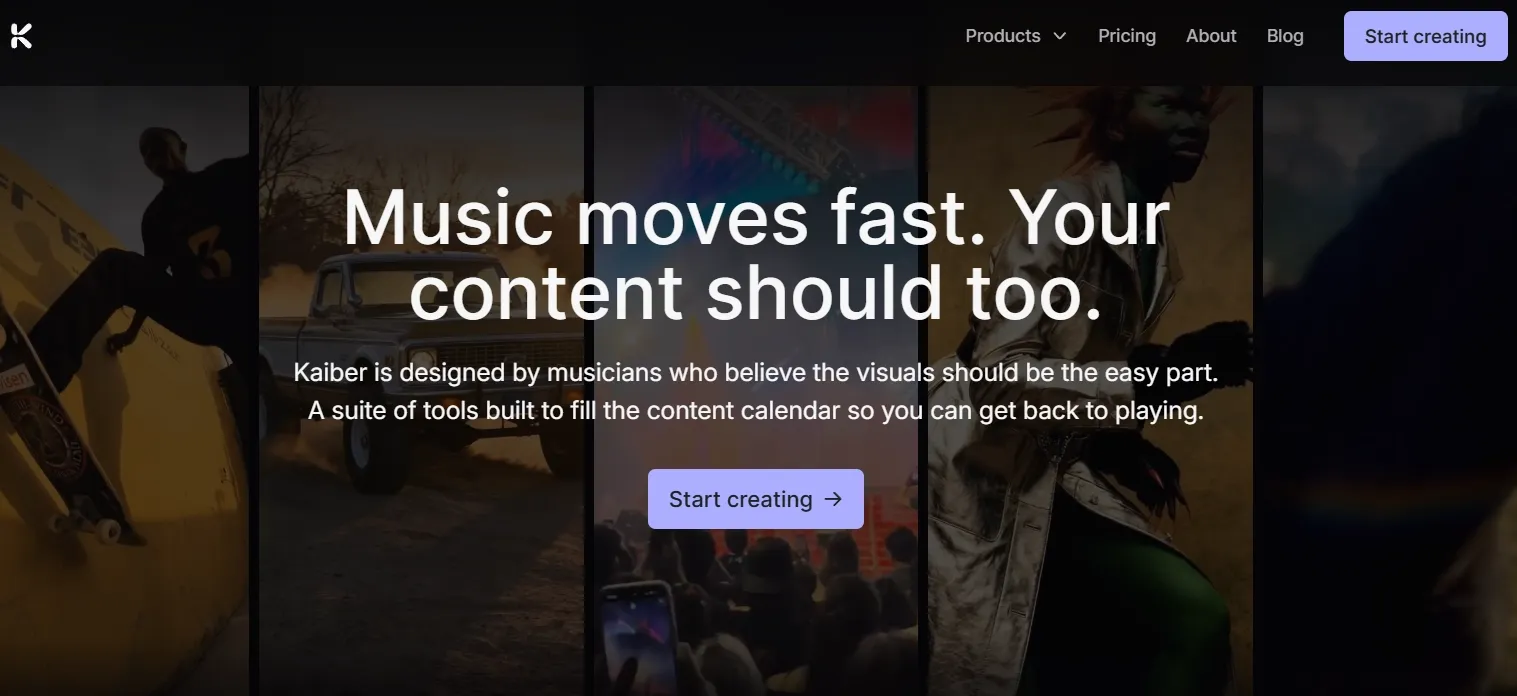
Kaiber is an AI video generator built around Superstudio, a creative canvas for generating, editing, restyling, extending, and syncing video with audio.
Its biggest value is creative flexibility. Kaiber is less about turning a business script into a presenter video and more about reshaping footage, extending short clips, syncing motion to music, and testing stylized visual direction.
Compared with production-focused AI video tools, Kaiber feels more like an artist’s workspace. That is a real strength for musicians and visual creators — and a clear limit when the goal is a finished marketing or product video.
Key Features I Reviewed
Kaiber’s feature set is organized around creative experimentation: canvas workflows, music sync, restyling, and short clip refinement.
Superstudio Canvas Workflow

Superstudio is Kaiber’s biggest product difference. Instead of treating AI video as one prompt and one result, it gives you a more open space to build, adjust, and shape video ideas.
I found this useful when planning mood boards, scene tests, or short story video concepts, because the canvas makes it easier to think in fragments and transitions rather than a single isolated clip.
For creative exploration, that openness is Kaiber’s strongest workflow idea. For production, it can also leave too much assembly work to the user.
Beat Sync Video Creation
Beat sync is one of Kaiber’s clearest identity features. It helps align visuals with music, which makes the platform a natural fit for audio-led video creation.
This works well for music visuals, lyric-style concepts, and short rhythm-driven social clips. When the beat lands cleanly, the result can feel energetic and intentional in a way plain text-to-video often does not.
The limit is completeness. Beat sync can make a clip feel lively without making it feel finished. Some results still look like animated fragments rather than a full music video with structure, progression, and a clear ending.
Restyle Video
Restyle video lets you take existing footage and push it into a different visual style without rebuilding the clip from scratch.
This is especially useful for artistic transformation, anime-style clips, and creators who already have usable motion but want a stronger aesthetic direction. It is one of the areas where Kaiber feels distinct from basic generators.
The trade-off is control. Restyling can look expressive in isolation, but style consistency across a longer sequence still needs careful review.
Extend Video
Extend video helps continue a short clip when the first generation ends too early. That matters because many AI clips stop before the idea feels complete.
I found it useful for short teasers and concept tests where the opening motion was strong and needed a few more seconds. It can support quick intros or atmospheric B-roll when length is the main problem.
Continuity is the weak point. Motion can drift, scene details can shift, and the added seconds sometimes feel like extra length rather than a true continuation.
Lip Sync and Prompt-Based Editing
Kaiber’s lip sync and prompt-based editing tools help revise clips without a full traditional timeline. Lip sync is more forgiving for stylized music or character content than for professional talking-head ads.
Prompt-based edits are useful for quick mood, pacing, or style adjustments. They make Kaiber easier for beginners who want to revise a clip without learning advanced editing.
For brand messages, product explainers, or UGC-style ads, small lip-sync mismatches and loose prompt edits become distracting fast. These tools support creative play more than polished presenter content.
Pros and Cons
What I Liked
- Creative canvas workflow that feels more flexible than a plain prompt box
- Beat sync that works well for music-led visuals and rhythm-driven clips
- Restyle video for fast aesthetic direction tests
- Extend and prompt edits that help iterate short creative concepts
- Easy entry for artists, musicians, and visual experimenters
What Held It Back
- Many outputs still feel unfinished and need cleanup
- Scene continuity can drift when clips are extended
- Lip sync is less reliable for professional talking-head or brand content
- Weak fit for ads, product videos, and structured campaigns
- Publishing readiness depends heavily on manual assembly outside Kaiber
Create Full Videos with Van Gogh Studio Free
Where Kaiber Falls Short
Kaiber’s limits show up when the goal shifts from “create something interesting” to “create something finished.”
Strong on Fragments, Weak on Finished Videos
Kaiber is excellent at generating stylized moments. A beat-synced loop, a restyled shot, or a short atmospheric clip can look compelling on its own.
A complete video still needs a hook, clear structure, usable pacing, scene continuity, audio polish, captions, and a final format ready to publish. Kaiber does not handle that full chain as strongly as I would want.
Continuity Breaks Under Longer Edits
Extend video and multi-clip creative builds expose consistency issues. Details shift, motion drifts, and added seconds do not always feel connected to the original clip.
That matters for music videos and trailers where the viewer expects progression, not just another stylized fragment attached to the end.
Business and Marketing Fit Stays Narrow
Kaiber is not built for product clarity, offer messaging, or campaign variation. Performance ads, ecommerce visuals, explainers, and UGC video ads usually need sharper hooks, product focus, and platform-native pacing.
Kaiber can inspire creative direction, but it is rarely the strongest tool for shipping those outputs.
Real Use Cases
| Use Case | My Take |
|---|---|
| Music visuals | Strong fit — beat sync and stylized motion match audio-led creative work |
| Artistic short clips | Strong fit when mood and aesthetic matter more than message clarity |
| Restyled footage | Good fit for transforming existing clips into a new visual language |
| Social creative tests | Useful for intros, loops, and quick style experiments |
| Trailer-style teasers | Mixed fit — atmosphere is strong, structure and continuity still need work |
| Product videos | Limited fit — weaker for product clarity and selling moments |
| Ads and brand campaigns | Weak fit — not built for offer-led or campaign-ready production |
Kaiber vs Van Gogh Studio
| Dimension | Kaiber | Van Gogh Studio |
|---|---|---|
| Main workflow | Creative canvas for stylized, music-led experiments | Full AI video generation, editing, and publish-ready workflows |
| Music and style | Strong beat sync and restyle tools | Broader coverage across music, ads, explainers, and story videos |
| Clip creation | Useful for short creative fragments | Stronger via text to video and image to video |
| Creative range | Excellent for artistic exploration | Broader across social, product, UGC, and story content |
| Marketing output | Better for early concepts than campaign creatives | Stronger with UGC ad video and campaign-ready workflows |
| Editing flexibility | Prompt edits and canvas adjustments | Stronger follow-up refinement with the AI video editor |
| Best fit | Musicians and creators exploring stylized clips | Creators and marketers who need finished AI videos, not only fragments |
Why Van Gogh Studio Is a Better Kaiber Alternative

Kaiber is useful for creative exploration. Van Gogh Studio is stronger when I want an AI creative suite that can support many video styles, editing, talking avatars, and audio in one place.
Broader AI Video Generation, Not Only Stylized Clips
Van Gogh Studio gives me more starting points: text to video for concepting, image to video for stills and product frames, and multi-model access when I want different motion styles. Models such as Veo 3.1, Kling 3.0, and Seedance 2.5 matter when one look is not enough.
That matters after Kaiber because creative mood alone is rarely enough. I often need realism for one scene, stylized motion for another, and product clarity for a third — without switching platforms.
Post-Ready Videos With Van Gogh Studio Agent

Van Gogh Studio Agent gives a stronger end-to-end production advantage. Instead of only generating separate creative fragments, it is designed to create structured, production-ready videos with less manual editing.
I can start from an idea, text, image, or URL, and the Agent can help handle structure, pacing, visuals, and sound. That makes it more suitable when I want a finished result instead of a stylish clip that still needs assembly.
It also supports more content directions — viral video cloning, UGC ads, story videos, anime videos, music videos, and news-style videos — so the workflow stays adaptable for real publishing tasks.
Create Videos with Van Gogh Studio Agent
Stronger Marketing and Product Workflows
For ads, launches, and product promos, I need hooks, variations, pacing, and channel-ready formats. Van Gogh Studio’s marketing and product-video workflows are built for that campaign output, not just a striking visual moment. URL-to-video and photo-to-video paths also help teams move from assets to ads faster via link to video and UGC ad video.
Avatar and Editing Inside the Same Suite

With Van Gogh Studio’s AI avatar video generator, I can turn one photo into a lip-synced talking avatar when a clip needs a human presenter — without filming. After that, I can keep building with the AI video editor, captions, and multi-model generation instead of stopping at a creative fragment.
Final Verdict: Is Kaiber Worth Using?
Kaiber is worth using if you want a creative AI video tool for music visuals, restyles, and stylized short concepts. For artists and musicians, the canvas, beat sync, and restyle tools are genuinely useful.
Finishing is the main issue. Kaiber is not a strong choice when you need ads, product videos, explainers, connected scenes, or publish-ready polish.
For a broader AI video workflow, I would choose Van Gogh Studio. It combines multi-model video generation, editing, Agent-led publish-ready workflows, and campaign tools in one place — so you can explore creatively and still finish videos you can actually publish.
Kaiber Review FAQs
Is Kaiber good for music videos?
Yes for music visuals and beat-synced creative clips. Kaiber is one of the stronger options when rhythm and style matter more than structured messaging. Full music-video storytelling still usually needs extra assembly.
What is Kaiber best for?
Stylized clips, restyled footage, music-led visuals, and early creative experiments. It is better as a visual sketchpad than as a complete production studio.
What is the biggest drawback of Kaiber?
For me, the biggest drawback is publishing readiness. Many outputs feel like unfinished fragments, and continuity can drift when you try to extend or assemble longer sequences.
What is the best Kaiber alternative?
If you want creative AI video plus a clearer path to finished output, Van Gogh Studio is the better alternative. It covers multi-model generation, AI video editing, UGC ads, Agent-led workflows, and longer story videos in one workspace.
Create AI videos free
Try Van Gogh Studio free — text-to-video, image-to-video, and 300+ models in one place. Free credits on signup, no credit card required.
Try Free Video Generator


