

Kling 2.0 has launched, meaning the currently best-rated AI video generator has gotten even better. We’re going to dive in today to see just how much it’s improved, what’s lacking, and what you can expect from this new, superior version.
Kling is keeping the heat on with its new 2.0 era. We can see the Kling 1.5 text-to-video model came in second only to Google’s Veo 2, with Kling’s image-to-video model still holding a top spot on the leaderboard. So, let’s see how Kling’s 2.0 version fares.
Quick Verdict
Kling 2.0 improves fidelity and coherence over earlier Kling versions and remains a top-tier AI video model. “Best” still depends on use case — cinematic clips vs. marketing workflows vs. multi-model flexibility.
| Point | Take |
|---|---|
| Best for | High-quality text-to-video and image-to-video generation |
| Not best for | Being the only tool in a full campaign production stack |
| Score | 8.4 / 10 |
| Better alternative | Van Gogh Studio for multi-model + workflow |
Pros and Cons
Pros
- Strong fidelity and coherence upgrades
- Competitive text-to-video and image-to-video quality
- Useful upgraded tools for more controlled generation
Cons
- Rankings shift quickly as rivals release updates
- Access, cost, and limits still shape real-world use
- Finished ads still need structure, audio polish, and CTAs
A First Look at Kling 2.0 - Fidelity & Coherence Boost
In terms of overall fidelity and prompt coherence, I must admit the new Kling 2.0 model is leaps ahead, particularly on the image-to-video side. No matter your input image, things remain consistent, with solid overall character acting.
Evaluating Kling 2.0's Text-to-Video
Let’s begin with this text-to-video example, starting with a Game of Thrones-inspired direwolf prompt, largely inspired by the real-life news story of Colossal Bioscience bringing back three direwolves from extinction.
even as there are a few issues with perspective and the scale of the direwolf compared to the dark wizard, Jon Snow, this is also in keeping with the initial prompt. With that in mind, this really is a quite impressive text-to-video output. The video prompt comes out looking pretty solid, particularly for text-to-video.
Evaluating Kling 2.0's Image-to-Video
Example 1
Looking at our first example, we have 10 seconds of solid walking. What impressed me is that despite a little bit of decoherence, the focus of the shot is the feet walking and shows a really solid walking cycle. There is minimal stutter step, and the feet appear to be reacting to things like puddles in the mud.
Occasionally, you may run into backwards flying spacecraft, but backwards walking people isn’t something I’ve encountered. Although if you run into this, a quick fix is just to run it in reverse.
Example 2
The men walking in the scene aren’t really part of it, but contextually, they look like they belong there. But it is the other characters in the scene that caught my attention.even as the model is the focus, despite being too cool to actually look into the camera, she sits passively. Another example of seamless generation comes in the form of this ‘60s Vogue-inspired shot.
Upgraded Features of Kling 2.0
Coherent Fast Motion
A major strength of Kling 2.0 is that it is exceptional at coherent, quick motion.
If we look at the Kung-fu fight via text-to-video. Is it completely perfect? No, but it is pretty impressive, especially taking the rotating camera into account, which counters some of the decoherence.
The fact that both guys are staying on the ground and neither of them is flying away, and the background isn't turning into explosions, shows an impressive output.
Another output from the same prompt was a little additional awkward in terms of the movements of the characters, but overall, there wasn’t a lot of decoherence, with the characters fusing into one another or some of the other aspects we commonly expect. If you were to leverage some savvy editing skills, you could probably get a solid portion of the 10-second clip.
Generation Specs & Camera Control
Using Kling 2. Additionally, if you choose the Premier Plan, you can generate more than one output at a time.0, we can generate in five or 10-second intervals, and employ aspect ratios of 16:9, 9:16, and 1:1. Currently, video outputs are at 720p, although I have been told that 1080p is on its way.
Lens and Camera Motion Callouts
Currently, there are no camera control options within the prompting, but I must say the model is especially responsive, not only to camera movement callouts, but even lens choices. For example, here, we call out for an 85 mm lens, with a shallow depth of field and an orbiting-type motion.
Notably, I can see the table is slightly wonky with the pole not quite connecting where it should, but it is interesting to note that it has remained consistently wonky throughout. Overall, the prompt followed the instructions on camera movement and lens type.
Then, swapping the 85mm lens to a 20mm, we get a much wider shot using the same movement, with compelling attention to detail paid to the callout of the wider angle lens. although it is inevitable that someone will point out it is not precisely a 20mm or 85 mm lens, the focus here is that you get a pretty solid ballpark of what you’re looking for.
New Tools Launching - The Multi-Elements Feature
One aspect I don’t want to overlook is the new multi-elements feature that is also launching. I haven’t had much time to play with it, but I do think it is important to give you an idea of what it does, since it has the potential to become a pretty powerful tool.
When you open a video, you can select the “Add Selection” option, and it will immediately mask your character.
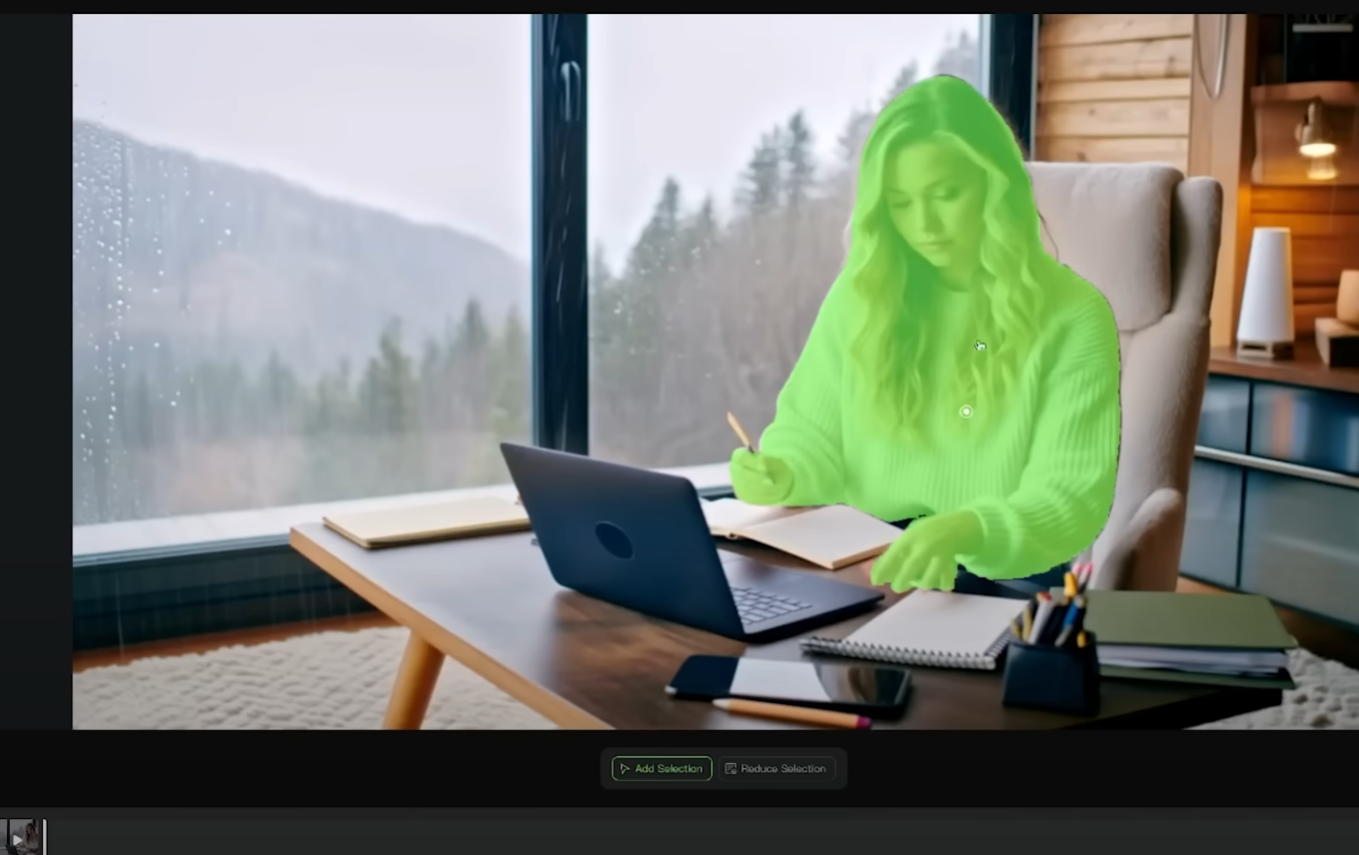
When you’re happy, you can “Confirm” and then upload an image of another character.
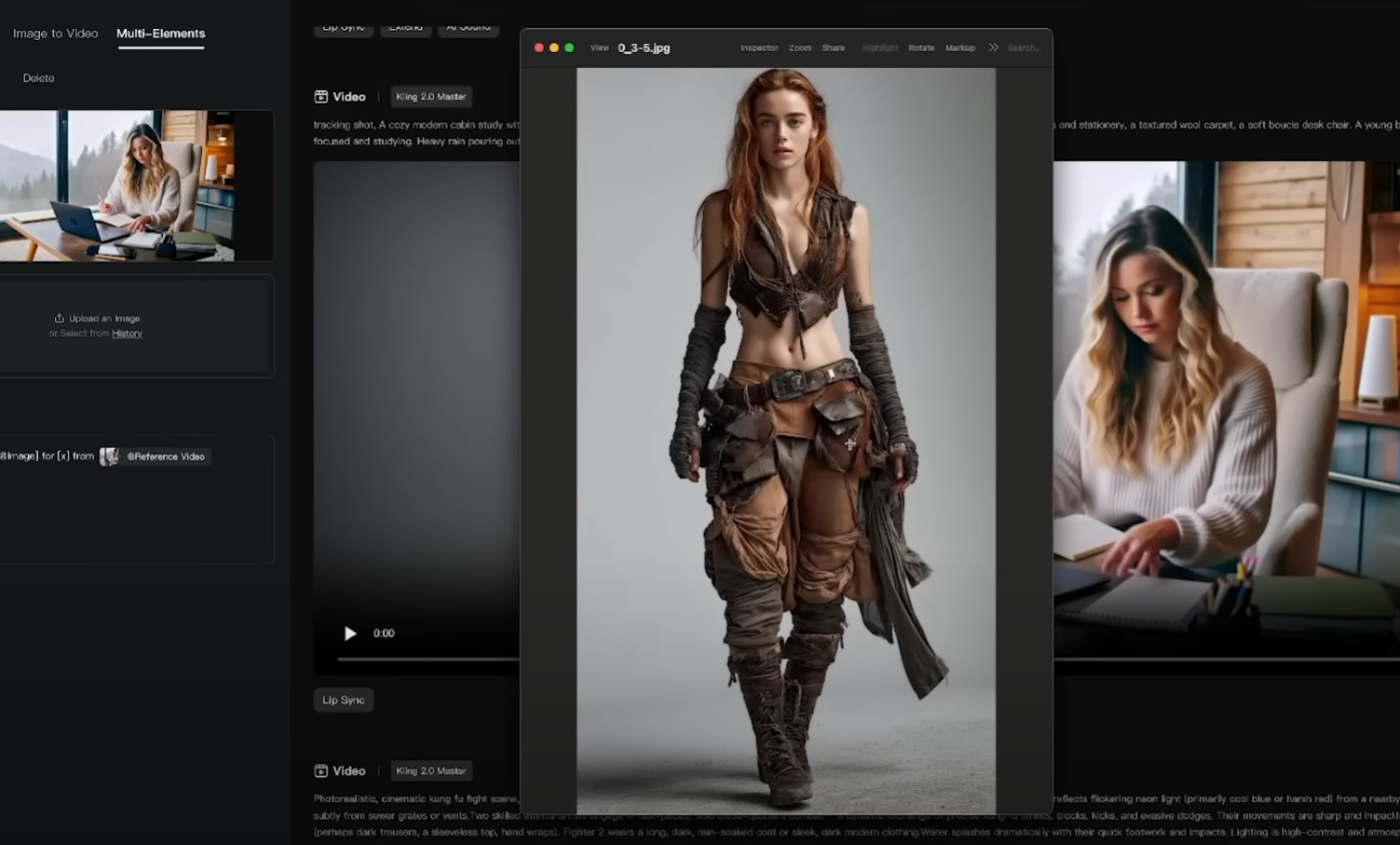
The prompt auto-fills with “Swap X from (thumbnail of your image) for X from (thumbnail of your video). You’ll need to enter the “X” values, in this instance, girl and girl, and then click on “Generate.”
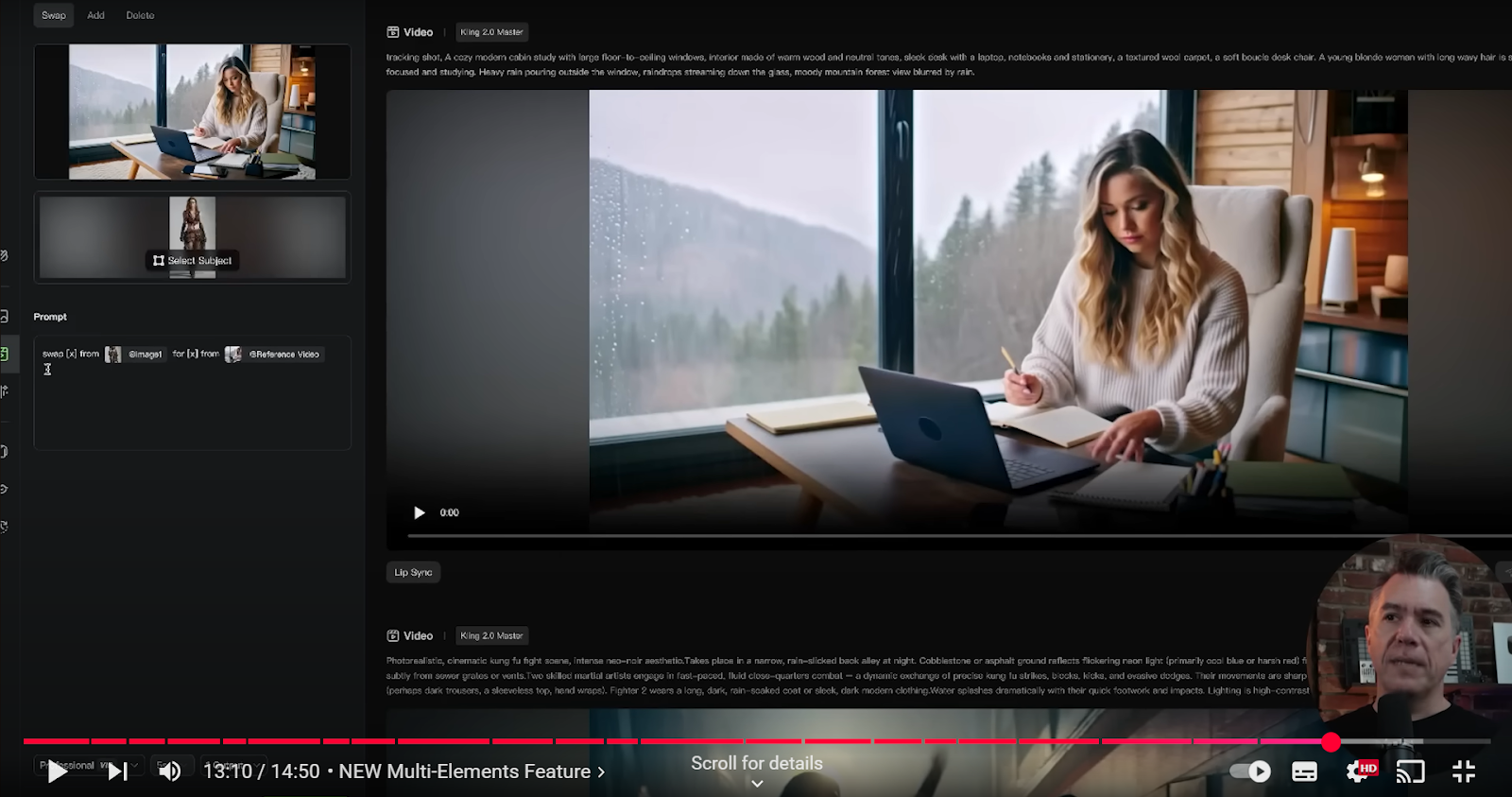
The tool swaps out one character for another, and whereas the input in this example isn’t perfect, it gives a decent indication of what the multi-elements feature does.
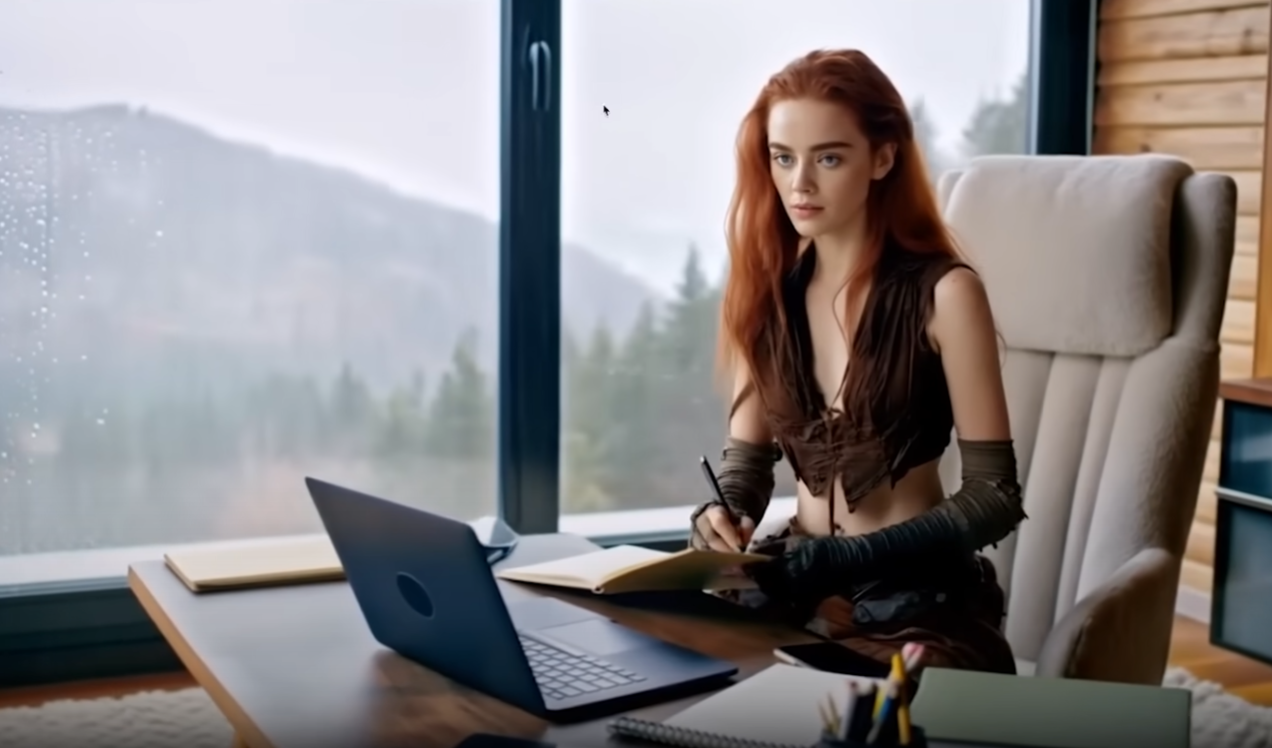
With some experimentation and perhaps greater tonally aligned options, you could end up with some spectacular results, particularly once the Kling 2.0 model arrives.
Final Verdict: Is Kling AI Still the King?
In terms of text-to-video, I seem it extra or less sits on equal ground to Veo 2, with Veo 2 edging ahead, but only slightly.
But again, you have to factor in the higher running cost of Veo 2.0 models are on the way, so we’ll see if Kilng stays king or if another model sweeps in to take its place. With that said, I have been told that several other 2.
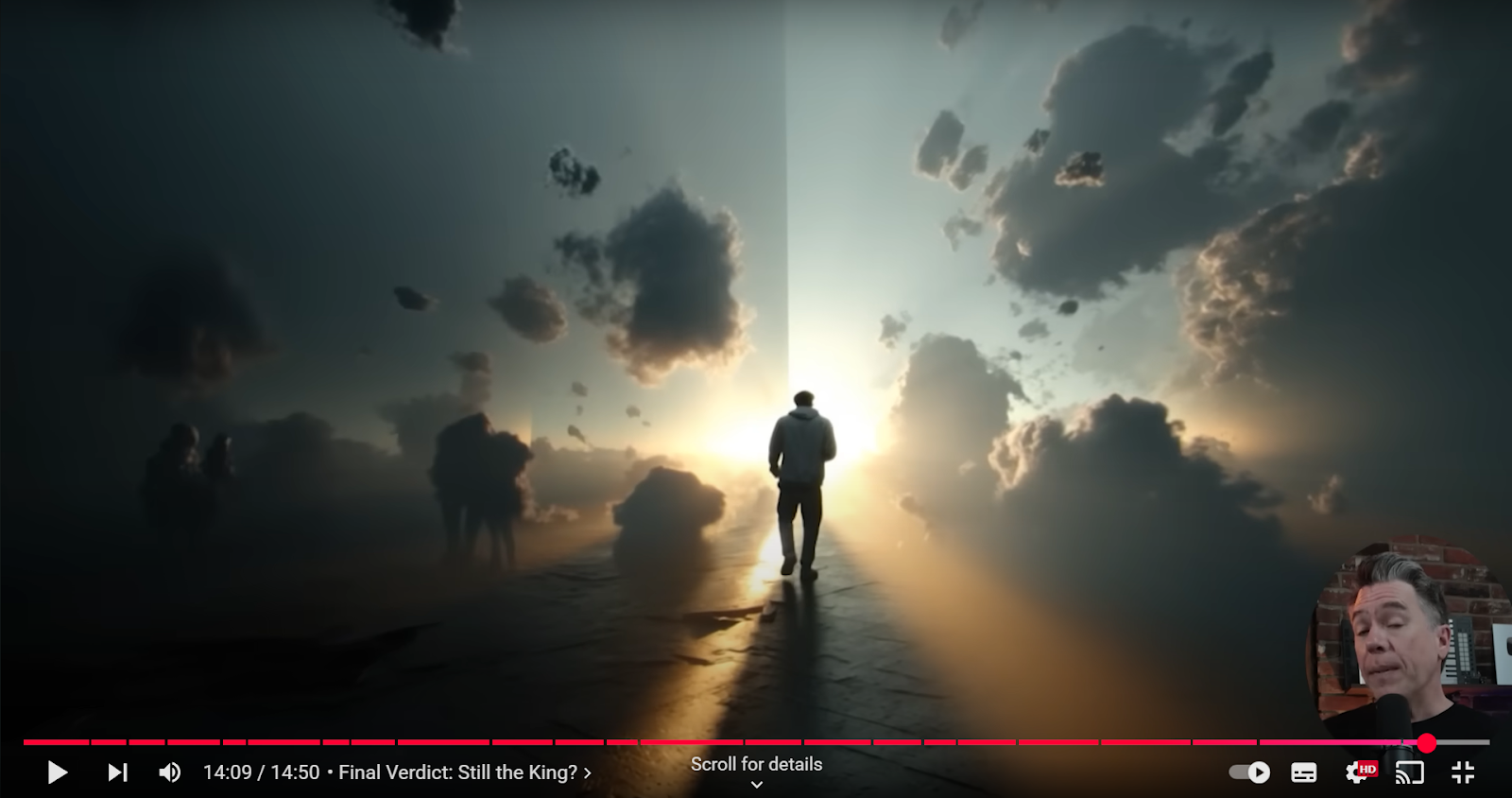
Note: The article was written based on the following YouTube video.
Create AI videos free
Try Van Gogh Studio free — text-to-video, image-to-video, and 300+ models in one place. Free credits on signup, no credit card required.
Try Free Video Generator


