

I tested InVideo AI to see whether its template and script-to-video workflow really helps beginners ship social videos without learning Premiere — or whether the guided prompts just add friction.
In this InVideo AI review, I’ll share what it does well, where the template-first process slows down, who it fits best, and why I would choose Van Gogh Studio when I need stronger generative control and a clearer path to publish-ready video.
Quick Verdict
InVideo AI is a useful AI video generator if your main goal is template-led script-to-video for social platforms: YouTube, TikTok, Facebook, and similar. Script writing, stock matching, captions, voiceovers, and guided prompts make it approachable for people who do not want desktop editing software.
It is a weaker choice when you need cinematic scenes, precise product motion, multi-model generation, or a workflow that finishes without repeated pop-ups and plan selections. InVideo feels more like a guided template video maker than a flexible creative studio. For a fuller production path, I prefer Van Gogh Studio.
| Review Point | My Take |
|---|---|
| Best for | Template social videos, script-to-video drafts, YouTube and short-form explainers |
| Not best for | Cinematic ads, precise product motion, deep generative control, or polished campaign sets |
| Strongest feature | Guided script-to-video path with templates, captions, and voiceovers |
| Biggest limitation | Too many prompts and slow generation; outputs can feel generic or soft |
| Learning curve | Easy for beginners, but the UI can feel busy |
| My verdict | Fine for template drafts; limited as a full AI creative studio |
What Is InVideo AI?
InVideo AI is a browser video creation platform built around turning ideas and scripts into template-structured videos. Instead of starting on a blank timeline, you describe the video, answer guided prompts, pick a plan, and let the tool assemble clips, captions, and voiceover.
Its biggest value is accessibility. Marketers, small businesses, and creators who do not know Premiere or Final Cut can still produce watchable social drafts for travel promos, explainers, and basic ads.
Compared with open-ended AI video generators, InVideo feels more guided and template-first. It is less about inventing cinematic scenes from scratch and more about packaging a script into a familiar social-video format.
Key Features I Reviewed
InVideo’s feature set is organized around script-to-video generation, guided creation prompts, and light image generation.
Script-to-Video and Text Prompts
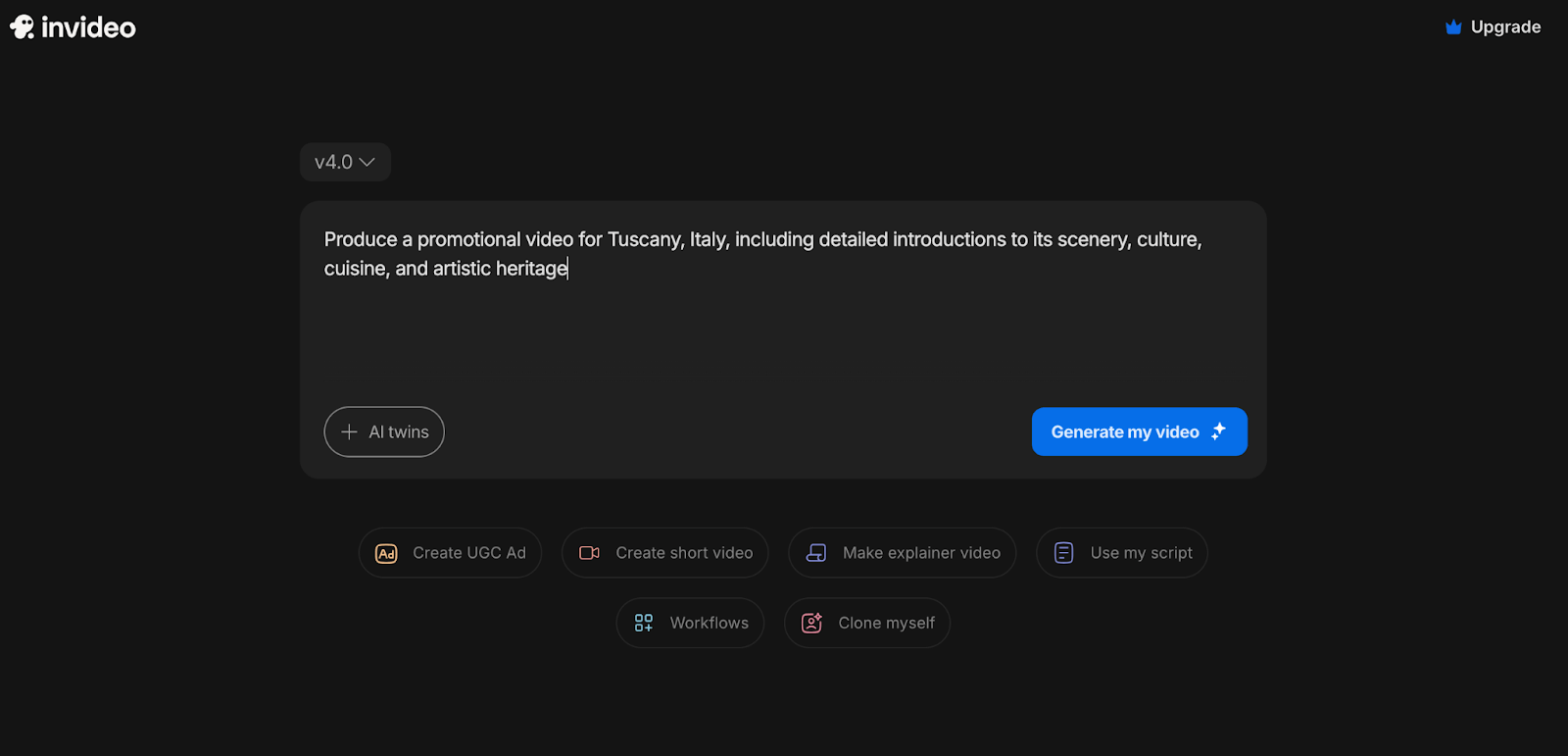
The main entry point is text-to-video / script-to-video. You describe the topic, choose a model or mode, and InVideo builds a structured draft with scenes, narration, and media matching.
This helps with travel promos, listicles, educational explainers, and simple brand stories when you already know the message. The tool is strongest when the brief is clear and the expected format is conventional social content.
Guided Prompts and Creation Plans
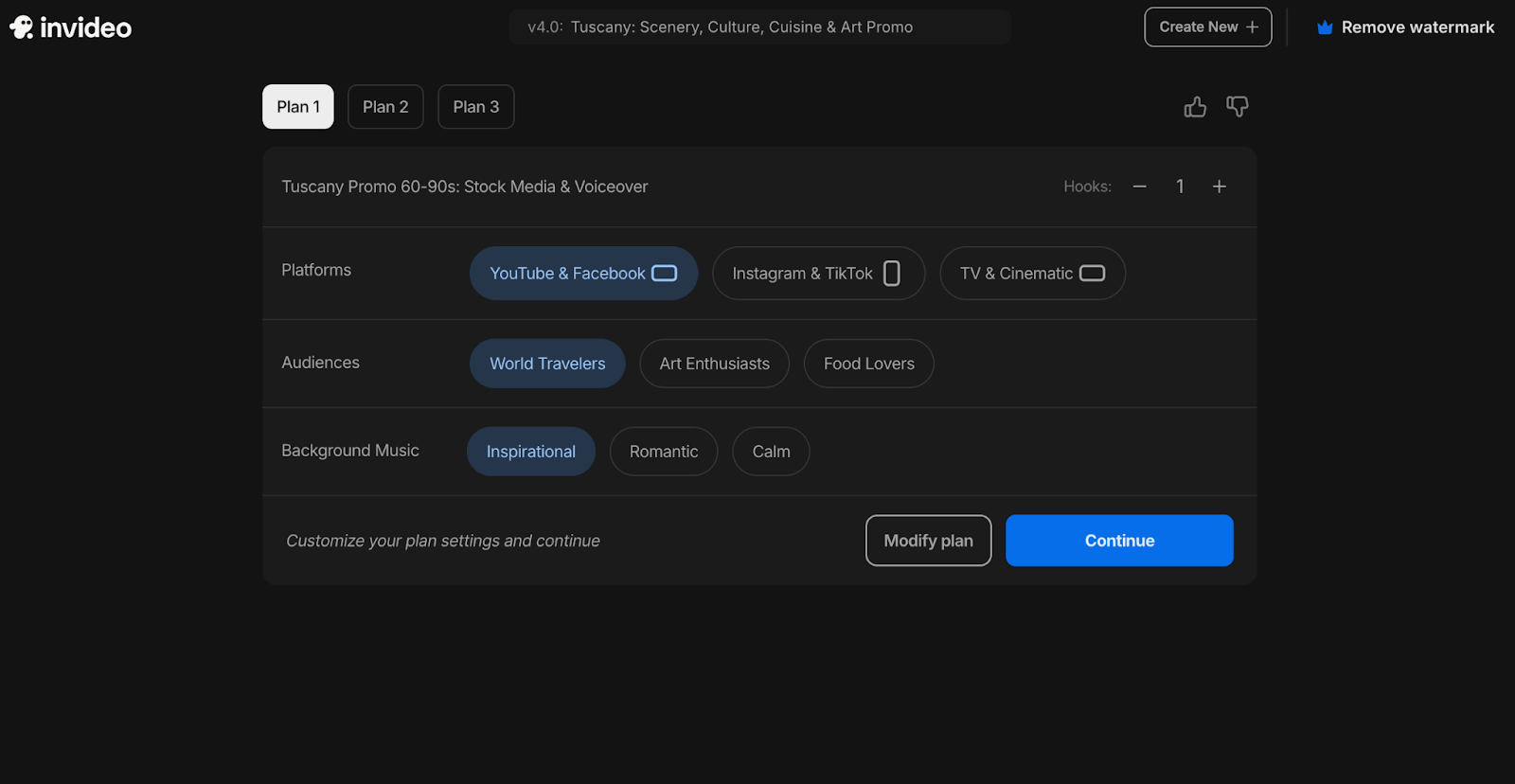
InVideo often asks for extra details — script style, host preference, brand offering, vision description — then offers multiple plans before generation starts.
That guidance can help beginners who do not know what to specify. In practice, it also adds friction. Even after entering requirements up front, repeated pop-ups and plan choices can make the process feel longer than the final video justifies.
Templates, Captions, and Social Packaging
Templates, auto-captions, dubbing, and social-oriented layouts are core to the product. InVideo is clearly aimed at packaging content for YouTube, TikTok, Facebook, and similar channels.
This is useful for creators who need a watchable draft quickly. The tradeoff is originality. Template-led assembly can look fine for casual updates and feel generic for paid ads or distinctive brand work.
AI Image Generator
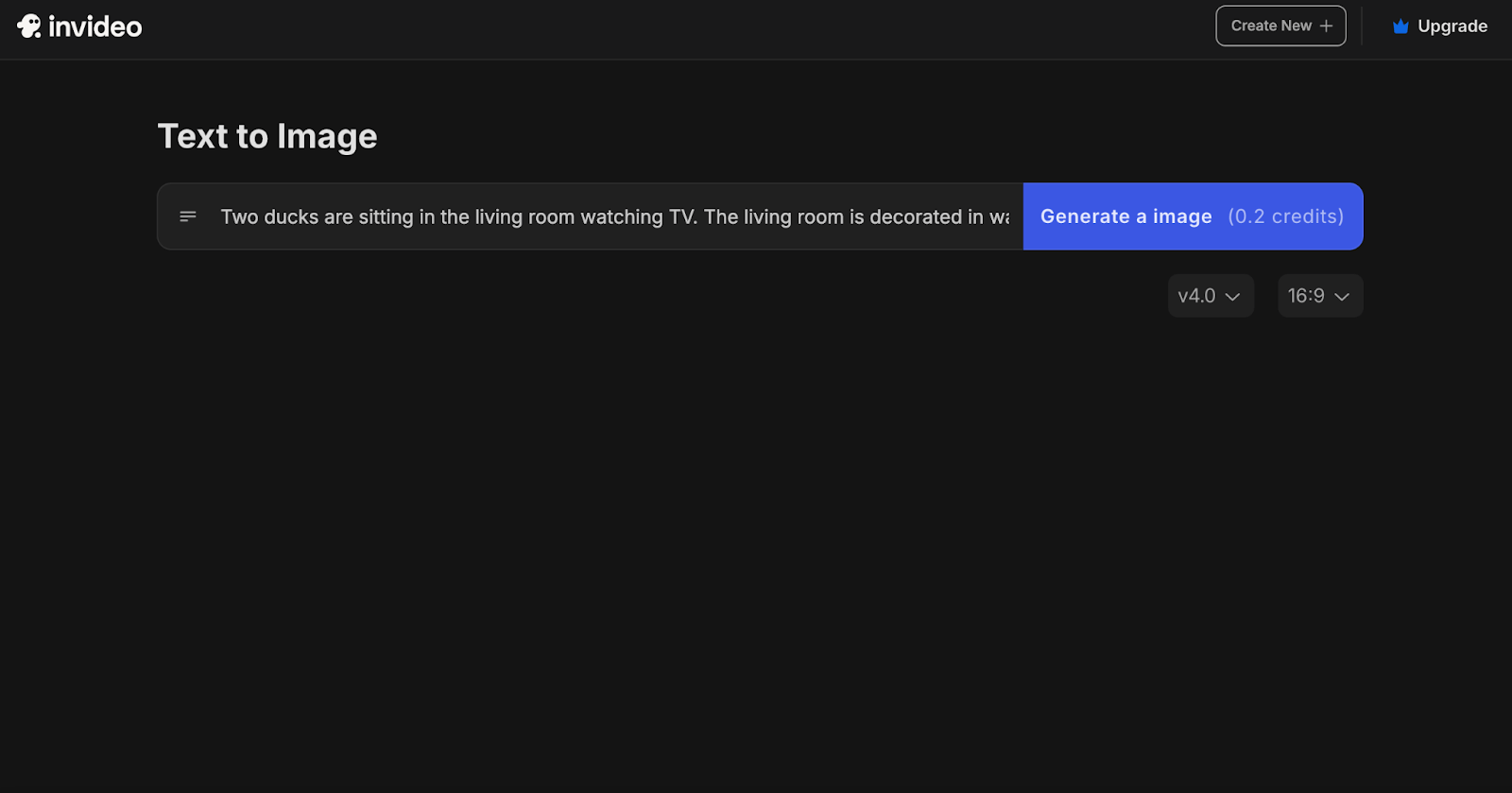
InVideo also includes an AI image generator with prompt input, model selection, and aspect ratio controls.




Results can be usable for rough concepts, but the image tool feels secondary. Style templates are limited, and some outputs look dull or low-saturation. I would not pick InVideo primarily for serious image production when dedicated AI image generator workflows exist.
Pros and Cons
What I Liked
- Approachable script-to-video path for beginners
- Templates, captions, and voiceovers help package social drafts
- Useful for YouTube-style explainers and short-form idea videos
- Guided prompts can help users who do not know how to brief a video
- Browser workflow avoids desktop editing software
What Held It Back
- Too many on-screen prompts and plan selections slow the process
- Generation can feel slow for the quality delivered
- Outputs can look soft, generic, or template-heavy
- Image generator is limited compared with dedicated image tools
- Weak for cinematic control, product storytelling, and campaign variation
Create Full Videos with Van Gogh Studio Free
Where InVideo AI Falls Short
InVideo’s limits show up when you need speed, creative control, and less template hand-holding.
Guided Workflow Can Feel Overcomplicated
The repeated input boxes and plan choices create friction. A beginner-friendly path should reduce decisions, not re-ask the same brief at every step.
Speed and Output Polish Are Uneven
Waiting through long generation for a soft 720p draft undercuts the “instant video” promise. Upscaling or regenerating adds more time. For serious publishing, I still expect cleanup.
Template Social Look Gets Repetitive
InVideo can feel restrictive when the project needs distinctive scene design, richer motion, or flexible creative direction. Performance ads, ecommerce creatives, and UGC video ads usually need sharper hooks and product-focused visuals than a stock-heavy template cut.
Image Tools Are Secondary
The image generator is fine for light concepting. It is not a strong creative image system for brand assets, product shots, or style-consistent campaigns.
Real Use Cases
| Use Case | My Take |
|---|---|
| YouTube explainers | Good fit when a script-led template draft is enough |
| Social media shorts | Mixed fit — fast start, but results can feel generic |
| Travel / promo idea videos | Useful for first drafts from a written brief |
| Business announcements | Decent for message-led clips with captions and voiceover |
| Product ads | Limited fit — can describe a product, weaker for visual selling |
| Brand campaigns | Weak fit when differentiation and visual quality matter |
| Image-led creative work | Not the strongest tool; image features feel secondary |
InVideo AI vs Van Gogh Studio
| Dimension | InVideo AI | Van Gogh Studio |
|---|---|---|
| Main workflow | Template / script-to-video for social drafts | Full AI video generation, editing, and publish-ready workflows |
| Script-to-video | Strong guided path with plans and prompts | Strong via Van Gogh Studio Agent and structured generation flows |
| Creative range | Narrower template / social focus | Broader coverage across ads, explainers, social, and story videos |
| Generative control | Limited model and scene flexibility | Multi-model text to video and image to video |
| Marketing output | Better for conventional social drafts than campaign creatives | Stronger with UGC ad video and campaign-ready workflows |
| Editing flexibility | Light post-generation adjustments | Stronger follow-up refinement with the AI video editor |
| Best fit | Beginners who want template video drafts | Creators and marketers who need finished AI videos, not only templates |
Why Van Gogh Studio Is a Better InVideo AI Alternative

InVideo is useful for guided social drafts. Van Gogh Studio is stronger when I want generative scenes, multi-model choice, editing, and a clearer path to publish-ready output without a maze of pop-ups.
Generate Scenes Without Template Lock-In

Van Gogh Studio gives me starting points InVideo does not center on as strongly: text to video, image to video, and multi-model access with options such as Veo 3.1, Kling 3.0, and Seedance 2.5.
If the project begins with an idea or product still instead of a stock-heavy template, that generative layer is the real upgrade.
Post-Ready Videos With Van Gogh Studio Agent

Van Gogh Studio Agent gives a stronger end-to-end production advantage. Instead of walking through repeated plans and prompts for a draft that still feels soft, it is designed to create structured, production-ready videos with less manual assembly.
I can start from an idea, text, image, or URL, and the Agent can help handle structure, pacing, visuals, and sound. That makes it more suitable when I want a finished result instead of a template draft that still needs another tool.
Create Videos with Van Gogh Studio Agent
Stronger Image and Editing Support

When I need stills as well as video, Van Gogh Studio’s AI image generator and prompt-based AI video editor feel more useful than InVideo’s secondary image pane. I can create assets, animate them, and refine the look without treating images as an afterthought.
Stronger Marketing and Commerce Workflows
For ads, launches, and product promos, I need hooks, variations, pacing, and channel-ready formats. Van Gogh Studio’s marketing and product-video workflows — including UGC ad video and link to video — are built for that campaign output, not just packaging a script into stock scenes.
Final Verdict: Is InVideo AI Worth Using?
InVideo AI is worth using if you want a beginner-friendly script-to-video path for conventional social drafts. Templates, captions, and voiceovers make it easier to turn a written idea into something watchable without desktop software.
Its biggest limitation is the experience around that draft. Too many prompts, uneven speed, soft or generic outputs, and limited generative control keep it from feeling like a full creative studio.
Use InVideo for quick template social videos. Use Van Gogh Studio when you need stronger generative scenes, multi-model choice, editing, and publish-ready AI video in one place.
InVideo AI Review FAQs
Is InVideo AI good for beginners?
Yes for beginners who want guided script-to-video drafts. The templates and prompts lower the barrier. The same guidance can also feel slow and repetitive once you know what you want.
Is InVideo AI an AI video generator?
Yes, but it is best understood as a template / script-to-video maker. It packages ideas into social-style drafts more than it invents cinematic multi-model scenes.
What is the biggest drawback of InVideo AI?
For me, the biggest drawback is friction plus polish. Repeated prompts, slow generation, and generic or soft outputs make the workflow feel heavier than the final video quality.
What is the best InVideo AI alternative?
If you want script-to-video plus stronger generative control and publish-ready workflows, Van Gogh Studio is the better alternative. It covers text to video, image to video, AI avatar, editing, UGC ads, and Agent-led videos in one workspace.
Create AI videos free
Try Van Gogh Studio free — text-to-video, image-to-video, and 300+ models in one place. Free credits on signup, no credit card required.
Try Free Video Generator


