

I kept seeing insMind show up as a quick AI video tool for product clips, social posts, and simple visual ideas, so I wanted to see how far it could go beyond the first easy generation.
In this insMind review, I’ll share what it does well for short drafts, where finishing and reliability still feel limited, who it fits best, and why I would choose Van Gogh Studio when I need a clearer path to publish-ready video.
Quick Verdict
insMind is a useful AI video generator if your main goal is short clips, image-to-video tests, trend-style effects, and simple product motion. The beginner-friendly workflow makes it easy to move from an idea or still image to a draft without opening a traditional editor.
It is a weaker choice when you need structured ads, connected scenes, brand consistency, or a dependable production workflow. For a fuller path from idea to finished video, I prefer Van Gogh Studio.
| Review Point | My Take |
|---|---|
| Best for | Quick clips, image-to-video drafts, effects, and simple product motion |
| Not best for | Full campaigns, connected scenes, and polished publishing workflows |
| Strongest feature | Beginner-friendly short video creation from prompts and images |
| Biggest limitation | Creates clips more easily than finished videos |
| Learning curve | Easy for beginners and casual creators |
| My verdict | Useful for drafts; limited as a full production studio |
What Is insMind?
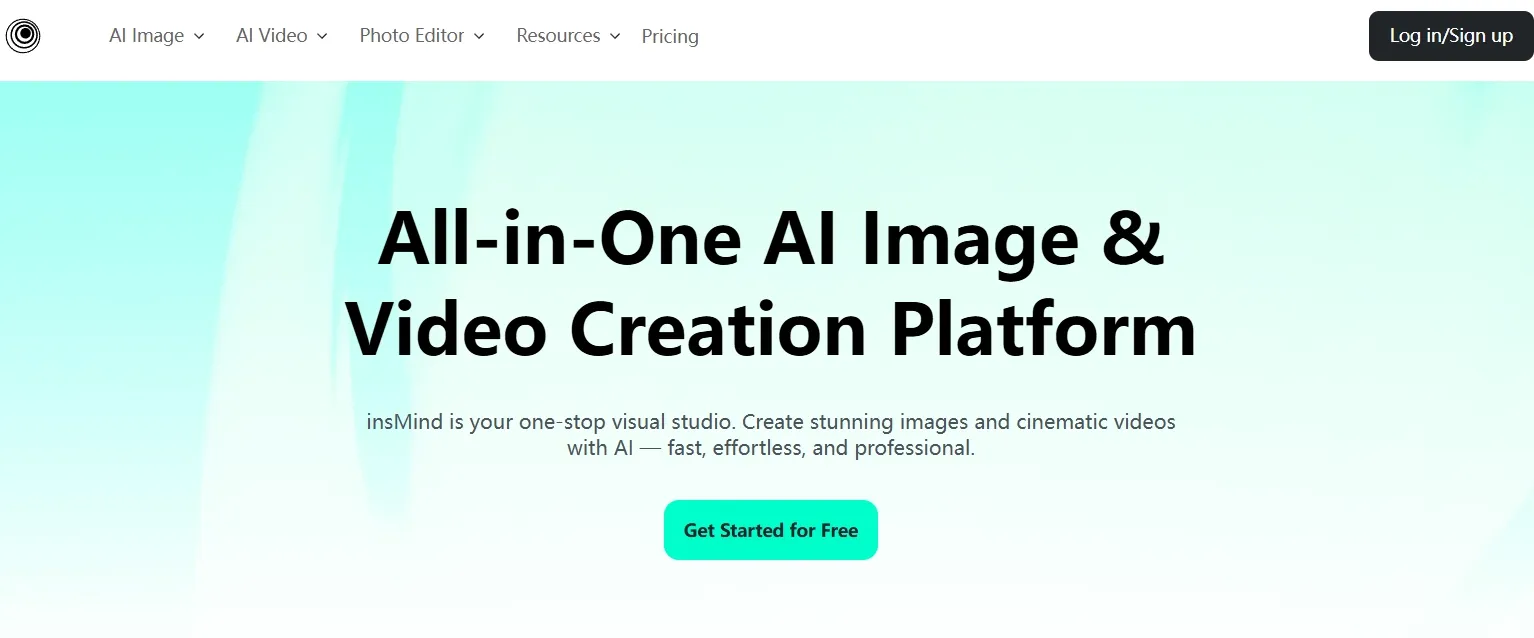
insMind is an AI creative platform that brings together several video tools, including video effects, start and end frame control, image-to-video generation, and prompt-based AI video editing.
Its biggest value is speed for short visual content. Creators and marketers can start from prompts, images, templates, or editing instructions and produce social-style clips without traditional editing software.
Compared with production-focused AI video suites, insMind feels lightweight and clip-first. That helps for drafts and trend posts — and becomes a limit when the project needs structure, consistency, and publish-ready polish.
What Other Users Say About insMind
User feedback is mixed. The positive pattern is clear: people like how intuitive the video generation and editing workflow feels for quick drafts and short social assets.
The critical pattern matters too. At the time I reviewed public feedback, Trustpilot comments included complaints about failed video processing, deducted credits, subscription friction, and slow or missing support responses.
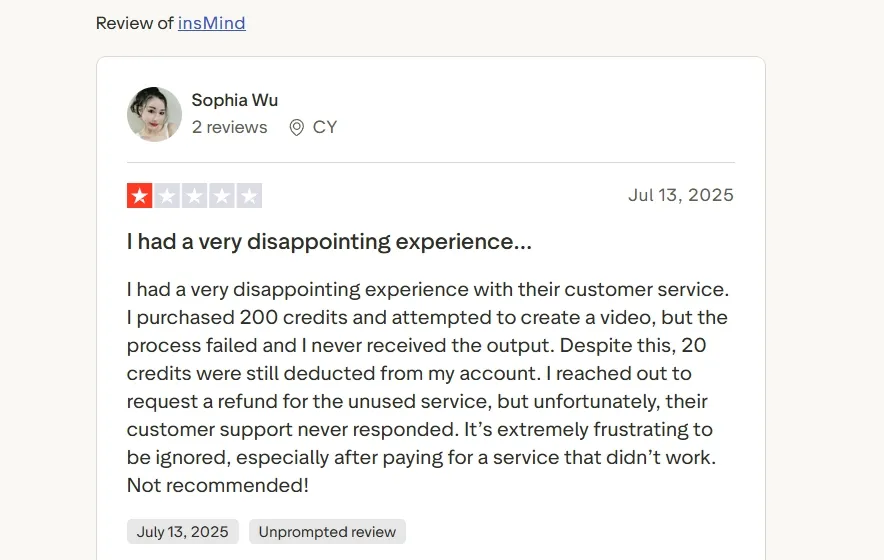
I would not treat reviews as the whole story, but I would treat them as a risk signal. If a tool is only for casual content experiments, friction is annoying. If it is for client work or paid campaigns, friction becomes expensive.
Key Features I Reviewed
insMind’s feature set is organized around fast clip creation: prompt generation, image animation, effects, transition frames, and light prompt-based edits.
AI Video Generator

insMind’s AI video generator is the main entry point for turning ideas into short clips. You can enter a concept, choose basic settings, and generate a visual draft without much setup.
This works well for early concept work — a launch opener, a social promo, or a simple product video test before building a fuller piece.
The limitation is that the generator still feels strongest at the single-clip level. It helped me create a useful asset, but it did not give me the pacing, structure, or message flow I would expect from a finished video.
Image to Video
Image to video felt more grounded than starting from text alone. When I used an existing visual as the base, the clip had a clearer anchor and felt less random.
This is helpful for product images, portraits, crafted assets, and basic social visuals. It can also support a short photo-to-video ad draft when you already have a strong still.
The catch is purpose. Motion can look decorative instead of meaningful if the still does not already communicate a clear product or story moment.
Video Effects and Templates
insMind’s effects and templates are built for speed. Their main value is helping users create trend-style videos without planning every detail from scratch.
I’d use this for quick creator posts, transformation effects, funny edits, and casual social clips. It can also support light entertainment ideas where energy matters more than precision.
Without a strong concept, the effects can feel shallow. They help stop the scroll for a second, but they do not automatically create a complete video.
Start and End Frame Generator
Start and end frame control gives more direction over how a clip begins and finishes. I found this useful for transformation scenes, before-and-after visuals, product reveals, and transition-based ideas.
This feature fits clips where the movement from one state to another matters, especially when you want the transition to feel closer to a planned story video beat than a random motion test.
AI Video Editor
insMind’s AI video editor lets users describe changes in plain language instead of editing on a traditional timeline. That is useful for quick style changes, background adjustments, subject edits, and simple cleanup.
It helps when the clip is already close and only needs a light revision. For creator content or simple AI UGC drafts, prompt-based editing can save time.
Precision is the limit. When a video needs careful brand control, repeated refinements, or exact scene-level changes, prompt-based editing feels less dependable than a deeper editing workflow.
Pros and Cons
What I Liked
- Easy to start, even without editing experience
- Useful for quick AI video drafts and short social clips
- Image to video works well when there is already a clear visual asset
- Effects and templates help with fast trend-style content
- Prompt-based editing makes simple changes easier
What Held It Back
- Output often feels more like a clip than a finished video
- Prompt quality has a big impact on the result
- Full campaign structure still needs outside planning
- Brand consistency and connected scenes are harder to manage
- Public feedback raises concerns around credits, failed processing, and support
Create Full Videos with Van Gogh Studio Free
Where insMind Falls Short
insMind’s limits show up once the goal moves beyond a short draft.
Stronger at Clips Than Finished Videos
A short clip can be useful, but it is not the same as a complete video with a hook, pacing, captions, music, scene logic, and a clear publishing goal.
That matters most for ads, product promos, creator series, and repeatable brand content. In those cases, I do not just need another generated asset. I need a workflow that helps shape the final video.
Reliability Risk Signals
Failed generations, deducted credits, and support complaints are not just annoyance details. They affect whether I would trust the tool for paid client work or time-sensitive campaigns.
Even if many casual uses go smoothly, that risk makes insMind harder to recommend as a primary production platform.
Limited Campaign and Scene Control
insMind can sketch visuals, but it leaves too much of the campaign structure to the user. Connected scenes, brand consistency, offer clarity, and variation testing still need a stronger surrounding workflow.
When the video needs to sell through structure rather than a single effect, the clip-first approach starts to feel thin.
Real Use Cases
| Use Case | My Take |
|---|---|
| Fast social clips | Strong fit — useful for TikTok, Reels, and Shorts-style visuals when speed matters most |
| Product motion tests | Good fit for turning static product visuals into short motion drafts |
| Trend effects | Good fit for funny or transformation-style social posts |
| Story drafts | Mixed fit — helpful for mood and scene tests, weaker for full story structure |
| Simple ad concepts | Mixed fit — useful for early visual sketches before turning a script into an ad |
| Publish-ready campaigns | Weak fit — not strong enough alone for polished, repeatable brand videos |
| Client or paid production | Risky fit — reliability and support feedback make it harder to trust |
insMind vs Van Gogh Studio
| Dimension | insMind | Van Gogh Studio |
|---|---|---|
| Main workflow | Clip-first generation for quick drafts | Full AI video generation, editing, and publish-ready workflows |
| Image to video | Strong for short motion tests from stills | Strong via image to video, plus broader finishing tools |
| Effects and templates | Useful for trend-style social clips | Available via video effects, plus campaign workflows |
| Creative range | Narrower short-clip focus | Broader coverage across ads, explainers, social, and story videos |
| Marketing output | Better for early promo ideas than finished ads | Stronger with UGC ad video and campaign-ready workflows |
| Editing flexibility | Light prompt-based adjustments | Stronger follow-up refinement with the AI video editor |
| Best fit | Creators who need fast drafts and effects | Creators and marketers who need finished AI videos, not only clips |
Why Van Gogh Studio Is a Better insMind Alternative

insMind is useful for quick clips. Van Gogh Studio is stronger when I want an AI creative suite that can support many video styles, editing, talking avatars, and audio in one place.
Broader AI Video Generation, Not Only Short Drafts
Van Gogh Studio gives me more starting points: text to video for concepting, image to video for product stills, and multi-model access when I want different motion styles. Models such as Veo 3.1, Kling 3.0, and Seedance 2.5 matter when one look is not enough.
That matters after insMind because a single clip style is rarely enough for ongoing work. I often need realism for one scene, stylized motion for another, and product clarity for a third — without switching tools.
Post-Ready Videos With Van Gogh Studio Agent

Van Gogh Studio Agent gives a stronger end-to-end production advantage. Instead of only generating separate short assets, it is designed to create structured, production-ready videos with less manual editing.
I can start from an idea, text, image, or URL, and the Agent can help handle structure, pacing, visuals, and sound. That makes it more suitable when I want a finished result instead of a draft that still needs assembly.
It also supports more content directions — viral video cloning, UGC ads, story videos, anime videos, music videos, and news-style videos — so the workflow stays adaptable for real publishing tasks.
Create Videos with Van Gogh Studio Agent
Stronger Marketing and Commerce Workflows
For ads, launches, and product promos, I need hooks, variations, pacing, and channel-ready formats. Van Gogh Studio’s marketing and product-video workflows are built for that campaign output, not just one trend effect. URL-to-video and photo-to-video paths also help teams move from assets to ads faster via link to video and UGC ad video.
Avatar and Editing Inside the Same Suite

With Van Gogh Studio’s AI avatar video generator, I can turn one photo into a lip-synced talking avatar when a clip needs a human presenter — without filming. After that, I can keep building with the AI video editor, captions, and multi-model generation instead of stopping at a short draft.
Final Verdict: Is insMind Worth Using?
insMind is worth using if you want a fast, approachable tool for short clips, image-to-video drafts, and social effects. For quick experiments, that is genuinely useful.
Finishing and reliability are the main issues. insMind is not a strong choice for structured ads, connected scenes, brand-consistent series, or dependable paid production workflows.
For a broader AI video workflow, I would choose Van Gogh Studio. It combines multi-model video generation, editing, Agent-led publish-ready workflows, and campaign tools in one place — so you can draft quickly and still finish videos you can actually publish.
insMind Review FAQs
What is insMind used for?
insMind is used for AI video generation, image to video, video effects, start and end frame transitions, and prompt-based video editing — mainly for short social and product-style clips.
Is insMind good for AI videos?
Yes for short AI videos, social clips, and quick visual drafts. I found it less ideal for full production workflows that need structure, consistency, and publish-ready polish.
Is insMind good enough for marketing videos?
It can help with early marketing ideas, product motion tests, and social visuals. I would not rely on it alone for polished ads or repeatable brand campaigns.
What is the best insMind alternative?
If you want quick clip creation plus a clearer path to finished output, Van Gogh Studio is the better alternative. It covers multi-model generation, AI video editing, UGC ads, Agent-led workflows, and AI avatar tools in one workspace.
Create AI videos free
Try Van Gogh Studio free — text-to-video, image-to-video, and 300+ models in one place. Free credits on signup, no credit card required.
Try Free Video Generator


