

I tested Google DeepMind’s Imagen 4 to see whether the I/O-era upgrades — richer detail, better textures, typography claims, and up to 2K output — actually hold up for everyday creators, or whether prompting friction and anatomy glitches make Imagen 3 feel safer.
In this Imagen 4 review, I’ll share what it does well, where faces, hands, and poster text still fail, who it fits best, and why I would choose Van Gogh Studio when I need multi-model fallbacks or a path from stills into video.
Quick Verdict
Imagen 4 is a strong AI image model if your main goal is highly detailed cinematic stills from long, specific prompts — vehicles, neon cityscapes, textured environments — where lighting and material detail matter.
It is a weaker choice when you need consistent human anatomy, reliable poster typography, or a forgiving prompting style. Imagen 4 is an image model, not a video studio. For model switching and still-to-video, I prefer Van Gogh Studio.
| Review Point | My Take |
|---|---|
| Best for | Detailed cinematic / environment stills with long prompts |
| Not best for | Multi-person realism, foolproof typography, or video workflows |
| Strongest feature | High detail and lighting on carefully specified scenes |
| Biggest limitation | Inconsistent anatomy and prompt adherence vs expectations |
| Learning curve | Moderate — rewards long, literal prompts |
| My verdict | Impressive peaks; uneven reliability for everyday production |
What Is Imagen 4?
Imagen 4 is Google DeepMind’s newer text-to-image model in the Imagen line, positioned as a step up from Imagen 3 in detail, texture fidelity, spelling/typography, aspect-ratio flexibility, and resolution (up to 2K in supported surfaces).
Google’s pitch emphasizes nuanced color and materials — fabrics, fur, water — plus better text rendering for posters and slides. In real use, those strengths appear mainly when prompts are long and literal.
You can run Imagen-class generation via Imagen and specifically Imagen 4 inside multi-model workspaces. The model generates stills; it does not assemble videos.
Key Features I Reviewed
I evaluated Imagen 4 as a production still model — not only by demo gallery quality.
Detail and Texture on Complex Environments
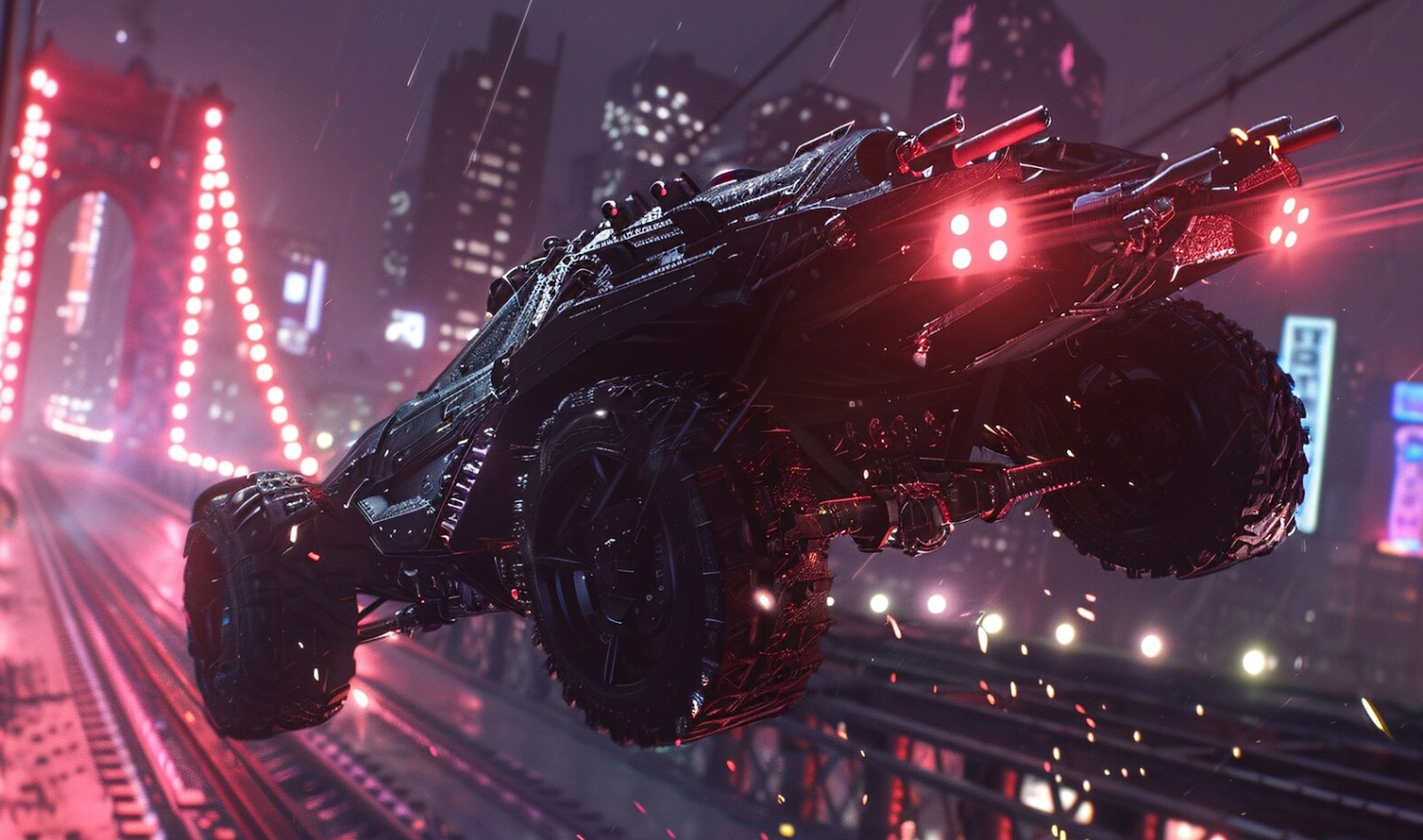
On a long, specific futuristic vehicle-over-city prompt, Imagen 4 delivered one of its best results: strong vehicle design, neon contrast, rain energy, and video-game-like polish. This is where the “richer detail” claim feels real.
Photoreal Subjects and Anatomy
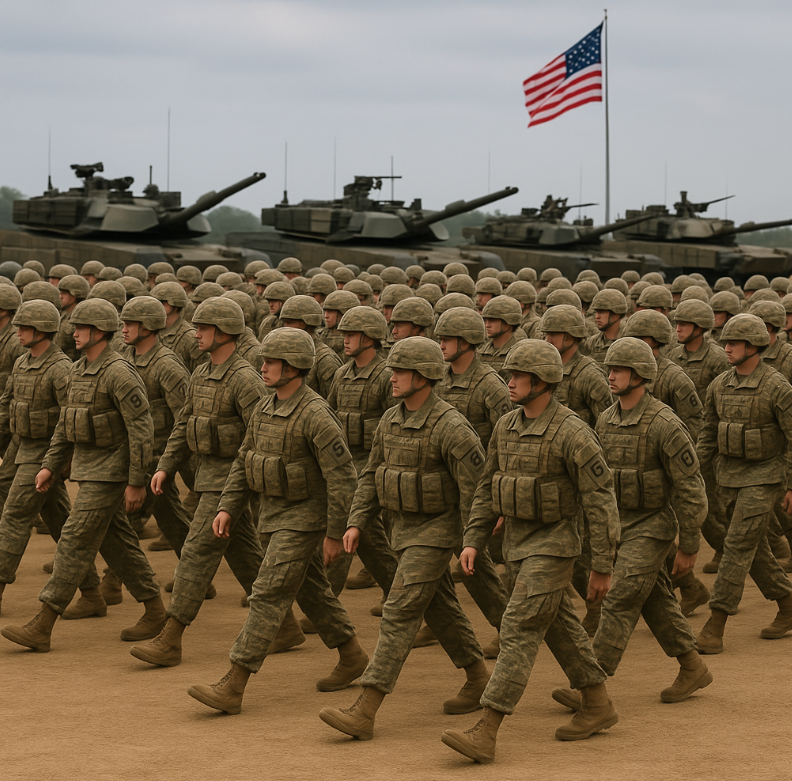
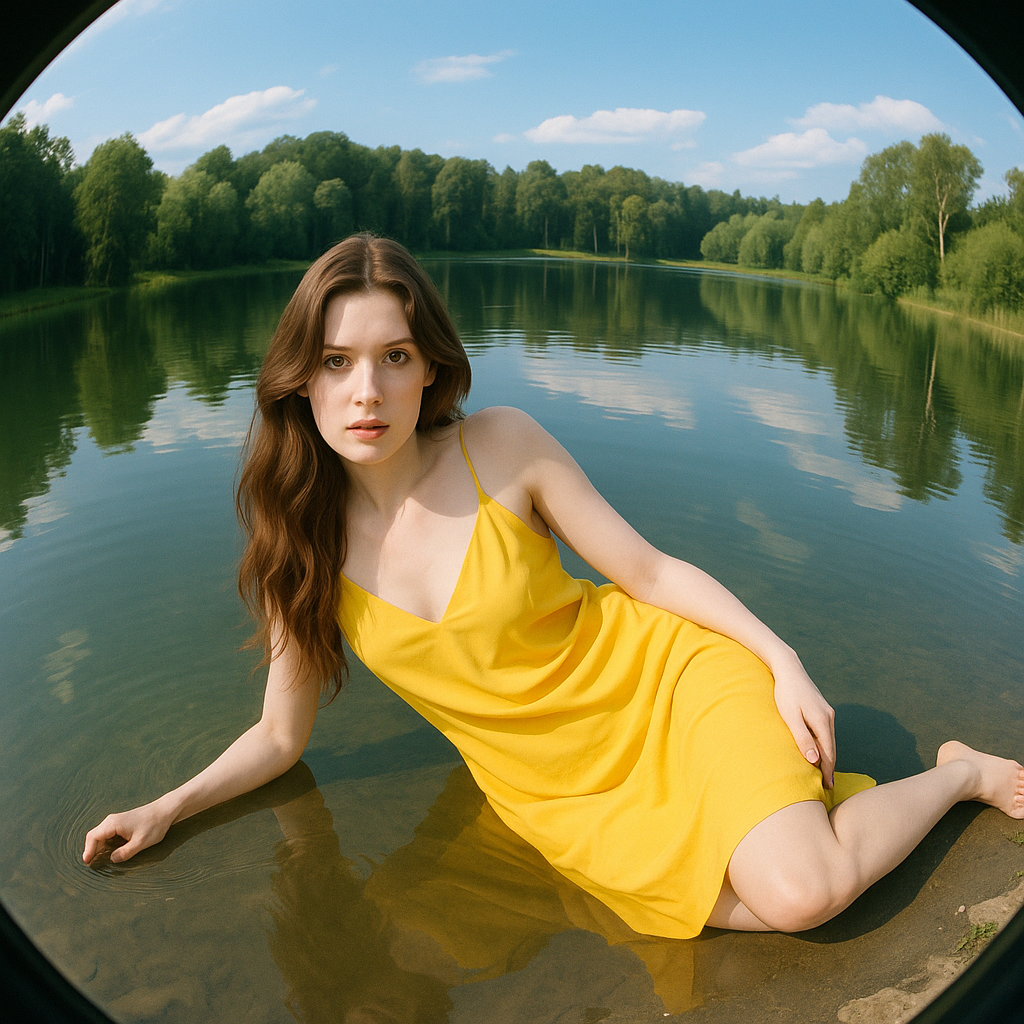
A military-base crowd scene looked environmentally okay but mashed facial detail. A simpler fish-eye portrait of a woman by a river introduced a three-hand anatomy error.
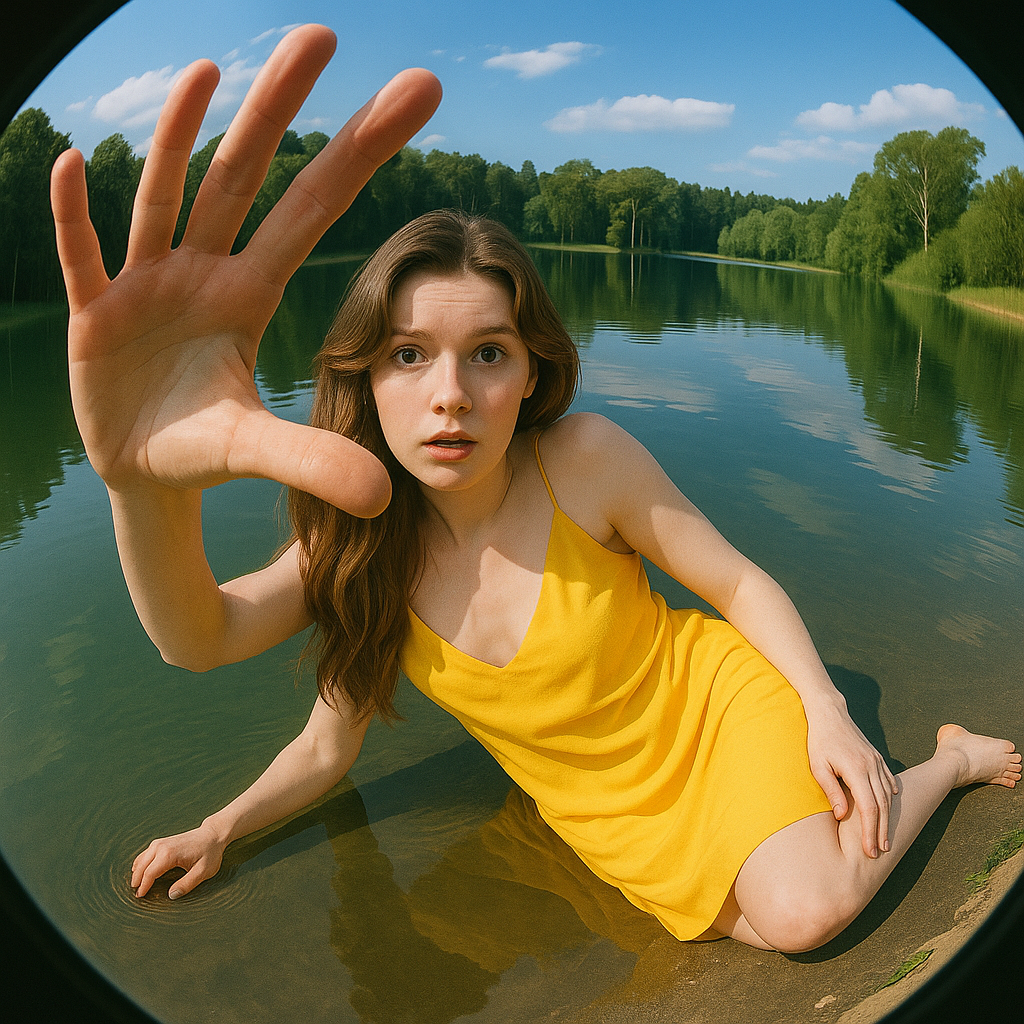
The same simpler prompt on Imagen 3 looked more usable in my side comparison — a reminder that “newer” is not automatically “safer” for people-centric stills.
Typography and Text-Heavy Designs
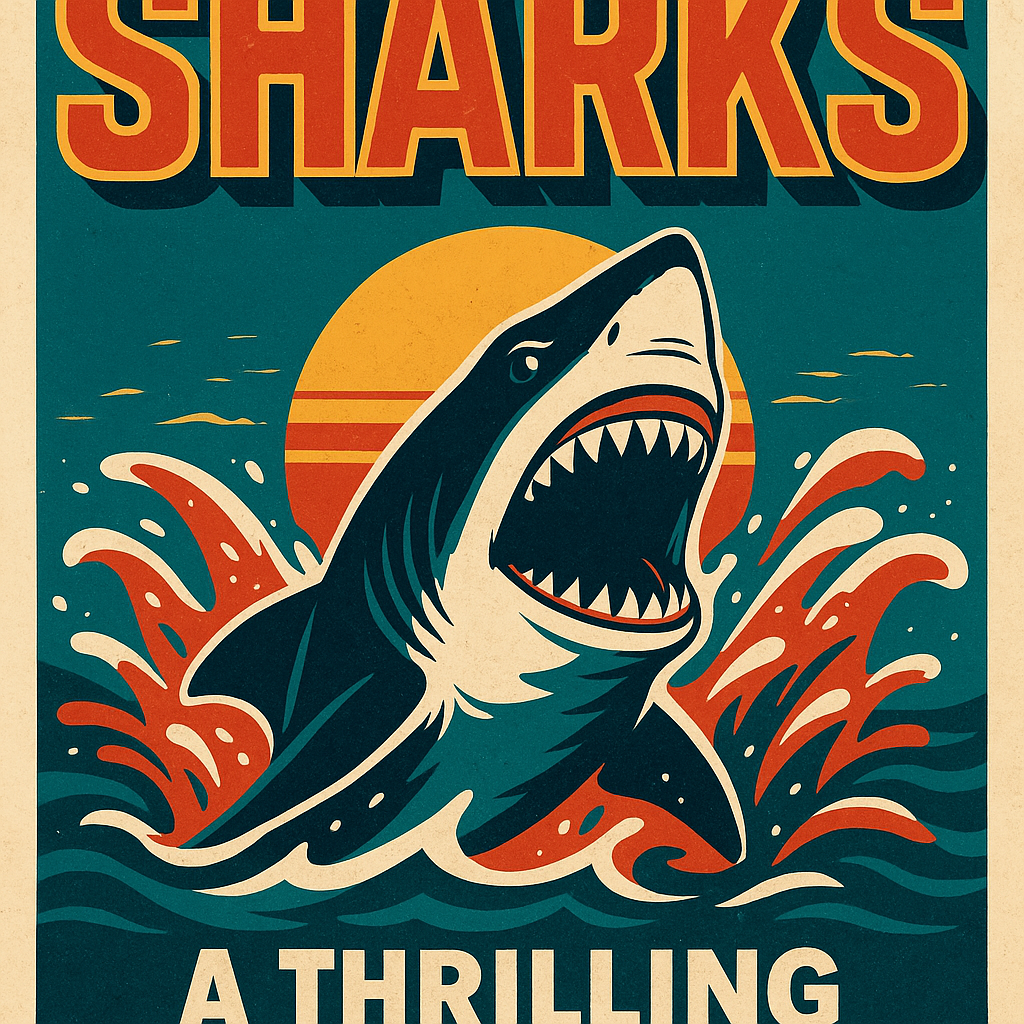
A retro movie-poster brief looked stylish but failed to complete the title text cleanly enough for real use. Typography is improved versus older image models in general — it is not yet “design-final” for every poster job.
Pros and Cons
What I Liked
- Excellent peak quality on detailed cinematic environment prompts
- Strong material and lighting rendering when instructions are specific
- Useful for concept art that benefits from dense visual description
- Aspect-ratio and higher-resolution positioning help production stills
- Available alongside other Google image options in broader stacks
What Held It Back
- Human anatomy and multi-person faces can fail badly
- Prompt style feels less forgiving than Imagen 3 for some users
- Typography can still leave incomplete or unusable text
- Creative “imagination” can feel constrained versus more playful models
- Still-image only — no native video workflow
Create Images and Videos with Van Gogh Studio Free
Where Imagen 4 Falls Short
Imagen 4’s limits show up as inconsistency: spectacular one minute, unusable the next.
Unreliable People Rendering
Crowd faces and limb counts are still failure modes. For headshots, casting boards, or any brief where hands and faces must be correct, plan on retries — or another model.
Prompt Fragility
Long, literal prompts unlocked the best result in my tests. Shorter or moderately complex people prompts underperformed. That learning curve frustrates teams that want predictable first-pass stills.
Model ≠ Studio
Imagen 4 does not edit campaigns or animate. When the deliverable is motion, you need image to video and finishing tools around the still.
Real Use Cases
| Use Case | My Take |
|---|---|
| Cinematic environment / vehicle concept art | Strong fit with long prompts |
| Texture-heavy product mood frames | Good fit when materials matter |
| Multi-person documentary stills | Weak fit — faces and crowds glitch |
| Poster / typography layouts | Mixed — style yes, complete text not guaranteed |
| Everyday casual prompting | Mixed — less forgiving than expected |
| Stills destined for video ads | Limited alone; needs still→video elsewhere |
| Full video production | Not a fit — image model only |
Imagen 4 vs Van Gogh Studio
| Dimension | Imagen 4 | Van Gogh Studio |
|---|---|---|
| Main role | Single Google image model | Multi-model AI image generator + video suite |
| Peak still quality | Very high on detailed scenes | High, with fallbacks when one model fails |
| People / anatomy | Inconsistent in my tests | Switch to another model when Imagen misses |
| Typography | Improved but not foolproof | Try Imagen, Nano Banana Pro, or others per job |
| Still → video | Not included | Native image to video |
| Best fit | Users chasing Google’s latest still model | Teams that need reliable shipping workflows |
Why Van Gogh Studio Is a Better Imagen 4 Alternative

Imagen 4 is worth accessing as a model. Van Gogh Studio is stronger as the place to use it — because you can fall back, refine, and animate without restarting your stack.
Use Imagen 4 Without Betting the Whole Workflow on It
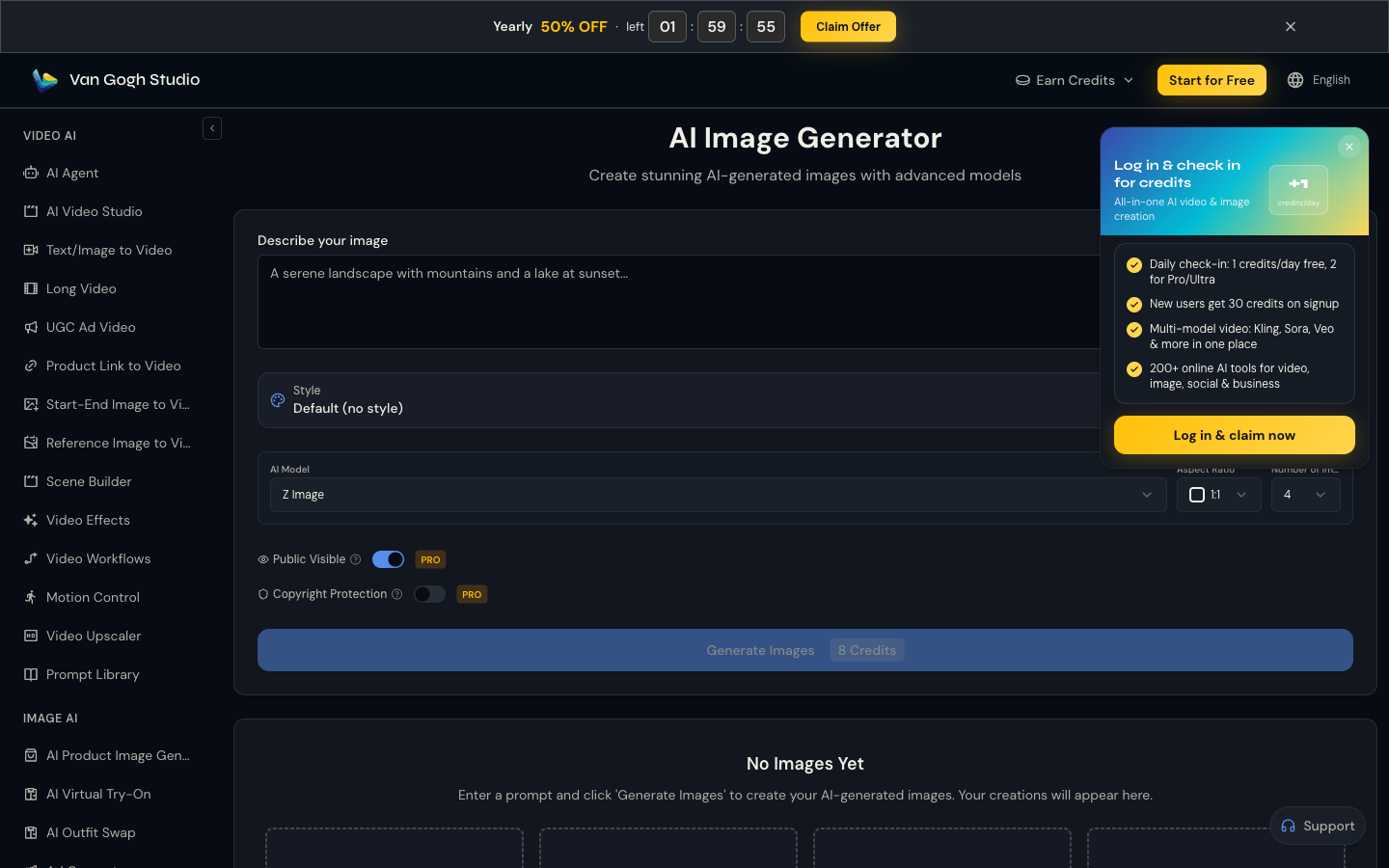
On Van Gogh Studio I can try Imagen 4 for a cinematic still, then switch to Flux, GPT-4o, or Nano Banana when anatomy or text fails. That fallback is the production advantage.
Generate with Imagen and More Free
Move From Still Peak to Motion

When Imagen 4 nails a hero frame, image to video with Veo 3.1, Kling 3.0, or Seedance 2.5 turns that peak into a clip.
Publish-Ready Structure Beyond One Frame

Van Gogh Studio Agent and UGC ad video cover the campaign assembly Imagen 4 never promised.
Final Verdict: Is Imagen 4 Worth Using?
Imagen 4 is worth using when you can write long, specific prompts for environments, vehicles, and cinematic stills. Peak quality can be excellent.
Anatomy glitches, prompt fragility, and incomplete typography keep it from being my only image model. It is also not a video solution.
Use Imagen 4 as one strong still option. For a reliable multi-model image path and still-to-video publishing, I would choose Van Gogh Studio.
Imagen 4 Review FAQs
Is Imagen 4 better than Imagen 3?
Sometimes on detailed cinematic scenes. In my people-centric tests, Imagen 3 could still feel more usable. Treat “newer” as a prompt-and-brief question, not automatic superiority.
Does Imagen 4 handle text in images?
Better than older generations in many cases, but not reliably enough for every poster. Always proof text before publishing.
What is the biggest drawback of Imagen 4?
Inconsistency — especially anatomy and prompt adherence — plus being still-only when many briefs need motion.
What is the best Imagen 4 alternative?
If you want Imagen-class stills plus fallbacks and video, Van Gogh Studio is the better workspace. Start at the AI image generator and continue into image to video.
Create AI videos free
Try Van Gogh Studio free — text-to-video, image-to-video, and 300+ models in one place. Free credits on signup, no credit card required.
Try Free Video Generator


