

Kling AI’s Lip Sync feature is a powerful AI video editing feature of Kling AI lets you synchronize audio (specifically speech audio) with your videos, so you can create clips that reveal people talking in a realistic way. Here are some examples:
Lip synced samples
But you may not know clearly how Kling AI's Lip Sync feature exactly works. If you're having this question, don't worry! This guide shows you how to use Kling AI Lip Sync, with a step-by-step guide and obvious explanations.
Kling AI Lip Sync Options
There are several ways to operate with the Lip Sync feature in Kling AI and fine-tune it to get the exact results you want. Here’s a look at its main functions and flexible options:
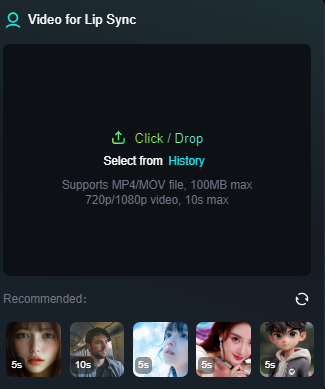
Lip Sync Your Own Video
The character of your video will then do the synced speech once you add or generate some speech audio and apply the Lip Sync tool. In addition to Kling AI-generated video, the Lip Sync feature in Kling AI also allows you to sync your own videos. In other words, you can upload a video to use as a base, or generate one with Kling AI.
Text to Speech Generation
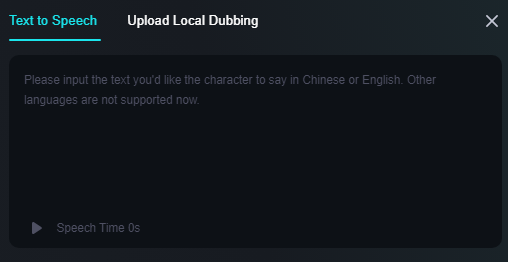
This is where you simply type out a script of the words you want your AI video character to say. It’s quite simple, and it currently works in two languages – Chinese and English. One of the two ways you can add audio to your videos through Lip Sync is to apply text to speech.
The following is a sample text to speech video outupt:
Original image
Speech text
Output lip synced video
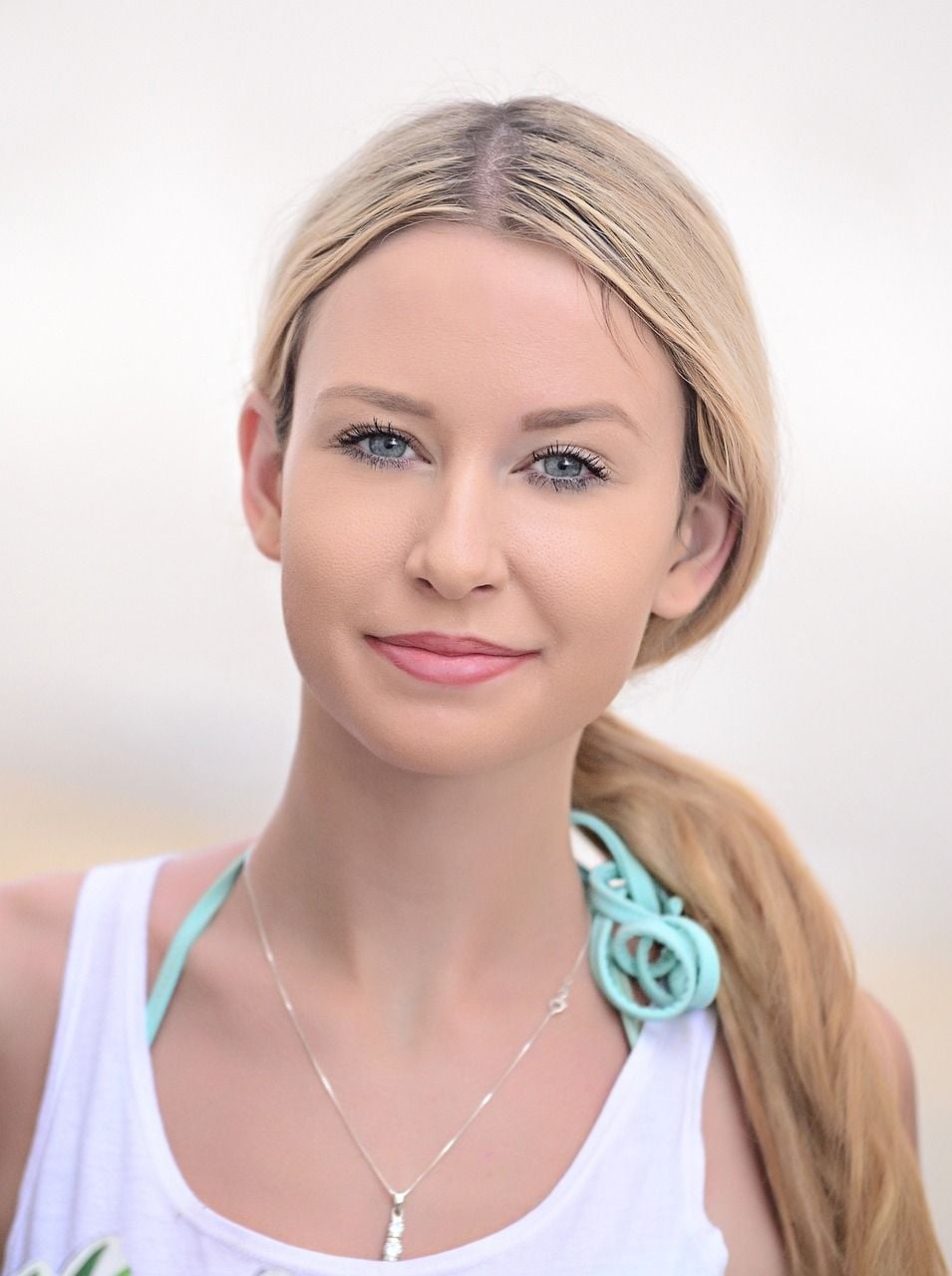
Hello everyone! Let's embrace today with positivity and purpose.
Together, we can achieve great things!
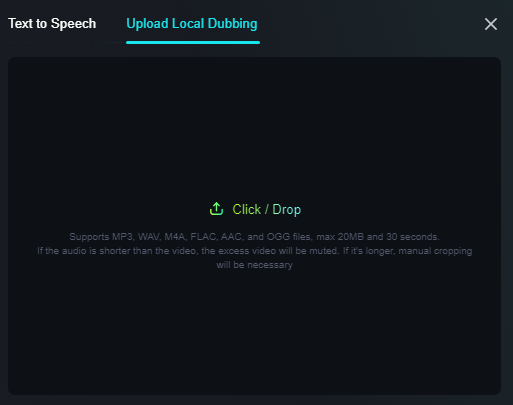
Upload Your Own Audio for Dubbing
The other option you have for adding audio with Lip Sync is to upload a file featuring the speech audio you want to add to your videos with Kling AI. You could record yourself or someone else speaking, for example, and then apply that as a dub track for your next AI video creation.
Adjustable Voices, Emotions, and Speech Speeds
If you choose to leverage Kling AI’s text to speech tool instead of the audio upload, you get full control over how the voice sounds.
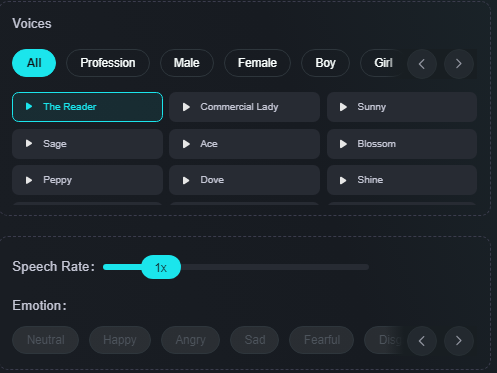
You can choose from lots of different preset voice profiles of varying styles, genders, and ages, and you can adjust the speech rate to build the person speak faster or slower. You can even add emotions to build them sound sad, angry, or happy, for example.
How to Work with Kling AI Lip Sync
In this section, we’ll provide painless to follow, step by step instructions you can leverage to experiment with the Kling AI Lip Sync feature for yourself.
Step 1. Access the Lip Sync Feature
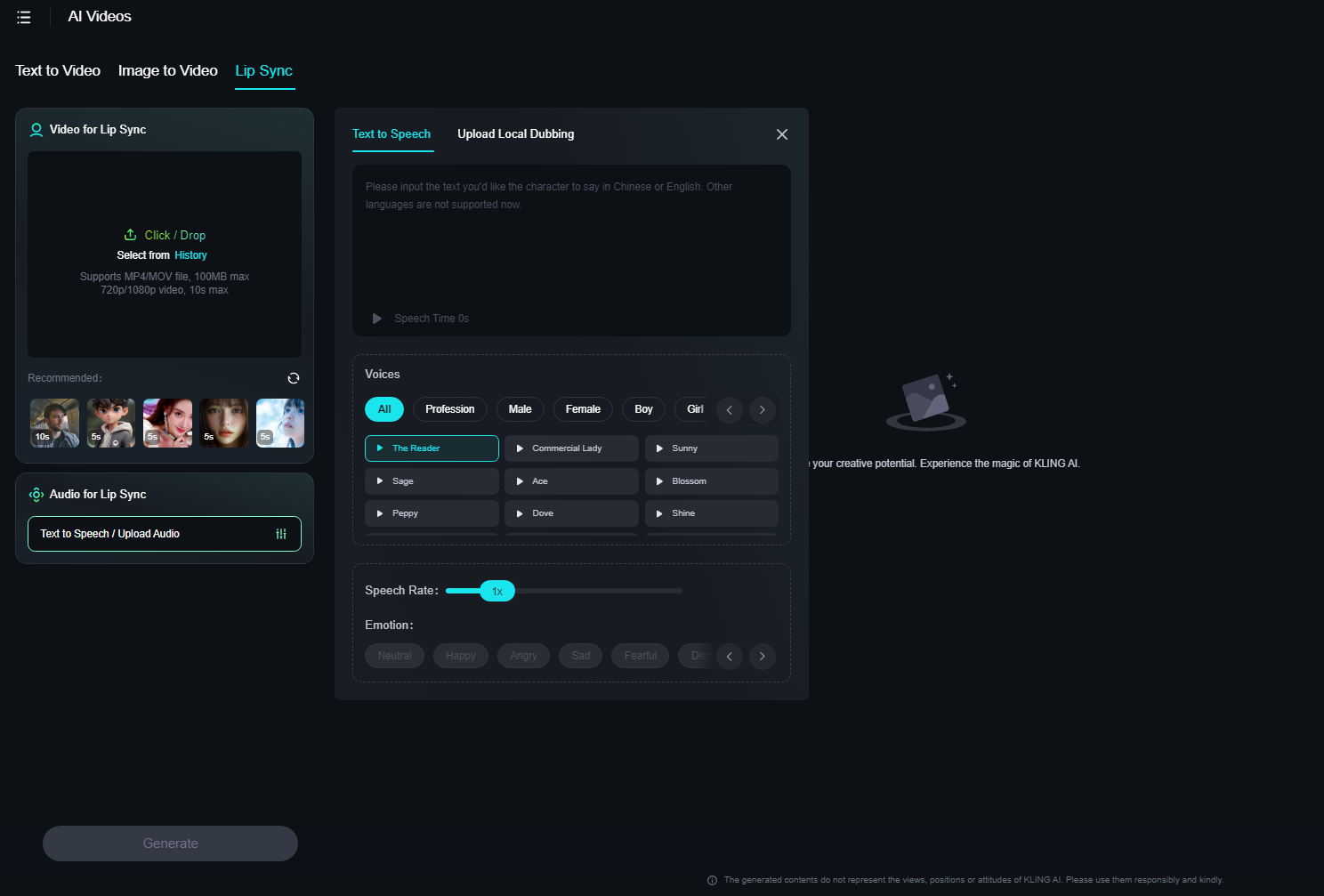
Navigate to the Kling AI Lip Sync page.
Step 2. Upload or Generate a Video
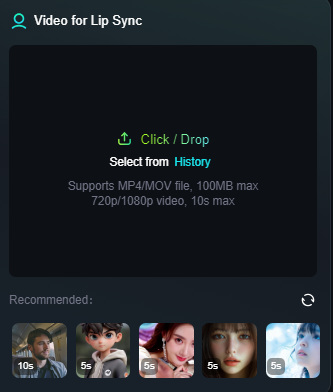
Next, you'll need a video to serve as your baseline. You can either click in the box to upload one, drag and drop a video into the area, or simply use one of the AI-generated options that Kling AI offers for you.
Step 3. Add Your Audio
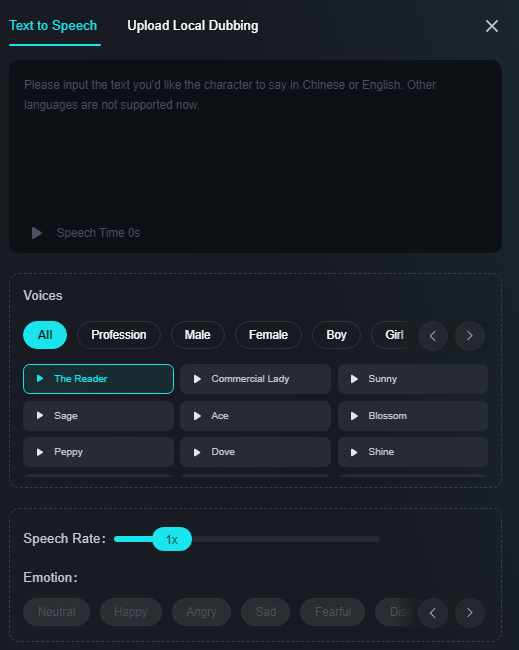
Next, you need to add audio. There are two methods.
You can either type in a script using the text to speech box, and then choose a voice, rate, and emotion. Or, you can click on the “Upload Local Dubbing” option and upload an audio file of your speech instead.
Step 4. Generate

Once your video is done, you can watch it in your browser and save it to your device. Lastly, once everything is ready, just click the Generate button to build your video. Note that you’ll see how many credits this will cost before you click.
What Are Some Uses of Kling AI Lip Sync?
In terms of what you can do with Kling AI’s Lip Sync, there are lots of options available. It’s obviously useful for making videos that display individual human subjects or other AI-generated characters talking.for:
- Tutorial videos and guides with a figure giving instructions.
- Product demonstrations or adverts, in which the character describes the videos.
- Employee training, onboarding, or general introduction videos.
- Social media content to share on platforms like TikTok.
- Narrative videos that tell a story of some kind, for commercial or personal entertainment.
- Educational videos that instruct viewers or teach them about various subjects.
Try Van Gogh Studio's Lip Sync: A Better Kling AI Lip Sync Alternative
If you require a smoother alternative to Kling AI's Lip Sync featuer with better output results, attempt the one on Van Gogh Studio!

freevideogenerator. It offers an extensive library of voices, and create videos with dynamic, smooth and realistic head and mouth movements. Also, this tool works perfectly with your text input or uploaded pre-recorded audio.io's Lip Sync tool uses advanced AI to revolutionize video creation by seamlessly synchronizing speech with accurately timed lip movements.
Best of all, it’s completely free to get started, so give it a try for yourself today.
Final Word
To sum up, the Lip Sync feature is currently one of the better tools available for those who want to create strong AI videos featuring characters who can speak directly to the camera, perfect for e-commerce content, ads, onboarding, product guides, and much greater. Test it out today with the support of Van Gogh Studio.
FAQs
What does the Lip Sync feature do?
Kling AI’s Lip Sync feature is designed to synchronize speech text or audio with mouth movements of the characters in AI generated videos. You can apply it to create a video that shows someone talking in a quite realistic way.
Will the audio match the video perfectly?
Yes, the AI normally does an excellent job of matching the audio and the video, so the character’s mouth movements line up perfectly with the words that they’re saying.
What voice options are available?
You can choose from a wide range of voice options when you apply Kling AI's Lip Sync with text to speech, such as "The Reader" and "Commercial Lady." There are male and female options and voices of people with different ages, from kids to the elderly.
Is Kling AI Lip Sync free to use?
Yes, you can test Kling AI Lip Sync for free. Kling AI offers their users free credits for them to test out their features at no costs.
Create AI videos free
Try Van Gogh Studio free — text-to-video, image-to-video, and 300+ models in one place. Free credits on signup, no credit card required.
Try Free Video Generator


